
NeoRuler Digital Scale Ruler Bundle
5.0Editor score
Includes NeoMagnifier
High-Resolution Display
Complete Drafting Kit
Compare the top Digital Architectural Scale Ruler models for accuracy and features. This guide reviews leading digital and analog options for architects and
Digital architectural scale rulers transform how professionals measure plans by converting rolling motion into precise digital readings. These tools eliminate manual calculation errors and speed up takeoffs for contractors and designers working with complex blueprints daily.
We evaluated ten leading models based on scale versatility, accuracy, durability, and workflow integration. Each product was analyzed for its ability to handle imperial and metric systems while offering custom calibration for out-of-scale documents encountered on real jobsites.
Each pick below highlights specific strengths like app connectivity or manual robustness. Prices and availability change frequently so verify current details before purchasing to ensure you select the right tool for your specific drafting or estimation needs.
5.0Editor score

4.4Editor score

4.7Editor score
This side-by-side comparison highlights key specifications across all ten reviewed models to help you identify the best fit for your workflow requirements and budget constraints.


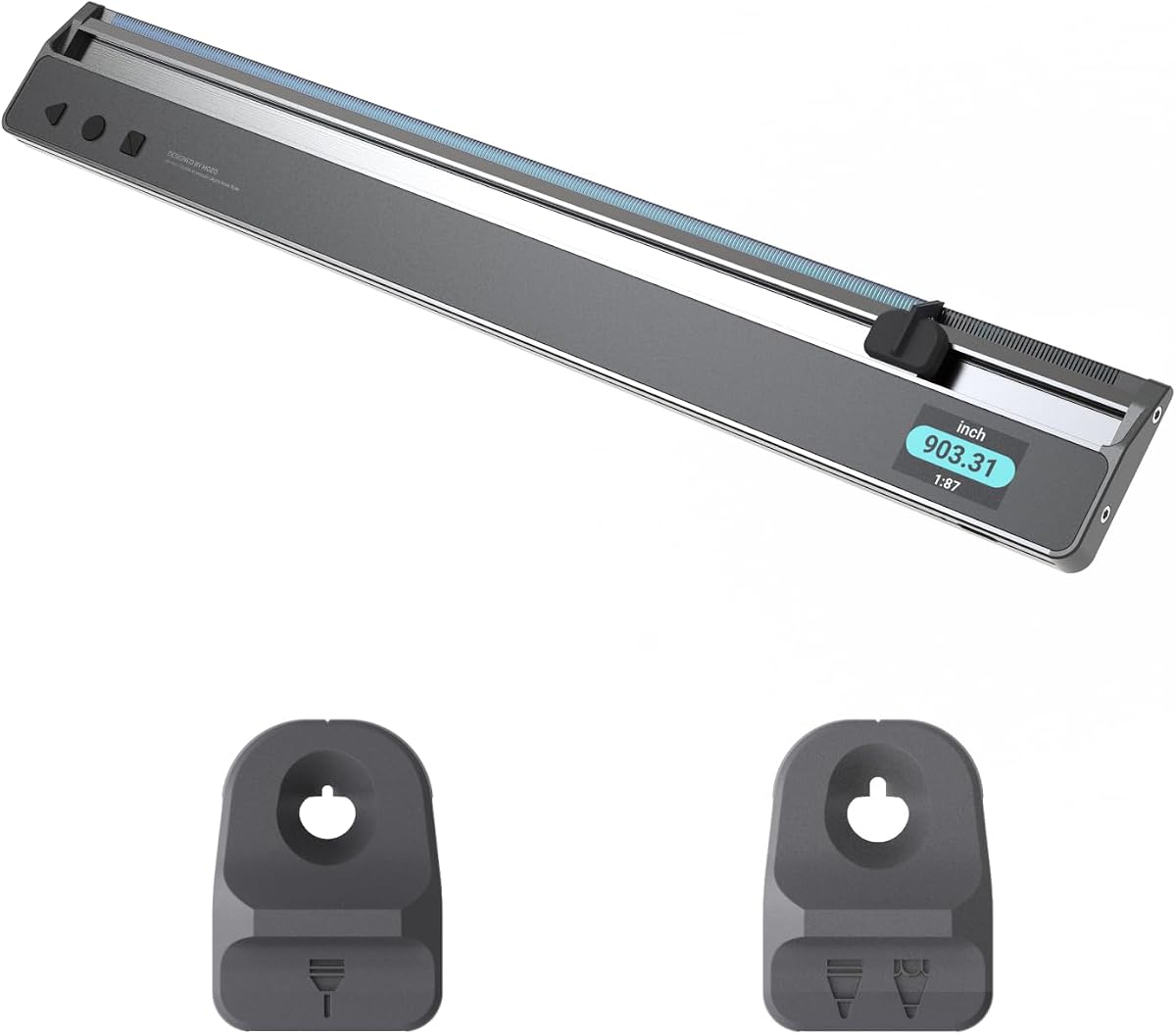


This digital ruler stands out for its ability to define infinite custom scales which solves the problem of out-of-plan documents perfectly. It offers high accuracy and a robust build quality suitable for daily professional use on various surfaces.
We may earn a commission when you buy through this link, at no additional cost to you.
The integration with the MEAZOR app allows users to transfer data directly to CAD files for further editing. The space divider feature with LED indicators makes quick equal divisions of space effortless without complex manual calculations.
While the initial cost is higher than analog options the time saved on calculations and data entry justifies the investment. The modular design means you might need to buy additional accessories to unlock all potential use cases.
Ideal for architects and civil engineers who need to export data to software regularly. This tool bridges the gap between physical measurement and digital workflow efficiently.
The Bluetooth capability allows seamless transfer of measurements to your device for immediate editing or documentation.
With 93 built-in scales and the ability to create unlimited custom ones you are covered for any project type.
We may earn a commission when you buy through this link, at no additional cost to you.
This bundle offers a complete solution for professionals who need enhanced visibility when reading small text on blueprints. The NeoMagnifier included provides critical support for intricate details that might otherwise be missed by the naked eye.
We may earn a commission when you buy through this link, at no additional cost to you.
Users report high satisfaction with the overall package which includes all necessary tools for precision drafting. The NeoPointer helps maintain accuracy during detailed reading tasks ensuring every measurement is taken exactly where intended.
The higher cost reflects the inclusion of accessories that are usually sold separately. This makes it an excellent all-in-one choice for those who want everything in a single purchase without compromise.
Recommended for architects working with dense technical drawings where legibility is a constant challenge. The combination of digital precision and optical aid is unmatched in this category.
The included magnifier makes reading tiny annotations on plans significantly easier and reduces eye strain during long sessions.
Having the ruler magnifier and pointer in one bundle ensures you have every tool needed for detailed work immediately.
We may earn a commission when you buy through this link, at no additional cost to you.
This model offers a budget-friendly entry into digital plan measurement without sacrificing core functionality like custom scale calibration. It is a solid choice for contractors who need reliability and basic area calculations on the go.
We may earn a commission when you buy through this link, at no additional cost to you.
The device includes a manual count function which allows you to track items like studs or outlets while rolling plans. This feature adds significant value for estimation tasks that require counting alongside distance measurement.
While it lacks smart features like Bluetooth the simplicity ensures longer battery life and easier operation in noisy environments. The compact design fits easily into a tool pocket for quick access during site visits.
Best for users who need a straightforward tool for basic takeoffs without needing data syncing. It is reliable and durable enough for daily job site use without worrying about complex software updates.
The manual count button lets you track recurring items without stopping your workflow or relying on separate tally tools.
Calculated Industries has a long reputation for durable measurement tools that perform consistently in tough conditions.
We may earn a commission when you buy through this link, at no additional cost to you.
The XE model enhances the basic pro version with an automatic counter that tracks items without manual input. It is designed for high volume takeoff tasks where speed and accuracy are critical for bid estimation.
We may earn a commission when you buy through this link, at no additional cost to you.
With 91 built-in scales it covers a wide variety of architectural and engineering needs out of the box. The ten custom scale options allow for flexibility when dealing with non-standard plan scales common in renovation projects.
The inclusion of a PC interface option means you can back up or transfer data if you prefer digital storage over cloud apps. This appeals to traditionalists who want digital convenience without full reliance on mobile ecosystems.
Ideal for estimators who need high capacity counting and extensive scale options. It balances classic digital usability with modern convenience features effectively.
The auto counter allows for rapid itemization of repeated elements like columns or outlets without manual interruption.
With 91 scales you are likely to find the right match for most standard architectural drawings immediately.
We may earn a commission when you buy through this link, at no additional cost to you.
This classic analog ruler provides a reliable manual alternative for drafting and quick measurements without any electronic components. It is built from anodized aluminum to ensure longevity and resistance to corrosion in busy studios.
We may earn a commission when you buy through this link, at no additional cost to you.
The laser etched markings ensure that the scale numbers will not fade over time even with heavy use on rough surfaces. Its triple sided design fits standard imperial scales commonly used in residential and commercial architecture.
Since it does not require power it is ready to use at any moment without worrying about battery levels. This simplicity makes it an essential backup tool for any professional who wants a fail-safe measuring method.
Best for students and architects who prefer traditional drafting methods or need a durable backup. It ensures you can always measure a plan regardless of power sources or connectivity issues.
Laser etching ensures the scale numbers remain clear and legible even after years of heavy handling and wear.
As a manual tool it never runs out of battery ensuring you are never left without a measuring tool.
We may earn a commission when you buy through this link, at no additional cost to you.
This comprehensive bundle includes everything needed for both reading and drafting on blueprints in one package. It is designed for professionals who want a complete station on their desk for detailed project work.
We may earn a commission when you buy through this link, at no additional cost to you.
The inclusion of two penholders allows you to switch between different pen sizes for varying line weights effortlessly. This flexibility is useful for emphasizing certain elements during a review session or finalizing drawings.
User feedback suggests that while the tool is powerful the penholders might not fit every specific pen brand. However the digital ruler itself performs reliably and the magnifier remains a valuable addition for detailed inspections.
Ideal for those setting up a home office or studio who want a complete toolkit. It combines digital measurement with physical drafting tools for a unified workflow.
The included penholders let you use multiple pen sizes for precise line work during detailed drafting sessions.
Having reading and drafting tools together ensures you have everything needed for complex projects in one box.
We may earn a commission when you buy through this link, at no additional cost to you.
This set provides both architectural and engineering scales plus a standard steel ruler in one package for complete coverage. It is an excellent choice for students or firms that handle mixed discipline projects regularly.
We may earn a commission when you buy through this link, at no additional cost to you.
The high contrast laser etched markings ensure clear visibility of measurements even on complex drawings. This helps reduce errors during manual drafting and ensures consistent scale application across different documents.
The stainless steel ruler included serves as a straight edge for general measuring tasks that do not require scaling. This versatility makes the set a versatile addition to any drafting drawer without needing multiple purchases.
Best for students and general designers who need both standard and engineering scales without buying separately. It offers a robust manual solution for accurate drawing work.
Having both architect and engineer scales in one set saves money and space compared to buying them individually.
Laser etched high contrast markings ensure measurements are always easy to read and accurate during drafting.
We may earn a commission when you buy through this link, at no additional cost to you.
This bundle focuses on precision drafting needs by combining a high accuracy digital ruler with specialized penholders. It is designed for professionals who need exact measurements and clean lines for technical drawings.
We may earn a commission when you buy through this link, at no additional cost to you.
The 93 built-in scales provide extensive coverage for various plan types while the app integration ensures easy data management. The included penholders support specific sizes to ensure stability during detailed drawing tasks.
While specific ratings are not available the technical specifications suggest a strong focus on accuracy and ease of use. This tool is well suited for tasks where minor errors can impact overall design outcomes significantly.
Recommended for precision focused designers who need digital support with drafting tools. It bridges the gap between measurement and line work efficiently.
The dedicated penholders provide stable support for technical pens ensuring clean accurate lines on every drawing.
High accuracy digital measurement ensures that every line drawn is based on verified real world dimensions.
We may earn a commission when you buy through this link, at no additional cost to you.
This kit solves the organization challenge by including a specialized case that stores modules magnetically for easy access. It is designed for professionals who need to carry their tools in the field without losing small parts.
We may earn a commission when you buy through this link, at no additional cost to you.
The magnetic storage ensures that the magnifier and penholders stay securely attached to the ruler when not in use. This reduces the risk of losing critical accessories during transport on active construction sites or busy offices.
The protective case provides extra durability ensuring the digital ruler remains safe during daily commutes. While it adds some weight the peace of mind regarding equipment safety is worth the trade-off for many users.
Best for mobile professionals who need an organized portable solution. It ensures your tools are always ready and protected when you need them most.
Magnetic storage keeps modules securely attached to the ruler preventing loss during transport or storage.
The included case offers sturdy protection for your digital ruler ensuring it survives daily travel safely.
We may earn a commission when you buy through this link, at no additional cost to you.
This bundle offers two different versions of the Master Pro series providing both basic and advanced functionality in one purchase. It is ideal for firms that want to equip multiple team members without buying individual packages.
We may earn a commission when you buy through this link, at no additional cost to you.
Both units support 72 built-in scales and custom calibration ensuring that your entire team works with the same accuracy and scale standards. The advanced unit adds extra features that may be useful for complex estimation tasks.
Having two units allows one to remain charged while the other is in use ensuring continuous workflow without downtime. This reliability is critical during time sensitive bidding periods where speed is essential.
Best for small teams or contractors who need redundancy in their measurement tools. It ensures that you always have a functional tool ready for urgent on-site needs.
Two units allow continuous operation without waiting for batteries to change ensuring no delays in critical tasks.
Both units use the same scale sets ensuring consistent measurements across different team members and projects.
We may earn a commission when you buy through this link, at no additional cost to you.
Selecting the right digital ruler involves evaluating scale variety, connectivity options, and build quality to match your workflow needs.
The number of built-in scales determines how many standard drawings you can measure without programming. Look for models offering both imperial and metric units along with custom scale options for out-of-plan documents.
Ensure the device allows you to define and save custom scales so you can calibrate it to any document type you encounter.
High quality wheels made of hard materials provide better traction and measurement consistency on different surfaces. Accuracy is critical for bid estimates so check the stated precision of the unit before buying.
Select a model with a wheel that rolls smoothly and provides reliable readings across varied plan materials.
Digital rulers with Bluetooth connectivity allow you to export measurements directly to CAD software or mobile apps. This streamlines your workflow by reducing manual data entry and potential transcription errors.
Choose a ruler that integrates with the software you already use to maximize efficiency in your design process.
Construction materials like aluminum or steel ensure the ruler withstands daily handling on busy jobsites. A protective case is often included and adds value by preventing damage during transport.
Prioritize devices with rugged construction if you plan to use them frequently in field environments.
Battery life impacts how long you can work between charges or replacements. Some models use long-life button cells while others use rechargeable batteries for extended use.
Check the battery specifications to ensure the device lasts through your typical workday without interruption.
Advanced models offer area and volume calculations which save time on estimating material needs. Count functions help track items like studs or outlets while rolling the plan.
Look for dedicated keys that allow you to access these calculation modes quickly without menu navigation.
Lighter devices are easier to carry in a tool belt or pocket during site inspections. However heavy units often offer better durability and larger screens for better visibility.
Balance the weight against your need for portability to ensure the device is comfortable for daily use.
Higher priced models typically include more features and better support. A warranty of at least one year protects your investment against manufacturing defects.
Consider the long term value of the device rather than just the upfront cost when making a selection.
Before taking measurements calibrate the device to the plan scale using the custom scale function. Roll the wheel from a known starting point to ensure accuracy across the entire document.
Keep the wheel and sensor free from dust and debris to maintain consistent performance. Use a soft cloth to wipe the sensor area regularly to prevent errors caused by dirt accumulation.
Store the device in its protective case when not in use to prevent accidental button presses or physical damage. Ensure the battery is removed or switched off if the device will not be used for an extended period.
Most digital rulers are designed for physical paper plans and may not work effectively on screens. Some newer models support smooth surfaces but accuracy may vary on glass tablets. Check the product specs for screen compatibility before purchasing.
Calibrate by entering the known distance of a reference line on the plan into the custom scale menu. Follow the device instructions to set the starting point and then roll to the end of the line to save the scale.
Most top models include both imperial and metric scales to handle a wide variety of document types. Ensure you select a unit that explicitly states support for both measurement systems for versatility.
To export data you typically need a model with Bluetooth connectivity paired to a compatible app. Transfer the measured data via the app to CAD software or cloud storage for further editing.
Most devices use standard long-life button cell batteries like CR2032 which are widely available. Check the manual for specific battery requirements to ensure you stock the correct replacements.
You can use the custom scale feature to calibrate the ruler to the specific reduced or enlarged scale of the document. This allows accurate measurement even when the printed plan does not match standard scale ratios.
While built durable these tools are best used on flat stable surfaces for accurate results. Rough terrain may affect wheel movement and introduce errors in your measurements.
Digital rulers can offer similar accuracy but provide additional calculation features that reduce human error. Proper calibration ensures they perform reliably for professional estimation and design work.
The HOZO NeoRuler stands out for its unlimited custom scales and seamless app integration for modern workflows. It balances digital convenience with the reliability required for professional architectural tasks.
Choose a model with a robust build and high accuracy if you spend most of your time on active jobsites. For office based design work consider a bundle that includes drafting accessories for a complete setup.
Prices and availability for these specialized tools change frequently so verify current details before purchasing. Select the right ruler based on your specific measurement needs and workflow requirements for the best long term value.