
Phomemo M85 Touchscreen Portable Printers Wireless for Travel with Case
4.6Editor score
Enhanced large touchscreen operation
3500mAh high capacity battery
Supports five thermal paper sizes
Traveling often requires on-the-go document printing without the hassle of ink cartridges or bulky office machines. An inkless portable printer for travel offers a sleek, thermal-based solution that fits easily into backpacks or briefcases for immediate access.
We evaluated ten leading models based on connectivity options, paper compatibility, battery endurance, and overall print clarity. Each product was assessed for real-world utility across business trips, student needs, and remote work scenarios to ensure practical value.
Every selection highlights key strengths and limitations to help you choose confidently. Note that pricing and availability fluctuate regularly on retailer platforms, so verify current details before making your final purchase decision for optimal savings and performance.
4.6Editor score
4.1Editor score

4.0Editor score
As an Amazon Associate we earn from qualifying purchases.
This side-by-side comparison summarizes key specifications across all ten selected models to highlight differences in size, resolution, battery capacity, and paper handling capabilities for informed decision-making.






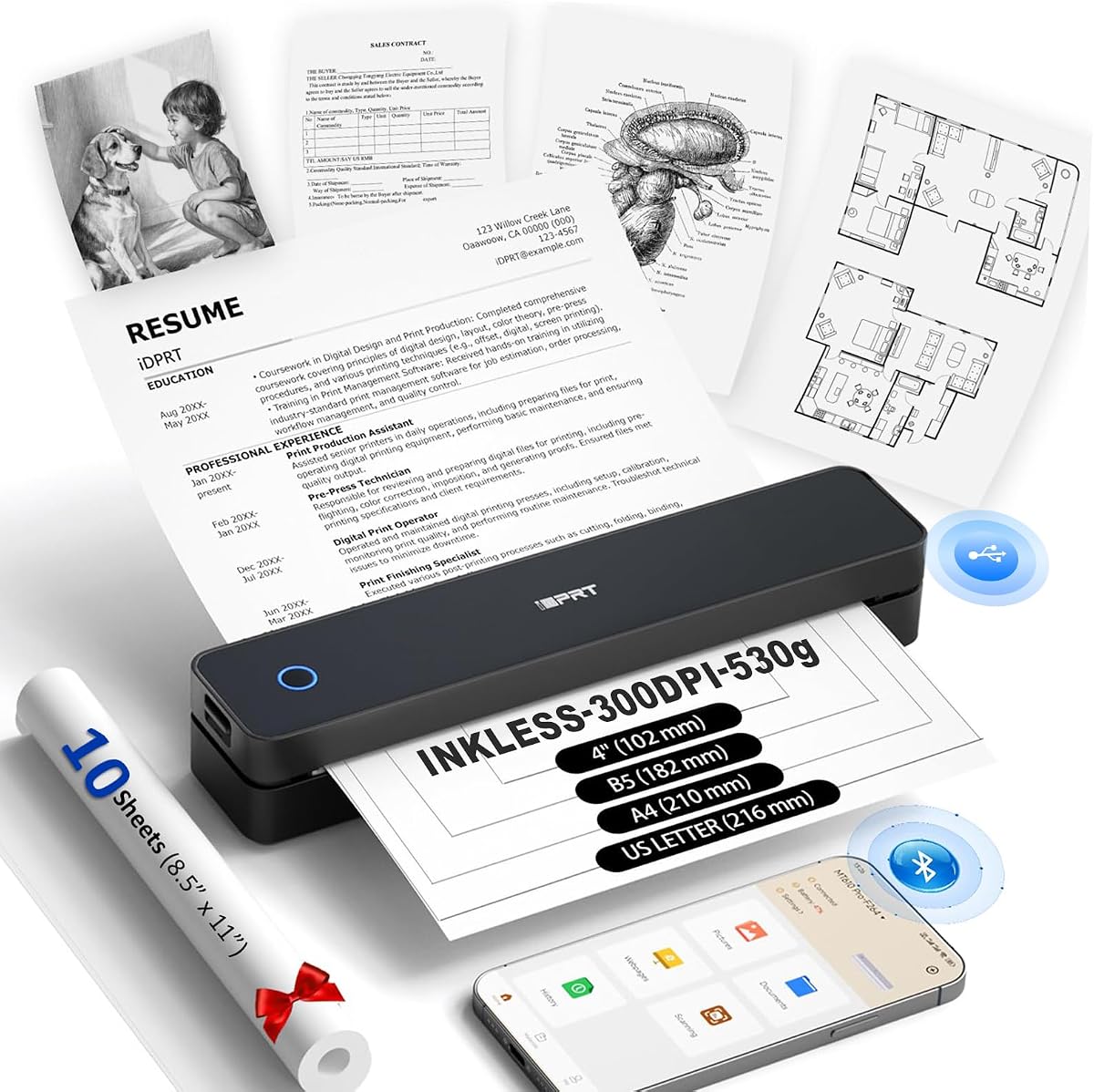
The MT610Pro stands out as a top-tier choice for travelers needing reliable on-the-go document output. With a solid 4.1 rating, it combines lightweight portability with professional 300DPI clarity for sharp text and diagrams.
We may earn a commission when you buy through this link, at no additional cost to you.
Its 2000mAh battery ensures up to 200 pages per charge, perfect for long flights or client meetings. Bluetooth 5.0 and USB-C connections work seamlessly with iOS, Android, Windows, and Mac devices.
While limited to black and white and requiring thermal paper, these trade-offs are standard for the category and keep maintenance simple. The included 10 sheets and USB-C cable help users start immediately without extra purchases.
Ideal for students, digital nomads, and field professionals who prioritize mobility over color output. This model delivers consistent performance at an accessible price point for mobile printing needs.
The 2000mAh rechargeable battery supports extended use without constant charging, making it reliable for travel days.
Bluetooth and USB-C options allow connection to virtually any smartphone, tablet, or computer for flexible workflow.
We may earn a commission when you buy through this link, at no additional cost to you.
The D90E offers robust support for full US Letter thermal paper, appealing to professionals who need standard document sizes. Its 4.3 rating reflects reliable performance and the convenience of a included travel case for protection.
We may earn a commission when you buy through this link, at no additional cost to you.
Bluetooth and USB connectivity ensure flexible connection to mobile devices or laptops. The Labelnize app simplifies mobile printing, while driver installation on PC unlocks desktop functionality for business use.
Users should note the weight of 2.08lb is heavier than ultra-compact models, but the added durability justifies the bulk. Paper jams are easy to resolve with a simple power button press.
Best for teachers, notaries, or truck drivers needing sturdy equipment for daily document tasks. This printer balances size and function well for varied work environments.
The travel case safeguards the device from scratches and impacts during transit or storage.
Compatibility with 8.5 by 11 inch thermal paper ensures full document printing without scaling issues.
We may earn a commission when you buy through this link, at no additional cost to you.
Gloryang offers strong value with three thermal rolls and a carrying case included, reducing initial setup costs. Its 4.2 rating highlights consistent print quality and space-saving design with a built-in paper bin.
We may earn a commission when you buy through this link, at no additional cost to you.
Bluetooth connectivity via the Jadens Printer app ensures smooth mobile use. The 1.75lb weight makes it easy to carry, and support for 8.5 by 11 inch thermal paper meets most document needs.
Users must use Gloryang-specific thermal paper, which can limit options when traveling far from retailers. The case provides excellent protection, making this model ideal for students or gift purposes.
Recommended for those wanting a complete starter kit without extra purchases. Its balance of accessories and performance suits home and mobile office use.
Included paper rolls and case allow immediate printing upon arrival without additional shopping trips.
The built-in paper bin keeps loose sheets contained, maintaining tidy workspaces in cramped travel areas.
We may earn a commission when you buy through this link, at no additional cost to you.
The N80 is an affordable entry point for portable printing with a solid 4.1 rating. It delivers clear 203DPI output suitable for text, charts, and tattoo transfer designs.
We may earn a commission when you buy through this link, at no additional cost to you.
Weighing only 1.5 pounds, it fits easily in any bag. Bluetooth and USB connections ensure compatibility across devices, while the 1500mAh battery supports roughly 160 sheets per charge.
Lower resolution may slightly affect detail on fine graphics, but it suffices for most document tasks. The lack of a charging adapter means users must supply their own.
Ideal for students or hobbyists seeking low-cost mobility. This model excels for specific creative uses beyond standard documents.
Compatibility with tattoo transfer paper opens unique artistic possibilities for custom designs.
Affordable pricing makes this an accessible choice for first-time portable printer users.
We may earn a commission when you buy through this link, at no additional cost to you.
The A285M supports five thermal paper widths from receipts to US Letter, offering unmatched versatility. Its 4.0 rating points to reliable performance for varied use cases.
We may earn a commission when you buy through this link, at no additional cost to you.
The built-in paper bin adds convenience, and Bluetooth pairing with mobile devices is straightforward. Laptop users must download drivers from the provided URL for functionality.
Users should use a 5V 2A charger to avoid battery damage, a detail that requires attention. This printer suits truck drivers or field workers needing diverse output formats.
Best for professionals handling receipts and full documents alike. Its adaptability justifies the minor setup steps for power users.
Support for five widths allows printing receipts, invoices, and contracts without changing hardware.
The integrated bin prevents paper clutter, keeping mobile workspaces organized and efficient.
We may earn a commission when you buy through this link, at no additional cost to you.
Rongta offers the lowest cost entry without sacrificing core functionality, earning its 4.0 rating. It works seamlessly with Windows and macOS for broad usability across devices.
We may earn a commission when you buy through this link, at no additional cost to you.
Support for US Letter and Legal paper meets academic and office standards. The app-only Bluetooth pairing simplifies setup, though Chromebooks are excluded from compatibility lists.
The sleek design adds style to backpacks or home offices. Users gain reliable thermal printing at a fraction of traditional printer operating expenses.
Perfect for budget-conscious students needing standard paper sizes. This model prioritizes essential features over unnecessary add-ons for value.
Windows and macOS support ensure most users can connect without special adapters or configurations.
Inkless thermal technology eliminates recurring cartridge costs for long-term savings on supplies.
We may earn a commission when you buy through this link, at no additional cost to you.
The M832D introduces a digital touchscreen for easy settings adjustments and paper identification, earning a 4.2 rating. This interface simplifies use for first-time users or elderly individuals.
We may earn a commission when you buy through this link, at no additional cost to you.
Its 300 DPI resolution ensures sharp text, and the 2600mAh battery supports around 200 pages. Noise reduction by 30% makes it pleasant in quiet environments like libraries.
Bluetooth connects only to phones and tablets, requiring USB for laptops. The higher price reflects these advanced features, justifying the cost for those valuing ease.
Ideal for travelers wanting hassle-free interaction. This model bridges the gap between portability and desktop-level usability.
The display allows instant checks of battery and status without needing a phone app.
Reduced motor noise ensures discreet printing during meetings or in shared spaces.
We may earn a commission when you buy through this link, at no additional cost to you.
The Arrvel A8 boasts a 3000mAh battery, the largest in this list, enabling up to 200 sheets per charge. Its 4.2 rating reflects solid build quality and extensive OS support.
We may earn a commission when you buy through this link, at no additional cost to you.
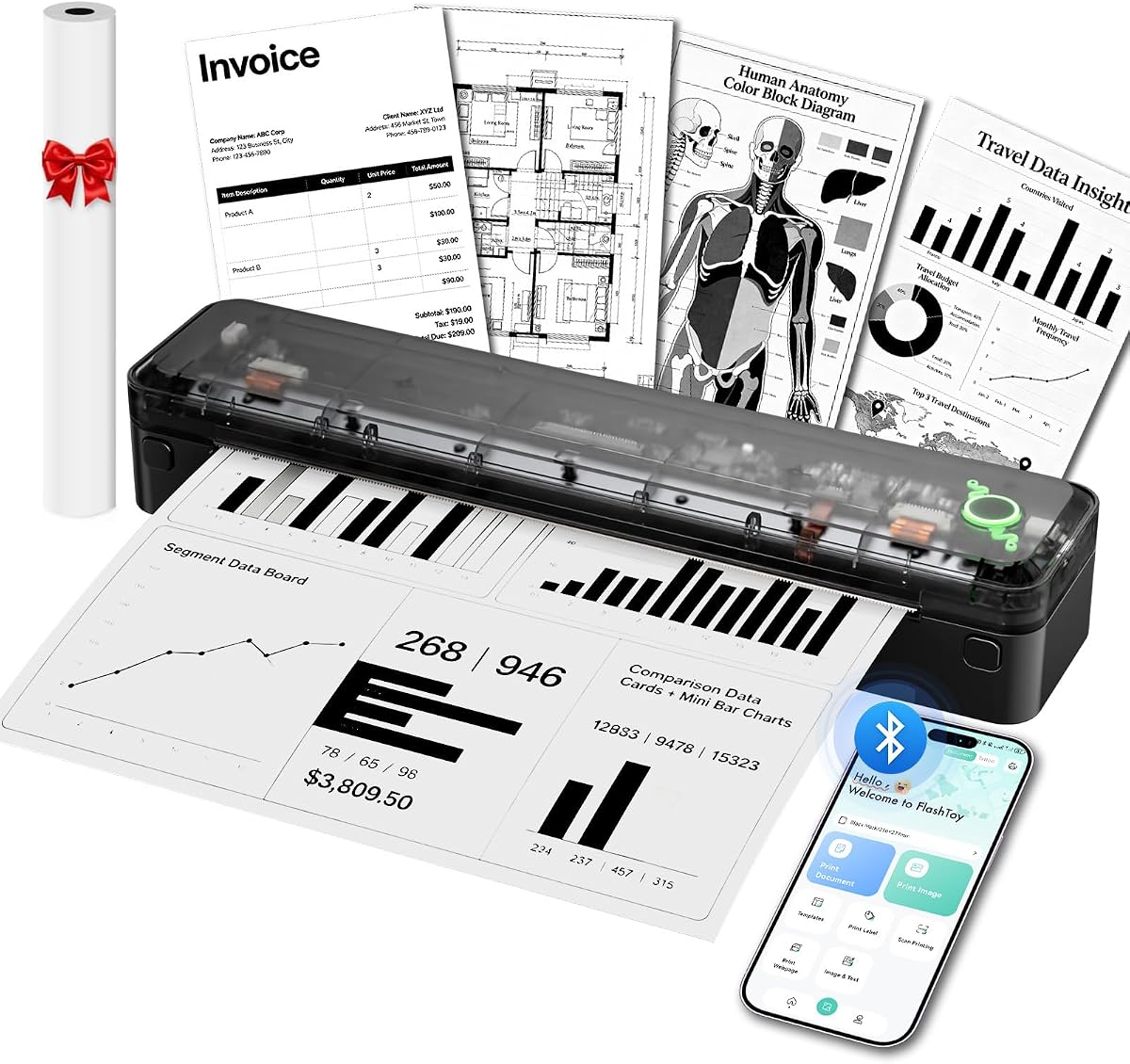
The translucent design reveals internal components for a high-tech look. USB connections handle desktops and laptops, while Bluetooth covers iOS and Android devices effectively.
Bluetooth cannot connect to laptops, so USB is necessary for computer printing. The paper compartment adds convenience, reducing external paper handling during travel.
Perfect for remote workers needing maximum uptime between charges. This model balances style and endurance well for extended trips.
The 3000mAh capacity reduces charging frequency during long travel days or remote work periods.
The graphite translucent cover offers a unique look distinguishing it from standard plastic devices.
We may earn a commission when you buy through this link, at no additional cost to you.
The M85 leads the premium category with a 4.6 rating, featuring a large touchscreen for direct template printing. Its 3500mAh battery and four included paper rolls offer unmatched convenience.
We may earn a commission when you buy through this link, at no additional cost to you.
With 300 DPI resolution and multi-size support, it handles professional documents and images efficiently. The foldable design fits easily in backpacks while maintaining a robust build.
First-time users must upload templates via the app, but daily use becomes seamless through the screen. The included carrying bag ensures protection during transit.
Best for professionals wanting top-tier features and aesthetics. This model justifies its cost with advanced capabilities and premium accessories.
The touchscreen allows previewing templates directly on the device without relying on mobile screens.
Included paper sets and bag provide immediate readiness, saving time on initial setup purchases.
We may earn a commission when you buy through this link, at no additional cost to you.
The MUNBYN printer earns a 4.4 rating for its compact water-bottle size, ideal for car glove boxes or tight spaces. It features an adjustable paper slot for versatile document handling.
We may earn a commission when you buy through this link, at no additional cost to you.
Its app offers a rich template library for quick prints. USB connections ensure macOS works properly, as Bluetooth is limited on some systems. Customer support is noted for responsiveness.
Users must supply their own charger, but this is common for portable devices. Its reliability and small footprint make it a strong choice for mobile offices.
Best for remote workers needing instant setup anywhere. This model excels in accessibility and user-friendly app features for daily tasks.
Its slim dimensions allow storage in tight vehicle spaces or small bags without bulk.
The app includes ready-made templates for invoices, notes, and documents to streamline printing.
We may earn a commission when you buy through this link, at no additional cost to you.
Selecting the right portable printer involves evaluating connectivity, battery life, paper compatibility, and size to match your specific travel or mobile work needs effectively.
Ensure the printer supports Bluetooth for mobile devices and USB for laptops, as some models restrict Bluetooth to phones only. Checking compatibility with your operating system prevents connection issues while away.
Prioritize models with USB-C for modern laptop connections and Bluetooth 5.0 for faster pairing speeds across all devices.
Battery life directly impacts how many pages you can print before recharging. Look for capacities of 2000mAh or higher to support 150 to 200 pages per charge for long trips.
Higher capacity batteries reduce dependency on power outlets during travel, ensuring uninterrupted workflow during client meetings or field work.
Thermal printers require special paper instead of regular inkjet stock. Verify supported sizes such as US Letter, A4, or narrow rolls to meet your document requirements.
Always confirm brand compatibility as some models work only with specific thermal paper brands to avoid print quality issues or jams.
Portability is critical for travel, so choose models under 1.5 pounds whenever possible. Slim profiles fit better into backpacks, laptop bags, or glove compartments without taking excessive space.
Lighter units reduce physical strain while carrying extra gear and ensure the printer remains truly mobile in diverse environments.
Resolution determines text clarity and detail in diagrams or images. Aim for 300 DPI for professional documents, though 203 DPI suffices for standard contracts and notes.
Higher resolution ensures fine lines and small fonts remain readable, improving the professional appearance of printed reports.
Many models require dedicated mobile apps for printing. Check user reviews for app stability, template availability, and ease of pairing before purchase.
A well-designed app simplifies workflow on the go, allowing quick edits or template reuse without laptop reliance.
Travel exposes printers to bumps and temperature changes, so sturdy construction matters. Look for models with protective cases or reinforced bodies to withstand rough handling.
Durability ensures longevity in active environments, reducing repair needs and protecting your investment over time.
Some packages include carrying cases, starter paper, or USB cables, saving initial costs. These extras add immediate value and convenience for first-time users.
Check what comes in the box to avoid buying essential items separately, ensuring you can start printing right out of the box.
First, pair your device via the dedicated app by enabling Bluetooth and selecting the printer. For laptops, install drivers from the manufacturer site before connecting via USB-C cable.
Insert compatible thermal paper carefully following the slot guide, then select the correct paper size in settings to ensure proper alignment and avoid jams.
After printing, store the device in its case to protect from dust and impacts, and recharge the battery fully before long trips to maintain performance.
No, they use thermal technology that heats paper to create images, eliminating ink, toner, or ribbons. This makes them cost-effective and mess-free for travel needs.
Most models in this list are limited to black and white printing only. Thermal paper reacts monochromatically, so color output is not supported currently.
You need specialized thermal paper compatible with the model, often available as rolls or single sheets. Regular copy paper will not work and may damage the print head.
Use a USB-C cable to connect directly, then install required drivers from the manufacturer website. Bluetooth is often restricted to phones, so USB ensures laptop functionality.
Depends on capacity, but typically 150 to 200 sheets per charge. Larger batteries like 3000mAh support extended use between recharges effectively.
Many office supply stores sell standard sizes, but brand-specific rolls might be harder. Plan ahead or check compatibility with widely available paper types before travel.
Yes, by connecting via USB to a laptop or desktop with drivers installed. Mobile apps are optional for phone users but not mandatory for desktop printing.
Some models include cases in the package, but others require separate purchases. Check product details for included accessories to avoid additional costs.
We have reviewed ten outstanding inkless portable printers tailored for travelers and mobile professionals, balancing features like battery life, connectivity, and print quality.
Prioritize connectivity options and paper size compatibility to match your workflow, while considering weight for true portability in bags and vehicle storage.
Remember that prices and availability change often, so always confirm current details on Amazon before finalizing your purchase to secure the best deal.