
Sceptre 24-inch Prime Monitor
4.6Editor score
Two HDMI Ports
Built-in Speakers
99% sRGB Color
Finding the right HDMI LED Monitor can transform your workspace or gaming station. You need a display that balances clarity, speed, and eye comfort without breaking the budget.
We evaluated ten leading models based on refresh rate, color accuracy, and connectivity options. Our focus was on how well they handle both productivity tasks and demanding media consumption.
Each pick highlights specific strengths like built-in speakers or adaptive sync. Remember that prices and availability change frequently, so verify current details before making your final decision.
4.6Editor score

4.7Editor score

4.6Editor score
As an Amazon Associate we earn from qualifying purchases.
Below is a side-by-side look at the key specifications for each model to help you quickly identify which one fits your specific needs.



The Dell 24 Monitor SE2426H stands out as a top choice for general use and gaming. It offers a 144Hz refresh rate with a 1ms response time for smooth visuals.
We may earn a commission when you buy through this link, at no additional cost to you.
Its IPS panel ensures wide viewing angles and consistent colors. The TÜV Rheinland certification helps reduce blue light to protect your eyes during long work sessions.
While it lacks an adjustable stand, the display quality makes up for it. The adaptive sync technology minimizes tearing during dynamic gaming or video playback scenarios.
You should buy this if you want fluid motion without spending much. It is an excellent pick for users needing a reliable daily driver with gaming features.
The 144Hz rate ensures fast-paced games look smooth without stuttering or screen tearing effects.
TÜV 3-Star certification means harmful blue light is reduced while keeping color quality intact.
We may earn a commission when you buy through this link, at no additional cost to you.
The Sceptre 24-inch Prime is a solid pick for those watching their budget. It delivers 99% sRGB coverage for vibrant and accurate colors across your screen.
We may earn a commission when you buy through this link, at no additional cost to you.
It includes built-in speakers which saves you from buying external audio. The multiple HDMI ports allow you to switch between devices like laptops and consoles easily.
FPS and RTS game modes optimize the display for specific genres. Blue light shift helps keep your eyes comfortable during extended viewing or work periods.
This is the right choice for students or office users who want value. It proves that good visuals and sound do not require a high price tag.
With 99% sRGB you get deeper colors that make media and design work look more authentic.
Built-in speakers mean you can watch movies or play games without extra speakers or wires.
We may earn a commission when you buy through this link, at no additional cost to you.
The LG 24U411A-B brings premium features to a compact 24-inch design. Its IPS panel covers 99% of the sRGB gamut for rich and vivid color performance.
We may earn a commission when you buy through this link, at no additional cost to you.
HDR10 support enhances the dynamic range for more realistic media playback. The 120Hz refresh rate ensures smooth frame transitions for both work and casual gaming.
The nearly borderless look gives a modern aesthetic to your desk. Reader mode lowers blue light to help you read documents for longer without eye strain.
Buy this if you want a sleek and capable display for mixed use. It balances visual quality with a design that fits well in any setup.
HDR10 and 99% sRGB make images pop with vibrant tones and deep shadows.
Slim bezels create a seamless look especially when using dual monitors side by side.
We may earn a commission when you buy through this link, at no additional cost to you.
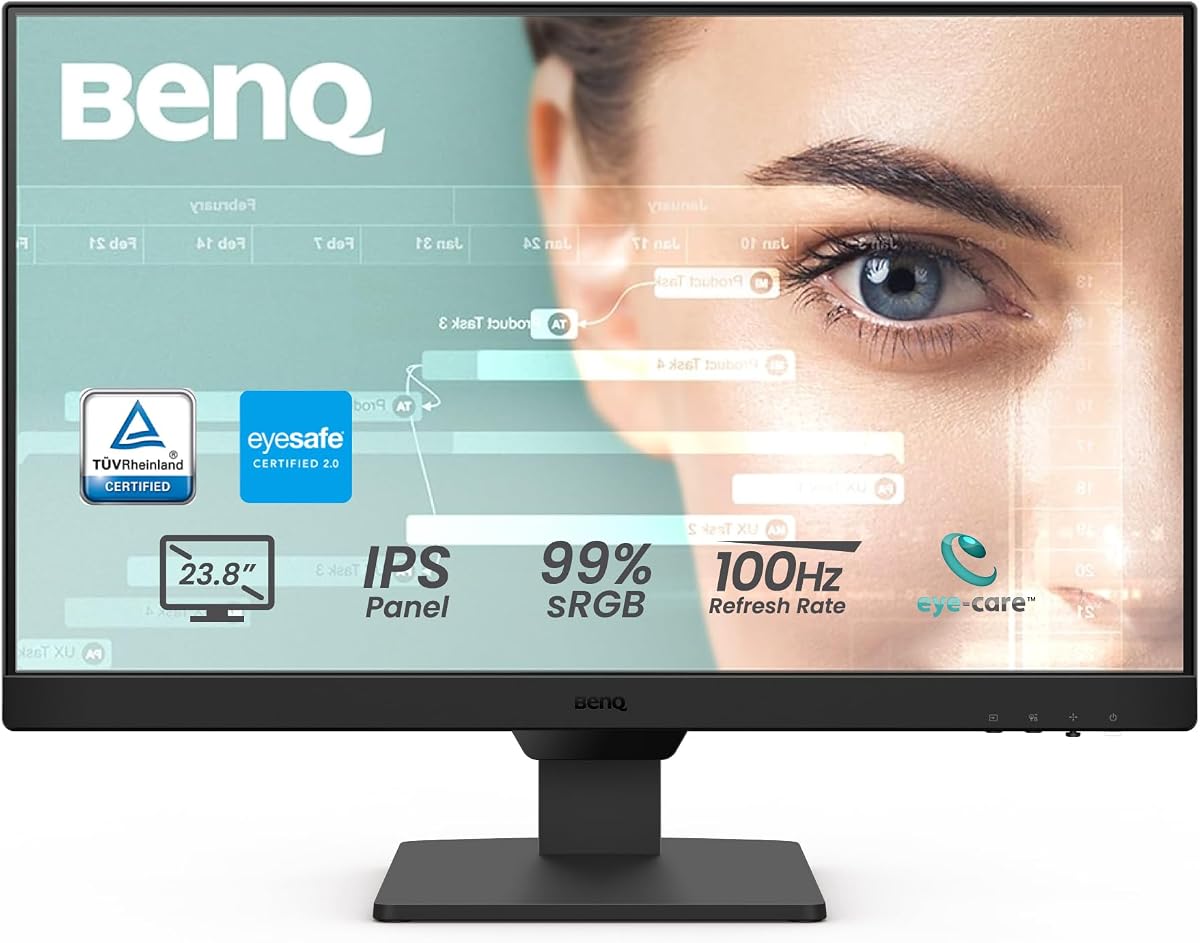
The BenQ GW2490 is designed with your eye health in mind. Its Eye-Care Tech filters harmful blue light while maintaining true-to-life color quality for clarity.
We may earn a commission when you buy through this link, at no additional cost to you.
Adaptive brightness adjusts the screen based on ambient light to prevent glare. The IPS panel offers 100Hz refresh for fluid visuals across apps and content.
You can switch inputs easily with a dedicated hotkey. Built-in speakers provide clear audio for calls or media without cluttering your workspace.
Choose this monitor if you spend long hours reading or coding. It prioritizes comfort without sacrificing performance for your daily tasks.
Low Blue Light Plus filters high energy light to reduce strain during long sessions.
Adaptive Brightness adjusts screen levels automatically based on your room lighting.
We may earn a commission when you buy through this link, at no additional cost to you.
The Philips 241V8LB uses a VA panel to deliver incredible contrast. This means you get brighter whites and deeper blacks for more realistic images.
We may earn a commission when you buy through this link, at no additional cost to you.
Its 178-degree viewing angle ensures colors stay consistent from any side. The flicker-free technology helps reduce eye fatigue when watching videos for hours.
The nearly bezel-free design makes it great for multi-monitor setups. EasyRead mode mimics paper for comfortable long document reading sessions.
This is a strong pick for media viewers and multitaskers. It delivers rich visuals without needing premium pricing for similar contrast levels.
VA technology gives deeper blacks and brighter whites than standard panels.
EasyRead mode changes text rendering to look like printed paper for less strain.
We may earn a commission when you buy through this link, at no additional cost to you.
The Dell P2425H focuses on ergonomics and comfort. Its stand allows for height tilt and swivel adjustments to fit your exact posture needs.
We may earn a commission when you buy through this link, at no additional cost to you.
With a 1500:1 contrast ratio you get clear and distinct images. The Full HD resolution is crisp for spreadsheets and text heavy applications.
It is built for professional settings where comfort matters most. The sturdy design ensures it lasts through heavy daily use in offices.
Opt for this if you need full physical adjustments for health. It is a reliable workstation monitor that keeps your body aligned and relaxed.
Full tilt and swivel adjustments help you find a perfect posture for long work.
Dell build quality ensures this monitor lasts long under daily office conditions.
We may earn a commission when you buy through this link, at no additional cost to you.
The BenQ BL2490 features an anti-glare coating that reduces reflections. This is perfect for rooms with bright lights or windows where visibility is key.
We may earn a commission when you buy through this link, at no additional cost to you.
Its 100Hz refresh rate ensures smooth visuals for gaming or video. The 250 cd/m² brightness is sufficient for most indoor environments.
Simple tilt adjustment keeps it easy to set up quickly. The display offers a clean interface without unnecessary complex menus.
Choose this for bright offices where reflections are a problem. It is a straightforward solution that prioritizes a clear view over extra features.
Anti-glare finish blocks glare from lights for better visibility.
Minimal setup and tilt only adjust makes installation quick and easy.
We may earn a commission when you buy through this link, at no additional cost to you.
The Acer KB220Q H2bi is designed specifically for office productivity. Its ZeroFrame design gives you more screen real estate in a small 21.5 inch body.
We may earn a commission when you buy through this link, at no additional cost to you.
Adaptive Sync support eliminates screen tearing for smooth visuals. The 100Hz refresh rate ensures fast transitions for quick tasks and web browsing.
It is compact and easy to place on crowded desks. The clear 1080p resolution keeps text sharp and easy to read.
This is ideal for administrative tasks where space is limited. It balances performance and size to fit into tight workspaces perfectly.
The bezel less design maximizes screen area in a small footprint.
Adaptive sync keeps visuals fluid even during scrolling or rapid movement.
We may earn a commission when you buy through this link, at no additional cost to you.
The Dell S2425HSM combines speed with full ergonomic adjustability. It delivers 144Hz refresh rate and 1ms response for smooth and clear motion.
We may earn a commission when you buy through this link, at no additional cost to you.
Integrated dual 3W speakers offer better audio than most built-in options. The stand allows height pivot tilt and swivel to fit your needs.
Eye comfort features reduce blue light for healthier long viewing sessions. The ash white finish adds a unique look to any workspace setup.
Pick this if you want both gaming speed and office ergonomics. It is a versatile model that adapts to your changing daily needs.
Dual 3W speakers provide richer sound without needing external audio.
Height pivot and swivel allow any angle for comfort.
We may earn a commission when you buy through this link, at no additional cost to you.
The Sceptre E275W-19203R offers a larger 27-inch screen for immersive viewing. It keeps 99% sRGB color accuracy for vibrant media and designs.
We may earn a commission when you buy through this link, at no additional cost to you.
Its 100Hz refresh rate ensures smooth visuals during gaming. The built-in speakers help keep your desk tidy while providing essential audio.
Blue light shift reduces eye strain for long work periods. It is a budget friendly option for those wanting more screen real estate.
Choose this if you need more space without spending a lot. It is a great choice for casual users wanting a larger display.
27 inches provides more space for work and media than smaller screens.
99% sRGB ensures your images look vivid and true to life.
We may earn a commission when you buy through this link, at no additional cost to you.
Selecting the right display involves balancing size, refresh rate, and panel type. Consider your primary use case to narrow down the options.
Refresh rate measures how many frames the display shows per second. A higher rate like 120Hz or 144Hz creates smoother motion for gaming and video.
Look for 100Hz or higher to ensure fluid visuals during fast-paced tasks.
IPS panels offer great viewing angles and color consistency. VA panels provide deeper blacks and better contrast for media.
Choose IPS for general work and VA for high contrast media viewing.
Common sizes range from 24 to 27 inches with Full HD. Bigger screens help productivity but require more desk space.
Stick to 24 inches for small desks or 27 for more screen area.
Ensure the monitor has multiple HDMI ports for your devices. A DisplayPort is useful for higher resolutions and refresh rates.
Verify you have enough HDMI slots for your laptop and console.
Features like Blue Light Shift or TÜV certification reduce eye strain. Flicker free technology helps prevent headaches during long use.
Prioritize these features if you work long hours daily.
A stand that adjusts height and tilt improves posture. Fixed stands can be limiting if you sit at different angles.
Check if the monitor allows full ergonomic movement.
Technologies like FreeSync or G-Sync prevent screen tearing. This ensures smooth frames when gaming on PC.
Look for compatible sync support if you game regularly.
Integrated audio saves space and reduces wire clutter. Sound quality varies but is often enough for calls or casual listening.
Check for speaker quality if you need audio without extras.
Start by connecting your computer via HDMI cable and securing the power adapter. Use the buttons on the monitor to set brightness and contrast levels.
Clean the screen with a soft microfiber cloth to avoid scratches. Avoid harsh chemicals that could damage the anti-glare coating.
Take regular breaks to rest your eyes and adjust your posture. Keep the monitor at eye level for better neck alignment.
Yes HDMI 1.4 and higher versions support high refresh rates. Most modern monitors use this to deliver 120Hz or 144Hz performance smoothly.
A 24-inch model is ideal for small desks and multitasking. Larger sizes like 27-inch work well for spacious workstations.
IPS panels offer better viewing angles and color accuracy. VA panels excel in contrast and are better for dark room viewing.
Most modern monitors include HDMI connectivity. Always check specs to ensure it matches your devices and cable types.
Adaptive sync adjusts refresh rates to match your graphics card output. This reduces tearing and stuttering for smoother visuals.
Use blue light filters and take regular breaks. Adjust brightness to match room lighting to reduce strain.
Most models support VESA mounts for easy wall mounting. Check the mounting hole pattern before purchasing brackets.
The Dell 24 Monitor and Sceptre 24-inch Prime lead our list for performance and value. They offer strong specs suitable for most users.
Prioritize refresh rate and eye comfort features for long term satisfaction. Match the panel type to your media needs for the best experience.
Always check current deals before buying to ensure you get the best price. Prices fluctuate often so verify details before making your purchase.