
Adesso AKB-132HB Multimedia USB Keyboard
4.2Editor score
Three USB ports for expansion
Media hotkeys included
Quiet membrane switches
Find the best keyboard with USB Port for your setup. We compare top models featuring integrated hubs for connectivity convenience and versatile device support
A keyboard with USB port combines typing efficiency with expanded connectivity. These devices let you plug peripherals directly into the keyboard, reducing cable clutter and simplifying your workspace setup significantly.
We evaluated ten top-rated models based on hub quality, typing comfort, and compatibility. Our analysis focuses on build reliability, port counts, and features that enhance daily productivity across various operating systems effectively.
Each pick highlights key strengths and ideal user scenarios. Prices and availability fluctuate so always check current listings before buying. We hope this guide helps you select the perfect tool for your needs.
4.2Editor score

4.6Editor score
4.3Editor score
This side-by-side comparison outlines the key differences between each model. Review the specifications to identify which keyboard best fits your connectivity and typing preferences for your specific workspace.






The Adesso AKB-132HB offers a practical solution for users needing extra ports without spending much. It features three built-in USB hubs for easy peripheral access. This makes it ideal for adding mice or flash drives quickly.
We may earn a commission when you buy through this link, at no additional cost to you.
Its multimedia controls allow quick access to media players and favorite playlists. The Windows One-Touch controls open apps like Mail or Calculator instantly. This saves time during daily tasks and reduces mouse reliance significantly.
Quiet membrane key switches provide a softer typing experience suitable for shared spaces. They are durable enough to last up to five million keystrokes. However, the keys lack tactile feedback compared to mechanical switches.
This keyboard is perfect for budget-conscious users needing reliable connectivity. It balances cost with functionality effectively for general office work or home use. Consider this if port access is your top priority.
With three USB hubs, you can connect multiple devices simultaneously without needing a separate hub.
Dedicated hotkeys streamline media playback and common Windows applications for faster workflow efficiency.
We may earn a commission when you buy through this link, at no additional cost to you.
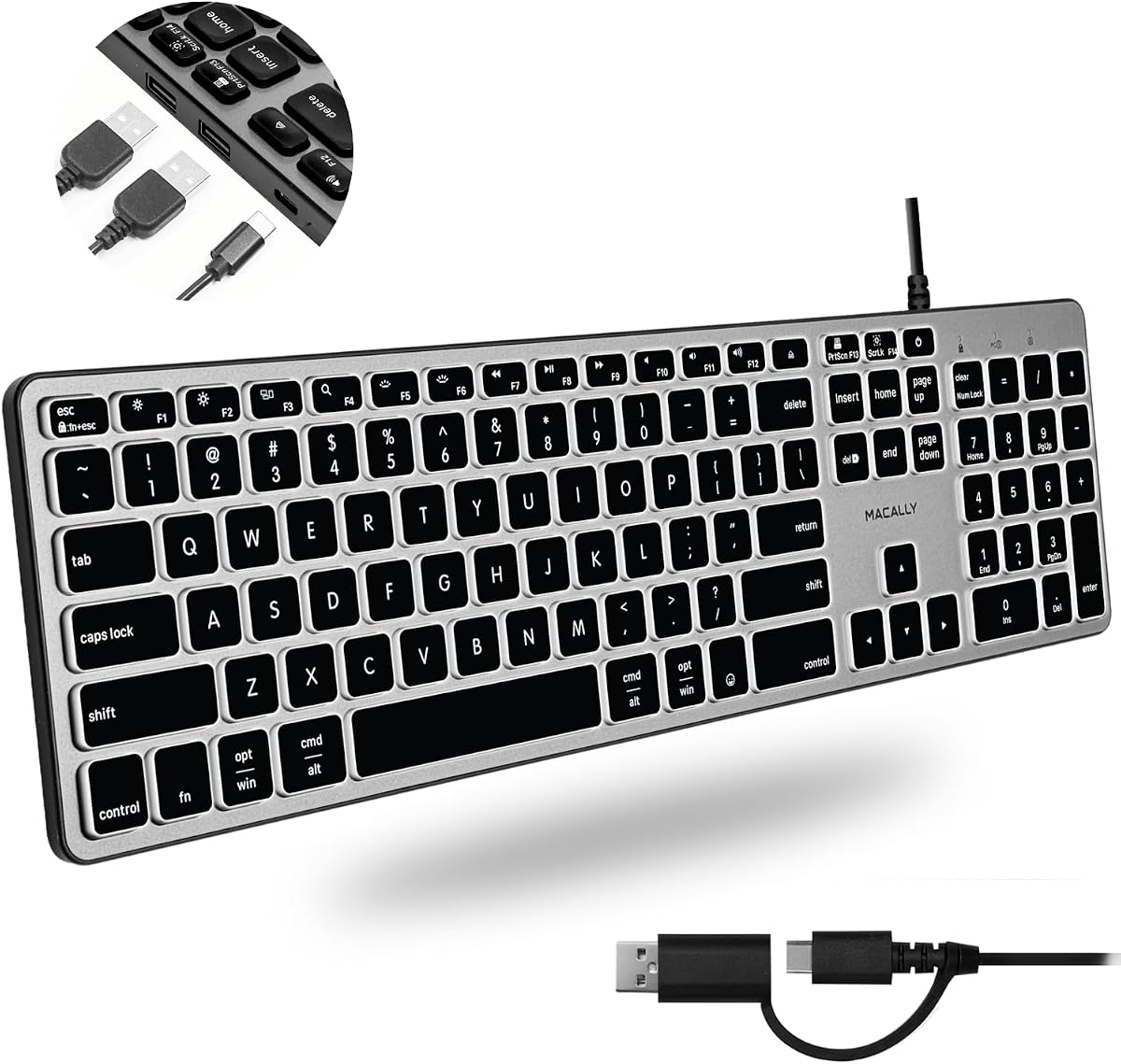
The Macally Wired Keyboard supports both Mac and PC seamlessly with auto OS detection. It includes a versatile 2 in 1 USB plug for compatibility. This makes it adaptable to many modern computers and laptops.
We may earn a commission when you buy through this link, at no additional cost to you.
Enjoy illuminated keys that adjust to different lighting conditions with brightness control. The 3 port USB hub allows connection of mice or hard drives directly. This reduces the need for extra cables on your desk.
The keyboard features a slim design suitable for modern workspaces. While the backlight helps in dim environments, the levels are fixed at three options. It is a solid choice for cross-platform users.
This model is great for those transitioning between Mac and Windows systems. The warranty and support add value to the purchase. It offers balanced features for everyday productivity tasks efficiently.
Auto OS detection ensures all keys function correctly across different operating systems without manual configuration.
The mix of USB-A and USB-C ports covers a wide range of peripherals effectively.
We may earn a commission when you buy through this link, at no additional cost to you.
This Macally keyboard connects via USB-C for newer devices and laptops. It offers three extra ports for connecting accessories like webcams or drives. The space gray finish matches modern Mac setups aesthetically.
We may earn a commission when you buy through this link, at no additional cost to you.
Seamless compatibility allows use on Mac, PC, or Chrome systems instantly. All shortcut keys work across platforms without needing extra setup. The integrated typing angle provides ergonomic comfort for long sessions.
Quiet scissor switches offer a premium feel without excessive noise. While it lacks backlighting, the build quality is robust and durable. Lifetime support adds confidence to the purchase decision.
Ideal for Mac Mini or iPad users needing reliable connectivity. The design focuses on practicality and sleek looks for professional environments. It serves well for tasks requiring stable wired connections.
Direct USB-C connection ensures fast data transfer and compatibility with the latest devices.
Integrated typing angle and low profile key help reduce strain during extended use.
We may earn a commission when you buy through this link, at no additional cost to you.
The Logitech K120 is a standard full-size keyboard known for reliability. It features deep-profile keys that ensure comfortable typing throughout the day. Setup requires no software, just plug and play on Windows.
We may earn a commission when you buy through this link, at no additional cost to you.
Its spill-resistant design protects against accidental liquid spills effectively. This durability makes it a strong partner for home or office desks. The keys are anti-fade ensuring clear labels over time.
While it lacks a USB hub, the focus is on typing comfort and longevity. It is built with recycled plastic contributing to sustainability. It is highly rated for general-purpose use.
Choose this if you need a sturdy keyboard for basic tasks. It offers value and performance for everyday computing needs. It remains a favorite for reliable, simple input devices.
The design channels liquids away from internal components to extend the device lifespan.
Over half of the plastic parts come from certified recycled sources.
We may earn a commission when you buy through this link, at no additional cost to you.
The Perixx PERIBOARD-409H is a mini keyboard without a number pad to save desk space. It includes two built-in USB hubs for connecting extra input devices. This flexibility enhances your workspace organization significantly.
We may earn a commission when you buy through this link, at no additional cost to you.
Solid construction with high quality ABS material ensures long-lasting durability. The membrane keys offer ten million switch cycles for longevity. A long cable makes it easy to connect under desks.
Plug and play setup requires no drivers or software installation. It supports Windows 7, 8, and 10 efficiently. This makes it ideal for compact setups needing connectivity options.
This keyboard is great for those with limited desk space. It balances size with the utility of extra ports. Consider it for secondary stations or smaller desks.
Removing the number pad allows for more mouse space and a cleaner layout.
Extra ports on the side enable easy mouse and flash drive connections.
We may earn a commission when you buy through this link, at no additional cost to you.
The KOPJIPPOM Large Print Keyboard features fonts four times larger than standard. This design helps visually impaired users and seniors type with ease. The full size layout ensures all keys are accessible.
We may earn a commission when you buy through this link, at no additional cost to you.
White LED backlighting allows comfortable typing in low light environments. You can adjust brightness or turn it off to save power. Spill-proof construction adds durability for accidental spills.
Compatible with many Windows versions and Linux systems easily. While Mac support exists, multimedia keys may have limited functions. The ergonomic design reduces hand fatigue over time.
Select this if visibility is a primary concern for you. It offers clarity and comfort for extended use sessions. A practical choice for libraries or shared offices.
Larger fonts ensure keys are easy to read and locate quickly.
Adjustable brightness adapts to different lighting conditions for comfort.
We may earn a commission when you buy through this link, at no additional cost to you.
The Dell KB216 is a convenient solution for everyday home or office computing. It features a chiclet style design that is easy to type on. The black finish blends well with most workstations.
We may earn a commission when you buy through this link, at no additional cost to you.
Designed for compatibility with many Dell desktops and laptops. It includes a standard USB interface for simple plug and play use. The dimensions fit neatly on smaller desks or laptops.
While it does not have a built-in hub, it focuses on core typing performance. The build quality is solid for daily professional use. It remains a reliable standard for office environments.
Ideal for users seeking simplicity and familiarity. It works well with standard Dell ecosystems effectively. Consider it for basic office tasks requiring stability.
Designed specifically for business and office computing needs efficiently.
Chiclet style keys provide a modern feel and comfortable typing distance.
We may earn a commission when you buy through this link, at no additional cost to you.
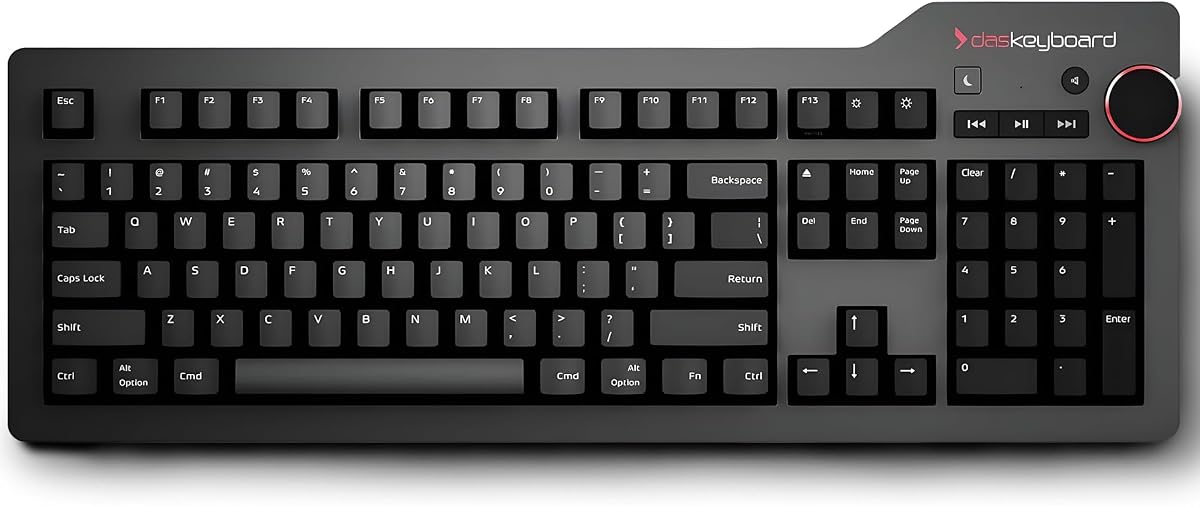
The Das Keyboard 4 for Mac delivers a tactile mechanical typing experience. Cherry MX Blue switches provide precise feedback for fast and accurate typing. The aluminum top plate adds durability and a premium look.
We may earn a commission when you buy through this link, at no additional cost to you.
It includes a blazing fast 2-port USB 3.0 hub for transfers. The large volume knob offers convenient media control on the go. Full n-key rollover ensures every keystroke is registered correctly.
While the switches are loud, they satisfy those who enjoy mechanical feedback. The detachable footbar allows adjustable height for ergonomic comfort. It is a professional choice for Mac users.
Select this for a high-end mechanical experience. It is ideal for writers or coders needing precision. The investment is worth it for quality and longevity.
The aluminum top plate ensures durability and an elegant aesthetic.
Dedicated volume knob allows easy adjustment without on-screen controls.
We may earn a commission when you buy through this link, at no additional cost to you.
The Das Keyboard 4 Professional brings mechanical precision to daily work. It uses Cherry MX Blue switches for accurate keystrokes. The switches are gold plated to resist rust and ensure longevity.
We may earn a commission when you buy through this link, at no additional cost to you.
Fast USB 3.0 hubs allow quick file transfers and charging. The dedicated media controls include a large volume knob. An instant sleep button adds convenience for workflow management.
Full n-key rollover supports fast typists and gamers effectively. While it lacks backlighting, the build quality is excellent. It offers a professional experience for Windows and Linux users.
Ideal for users wanting a tactile and robust keyboard. It supports high speeds and precise inputs. Consider it for serious productivity or gaming tasks.
Gold plating on switches prevents rust and ensures consistent performance over time.
USB 3.0 hub speeds up file transfers by ten times over USB 2.0.
We may earn a commission when you buy through this link, at no additional cost to you.
This Genuine Dell Multimedia Business Keyboard is compatible with many Dell models. It features 14 hot keys for quick access to common functions like email. The two port USB hub adds essential connectivity options.
We may earn a commission when you buy through this link, at no additional cost to you.
A removable palm rest allows for flexible comfort adjustments. The design is spill resistant to protect against liquids. It is a durable choice for office environments needing reliability.
The USB wired interface ensures stable connections without batteries. It supports media controls for easy playback and volume. The sleek silver and black design fits well in offices.
Choose this if you need a reliable Dell compatible option. It balances standard typing with useful hotkeys. Ideal for business users needing consistent performance.
Designed as a genuine replacement or addition for Dell desktops and laptops.
14 hot keys streamline access to frequently used applications and functions.
We may earn a commission when you buy through this link, at no additional cost to you.
Selecting the right keyboard with USB port requires evaluating several factors. This guide explains what to consider to match your needs effectively.
Check the number and type of USB ports included. Some models offer USB 2.0 hubs while others provide USB 3.0 for faster speeds. Ensure the ports meet your device requirements like flash drives or mice.
Choose a keyboard with enough ports to handle your peripherals without additional hardware.
Decide between mechanical and membrane switches. Mechanical switches offer tactile feedback and longer life but can be louder. Membrane switches are quieter and softer which suits shared offices.
Consider noise levels and feel when typing to find the best switch type.
Ensure the keyboard works with your operating system. Some models have dual interface support for Mac and Windows. Hotkeys may vary in function across different OS platforms.
Verify compatibility with your devices to avoid functional issues.
Look for ergonomic features like adjustable tilt or palm rests. A full size layout helps reduce fatigue during long typing sessions. The weight and cable length also affect desk placement.
Prioritize comfort features to prevent strain over time.
Check for durable materials like aluminum tops or spill resistant designs. High quality plastics and coatings ensure longevity. A sturdy build protects against accidental damage and wear.
Invest in a keyboard with robust materials for lasting performance.
Backlit keys are helpful for low light environments. Look for adjustable brightness levels to suit your needs. Some models offer white LED lighting while others have more complex RGB options.
Select lighting that helps you type comfortably in all conditions.
Consider media controls, volume knobs, or special hotkeys. These features can streamline your workflow for productivity. Removable palm rests also add flexibility to the setup.
Evaluate which extras enhance your daily tasks significantly.
Compare prices against the features offered to find value. Higher cost models may include better switches or hubs. Check warranty terms to ensure support is available if issues arise.
Balance cost with long term value for your purchase.
Connect the keyboard to your computer using the main USB plug before plugging peripherals. This ensures power stability for the built-in ports. Install any required software or drivers if prompted.
Keep the keys clean by dusting regularly with a soft cloth. Use compressed air to remove debris from between keys. Avoid spilling liquids as even spill-resistant designs can get damaged.
Unplug the keyboard when not in use to save energy. Check cables for wear over time to prevent connection issues. Proper care extends the lifespan of your input device significantly.
Most keyboards draw power directly from the computer via the USB connection. However, powering high draw devices like external drives may require a powered hub. Check your device specifications to confirm power needs.
Many models support both operating systems automatically. Some have specific hotkeys for each OS. Always verify compatibility in the product details before purchasing.
The hubs typically support standard USB devices like mice, keyboards, or flash drives. They may not support high power devices without extra power. Check the USB version for speed requirements.
Some budget models use USB 2.0 while premium ones offer 3.0. USB 3.0 is faster for large file transfers. Verify the port specs in the product description for speed details.
Yes, some premium keyboards like the Das Keyboard 4 offer mechanical switches. They provide tactile feedback and durability. Look for these options if typing feel is a priority.
Check the product dimensions before buying. Full size keyboards take up more space. Compact models save desk room for your mouse or notebook.
The best keyboard with USB port depends on your specific needs. Options like the Logitech K120 offer reliability while others like the Das Keyboard 4 provide premium mechanical feel. Each model has unique strengths.
Prioritize port count and switch type when making your decision. Ensure compatibility with your operating system to avoid issues. Ergonomics and build quality also impact long term satisfaction.
Always check current prices and availability before buying. These selections offer great value across different price points. Choose the one that fits your workflow best today.