
bersem 2 Pack Paperfeel Screen Protector
4.4Editor score
Ultra-thin design maintains touch sensitivity
Imported Japanese texture for realistic feel
Includes alignment tool for bubble-free install
Finding the right screen protector for your new iPad A16 is essential for artists and note-takers who crave a natural writing feel. A good paper texture reduces glare and provides friction, making digital drawing feel much more like working on real paper.
We have carefully reviewed ten top-rated options available today, focusing on compatibility with the latest models and the quality of the paper-like surface. Our comparison looks closely at durability, touch sensitivity, and how easy each product is to install without bubbles.
Each pick in this list highlights specific strengths whether you prioritize budget, premium glass protection, or magnetic flexibility. Please note that product availability and pricing can change frequently, so always check the latest details before making your final purchase.
4.4Editor score
4.5Editor score
4.6Editor score
As an Amazon Associate we earn from qualifying purchases.
The following table provides a side-by-side look at the key specifications and features of every product we evaluated to help you quickly identify which option suits your specific needs.



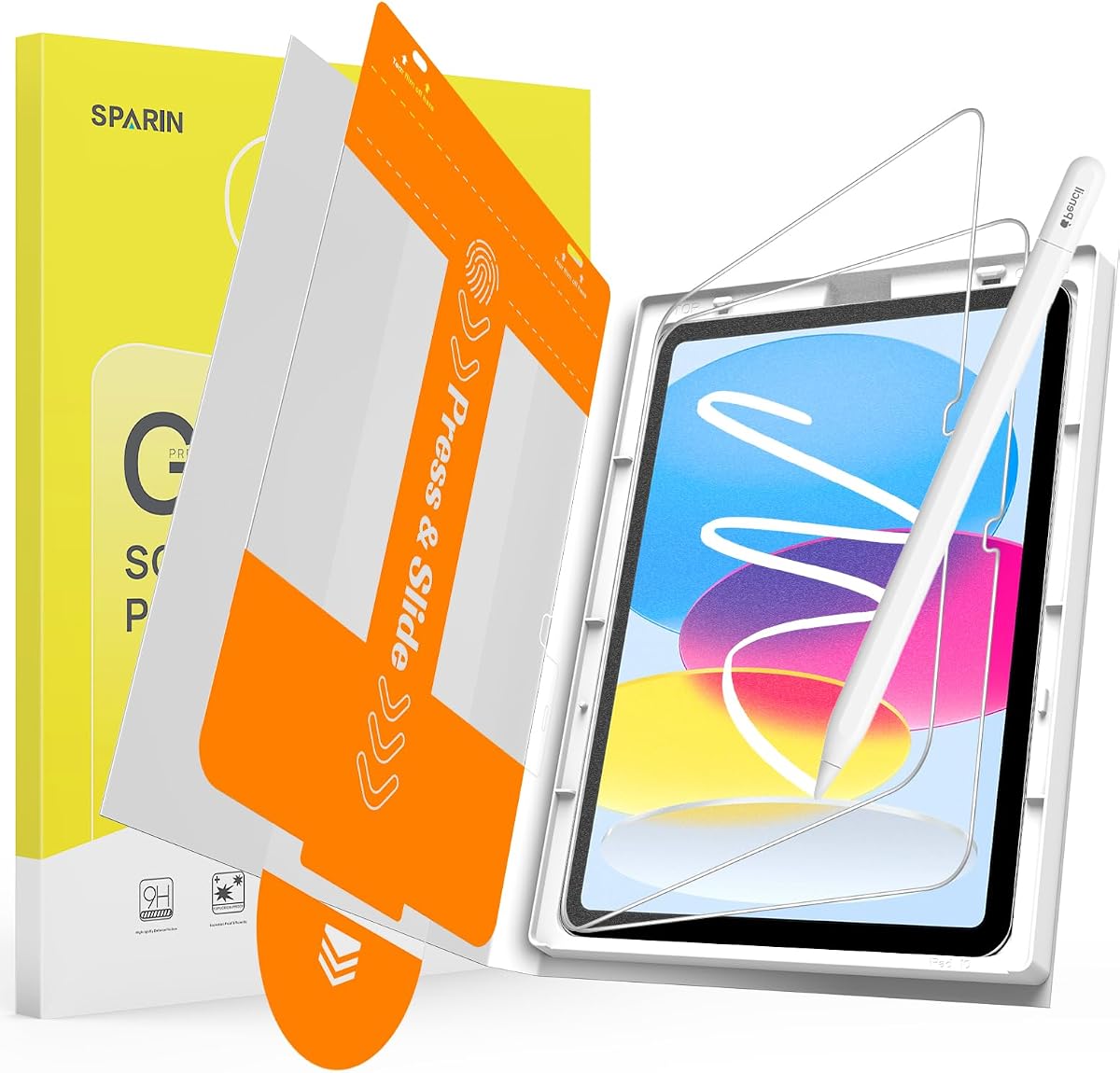
The SPARIN 2 Paper Screen Protector stands out as a top contender for those seeking a balance between tactile writing feel and robust physical protection. Rated highly by users, this product transforms the glass screen into a paper-like canvas without sacrificing the durability of tempered glass.
We may earn a commission when you buy through this link, at no additional cost to you.
Its premium design bonds a finely textured matte surface directly to a 9H hardness glass base, offering the best of both worlds. The micro-textured surface provides natural friction for the Apple Pencil, ensuring precise control while reducing tip wear over time. The anti-glare finish effectively scatters light, making it easier to work in bright environments without harsh reflections.
While the added durability makes it slightly thicker than ultra-thin films, it still maintains excellent touch sensitivity. The trade-off for this extra protection is a very slight softening of on-screen detail, but most users find the clarity reduction negligible compared to the safety benefits it provides against drops and scratches.
This protector is ideal for students and professionals who need a reliable tool for daily note-taking and drawing. If you want the authentic paper feel but are worried about cracking your screen, this is the most recommended choice in our lineup for its comprehensive protection package.
The 9H hardness tempered glass base ensures that even if the screen is dropped, the protector absorbs the impact and prevents shards from scattering, keeping your device safe.
The bonded micro-textured surface replicates the friction of real paper, making handwriting feel natural and precise without the slippery glide of standard clear protectors.
We may earn a commission when you buy through this link, at no additional cost to you.
The bersem 2 Pack Paperfeel Screen Protector offers an exceptional value for users who want a high-quality writing experience without breaking the bank. With a strong rating, this product uses imported Japanese materials to create a surface that feels remarkably like actual paper when drawing or writing.
We may earn a commission when you buy through this link, at no additional cost to you.
Its ultra-thin design ensures that the original touch sensitivity and color accuracy of your iPad are maintained perfectly. The matte finish disperses light effectively, cutting glare in bright environments while reducing fingerprints for a cleaner look. The kit includes an alignment tool that helps prevent dust and bubbles during application.
Since this is a film rather than glass, it does not provide the same level of impact protection if you drop your device. However, for pure writing feel and affordability, it is hard to beat. The two-pack ensures you have a replacement ready if the first one gets scratched or damaged over time.
This option is perfect for budget-conscious students or casual artists who prioritize the writing texture above heavy-duty protection. If you want a reliable paper feel protector that works smoothly with the Apple Pencil, this product delivers great performance for the price.
Using high-quality materials imported from Japan ensures the texture is consistent and durable, providing a long-lasting surface that resists peeling.
The alignment tool included in the kit helps beginners achieve a perfect bubble-free install on the first try without needing professional skills.
We may earn a commission when you buy through this link, at no additional cost to you.
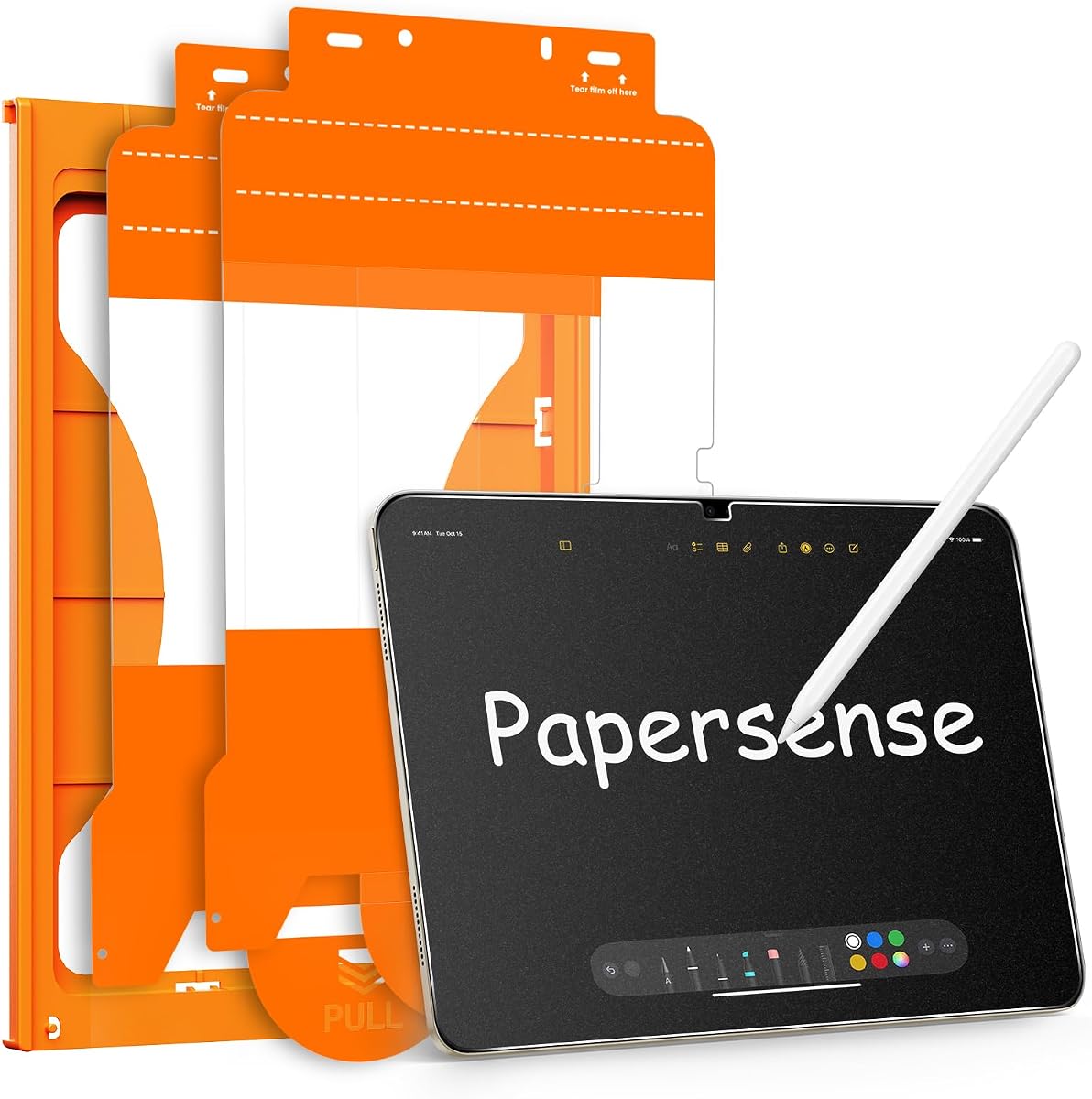
The OMOTON PAPERSENSE Paper Screen Protector is a premium choice designed for those who demand the highest quality in their writing experience. Rated as one of the top products in its category, this protector features a unique design that balances paper-like feel with standard protective functions.
We may earn a commission when you buy through this link, at no additional cost to you.
It offers a realistic writing experience by using upgraded materials that enhance screen clarity. The surface is specifically optimized for the Apple Pencil, providing instant responsiveness and reducing tip wear so you can draw for longer periods. The matte finish also reduces fingerprints and glare effectively.
While it comes at a higher price point, the quality of the material and the included complete installation kit justify the cost for many users. It ensures that air bubbles and dust are easily eliminated, making the process smooth for everyone. The clarity is better than many other matte protectors available.
This protector is ideal for professional artists and serious note-takers who want the best possible balance between feel and clarity. If you value premium quality and want a tool that respects your iPad's display quality, this is the most recommended choice for high-end needs.
As a high-end product from the OMOTON Papersense series, it offers a higher cost and quality standard than regular screen films available.
The complete installation tool kit and video guide help eliminate air bubbles and dust, ensuring a clean result every time.
We may earn a commission when you buy through this link, at no additional cost to you.
The MOBDIK Paperfeel Screen Protector is designed specifically to replicate the natural friction of paper, creating the perfect canvas for artists and students. With a strong rating, this product uses advanced textured surface technology to transform your iPad screen into a comfortable drawing surface.
We may earn a commission when you buy through this link, at no additional cost to you.
It is crafted from a 0.17mm Japanese PET film that maintains the original touch sensitivity of your device. This means you get fast app switching and precise gesture control without any lag. The matte coating diffuses light to reduce glare interference, making it great for outdoor use.
While it offers a very smooth writing feel, it is important to note that this product is not compatible with iPad Pro models. For the supported A16 and Air 11 models, the experience is excellent. You just need to ensure you clean the screen thoroughly before installation.
This protector is perfect for commuters and avid readers who want a clear screen without heavy glare. If you need a reliable paper feel that enhances shading and sketching without impacting performance, this product is a solid choice for your iPad.
The advanced textured surface technology replicates the natural friction of paper, allowing for smoother sketching and better shading techniques.
Crafted from 0.17mm Japanese PET film, it maintains the original touch sensitivity for fast app switching and precise gesture control.
We may earn a commission when you buy through this link, at no additional cost to you.
The KCT 2 Pack Paperfeel Screen Protector is designed for those who want a smooth writing experience with durable protection. With a strong rating, this product features a surface that is meticulously textured to provide a true-to-touch feel of real paper when writing or drawing.
We may earn a commission when you buy through this link, at no additional cost to you.
It uses plasma adsorption technology to make the adsorption function stronger and easier to fit on your device. The oleophobic coating helps you reduce oil, smudges, and fingerprints from daily use, keeping the screen looking brand new. It is also designed to reduce light refraction.
The ultra-thin 0.17mm design maintains precise touch sensitivity while enabling smooth gliding. This makes it ideally suited for Apple Pencil users who need speed and accuracy. You will get two packs in the box, which adds significant value to the purchase price.
This option is ideal for users who want a delicate frosted finish without worrying about glare when drawing outdoors. If you need a screen protector that combines easy installation with a reliable paper-like texture for your iPad, this is a highly recommended choice.
This upgraded screen protector features a surface meticulously textured through detailed grinding and processing to enjoy damping true to real paper.
The plasma adsorption technology makes the adsorption function stronger and easier to fit with automatic exhaust to achieve a better fit.
We may earn a commission when you buy through this link, at no additional cost to you.
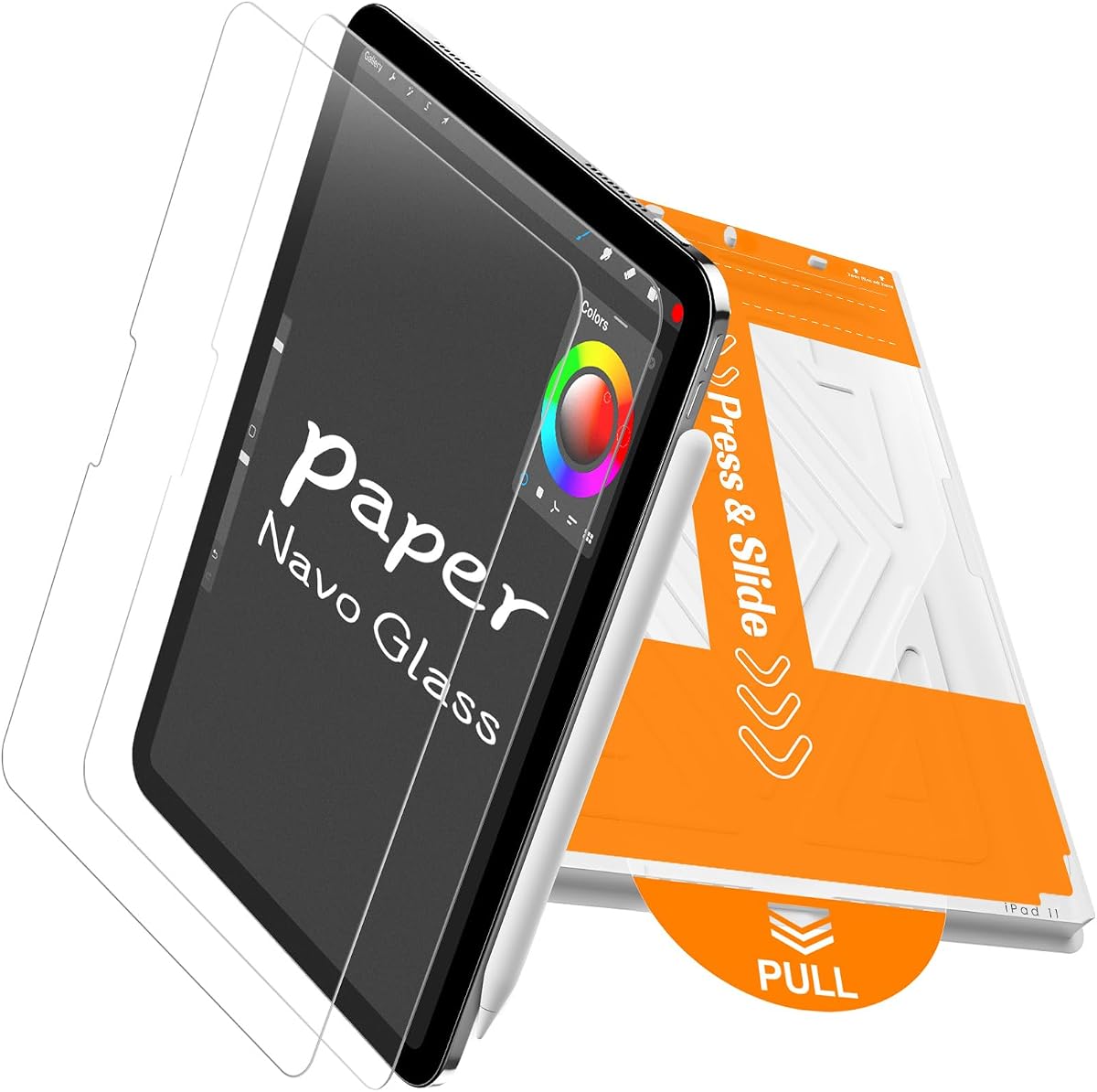
The KCT 2 Pack Paperfeel Glass Screen Protector provides a unique combination of paper texture and tough glass protection for your device. With a solid rating, this product is precision-engineered for a flawless fit on iPad A16 11th and 10th Gen models without compromising on coverage.
We may earn a commission when you buy through this link, at no additional cost to you.
Its bubble-free application in 60 seconds is made possible by the Press and Pull tab system that self-aligns and adheres automatically. The high hardness tempered glass is built to withstand significant impact, and the shatterproof design ensures safety if the protector cracks.
The advanced micro-matte coating scatters ambient light to eliminate harsh glare and reflections. This makes it perfect for outdoor use or working in bright offices. The tactile response feels natural for writing and drawing, bringing the comfort of paper to your display.
This protector is ideal for professionals who need protection against drops and scratches while maintaining a good writing feel. If you want the security of tempered glass with the added benefit of a matte writing surface, this product delivers robust safety and comfort.
Engineered to absorb impact from accidental drops, its shatterproof design holds pieces together to prevent sharp shards from scattering.
The Press and Pull tab system for the iPad A16 screen protector eliminates alignment hassles for a bubble-free finish on the first try.
We may earn a commission when you buy through this link, at no additional cost to you.
The Magnetic Paper Screen Protector offers a unique solution for users who want the ability to remove the paper texture when not drawing. With a high rating, this product uses upgraded nano suction cups to securely attach to the edge of the iPad providing a perfect writing experience.
We may earn a commission when you buy through this link, at no additional cost to you.
It minimizes glare and reflections with an anti-glare layer that reduces light reflection and releases eye stress. The ultra-thin thickness of 0.25mm allows you to write smoothly without adding too much bulk to your device. It is compatible with a tempered-glass screen protector underneath.
You can easily remove the protector to enjoy the original screen color charm when you are watching videos or doing other tasks. The 3H hard coating prevents the surface from being scratched during daily use. This flexibility makes it a great choice for versatile users.
This option is perfect for those who switch between media consumption and content creation frequently. If you want the convenience of removing the matte layer to get a clear view without buying a second protector, this magnetic design is a great option.
The detachable magnetic paper screen protector allows you to take it gently to remove and enjoy the original screen color charm.
It is compatible with a tempered-glass screen protector that is less than 0.33 mm thick without scratching the screen for double protection.
We may earn a commission when you buy through this link, at no additional cost to you.
The XIRON 2 Pack Paper Screen Protector is designed to provide a smooth and natural writing experience for your iPad. With a solid rating, this product fits perfectly with iPad 11th Generation A16 and 10th Generation models, making it a great choice for compatibility.
We may earn a commission when you buy through this link, at no additional cost to you.
It features an anti-glare surface designed to reduce distracting reflections and glare from surrounding light. The ultra-thin design keeps the sensitivity for your iPad high, allowing for precise inputs. It is also self-adhesive and easy to push out bubbles.
This protector is made for comfortable drawing, sketching, and note-taking. The surface is designed to provide added friction for a better grip when using your stylus. Since you get two packs, you have a backup ready if the first one wears out.
This option is ideal for users who want a straightforward solution without complicated installation tools. If you need a reliable screen protector that protects against scratches and maintains touch sensitivity effectively, this product offers a great balance.
Compatible with iPad 11th Gen A16 and 10th generation, this paper-feeling screen protector provides a smooth natural writing experience.
Designed with an anti-glare surface to reduce distracting reflections and glare from surrounding light for clearer viewing.
We may earn a commission when you buy through this link, at no additional cost to you.
The PandaShield 2-Pack Paper-Feel Screen Protector is known for its strong protection and reliable warranty support. With a solid rating, this product uses innovative surface treatment technology to accurately restore the natural texture of paper for digital writing.
We may earn a commission when you buy through this link, at no additional cost to you.
It features military-grade tempered glass with 9H hardness to provide 360-degree full-dimensional protection against scratches and drops. The oleophobic coating effectively prevents fingerprints and smudges from staining the screen. The application tray makes installation easy for anyone.
The company offers a 365-day warranty, meaning if the protector cracks or peels they will send a free replacement immediately. This gives users peace of mind knowing they are backed by a reliable support system. It also reduces stylus tip wear significantly.
This option is ideal for users who want peace of mind with a solid warranty. If you want a protector that combines durability with a good paper feel and great customer support, this is a strong recommendation for your needs.
This iPad 11th/10th Generation screen protector uses innovative surface treatment technology to accurately restore the natural texture and writing resistance of paper.
Every iPad screen protector comes with a 365-Day Worry-Free Warranty, sending a free replacement immediately if it cracks or peels.
We may earn a commission when you buy through this link, at no additional cost to you.
The Paperlike 3 Screen Protector comes from one of the most trusted brands in the digital art space. With a solid rating, this product adds the natural friction and control of paper to your iPad screen using a refined Nanodots surface.
We may earn a commission when you buy through this link, at no additional cost to you.
It features the Butterfly Application system that walks you step by step to make installation the easiest ever. The built-in dust-catching layer removes dust and the Helper Tool makes alignment simple. This ensures a clean and professional finish every time.
The protector is ultra-thin staying below Apple's limit so your Apple Pencil works just like on a bare screen. It also protects your Apple Pencil tip by delivering the right friction without grinding down tips constantly. It is a durable PET layer that shields from scratches.
This option is ideal for users who want a brand they can trust for consistent quality. If you want the best possible writing feel that is refined and polished for creators worldwide, this product is a premium choice for your device.
Paperlike's refined Nanodots surface adds the natural friction and control of paper to your iPad screen trusted by creators worldwide.
The Butterfly Application walks you step by step with a built-in dust-catching layer and Helper Tool to make alignment simple.
We may earn a commission when you buy through this link, at no additional cost to you.
Choosing the right paper screen protector requires looking at several factors including material, texture, and installation method.
Paper screen protectors come in two main material types: PET film and tempered glass. PET films are thinner and lighter but offer less impact resistance. Tempered glass versions combine the paper texture with the durability of glass to protect against drops better.
If you prioritize screen safety and scratch resistance, go for tempered glass. If you want the thinnest profile and best touch sensitivity, choose PET film.
Always check that the protector matches your specific iPad model number. Not all protectors fit the iPad 10th Gen and 11th Gen A16 models perfectly. Some may overlap with sensors or interfere with the camera placement.
Ensure the product description lists your exact model number. A perfect fit prevents edge lifting and ensures full screen coverage.
The quality of the paper texture varies between brands. A good protector should offer natural friction without feeling too rough or too smooth. The texture should reduce tip wear on your Apple Pencil while maintaining a smooth glide.
Look for terms like micro-textured or nanodots to indicate advanced surface technology. High-quality textures enhance the writing experience significantly.
A key feature of paper screen protectors is their ability to reduce glare. The matte finish helps scatter light so you can work in bright environments without reflections. This makes them ideal for outdoor drawing or office work.
Choose a protector with an anti-glare coating if you work in bright areas. Ensure it does not overly darken the display brightness.
A good paper protector should also repel oils and fingerprints. An oleophobic coating is essential to keep your screen clean and easy to wipe. This prevents smudges from interfering with your view while working.
Check for oleophobic or anti-fingerprint claims in the product details. This coating ensures a consistently clean screen.
Some protectors come with alignment trays or magnetic tools to simplify installation. These kits make it easier to apply the protector without dust or bubbles. It is especially helpful for first-time users.
Look for kits that include cleaning wipes and alignment guides. A bubble-free application is critical for performance and aesthetics.
Durability is key if you drop your iPad often. Tempered glass options provide more durability than films. Also check if the brand offers a warranty or replacement policy in case the protector fails.
Choose a brand that offers strong support and replacements. A warranty gives you peace of mind regarding product quality.
Price varies significantly between premium and budget options. Some brands offer two-pack kits which provide better value for long-term use. Compare the features you need against the price point.
Budget options often lack premium durability. Premium options cost more but offer better build quality. Find the balance that fits your budget.
To ensure the best performance, clean your iPad screen thoroughly before applying the protector. Use the included microfiber cloth to remove dust and oils so the adhesive sticks evenly. Align the protector carefully before pressing it down to avoid bubbles.
Once installed, avoid exposing the screen to extreme heat or humidity as this can weaken the adhesive. Clean the surface regularly with a dry cloth to remove fingerprints and maintain clarity. Do not use harsh chemicals that might damage the texture.
If you notice any lifting at the edges, press gently to reseal the protector. If the surface becomes worn or scratched, replace it to maintain the best writing experience. Regular care will extend the life of both your device and the protector.
Yes, paper screen protectors work with all Apple Pencil models but they may slightly increase tip wear. The texture adds friction which is great for writing but can wear down the plastic tip over time. Most modern protectors are designed to minimize this wear.
Most modern paper screen protectors are designed to be compatible with True Tone. The thinness of the material allows the iPad sensors to detect the light correctly. Check product specs to ensure True Tone functionality is maintained.
A paper screen protector typically lasts several months depending on usage intensity. Heavy drawing can wear down the texture faster than occasional note-taking. Most brands offer replacements or multi-packs to ensure you always have a fresh one.
Installation can be tricky due to the adhesive nature but many kits include alignment tools. Use a clean environment free of dust to ensure a smooth application. Watch the provided videos to guide you through the bubble-free process.
Paper protectors use a matte finish which may soften contrast slightly but generally maintain color accuracy. The anti-glare coating helps reduce glare without changing the colors too much. Premium options ensure the least impact on display quality.
Yes you can use a paper screen protector with a case. Ensure the case does not press against the edges of the protector as this can cause lifting. Most cases are designed to work with standard thickness protectors.
Paper feel protectors have a specific micro-textured surface designed to mimic writing on real paper. Standard matte protectors reduce glare but lack the friction and tactile response. Paper feel is preferred for artists who need precision.
A magnetic protector is worth it if you want to switch between paper feel and clear screen modes frequently. It allows easy removal when watching videos without leaving adhesive residue. It is ideal for media consumers and creators.
We reviewed ten top options for iPad A16 paper screen protectors with each offering unique benefits for artists and students. From budget films to premium glass options there is something for every need and preference.
Prioritize compatibility and texture quality when making your choice. A well-matched protector ensures perfect fit and smooth writing while high-quality texture enhances the drawing experience and reduces wear.
Remember to check the latest pricing and availability as these details change often. With the right screen protector you can transform your iPad into a comfortable and durable creative tool for everyday use.