
NIMO 15.6'' AI Ready Laptop
4.9Editor score
Metal top cover
Intel N150 processor
2-year warranty included
Finding a reliable all metal laptop ensures durability and a premium feel that plastic chassis often lack. These devices offer superior heat dissipation and structural integrity for demanding tasks and daily use.
We evaluated ten distinct models based on processor power, memory capacity, storage speed, and display quality. Our analysis focuses on real-world performance and the longevity of the metal construction used in each unit.
Each pick highlights specific strengths like touchscreens, AI features, or rugged design. Prices and availability change frequently so always verify current details before making your final purchase decision online.
4.9Editor score

4.4Editor score

5.0Editor score
As an Amazon Associate we earn from qualifying purchases.
The following table provides a side-by-side comparison of all ten selected all metal laptop models. It highlights key specifications such as processor type, memory size, storage capacity, and display resolution to facilitate easy decision making.




This 16-inch portable laptop stands out with its all-metal body and generous 32GB RAM paired with a massive 2TB SSD. The N95 quad-core processor offers basic performance suitable for office tasks and light web browsing.
We may earn a commission when you buy through this link, at no additional cost to you.
The metal construction provides excellent heat dissipation which helps maintain stability during extended use. Users benefit from a large storage space that reduces reliance on external drives for media files and documents.
While the processor is not designed for heavy gaming or intensive rendering it handles daily productivity well. The lack of a specific rating suggests it is a newer model or from a less reviewed brand.
Buyers seeking high storage and RAM at a budget price will find this configuration attractive. It is best for students or professionals needing ample space without paying for a premium brand.
The metal body helps dissipate heat better than plastic alternatives keeping the system cooler under load.
With 2TB of SSD storage users can store extensive libraries without needing external hard drives.
We may earn a commission when you buy through this link, at no additional cost to you.
The Dell Latitude Rugged 5430 is designed for tough environments with a metal chassis built to withstand daily wear. It features a 11th Gen Core i7 processor and 32GB RAM for robust multitasking performance.
We may earn a commission when you buy through this link, at no additional cost to you.
The 14-inch touchscreen offers a responsive interface for users who prefer direct input. A 1TB SSD ensures quick boot times and ample storage for work files and applications.
While it is heavier than standard laptops the rugged build justifies the weight for field work. The 2-year warranty provides peace of mind for business users investing in this hardware.
This model is ideal for professionals needing a durable machine that can handle harsh conditions. The performance specs remain solid for general business tasks despite the older processor generation.
Built to endure drops and bumps the metal casing protects internal components effectively.
Windows 11 Pro adds security features like BitLocker for protecting sensitive data.
We may earn a commission when you buy through this link, at no additional cost to you.
The HP OmniBook 3 combines a sleek metal design with cutting-edge Snapdragon X processing. Its 2K OLED display delivers vibrant colors while the battery life can last up to 41 hours on a single charge.
We may earn a commission when you buy through this link, at no additional cost to you.
AI features like Copilot+ experiences enhance productivity with smart assistants integrated into Windows 11. The metal finish ensures a high-end look and feel that resists scratches and wear.
Some users may find the 256GB storage limiting for large media files but cloud storage options help. The ARM architecture ensures efficiency but some legacy apps might need compatibility checks.
This device is perfect for travelers and professionals who prioritize battery life and screen quality. The all-metal construction adds a touch of luxury and durability to the daily carry experience.
Up to 41 hours of battery life ensures you can work all day without finding a power outlet.
The OLED panel offers deep blacks and rich colors making it ideal for media consumption.
We may earn a commission when you buy through this link, at no additional cost to you.
The NIMO laptop offers a budget-friendly metal top cover design that ensures durability without a high cost. With an Intel N150 processor and 8GB RAM it handles basic productivity tasks efficiently and silently.
We may earn a commission when you buy through this link, at no additional cost to you.
A standout feature is the 2-year warranty which is rare at this price point. The lightweight design makes it easy to carry to class or meetings while the fingerprint reader adds security.
While the RAM is only 8GB it can be expanded via the M.2 slot for better performance later. This upgrade path makes it a smart choice for students planning long-term use.
Buyers looking for value and reliability should consider this model highly. It provides essential features like a metal cover and warranty at a fraction of the cost of premium brands.
The 2-year warranty provides significant peace of mind for budget-conscious buyers.
Expandable memory slots allow users to boost performance as their needs grow over time.
We may earn a commission when you buy through this link, at no additional cost to you.
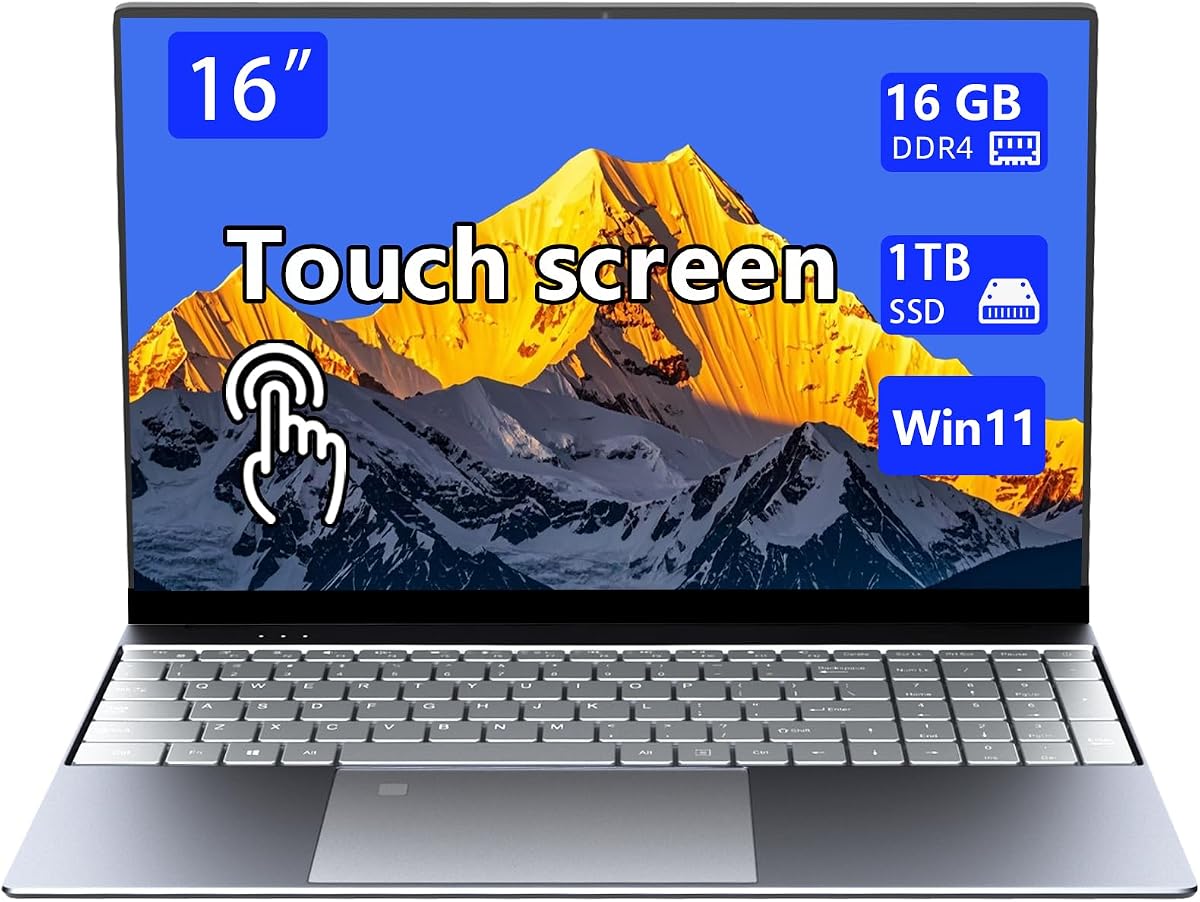
This model mirrors the first entry but offers 16GB RAM and 1TB storage instead of 32GB and 2TB. The all-metal body provides the same heat dissipation benefits and premium aesthetic feel.
We may earn a commission when you buy through this link, at no additional cost to you.
Despite the solid hardware specs the rating suggests potential user issues or quality control concerns. The N95 processor remains the same limiting high-end performance for demanding applications.
For those needing a balance of storage and RAM without the top-tier price this fits well. The touchscreen allows for intuitive navigation which complements the metal chassis design.
Prospective buyers should weigh the lower rating against the specs before purchasing. It may still be a functional choice for casual users who prioritize build quality over raw speed.
16GB RAM provides a solid middle ground for multitasking without the bulk of higher tiers.
The touchscreen adds a layer of interaction convenience for casual browsing and media viewing.
We may earn a commission when you buy through this link, at no additional cost to you.
The HP Everyday Slim Laptop targets users who prefer cloud storage with its 1TB OneDrive combo. The Intel N150 processor keeps the device thin and quiet for daily tasks and travel.
We may earn a commission when you buy through this link, at no additional cost to you.
Microsoft Office 365 is included making it ready for work or school immediately. The metal elements in the design ensure a premium look despite the budget-friendly positioning.
Users who rely on Wi-Fi will find the hybrid storage model effective. Local SSD speeds up system tasks while the cloud handles larger file backups and collaboration.
This laptop is best for students or light users needing software bundles. The portability and battery life make it a strong companion for commutes or library sessions.
Included Office 365 saves money and ensures compatibility with standard work documents.
Weighing just 3.24 lbs it is easy to slip into a bag for all-day carry.
We may earn a commission when you buy through this link, at no additional cost to you.
This 16-inch metal laptop features a Core i7 processor and 512GB SSD for solid general computing. The full metal body adds durability and a premium feel that resists scratches and dents.
We may earn a commission when you buy through this link, at no additional cost to you.
The 1600×1200 resolution provides a sharp display for text and media. A fingerprint reader ensures secure and fast access without typing passwords repeatedly.
While the Core i7 is from an older generation it still handles multitasking well. The lack of a rating makes it harder to gauge long-term reliability from user feedback.
It suits users who need a robust metal chassis and decent performance without gaming features. The combination of speed and build quality makes it a viable option for office work.
The 1920×1200 display offers more vertical space than standard HD screens for productivity.
The full metal enclosure protects the device from impacts and adds to its aesthetic appeal.
We may earn a commission when you buy through this link, at no additional cost to you.
The Dell 16-inch Touchscreen Laptop features DDR5 RAM which offers faster data speeds than DDR4. Powered by an AMD Ryzen 7 processor it handles multitasking and media consumption with ease.
We may earn a commission when you buy through this link, at no additional cost to you.
A 16-inch touch display with a 16:10 aspect ratio provides more vertical space for productivity. The metal construction ensures a sturdy feel and effective heat management during use.
The 256GB storage is manageable but may require cloud or external solutions for large projects. However the DDR5 RAM ensures that applications load quickly and run smoothly.
This model is a strong contender for those seeking modern memory tech in a metal body. It balances performance and display quality well for general users and students.
DDR5 RAM provides higher bandwidth improving overall system responsiveness for demanding apps.
The 16:10 ratio gives you extra vertical space for documents and web browsing.
We may earn a commission when you buy through this link, at no additional cost to you.
The KONZID laptop offers a metal shell and 16GB RAM at a competitive price point. The N95 processor ensures quiet operation while handling daily work and student tasks efficiently.
We may earn a commission when you buy through this link, at no additional cost to you.
A 15.6-inch FHD IPS screen provides clear visuals for text and web browsing. The lightweight design allows for easy carrying without compromising on build material quality.
With 256GB SSD storage data access is quick and responsive. Multiple ports like USB 3.2 and Type-C ensure compatibility with various peripherals and storage devices.
Students and budget users will appreciate the metal durability and memory capacity. It is a reliable option for general computing needs without sacrificing portability.
16GB RAM ensures smooth multitasking even with multiple browser tabs open.
Diverse ports mean you can connect printers and external drives without extra adapters.
We may earn a commission when you buy through this link, at no additional cost to you.
The FIREBAT Gaming Laptop delivers premium specs with a Ryzen 7 H255 processor and 32GB DDR5 RAM. The all-metal body and RGB keyboard give it a high-end look for gaming or work.
We may earn a commission when you buy through this link, at no additional cost to you.
A 120Hz WQXGA display offers smooth visuals and sharp details. The 1TB PCIe4.0 SSD ensures fast load times for large projects and applications.
While it weighs slightly more than ultrabooks the performance justifies the portability. The metal chassis handles heat well during intensive tasks like video editing or gaming.
Buyers wanting top-tier performance in a metal laptop will find this ideal. It bridges the gap between professional productivity and entertainment effectively.
The integrated GPU and high refresh screen provide a smooth visual experience for all tasks.
The backlit keyboard allows for comfortable typing in any lighting environment.
We may earn a commission when you buy through this link, at no additional cost to you.
Selecting the right all metal laptop requires balancing build quality, performance specs, and portability. This guide breaks down the key factors to help you make an informed decision.
All metal laptops typically use aluminum or magnesium alloys which offer better durability and heat dissipation than plastic. Look for unibody designs that minimize seams for a sturdy feel.
Prioritize metal construction for long-term reliability and a premium aesthetic.
The CPU determines how well a laptop handles tasks. Modern N-series chips are good for basic tasks while Core i7 or Ryzen 7 offer better performance for multitasking.
Match the processor to your workload to ensure smooth operation without overpaying for unused power.
RAM allows you to run multiple apps simultaneously. Aim for at least 16GB for comfortable multitasking in 2026 to avoid slowdowns with heavy tabs.
Higher RAM improves overall system responsiveness and extends the device's useful life.
SSDs are essential for fast boot times and file access. PCIe NVMe drives are faster than SATA SSDs and help maintain the benefits of a metal chassis by reducing load times.
Choose a storage speed that matches your need for quick access to large files.
Screens vary from HD to 4K and OLED. Metal laptops often pair well with high-res displays that benefit from the sturdy bezel support of a metal frame.
Select a resolution and panel type that suits your work or media consumption habits.
Metal laptops are durable but can be heavier. Consider the weight and thickness if you plan to carry the device daily for school or work.
Lightweight metal models offer a balance of durability and ease of transport.
Battery endurance depends on the processor and display efficiency. Efficient chips like Snapdragon or Intel N-series provide longer run times than older high-power CPUs.
Look for models that promise at least 8 hours of usage for daily mobility.
A warranty protects your investment against defects. Brands offering 2-year warranties signal confidence in their build quality and support.
Ensure the warranty covers key components like the screen and motherboard for peace of mind.
Keep your all metal laptop clean by wiping it with a microfiber cloth regularly. Dust and oils can accumulate on the metal surface so gentle cleaning maintains its premium look.
Avoid placing heavy items on the laptop when closed to protect the metal casing from dents. The metal build is sturdy but still needs care to prevent physical damage.
Use a padded bag or case for transport to avoid scratches. While metal resists minor bumps it is still best to protect the device during travel for long-term use.
Yes, all metal laptops generally offer better durability and heat dissipation. The metal chassis helps keep the device cooler and feels more premium than plastic alternatives.
Not necessarily. Modern magnesium alloys are lightweight and strong allowing for metal designs that are easy to carry without compromising on build quality.
It depends on the model. Some metal laptops have soldered RAM while others offer upgrade slots. Always check the specific model specs before purchasing.
Use a dry microfiber cloth to wipe the surface. Avoid harsh chemicals that could damage the finish and ensure the laptop is powered off during cleaning.
Often yes, due to higher manufacturing costs. However, budget options like NIMO or KONZID offer metal features at more affordable price points for users.
Modern Intel N-series or Ryzen 5 processors are ideal. They provide enough speed for notes and browsing while maintaining good battery life for classes.
Most support external displays via HDMI or USB-C. This allows you to expand your workspace for productivity while using the metal laptop for portability.
Yes, the metal frame provides structural integrity against bumps. Using a protective sleeve adds an extra layer of security for rough travel conditions.
We highlighted top options ranging from the HP OmniBook 3 for battery life to the FIREBAT for performance. Each model offers a unique blend of metal build and specs to suit different needs.
Prioritize factors like RAM and display quality based on your daily tasks. If portability is key consider lighter metal models while those needing power look to the high-end picks.
Prices and availability change quickly so verify current details before buying. Choosing the right all metal laptop ensures a reliable companion for work and play for years.