
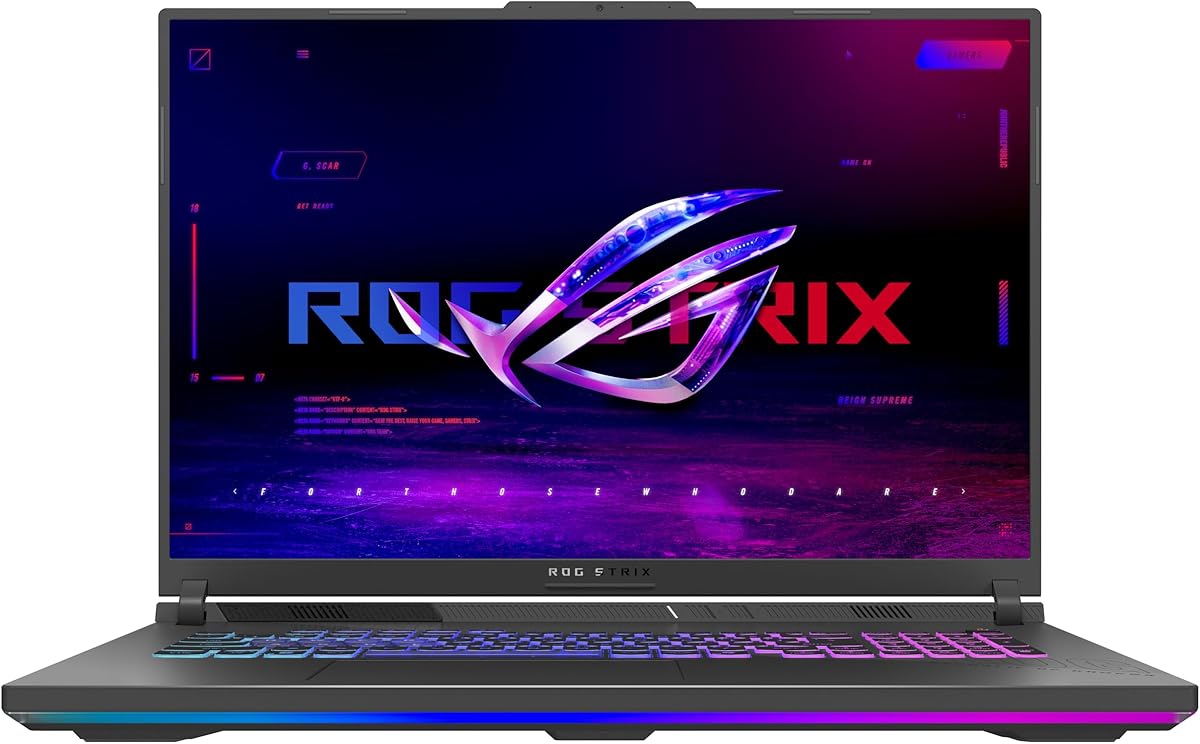
ASUS ROG Strix Scar 18 (2025)
4.3Editor score
RTX 5070 Ti GPU
240Hz Nebula HDR
AniMe Vision Lid
This comprehensive guide compares the top 10 ASUS ROG Strix laptops available in October 2026 to help you find the perfect gaming machine for your needs.
Choosing the right gaming laptop can be a daunting task given the sheer number of options available on the market today. The ASUS ROG Strix series stands out as a premier choice for enthusiasts who demand high performance reliable reliable build quality in a portable form factor. These machines are designed to handle everything from competitive gaming to professional content creation with ease and efficiency.
We have carefully selected and analyzed ten distinct models from the latest ROG Strix lineup to provide you with a clear and detailed overview. Each product has been evaluated based on its processor power, graphics capabilities, display quality, cooling systems, and overall value proposition. Our goal is to help you navigate the complex specifications and find the device that aligns best with your specific usage scenarios.
Every pick in this list highlights key strengths and potential trade-offs so you can make an informed decision without getting lost in technical jargon. Please note that prices and availability are subject to change frequently due to market dynamics and regional promotions. We recommend checking the current listings before making a final purchase to ensure you get the best deal possible.
4.3Editor score

4.4Editor score
4.4Editor score
This side-by-side comparison breaks down the core specifications of each laptop to help you quickly identify which model offers the best balance of performance and features for your budget.





This laptop represents a solid entry point into the high-performance gaming world with balanced specifications. It holds a 4.4 rating from users who appreciate its reliability and everyday performance capabilities.
We may earn a commission when you buy through this link, at no additional cost to you.
The combination of the Intel Core i7 14650HX processor and RTX 5060 GPU ensures smooth gameplay in modern titles. The 165Hz FHD+ display delivers fluid visuals while the ROG Intelligent Cooling keeps thermals in check during extended sessions.
While it lacks the ultra-high resolution screens of premium models, the performance per dollar is excellent. The 1TB storage provides ample room for essential games without needing immediate upgrades.
It is ideal for gamers who want a powerful machine without breaking the bank. We recommend this for students and casual enthusiasts seeking a reliable daily driver for gaming and work.
The hardware pairing ensures you can run demanding applications without excessive overhead costs.
Wi-Fi 7 support futureproofs your connection for faster internet speeds.
We may earn a commission when you buy through this link, at no additional cost to you.
This model pushes the boundaries of what a 16-inch laptop can achieve with top-tier components. It is a powerhouse designed for creators and hardcore gamers who need maximum raw power.
We may earn a commission when you buy through this link, at no additional cost to you.
The Core Ultra 9 processor paired with the RTX 5070 Ti allows for seamless multitasking and ray tracing capabilities. The 240Hz 2.5K screen offers incredible detail and smooth motion for competitive titles.
However, this level of performance comes with a significant price tag and increased weight. The advanced cooling system ensures that performance does not degrade under load but adds to the bulk.
We recommend this for professionals who need a portable workstation that can also handle AAA gaming. It is an excellent choice for those who value display quality above all else.
The Nebula panel provides vibrant colors and deep blacks for an immersive experience.
Advanced architecture delivers strong single-core performance for gaming.
We may earn a commission when you buy through this link, at no additional cost to you.
The Scar 18 offers a desktop replacement experience with an expansive 18-inch display that dominates your setup. It is perfect for those who refuse to compromise on screen real estate and image quality.
We may earn a commission when you buy through this link, at no additional cost to you.
Equipped with Mini LED technology, the HDR display delivers stunning contrast and brightness levels. The internal specs match the performance demands of modern AAA games without any bottlenecks.
The main downside is portability as the size and weight make it difficult to carry daily. You will also need to keep it plugged in for most tasks due to high power consumption.
This is the ultimate choice for a bedroom setup or a semi-permanent gaming station. It delivers an unmatched visual experience for users who prioritize screen size over mobility.
Mini LED zones allow for precise dimming and true black levels.
MUX switch optimizes GPU usage for maximum frame rates.
We may earn a commission when you buy through this link, at no additional cost to you.
This configuration prioritizes processing power which benefits heavy multitasking and productivity workflows. It is designed for users who need a fast CPU for rendering or compiling code alongside moderate gaming.
We may earn a commission when you buy through this link, at no additional cost to you.
The Core Ultra 9 processor excels at complex calculations and multi-threaded tasks. The 2.5K screen ensures that your work looks crisp and detailed for content editing or spreadsheet management.
Gaming is supported well but the GPU limits it compared to higher-tier options in this lineup. The thermal design ensures that the CPU stays cool even under sustained heavy workloads.
We recommend this for students and professionals who use their laptop for work first and gaming second. It is a versatile machine that handles daily tasks with exceptional speed and efficiency.
High clock speeds ensure fast execution of demanding applications.
Higher resolution improves text readability and image detail.
We may earn a commission when you buy through this link, at no additional cost to you.
AMD Ryzen processors bring excellent efficiency and multi-core performance to this gaming chassis. This model is a strong contender for users who prefer AMD hardware for its thermal and power characteristics.
We may earn a commission when you buy through this link, at no additional cost to you.
The RTX 5070 GPU ensures high frame rates in modern games without needing the highest power draw. The cooling system is tuned to keep the AMD chips running cool and stable over time.
While it uses slightly older Wi-Fi standards the raw performance remains very competitive in the market. The FHD+ display is adequate for most users though it lacks the resolution of other models.
This is an ideal pick for those who want a powerful gaming laptop without compromising on battery life. It strikes a great balance between thermal management and raw graphical power for gamers.
AMD architecture often delivers better battery life for daily tasks.
RTX 5070 provides excellent value for high-quality gaming.
We may earn a commission when you buy through this link, at no additional cost to you.
This model stands out for its robust cooling solution which allows sustained performance under load. It is perfect for users who run long gaming sessions or video rendering tasks without throttling.
We may earn a commission when you buy through this link, at no additional cost to you.
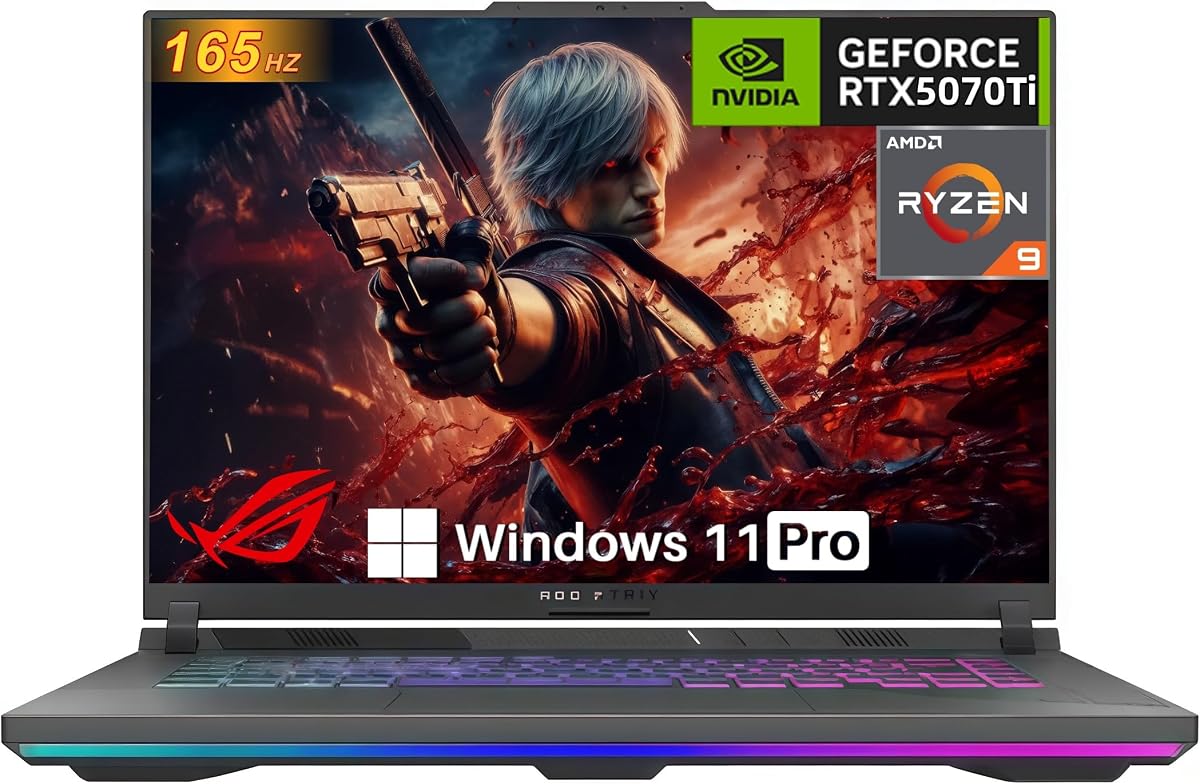
The combination of the Ryzen 9 processor and RTX 5070 Ti offers a very high ceiling for performance. The 32GB of RAM ensures that you can run multiple heavy applications simultaneously without slowdown.
While the weight is higher than some competitors the thermal benefits are worth the trade-off for desktop users. The inclusion of 12GB VRAM supports future game requirements and high-resolution textures.
We recommend this for gamers who prioritize frame rates and stability over portability. It is a reliable workhorse that delivers consistent results when pushed to its limits.
Vapor chamber technology dissipates heat efficiently for better performance.
Large memory capacity supports heavy streaming and editing workflows.
We may earn a commission when you buy through this link, at no additional cost to you.
The standout feature of this model is the tool-free access to internal components like RAM and SSD. This makes it incredibly easy to upgrade or maintain without needing specialized tools or skills.
We may earn a commission when you buy through this link, at no additional cost to you.
It packs a powerful GPU and CPU combo that ensures high performance in modern games and applications. The cooling system is designed to handle these components efficiently while keeping noise levels manageable.
Although specific display details are less clear the performance hardware suggests a premium experience. The ease of upgrade adds significant value for users who plan to use the laptop for years.
We recommend this for tech-savvy users who value customization and long-term viability. It is a great choice for anyone who wants to future-proof their investment easily.
Tool-free design allows for quick component swaps without hassle.
High-end hardware ensures smooth gameplay and rendering speeds.
We may earn a commission when you buy through this link, at no additional cost to you.
This is the absolute top of the line offering with the RTX 5080 GPU and latest Intel processor. It is designed for users who demand the best performance available without any compromises.
We may earn a commission when you buy through this link, at no additional cost to you.
The Nebula HDR display offers incredible brightness and color accuracy for both gaming and creative work. The massive amount of RAM and fast SSD ensure that the system stays responsive even with heavy workloads.
The price point is high which limits this to enthusiasts and professionals with a generous budget. You will also need to consider the physical size and weight when moving this device around.
We recommend this for those who want a laptop that matches desktop-level performance. It is the definitive choice for serious gamers who want the most powerful hardware on the market.
RTX 5080 delivers cutting-edge ray tracing and frame generation.
HDR support brings a cinematic experience to your games.
We may earn a commission when you buy through this link, at no additional cost to you.
The key feature here is the massive 2TB SSD which allows you to install many games and large projects. This is ideal for users who do not want to manage storage constantly.
We may earn a commission when you buy through this link, at no additional cost to you.
It pairs this storage with a high-resolution screen and powerful GPU for an immersive visual experience. The system handles creative tasks well with plenty of memory for complex software.
The price reflects the premium configuration and larger storage capacity compared to standard models. It is also quite heavy making it better suited for a fixed workspace than travel.
We recommend this for creators and power users who need fast access to large amounts of data. It removes the frustration of managing space while delivering top-tier performance.
Large SSD space allows for a vast library of apps and media.
Gen 4 SSD ensures rapid loading times for games and files.
We may earn a commission when you buy through this link, at no additional cost to you.
This model offers the largest screen size in the lineup at an entry-level price point. It is perfect for users who want a big display for media consumption and light gaming.
We may earn a commission when you buy through this link, at no additional cost to you.
The AMD processor ensures that the system remains fast for daily tasks despite the GPU limitations. The build quality remains consistent with the rest of the series offering durability and style.
While the GPU may not run high-end games at maximum settings it handles esports titles well. The 144Hz screen provides smooth motion which is great for general use and casual play.
We recommend this for budget-conscious buyers who still want a reputable gaming brand. It is a reliable entry point into the ecosystem with room to grow.
Large screen at lower cost provides high value for media users.
Solid CPU ensures smooth performance for everyday computing tasks.
We may earn a commission when you buy through this link, at no additional cost to you.
Selecting the right laptop involves balancing performance needs with budget constraints and portability requirements.
The CPU determines how well the laptop handles multitasking and complex calculations. Look for the latest Intel Core Ultra or AMD Ryzen 9 series for the best balance of speed and efficiency.
Higher core counts are beneficial for video editing and streaming while gamers need high single-core speeds.
The GPU is critical for gaming and 3D rendering. Models with RTX 5060 and above provide a good range for 1080p and 1440p gaming.
Ensure the GPU has enough VRAM to handle modern game textures and future titles.
Screen resolution and refresh rate impact your viewing experience. A 240Hz display is excellent for competitive shooters while a Nebula HDR screen offers better contrast.
Consider color accuracy if you use the laptop for professional creative work.
16GB of RAM is the standard baseline but 32GB is recommended for heavy multitasking. Storage speed also matters for quick boot times and game loading.
Check if the laptop allows easy upgrades to extend its usable life.
High performance generates heat so effective cooling is essential for longevity. Look for vapor chambers and multiple fans to prevent thermal throttling.
Good cooling also reduces fan noise during intense sessions.
Wi-Fi 7 and USB-C ports ensure you can connect to modern networks and peripherals. HDMI 2.1 is useful for connecting to external monitors or TVs.
Check the number of ports to ensure they meet your docking needs.
Larger screens like 18 inches offer better visuals but add weight. Consider how often you will travel with the device before choosing a size.
Battery life is generally lower on high-performance models so plan for charger availability.
ROG laptops are known for durable chassis and robust keyboards. A solid build ensures the device survives daily use and accidental bumps.
Look for tool-free access to maintenance for better long-term care.
Start by downloading the latest drivers and BIOS updates from the manufacturer website to ensure optimal performance and security.
Use the Armoury Crate software to customize fan profiles and RGB lighting to suit your environment and usage preferences.
Clean the vents regularly with compressed air to prevent dust buildup and maintain the cooling efficiency of the system.
Yes the high processor counts and fast SSDs make these laptops excellent for rendering 4K footage. The color-accurate displays also assist in precise grading work.
Most models feature accessible slots for RAM upgrades so you can increase capacity as your needs grow. Check the specific model manual for maximum supported limits.
Gaming laptops generally offer 4 to 6 hours of battery life for productivity tasks. Heavy gaming will drain the battery much faster requiring a charger.
Yes all models include HDMI and USB-C ports to connect multiple external displays for an extended workspace setup.
The cooling fans can be audible under load but many models have silent modes for light work. Using headphones is recommended for immersion.
Most keyboards are RGB backlit and customizable via software. You can adjust brightness and colors to match your personal style.
We have covered a wide range of options from entry-level value to high-end performance to suit different needs.
Prioritize the GPU for gaming or the CPU for productivity depending on your main workflow goals.
Always check current prices and availability as deals change frequently to ensure you get the best value.