
Hable One Portable Braille Keyboard
4.8Editor score
Compact 8 tactile button design
Compatible with iPhone and Android
Over one month battery life
This guide compares the top braille displays for blind users, covering portable electronic models, manual slates, and keyboards to help you find the right
Finding the right braille display can transform how blind users access digital content and write independently. Whether you need a portable device for daily commuting or a robust tool for professional work, the options vary widely in size and functionality.
We have evaluated ten distinct products ranging from high-end electronic refreshable displays to affordable manual slates and specialized keyboards. Our analysis focuses on portability, connectivity, ease of use, and overall durability for various daily tasks.
Each pick highlights specific strengths like battery life, cell count, or compatibility with screen readers. Please note that product availability and pricing can change frequently, so verify details before making your final purchase decision today.
4.8Editor score

5.0Editor score

4.5Editor score
Below is a side-by-side comparison of all ten products we reviewed. This table highlights key specifications like cell count, connectivity options, and build materials to help you quickly identify the best fit for your specific needs.




The Brailliant BI 20X stands out as a top choice for users seeking a balance between portability and functionality. It offers a compact 20-cell refreshable braille display that allows for smooth reading and writing experiences across multiple devices.
We may earn a commission when you buy through this link, at no additional cost to you.
Its ability to connect to five Bluetooth devices simultaneously makes it incredibly versatile for switching between a phone, tablet, or computer without needing to unplug cables. The onboard KeySoft Lite apps provide useful tools like a calculator and calendar right at your fingertips.
While it is more expensive than manual slates, the convenience of electronic reading and the long battery life justify the investment for daily use. Users report that the thumb keys and Perkins keyboard layout feel intuitive and comfortable during extended sessions.
This device is ideal for students or professionals who need reliable access to digital text on the go. If you value a seamless integration with modern technology and require a compact solution, this display is a strong recommendation.
Connect to up to five Bluetooth devices at once, making switching between your phone and laptop effortless without cables.
Access useful apps like Editor, Calculator, and Online Libraries directly on the device for enhanced productivity and learning.
We may earn a commission when you buy through this link, at no additional cost to you.
For users who need to see more context at once, the Brailliant BI 40X offers a significant upgrade with its 40-cell display. This wider viewing area reduces the need to scroll constantly when reading long documents or complex tables.
We may earn a commission when you buy through this link, at no additional cost to you.
It features Bluetooth 5 technology which ensures a faster and more stable wireless connection compared to older models. The increased internal storage of 32GB allows you to store more books and files directly on the device without relying on external drives.
The added weight and size are minor trade-offs for the enhanced reading experience and performance gains. Reviewers praise the device for its durability and the comfort of the keys during hours of continuous use in various environments.
This model is best suited for advanced users or professionals who require maximum screen real estate and connectivity reliability. If you frequently work with large files or need a stable connection, this premium option delivers excellent value.
The 40-cell display lets you read more text per line, reducing scrolling and improving comprehension for long documents.
Bluetooth 5 technology provides faster speeds and a more stable connection for uninterrupted access to your devices.
We may earn a commission when you buy through this link, at no additional cost to you.
The Hable One offers a unique approach to accessibility by providing a compact braille keyboard that pairs with your smartphone or tablet. It is designed for ease of use, requiring no prior braille knowledge thanks to free onboarding tutorials included with purchase.
We may earn a commission when you buy through this link, at no additional cost to you.
Its small size means you can carry it anywhere and type privately without needing to pull out a larger device. The integration with voice commands like Siri or Google Assistant enhances functionality, allowing you to navigate and input text seamlessly.
While it does not display text, the device excels as an input tool for quick notes or messages. The battery life is remarkable, lasting over a month on a single charge which makes it ideal for travel or daily commuting.
This product is perfect for users who need a lightweight way to type quickly on their phones. If your primary goal is efficient input rather than reading large documents, this keyboard is a practical and budget-friendly solution.
Its small form factor allows you to type privately in public spaces without drawing attention to your device.
Free tutorials help beginners master the device quickly without needing prior braille literacy skills to start.
We may earn a commission when you buy through this link, at no additional cost to you.
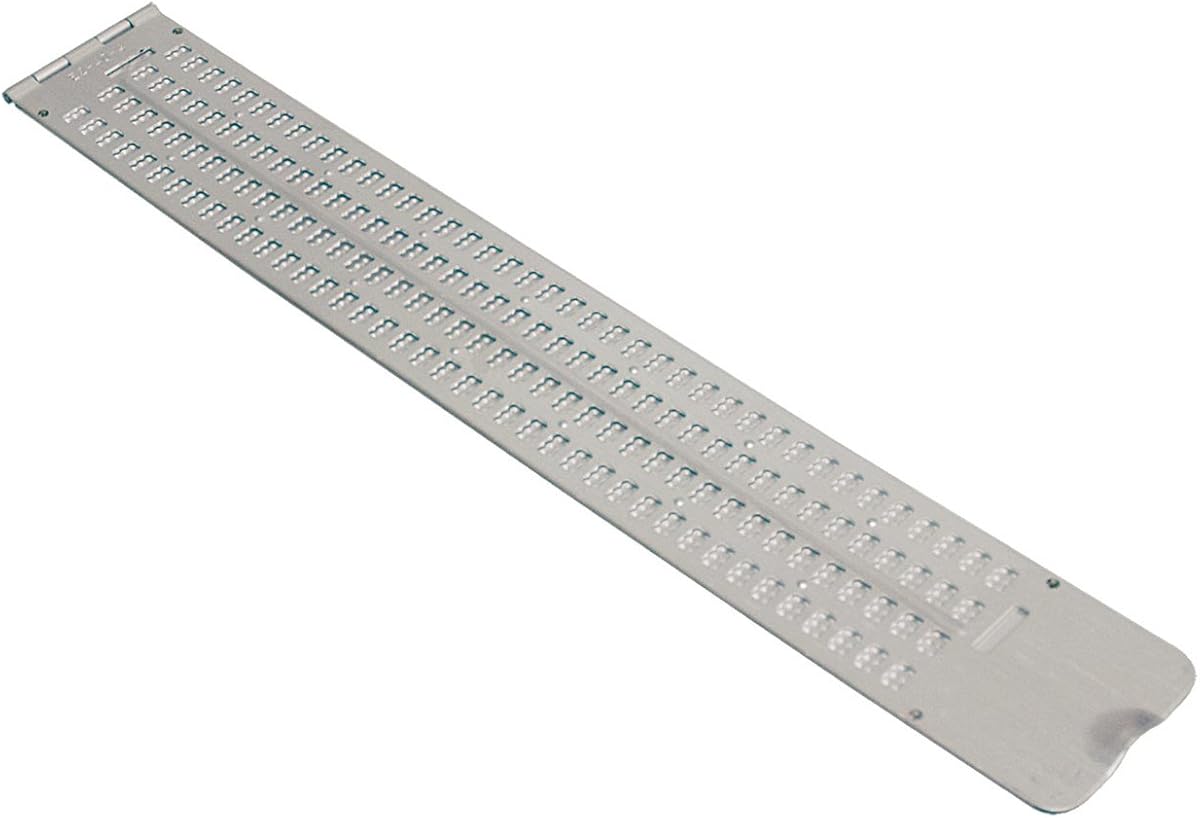
This traditional braille slate provides a classic method for writing braille without any electronic components. It features a sturdy aluminum build that is designed to withstand daily handling and includes a stylus for embossing characters into paper.
We may earn a commission when you buy through this link, at no additional cost to you.
The 13-line capacity allows you to write substantial notes in one go, and the hinged design helps keep the paper secure while you work. It is an excellent choice for those who prefer tactile writing or need a backup device when power is unavailable.
The lower rating might reflect the physical effort required compared to electronic displays. However, for simple note-taking or practice sessions, it remains a reliable tool that is straightforward to use and maintain over time.
Buy this if you need a simple, no-fuss tool for writing braille on paper. It is particularly useful for students or beginners learning braille who want a tactile reference without the cost of electronic devices.
Experience the traditional method of braille writing with durable materials that ensure longevity for your daily tasks.
Get a functional writing tool at a fraction of the cost of electronic displays for simple note-taking needs.
We may earn a commission when you buy through this link, at no additional cost to you.
This business card slate is designed for creating small braille labels or signatures with high precision. Its ultra-thin aluminum construction makes it easy to carry in a pocket or wallet, ensuring you always have a way to label items nearby.
We may earn a commission when you buy through this link, at no additional cost to you.
The built-in signature guide helps users emboss their name perfectly straight, which is useful for identification on personal items. The durability of the aluminum ensures it will last for years of use in classrooms or offices.
While it is not meant for lengthy writing, its specific design for small labels makes it a specialized tool that users love. The high rating indicates that it performs its specific function reliably and without issues for most buyers.
Choose this slate if you frequently need to label boxes, folders, or personal belongings with braille. It is a handy addition to your toolkit for quick and accurate identification tasks on the go.
Create clean and straight braille labels for your items with a guide that ensures consistent and professional results.
The thin design allows you to keep this tool with you at all times for immediate labeling needs.
We may earn a commission when you buy through this link, at no additional cost to you.
The Full-Page Slate accommodates an entire sheet of standard letter-size paper, allowing for extensive writing without moving the slate. This design makes it particularly useful for students or professionals who need to draft long notes or assignments.
We may earn a commission when you buy through this link, at no additional cost to you.
Its plastic construction is quieter than metal slates, which prevents distraction in quiet environments like libraries or classrooms. The embossed line numbers help you return to exactly where you left off if you need to pause mid-task.
While the plastic might not feel as heavy-duty as metal, it keeps the cost down and is sufficient for regular use. Users appreciate the simplicity of the design that allows them to focus on writing rather than managing paper movement.
This slate is ideal for those who write frequently on paper and prefer a low-tech approach. If you need a large surface for assignments or drafting, this tool offers great value for the price.
Snap your paper in once and write a full page without ever shifting the slate to save time and effort.
The plastic material ensures minimal noise while writing, making it suitable for shared or quiet workspaces.
We may earn a commission when you buy through this link, at no additional cost to you.
This pocket slate is designed for quick notes and on-the-go writing with a focus on portability. It fits easily into a briefcase or backpack, ensuring you can capture ideas or lists wherever you are without carrying a larger device.
We may earn a commission when you buy through this link, at no additional cost to you.
The aluminum build adds durability without adding significant weight, making it comfortable to hold for short writing sessions. With four lines of capacity, it is perfect for short to or addresses but not for longer documents.
Users appreciate the ease of use and the reliability of the mechanism which works well for quick tasks. The compact size means it can be carried daily without becoming a burden in your bag.
Select this slate if you need a reliable companion for short writing tasks. It is a practical option for those who value mobility and want a simple tool to keep braille accessible at all times.
Keep this lightweight slate in your bag for instant access to writing tools whenever inspiration strikes.
Made from tough aluminum, this slate is built to withstand the rigors of daily travel and handling.
We may earn a commission when you buy through this link, at no additional cost to you.
This handheld label maker simplifies the process of labeling household items with braille for better organization. It uses a spin dial and trigger mechanism that allows you to emboss braille symbols onto vinyl tape quickly and efficiently.
We may earn a commission when you buy through this link, at no additional cost to you.
The included tape roll gives you a chance to start using the device right away for organizing jars, books, or files. It is a practical tool for home use where clear identification of items is essential for independence.
The mechanical design is straightforward and does not require batteries, making it a reliable option for various settings. Users find it helpful for creating custom labels that sighted family members can also read if needed.
Purchase this if you want to organize your home environment with clear braille labels. It is an effective tool for DIY organization projects that improve accessibility and clarity in your daily living space.
Select a letter on the dial and squeeze the trigger to instantly emboss braille for your labels.
Create custom labels for pantry items and storage boxes to make your home more accessible for everyone.
We may earn a commission when you buy through this link, at no additional cost to you.
These transparent stickers transform any standard keyboard into a bilingual typing device by adding braille labels over the existing keys. They are made from durable Lexan material that resists curling and slipping during use.
We may earn a commission when you buy through this link, at no additional cost to you.
The installation is simple as you just peel and stick them onto your keyboard keys. This allows you to feel the position of your fingers while reading the original legends underneath for sighted users nearby.
While they are an economical solution, the adhesive quality might vary depending on the surface of your keyboard. However, for the price, they provide a functional upgrade to accessibility without buying a new device.
Use these overlays if you want to customize your workspace with braille labels. They are a cost-effective way to enhance your typing experience on a PC without investing in specialized hardware.
Turn your existing keyboard into a braille-friendly tool with clear stickers that add tactile feedback instantly.
The clear Lexan material ensures the labels stay flat and durable during daily typing activities.
We may earn a commission when you buy through this link, at no additional cost to you.
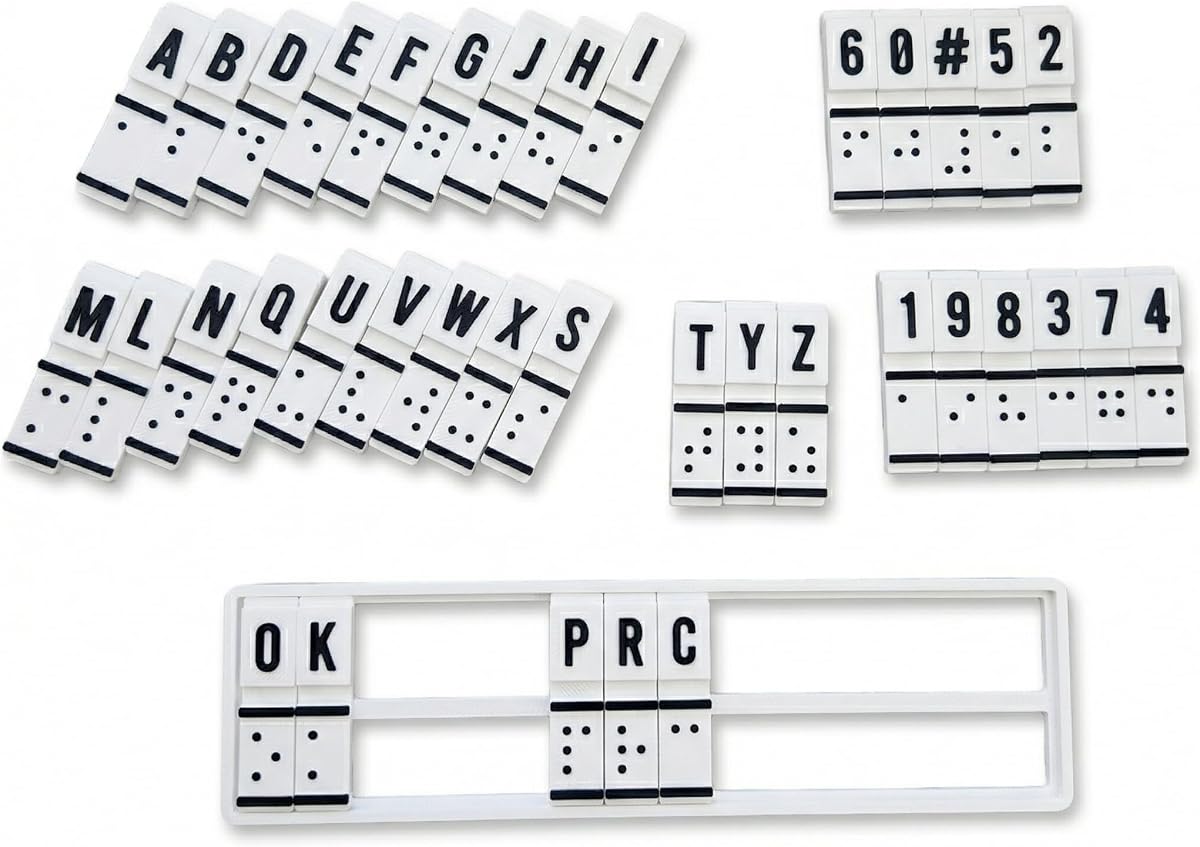
This training machine is designed for beginners to learn braille patterns and translation concepts interactively. It uses raised cells and manual input methods to help build muscle memory and confidence in literacy skills.
We may earn a commission when you buy through this link, at no additional cost to you.
Educators and parents may find it useful as a tool to supplement learning at home or in therapy sessions. The sturdy build ensures it can withstand repeated use in classroom environments without breaking easily.
The lower rating suggests there may be limitations in its translation features or ease of use. However, for basic pattern practice and teaching tools, it offers a tactile way to understand braille structures.
Consider this if you are teaching a beginner or need a simple tool for pattern practice. It is a specialized educational aid that focuses on tactile engagement for learning braille basics.
Practice dot patterns and letter formation manually to build confidence in reading and writing braille.
Use this tool to bridge the gap between sighted and non-sighted communication during learning sessions.
We may earn a commission when you buy through this link, at no additional cost to you.
Selecting the right braille display depends on your specific needs, budget, and how you plan to use the device daily. Here are key factors to consider when evaluating your options.
The number of cells determines how much text you can see at once. Larger displays like 40-cell models are better for reading long documents without scrolling. Smaller 20-cell options are more portable for daily travel.
Choose a cell count that matches your reading habits and portability needs.
Check which devices the display can connect to such as smartphones, tablets, or computers. Bluetooth connectivity is essential for wireless use while USB is useful for stable wired connections.
Ensure the display supports the devices you use most frequently for your work.
For portable devices, long battery life is critical to avoid interruptions during the day. Models offering up to 20 hours of use can easily last through a full workday or commute.
Look for devices with rechargeable batteries and good endurance ratings.
Electronic displays often have plastic or metal casing that should feel sturdy. Manual slates are often made of aluminum or plastic which affects durability and noise levels.
Prioritize materials that can withstand regular handling and travel.
Some electronic displays come with built-in apps like calendars or calculators. This adds value by allowing the device to function independently for certain tasks.
Look for onboard features that enhance productivity beyond just text display.
User interfaces should be intuitive with clear keys and buttons. Manual slates require practice to write efficiently while electronic ones rely on navigation keys.
Test the layout and controls to ensure they feel comfortable for your hands.
Consider the weight and dimensions if you plan to carry the device everywhere. Smaller devices fit easily in bags but may have smaller screens.
Balance the need for a larger screen with the need for easy transport.
Prices vary widely between manual slates and high-tech electronic displays. Manual options are much cheaper but lack digital features and connectivity.
Invest in a device that fits your budget but meets your essential needs.
Start by reading the user manual to understand the specific navigation keys and settings for your device. Connect the device to your computer or phone using the provided cables or Bluetooth settings.
Keep your display clean by wiping it with a soft dry cloth to remove dust. Avoid exposing the device to moisture or extreme temperatures to protect the internal components.
Charge your device regularly using the provided USB-C cable and do not let the battery drain completely every time. Regular maintenance ensures your device lasts longer and performs well over time.
A braille display is an electronic device that connects to computers or smartphones to present text in refreshable braille. It allows blind users to read digital content by feeling raised pins that represent braille characters.
Yes, many modern braille displays support Bluetooth connectivity to pair with iOS and Android devices. This allows for seamless integration with screen readers and mobile apps for on-the-go use.
No, manual slates are mechanical tools that do not require batteries or power. They rely on a stylus and physical movement to emboss braille dots onto paper.
Choose 40 cells if you read long documents and want more context on one line. Choose 20 cells if you need a lighter and more compact device for travel and short tasks.
Yes, keyboards are mainly for inputting text using braille while displays are for reading output from a screen. Some hybrid devices exist but most separate these functions.
Electronic displays can last several years with proper care and software updates. Manual slates often last longer as they have fewer moving parts and no electronic components.
Yes, sighted people can use these devices by connecting to the same source and viewing text on the screen or hearing speech output. They are tools for accessibility and learning.
Yes, braille literacy remains vital for spelling, reading technical symbols, and accessing digital information. It supports independent communication and is a core skill for many blind users.
We have reviewed ten top choices ranging from high-end electronic displays to practical manual slates. Each option serves different needs whether you want portability, large reading space, or budget-friendly tools.
Prioritize what matters most for you such as battery life, connectivity, or simplicity. Matching the device to your daily tasks ensures you get the best value and user experience from your purchase.
Remember to check current availability and pricing as these details can change over time. Investing in the right braille display can greatly enhance your independence and productivity in the digital world.