
Apple MacBook Pro
4.7Editor score
Apple M5 Chip Architecture
14.2-inch Liquid Retina XDR
All-Day Battery Life
Finding the right laptop for Adobe Premiere Pro requires balancing power, portability, and display quality. Professional editors need machines that handle 4K footage smoothly without overheating or stalling during complex timeline operations.
We analyzed ten distinct models ranging from budget-friendly options to high-end workstations. Each device was evaluated based on processor strength, graphics capabilities, memory capacity, and overall reliability for demanding creative workloads.
Every pick includes detailed specs, pros, cons, and practical insights for real-world editing. Prices fluctuate often, so verify current deals before purchasing to ensure you get the best value for your specific editing needs.
4.7Editor score

4.4Editor score

4.5Editor score
As an Amazon Associate we earn from qualifying purchases.
This side-by-side comparison highlights the key differences across all ten selected laptops. Use these specs to match processing power, screen quality, and connectivity to your specific editing workload.

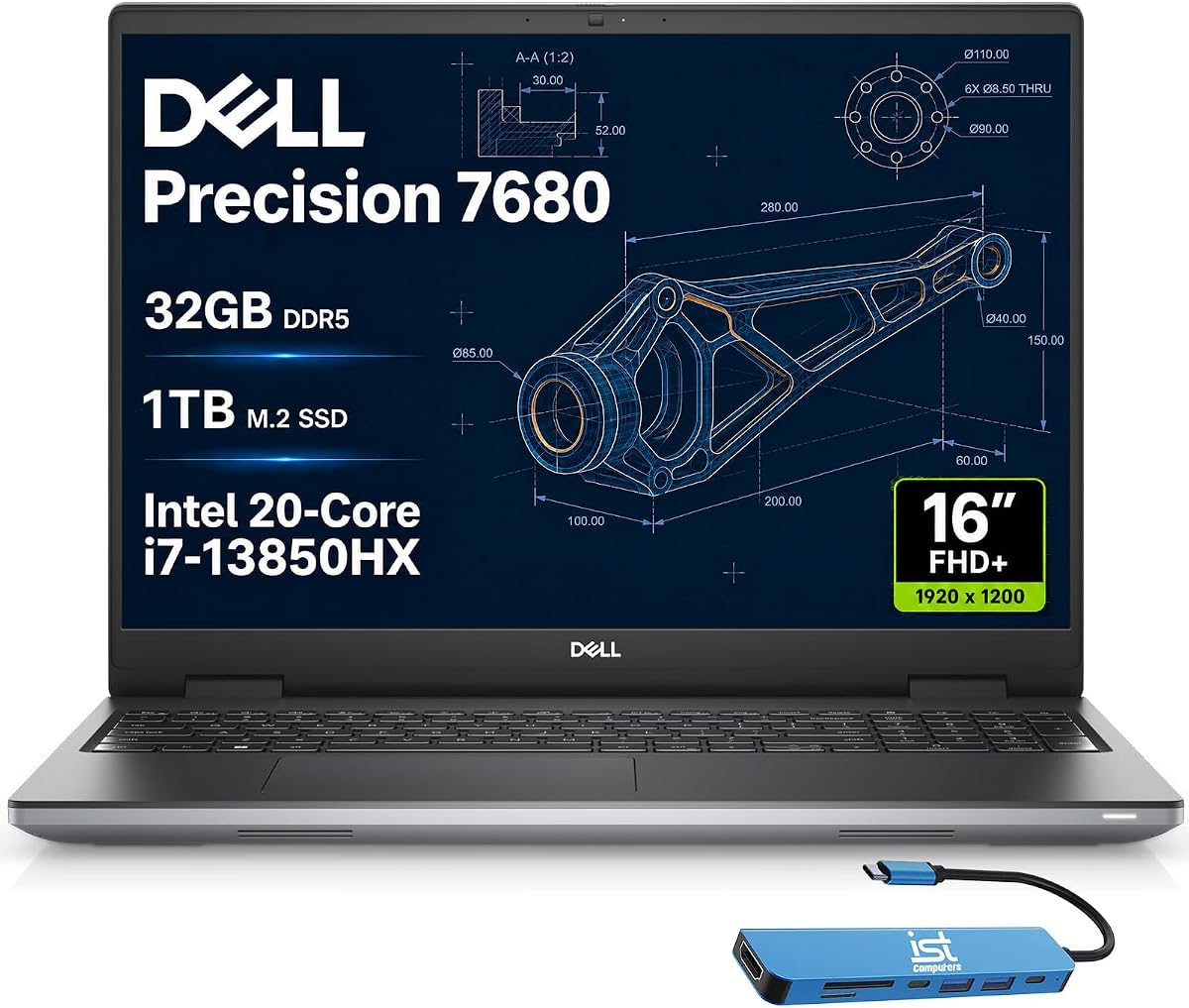


This workstation tops our list due to its unmatched performance for heavy editing. With a 24-core i9 processor and CAMM DDR5 memory, it handles 4K timelines with ease.
We may earn a commission when you buy through this link, at no additional cost to you.
The display supports up to three external monitors, which is critical for professional setups. Connectivity includes Thunderbolt 4 and Ethernet, ensuring fast data transfers and stable networks.
While the battery life is decent, it is not optimized for all-day unplugged editing. The weight also makes it less portable than ultrabooks, but the power trade-off is worth it.
Best for professional editors who need reliability and raw power on a fixed desk or in a studio environment.
The i9-13950HX processor offers superior multi-core performance essential for rendering and multitasking during complex projects.
CAMM RAM reduces height and improves signal integrity, enabling faster speeds and thinner laptop profiles than standard SODIMM.
We may earn a commission when you buy through this link, at no additional cost to you.
Apple Silicon continues to redefine efficiency for video editing. The M5 chip delivers blazing fast speeds while maintaining excellent battery life for portable workflows.
We may earn a commission when you buy through this link, at no additional cost to you.
The Liquid Retina XDR display offers 1600 nits peak brightness, making it ideal for HDR grading and precise color work. Apple Intelligence features further streamline creative tasks.
Unified memory means RAM cannot be upgraded later, so choosing the right configuration upfront is vital. The price is high but justifies the seamless ecosystem integration.
Ideal for creators who value portability, battery life, and top-tier display quality over raw workstation specs.
The M5 chip integrates Neural Accelerators into every core, accelerating AI tasks and creative workflows significantly faster than previous generations.
With 1600 nits peak brightness and a million-to-one contrast ratio, this screen ensures accurate colors for professional video grading.
We may earn a commission when you buy through this link, at no additional cost to you.
This laptop brings workstation capabilities to a lower price point. The 32GB RAM and 14-core processor handle basic to moderate editing tasks without breaking the bank.
We may earn a commission when you buy through this link, at no additional cost to you.
Renewed models often include warranty extensions, offering peace of mind for budget-conscious buyers. The included RTX A500 provides stable graphics performance for standard editing work.
The graphics card is not powerful enough for heavy 3D rendering, which may limit advanced visual effects work. The screen resolution is standard, lacking the color fidelity of higher-end panels.
Perfect for beginners or freelancers needing a reliable workhorse without the premium cost of flagship models.
You get access to Dell's Precision reliability and enterprise-grade features at a fraction of the cost of newer flagship models.
DDR5 RAM ensures faster data transfer speeds, allowing smoother playback and faster exports compared to older DDR4 systems.
We may earn a commission when you buy through this link, at no additional cost to you.
This is a powerhouse for those working with massive 8K files or complex 3D rendering. The 128GB RAM ensures you can run multiple apps without slowdown.
We may earn a commission when you buy through this link, at no additional cost to you.
The RTX ADA 3500 GPU provides exceptional stability for professional workloads. The larger chassis accommodates better cooling, sustaining performance under heavy loads better than slimmer laptops.
Portability is a major drawback as this unit weighs significantly more than standard laptops. It is best suited for a desktop replacement scenario in a studio.
Ideal for studios or professionals working with high-resolution footage requiring maximum memory and graphics stability.
With 128GB of RAM, you can edit multiple streams of 8K footage or run virtual machines simultaneously without performance bottlenecks.
The RTX ADA 3500 with 12GB VRAM is optimized for professional rendering tasks, ensuring stability in engineering and creative applications.
We may earn a commission when you buy through this link, at no additional cost to you.
This model balances power and accessibility for future upgrades. The 20-core processor handles demanding edits efficiently, while the chassis supports easy SSD expansion.
We may earn a commission when you buy through this link, at no additional cost to you.
CAMM memory provides high speed but is proprietary, so upgrades must match the specific module type. The display supports high refresh rates for smooth playback during editing.
While it lacks the latest Thunderbolt standards, current ports are sufficient for most high-speed storage devices. The keyboard layout supports efficient typing for long editing sessions.
Great for professionals who want a balance of performance and the ability to upgrade storage later.
The i7-13850HX offers 20 cores, providing excellent multi-threaded performance for rendering without the extreme heat of higher-end i9 models.
CAMM modules reduce latency and improve signal integrity compared to traditional SODIMM sticks, enabling higher bandwidth in the same space.
We may earn a commission when you buy through this link, at no additional cost to you.
This configuration includes Pro Support Plus, ensuring minimal downtime for critical professional work. The 64GB RAM and 2TB SSD handle large assets without external drives.
We may earn a commission when you buy through this link, at no additional cost to you.
The RTX 1000 provides stable performance for standard workflows without unnecessary cost for high-end gaming. It is tested against military standards for durability in tough environments.
While the graphics card is not top-tier, it is sufficient for professional creative tasks. The focus here is on reliability and uptime rather than peak performance.
Suitable for businesses or consultants who need guaranteed support and robust reliability for daily operations.
Pro Support Plus offers 24/7 expert access and onsite technician service, minimizing downtime when issues arise during critical projects.
A 2TB NVMe SSD allows you to keep multiple large project files and media libraries locally without needing external storage.
We may earn a commission when you buy through this link, at no additional cost to you.
This model offers a cost-effective entry into the Precision ecosystem. While it has an older CPU, the 32GB RAM helps maintain smooth performance for standard editing tasks.
We may earn a commission when you buy through this link, at no additional cost to you.
Renewed units undergo testing to ensure reliability and functionality. The build quality remains high, typical of Dell's workstation line, ensuring longevity for professional use.
The older CPU lacks the efficiency of modern chips, so battery life and heat may be issues during long sessions. It remains a strong option for desktop replacement use.
Best for budget buyers who need a reliable workstation for basic to moderate editing workflows.
Getting a certified pre-owned workstation allows you to access professional build quality and support at a fraction of the new cost.
Despite being older, the i7-10850H still delivers solid multi-core performance suitable for 1080p and light 4K editing tasks.
We may earn a commission when you buy through this link, at no additional cost to you.
This laptop offers an immersive 17.3-inch screen ideal for timeline viewing. The Ryzen 5 processor provides adequate power for basic 1080p editing at an entry price.
We may earn a commission when you buy through this link, at no additional cost to you.
With 8GB RAM and 256GB storage, you will need to manage files closely or upgrade storage. The included accessories like a stand make it a ready-to-go package.
The display is large, which improves editing ergonomics without needing an external monitor. However, it may struggle with heavier tasks or 4K timelines.
Ideal for students or casual editors needing a large screen and good battery life on a tight budget.
The 17.3-inch FHD screen provides ample space for timelines and panels, reducing the need for external monitors in basic setups.
The Ryzen 5 7520U delivers efficient performance suitable for basic tasks and light video editing without excessive power consumption.
We may earn a commission when you buy through this link, at no additional cost to you.
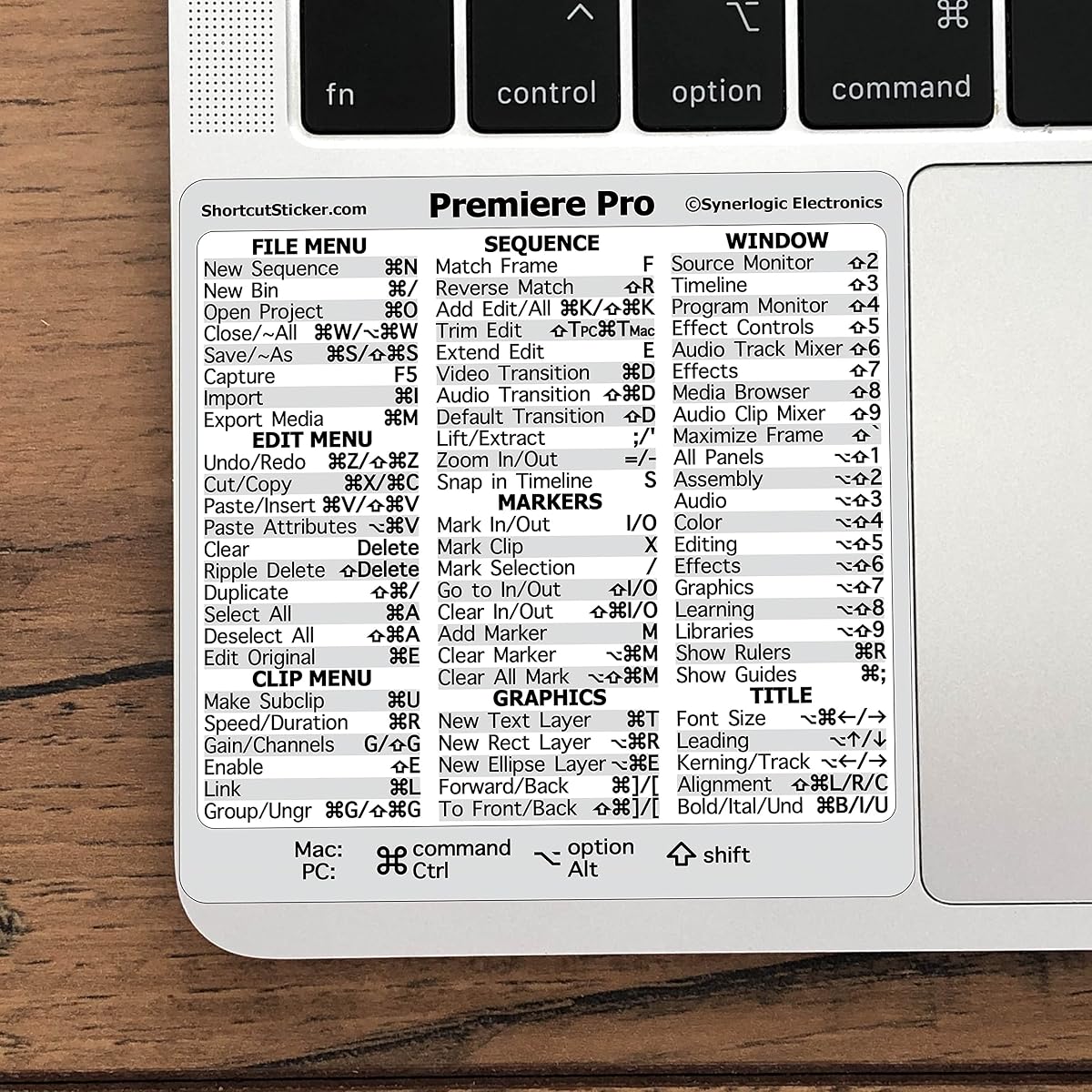
Shortcuts are vital for Premiere Pro speed. This sticker provides essential commands directly on your keyboard to boost workflow efficiency instantly.
We may earn a commission when you buy through this link, at no additional cost to you.
Made of durable vinyl, it sticks cleanly and resists wear. It is designed for both Mac and Windows, ensuring it fits most editing laptops.
While it does not improve performance, it reduces time spent searching menus. It is a practical tool for beginners and pros looking to optimize speed.
Essential for any editor wanting to maximize productivity without changing hardware.
Visual cues on your keyboard help you memorize shortcuts faster, leading to faster edits and fewer clicks per project.
The design works across different operating systems, ensuring consistent access to key commands regardless of your hardware choice.
We may earn a commission when you buy through this link, at no additional cost to you.
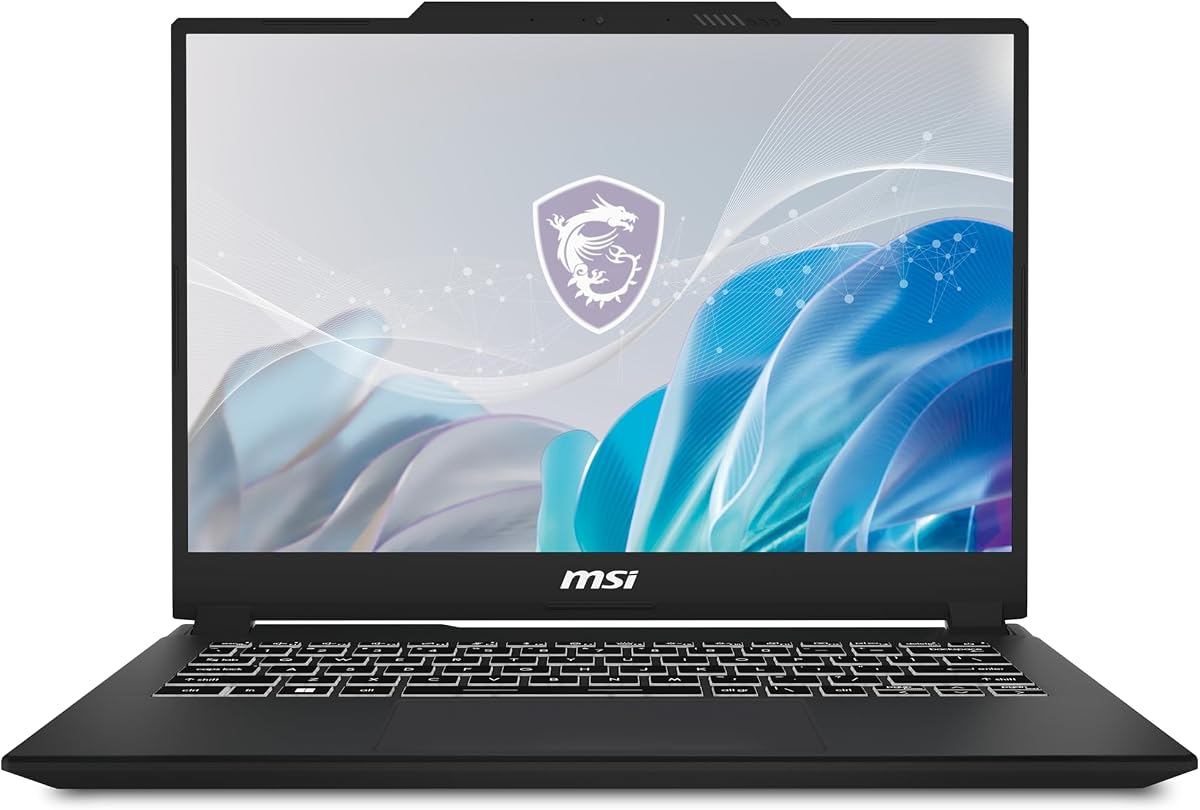
This laptop packs high resolution and powerful graphics into a 14-inch frame. The 2.8K screen is perfect for color grading and detailed creative work.
We may earn a commission when you buy through this link, at no additional cost to you.
The RTX 4050 provides strong performance for rendering and effects. Cooler Boost technology helps maintain performance during long export times.
Fan noise may be audible under heavy load. Upgradability is limited, so ensure you choose the right RAM and storage at purchase.
Perfect for mobile creators needing high visual fidelity and power in a compact laptop.
The 2.8K display ensures sharp visuals and accurate colors for professional editing and design work on the go.
RTX 4050 architecture supports ray tracing and efficient rendering, enhancing visual effects capabilities in Premiere.
We may earn a commission when you buy through this link, at no additional cost to you.
Choosing the right machine requires balancing performance needs with your budget. Here are key factors to consider before making a decision.
The CPU determines how fast Premiere can render and process files. For 4K editing, choose at least an Intel Core i7 or AMD Ryzen 7 with high multi-core counts.
Higher core counts improve timeline performance and export times significantly.
RAM capacity is critical for multitasking. Aim for 32GB of DDR5 RAM to ensure smooth playback and handling of large projects.
Upgrading later may be limited on some models, so select sufficient RAM upfront.
A dedicated GPU accelerates rendering and effects. Look for professional NVIDIA RTX cards for stability or consumer RTX for high performance.
Ensure VRAM is at least 4GB to handle effects and 4K timelines without errors.
Color accuracy and resolution matter for editing. Look for screens with high color gamut and at least 1920×1080 resolution.
External monitor support is valuable for expanding your workspace and color grading.
Use NVMe SSDs for fast boot and data access. Aim for at least 1TB capacity to store projects without external drives.
Dual SSD slots allow for separating project files from media cache for better performance.
Check for Thunderbolt ports to connect fast external storage and displays. USB-C and HDMI ports provide versatile connections to peripherals.
Fast wireless connectivity ensures smooth file syncing with cloud storage services.
Editing consumes significant power, so battery life will be less than casual use. Check real-world ratings for actual editing time.
Keep a charger nearby for intensive tasks to avoid performance throttling.
Workstations offer durable build quality for frequent travel and heavy loads. Check for MIL-STD ratings for ruggedness.
Better build quality ensures the device withstands daily professional use over time.
Optimize Premiere settings to use GPU acceleration and set media cache to a fast SSD. Regularly clear cache to maintain speed.
Keep drivers updated for the GPU and CPU. Use manufacturer tools to manage fan profiles and performance modes.
Avoid overloading RAM by closing unused apps during editing. Use proxy workflows for 4K footage to reduce load on the system.
For smooth 4K editing, 32GB of RAM is recommended. While 16GB may work for simple projects, 32GB ensures smooth playback when using effects and multitasking.
Yes, a dedicated GPU significantly accelerates rendering and effects. Integrated graphics can struggle with 4K timelines and color grading tasks.
Intel Core i7 and i9 processors are well optimized for Premiere. AMD Ryzen 7 and 9 chips also perform well for multi-threaded tasks.
Most workstation models allow SSD upgrades. However, some ultrabooks solder RAM and storage, so plan upgrades carefully when buying.
Focus on color accuracy, resolution, and brightness. Look for high color gamut and 1920×1080 or better resolution for detailed editing work.
MacBooks perform efficiently with Apple Silicon. However, Windows workstations offer more RAM and GPU options for heavy 4K and 8K editing.
The Dell Precision 7680 and Apple MacBook Pro lead our list for different reasons. One offers raw workstation power and the other premium portability.
Choose a machine with at least 32GB RAM and a dedicated GPU for professional workflows. Prioritize display quality and cooling for long sessions.
Prices change often so check current deals. The right tool helps you focus on creativity rather than hardware limitations.