
LGA 1155 Motherboard H61 for Intel 2th/3th Core i7/i5/i3 DDR3
5.0Editor score
Supports Intel 2nd 3rd Gen
Dual Channel DDR3 Memory Slots
Integrated HDMI and Video Outputs
We compare ten affordable motherboard options for AMD and Intel platforms to help you find the cheapest reliable board for your next PC build.
Finding a cheap motherboard does not mean sacrificing quality or stability. The right board ensures your components work together seamlessly for years of reliable performance and gaming.
We compared ten real products based on features like socket type, RAM support, and expansion slots. Our list covers both AMD AM4 and Intel platforms for diverse needs.
Each pick shows key specs and pros so you can choose confidently. Prices and stock change often so always check current deals before buying your next build.
5.0Editor score

4.4Editor score

4.5Editor score
Here is a side by side comparison of all ten boards. We list short specs to help you quickly identify the right fit for your case and CPU.
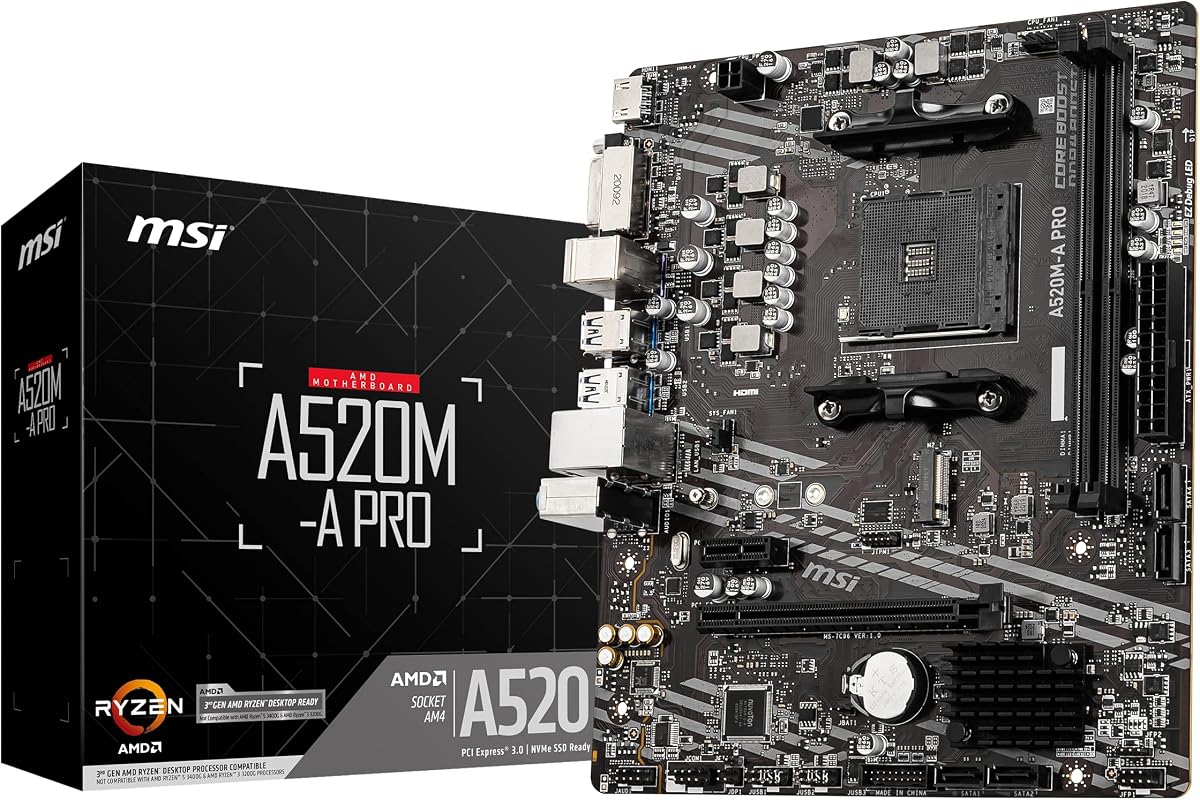




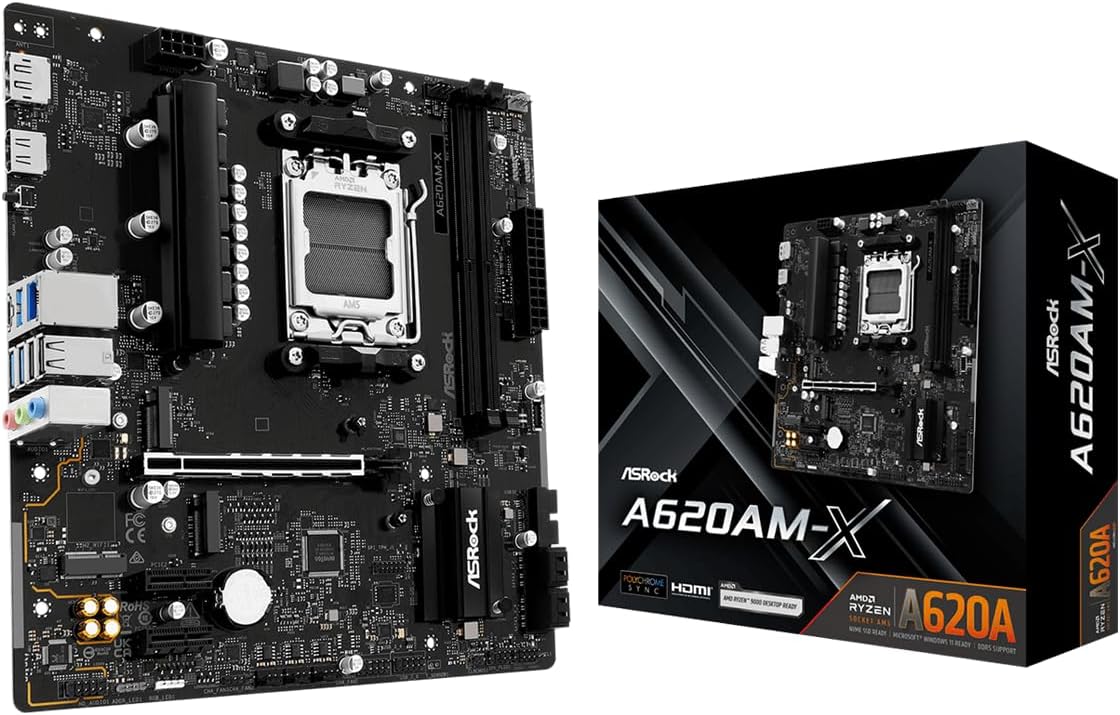
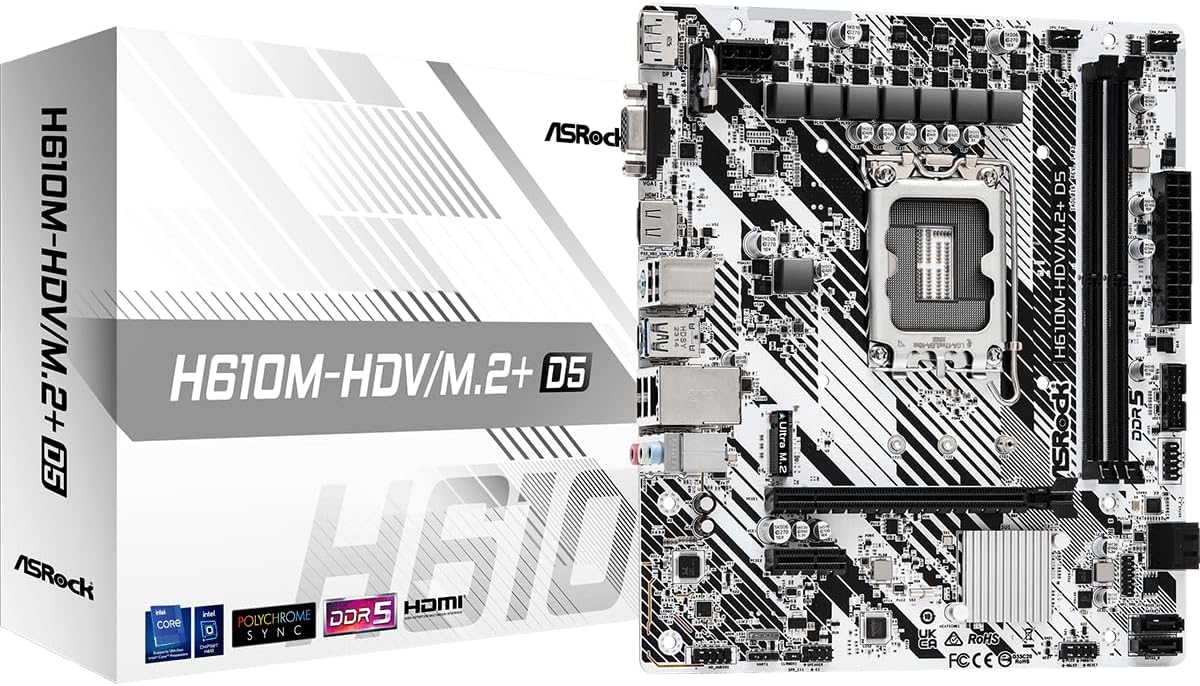
This board is rated 4.4 stars and stands out as the best overall cheap motherboard for AMD users. It supports Ryzen 5000 series out of the box which is rare at this price point.
We may earn a commission when you buy through this link, at no additional cost to you.
The 3 plus 3 power phase design ensures stable power to your CPU even during gaming. With two M.2 slots you can add fast NVMe storage for your OS and games simultaneously.
While it lacks a rear USB C port the rest of the connectivity is solid for most users. The basic audio is adequate for speakers but audiophiles may want a DAC.
You should buy this if you need a reliable base for a mid range Ryzen build. It balances price and performance better than almost any other board in this category.
You save money on the board and spend it on a better CPU or GPU for better gaming performance overall.
The second M.2 slot lets you add a large drive for games without needing SATA cables which keep your case tidy.
We may earn a commission when you buy through this link, at no additional cost to you.
Rated 5 stars this board is the cheapest way to boot an older Intel system. It supports 2nd and 3rd gen Core processors which are still viable for light tasks.
We may earn a commission when you buy through this link, at no additional cost to you.
It includes dual channel DDR3 slots and an M.2 slot which is rare for boards in this era. The HDMI output allows you to use the CPU integrated graphics for display.
The trade off is that the platform is end of life so you cannot upgrade to newer CPUs. Also the lack of a manual means you must search online for setup tips.
Buy this only if you are building a PC with spare parts or need the absolute cheapest bootable board. It is perfect for office PCs or retro gaming rigs.
If you have an old i7 or i3 lying around this board revives them with modern storage features like M.2.
For web browsing and documents this setup uses minimal power and keeps costs near zero for the hardware.
We may earn a commission when you buy through this link, at no additional cost to you.
This board gets 4.5 stars for delivering essential Ryzen 5000 support at a very low cost. The A520 chipset is perfect for users who do not need extreme overclocking.
We may earn a commission when you buy through this link, at no additional cost to you.
It features Turbo M.2 which runs at PCIe Gen3 speeds offering fast boot times. The Dragon Center software helps manage system settings and performance easily.
The main limitation is the lack of PCIe 4.0 which limits GPU bandwidth slightly. However for most gamers the difference is minimal and does not impact 1080p play.
You should buy this if you want a simple plug and play board with MSI software tools. It is ideal for office PCs or entry level gaming builds.
Dragon Center offers an easy interface to control fans and performance without needing third party tools.
With a Gen3 NVMe SSD your PC will boot in seconds and applications will load instantly.
We may earn a commission when you buy through this link, at no additional cost to you.
Rated 4.5 stars this ASRock board brings PCIe 4.0 to the budget space. It supports Ryzen 5000 series and offers high memory speeds which helps gaming performance.
We may earn a commission when you buy through this link, at no additional cost to you.
The 6 phase power delivery is stable for most Ryzen chips. With HDMI DVI and VGA outputs you can connect almost any monitor without adapters.
The limitation is the two DIMM slots which means you must pick the right capacity from the start. But for most users 32GB is plenty and this works well.
Buy this if you want future proofing with PCIe 4.0 without paying premium prices. It is a strong choice for a budget gaming rig.
PCIe 4.0 allows for faster GPUs and storage which will be more common as time goes on.
Support for 4733MHz memory lets you push your Ryzen CPU for better frame rates in games.
We may earn a commission when you buy through this link, at no additional cost to you.
This board gets 4.3 stars for its focus on stability and cooling. MSI Core Boost technology ensures the CPU gets steady power which helps performance during heavy tasks.
We may earn a commission when you buy through this link, at no additional cost to you.
The Frozr AI Cooling feature automatically adjusts fans based on temps. With two M.2 slots including Gen4 you have plenty of fast storage for games.
The lack of WiFi means you need a wired connection or adapter. But for a budget board the wired LAN is usually faster and more reliable.
You should buy this if you want a stable platform with good cooling features. It is great for workstations that need reliability and speed.
Frozr AI adjusts fans to keep temps low while keeping noise minimal for better focus.
Two M.2 slots let you split your OS and apps to separate fast drives.
We may earn a commission when you buy through this link, at no additional cost to you.
Rated 4.5 stars this board adds premium features like WiFi and Flash BIOS Button to the budget list. It supports Ryzen 5000 series and offers PCIe 4.0 for future upgrades.
We may earn a commission when you buy through this link, at no additional cost to you.
The Flash BIOS Button lets you update firmware without a CPU which is a lifesaver for compatibility. Core Boost ensures steady power delivery for your processor.
The higher cost is justified if you need wireless connectivity or plan to use older CPUs that might need BIOS updates. The thermal solution is also better than most.
Buy this if you want a complete package without extra adapters. It is excellent for gamers who want easy setup and solid performance.
Built in Wi-Fi and Bluetooth removes the need for extra cards and lets you use wireless peripherals easily.
The Flash BIOS Button allows you to update firmware without installing a CPU or RAM first.
We may earn a commission when you buy through this link, at no additional cost to you.
This board gets 4.5 stars and brings premium features to the budget list. It uses a full ATX form factor which fits most larger cases and offers better airflow.
We may earn a commission when you buy through this link, at no additional cost to you.
The 10 plus 3 power phase design is robust for high end CPUs. With a front USB C port you can connect modern devices easily on the front of your case.
The main trade off is the size and cost. If you have a small case this board will not fit and it costs more than micro ATX boards.
You should buy this if you have a large case and want premium power delivery. It is perfect for mid to high range builds that need room to expand.
The 10 plus 3 VRM ensures your CPU gets clean power even under heavy load for stable gaming.
Front USB Type C makes it easy to connect fast external drives or phone chargers.
We may earn a commission when you buy through this link, at no additional cost to you.
Rated 4.4 stars this board is compact and very affordable. It is a great choice for small form factor builds where space is tight.
We may earn a commission when you buy through this link, at no additional cost to you.
It supports AM4 CPUs and includes HDMI for basic display needs. With DDR4 RAM support you can still get decent performance for daily tasks.
The downsides are the two RAM slots and lack of PCIe 4.0 which limits upgrade paths. But for a simple cheap PC this is often enough.
Buy this if you need a tiny PC for office or media use. It is not for gaming but it is reliable for everyday computing.
The compact design fits in smaller cases which is great for saving desk space or moving the PC easily.
HDMI output allows you to use integrated graphics for a simple setup without a separate GPU.
We may earn a commission when you buy through this link, at no additional cost to you.
This board gets 4.5 stars as the cheapest way to enter the AM5 platform. It supports Ryzen 7000 and newer series with DDR5 memory support.
We may earn a commission when you buy through this link, at no additional cost to you.
It includes 2.5G LAN for faster internet and BIOS Flashback for easy firmware updates. The DDR5 support ensures your system is future ready for modern tasks.
The trade off is that DDR5 RAM and AM5 CPUs cost more than older tech. But for a new build this gives you a long lasting platform.
Buy this if you want to build a brand new PC for the future. It is ideal for users who want to skip to latest generation hardware.
AM5 is the latest platform with support for years of new CPUs so you do not need to change the board often.
The 2.5G LAN lets you download games and files faster than standard gigabit connections.
We may earn a commission when you buy through this link, at no additional cost to you.
Rated 4.4 stars this board is the cheapest DDR5 Intel board on the list. It supports 12th, 13th and 14th Gen Intel Core processors with LGA 1700 socket.
We may earn a commission when you buy through this link, at no additional cost to you.
It includes HDMI and DisplayPort outputs for easy display setup. With DDR5 support you get future ready memory speeds without paying premium prices.
The H610 chipset limits some features like PCIe lane availability but is fine for most builds. The single M.2 slot is enough for one fast boot drive.
Buy this if you want a cheap Intel build with DDR5. It is perfect for users who want Intel without spending a lot on the motherboard.
This gives you access to the latest Intel CPUs which are powerful for productivity and gaming.
DDR5 RAM offers higher speeds which helps with multitasking and heavy applications.
We may earn a commission when you buy through this link, at no additional cost to you.
Selecting the right board requires looking at more than just price. Use these factors to ensure your board matches your CPU and future needs.
The socket must match your CPU exactly. For example AM4 fits Ryzen 5000 while LGA 1700 fits Intel 12th Gen. Mismatching them will prevent your PC from working.
Always check the CPU support list on the product page before buying to avoid compatibility issues.
Micro ATX boards are smaller and cheaper than ATX ones. Make sure your case supports the size you pick. ATX boards need larger cases which can cost more.
If you want a compact PC choose Micro ATX to save money on the case and board.
Check how many RAM slots the board has and what speed it supports. Some cheap boards only have two slots which limits future upgrades. DDR5 is newer and faster than DDR4.
Pick a board with enough slots for your needs and check the RAM speed support.
PCIe 4.0 offers faster bandwidth for GPUs and SSDs. Cheaper boards might only have PCIe 3.0 which is still fine for most users but limits high end parts.
Look for PCIe 4.0 if you plan to use top GPUs or NVMe drives for best performance.
The VRM powers your CPU. Boards with more phases deliver stable power for better performance. This is important if you use a higher end CPU that uses more power.
Aim for boards with decent power phases to avoid thermal throttling.
Check if the board has the ports you need. Many cheap boards lack USB C which might be needed for modern devices. Also check for Ethernet speed like 2.5G or Gigabit.
Verify the number of USB ports and video outputs to match your setup.
WiFi adds convenience but costs more. If you can use a cable Ethernet is often cheaper and faster. Many boards do not include built in WiFi so check first.
Choose a board with WiFi only if you need wireless connections.
Some boards allow BIOS updates without a CPU using Flash BIOS Button or Q Flash. This is helpful if your CPU needs a newer firmware to work.
Look for these features if you plan to use newer CPUs with older board BIOS.
Install your CPU carefully by aligning the triangle marker on the CPU with the marker on the socket. Lower the retention arm gently to lock it in place.
Use thermal paste when mounting the cooler. Apply a small pea sized amount on the CPU center before attaching the heatsink to ensure good heat transfer.
Avoid touching the gold connectors on the bottom of the board with your fingers. Static or dirt can cause shorts so handle the board by its edges.
The cheapest gaming motherboard is usually the MSI A520M-A PRO or ASRock B550M-HDV. They support modern CPUs and offer essential features like M.2 slots.
No older cheap boards use DDR3 while newer AM5 or LGA1700 ones use DDR5. Check the board specs to see which memory type it supports before buying.
Most cheap motherboards do not include WiFi to keep costs low. You will need to buy a USB or PCIe adapter if you need wireless connection.
Yes a cheap motherboard can work fine for gaming as long as it supports your CPU and has enough speed. The GPU has more impact on gaming than the board.
Some boards like the MSI PRO B550M-P have Flash BIOS buttons. Others require a CPU installed to update. Check the product page for BIOS update features.
Yes you always need a cooler. Many cheap CPUs come with a stock cooler but you may want an aftermarket one for better silence and temperatures during gaming.
Yes boards like the GIGABYTE B550M K support Ryzen 5000 out of the box. Always confirm the CPU support list to ensure your exact model works.
It is worth it if you need a budget build or have spare parts. For new long term builds consider spending a bit more for better features like WiFi or PCIe 4.0.
Our top picks include the GIGABYTE B550M K for AMD and the ASRock H610M-HDV for Intel. These boards balance price and features better than most in this list.
You should prioritize socket compatibility and form factor first. Ensure the board fits your CPU and case before checking extra features like RAM speed or PCIe lanes.
Always check current prices before buying as they change often. With these options you can build a reliable PC without breaking the bank for the board.