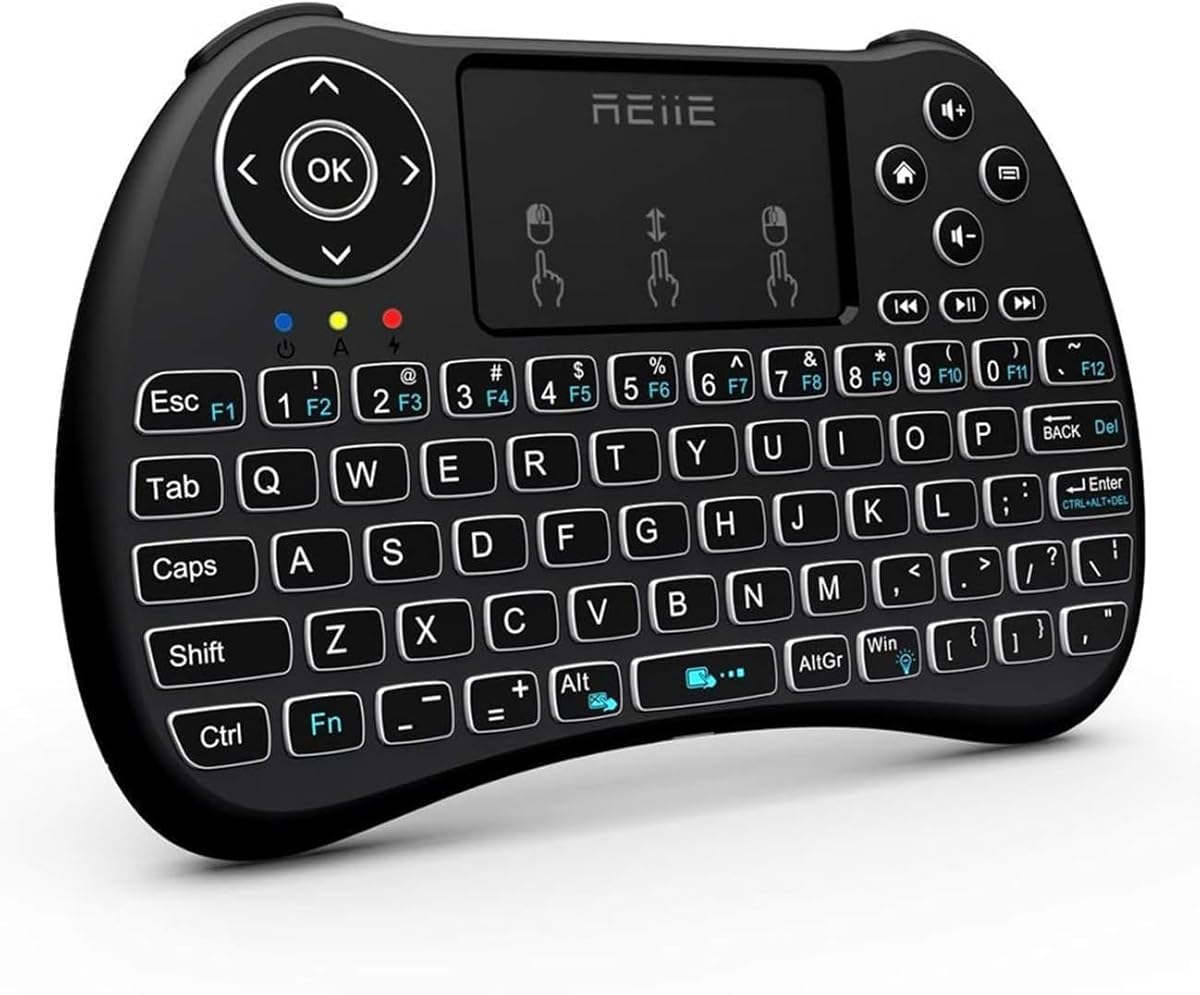
REIIE H9+ Mini Keyboard
4.3Editor score
Backlit keys for dark use
Multi-finger touchpad gestures
Compact handheld design
This guide compares the top Htpc Keyboard models for smart TVs and media centers, evaluating connectivity, ergonomics, and features to help you choose the
Choosing the right Htpc Keyboard can transform your home theater experience by providing seamless control over media playback and navigation. A good model combines wireless freedom with a built-in touchpad to eliminate the need for separate devices while you relax on your couch. These keyboards are designed specifically for compact spaces and offer intuitive controls that streamline interactions with your smart TV or PC setup.
We evaluated ten leading Htpc Keyboard options based on connectivity range, battery life, build quality, and compatibility with various operating systems. Our analysis focuses on features that matter most for media consumption, such as backlighting for dark rooms, durable key mechanisms, and responsive touchpads. Each product was assessed for its ability to integrate smoothly into different entertainment ecosystems without compromising performance or usability.
Every pick in this list highlights specific strengths tailored to different user needs, from budget-friendly mini keyboards to premium multi-device solutions. You will find detailed insights into what makes each model stand out along with honest assessments of their limitations. Please note that prices fluctuate frequently, so verifying current costs before purchasing ensures you get the best value for your investment.
4.3Editor score

4.4Editor score

3.8Editor score
The following comparison highlights key specifications across all ten selected models to help you identify the best fit for your specific home theater needs.


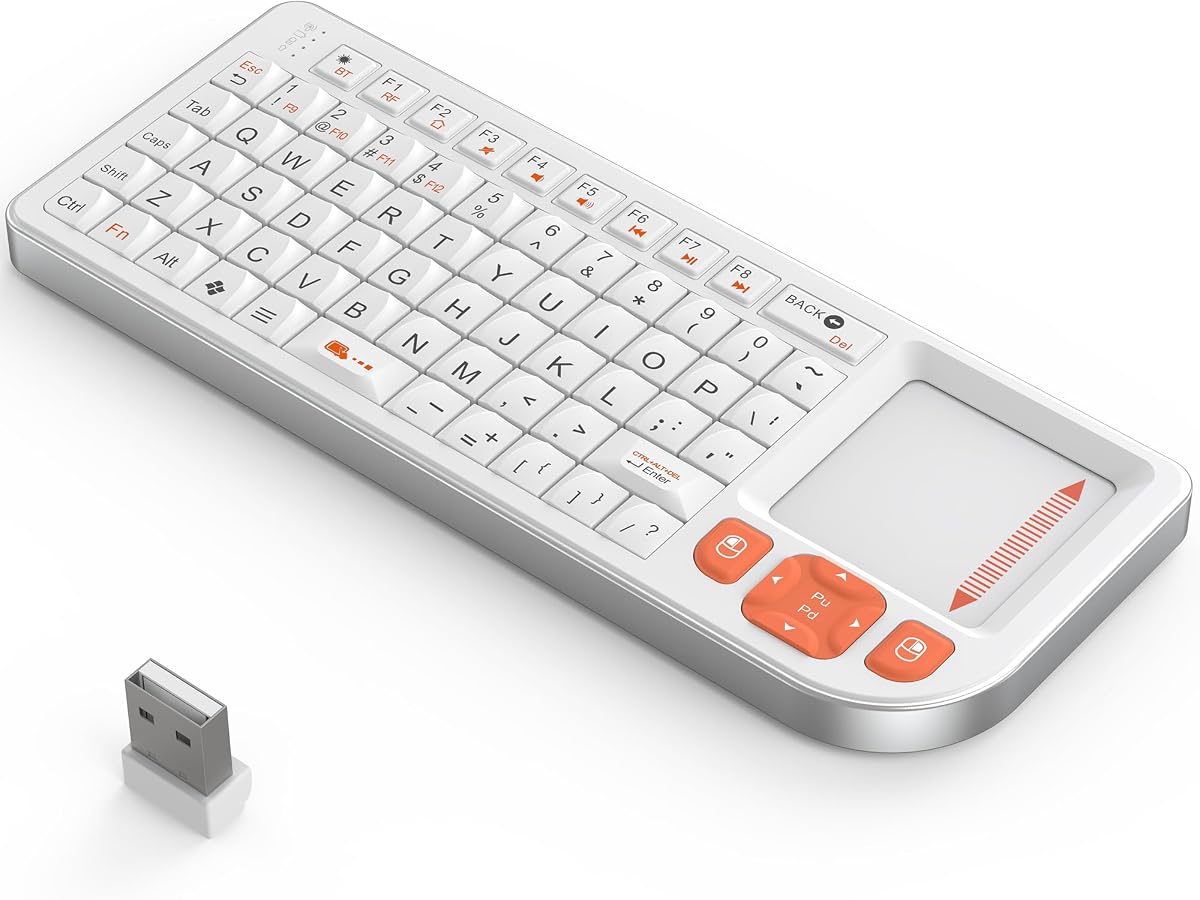

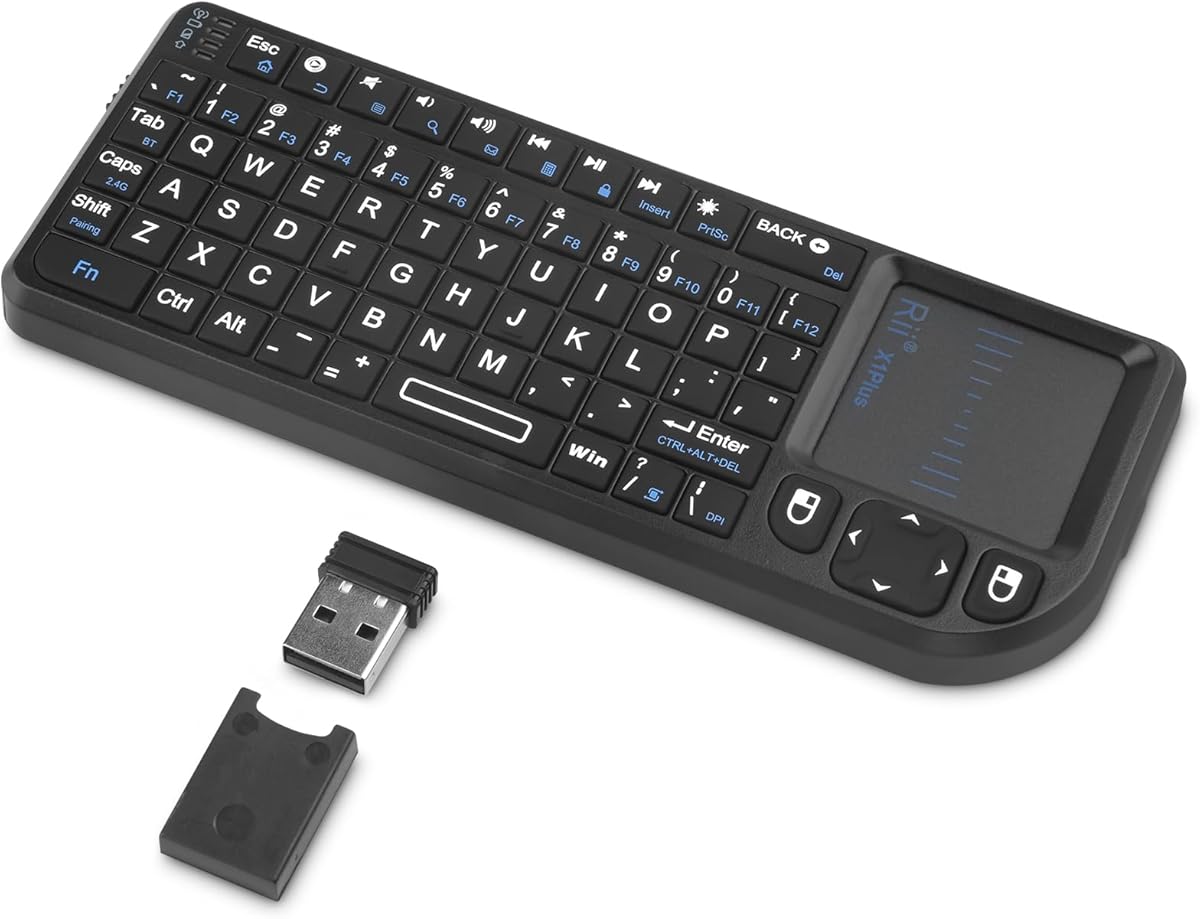
The Logitech K400 Plus stands out as a reliable choice for home theater setups needing consistent wireless control. With a solid 4.4 rating it delivers essential features like a built-in touchpad and long battery life that users appreciate over time. This keyboard eliminates the clutter of separate mice and remotes making it ideal for PC-connected TV environments.
We may earn a commission when you buy through this link, at no additional cost to you.
Its standout qualities include an impressive 18-month battery life powered by standard AA batteries which reduces maintenance hassle significantly. The touchpad is well-sized for navigating media interfaces on large screens without requiring a mouse. Additionally the spill-resistant design adds durability ensuring longevity even in casual living room settings where accidents might occur.
One trade-off is the lack of backlighting which may limit usability in completely dark rooms unless external lighting is available. Compatibility is also focused mostly on Windows systems with limited support for macOS or Linux compared to modern Bluetooth models. Despite this the core functionality remains robust for basic media control tasks.
This keyboard is perfect for users who prioritize reliability and battery efficiency over advanced features. It suits households with Windows PCs connected to TVs where simplicity and endurance are key. We recommend it for anyone seeking a straightforward solution to replace multiple remote controls effectively.
Up to 18 months of use on two AA batteries reduces frequent replacements and ensures consistent performance without interruption.
Spill-resistant design protects internal components from common household accidents maintaining functionality over years of daily use.
We may earn a commission when you buy through this link, at no additional cost to you.
Arteck Universal Backlit offers versatility with Bluetooth connectivity and customizable LED backlighting for dark room viewing. Rated at 4.1 it balances cost and features well for users needing multi-platform support. The touchpad enables easy navigation on smart TVs without additional peripherals.
We may earn a commission when you buy through this link, at no additional cost to you.
Key strengths include seven backlight color options with brightness controls enhancing visibility in low-light conditions. The USB-C rechargeable battery reduces ongoing costs and ensures quick recharging compared to disposable cells. Compatibility spans Windows Mac Android and Chrome OS making it adaptable for mixed-device households.
The touchpad is relatively compact which might feel cramped for precise cursor control on large displays. Battery life depends heavily on backlight usage meaning heavy use could require more frequent charging. Some users report occasional pairing delays with Bluetooth devices.
Choose this model if backlight customization and rechargeable power are priorities. It fits well with tablets laptops and TVs needing a single input device. It is a solid choice for tech-savvy users willing to adjust settings for optimal performance.
Seven distinct LED colors and brightness levels allow users to tailor visibility and ambiance to their viewing environment preferences.
USB-C charging port simplifies power management eliminating the need for battery replacements and reducing long-term expenses.
We may earn a commission when you buy through this link, at no additional cost to you.
The Arteck 2.4G Wireless features a premium stainless steel frame that provides durability and a sleek appearance. Rated at 4.2 it delivers stable wireless performance ideal for media centers needing reliable input. The compact design fits well on laps or coffee tables.
We may earn a commission when you buy through this link, at no additional cost to you.
Its solid construction resists daily wear better than plastic alternatives ensuring long-term use in active households. The 2.4G connection offers consistent performance without Bluetooth pairing complexities. Touchpad and media keys streamline navigation for entertainment apps effectively.
The weight may feel heavy during extended handheld use compared to lighter alternatives. Battery reliance on AAA cells means ongoing replacement costs unless external power solutions are used. Setup requires inserting the receiver but no drivers are needed.
Ideal for users wanting a sturdy and professional-looking keyboard for home use. It suits desks and media consoles where stability matters more than portability. This model delivers value through robust materials and straightforward functionality.
Stainless steel frame resists scratches and bends ensuring the keyboard remains functional and aesthetically pleasing over years of use.
2.4G connection ensures lag-free input suitable for gaming and media navigation without requiring complex Bluetooth configuration steps.
We may earn a commission when you buy through this link, at no additional cost to you.
Arteck Multi-Device enables seamless switching between up to three devices using both Bluetooth and 2.4G connections. With a 4.2 rating it offers flexibility for users managing multiple computers or TVs. The touchpad supports intuitive navigation across different platforms.
We may earn a commission when you buy through this link, at no additional cost to you.
The ability to connect three devices via a single click enhances workflow efficiency without unpairing and re-pairing. USB-C charging ensures sustained usage and reduces waste from disposable batteries. Compatibility covers Windows Mac and Android making it versatile for diverse ecosystems.
Switching between devices sometimes takes a moment which may interrupt fast-paced tasks. The keys lack backlighting limiting usability in dim lighting without external illumination. Some users note minor latency on Bluetooth mode compared to 2.4G.
Best suited for power users juggling multiple systems needing quick input switching. It works well for home offices or media setups with mixed devices. Prioritize this if connectivity flexibility outweighs lighting preferences.
One-click switching among three connected devices simplifies workflows and reduces setup time for users managing multiple computers or media systems.
Combination of Bluetooth and 2.4G ensures compatibility with devices regardless of available ports or wireless standards.
We may earn a commission when you buy through this link, at no additional cost to you.
REIIE H9+ Mini Keyboard offers essential HTPC features at a budget-friendly price point without sacrificing core functionality. Rated at 4.3 it provides a compact solution for media navigation needing a handheld device. The backlight enables typing in low-light environments comfortably.
We may earn a commission when you buy through this link, at no additional cost to you.
Its rechargeable battery and backlight design deliver value by reducing ongoing costs and enhancing visibility. The multi-finger touchpad supports gestures for scrolling and navigation mimicking mouse actions. The small form factor fits easily in pockets or small spaces.
Lack of Bluetooth limits connectivity to devices with USB ports requiring a dongle for wireless use. Keys are smaller than full-size boards which may require adjustment for touch typists. Some users report occasional connection drops if the USB port is obstructed.
Perfect for budget-conscious users needing a basic handheld controller for smart TVs. It suits travel or small apartment setups where portability is key. Consider this for entry-level HTPC needs without advanced connectivity requirements.
Cost-effective pricing allows access to wireless typing and touchpad navigation without premium feature costs ideal for entry-level users.
Compact design and white backlight enable comfortable use in dark environments and on-the-go scenarios with minimal bulk.
We may earn a commission when you buy through this link, at no additional cost to you.
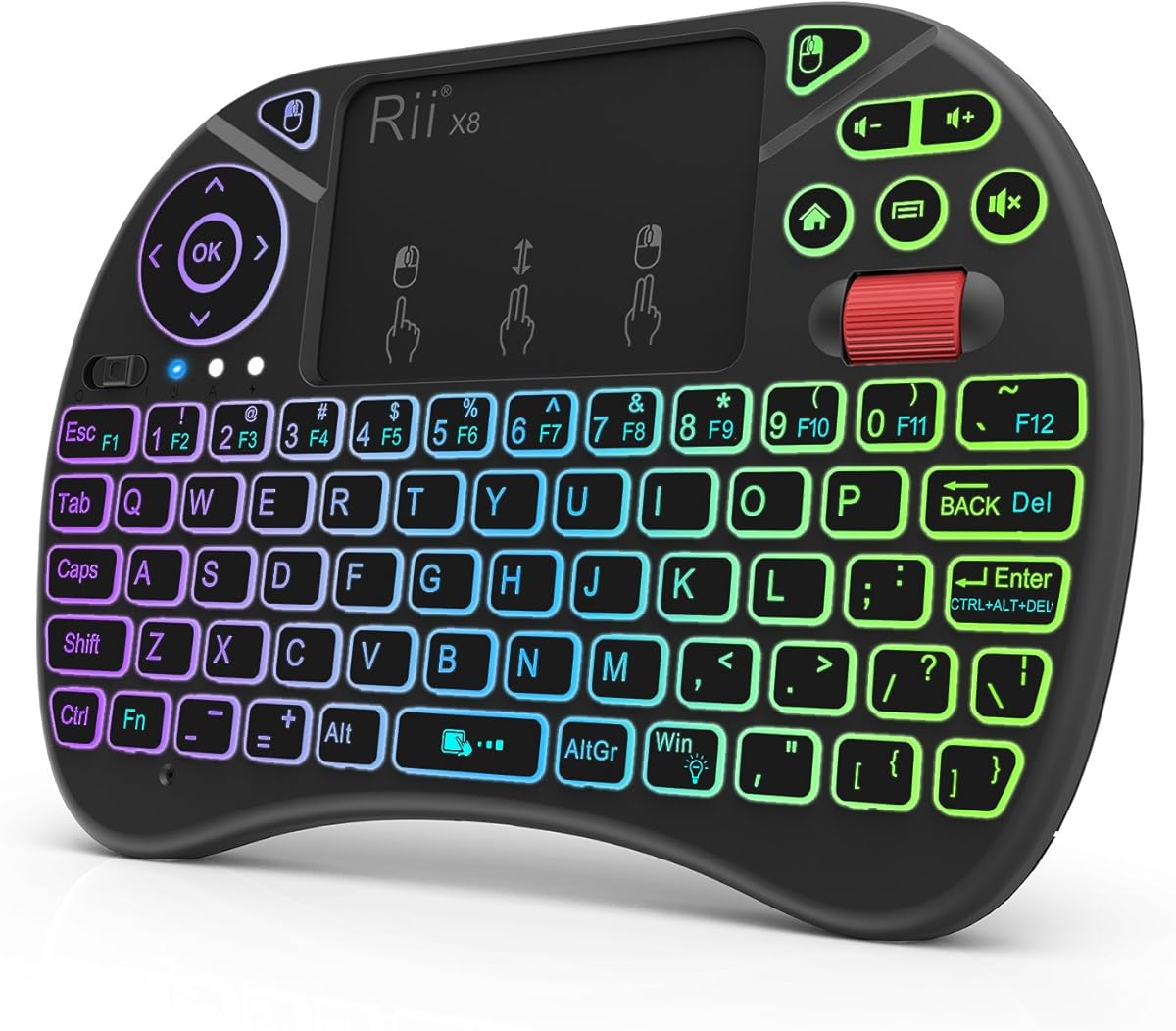
Rii X8 Mini targets Android TV users with specialized features like RGB backlighting and multi-touch gestures. Rated 4.2 it integrates well with streaming devices needing compact input. The touchpad simplifies cursor movement without external mice.
We may earn a commission when you buy through this link, at no additional cost to you.
RGB lighting adds visual appeal and aids visibility in dark rooms. The built-in rechargeable battery eliminates disposable battery waste. Multi-touch gestures like scrolling improve navigation efficiency on media platforms.
Limited compatibility outside Android environments restricts versatility for mixed setups. No Bluetooth requires USB dongle usage which occupies a port. Key layout may feel cramped for prolonged typing sessions.
Best for users focused on Android TV boxes needing a stylish compact keyboard. It suits entertainment centers prioritizing aesthetics and portability. Consider this if RGB lighting and touch gestures enhance your viewing experience.
Eight distinct backlight colors provide customizable visual accents that enhance dark room usability and aesthetic matching with setups.
Multi-touch gestures on the touchpad streamline scrolling and cursor movement making media browsing more intuitive and fluid.
We may earn a commission when you buy through this link, at no additional cost to you.
Rapoo Mini Wireless connects up to four devices across Windows Mac and Android making it versatile for complex setups. Rated 3.8 it balances connectivity with portability. Its ultra-thin profile fits into bags easily for travel use.
We may earn a commission when you buy through this link, at no additional cost to you.
Tri-mode connectivity via Bluetooth and 2.4G ensures adaptability across different device ports and standards. Gesture support improves efficiency for users accustomed to trackpad controls. The slim build minimizes bulk without sacrificing typing comfort.
The rating suggests occasional connectivity hiccups or battery inconsistencies compared to competitors. Users may experience delays switching between modes requiring patience. Not all features work equally on every OS version.
Ideal for mobile professionals needing a keyboard that adapts to multiple devices. It suits those prioritizing slim designs and broad compatibility. Consider this for setups demanding flexibility across different platforms.
At just 3.9mm thickness this keyboard fits easily into bags and pockets enabling convenient transport without compromising full typing functionality.
Support for four devices across multiple operating systems simplifies management for users juggling work and media devices daily.
We may earn a commission when you buy through this link, at no additional cost to you.
K809 Mini Keyboard combines a premium aluminum frame with reliable dual connectivity for durability and performance. Rated 4.2 it delivers a sturdy build that withstands daily use. The rechargeable battery reduces maintenance needs significantly.
We may earn a commission when you buy through this link, at no additional cost to you.
Aluminum construction resists wear and adds a high-end feel. The 1000mAh battery ensures long usage between charges. Both Bluetooth and 2.4G offer flexible connection options for varied devices.
Price is higher than basic plastic alternatives. Touchpad size remains compact which may affect precision during extended use. Some users prefer larger keys for comfort.
Perfect for users valuing build quality and battery endurance. It suits travel and office environments needing a durable portable keyboard. Choose this if premium materials justify the investment.
High-end aluminum alloy frame resists scratches and dents ensuring the keyboard remains sleek and functional despite frequent handling.
Large 1000mAh rechargeable battery supports long use periods without needing frequent recharges or disposable battery replacements.
We may earn a commission when you buy through this link, at no additional cost to you.
Fosmon Mini Keyboard delivers Bluetooth 5.2 and 2.4G options with backlighting for versatile home theater control. Rated 4.0 it offers solid media navigation in a portable package. The rechargeable battery supports sustained use.
We may earn a commission when you buy through this link, at no additional cost to you.
Bluetooth 5.2 ensures fast stable connections with minimal interference. Backlight aids typing in low-light environments comfortably. Compact design fits easily into travel bags or small spaces.
Battery life fluctuates based on backlight usage requiring monitoring. Keys feel smaller than standard sizes may requiring adjustment for touch typists. Some pairing issues reported with older devices.
Best for users needing modern Bluetooth speeds and backlighting. It suits entertainment setups requiring portability and consistent connections. Consider this if battery life and size are acceptable trade-offs.
Latest Bluetooth 5.2 technology ensures faster pairing and more stable wireless connections with reduced latency for media tasks.
Compact size combined with backlight allows convenient and comfortable typing in dark rooms or on the go without external lights.
We may earn a commission when you buy through this link, at no additional cost to you.
Rii Mini 2.4G packs wireless functionality into an iPhone-sized body for maximum portability. Rated 4.4 it suits travelers needing a compact input device. Backlight and USB-C charging add practical convenience.
We may earn a commission when you buy through this link, at no additional cost to you.
Its small footprint makes it ideal for luggage or tight spaces without sacrificing typing or touchpad features. Dual connectivity ensures it works with various devices. USB-C charging modernizes power management.
Keys are tiny requiring careful typing for accuracy. Battery life is shorter than larger models needing more frequent charging. Touchpad precision is limited due to size constraints.
Best for travelers prioritizing size over typing comfort. It suits temporary setups or secondary input for media. Choose this if portability is the absolute top priority.
Roughly the size of an iPhone this keyboard fits into any bag pocket making it easy to carry anywhere without bulk.
USB-C rechargeable battery aligns with current standards reducing cable clutter and simplifying power management for users.
We may earn a commission when you buy through this link, at no additional cost to you.
Selecting the right Htpc Keyboard requires evaluating several key factors to ensure compatibility and comfort for your home theater setup.
Htpc Keyboards typically use Bluetooth or 2.4GHz wireless connections. Bluetooth allows direct pairing with modern smart TVs without dongles but may have slight latency. 2.4GHz provides a more stable and faster response ideal for media navigation but requires a USB receiver. Check if your device supports the chosen method before purchasing.
Choose Bluetooth for simplicity with newer devices or 2.4GHz for stability on older PCs or TVs with available USB ports.
Battery power varies between disposable AA/AAA batteries and rechargeable options. Models with rechargeable batteries reduce ongoing costs and waste but need regular charging via USB-C. Disposable batteries offer convenience but require replacements every few months depending on usage.
Opt for rechargeable models if you use the keyboard daily or prefer eco-friendly solutions over frequent battery changes.
Backlighting is essential for typing in dark living rooms. Look for adjustable brightness and multiple color options for customization. Some models offer backlight only while others combine it with media keys. Ensure the backlight does not drain battery life excessively.
Prioritize backlighting if you use your Htpc primarily in low-light environments to avoid eye strain during navigation.
A responsive touchpad eliminates the need for a separate mouse. Check for multi-touch gesture support and size. Larger touchpads offer better control but add bulk. Some models include physical mouse buttons for precision.
Select a touchpad size that balances comfort with portability and supports gestures like scrolling and clicking effectively.
Ensure the keyboard supports your operating system whether Windows Mac Android or Linux. Multi-device models allow switching between different systems easily. Some devices may have limited driver support affecting functionality.
Verify system compatibility before buying to ensure all features work smoothly without software conflicts or limitations.
Build materials range from plastic to aluminum alloy. Metal frames provide durability and a premium feel but add weight. Spill-resistant designs protect against accidental liquids. Consider how often you move the keyboard during use.
Choose durable materials if the keyboard will be used frequently or in high-traffic areas to prevent wear and tear.
Dedicated media keys for volume and playback improve convenience. Compact layouts save space but may reduce typing comfort. Full-size keys offer better ergonomics but increase size. Evaluate based on your typing and navigation habits.
Prioritize media keys if controlling entertainment is your main goal over extensive text typing on the keyboard.
Prices vary widely from budget to premium options. Higher costs usually bring better build and features like Bluetooth 5.2. Budget models may lack backlighting or rechargeable batteries. Assess what features matter most for your needs.
Balance your budget against essential features to get the best value without paying for unnecessary extras.
Start by connecting the keyboard to your device using the appropriate method. For 2.4GHz models insert the USB receiver into a available port. For Bluetooth models enable pairing mode and select the keyboard from device settings. Once connected test the touchpad and media keys to confirm responsiveness.
Keep the keyboard clean by wiping the surface with a soft dry cloth. Avoid exposing it to moisture or extreme temperatures. If it has removable batteries replace them when power drops below 10 percent to maintain consistent performance and prevent leakage damage.
Update firmware if available through the manufacturer software to fix bugs or improve compatibility. Store the keyboard in a protective case when not in use to prevent scratches. Periodically recharge or replace batteries to extend overall lifespan and ensure reliable connectivity.
Yes models with 2.4GHz wireless support a USB receiver that connects to the TV USB port. Ensure your TV has an available USB port and supports USB HID devices. This method works with most Android and proprietary smart TV platforms for seamless control.
Many Htpc Keyboards work with consoles that accept USB input or Bluetooth peripherals. However some games restrict external keyboards for fairness. Always check console support lists or try pairing before purchase to confirm compatibility with your specific gaming setup.
Battery life depends on usage and features like backlighting. Rechargeable models last days to weeks per charge while AA-powered ones may last months. Backlight use significantly reduces runtime so adjust brightness to extend power when possible for longer sessions.
Restart the keyboard and re-pair the connection to refresh the signal. Clean the touchpad surface to remove dust or debris. If using Bluetooth ensure the device is within range. Updating drivers or checking settings can also resolve input issues quickly.
Most Htpc Keyboards support tablets via Bluetooth or USB-C adapters. Compatibility depends on tablet operating system support for keyboards. Models with multi-device switching handle tablets alongside phones or computers making them versatile for mobile users seeking a unified input experience.
While possible compact Htpc Keyboards may feel cramped for long typing sessions. Full-size layouts offer better comfort but reduce portability. If typing is frequent consider a full-sized wireless keyboard for comfort or look for ergonomic models designed for extended use.
Bluetooth offers convenience without dongles and works with phones or tablets. 2.4GHz provides lower latency and more stable connections ideal for gaming or media. Choose Bluetooth for simplicity or 2.4GHz for performance depending on your primary usage scenarios and device availability.
Multi-device models include a dedicated switch key or app to cycle between connected systems. Typically you connect up to three devices then press a button to toggle instantly. Ensure each device is paired beforehand so switching happens without delay during use.
The Logitech K400 Plus leads with endurance and reliability making it ideal for standard PC-based setups. The REIIE H9+ offers unbeatable value for budget users needing backlighting. The Rapoo Mini provides premium multi-device flexibility for advanced home theater environments.
Prioritize connectivity and battery life based on how you use your media center. If you need a versatile model for travel look at ultra-compact options. For stationary use larger touchpads and durable builds ensure long-term satisfaction.
Verify compatibility and check current pricing before purchasing. Htpc Keyboards range from budget to premium so match features to your specific needs. This guide ensures you find a model that balances convenience performance and cost effectively for any setup.