
Western Digital WD Blue 2TB
4.5Editor score
Factory renewed condition
Zero power on hours
256 MB cache
Finding the right storage solution is crucial for maintaining system performance and data security. A 5400 Rpm HDD Hard Drive offers a balance between capacity efficiency and cost making it ideal for various computing needs today.
We have evaluated ten leading models based on reliability capacity and interface speeds. Our comparison covers desktop notebook and network attached storage options to ensure you find the perfect match for your setup.
Each pick highlights key strengths and potential trade offs to help you decide. Prices and availability change frequently so please verify the latest details before making your final purchase decision online.
4.5Editor score

4.7Editor score

4.5Editor score
As an Amazon Associate we earn from qualifying purchases.
The following table provides a side by side overview of the top ten models. Use this to quickly compare key specifications and features across all selected drives.


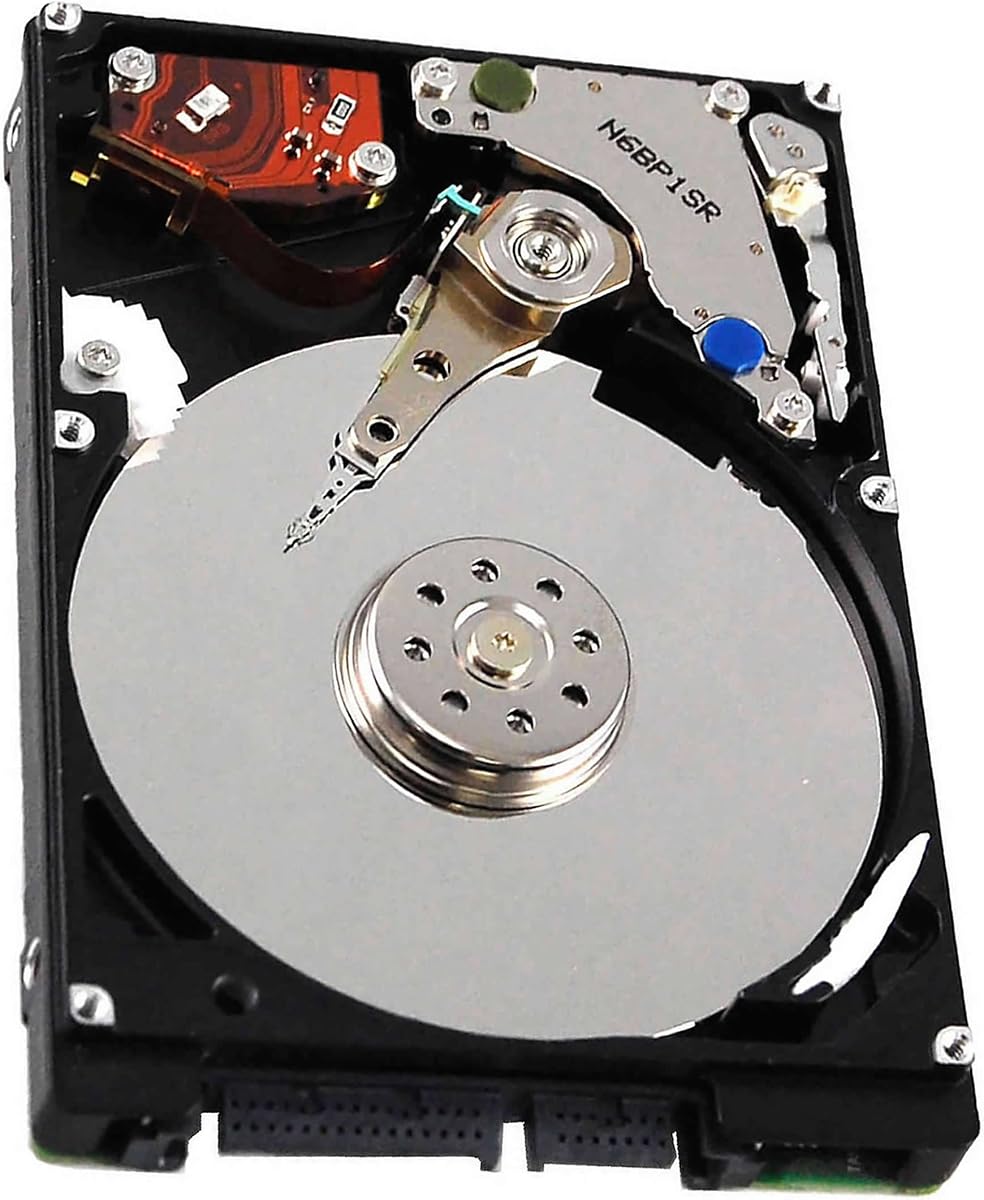


The Seagate BarraCuda 2TB stands out as a top choice for users needing reliable internal storage. Its high rating reflects consistent performance across various desktop PC applications.
We may earn a commission when you buy through this link, at no additional cost to you.
This drive offers significant storage in a compact form factor ideal for modern cases. The 128MB cache ensures smooth data flow during intensive tasks like video editing.
While it lacks advanced shock protection the design is robust enough for stationary use. The trade off is acceptable given the balance of price and capacity.
Ideal for desktop upgrades and media storage it delivers on reliability. We recommend this for users seeking a proven solution for everyday computing needs.
The 2.5 inch size allows for flexible installation in tight spaces.
Caching technology reduces latency for quicker file access times.
We may earn a commission when you buy through this link, at no additional cost to you.
This 6TB drive is perfect for users needing extensive local storage without breaking the bank. It maintains the reliability associated with the BarraCuda brand.
We may earn a commission when you buy through this link, at no additional cost to you.
The large cache helps manage data requests efficiently which is great for large file transfers. It suits media libraries and archival projects well.
Power consumption is higher than smaller drives but standard for this capacity. Users should ensure adequate airflow in their case for best results.
We suggest this for desktop users prioritizing volume over portability. It is a solid choice for home servers or extensive media centers.
Accommodates vast media libraries and project files effortlessly.
Built specifically for stationary desktop environments and performance.
We may earn a commission when you buy through this link, at no additional cost to you.
Combining high capacity with a portable form factor this drive offers unique flexibility. It bridges the gap between desktop and mobile storage needs.
We may earn a commission when you buy through this link, at no additional cost to you.
The 5TB space allows for extensive backups or media on the go. It works well in external enclosures or large laptop bays.
Performance is standard for 5400 RPM which is fine for storage tasks. Speed is not the focus here but capacity and reliability are.
Best for users needing massive storage in a small package. Consider this for external backup drives or high capacity media servers.
Delivers desktop capacity in a mobile friendly footprint.
Adapts easily to various PC and storage configurations.
We may earn a commission when you buy through this link, at no additional cost to you.
This drive is engineered specifically for the rigors of mobile computing. Its shock sensors and low power profile make it ideal for laptops.
We may earn a commission when you buy through this link, at no additional cost to you.
The 128MB cache helps maintain responsiveness even during battery operation. It ensures your system stays efficient without draining power quickly.
While it comes as a bare drive installation requires some technical knowledge. The reliability benefits are worth the effort for mobile users.
We recommend this for laptop upgrades needing robust performance. It is a top choice for frequent travelers or students.
Shock sensors protect data during movement and transport.
Low power profile extends your laptop battery runtime.
We may earn a commission when you buy through this link, at no additional cost to you.
Designed for on the go computing this drive offers big capacity in a small package. It is a reliable upgrade for laptops needing more space.
We may earn a commission when you buy through this link, at no additional cost to you.
Specialized caching ensures smooth multitasking and faster loading times. Users will appreciate the consistent performance in portable environments.
The included warranty adds peace of mind for critical data storage. It balances well between performance and protection for daily use.
Ideal for laptop users seeking a straightforward upgrade. Choose this for everyday productivity and media access on the move.
Caching technology optimizes flow for portable devices.
Two year coverage provides long term peace of mind.
We may earn a commission when you buy through this link, at no additional cost to you.
This renewed drive offers an affordable entry point for reliable storage. It meets high standards for refurbishment ensuring near new performance.
We may earn a commission when you buy through this link, at no additional cost to you.
With zero power on hours it feels like a brand new unit. The 256MB cache is generous for this capacity class.
Buying renewed means checking return policies but the savings are significant. It is a smart choice for budget conscious buyers.
Best for general PC upgrades where cost is a factor. We recommend it for users comfortable with refurbished electronics.
Certified renewed drives offer significant savings without compromise.
Fresh usage ensures long term reliability and performance.
We may earn a commission when you buy through this link, at no additional cost to you.
A classic drive known for robustness and shock tolerance. It is ideal for older systems or industrial applications requiring durability.
We may earn a commission when you buy through this link, at no additional cost to you.
The G force protection ensures data safety in rough environments. This makes it suitable for mobile PCs in rugged settings.
Capacity is limited by modern standards so use for specific needs. It fits well in niche applications where durability is key.
Best for legacy upgrades or specialized industrial use. Consider this if you need physical toughness over massive storage.
High shock tolerance handles rough operating environments well.
Designed for consistent performance in challenging conditions.
We may earn a commission when you buy through this link, at no additional cost to you.
This drive is purpose built for network attached storage environments. Its design minimizes vibration to protect data integrity in multi drive arrays.
We may earn a commission when you buy through this link, at no additional cost to you.
Included rescue services and health monitoring offer unmatched peace of mind. It ensures your critical data stays safe even during failures.
While pricier than standard drives the reliability and features justify it. You pay for the robustness needed in always on systems.
Ideal for NAS enthusiasts and business storage setups. We recommend this for anyone building a serious home server.
Designed to handle 24/7 operation and vibration stress.
Integrated rescue services protect against data loss events.
We may earn a commission when you buy through this link, at no additional cost to you.
A robust desktop drive offering a balance of capacity and performance. It is suited for media centers and large file storage.
We may earn a commission when you buy through this link, at no additional cost to you.
The 256MB cache handles heavy multitasking smoothly. Included tools make migrating data from old drives easy.
Packaging reduces setup stress and ensures a smooth install. This is great for users who prefer hassle free experiences.
Best for desktop users needing reliable high capacity storage. Choose this for gaming setups or home entertainment systems.
Free software simplifies moving data to the new drive.
Packaging design ensures easy opening and setup.
We may earn a commission when you buy through this link, at no additional cost to you.
This drive is tailored for reliable network storage performance. CMR technology ensures consistency which is vital for RAID systems.
We may earn a commission when you buy through this link, at no additional cost to you.
It is designed for continuous operation which reduces wear over time. This makes it a durable choice for always on storage.
WD support adds value if issues arise down the line. It is a safe investment for home or small office networks.
Ideal for NAS users seeking standard reliability. We recommend this for consistent networked storage without extra bells.
Tuned for RAID optimization and consistent network performance.
Built to handle long term 24/7 duty cycles.
We may earn a commission when you buy through this link, at no additional cost to you.
Selecting the right drive involves balancing capacity speed and use case. This section breaks down the key factors to consider before buying.
Consider how much data you need to store locally. Larger capacities are vital for media libraries backups and large projects.
Choose a capacity that fits your budget and growth needs.
Desktops use 3.5 inch drives while laptops require 2.5 inch models. Ensure your device has the physical space and connection type.
Match the drive size to your computer case or chassis.
Cache memory acts as a buffer to speed up data access. Higher cache values help with multitasking and large file operations.
Look for drives with larger cache for smoother performance.
5400 RPM drives prioritize power efficiency and quiet operation. They are ideal for general storage and media rather than high speed apps.
Accept lower speeds for better battery life and noise.
Mobile drives often include shock sensors to protect data during movement. Desktop drives may focus on vibration control for long term stability.
Prioritize shock protection for laptops and rugged environments.
A good warranty provides peace of mind for your investment. Look for brands that offer rescue services or robust support.
Check warranty length and claim processes before buying.
NAS drives are optimized for 24/7 operation and RAID arrays. Standard drives work for general desktop or laptop upgrades.
Select a drive type that matches your workload.
Compare price per terabyte to find the best value. Sometimes paying more for reliability saves money in the long run.
Balance upfront cost with long term reliability needs.
Ensure the drive is securely mounted to prevent vibration damage. Use screws or brackets provided with your case for stability.
Keep your system well ventilated to avoid overheating which can shorten drive life. Regularly clean dust from internal components.
Perform regular backups of critical data to external media. Even reliable drives can fail unexpectedly so redundancy is key.
They are suitable for storing games but load times will be slower than SSDs. They work best as secondary storage for larger libraries.
Yes if the laptop has a 2.5 inch bay and the drive is slim enough. Check thickness requirements before purchasing for mobile use.
A larger cache allows the drive to buffer more data reducing wait times. It helps multitasking performance on mechanical drives.
Yes but they may cost more than necessary for simple storage. Standard desktop drives are usually better value for non NAS use.
With proper care and usage they can last five years or more. Lifespan depends on power on hours and environmental conditions.
CMR is critical for RAID and NAS systems to ensure data integrity. For single drive use SMR may be acceptable for archives.
We have reviewed ten top models to help you find the perfect storage solution. Each offers unique strengths depending on your capacity and usage needs.
Prioritize factors like form factor and reliability features when making your choice. Ensure the drive matches your device and performance requirements.
Remember to check current prices and availability before purchasing. Your ideal drive is just a click away with the right research.