
KAIGERR Light Gaming Laptop
4.6Editor score
AMD Ryzen 7 5700U
16GB DDR4 RAM
Affordable Price Point
Emulating classic gaming systems requires significant processing power and efficient memory management. Choosing the right laptop ensures smooth gameplay without frame drops or lag during intense sessions. This guide helps you identify machines capable of handling various emulator software efficiently.
We evaluated ten laptops based on CPU strength, graphics capabilities, and thermal performance. Our analysis focuses on devices that balance portability with the raw power needed for retro gaming. Each entry reflects real-world usage scenarios for emulator enthusiasts.
Every pick highlights key specifications that impact emulation performance directly. Note that prices fluctuate frequently based on market demand and availability. Check current listings before making your final decision to secure the best value available.
4.6Editor score

5.0Editor score

4.4Editor score
As an Amazon Associate we earn from qualifying purchases.
This side-by-side comparison highlights critical specifications across all ten featured laptops to help you decide quickly.




This NIMO gaming laptop stands out as a powerhouse for emulation tasks with its desktop-class AMD Ryzen 7 8745HS processor and 64GB of DDR5 RAM. It achieves a perfect five-star rating for its ability to handle demanding emulators without breaking a sweat.
We may earn a commission when you buy through this link, at no additional cost to you.
The Radeon 780M graphics unit delivers smooth visuals across popular games while the 165Hz equivalent responsiveness ensures no lag during gameplay. You can run multiple emulators simultaneously while streaming or recording thanks to the generous memory allocation.
While the premium pricing might deter budget shoppers the sheer performance justifies the investment for serious enthusiasts. The metal chassis feels robust yet remains lightweight enough for travel between LAN parties or classes.
If you need a reliable machine for high-fidelity emulation and future-proofing this NIMO model is the ideal choice for your setup.
The Ryzen 7 8745HS provides the raw speed needed for complex emulation layers.
Dual SSD slots and support up to 64GB RAM ensure you never run out of space.
We may earn a commission when you buy through this link, at no additional cost to you.
The KAIGERR Light Gaming Laptop offers incredible value for buyers seeking a budget-friendly option for retro gaming. Its AMD Ryzen 7 5700U processor brings robust performance to the table at a fraction of the cost of premium alternatives.
We may earn a commission when you buy through this link, at no additional cost to you.
With 16GB of RAM and a fast 512GB NVMe SSD this system loads emulators quickly and manages multitasking effectively. The thin-bezel display provides an immersive experience while the overall build quality remains surprisingly durable for the price.
It is not without compromises as the DDR4 RAM may limit future upgrades slightly compared to newer models. Additionally the display lacks high refresh rates which might affect fast-paced gaming scenarios significantly.
For students or casual gamers who need solid performance without breaking the bank this KAIGERR laptop is a highly recommended starting point.
The 5700U delivers eight cores which is rare at this price tier for emulation tasks.
Its compact design allows you to carry it easily without adding bulk to your bag.
We may earn a commission when you buy through this link, at no additional cost to you.
The ASUS ROG Strix G16 is a true powerhouse for emulation enthusiasts who demand top-tier performance and advanced features. It combines a powerful Intel Core i7 processor with an RTX 5060 to handle even the most resource-intensive emulators effortlessly.
We may earn a commission when you buy through this link, at no additional cost to you.
Its 165Hz display ensures buttery smooth visuals while the ROG Intelligent Cooling keeps the system running quietly under heavy loads. The inclusion of Wi-Fi 7 future-proofs your network connectivity for seamless online multiplayer emulation sessions.
The high price point and shorter battery life make it less suitable for budget users or those who need all-day portability. However for a dedicated desk setup or LAN parties this laptop delivers unmatched speed and visual fidelity.
If you want the absolute best in gaming and emulation performance the ROG Strix G16 is the premium choice for serious collectors.
The RTX 5060 handles modern 3D emulators that integrated graphics might struggle with.
Vapor chamber cooling maintains high performance during long gaming or streaming sessions.
We may earn a commission when you buy through this link, at no additional cost to you.
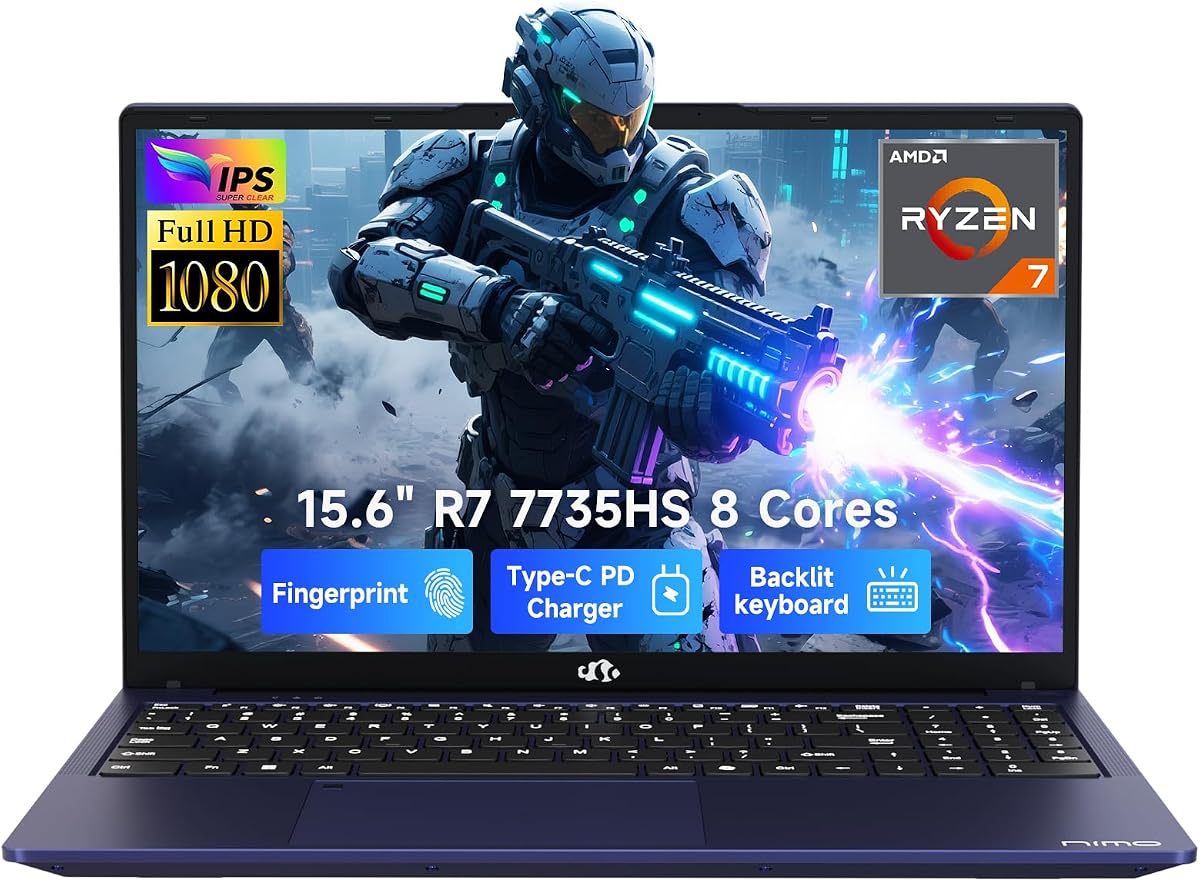
This NIMO Light Gaming Laptop delivers robust performance for emulation tasks thanks to its Ryzen 7 7735HS processor and Radeon 680M graphics. The system is designed to handle 1080p gaming and creative workloads without significant lag.
We may earn a commission when you buy through this link, at no additional cost to you.
Its dual DDR5 slots allow for future upgrades while the 100W PD fast charging ensures you get back to work quickly after a short break. The fingerprint sensor adds a layer of security for your personal emulation libraries.
While the battery life is average for the class the performance-to-price ratio remains attractive for many users. The 180-degree hinge is particularly useful for sharing screen content during presentations or study sessions.
This model is an excellent choice for those who prioritize raw speed and upgradability over extended battery runtimes in the field.
Dual slots let you increase RAM to handle heavier multitasking loads easily.
100W PD charging cuts downtime significantly compared to standard slow chargers.
We may earn a commission when you buy through this link, at no additional cost to you.
The NIMO 17.3" Gaming Laptop offers a spacious viewing area that is perfect for managing multiple emulator windows simultaneously. Its 32GB DDR5 RAM ensures smooth operation even with dozens of tabs and apps open at once.
We may earn a commission when you buy through this link, at no additional cost to you.
The physical webcam shutter provides essential privacy while the 17.3-inch FHD display reduces eye strain during long gaming sessions. You can upgrade storage up to 4TB which is ideal for storing large game ROM collections.
Portability is the main drawback here as the larger chassis adds significant weight to your carrying bag. However for home desktop replacement use this machine offers incredible value and screen real estate.
Ideal for users who want a large screen for emulation and do not need to move their device frequently throughout the day.
The high SSD capacity and expandability support massive game libraries effortlessly.
The physical webcam shutter adds security without software toggles or complex settings.
We may earn a commission when you buy through this link, at no additional cost to you.
This KAIGERR Light Gaming Laptop is designed for efficiency and speed making it a strong contender for mid-range emulation needs. Its Ryzen 7 430U processor outperforms many entry-level chips delivering smooth multitasking capabilities.
We may earn a commission when you buy through this link, at no additional cost to you.
The 16GB DDR4 RAM reduces read latency improving CPU utilization for seamless switching between emulators and other apps. A 512GB NVMe SSD ensures lightning-fast boot times and rapid application loading for a responsive user experience.
The integrated UHD graphics may struggle with high-end 3D emulators but handles 2D and older console systems well. The thin-bezel design maximizes screen space providing an immersive experience within a compact form factor.
This laptop is an excellent pick for students or travelers who need a reliable machine for emulation without excessive bulk or cost.
DDR4 RAM configuration reduces latency for smoother application switching.
Modern screen design enhances viewing angles and minimizes distractions during use.
We may earn a commission when you buy through this link, at no additional cost to you.
This NIMO laptop balances power and features to deliver a solid emulation experience for everyday users. The 32GB DDR5 RAM and 1TB PCIe 4.0 SSD ensure that data loads quickly and apps run smoothly without bottlenecks.
We may earn a commission when you buy through this link, at no additional cost to you.
Radeon 680M graphics provide excellent visual performance for both business applications and light gaming sessions. The anti-glare IPS display improves viewing comfort while the included 100W charger offers efficient fast charging on the go.
The color accuracy might not satisfy professional designers but it is sufficient for gaming and media consumption. US-based support and a 2-year warranty offer peace of mind for buyers concerned about long-term reliability.
A great option for users who want a balanced mix of modern memory storage and graphics without compromising on support.
PCIe 4.0 SSD ensures instant app loading and fast system boot times.
The screen reduces eye strain and improves visibility in bright environments.
We may earn a commission when you buy through this link, at no additional cost to you.
This Gaming Laptop 2026 is designed for office work and light gaming making it a versatile machine for emulation. Its Intel Core i7 processor delivers fast response times and reliable performance for everyday multitasking tasks.
We may earn a commission when you buy through this link, at no additional cost to you.
With Windows 11 Pro and Office included you can start working immediately without additional software setup. The 16GB RAM and 512GB SSD provide smooth multitasking and fast startup speeds for your applications.
The 3.5 pound weight makes it easy to carry around campus or meetings despite being a traditional clamshell design. However the 38.5Wh battery limits its usage to short sessions away from power outlets.
This device suits users who need a professional tool that can also handle retro gaming tasks when away from home.
Windows 11 Pro and Office come pre-installed for immediate productivity.
Full-size keys allow comfortable typing in any lighting condition.
We may earn a commission when you buy through this link, at no additional cost to you.
The HP OmniBook 3 offers impressive battery life and a large screen for casual viewing and basic emulation tasks. Its AMD Ryzen 3 processor and Radeon 610M graphics handle streaming and simple gaming efficiently without draining power.
We may earn a commission when you buy through this link, at no additional cost to you.
You can enjoy up to 14 hours of battery life making it ideal for travel or long commutes away from outlets. The AI noise reduction feature ensures clear voice during video calls while the Copilot Key provides quick access to AI tools.
The 8GB RAM may limit complex emulation scenarios but suffices for lighter retro games. Its 17.3 inch display provides ample space for media consumption but the graphics are not suited for high-end 3D titles.
For casual users who need a long-lasting machine for light gaming this HP OmniBook offers a solid balance of power and efficiency.
Up to 14 hours ensures work without charging during long trips.
Noise reduction and Copilot Key improve productivity and voice call clarity.
We may earn a commission when you buy through this link, at no additional cost to you.
This KAIGERR Gaming Laptop focuses on efficient performance with a Ryzen 7 430U that delivers smooth multitasking and solid emulation support. It offers a 16-inch FHD display that provides vivid visuals for gaming and media consumption daily.
We may earn a commission when you buy through this link, at no additional cost to you.
Its 512GB SSD can be upgraded to 2TB which is excellent for storing large game libraries. The 38Wh battery life supports up to 8 hours of use making it reliable for travel without constant recharging needs.
The webcam cover slide adds privacy security while the 12 months of repair support ensures long-term reliability for users. While it lacks high-end specs it handles standard emulation well and offers great value for the cost.
A practical choice for students and casual gamers who need a dependable laptop with enough power for retro gaming on the go.
The 16-inch screen delivers fuller and more vivid colors for immersive viewing.
Unlimited technical support and repair coverage reduce risks for buyers.
We may earn a commission when you buy through this link, at no additional cost to you.
Selecting a laptop for emulation requires balancing CPU power GPU capabilities and thermal management for smooth gameplay.
The CPU is the most critical component for emulation as it translates old hardware instructions to modern systems. Look for at least an AMD Ryzen 5 or Intel Core i5 with multiple cores to ensure lag-free performance during complex sessions.
Aim for processors with higher turbo speeds to maximize compatibility with demanding emulators that rely on single-core performance.
Emulators often require significant RAM to load game data and manage multiple applications at once. 16GB is the recommended standard for smooth gameplay while 32GB ensures future-proofing for higher-fidelity emulation.
Choose a model with upgradeable RAM slots to expand memory as new software becomes more resource-intensive.
Integrated graphics like Radeon 680M or better are sufficient for most retro emulators. Dedicated GPUs such as the RTX series are only necessary for high-end 3D emulation or upscaling features.
Ensure the GPU supports modern APIs to run graphical enhancements smoothly without overheating.
A fast NVMe SSD is essential for quick boot times and loading large ROM files without delays. Aim for at least 512GB of storage to keep your system responsive while offering enough space for a game library.
Check if the laptop supports dual SSDs so you can expand storage without replacing the drive later.
Emulation can push CPUs to their limits generating significant heat that may throttle performance over time. Look for laptops with efficient cooling systems like vapor chambers or dual fans to maintain consistent speeds.
Avoid thin devices that lack proper ventilation as they may struggle during long gaming sessions.
A Full HD IPS display provides accurate colors and wide viewing angles which enhance the immersion of retro games. Higher refresh rates like 120Hz or 144Hz help reduce motion blur for smoother gameplay.
Prioritize displays with anti-glare coatings to reduce eye strain during extended use in varied lighting.
If you plan to carry your laptop to school or LAN parties consider the weight and battery life. A machine under 1.8kg with a long battery cycle ensures you can game anywhere without constant charging.
Smaller 13 or 14-inch models are easier to transport but may sacrifice screen space for multitasking.
Ports like USB-C HDMI and SD card readers are vital for connecting external controllers or storage. Wi-Fi 6 or 7 ensures fast downloads of games and updates without latency issues.
Verify the laptop has enough ports to support your peripherals without needing multiple dongles or adapters.
Start by installing reputable emulator software and verifying your drivers are up to date. Use the manufacturer control panel to optimize performance settings for emulation tasks before launching your games.
Keep your laptop on a hard flat surface to allow proper airflow and prevent overheating during intense sessions. If using a cooling pad ensure it matches your laptop size to maximize thermal efficiency.
Regularly clean your keyboard and screen with microfiber cloths to maintain clarity and responsiveness. Clear out temporary files and update your emulation plugins monthly to ensure compatibility with new releases.
For most retro emulators you need at least an 8-core processor and 16GB of RAM. A fast SSD and decent integrated graphics like Radeon 680M will ensure smooth performance without overheating.
Eight gigabytes may work for very old systems but will likely struggle with modern emulators. Upgrading to 16GB ensures smoother multitasking and better compatibility with demanding games.
Not necessarily as modern integrated GPUs handle most 2D and older 3D games well. Dedicated graphics are only needed for high-end 3D emulation or advanced upscaling features.
AMD Ryzen 7 processors offer great multi-core performance that benefits complex emulation layers. Intel Core i7 alternatives are also excellent but check thermal limits to avoid throttling.
Many models like the NIMO series have dual slots that allow easy upgrades. Check the specific product page to confirm if the RAM is soldered or removable before buying.
Use a cooling pad or elevate the laptop to improve airflow. Close unnecessary background apps and set performance profiles to balance heat and speed during gameplay.
The NIMO 15.6" Gaming Laptop stands out as the top choice for its powerful Ryzen 7 8745HS and massive memory. For budget users the KAIGERR Light Gaming Laptop delivers solid performance at a fraction of the cost.
Prioritize memory and CPU power when selecting a machine since these impact emulation compatibility the most. Ensure your chosen model has enough cooling to maintain speed without thermal throttling.
Prices for these laptops change often so check current listings before making a final purchase decision. Verify availability and warranty terms to secure the best deal for your emulation needs.