
CORSAIR RS120 ARGB 120mm PWM Fans – Triple Pack – Black
4.6Editor score
Daisy-chain connections
72.8 CFM airflow
AirGuide technology
This guide compares the top Corsair case fans for cooling and lighting, covering PWM performance, ARGB options, and iCUE Link systems for any build.
Choosing the right cooling solution is vital for any PC build. Corsair case fans offer a balance of performance, noise control, and aesthetics that appeal to enthusiasts and casual users alike.
We evaluated these products based on airflow, static pressure, bearing technology, and lighting integration. Each model provides unique features like reverse rotors or daisy-chaining to simplify your setup.
Every pick highlights key specs and ideal use cases to help you decide. Note that availability and pricing can shift quickly, so verify details before purchasing your next upgrade.
4.6Editor score

4.6Editor score

4.5Editor score
The following table outlines the core specifications of each fan we reviewed, helping you compare airflow, pressure, and special features at a glance.


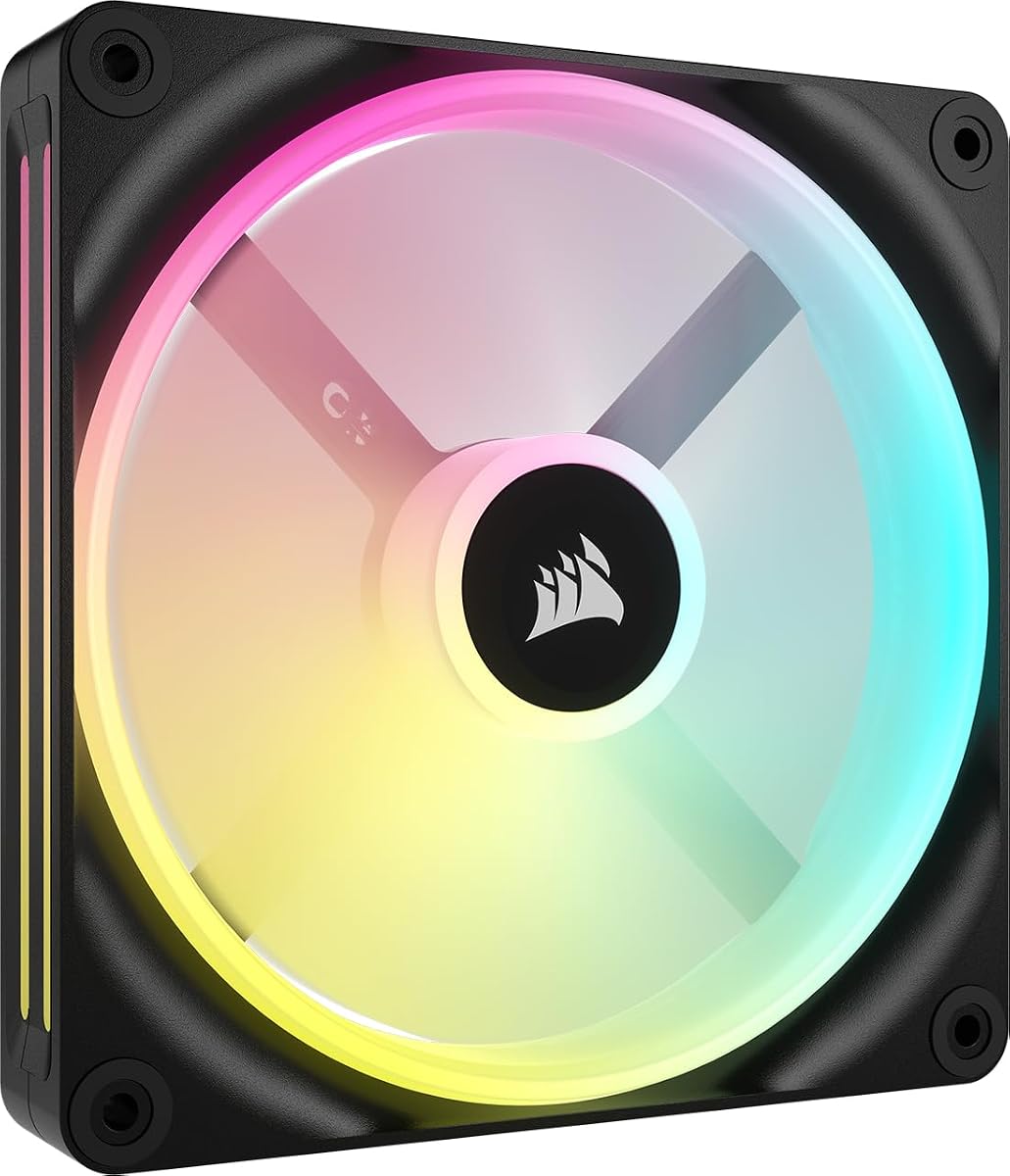


This triple pack delivers strong performance without breaking the bank, earning a solid 4.6 rating from users who value balance. The streamlined design makes installation straightforward for both new and experienced builders.
We may earn a commission when you buy through this link, at no additional cost to you.
With AirGuide technology directing airflow precisely, these fans cool hotspots effectively. You can set speeds up to 2100 RPM to push 72.8 CFM, ensuring your components stay cool under load.
While it lacks the advanced iCUE Link ecosystem, the daisy-chain feature simplifies wiring significantly. The only minor trade-off is relying on motherboard ARGB control rather than a unified hub.
Ideal for budget-conscious builders needing reliable cooling, this pack is a top recommendation. It offers a high ratio of performance to cost, making it perfect for entry-level or mid-range systems.
The daisy-chain design reduces cable clutter by linking multiple fans to a single PWM and ARGB connector.
RS fans work well as radiator fans with a static pressure of 2.8mm-H2O to push through obstructions.
We may earn a commission when you buy through this link, at no additional cost to you.
The LX120 RGB stands out for its exceptional aesthetic appeal and ease of setup, earning it our Editor's Choice. It balances lighting and cooling exceptionally well, scoring a 4.6 rating.
We may earn a commission when you buy through this link, at no additional cost to you.
Featuring dual light loops, each fan displays brilliant lighting effects that sync across your build. The included iCUE LINK System Hub ensures you manage everything with a single cable connection.
Performance is equally impressive with speeds up to 2400 RPM and robust static pressure for radiators. The Magnetic Dome bearing keeps noise low even when fans spin fast.
For users seeking a unified ecosystem with premium looks, this kit is the best choice. It simplifies cabling while delivering high-end visual and cooling performance.
18 LEDs per fan spread across an inner and outer loop enable brilliant lighting that can be synchronized with all your iCUE RGB devices.
The included iCUE LINK bridge connectors can connect your fans directly to each other, creating a seamless bank of fans.
We may earn a commission when you buy through this link, at no additional cost to you.
The RX140 MAX is a powerhouse designed for maximum cooling efficiency, earning a strong 4.5 rating. Its unique thick blade design allows it to move huge amounts of air quietly.
We may earn a commission when you buy through this link, at no additional cost to you.
Moving more air at the same speed as thinner fans, the 5mm thick blade reduces noise since it can spin slower to produce the same airflow. It delivers up to 102.9 CFM with just 1600 RPM.
While it is expensive and requires a chassis or radiator that can accommodate extra depth, the trade-off is worth it for silent high-end builds. The iCUE Link integration ensures easy cable management.
If silence and raw cooling power are your priorities, this fan is the premium choice. It is ideal for large systems where airflow volume matters most without noise compromises.
A 5mm thicker fan blade enhances cooling by moving more air at the same speed as thinner fans, while reducing noise.
With 2.38mm-H2O of static pressure, the RX MAX RGB Series is great for pushing air through obstructions such as high-density radiators.
We may earn a commission when you buy through this link, at no additional cost to you.
This white reverse rotor pack offers a unique aesthetic advantage, maintaining an excellent 4.7 rating. It ensures RGB rings remain visible even when mounted for intake, enhancing your build's look.
We may earn a commission when you buy through this link, at no additional cost to you.
The reverse rotor design means no hidden fan blades on the front, providing flawless lighting from every angle. Performance remains strong with 65.8 CFM airflow and high static pressure for radiators.
While it is slightly pricier than black versions, the visual payoff is worth it for white builds. The daisy-chain feature simplifies cabling for multiple intake fans.
Perfect for white-themed builds, this pack balances beauty and function. It is a top pick for those wanting clean aesthetics without sacrificing cooling power.
Achieve your ideal aesthetic with reverse rotor fans ensuring the RGB lighting is fully visible, even when mounted as intake.
We may earn a commission when you buy through this link, at no additional cost to you.
The black version of the RS-R series offers similar performance to the white but at a more accessible price point. It holds a 4.6 rating for its solid build quality and design.
We may earn a commission when you buy through this link, at no additional cost to you.
Just like the white model, it features a reverse rotor so lighting is always visible. The 65.8 CFM airflow ensures good cooling for case intakes and radiator setups.
It is an excellent choice for black builds needing high visual consistency. The daisy-chain feature keeps connections simple, and the Magnetic Dome bearing ensures quiet operation.
For standard black builds, this pack is highly recommended. It combines reliability with modern reverse aesthetics for a premium look without premium costs.
RS-R ARGB Fans are available in black or white to suit a variety of PC builds.
We may earn a commission when you buy through this link, at no additional cost to you.
This single 140mm fan brings massive airflow to your system, rated at 4.4 by users. It is perfect for filling out specific cooling zones or top exhausts.
We may earn a commission when you buy through this link, at no additional cost to you.
With 82.5 CFM output, it provides substantial cooling in a compact form. The Time Warp lighting mode adds unique visual flair for those with the required iCUE Link Hub.
It is important to note the hub is not included, which adds to the cost if you want full features. However, bridge connectors are included for easy expansion.
Great for upgrading specific spots, this fan adds flexibility to your cooling setup. It suits those needing just one or two large fans with top-tier lighting.
Equipped with 34 RGB LEDs, spread across two distinct light zones on either side, and powered by iCUE LINK for exclusive lighting modes.
We may earn a commission when you buy through this link, at no additional cost to you.
This kit combines reverse aesthetics with the advanced Link ecosystem, earning a 4.7 rating. It ensures your build looks stunning from every angle while cooling effectively.
We may earn a commission when you buy through this link, at no additional cost to you.
Featuring dual light loops and 66.7 CFM airflow, it is both beautiful and functional. The included QuikTurn screws make mounting effortless compared to standard tools.
The Link connection simplifies your cable management significantly. While it requires a Hub, the clean wiring and premium design justify the higher cost.
For those seeking top-tier reverse cooling with modern features, this kit is excellent. It balances high-pressure cooling with stunning visual design effortlessly.
Flip the script on your build with reversed rotor fans that ensure the RGB ring remains fully visible, even when mounted for intake.
We may earn a commission when you buy through this link, at no additional cost to you.
The RS120 MAX delivers exceptional static pressure with its 30mm thickness, maintaining a 4.6 rating. It is designed for pushing air through dense radiators efficiently.
We may earn a commission when you buy through this link, at no additional cost to you.
With 4.2mm-H2O of pressure, it moves 72 CFM reliably even against resistance. The Liquid Crystal Polymer construction ensures durability and reduces vibration for longevity.
Since it lacks RGB, it suits functional builds focused purely on cooling performance. Its high static pressure makes it ideal for radiator setups where airflow is restricted.
Perfect for silent, cooling-focused builds, this fan offers robust performance. It is a highly rated option for anyone prioritizing thermal efficiency over lighting.
An increase of 5mm over standard fan thickness allows for a larger fan blade, improving cooling performance.
We may earn a commission when you buy through this link, at no additional cost to you.
This white 140mm fan is rated 4.7 and combines high CFM with a clean aesthetic. It is perfect for white builds needing top-tier cooling and lighting integration.
We may earn a commission when you buy through this link, at no additional cost to you.
Delivering 95.7 CFM airflow, it handles large cases or radiators efficiently. The Vivid RGB lighting effects are controlled seamlessly via the iCUE Link Hub.
The high static pressure ensures it pushes air through obstructions well. While it requires a hub, the lighting quality and build quality are exceptional.
Ideal for white builds prioritizing cooling and style, this fan is top-tier. It balances high volume airflow with premium RGB aesthetics perfectly.
Set precise fan speeds up to 1,700 RPM while providing up to 95.7 CFM airflow to your system.
We may earn a commission when you buy through this link, at no additional cost to you.
This dual fan kit offers a complete solution including the Hub, rated 4.4 for value. It is a fantastic entry point for building a unified lighting system.
We may earn a commission when you buy through this link, at no additional cost to you.
With two 140mm fans and a hub, it covers the basics of iCUE Link integration. The white finish provides a clean look, though this specific listing is renewed.
The included hub allows for easy expansion later. While renewed, it offers significant savings compared to buying new components separately.
Great for beginners starting a Link ecosystem, this kit is convenient. It provides essential components for high-performance RGB cooling at a lower cost.
Powerful PWM-controlled fan speeds from 400 RPM up to 2,000 RPM, so your fans only spin as fast as you need.
We may earn a commission when you buy through this link, at no additional cost to you.
Selecting the ideal fan involves considering airflow, pressure, noise, and ecosystem compatibility.
Airflow (CFM) is crucial for general case ventilation, while static pressure (mm-H2O) is vital for pushing air through radiators or filters.
Choose high airflow for intake/exhaust and high static pressure for radiators or restricted areas.
Corsair offers standard ARGB that requires motherboard control and iCUE Link RGB that uses a hub for seamless management.
Decide if you want advanced hub features or simpler motherboard control based on your budget and preferences.
Ensure your case and radiator support the fan dimensions, especially with 140mm or thick 5mm fans.
Check your chassis specifications to confirm fit before purchasing larger or specialized fan models.
Magnetic Dome bearings are refined from magnetic levitation tech, offering quiet operation and long life.
Prioritize fans with magnetic bearings for durability and reduced noise over standard sleeve bearings.
Reverse rotor fans hide the motor hub on the rear so RGB lighting is fully visible when mounted as intake.
This design is essential for builds where the fan front is visible, maintaining a clean aesthetic look.
Daisy-chain or Link connectors reduce cable clutter by allowing multiple fans to connect to a single header.
Look for bridge connectors or daisy-chain features to simplify your wiring and improve airflow efficiency.
PWM fans offer precise speed control via 4-pin headers, allowing for automatic fan curves based on temperature.
Ensure your motherboard supports 4-pin PWM for accurate fan speed and noise management.
Zero RPM mode stops fans completely at low loads to eliminate noise when cooling is not needed.
This feature is ideal for silent builds, saving energy and reducing wear on fan bearings.
Install fans securely using included screws to prevent vibration and maintain structural integrity of your case.
Use the iCUE software to configure lighting effects and performance curves for optimal airflow balance.
Periodically dust your fans with compressed air to ensure peak cooling performance and longevity.
Yes, standard Corsair fans use universal 4-pin PWM and ARGB connectors that work with most motherboards. Only specific Link fans require a hub, but basic control is still possible via headers.
RGB lights are fixed in one color per fan, while ARGB allows individual color control per LED. This enables complex lighting effects and syncing across multiple fans.
Use daisy-chain connectors for RS fans or iCUE Link bridge connectors for Link fans. This allows multiple fans to connect to one PWM header and reduces cable clutter.
No, standard ARGB fans work with motherboard headers. The Hub is only needed for Link fans to access advanced features like simplified wiring and specific lighting modes.
Most Corsair fans have Magnetic Dome bearings designed to minimize noise. At max RPM they are audible but generally quiet compared to standard fans, often below 30dB.
Yes, they function as case fans for intake or exhaust. However, for radiators or heatsinks, high static pressure models are recommended for effective cooling performance.
We reviewed ten top Corsair fans ranging from budget triple packs to premium Link kits. Each option offers unique benefits for cooling performance and aesthetic style.
Prioritize airflow or static pressure based on your cooling needs. If lighting is key, consider whether standard RGB or Link integration suits your build best.
Always verify current pricing and availability before buying since product details and stock change frequently over time.