
Redragon S101-3 PRO Gaming Keyboard and Mouse
4.5Editor score
Full RGB backlit keys
5 dedicated macro keys
Anti-ghosting technology
Discover the top ten keyboard for Fortnite options optimized for speed, precision, and comfort to enhance your competitive gameplay experience today.
Finding the right keyboard for Fortnite can significantly impact your building speed and overall performance. Players need responsive switches and durable layouts to handle intense building battles effectively.
We compared ten top-rated models focusing on switch types, lighting customization, and ergonomic designs. Our analysis ensures you find a keyboard that matches your specific gaming needs.
Each pick highlights key features and real-world performance details to help you decide. Remember that pricing and availability may vary based on retailer stock and promotional periods.
4.5Editor score
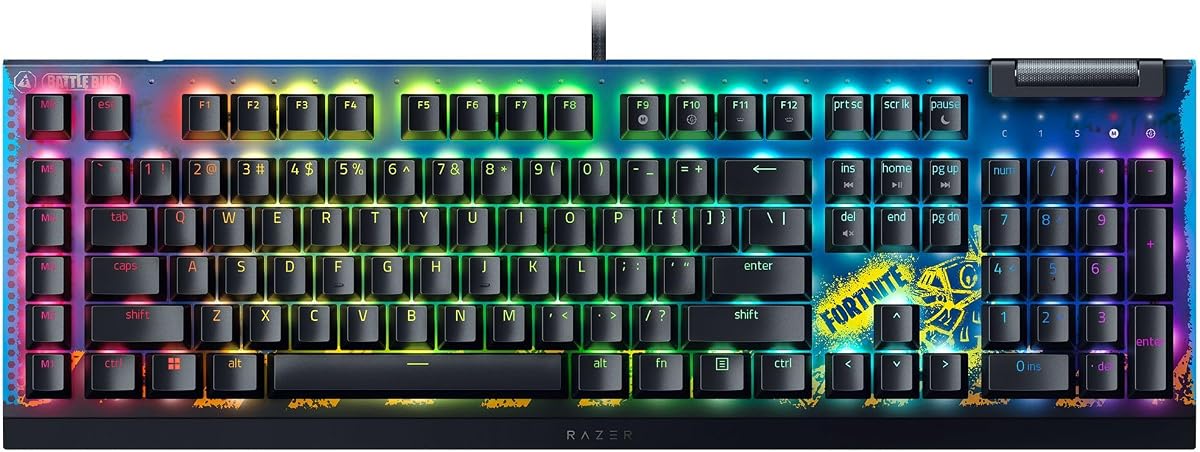
4.5Editor score

4.6Editor score
This table provides a side-by-side comparison of every reviewed keyboard to help you quickly identify the best model for your setup and budget requirements.






The Razer BlackWidow V4 X earns high marks for its customization potential. It offers a 4.5-star rating for its balanced performance and feature set.
We may earn a commission when you buy through this link, at no additional cost to you.
Its six dedicated macro keys allow quick access to complex build rotations. The Chroma RGB lighting system provides dynamic effects that sync with popular games.
While the price is higher than budget options, the build quality justifies the cost. The quiet switches ensure no distraction during late-night building sessions.
This keyboard is ideal for players who value macro access and visual customization. It stands out as a top choice for versatile setups.
Six macro keys let you program complex building sequences into single presses.
Chroma RGB lighting reacts to in-game events for immersive feedback.
We may earn a commission when you buy through this link, at no additional cost to you.
The SteelSeries Apex 3 delivers impressive features at a budget-friendly price. With a 4.6-star rating, it is a favorite for cost-conscious gamers.
We may earn a commission when you buy through this link, at no additional cost to you.
Its water-resistant design protects against accidental spills while gaming. The whisper-quiet switches ensure you can play without disturbing others nearby.
While membrane switches lack the crisp feel of mechanical ones, they offer smooth input. The magnetic wrist rest adds significant comfort for long sessions.
This keyboard is perfect for casual players or beginners. It offers a solid foundation without breaking your budget or sacrificing comfort.
IP32 water resistance protects the internal components from liquid damage.
A magnetic wrist rest provides palm support to reduce fatigue.
We may earn a commission when you buy through this link, at no additional cost to you.
The Redragon S101-3 PRO is a standout bundle for those needing both peripherals. It rates highly for its value and comprehensive feature set.
We may earn a commission when you buy through this link, at no additional cost to you.
It includes a full RGB keyboard and a precision mouse for a complete setup. Five dedicated macro keys allow you to record complex command sequences easily.
The anti-ghosting tech ensures every input registers during chaotic fights. While the membrane feel is softer than mechanical, it is quiet and responsive.
Ideal for new gamers or budget builds, this kit covers all bases. It saves space and money while providing essential gaming tools.
You get a full keyboard and mouse kit for a single low price.
Software allows easy macro recording and color adjustments.
We may earn a commission when you buy through this link, at no additional cost to you.
The GEODMAER 65% Gaming Keyboard prioritizes space efficiency. It offers a compact layout that appeals to minimalist setups and small desks.
We may earn a commission when you buy through this link, at no additional cost to you.
Its Type-C connection ensures a stable wired link with your PC. The anti-conflict technology handles multiple key presses smoothly during intense building.
While it lacks a numpad, the arrow keys remain accessible for navigation. The membrane switches provide a quiet feel suitable for shared environments.
This keyboard is great for portability and tight spaces. If you need a lightweight board that travels easily, this fits the bill.
The compact size and detachable cable make it easy to pack.
Removing extra keys frees up room for larger mouse movements.
We may earn a commission when you buy through this link, at no additional cost to you.
The Aula WIN60 HE features cutting-edge Hall Effect technology for speed. It achieves a 4.5 rating for its rapid response times and adjustability.
We may earn a commission when you buy through this link, at no additional cost to you.
Its magnetic switches allow for rapid trigger modes that reduce actuation distance. This helps you stop quickly in shooters where precision is vital.
An 8000Hz polling rate ensures inputs register almost instantly. The hot-swappable base gives you the flexibility to swap switches later.
Competitive players who need speed will love this board. It minimizes delay effectively, giving you an edge in fast-paced matches.
Hall effect switches allow adjustable actuation points for faster triggers.
An 8000Hz polling rate updates inputs eight times faster than standard.
We may earn a commission when you buy through this link, at no additional cost to you.
The AULA F75 Pro combines wireless freedom with mechanical precision. It earns a high 4.6 rating for its versatile connectivity and premium feel.
We may earn a commission when you buy through this link, at no additional cost to you.
Tri-mode support lets you switch between Bluetooth, wireless, and USB easily. The side-printed PBT keycaps resist wear and offer a unique aesthetic.
A multi-function knob adds convenience for volume or brightness control. Pre-lubed switches ensure a smooth typing experience without any scratchiness.
This is perfect for users needing to connect multiple devices. It maintains high performance while offering the flexibility of wireless use.
Connect up to five devices and switch instantly with shortcut keys.
Side-printed PBT caps prevent fade and offer better texture.
We may earn a commission when you buy through this link, at no additional cost to you.
The AULA WIN68 HE offers reliable Hall Effect performance in a wired setup. Its 4.5 rating reflects its speed and consistent connectivity.
We may earn a commission when you buy through this link, at no additional cost to you.
A web driver simplifies customization without needing heavy software installs. Adjusting actuation points allows you to tailor sensitivity per key.
The magnetic switches offer durability and precise actuation over time. The RGB lighting adds a stylish touch to any desk setup.
It suits gamers wanting a clean, wired setup without lag. The web driver makes adjustments easy even for users on strict systems.
The web-based driver simplifies mapping without bulky software.
Hall effect sensors ensure every keystroke feels identical over time.
We may earn a commission when you buy through this link, at no additional cost to you.
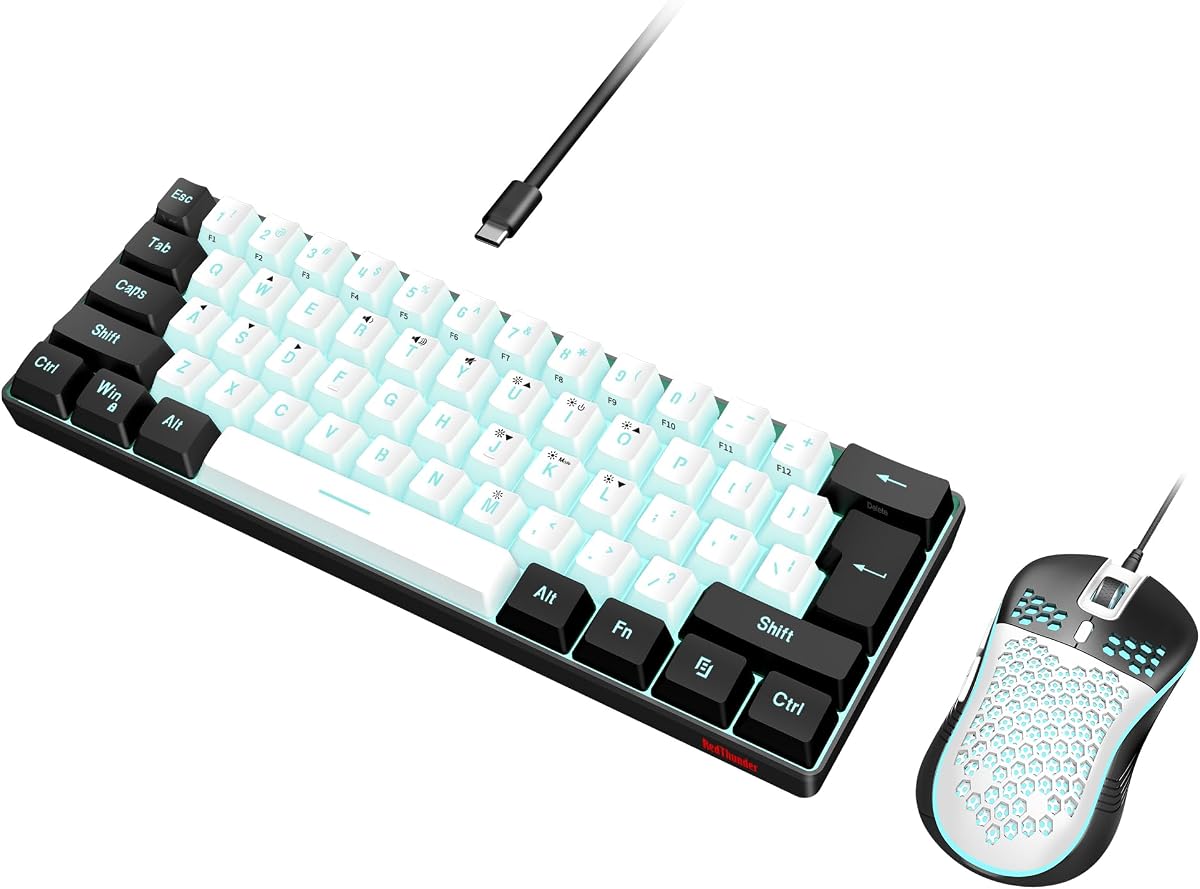
The RedThunder 60% Combo offers a complete compact solution for gamers. It rates 4.3 stars for its balanced features and aggressive pricing.
We may earn a commission when you buy through this link, at no additional cost to you.
The ultra-compact 60% layout leaves room for large mouse movements. The honeycomb mouse is lightweight and suitable for quick flicks.
Water-resistant design adds a layer of protection against spills. RGB lighting enhances the visual appeal without costing extra.
This set works well for budget-focused gamers. It provides all necessary tools in a space-saving package that fits any desk.
Removing number pads creates room for extensive mouse movement.
Triple protection design keeps internal components safe from spills.
We may earn a commission when you buy through this link, at no additional cost to you.
The Logitech G PRO TKL is designed for competition-level performance. It holds a 4.6 rating for its durability and reliable response.
We may earn a commission when you buy through this link, at no additional cost to you.
GX Blue switches provide a tactile click confirming every input. The tenkeyless design frees up desk space for broader mouse usage.
Onboard memory lets you save profiles without extra software. This is crucial for tournament systems that block custom driver installs.
It is ideal for pros needing reliable gear. The detachable cable ensures easy transport to LAN events or practice areas.
GX switches are rated for millions of keystrokes under heavy use.
A detachable cable prevents bending and allows easy packing.
We may earn a commission when you buy through this link, at no additional cost to you.
The ATTACK SHARK X68 HE excels with advanced Rapid Trigger capabilities. It earns a 4.6 rating for its responsiveness and build quality.
We may earn a commission when you buy through this link, at no additional cost to you.
Rapid Trigger allows keys to reset instantly when released. This helps you stop and start movements faster than standard mechanical boards.
PBT keycaps offer a durable texture that resists shine over time. A web driver supports mapping without needing local software installation.
It is excellent for fast-paced competitive shooters. The responsiveness helps reduce input delay during critical building moments.
Rapid Trigger lets keys reset instantly for ultra-fast movement.
PBT keycaps are thick and resistant to wear and fading.
We may earn a commission when you buy through this link, at no additional cost to you.
Selecting the right keyboard depends on specific needs like speed, comfort, and budget. We outline the key factors to consider before buying.
Mechanical switches offer durability and consistent actuation points. Linear switches provide smooth movement while tactile switches offer feedback.
Choose mechanical for longevity and feel if your budget allows.
Full-size boards include numpads while TKL and 60% layouts save space. Compact layouts allow larger mouse movements crucial for aiming.
Pick a layout that matches your desk space and mouse style.
A higher polling rate means inputs register faster with your PC. Modern gaming keyboards offer rates up to 8000Hz for ultra-low latency.
Look for high polling rates to minimize input lag during combat.
Materials like aluminum frames and PBT keycaps increase durability. Check for features like water resistance or detachable cables for convenience.
Prioritize sturdy materials if you plan on long-term daily use.
RGB lighting helps identify keys in low light environments easily. Customizable zones can highlight important keys or sync with games.
Choose per-key RGB for the best visual experience and customization.
Wired connections ensure stable latency while wireless offers convenience. Look for models with 2.4GHz wireless for gaming grade reliability.
Wired is safest for competitive play but wireless adds freedom.
Keep your keyboard clean by wiping down keys regularly with a microfiber cloth. Dust buildup can affect switch performance over time.
Use software drivers to remap keys for quick access to building macros. This saves valuable time during intense competitive matches.
Store mechanical keyboards in a dry place to prevent moisture damage. Cover the unit when not in use to reduce dust accumulation.
Yes, mechanical keyboards provide faster actuation and durability. This helps players execute building moves and edits quickly during intense fights.
A polling rate of 1000Hz or higher is recommended. Higher rates reduce input lag ensuring your commands register instantly on screen.
Modern wireless keyboards with 2.4GHz connections are very reliable. They offer minimal latency comparable to wired boards for competitive play.
You should clean your keyboard every few weeks to remove dust. Regular cleaning prevents debris from sticking to switches or keycaps.
TKL layouts free up space for wider mouse movements. This is beneficial for high-sensitivity players who need room to aim.
Most gaming keyboards support basic macros through driver software. However, some competitive tournaments restrict the use of automated macros.
The top picks offer a range of features from budget bundles to premium magnetic switches. Each model delivers distinct advantages for building and aiming performance.
Focus on switch speed and layout size to match your playstyle. High polling rates and durable materials ensure long-term reliability.
Prices may fluctuate so check current deals before purchasing. Invest in a setup that supports your competitive growth for the season.