
GETPALS Wireless Charger iPhone Charging Station
4.2Editor score
Foldable Travel Design
Safe Charging Protection
Case Friendly Surface
This guide compares the top charging dock for multiple Apple devices to help you find the perfect station for your iPhone, Apple Watch, and AirPods needs.
Finding the right charging solution for your growing collection of Apple gadgets can be challenging. You need a station that keeps everything organized while delivering reliable power to your iPhone, Apple Watch, and AirPods simultaneously.
We have evaluated ten distinct models based on charging speed, build quality, and compatibility features. This list covers wireless and wired options designed to streamline your daily charging routine effectively.
Each pick highlights specific strengths like port count or magnetic alignment. Remember that prices and availability fluctuate frequently, so verify current details before making your final purchasing decision today.
4.2Editor score

4.6Editor score

4.2Editor score
This side-by-side comparison highlights the key specifications and capabilities of each top-rated charging station to help you make an informed decision.
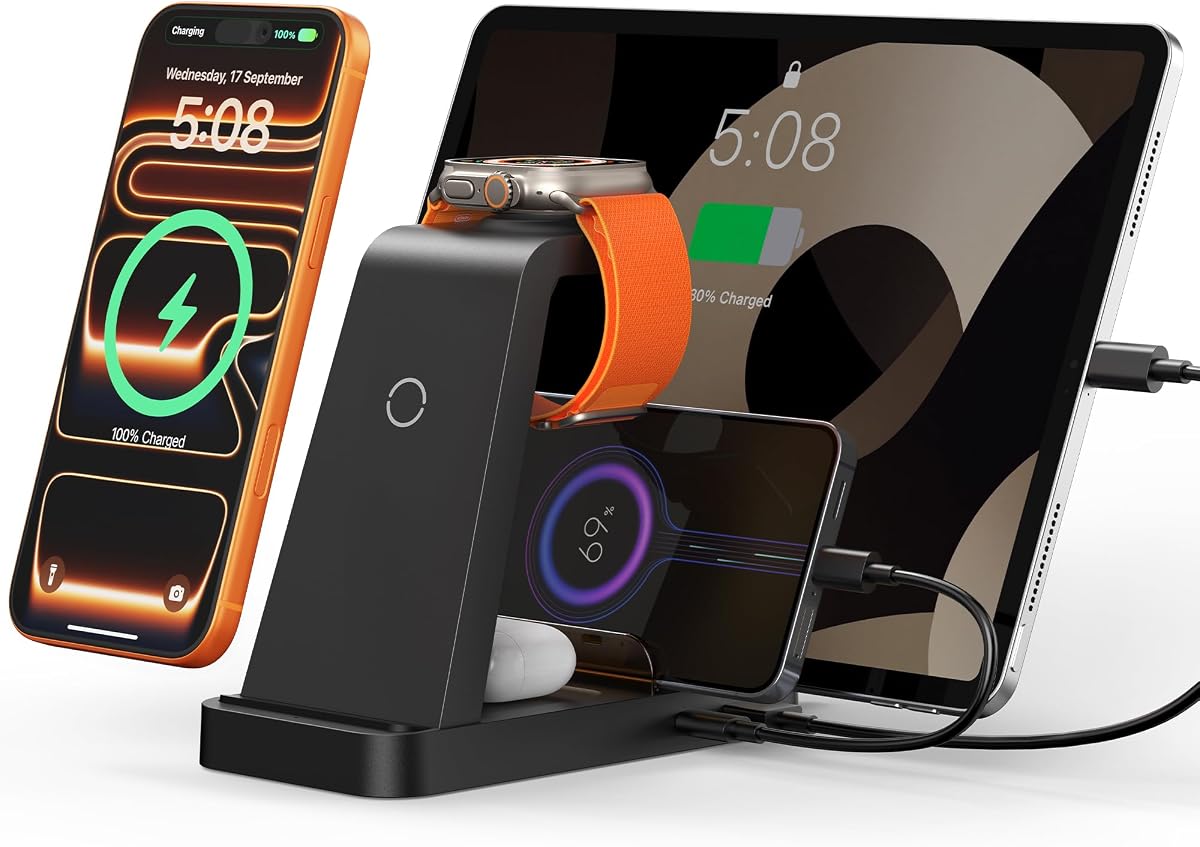


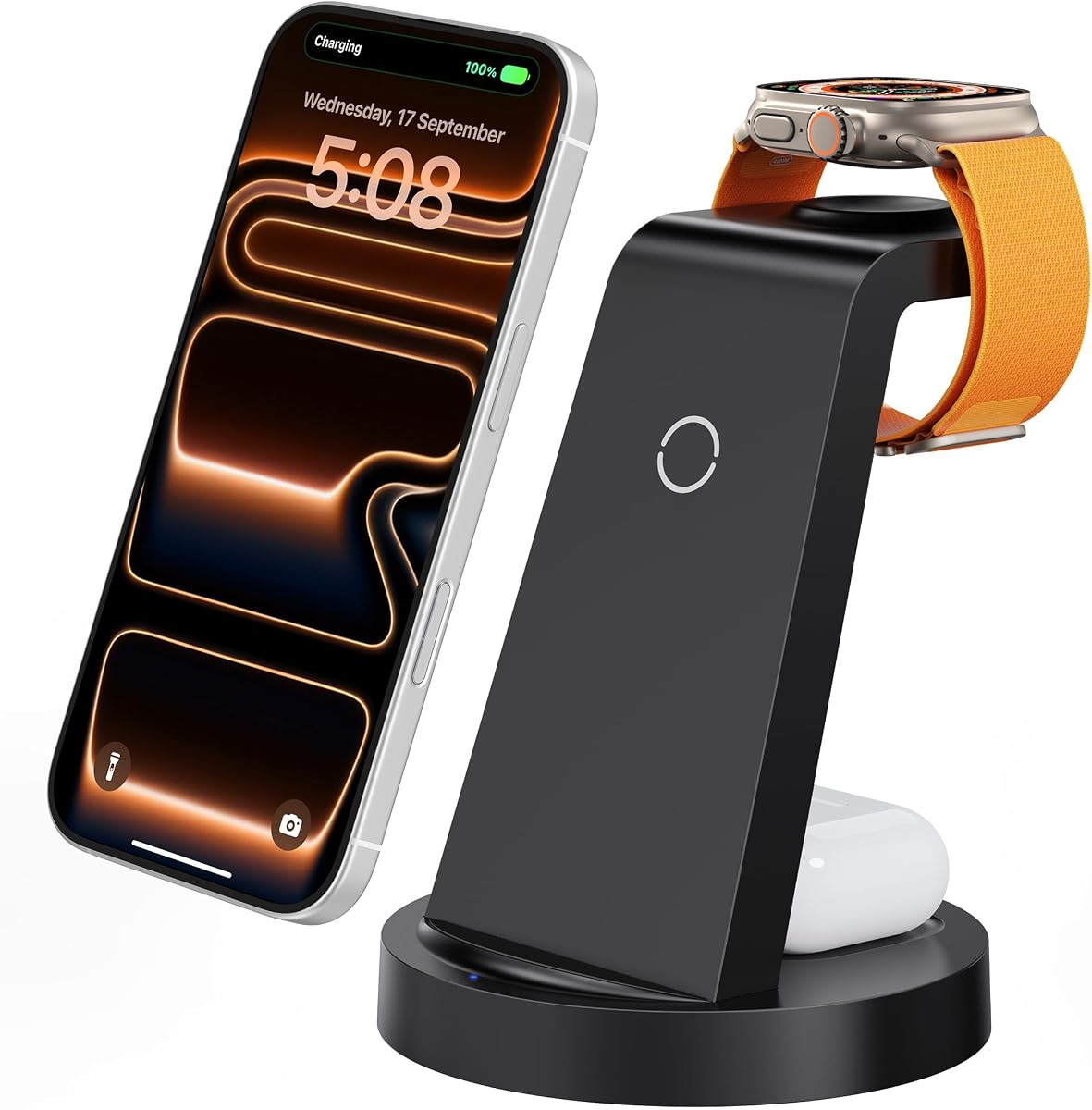


This top-rated station delivers exceptional performance with its 15W Qi2 wireless charging capability designed specifically for modern iPhones. It stands out due to its official certification ensuring reliable power delivery to your Apple Watch and AirPods.
We may earn a commission when you buy through this link, at no additional cost to you.
The standout feature is the official Apple Watch certification which promises a full charge in under two hours. You can adjust the viewing angle up to 45 degrees for comfortable StandBy mode usage on your nightstand.
While the price is higher than average the build quality and speed justify the investment. It lacks some of the extra ports found on bulkier docks but excels at its primary function.
Buy this if you want the fastest and most reliable wireless experience for your core devices. It is ideal for users who prioritize speed and official compatibility over raw port count.
The official certification ensures your watch charges safely and quickly without risk of overheating or battery degradation over time.
You can tilt the dock up to 45 degrees which is perfect for using StandBy mode to see notifications while charging in landscape.
We may earn a commission when you buy through this link, at no additional cost to you.
This model is perfect for anyone seeking a simple and affordable way to charge their iPhone, Watch, and AirPods. It offers a 3-in-1 design that fits easily on any bedside table or desk.
We may earn a commission when you buy through this link, at no additional cost to you.
Its foldable design makes it exceptionally portable for trips. The unit includes essential safety protections against overvoltage and overheating to keep your devices secure while they recharge.
Charging speeds are standard for this price range so it may take longer to fill your battery overnight. The lack of magnetic alignment means you need to place your phone manually for it to work.
Choose this if you want a functional multi-device charger without spending a lot of money. It is a great starter option for those new to Apple ecosystem charging stations.
The lightweight and foldable construction allows you to pack it into a bag easily making it ideal for hotel stays or commuting.
Built-in protections guard your devices against power spikes and heat issues ensuring safety even when you leave the dock unattended.
We may earn a commission when you buy through this link, at no additional cost to you.
This massive station combines a wireless 3-in-1 dock with a 12-port charging hub to handle almost every device in your home or office. It uses advanced GaN technology to stay cool during heavy use.
We may earn a commission when you buy through this link, at no additional cost to you.
The extra-wide slot securely holds laptops and large tablets even with thick protective cases attached. You can charge up to fifteen devices at once using a mix of USB-C and USB-A ports.
Its size is significant so it requires a dedicated area on your desk. The high power capacity is overkill for a single user but ideal for families or shared workspaces.
Buy this if you need to charge everything from laptops to phones simultaneously. It is the ultimate solution for centralizing all your charging needs into one powerful unit.
The GaN chipset delivers high power efficiently while keeping the unit cool and compact compared to older silicon-based chargers.
The wide slot ensures your laptop or iPad stays stable during charging even if you have a bulky case attached to the device.
We may earn a commission when you buy through this link, at no additional cost to you.
This unit offers a balanced feature set with a powerful 36W adapter that can charge multiple devices simultaneously with reasonable speed. It includes necessary cables for various connection types right in the box.
We may earn a commission when you buy through this link, at no additional cost to you.
The design features 16 air vents to dissipate heat effectively during heavy charging loads. This cooling system helps maintain safe operating temperatures for all connected Apple gadgets.
You may need to remove phone cases for optimal wireless charging speed. The fixed cables limit flexibility but reduce clutter on your desktop surface.
Choose this if you want a reliable all-in-one solution without excessive bulk. It is a solid middle-ground option for most standard home setups.
The included 36W adapter provides sufficient power to handle multiple devices simultaneously without significant drop in charging speed.
Built-in air vents allow heat to escape easily which protects the internal electronics and connected devices from overheating.
We may earn a commission when you buy through this link, at no additional cost to you.
This high-wattage station delivers significant power through ten ports allowing you to charge laptops and phones at the same time. It uses advanced smart chips to detect device needs and adjust current accordingly.
We may earn a commission when you buy through this link, at no additional cost to you.
The mix of USB-C and USB-A ports ensures you can use both modern and legacy devices without extra adapters. Anti-slip slots keep your tablets and phones stable during use.
The unit is larger than standard docks so it needs a dedicated spot on your desk. It is excellent for power users who have many devices needing constant connectivity.
Buy this if you need to charge laptops alongside your Apple gear. It is a versatile workhorse for offices or shared living spaces.
Advanced chips detect each connected device and provide the exact current it needs to prevent overcharging and extend battery life.
With both USB-C and USB-A ports you can charge modern gadgets and older accessories without needing extra adapters or dongles.
We may earn a commission when you buy through this link, at no additional cost to you.
This station stands out with unique features like automatic time synchronization via Bluetooth. It combines wireless charging with two wired ports for a total of seven charging zones in one device.
We may earn a commission when you buy through this link, at no additional cost to you.
The ambient lighting feature allows you to customize the warm or cool tone to match your room decor. It also displays temperature and day of the week for extra utility.
You will need to enable Bluetooth on your phone to sync the clock accurately. The lighting might be too bright for some sleepers unless adjusted to the lowest setting.
Choose this if you want a dock that adds functionality beyond just charging. It is a great choice for tech enthusiasts who appreciate added features.
The dock connects to your phone via Bluetooth to keep the clock perfectly accurate without needing manual time adjustments.
Adjustable lighting lets you set the mood for your desk or nightstand while adding a functional element to the device.
We may earn a commission when you buy through this link, at no additional cost to you.
This model provides a straightforward way to charge your iPhone Watch and AirPods simultaneously. It uses a standard wireless design that works well with most phone cases up to 5mm thick.
We may earn a commission when you buy through this link, at no additional cost to you.
The built-in 18W adapter ensures stable and fast power delivery for your essential gadgets. A soft blue LED indicates charging status without causing light pollution in a dark room.
You will need to center your device manually since it lacks magnetic alignment. It is a very practical option for those who prefer simplicity over extra features.
Buy this if you want a clean and simple charging station. It is perfect for minimalists who just need reliable daily charging for their core devices.
The ABS housing helps dissipate heat effectively allowing the dock to stay cool even during long overnight charging sessions.
You can leave most cases on your phone while charging making it convenient for daily use without removing protection.
We may earn a commission when you buy through this link, at no additional cost to you.
This foldable magnetic dock is engineered for portability allowing you to charge your devices while traveling. It uses magnetic suction to align your phone quickly and securely on the pad.
We may earn a commission when you buy through this link, at no additional cost to you.
The mat folds completely flat into a compact package that fits easily into luggage. You can also use it as a stand for watching media while your phone charges.
It works best with MagSafe enabled phones which may require a case for older models. The smaller surface area limits its use as a permanent desk charger.
Choose this if you travel frequently and need reliable charging on the go. It is the best portable option for iPhone users who need magnetic alignment.
The mat folds down to a flat profile which is ideal for slipping into a bag pocket or laptop sleeve easily.
The magnetic feature ensures your phone aligns perfectly for efficient wireless charging every time you place it on the mat.
We may earn a commission when you buy through this link, at no additional cost to you.
This heavy-duty station offers eight ports with a strong focus on modern USB-C charging for all your devices. It includes a mix of 65W and 30W ports to handle laptops and phones.
We may earn a commission when you buy through this link, at no additional cost to you.
The construction is sturdy and built to last without flimsy dividers. It includes multiple cables in the box to get you started immediately with your favorite gadgets.
It lacks wireless charging capabilities so you will need a separate cable for your phone or watch. It is better suited for users who prefer wired charging for reliability.
Buy this if you need to power laptops and other high-wattage devices safely. It is a great choice for power users who prioritize durability.
The unit is built as a solid piece which ensures stability and durability compared to docks with removable plastic parts.
With five USB-C ports you can easily charge modern devices like tablets and phones that use this common standard.
We may earn a commission when you buy through this link, at no additional cost to you.
This station offers massive capacity allowing you to charge up to thirteen devices at the same time. It uses GaN5 technology to ensure efficient power delivery without generating excessive heat.
We may earn a commission when you buy through this link, at no additional cost to you.
The mix of ports includes high-wattage options for laptops as well as standard ports for phones and tablets. You get a versatile setup that covers almost every device type you might own.
The layout is somewhat complex so it takes time to organize all cables properly. It is a powerful tool but might be unnecessary for households with fewer devices.
Choose this if you need to power a large family of devices simultaneously. It is a powerhouse option for busy environments where outlets are scarce.
The latest GaN5 tech allows the dock to deliver high power efficiently while remaining compact and cool to the touch.
You can power up to thirteen devices at once making this the highest capacity option available on the market.
We may earn a commission when you buy through this link, at no additional cost to you.
Selecting the right charging dock requires considering your specific device mix and space constraints to ensure optimal performance.
Determine how many devices you need to charge simultaneously. If you only have a phone watch and pair of earbuds a simple 3-in-1 dock is sufficient. However if you also need to charge an iPad or laptop look for a model with extra USB ports.
For households with multiple users a station with more ports is essential to avoid outlet conflicts.
Look for docks that support fast charging standards. A 15W wireless charger is ideal for newer iPhones while laptops may require a port with at least 65W or 100W output.
Check the total wattage to ensure it can handle multiple devices without throttling performance.
MagSafe compatible docks use magnets to align your phone perfectly for efficient charging. If you have an iPhone 12 or later a magnetic dock is often more convenient to align.
Standard wireless docks require you to place the phone carefully which can lead to slower speeds if not centered.
Ensure the dock has safety features like over-current and over-voltage protection. Good ventilation is also important to prevent overheating during long charging sessions.
Choose docks made from high-quality materials to protect your expensive devices from potential damage.
Consider where the dock will be placed. A travel-friendly foldable model is great for packing but a larger multi-port unit works better on a desk or nightstand.
Measure your available space to ensure the dock fits comfortably without cluttering your area.
Many docks come with necessary cables which can save you money. Check if the included cables are compatible with your specific devices.
Look for units that include adapters and various cable types for maximum flexibility and convenience.
Some docks include clocks or adjustable lighting which add utility to the device. Consider if these extra features align with your needs.
Aesthetics also matter as the dock will be visible on your desk or nightstand.
Check the warranty terms provided by the manufacturer. A longer warranty period often indicates confidence in product durability.
Ensure customer support is accessible in case you encounter any issues with the device.
Place your devices on the dock ensuring they are centered correctly especially for wireless charging pads. Align magnets if your phone supports MagSafe to ensure fast charging.
Keep the dock away from direct sunlight or heat sources to prevent overheating. Ensure the ventilation slots are not blocked by other items.
Regularly check the charging ports for dust and clean gently with a dry cloth. This helps maintain a strong connection and prevents potential hazards.
Most wireless docks support cases up to 5mm thick but thick cases may reduce charging speed. Remove the case if the dock does not charge efficiently.
Quality docks deliver fast speeds similar to wall adapters but high-quality adapters are still best for single devices. Multi-device docks prioritize efficiency for multiple users.
Most modern docks have safety features to stop charging when devices are full. Always check for overcharge protection before leaving devices unattended for long periods.
Ensure the watch is aligned correctly on the magnetic charger. The cable may be loose or damaged which is a common cause of connection issues.
Many docks support USB-C and USB-A ports for Android devices but wireless charging is optimized for Apple models. Check specific compatibility for non-Apple products.
Use a dry cloth to wipe the contacts gently and avoid using liquids near the electronics. This maintains good conductivity and prevents long-term damage.
Choosing a charging dock depends on your specific needs and budget. The Anker MagGo leads in speed and Apple integration while budget options like GETPALS offer great value.
Prioritize safety features and build quality to protect your devices. A reliable dock saves time and reduces clutter significantly.
Always verify current pricing and availability before purchasing. This ensures you get the best deal for your specific charging requirements.