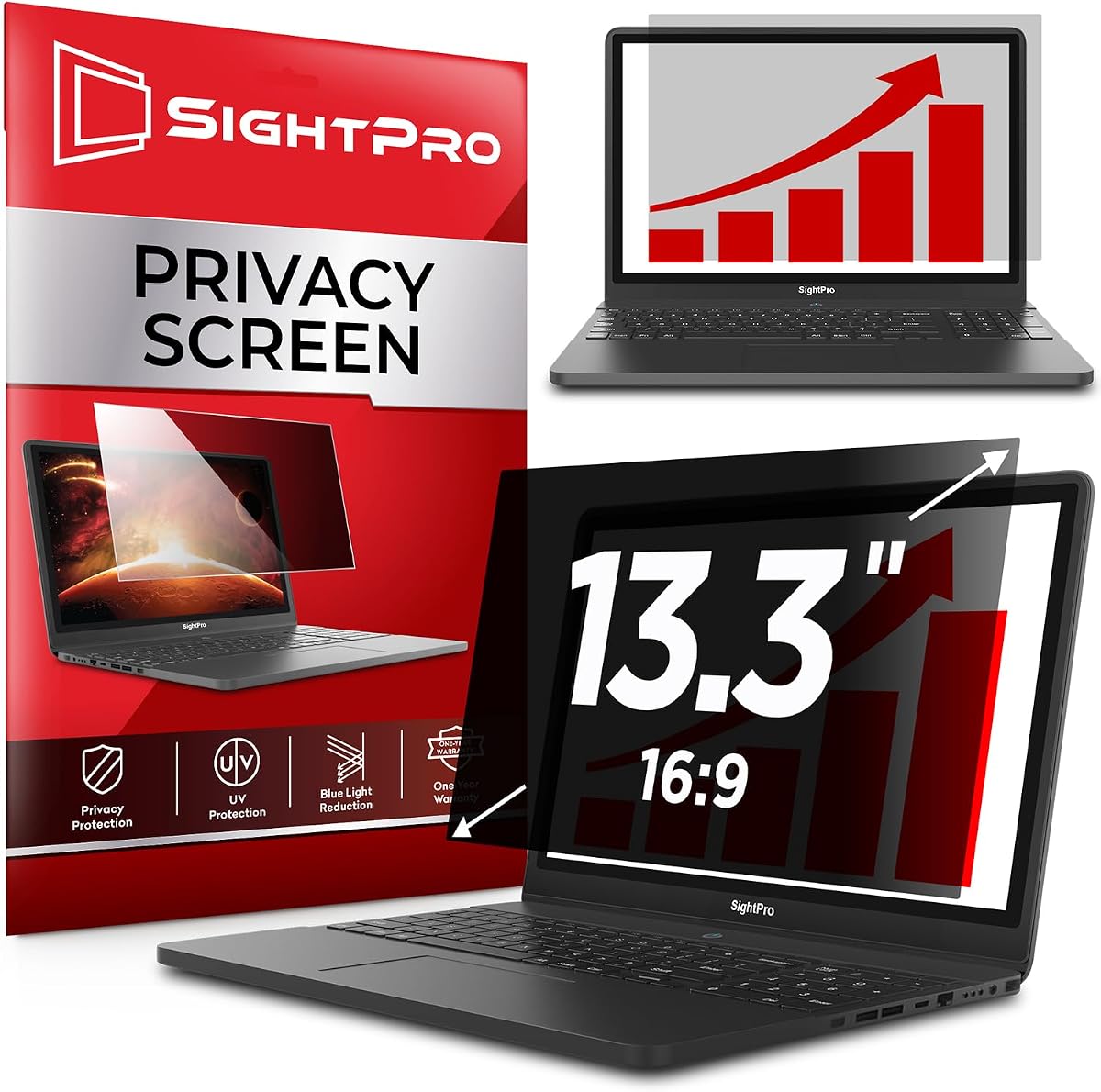
SightPro 13.3 Inch 16:9 Laptop Privacy Screen Filter
4.4Editor score
Clear adhesive or slide mount tabs
Blocks harmful glare and blue light
Ideal for travel and open workspaces
Protecting your screen while working in public spaces is more important than ever. A quality privacy screen filter blocks side views, reduces glare, and protects your eyes from harmful blue light emission during long hours of use.
We analyzed ten top-rated filters based on compatibility, installation ease, and clarity. Our comparison covers magnetic, adhesive, and reversible options across common aspect ratios like 16:9 and 16:10 for modern laptops and monitors.
Each pick highlights key features, pros, and cons to help you decide. Note that availability and pricing can fluctuate, so verify your screen dimensions before ordering to ensure a perfect fit for your specific device model.
4.4Editor score

4.4Editor score
4.2Editor score
As an Amazon Associate we earn from qualifying purchases.
The following table provides a side-by-side comparison of all ten models, highlighting their specific dimensions, compatibility notes, and unique features to help you find the right fit quickly.


This 15.6 inch privacy screen filter offers effective black out protection from side views outside the 60 degree viewing angle. It is designed for optical clarity when viewing from the front, making it a practical choice for protecting business secrets and personal privacy in public settings.
We may earn a commission when you buy through this link, at no additional cost to you.
The filter not only protects your private life but also your eyes by blocking 30 percent of blue light. It filters out harmful light between 380 and 495 nanometers to relieve eye strain. Additionally, it helps keep your screen safe from dust and scratches during daily use.
One trade-off is that it is not touchscreen compatible, so it is best suited for standard laptops without touch capabilities. You must measure your screen's visible area excluding black bezels to ensure a perfect match since diagonal size alone is not reliable.
This filter is perfect for maintaining privacy in high traffic areas such as open workspaces, airports, and coffee shops. If you need a reliable and straightforward solution for a 15.6 inch 16:9 screen without needing touch functionality, this is a solid option.
The filter blocks 30 percent of blue light to reduce eye strain during long working sessions.
You can choose between slide-on/off or mounted options depending on your preference for permanence.
We may earn a commission when you buy through this link, at no additional cost to you.
This SightPro Magnetic Laptop Privacy Screen features a patented magnetic system for instant snap-on attachment without messy tape. It is designed to be compatible with various brands like Lenovo, HP, and Dell, making it a versatile choice for 14 inch 16:10 screens.
We may earn a commission when you buy through this link, at no additional cost to you.
The multi-layered film filter blacks out your screen when viewing from the side while maintaining a crystal clear screen straight-on. It protects your eyes from harmful UV and blue light. The package includes a webcam privacy cover, storage folder, and cleaning cloth for convenience.
While it offers superior privacy for open workspaces, it does not block visibility directly behind you regardless of distance. Also, it is not optimized for touchscreens, which is an important limitation if your device relies on touch input frequently.
This screen is ideal for healthcare providers, commuters, and business travelers who need to safeguard sensitive corporate information in public areas. If you value easy removal and reattachment along with added security accessories, this magnetic option is highly recommended.
The U.S. patented magnetic system allows you to place the screen and let magnets attach without adhesive.
Being Section 889 and TAA compliant makes this suitable for government and corporate procurement.
We may earn a commission when you buy through this link, at no additional cost to you.
This SightPro 13.3 inch privacy filter uses advanced multi-layered film to black out your screen from side views while keeping it clear straight-on. It installs in minutes with clear adhesive strips or slide mount tabs, offering flexibility based on your needs.
We may earn a commission when you buy through this link, at no additional cost to you.
The filter protects your eyes from harmful glare, UV, and blue light, making it suitable for long working sessions. It includes transparent adhesive strips, slide mounts, and a cleaning cloth. It is designed to be compliant for various laptop brands.
One limitation is that it is not optimized for touchscreens, so avoid it if your device relies on touch input. Additionally, it does not block visibility directly behind you, so be mindful of your surroundings when working in public areas.
This screen is the ideal solution for healthcare providers, mobile workers, and students who need to safeguard sensitive information in airports and public areas. If you are looking for a reliable and budget-friendly option with dual attachment choices, this is a great fit.
You can choose between clear adhesive strips or slide mount tabs for quick installation or removal.
It reduces harmful glare and blue light to help prevent eye strain during extended use.
We may earn a commission when you buy through this link, at no additional cost to you.
The ZOEGAA 4-way 360 Degree privacy screen offers comprehensive protection in all four directions. Unlike standard 180 degree shields, it blocks views from up, down, left, and right. It features a glossy side for better privacy or a matte side to prevent glare.
We may earn a commission when you buy through this link, at no additional cost to you.
This filter blocks blue light and ultraviolet rays emitted by your screen to reduce eye fatigue. It comes with slide mount tabs and double-sided adhesive stickers for installation. You can apply more tape if needed to ensure a stable attachment.
One important note is that this product is not compatible with Surface and MacBook series computers, so check your model before ordering. Also, you must confirm your screen width and height precisely rather than relying on diagonal size alone.
This screen is excellent for anyone who needs maximum protection in crowded environments. If you work in an office where people might approach from different angles and want flexibility in finish type, this 360 degree filter is a strong choice.
The filter blocks views from all four directions for comprehensive privacy.
Choose glossy for better privacy or matte to reduce glare based on your environment.
We may earn a commission when you buy through this link, at no additional cost to you.
This SightPro 15.6 inch privacy filter uses advanced multi-layered film to black out your screen from side views while keeping it clear straight-on. It installs in minutes with clear adhesive strips or slide mount tabs, offering flexibility based on your needs.
We may earn a commission when you buy through this link, at no additional cost to you.
The filter protects your eyes from harmful glare, UV, and blue light, making it suitable for long working sessions. It includes clear adhesive strips, slide mounts, and a microfiber cleaning cloth. It is designed to be compliant for various laptop brands.
One limitation is that it is not optimized for touchscreens, so avoid it if your device relies on touch input. Additionally, it does not block visibility directly behind you, so be mindful of your surroundings when working in public areas.
This screen is the ideal solution for healthcare providers, mobile workers, and students who need to safeguard sensitive information in airports and public areas. If you are looking for a reliable and budget-friendly option with dual attachment choices, this is a great fit.
You can choose between clear adhesive strips or slide mount tabs for quick installation or removal.
It reduces harmful glare and blue light to help prevent eye strain during extended use.
We may earn a commission when you buy through this link, at no additional cost to you.
This Protescreen 14 inch privacy filter uses revolutionary micro-louver technology to limit viewing angle to plus minus 30 degrees. It provides clear vision on the front while showing a dark screen from the sides. It reduces 92 percent of blue light and 98 percent of UV light.
We may earn a commission when you buy through this link, at no additional cost to you.
The package includes adhesive strips, slide mount tabs, alcohol wipes, and cleaning cloths. It offers two installation methods: permanent double sided adhesive tape or removable slide mount tab. The reversible design allows you to choose between matte for glare prevention or glossy for privacy.
One consideration is that it may not be optimized for touchscreens depending on the specific model. You should also verify your screen dimensions carefully since diagonal size alone is not a reliable indicator of fit for this filter.
This screen is ideal for offices, cafes, airports, and trains where privacy is critical. If you want a filter with high blue light reduction and lifetime support, this 14 inch option is a solid choice for your laptop.
This technology limits viewing angle to plus minus 30 degrees for clear front vision.
Protescreen offers lifetime free support and replacement policies for any issues.
We may earn a commission when you buy through this link, at no additional cost to you.
This 3M Bright Screen Privacy Filter uses proprietary Advanced Nanolouver technology to transmit up to 85 percent of the screen's light. It is up to 25 percent brighter than other black privacy filters on the market while ensuring a perfect balance of privacy and clarity.
We may earn a commission when you buy through this link, at no additional cost to you.
It offers effective black out privacy from side views outside the 60 degree viewing angle. The filter helps reduce blue light without distorting the natural color of your display. It includes 3M COMPLY Flip Attach for easy switching between privacy and screen sharing.
One trade-off is the higher price point compared to generic options, but the quality is assured with 100 percent hand inspection. Also, note that it is not optimized for touchscreens, so consider this if your device relies heavily on touch input.
If you need a high-performance filter that maintains brightness and color accuracy while providing reliable privacy, this is a top choice. It is ideal for professionals who demand top-tier optics and durability for their sensitive work.
Advanced Nanolouver technology ensures up to 85 percent light transmission for a bright display.
The COMPLY Flip Attach allows easy switching between privacy mode and screen sharing.
We may earn a commission when you buy through this link, at no additional cost to you.
This 3M Bright Screen Privacy Filter uses proprietary Advanced Nanolouver technology to transmit up to 85 percent of the screen's light. It is up to 25 percent brighter than other black privacy filters on the market while ensuring a perfect balance of privacy and clarity.
We may earn a commission when you buy through this link, at no additional cost to you.
It offers effective black out privacy from side views outside the 60 degree viewing angle. The filter helps reduce blue light without distorting the natural color of your display. It includes 3M COMPLY Flip Attach for easy switching between privacy and screen sharing.
One trade-off is the higher price point compared to generic options, but the quality is assured with 100 percent hand inspection. Also, note that it is not optimized for touchscreens, so consider this if your device relies heavily on touch input.
If you need a high-performance filter that maintains brightness and color accuracy while providing reliable privacy, this is a top choice. It is ideal for professionals who demand top-tier optics and durability for their sensitive work.
Advanced Nanolouver technology ensures up to 85 percent light transmission for a bright display.
The COMPLY Flip Attach allows easy switching between privacy mode and screen sharing.
We may earn a commission when you buy through this link, at no additional cost to you.
This 3M Privacy Filter uses Microlouver technology to deliver world-class effective black out privacy from side views outside the 60 degree viewing angle. It includes the comply attachment system to quickly switch from privacy to screen sharing with a simple flip.
We may earn a commission when you buy through this link, at no additional cost to you.
The filter is reversible between a glossy side and a glare-reducing matte side. It reduces 35 percent of blue light transmission from the display. The comply attachment system uses a proprietary hinge design to withstand the rigors of daily use.
One trade-off is the higher price point compared to generic options, but the quality is assured with 3M brand reliability. Also, note that it is not optimized for touchscreens, so consider this if your device relies heavily on touch input.
If you need a high-performance filter that maintains brightness and color accuracy while providing reliable privacy, this is a top choice. It is ideal for professionals who demand top-tier optics and durability for their sensitive work.
The proprietary hinge design allows you to switch between privacy and sharing easily.
You can flip the filter to choose between glossy or matte finishes.
We may earn a commission when you buy through this link, at no additional cost to you.
This 3M Bright Screen Privacy Filter uses proprietary Advanced Nanolouver technology to transmit up to 85 percent of the screen's light. It is up to 25 percent brighter than other black privacy filters on the market while ensuring a perfect balance of privacy and clarity.
We may earn a commission when you buy through this link, at no additional cost to you.
It offers effective black out privacy from side views outside the 60 degree viewing angle. The filter helps reduce blue light without distorting the natural color of your display. It includes 3M COMPLY Flip Attach for easy switching between privacy and screen sharing.
One trade-off is the higher price point compared to generic options, but the quality is assured with 100 percent hand inspection. Also, note that it is not optimized for touchscreens, so consider this if your device relies heavily on touch input.
If you need a high-performance filter that maintains brightness and color accuracy while providing reliable privacy, this is a top choice. It is ideal for professionals who demand top-tier optics and durability for their sensitive work.
Advanced Nanolouver technology ensures up to 85 percent light transmission for a bright display.
The COMPLY Flip Attach allows easy switching between privacy mode and screen sharing.
We may earn a commission when you buy through this link, at no additional cost to you.
Choosing the right privacy screen requires understanding your device's dimensions and aspect ratio. Here are key factors to consider before making a purchase.
Always measure the visible area of your screen excluding black bezels rather than relying solely on diagonal size. Aspect ratios like 16:9 and 16:10 have different dimensions so ensure the product specifies compatibility with your exact model.
Verify the width and height in millimeters or inches before ordering to prevent fit issues.
Filters typically use adhesive strips for permanent attachment or slide mounts for removability. Magnetic options offer easy on and off without adhesive. Choose based on whether you need flexibility for travel or a fixed solution.
Slide mounts and magnets are better for frequent removal while adhesive is more secure for daily use.
Look for filters that block harmful blue light and UV rays to reduce eye strain during long work sessions. Some models block up to 92 percent of blue light which is beneficial for digital wellbeing.
Higher reduction rates are ideal for those who spend many hours in front of the screen daily.
Most filters black out the screen outside a 60 degree viewing angle. Some 360 degree options provide protection from all sides. Ensure the viewing angle meets your security needs for public environments.
Standard side protection is sufficient for most offices while 360 degrees offer maximum security.
Matte finishes help reduce glare from overhead lights while glossy finishes provide better privacy. Reversible filters offer both options for different environments. Choose based on your lighting conditions and privacy needs.
Matte is ideal for bright offices while glossy works better in darker public spaces.
Most privacy filters are not compatible with touchscreen devices due to added thickness. If your laptop relies on touch input check product notes carefully. Some models specify non-touchscreen use to avoid functionality issues.
Avoid filters that state not compatible with touchscreens if your device requires touch input.
Reputable brands like 3M and SightPro often provide better optical clarity and durability. Look for warranty policies and customer support options to ensure satisfaction. Section 889 and TAA compliance matters for government or corporate procurement.
Strong warranties and support indicate a quality product worth the investment.
Some kits include webcam covers, cleaning cloths, and storage folders which add value. These extras help maintain security and hygiene of your device. Check package contents before purchasing to see if everything you need is included.
Accessories like webcam covers and cloths make the product more convenient for travelers.
To install the filter clean your screen with the provided cloth to remove dust and fingerprints. If using adhesive strips apply them to the frame of your screen first then align the filter carefully. Press gently to avoid air bubbles.
Slide mount filters should be attached to the top frame allowing the screen to slide in and out. Magnetic filters require attaching adhesive magnets to your screen then snapping the filter in place. Ensure the magnetic connection is secure for daily use.
Clean the filter gently with a microfiber cloth to maintain clarity. Avoid harsh chemicals that may damage the privacy film. Store removable filters in their included folder when not in use to prevent scratches.
Always measure the visible width and height of your screen excluding black bezels. Do not rely solely on the diagonal size or aspect ratio. Match these exact millimeter dimensions with the product specifications to ensure a perfect fit before ordering.
Most standard privacy screens are not compatible with touchscreen devices due to added thickness. Always check the product description for specific notes on touchscreen compatibility. Some manufacturers provide non-touch versions that work better with touch input.
Yes privacy filters typically reduce overall brightness. However some premium filters use Advanced Nanolouver technology to maintain up to 85 percent light transmission. Look for brighter options if you work in dim environments.
Many filters offer both permanent adhesive strips and removable slide mount options. Magnetic filters provide a fully removable solution without adhesive. Choose based on whether you need frequent access to your screen or a fixed setup.
Yes most privacy screens reduce blue light and glare which helps relieve eye strain. Look for filters that block harmful UV and blue light rays between 380 and 495 nanometers. Reversible matte options further reduce glare from overhead lights.
Use the provided microfiber cloth to gently wipe the surface of the filter. Avoid harsh chemicals or abrasive materials that may damage the privacy film. For removable filters store them in the included folder when not in use.
The 3M COMPLY Flip Attach system allows you to easily switch between privacy and screen sharing. It uses a proprietary hinge design to withstand daily use. You can simply flip the filter to adjust privacy visibility.
The SightPro 13.3 Inch 16:9 Privacy Screen Filter stands out as the best budget option offering reliable privacy with dual attachment choices. For premium performance the 3M Bright Screen Privacy Filter for 13.3in Laptop delivers excellent clarity and brightness.
Prioritize accurate measurements and aspect ratio compatibility to ensure a proper fit. Consider your need for removability and glare reduction when selecting installation methods and finishes. The right filter protects your sensitive data and eyes in public environments.
Check current availability and pricing before purchasing to get the best value. Verify customer support and warranty policies to ensure peace of mind with your investment. Stay secure and productive with the right privacy solution.