
Logitech Brio 101 Full HD 1080p Webcam for Streaming and Meetings – Black
4.4Editor score
Auto Light Balance
Privacy Slide Cover
Built In Mic
Recycled Plastic Made
This guide compares the top 1080p webcams for streaming and meetings, evaluating image quality, audio performance, privacy features, and overall value.
Finding the right webcam is essential for clear video calls and streaming. A good 1080p webcam ensures sharp images and reliable performance in any lighting condition.
We compared ten top models based on video quality, audio clarity, ease of use, and privacy features. Each pick offers unique strengths for different user needs.
Each review highlights key specs and real-world performance. Prices and availability may change, so check current listings before making your final purchase decision today.
4.4Editor score

4.6Editor score

4.4Editor score
This side-by-side comparison highlights the key specifications and features of each top-rated 1080p webcam to help you choose the best fit for your setup.




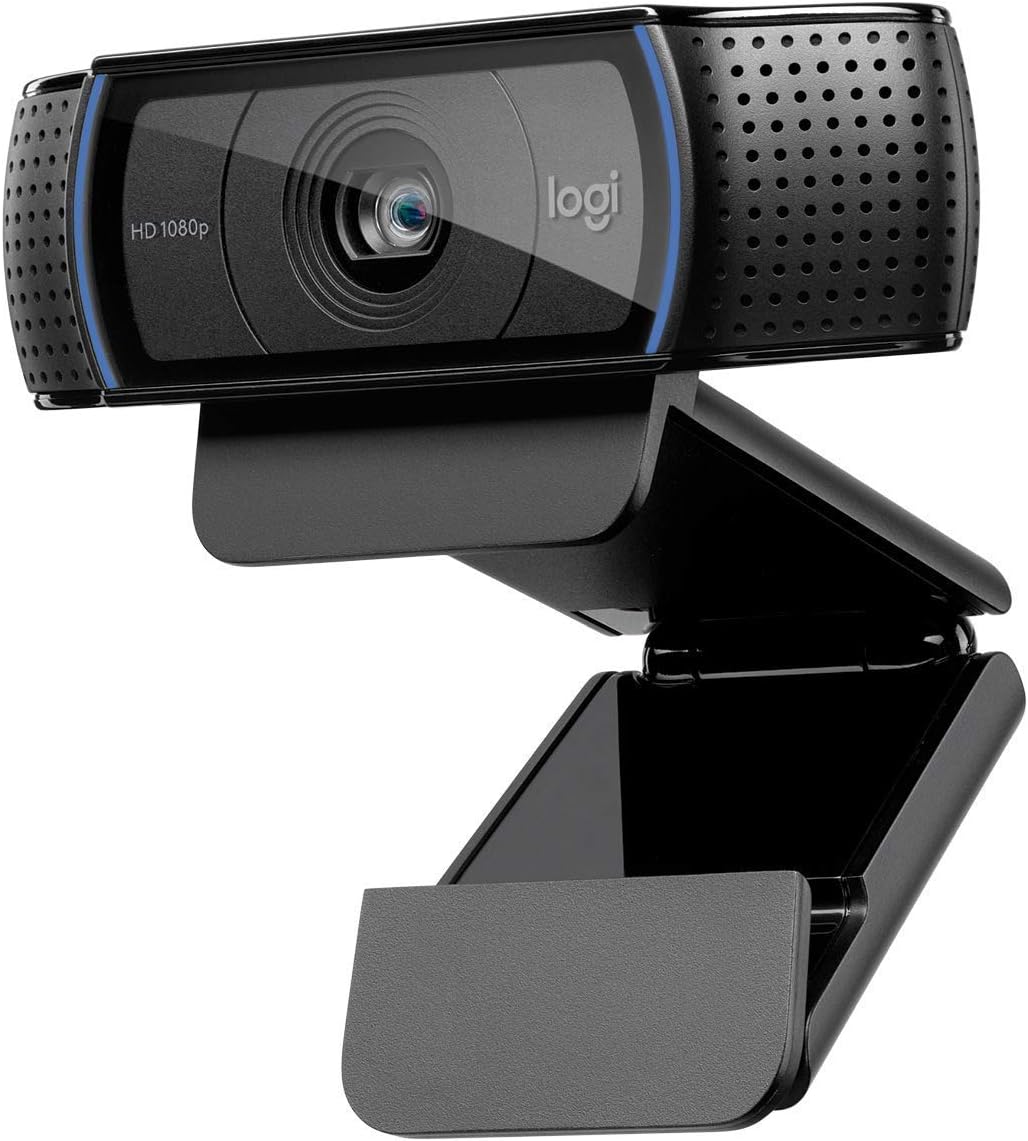


The Logitech C920x HD Pro stands out as a top choice for professionals needing reliable video quality. It delivers crisp 1080p video at 30fps and features advanced autofocus for sharp focus. Its dual microphones ensure your voice is heard clearly. This model is perfect for daily video meetings and content creation.
We may earn a commission when you buy through this link, at no additional cost to you.
Its autofocus system adjusts quickly to lighting changes, keeping you looking sharp even in less-than-ideal rooms. The HD lighting adjustment helps balance exposure. The stereo audio is surprisingly good for a webcam mic. It is compatible with most major platforms like Zoom and Teams.
While it lacks a privacy shutter, its overall performance is excellent. The build quality is solid and the clip mounts securely. It works well on Windows 11. The included XSplit VCam license adds value for streamers wanting background effects.
Choose this if you want a dependable webcam for work or streaming. It offers a great balance of features and performance. It is a strong investment for anyone needing consistent video quality and clear audio.
Its autofocus keeps you sharp throughout calls, adjusting quickly to movement and lighting changes.
Stereo microphones capture your voice clearly and reduce background noise for better audio quality.
We may earn a commission when you buy through this link, at no additional cost to you.
The EMEET S600 delivers top-tier 4K streaming quality using a Sony sensor. Its PDAF autofocus is faster and more precise than standard focus. The customizable field of view helps frame you perfectly. It includes a privacy cover and offers excellent noise-canceling audio.
We may earn a commission when you buy through this link, at no additional cost to you.
Its auto light balance handles shadows well. You can adjust the FOV at 1080p for wider shots. The rugged design with flexible tilt makes positioning easy. The software allows deep customization of image and sound settings.
It requires USB 3.0 for 4K performance. Using software unlocks all features. The fixed 4K FOV is narrower but ensures less distortion. Still, it offers superior image quality for creators.
This is the best pick for serious streamers. It provides professional-grade video and audio. The build is sturdy and the privacy cover is secure. You get a polished look without extra lights.
The Sony sensor delivers crisp 4K images with vibrant colors and sharp details for professional results.
Flexible FOV lets you focus on yourself or include more of your surroundings when streaming.
We may earn a commission when you buy through this link, at no additional cost to you.
The Logitech Brio 101 is an affordable option that still delivers 1080p clarity. Its RightLight Balance boosts brightness to reduce shadows. It includes a privacy slide and works instantly via USB. This camera is great for home offices and casual streaming.
We may earn a commission when you buy through this link, at no additional cost to you.
The auto light adjustment keeps your image balanced even in dim rooms. The privacy slide gives quick access. It comes in fun colors. The build uses recycled plastic. It works with Teams and Zoom easily.
Manual focus is not available. The FOV is fixed. But for home use, this is not a big issue. It is reliable and easy to set up. You do not need any software.
Choose this if you need a budget friendly webcam. It offers great value and essential privacy features. It looks good on any desk and the auto exposure helps you look your best.
Auto light balance improves your image quality in suboptimal lighting so you always look bright and clear.
A physical slide cover lets you block the lens instantly for total privacy when not in use.
We may earn a commission when you buy through this link, at no additional cost to you.
The Logitech C920S HD Pro offers 1080p video with a privacy shutter. It uses a glass lens for sharp color. Autofocus keeps you in focus during calls. The dual mics capture natural sound. This model is ideal for home users who want privacy.
We may earn a commission when you buy through this link, at no additional cost to you.
Its light correction balances exposure in different rooms. The shutter protects the lens and gives peace of mind. It records in Full HD. The audio is clear for calls. It is compatible with major software.
It does not come with XSplit VCam. The focus is fixed. But for most users this is fine. The image quality is excellent and the shutter is convenient. The build is sturdy.
Pick this if you need a reliable webcam with privacy. It is a solid choice for video calls. The shutter is easy to use. You get great video and clear audio at a fair cost.
The snug privacy shutter covers the lens securely so you know when you are not being seen.
Dual stereo mics capture your voice with clarity and reduce background noise for better calls.
We may earn a commission when you buy through this link, at no additional cost to you.
The Logitech C920e HD is designed for business environments. It is certified for Zoom and Teams. The 78-degree fixed frame keeps you centered. It has an attachable privacy screen. The microphones are omnidirectional for clear sound.
We may earn a commission when you buy through this link, at no additional cost to you.
Its autofocus and light correction help you look good in meetings. The sturdy clip fits monitors and laptops. You can mount it on a tripod. It supports remote management. It is built for office use.
The FOV is fixed which may limit flexibility. The privacy screen is attachable not built in. But these are minor issues for professionals. It is reliable and compatible with workplace tools.
Choose this if you are in a corporate setup. It integrates seamlessly with business software. The privacy screen helps in shared spaces. You get a stable and certified device.
Certified for Zoom and Teams ensures seamless compatibility with workplace tools for professional meetings.
A strong adjustable clip lets you mount the camera securely on laptops or monitors and tripods.
We may earn a commission when you buy through this link, at no additional cost to you.
The EMEET C960 provides a 90-degree wide angle view. It includes a removable privacy cover. The auto light adjustment keeps your image stable. Dual omnidirectional mics capture clear sound. It works with USB C or A for broad compatibility.
We may earn a commission when you buy through this link, at no additional cost to you.
It is designed for professional video streaming. The focus is fixed which is good for set positions. The wide angle helps capture more people. It is compatible with many systems. The setup is simple.
It does not have built in speakers. The focus is not adjustable. But for a wide angle at this price, it is great. It works well on Windows and macOS. The cover slides off easily.
Choose this if you need to include more in the frame. The privacy cover and auto light help. It is a solid budget option for streaming or meetings.
The wide angle lens captures more participants without needing to move the camera frequently.
Two built-in mics pick up your voice clearly from any direction for balanced audio.
We may earn a commission when you buy through this link, at no additional cost to you.
The NexiGo N60 is ready to use in under one minute. It has a privacy cover for security. The noise-canceling mic enhances audio quality. It works with many systems and USB versions. The glass lens produces sharp images.
We may earn a commission when you buy through this link, at no additional cost to you.
Its fixed focus works well for standard distances. The cover helps with privacy when not in use. It supports major platforms and Linux too. It does not work with consoles. The build is compact.
The focus is not adjustable. The software is basic. But for a simple plug and play option it is great. The audio is clear. It fits well on most monitors.
Choose this for quick setup without hassle. It offers reliable video and audio. The privacy cover is a nice addition. It is a good choice for general use.
Works with USB 2.0 and 3.0 across many OS options for flexible use.
Built-in noise-canceling reduces background sounds so your voice stays clear on calls.
We may earn a commission when you buy through this link, at no additional cost to you.
The Logitech HD Pro C920 is a classic reliable webcam. It records in Full HD with autofocus. The dual mics provide clear audio. It mounts easily on laptops or monitors. It works with most software.
We may earn a commission when you buy through this link, at no additional cost to you.
Its autofocus ensures you stay sharp. The image is vibrant and detailed. It is sturdy and simple to use. It is widely compatible with older and newer systems. The design fits any desk.
It lacks a privacy shutter. It is an older model but still performs well. For basic calls it is a solid choice. The audio and video are consistent. It is a trusted pick.
Choose this if you want a proven reliable option. It delivers consistent quality. The autofocus is fast. It is a great pick for general calls.
Automatic autofocus keeps your image sharp and clear during any lighting changes or movement.
Two built-in mics capture clear stereo sound for natural audio on calls.
We may earn a commission when you buy through this link, at no additional cost to you.
The Logitech Brio 105 is a great value business webcam. It uses RightLight Balance to improve image quality. It has a privacy shutter and works via USB. It is certified for Google Meet. It is supported by Logitech Sync.
We may earn a commission when you buy through this link, at no additional cost to you.
Its auto light tech helps in low light. The shutter protects your privacy. It is affordable yet delivers clear video. It works with Chromebooks. It is simple to plug in.
It has basic features compared to premium models. The FOV is fixed. But for business use it is reliable. It is stable and offers good value. The shutter is a key feature.
Choose this for a solid business option. It offers privacy and balance at a great value. It works with major tools. It is a safe pick for teams.
RightLight Balance automatically improves image quality in suboptimal conditions for consistent video.
A built-in privacy shutter adds extra confidence for employees working from home.
We may earn a commission when you buy through this link, at no additional cost to you.
The Logitech Brio 100 Renewed offers Full HD video at a lower cost. It has a 58-degree diagonal view. It works easily via USB with popular apps. It has an integrated mic. It is a renewed item with proven performance.
We may earn a commission when you buy through this link, at no additional cost to you.
Its video is smooth at 30fps. The setup is plug and play. It captures your surroundings well for a 58-degree FOV. It is compatible with most tools. The build is reliable.
The FOV is narrower than some. It is a renewed product. But it still performs well. It is a budget friendly choice. The mic is built in.
Choose this for a simple affordable option. It offers reliable Full HD video. It is a good pick for basic calls.
Easy USB connection works seamlessly with popular video conferencing applications.
Integrated audio capture for convenient all-in-one webcam solution without additional equipment.
We may earn a commission when you buy through this link, at no additional cost to you.
Choosing the right 1080p webcam depends on several factors including video quality, audio, and features.
While all picks support 1080p, some offer better clarity and smoother motion. Look for cameras that deliver stable 1080p at 30fps or higher. This ensures your image remains sharp during movement.
Good webcams adjust to lighting conditions automatically. Features like RightLight or light correction help balance shadows. Autofocus ensures you stay sharp as you move. This is key for professional calls.
Clear audio is just as important as video. Dual mics or noise-canceling tech reduce background noise. Check if the mic captures voice clearly up to a meter. Some models offer better audio than others.
Privacy covers or shutters give peace of mind when the camera is not in use. Physical covers block the lens. A simple glance confirms if you are being seen. This is vital for home offices.
A wider FOV captures more of your surroundings. Standard FOV is around 78 degrees while wide is 90. Choose based on if you want to show more background or focus on yourself.
Ensure the camera works with your OS and meeting apps. Most are compatible with Zoom and Teams. Some offer extra software for effects. Check for Windows 11 or macOS support.
Look for sturdy clips that fit your monitor or laptop. Some support tripods via threads. A secure mount prevents slipping. This ensures your image stays stable during calls.
Prices vary widely across models. Consider if you need extra features like 4K or advanced privacy. Budget picks still offer great video. Choose what fits your needs and wallet.
Clean the lens gently with a soft cloth to avoid scratches. Dust can affect image clarity. Keep it dry. Check connections regularly for stable performance.
Yes 1080p offers higher detail and sharper images. This is ideal for professional calls. It helps you look clearer even on large screens. 720p may look grainy in low light.
Extra lights help but not all cameras need them. Models with auto light balance reduce shadows. But a lamp facing you helps. Good lighting improves video quality.
Open a video app like Zoom and check the settings. The camera should show your feed. If it does not update drivers. Use the app to test audio too.
Most webcams are for PCs or Macs. Some TVs have apps but support is limited. Check if your TV has USB ports. It may not work on game consoles.
It is a physical cover that slides over the lens. It blocks the view when not in use. This prevents hackers from accessing it. It gives peace of mind at home.
Yes built-in mics save time. Look for noise-canceling ones for clear voice. Some models have dual mics. External mics are optional but built-in are convenient.
We covered ten top 1080p webcams suited for home and business. Picks like the C920x and S600 offer high performance while others provide value. Each has unique strengths for different needs.