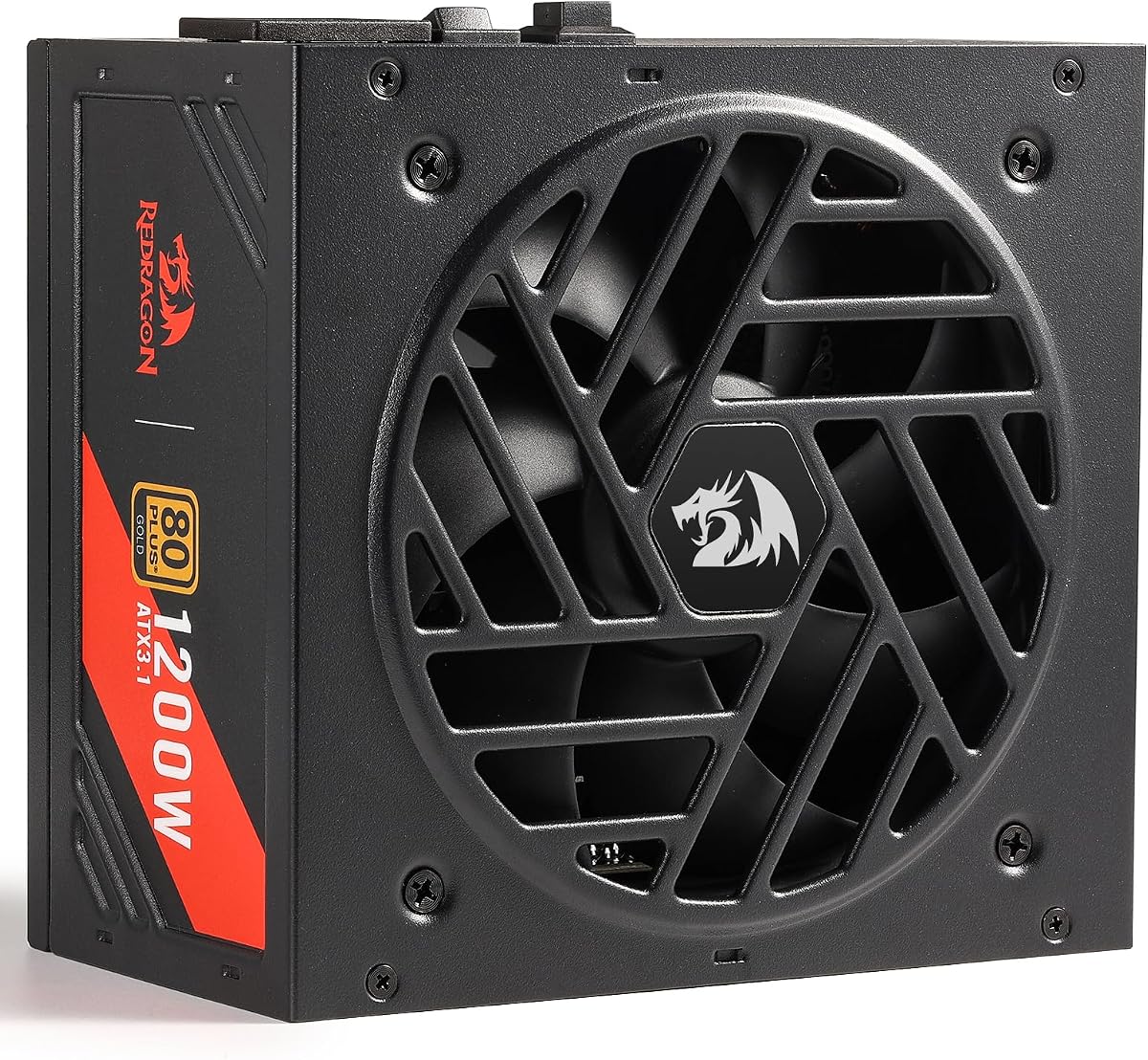
Redragon RGMS-1200W PRO
5.0Editor score
Compact 150mm Size
Japanese Capacitors
Smart ECO Fan
This guide compares the best 1200W power supplies for high-end PCs, covering efficiency, build quality, and modern standards like ATX 3.1 for reliable
Modern gaming and workstation builds require robust power delivery to handle demanding GPUs and processors. A high wattage unit ensures stability during peak loads and future-proofs your system for upcoming hardware generations.
We evaluated ten top-rated 1200W power supplies based on efficiency certifications, modular designs, and component quality. Each model was assessed for noise levels, protection features, and compatibility with the latest PCIe standards.
Our reviews highlight the strengths and trade-offs of each unit to help you find the right fit for your build. Keep in mind that availability and pricing fluctuate frequently so check current listings before purchasing.
5.0Editor score

4.4Editor score

4.5Editor score
This side-by-side comparison highlights the key specifications and standout features of each 1200W power supply to help you make an informed decision for your high-performance PC build.



The CORSAIR HX1200i stands out as a top choice for enthusiasts needing reliable high wattage power. It holds a strong rating and offers certified support for the latest ATX 3.1 and PCIe 5.1 standards ensuring your system handles modern GPUs without issue.
We may earn a commission when you buy through this link, at no additional cost to you.
Its fully modular cabling allows for a clean build while the 140mm fluid dynamic bearing fan delivers long-lasting silent performance. The Zero RPM mode ensures near silence during light tasks and the iCUE software provides deep control over fan curves and rail protection settings.
While it commands a premium price the advanced features justify the cost for users building high-end workstations or gaming rigs. The need for software to unlock certain protections might be a minor inconvenience for those preferring purely hardware based control.
This unit is ideal for builders who value silence software integration and future-proofing. Its robust protection mechanisms and compliant design make it a safe and efficient choice for demanding power draws.
Supporting the latest power standard ensures compatibility with next-generation graphics cards and transient power spikes protection.
Zero RPM mode and fluid dynamic bearings keep noise levels minimal even under significant cooling demands.
We may earn a commission when you buy through this link, at no additional cost to you.
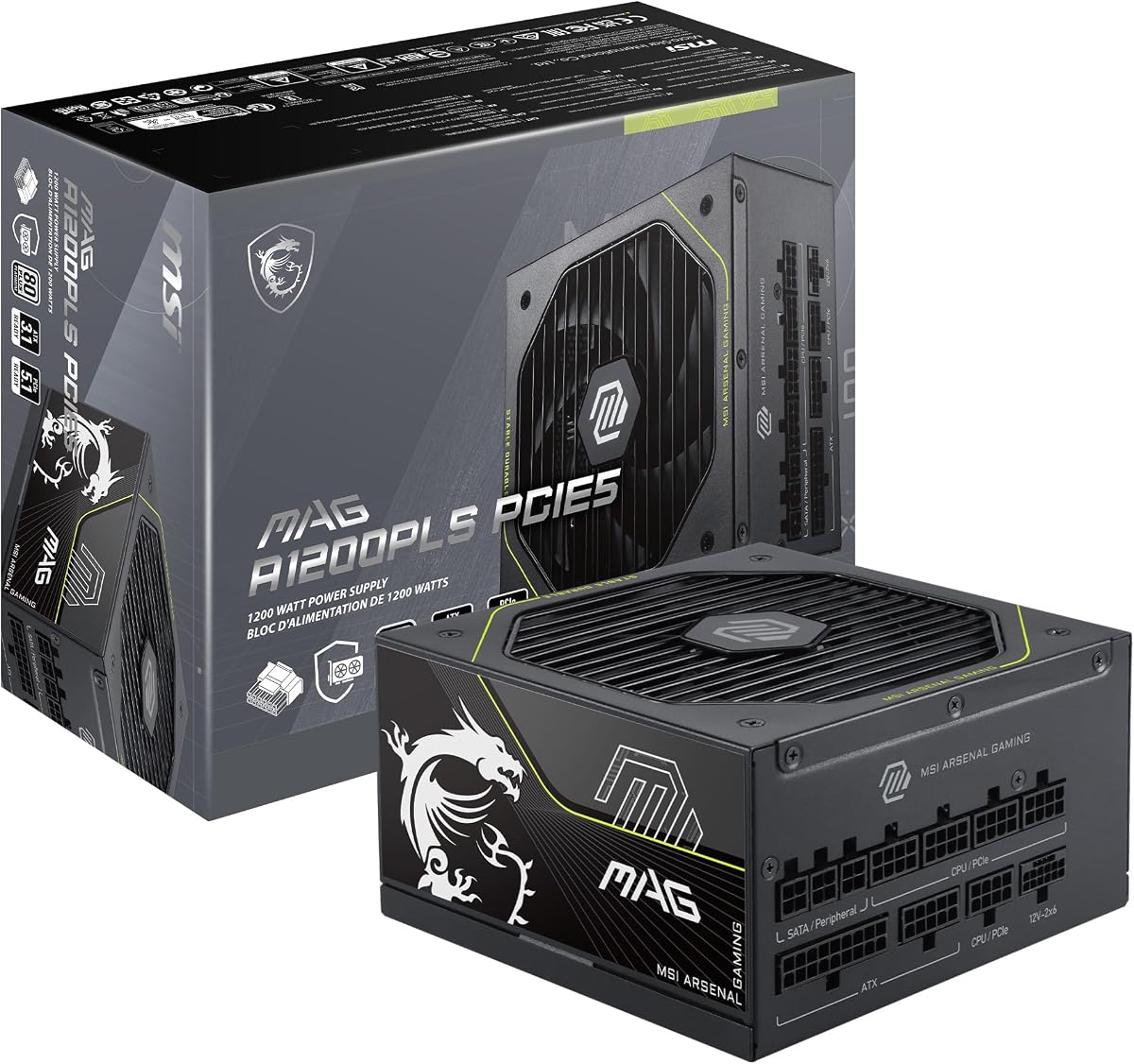
The MSI MAG A1200PLS PCIE5 offers exceptional value with a perfect rating and native support for new GPU power connectors. It delivers Platinum efficiency and includes protective features like GPU Safeguard to alert users of current abnormalities instantly.
We may earn a commission when you buy through this link, at no additional cost to you.
Designed for modern gaming builds it comes with a native 12V-2×6 cable capable of 600W delivery. The compact 150mm length frees up space in cases while the fluid dynamic bearing fan ensures durable cooling for long-term use.
Despite its strong feature set it lacks aesthetic extras like RGB lighting which some custom loop builders might prefer. The focus remains strictly on performance and safety making it a practical choice over flashy alternatives.
This power supply is recommended for users seeking reliable PCIe 5.1 support without breaking the bank. Its proactive protection systems and efficient design make it a solid investment for high-end gaming systems.
Real-time current protection alerts users to potential issues before they cause hardware damage or instability.
A shorter length allows for better airflow and cable routing in mid-tower and compact chassis designs.
We may earn a commission when you buy through this link, at no additional cost to you.
ASUS TUF Gaming 1200W Gold emphasizes durability with military-grade components and a protective PCB coating. It meets ATX 3.1 guidelines and provides reliable power for modern systems with strong thermal and electrical resilience.
We may earn a commission when you buy through this link, at no additional cost to you.
The Axial-tech fan and dual ball bearings extend operational life and keep noise levels manageable. Its fully modular design simplifies installation while the Gold certification ensures high efficiency under typical gaming loads.
Although it does not reach Platinum efficiency the build quality makes it stand out for rugged environments. The weight is a consideration for small cases but the added durability justifies the design choices for most users.
Choose this model if you prioritize long-term reliability and component quality over maximum efficiency ratings. It offers a balanced mix of performance and toughness suitable for demanding workstations and gaming rigs.
Components pass rigorous testing to ensure they can handle environmental stress and electrical surges effectively.
Coating shields the board from moisture and dust enhancing longevity in varied operating environments.
We may earn a commission when you buy through this link, at no additional cost to you.
The Thermaltake Toughpower PT 1200W features two native PCIe 5.1 connectors and unique H++ connectors that visually confirm proper seating. It delivers Platinum efficiency and includes full modular cables for clean internal cable management.
We may earn a commission when you buy through this link, at no additional cost to you.
Japanese capacitors ensure stable power delivery while the 135mm fan maintains adequate cooling. The etched flat cables make routing easier in tight spaces and the color coded connectors reduce setup errors.
User ratings reflect some mixed experiences so checking latest reviews is advisable before purchase. The innovative connectors are a strength but require careful handling to avoid damage during installation.
This unit is a good choice for multi GPU setups needing multiple high-wattage cables without adapters. Its features are forward-looking though users should weigh them against overall reliability reports.
Dual-colored connectors show when seated correctly reducing risks of loose connections during operation.
Two native cables support future GPUs directly without needing adapters or converters for power.
We may earn a commission when you buy through this link, at no additional cost to you.
MONTECH Century II 1200W brings modern ATX 3.1 readiness to budget conscious builders. It includes a 12V-2×6 cable and features Zero RPM mode to keep noise low during idle and light usage periods.
We may earn a commission when you buy through this link, at no additional cost to you.
Japanese capacitors provide reliable power delivery and the fully modular cables improve case airflow. The silver metallic finish adds a touch of style while the 10-year warranty backs long-term performance.
Its Gold efficiency is slightly lower than Platinum units but remains competitive for the price. The straightforward design focuses on essentials rather than extra features making it a solid workhorse for most builds.
This power supply is ideal for users who want modern specs without premium costs. It balances reliability and affordability well for entry-level high-end gaming systems.
Zero RPM mode activates cooling only when needed ensuring quiet operation during low-demand tasks.
ATX 3.1 and PCIe 5.1 readiness ensures compatibility with the latest hardware standards today.
We may earn a commission when you buy through this link, at no additional cost to you.
This renewed unit offers a cost-effective way to get high-end HX1200i performance. It comes with certifications for reliable operation and retains features like Platinum efficiency and ultra-low noise fan design.
We may earn a commission when you buy through this link, at no additional cost to you.
The fully modular design and iCUE software support remain intact allowing full control over system power. Modern Standby mode helps reduce power consumption when idle while maintaining fast wake times.
Buying renewed means accepting non-new condition though testing ensures functionality. The warranty may be shorter than a brand new unit so check return policies carefully before committing.
Consider this model if you want premium features at a reduced price and trust certified refurbishment. It is a smart choice for budget savvy builders seeking reliability.
Inspected and tested to meet functional standards providing confidence in pre-owned performance.
Platinum efficiency ensures minimal energy waste and lower electricity costs over time.
We may earn a commission when you buy through this link, at no additional cost to you.
Redragon RGMS-1200W PRO delivers surprising performance for its price with a perfect user rating. It includes ATX 3.1 and PCIe 5.1 readiness along with a compact 150mm size that fits in most cases.
We may earn a commission when you buy through this link, at no additional cost to you.
The Smart ECO fan stays silent until temperatures rise and Japanese capacitors ensure stable delivery. Fully modular flat cables help reduce clutter and improve airflow for better thermal performance in closed cases.
While it lacks a premium brand reputation its feature set matches higher priced competitors. The basic appearance is a minor drawback for those focused on internal components over aesthetics.
This model is perfect for budget builds needing modern GPU power without overspending. Its compact design and silent operation make it a versatile choice for many system configurations.
Smaller dimensions allow more room for cable routing and airflow in standard PC chassis.
ATX 3.1 and PCIe 5.1 support ensure you can power current and upcoming high-end GPUs.
We may earn a commission when you buy through this link, at no additional cost to you.
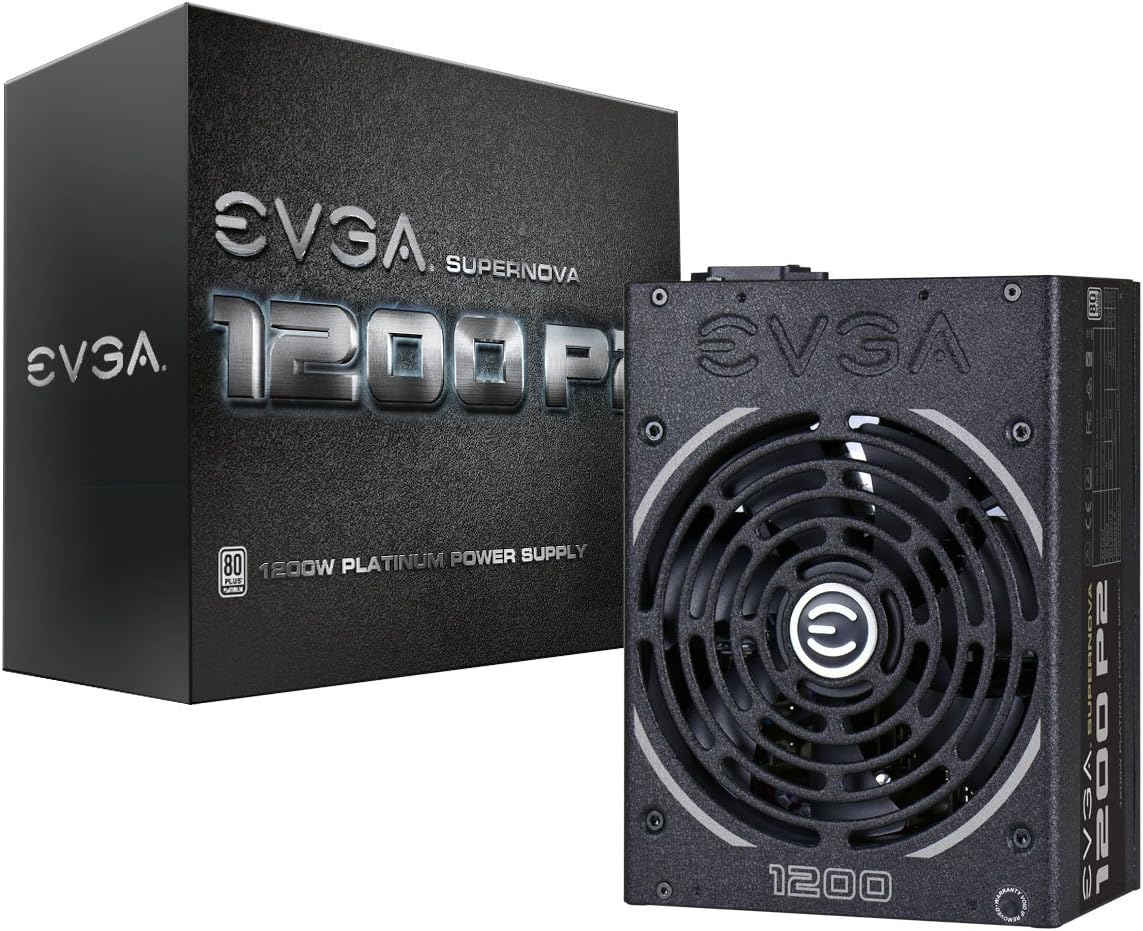
EVGA Supernova 1200 P2 remains a classic choice for stable high wattage power. Its Platinum efficiency and ECO mode ensure low noise and energy savings while the double ball bearing fan extends lifespan.
We may earn a commission when you buy through this link, at no additional cost to you.
The 10-year warranty reflects confidence in its build and it supports multi GPU setups effectively. Fully modular design allows clean cable management and the high quality Japanese capacitors guarantee consistent power.
This model lacks ATX 3.1 support which may limit use with the newest GPUs without adapters. Its older architecture still works well for many but lacks the latest transient spike protection.
Choose this unit if you prioritize proven reliability and warranty coverage over latest specs. It is a solid choice for traditional high-end builds not requiring PCIe 5.1 features.
Fan stops at low loads to provide silent operation when system performance demands are minimal.
NVIDIA SLI and Crossfire support ensures stable power delivery for multiple graphics card setups.
We may earn a commission when you buy through this link, at no additional cost to you.
CORSAIR RM1200e (2025) offers a modern compliant design with Cybenetics Platinum efficiency and a 12V-2×6 cable. It focuses on low noise operation with a rifle bearing fan and includes Modern Standby for efficient sleep modes.
We may earn a commission when you buy through this link, at no additional cost to you.
The 105°C rated capacitors provide steady electrical performance and the fully modular layout aids cable management. ATX 3.1 compliance ensures compatibility with the latest PCIe 5.1 graphics cards.
User ratings suggest some users may find features limited compared to higher-end HX or RMx series. The lack of iCUE software integration means less control over fan curves and power rails.
This unit is a good choice for those prioritizing silent operation and latest standards without extra software. It fits well in builds where noise control and modern compatibility matter most.
Rifle bearing fan and optimized curve minimize sound even at full load for quieter environments.
Allows faster wake times and better power efficiency during idle states for daily use.
We may earn a commission when you buy through this link, at no additional cost to you.
ASUS ROG Strix 1200W Platinum delivers premium technology with GaN MOSFETs and a GPU-First voltage stabilizer. It ensures consistent voltage for graphics cards and offers superior efficiency over traditional designs.
We may earn a commission when you buy through this link, at no additional cost to you.
The large ROG heatsinks lower temperatures and noise while 0dB technology allows silent gaming at low loads. Fully modular cabling and Platinum certification round out a high-quality package built for enthusiast systems.
Its premium price reflects advanced features that may not benefit every user significantly. Availability can be limited so early planning is often necessary to secure one of these units.
Choose this model if you demand top-tier tech and maximum stability for competitive gaming. Its engineering excellence makes it a standout for those who want the best available power delivery.
Gallium nitride tech offers up to 30% better efficiency and compact internal layouts.
Intelligent voltage sensing enhances power delivery to graphics cards for smoother gameplay.
We may earn a commission when you buy through this link, at no additional cost to you.
Selecting the right 1200W power supply involves balancing efficiency, protection features, and modern standards to match your system's power needs.
Modern GPUs draw high power and require support for ATX 3.1 and PCIe 5.1 standards. Ensure your PSU includes a native 12V-2×6 cable to safely deliver up to 600W to latest graphics cards without adapters.
Look for certified units to guarantee transient power spike resistance and compatibility.
Efficiency ratings like 80 Plus Gold or Platinum indicate how much power is converted into usable output versus wasted as heat. Higher efficiency means lower electricity bills and cooler internal temperatures.
Choose Platinum for maximum savings or Gold for balanced cost and performance.
Fully modular designs allow you to connect only the cables you need which reduces clutter and improves airflow inside your case. This feature is essential for clean builds and effective cooling.
Avoid non-modular units if cable management and aesthetics are important to you.
A quality fan with fluid dynamic or double ball bearings ensures long life and minimal noise. Models with Zero RPM or ECO modes stop the fan during light loads for near silent operation.
Prioritize low decibel ratings if you work in quiet environments.
High-quality Japanese capacitors and chokes provide stable voltage and longer durability. These components are tested to withstand heat and electrical stress better than standard alternatives.
Check for mentions of Japanese caps in product specs for peace of mind.
Look for over current voltage and temperature protections to prevent damage from power surges or overheating. Advanced units may include GPU Safeguard to detect cable current issues early.
Comprehensive protection is vital for expensive components.
A long warranty like 10 years reflects manufacturer confidence and protects your investment against defects. Check support channels and repair policies before buying.
Choose brands with strong reputations for honoring warranties.
Standard ATX PSUs fit most cases but compact 150mm length models offer more space for airflow and cable management. Ensure your chosen unit matches your case dimensions exactly.
Measure your case internal depth before finalizing your purchase.
Install the power supply first in your case using the supplied screws and secure it firmly to prevent vibration noise and ensure stable mounting.
Connect the 24-pin motherboard and 8-pin CPU power connectors first then attach GPU 12V-2×6 cables directly to compatible cards for proper power delivery.
Keep air intake vents clear of dust and debris by cleaning filters regularly and ensure adequate airflow inside the case to maintain optimal operating temperatures.
A 1200W unit is ideal for high-end systems with powerful CPUs and multiple GPUs or future upgrades. For single high-end GPUs a 850W to 1000W PSU often suffices.
ATX 3.1 builds on ATX 3.0 with stricter requirements for voltage and current tolerances. It ensures better protection for new GPUs and higher efficiency.
Most 1200W PSUs are standard ATX size but check case dimensions carefully. Some compact models like the MSI MAG fit standard mid-towers better.
Yes for the latest PCIe 5.1 GPUs a native cable ensures safety and compliance. Adapters can increase resistance and risk of issues.
A well-made PSU with quality components can last 10 years or more. Proper ventilation and protection features extend its lifespan significantly.
Zero RPM fans stop spinning during low loads to reduce noise and wear. This is beneficial for silent builds or light work tasks.
Our top picks highlight the CORSAIR HX1200i for overall performance and the MSI MAG A1200PLS PCIE5 for value. The ASUS ROG Strix leads in premium tech for enthusiasts.
Prioritize ATX 3.1 compliance and modular cabling to ensure your build is future-ready and clean. Component quality and safety features should drive your decision more than brand.
Prices and availability change frequently so verify current stock and shipping details before purchasing. Always double-check case compatibility and GPU requirements for a seamless upgrade.