
Thermaltake Pure 20 Series
4.5Editor score
High air pressure design
Sleeve bearing reliability
Anti vibration mounting system
Finding the right airflow solution for your PC case is crucial for maintaining optimal temperatures during heavy workloads or gaming sessions. A 200mm case fan offers a larger surface area to move air quietly and efficiently compared to smaller alternatives. Choosing the best option involves considering noise levels, bearing types, and compatibility with your specific chassis layout.
We evaluated ten top-rated models based on performance metrics, build quality, and user feedback to create this comprehensive list. Each product was analyzed for its ability to deliver high CFM while keeping acoustic noise to a minimum. Our selection includes options from leading brands known for reliability and innovative cooling technologies designed for modern systems.
Every pick in this guide highlights unique strengths such as PWM control, RGB lighting, or specialized bearing designs for long-term reliability. You will find detailed breakdowns of specifications and real-world usage scenarios to inform your decision. Please note that pricing and availability can change frequently, so verify current details before purchasing your next cooling component.
4.5Editor score
4.8Editor score

4.6Editor score
As an Amazon Associate we earn from qualifying purchases.
This side-by-side comparison highlights the key specifications and features of each selected 200mm case fan to help you evaluate performance differences quickly.


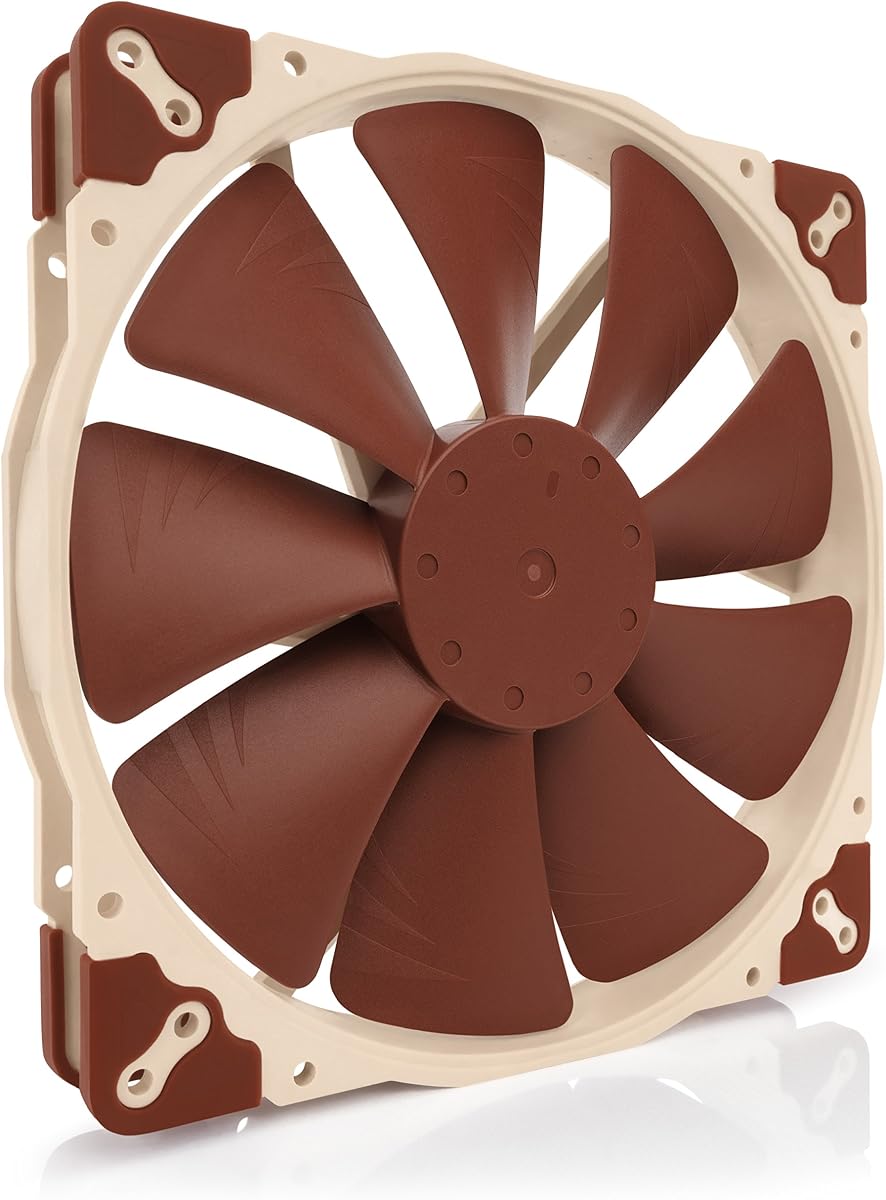
The Noctua NF-A20 PWM stands out as the top choice for users seeking reliable cooling without excessive noise. With a high rating of 4.8 stars, it delivers exceptional performance through its award-winning A-series design and Flow Acceleration Channels. This fan is engineered to provide high airflow at extremely low noise levels, making it ideal for silent PC builds.
We may earn a commission when you buy through this link, at no additional cost to you.
Its large 200mm diameter allows for significant air movement while keeping RPMs low, which directly reduces acoustic output. The 4-pin PWM control ensures automatic speed adjustments based on system temperature, optimizing efficiency. The inclusion of anti-vibration mounts and a Low-Noise Adaptor gives users flexibility to fine-tune performance to their exact needs.
While the price is higher than budget options, the longevity and performance justify the investment for serious builders. The fan operates at a maximum of 800 RPM, which is low enough to avoid disturbing noise even under load. Users should ensure their case has sufficient space as the thickness is 30mm which might not fit all chassis designs.
Buyers looking for premium silent cooling will find this model unmatched in its class. It is particularly suited for workstation PCs or gaming rigs where thermal management is critical. We recommend this fan for those who prioritize quiet operation and long-term reliability over initial cost savings.
The Advanced Acoustic Optimisation frame reduces noise by minimizing air turbulence and vibration during operation.
With an MTTF of over 150000 hours, this fan ensures years of reliable performance without needing replacement.
We may earn a commission when you buy through this link, at no additional cost to you.
The Thermaltake Pure 20 Series offers a compelling balance of performance and affordability for budget-conscious builders. It features a 200x30mm thick design that focuses on high air pressure and airflow to keep components cool. The fan is designed to reduce noise while creating a strong torrent of air, making it a practical choice for standard cooling needs.
We may earn a commission when you buy through this link, at no additional cost to you.
Its Long Life Sleeve Bearing provides reliable operation over time, though it may not match the longevity of premium fluid dynamic bearings. The Shaved frame allows for more installation flexibility especially with Thermaltake chassis models. Anti-vibration mounting systems help reduce unwanted resonance during operation ensuring a smoother experience.
While it lacks advanced PWM controls found in more expensive models, it still delivers solid airflow performance. Users should note that while noise is reduced, it may not be as silent as premium alternatives during high load conditions. The availability of an LED version adds aesthetic value for those wanting to enhance their build look.
This fan is ideal for entry-level builds or cases where space is tight but airflow is critical. It is recommended for users who need a cost-effective upgrade without sacrificing basic cooling performance. We suggest checking compatibility with your specific case before purchasing to ensure the thickness fits properly.
The fan blade design focuses airflow to create high pressure without creating excess noise levels.
The shaved frame allows easier installation particularly for Thermaltake chassis systems.
We may earn a commission when you buy through this link, at no additional cost to you.
The Noctua NF-A20 PWM chromax.Black.swap is a premium option that combines top-tier performance with customizable aesthetics. It shares the same high-quality construction as the standard PWM version but features an all-black design for a sleek look. The fan delivers high airflow at extremely low noise levels thanks to Flow Acceleration Channels.
We may earn a commission when you buy through this link, at no additional cost to you.
A standout feature is the chromax.black.swap edition which includes swappable anti-vibration pads in various colors like red, white, and blue. This allows users to customize the fan to match their system theme without sacrificing acoustic performance. The 4-pin PWM version ensures automatic speed control via standard motherboard fan headers.
The large 20cm diameter enables efficient cooling without high RPM noise making it perfect for quiet builds. Mounting compatibility is broad with three sets of holes to fit various case sizes. Despite the premium price, the build quality and longevity make it a sound investment for enthusiasts.
This fan is best suited for users who want premium cooling with a customizable touch. It is highly recommended for high-end builds where aesthetics and silence are both priorities. We advise checking case dimensions to ensure the 30mm thickness fits your mounting location.
Swappable red black white blue yellow and green anti vibration pads allow colour customising of your build.
Advanced Acoustic Optimisation frame ensures superior quiet cooling performance at all speeds.
We may earn a commission when you buy through this link, at no additional cost to you.
The Thermaltake CT200 PWM Fan is designed to provide robust airflow with efficient PWM control for modern builds. It pushes up to 131.6 CFM of airflow which is excellent for moving large volumes of air through a case. The hydraulic bearing ensures silent and reliable operation while maintaining performance when necessary.
We may earn a commission when you buy through this link, at no additional cost to you.
Each fan has daisy chainable 4-Pin PWM connectors which simplifies installation by reducing cable clutter. The optimized 9 blades push significant static pressure which is useful for restricted airflow paths. It complements the existing CT fan lineup for users looking to maintain a consistent look throughout their build.
The fan speed range of 500~900 RPM allows for quiet operation while still providing adequate cooling. The hydraulic bearing design helps extend lifespan compared to sleeve bearings. However, noise levels may be noticeable at higher RPMs depending on the case structure and mounting.
This fan is a great choice for those upgrading a CT series build or needing high CFM. It is recommended for users who prioritize airflow and clean cable management. Check your case space to ensure the 30mm thickness fits before installation.
Optimized with 9 blades to push up to 131.6 CFM of airflow and 1.92mm-H20 of static pressure.
Each fan has daisy chainable 4-Pin PWM connectors for quick installation and reduced clutter.
We may earn a commission when you buy through this link, at no additional cost to you.
The Cooler Master SickleFlow 200 is an excellent choice for builders who want both performance and lighting effects. It features aRGB Gen2 Lighting with frosted blade design that enhances light dispersion for a vibrant effect. The hybrid frame design minimizes noise and optimizes airflow stability for efficient cooling.
We may earn a commission when you buy through this link, at no additional cost to you.
Dynamic PWM allows adjustable fan speeds from 0 to 800 RPM to balance noise and airflow needs. A two-tier sealing mechanism prevents dust and oil leakage which enhances stability and extends lifespan. The PBT frame adds durability while maintaining a flexible anti-resonance mounting structure.
The redesigned hybrid blades simplify installation while delivering optimized airflow. This fan is ideal for systems where visual appeal is as important as thermal performance. Users should ensure they have a compatible aRGB header to control the lighting effects.
This fan is best for gaming PCs or showpieces where aesthetics drive the build. It is recommended for users who want a balance of performance and style. Verify your motherboard support for aRGB synchronization before purchase.
The frosted blade enhances the dispersion of aRGB lighting creating a vibrant and customizable luminous effect.
A two-tier sealing mechanism prevents dust and oil leakage enhancing fan stability and extending its lifespan.
We may earn a commission when you buy through this link, at no additional cost to you.
The Noctua NF-A20 FLX is designed for users who prefer simple manual speed control without PWM headers. It features a 3-pin Molex connector which connects directly to the power supply or motherboard headers. With a maximum noise level of 18.1 dB(A), it ensures near-silent operation for quiet environments.
We may earn a commission when you buy through this link, at no additional cost to you.
The Low-Noise Adaptor allows users to switch between 800 RPM for maximum airflow or 550 RPM for near-silent operation. The fan is built with the award-winning A-series design for superior quiet cooling performance. Anti-vibration mounts and a 3:4-pin adaptor are included for versatile setup options.
While it lacks automatic speed adjustment, the fixed settings provide consistent performance and reduced complexity. It is a solid choice for those who want high quality without the cost of PWM variants. The MTTF of over 150000 hours ensures long-term reliability.
This fan is ideal for users who want a reliable set-and-forget cooling solution. It is recommended for older systems or cases without PWM headers. Ensure you have space for the 30mm thickness when installing.
3-pin FLX version provides 800/550rpm speed settings via Low-Noise Adaptor to fine-tune the fan for maximum airflow or near-silent operation.
Includes anti-vibration mounts fan screws extension cable and 3:4-pin adaptor for powering the fan directly from the power supply.
We may earn a commission when you buy through this link, at no additional cost to you.
The Noctua NF-A20 5V PWM is a unique option for powering fans via USB ports or USB power supplies. It features polarity protection for 5V applications ensuring safe operation with USB host ports or power banks. The fan delivers high airflow with a maximum speed of 800 RPM and noise of 18.1 dB(A).
We may earn a commission when you buy through this link, at no additional cost to you.
A USB power adaptor cable allows flexible installation in cases or devices where traditional headers are unavailable. The OmniJoin adaptor set helps connect to proprietary fan headers for custom cooling setups. Like other Noctua models it includes anti-vibration mounts to reduce resonance.
This fan is particularly useful for small form factor systems or projects with limited motherboard headers. It maintains the same quiet performance as the standard PWM version while offering power flexibility. Users should check that their USB port provides sufficient power for continuous operation.
This fan is best for specialized builds requiring alternative power sources. It is recommended for compact systems or test benches. Verify your 5V capabilities before purchasing to ensure compatibility.
USB power adaptor cable allows the fan to run on devices with USB host ports power banks or USB power supplies.
Includes anti-vibration mounts fan screws extension cable and OmniJoin adaptor set for connection to proprietary fan headers.
We may earn a commission when you buy through this link, at no additional cost to you.
The Cooler Master MF200R RGB is designed to deliver high airflow with a hybrid jet engine design. It is certified compatible with major RGB platforms like Asus aura and MSI RGB for easy software control. The noise level is maintained at 28.0 decibels ensuring relatively quiet operation.
We may earn a commission when you buy through this link, at no additional cost to you.
The hybrid design applies the right amount of static air pressure without sacrificing airflow for balanced performance. Silent cooling technology includes sound absorbing rubber pads to reduce vibration noise during operation. A smart fan sensor protects the motor if jammed by objects improving safety.
While it requires an RGB controller for full lighting effects it offers good value for the price. It is suitable for intake configurations where high static pressure is beneficial. Users should be aware that manual controller is needed for lighting synchronization.
This fan is best for budget RGB builds where controller support is available. It is recommended for cases needing reliable intake cooling. Check compatibility with your case mounting before buying.
Jet Engine and helicopter Blade design applies the right amount of static Air pressure without sacrificing airflow.
Smart fan sensor protects the motor if jammed by objects automatically stopping operation.
We may earn a commission when you buy through this link, at no additional cost to you.
The CHICIRIS 200mm Case Fan delivers powerful airflow with 95CFM air volume for efficient heat dissipation. It features a hydraulic bearing with a large oil storage space to ensure stable and reliable performance over time. The fan includes 34 LEDS for vibrant ARGB synchronization with motherboard software.
We may earn a commission when you buy through this link, at no additional cost to you.
Its translucent 9 blade design optimizes airflow while diffusing light for a soft glow. The fan operates at a peak speed of 1000RPM and is compatible with 5V 3pin ARGB motherboard synchronization. This allows for dynamic lighting shows or static colors to match your build style.
The hydraulic bearing reduces lubricant leakage and friction extending the lifespan of the fan. Installation is tool free with standard 4PIN PWM interface for speed control and 5V ARGB connector. However it is a newer brand and may lack the established reputation of major competitors.
This fan is a great choice for users seeking value with ARGB features. It is recommended for budget builds where lighting and airflow are priorities. Verify motherboard sync support before purchase to ensure full functionality.
Immerse your build in stunning illumination with 34 RGB lamp beads featuring 10 LEDs on the inner circle and 24 on the outer circle.
Hydraulic bearing reduces lubricant leakage and friction ensuring stable performance with noise levels as low as 9dBA.
We may earn a commission when you buy through this link, at no additional cost to you.
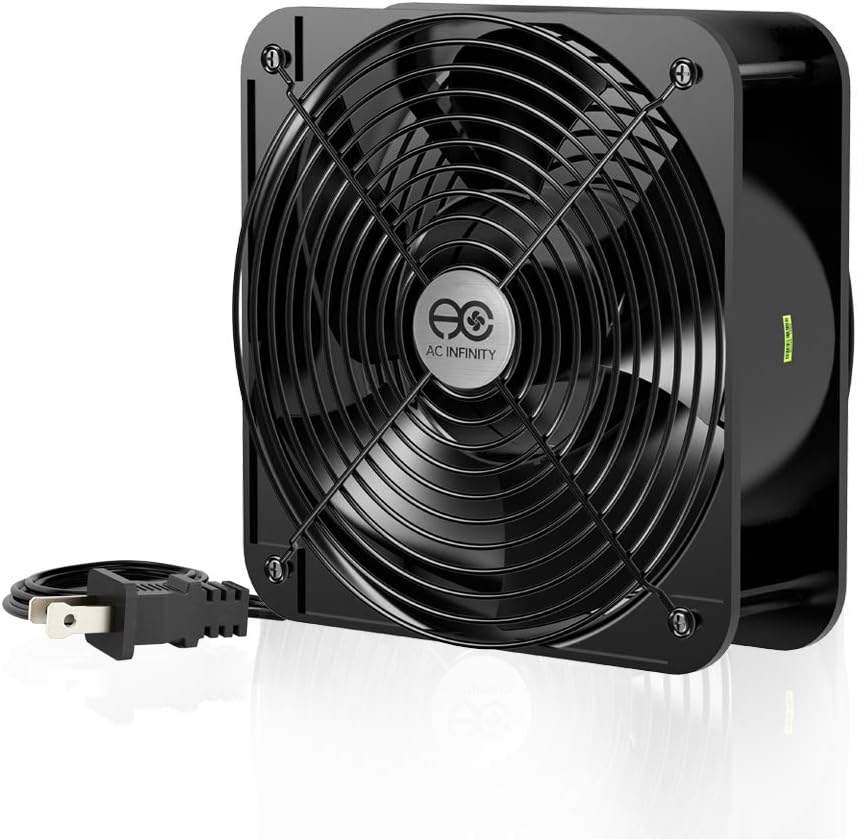
The AC Infinity AXIAL 2060 is an industrial muffin fan designed for heavy-duty cooling projects or ventilation. It moves an impressive 425 CFM of airflow which is far higher than standard PC fans. The dual-ball bearings have a lifespan of 67000 hours and allow the fan to be laid flat or stand upright.
We may earn a commission when you buy through this link, at no additional cost to you.
It includes a heavy-duty aluminum fan with power plug cord two fan guards and mounting screw set. This fan is often used for server cabinets or industrial setups rather than standard desktop PCs. The 60mm thickness requires significant space but provides massive airflow capacity.
While it offers high performance, the noise level of 65 dBA can be too loud for some home applications. It is suitable for projects requiring maximum ventilation or replacement for specific industrial products. Users should be careful as it runs on 120V AC power directly.
This fan is best for specialized industrial or server cooling needs. It is recommended for projects where space allows and noise is secondary. Check voltage requirements before installation to ensure safety.
Designed for projects that requires cooling or ventilation or as a replacement fan for various industrial products.
Dual-ball bearings have a lifespan of 67000 hours and allows the fans to be laid flat or stand upright.
We may earn a commission when you buy through this link, at no additional cost to you.
Selecting the right case fan involves balancing airflow, noise, and compatibility with your system.
Airflow measured in CFM determines how much air the fan can move which directly affects cooling performance. Static pressure measures how well the fan pushes air through restrictive components like radiators or dust filters. For high airflow, look for fans with high CFM ratings to ensure adequate ventilation for your components.
Choose high airflow fans for case intake and exhaust. Choose high static pressure fans for restricted areas like radiators.
Noise is measured in decibels (dB) and can significantly impact your computing experience. Fans with lower noise ratings like 18.1 dB(A) provide a quieter environment for work or gaming. Consider the mounting and anti-vibration features to minimize mechanical noise during operation.
Look for low dB ratings and anti-vibration mounts to ensure a quiet PC environment.
Bearing technology affects both the lifespan and noise of the fan. Hydraulic and dual-ball bearings offer longer life and smoother operation compared to sleeve bearings. Higher MTTF values like 150000 hours indicate a fan is designed to last for years of continuous use.
Prioritize hydraulic or ball bearings for reliability and longevity in critical cooling applications.
Most modern fans use PWM headers for automatic speed control based on system temperature. Some fans support 3-pin connectors which require manual control via adaptors. Ensure your motherboard has the necessary headers to support the fan's control interface for optimal efficiency.
Select PWM fans for automatic speed control or 3-pin for simple manual setups depending on your hardware.
200mm fans have specific dimensions that may not fit all cases. Check your case manual for mounting hole spacing and depth clearance. Some fans offer multiple mounting hole sets to increase compatibility with different chassis designs.
Verify mounting hole spacing and depth clearance before purchasing to ensure proper fit.
Many fans now feature RGB or ARGB lighting to enhance the visual appeal of your build. If aesthetics matter to you, look for fans with compatible lighting controls through your motherboard software. Frosted blades or custom color pads can help blend the fan into your setup.
Choose fans with RGB sync if you want customizable lighting effects in your build.
Materials like metal or high-quality plastic frames add durability and reduce vibration. Look for manufacturers with proven track records for build quality. A longer warranty period often reflects confidence in the product's durability and reliability.
Opt for brands with strong reputations and longer warranties for peace of mind.
Clean cable management improves airflow and makes your build look professional. Some fans include daisy chain connectors to simplify wiring multiple fans. Extension cables may be needed if the standard length does not reach your desired fan header.
Look for daisy chain connectors to reduce cable clutter in your system.
First, ensure your PC case supports 200mm fans by checking the manufacturer specifications for mounting hole spacing and depth clearance. Use the included screws or anti-vibration mounts to secure the fan firmly to reduce vibration noise. Proper installation helps maintain airflow and prevents accidental detachment during operation.
Second, connect the fan headers correctly to your motherboard or power supply. For PWM fans, plug the 4-pin connector into a dedicated fan header to allow automatic speed control. For non-PWM fans, use the provided adaptors to connect to the appropriate header or power supply.
Third, clean the fan blades periodically to remove dust that can hinder airflow and increase noise. You can use a can of compressed air to blow out debris from the blades and motor without disassembly. Regular maintenance ensures optimal performance and extends the lifespan of your cooling system.
Yes, 200mm fans generally move more air at lower RPMs than 140mm fans making them quieter and more efficient for large cases. The larger diameter allows for higher CFM without increasing noise levels significantly. However they require more space so ensure your case supports the size before upgrading.
You can reduce fan noise by using rubber mounts to prevent vibration from transferring to the chassis. Lowering fan speeds through PWM settings also reduces sound without sacrificing too much cooling. Choosing fans with lower dB ratings ensures quieter operation from the start.
It depends on the type of RGB your motherboard supports. Some fans require a 3-pin ARGB controller while others connect directly to a motherboard header. Check your system specifications and the fan's connector type to determine if an external controller is necessary.
PWM stands for Pulse Width Modulation which allows automatic speed control based on temperature. It adjusts power to the fan motor to increase or decrease speed as needed. This ensures your system stays cool without running the fan at full speed constantly.
Check your case manual for supported fan sizes and mounting hole distances. 200mm fans typically need specific brackets or cutouts that may not be on standard cases. Measure the available depth and width to ensure the fan will not block components during installation.
No, 200mm fans will not fit standard 140mm mounting holes due to size differences. Some cases offer adapters that allow smaller fans to fit in larger spots but not vice versa. Always verify that your chassis explicitly supports the 200mm size before buying.
Most quality fans include standard screws and anti-vibration mounts for installation. However it is always wise to check the product description for included accessories. Some specialized industrial fans may not come with PC mounting hardware.
Clicking can indicate that an object is hitting the blades or the bearing is worn. Remove the fan and check for obstructions inside the case. If the noise persists after clearing debris the bearing may need replacement or the fan might be failing.
The top picks in this guide offer a range of options from high-performance silence to vibrant RGB features for any build. The Noctua models dominate for reliability and acoustic performance while brands like Thermaltake provide great budget-friendly solutions for standard cooling.
Prioritize airflow and noise levels based on your specific case environment. If you need extreme silence, look for low dB ratings and PWM control. If you need maximum airflow, consider higher CFM ratings and industrial models for specialized cooling needs.
Remember to check current availability and pricing as these can change frequently in the market. Verify compatibility with your chassis dimensions before finalizing your order. We hope this guide helps you create a cool and efficient system tailored to your needs.