
RK ROYAL KLUDGE R75
4.4Editor score
Gasket mount design
Creamy linear switches
CNC metal volume knob
Explore our expert guide comparing the top 75 percent mechanical keyboards for 2026. We evaluate build quality, switches, and features to help you find your
Finding the perfect typing experience often leads enthusiasts to compact layouts that balance functionality with desk space efficiency. The 75 percent mechanical keyboard category offers this sweet spot, retaining essential keys like arrows and function rows while removing the number pad. This guide explores ten top contenders designed to meet diverse needs from gaming to professional work.
Our selection process involves rigorous analysis of build materials, switch types, connectivity options, and user feedback. We prioritize models that deliver consistent performance, durability, and customization potential without compromising on core functionality. Each product listed has been chosen for its ability to provide a superior typing experience in a compact form factor.
Every entry in this list highlights unique strengths, from wireless versatility to advanced gasket mounting systems. While specific pricing may fluctuate, the value proposition remains clear across these selections. Use this guide to understand what makes each model stand out before making your final decision for your setup.
4.4Editor score

4.6Editor score
4.6Editor score
This section provides a side-by-side comparison of all ten selected models to help you quickly identify the best fit for your specific requirements. We compare key specifications and features across the board.
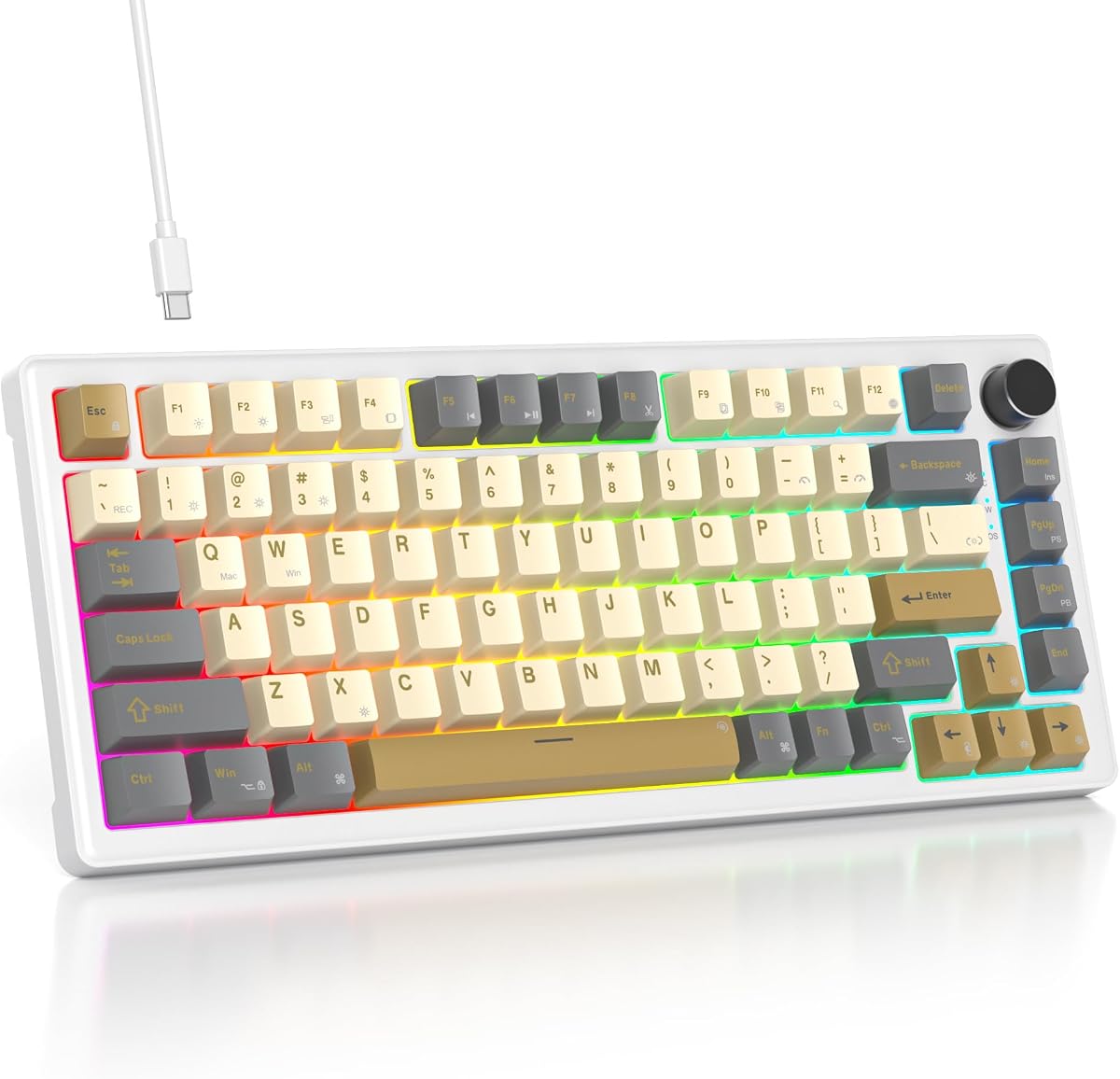


The AULA F75 Pro stands out as a top-tier wireless option for those seeking versatility and high performance. With a strong user rating, it delivers a polished typing experience right out of the box. Its tri-mode connectivity ensures seamless transitions between devices, making it ideal for multitaskers.
We may earn a commission when you buy through this link, at no additional cost to you.
Key strengths include its hot-swappable design, which allows easy customization of switches without soldering. The pre-lubed Reaper switches provide a creamy sound that enthusiasts appreciate. Additionally, the side-printed PBT keycaps offer durability and a unique aesthetic that stands out in any setup.
While the driver is Windows-only, the on-device customization through shortcuts reduces reliance on software. The added weight provides stability but may not suit portable users. Overall, the trade-offs are minimal given the robust feature set and premium build materials.
This model is highly recommended for gamers and professionals who need reliable wireless performance with customizability. It balances cost and features exceptionally well. Choosing the F75 Pro means investing in a keyboard that will serve you reliably for years.
The ability to switch between Bluetooth, 2.4GHz, and wired modes ensures you always have a stable connection option available.
Hot-swap support lets you experiment with different switch types to find your perfect typing feel without replacing the entire board.
We may earn a commission when you buy through this link, at no additional cost to you.
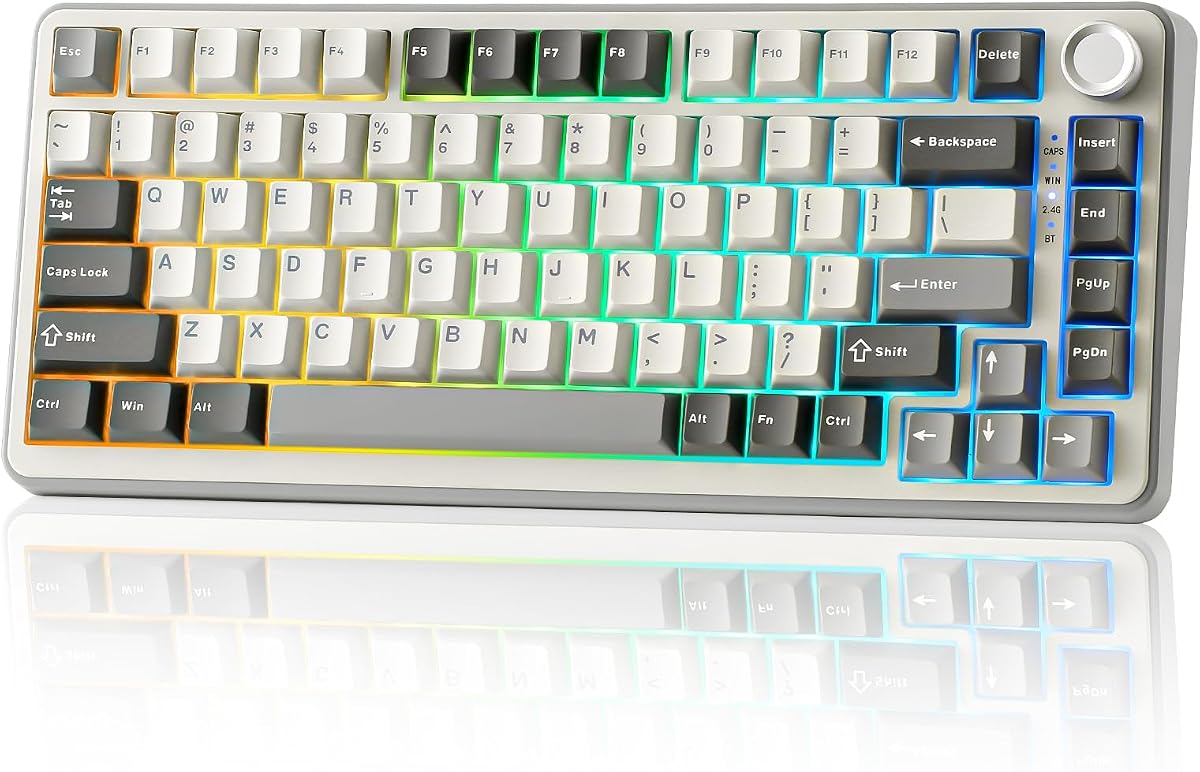
The RK ROYAL KLUDGE R75 offers a premium feel at an accessible price point, making it a favorite among budget-conscious enthusiasts. It features a gasket mount that significantly enhances typing comfort compared to rigid alternatives. The cream switches deliver a satisfyingly smooth stroke.
We may earn a commission when you buy through this link, at no additional cost to you.
Its metal volume knob adds a touch of luxury, allowing quick adjustments without reaching for on-screen controls. The PBT keycaps ensure longevity and resistance to shine. RGB backlighting is vibrant and supports numerous effects for visual personalization.
Battery life is adequate but falls short of competitors, requiring more frequent charging for heavy users. The software can be slightly complex for beginners but offers extensive control once mastered. These minor issues do not detract from its overall value proposition.
For those seeking a feature-rich keyboard without overspending, the R75 is an excellent choice. It proves that affordability does not require sacrificing quality. You get a solid, durable typing machine that performs well for both work and play.
The gasket design reduces harsh vibrations, leading to a softer and more comfortable typing experience over long sessions.
Switches are pre-lubed for smoothness, and hot-swap capability allows further tweaking as your preferences evolve.
We may earn a commission when you buy through this link, at no additional cost to you.
The YUNZII B75 PRO represents a premium offering with exceptional attention to detail in sound and feel. Its gasket mount and 5-layer padding create a distinctly muted and pleasant acoustic profile. The Cocoa Cream V2 switches are tuned for a specific creamy feel.
We may earn a commission when you buy through this link, at no additional cost to you.
South-facing LEDs enhance RGB visibility even with custom keycaps, ensuring consistent backlighting. The software allows deep customization of macros and lighting, appealing to power users who want total control. Build quality feels robust and reliable for daily use.
The higher price point places it out of reach for casual users, but enthusiasts will find the investment worthwhile. Switch variety might be limited compared to open hot-swap boards, but the included options are top-tier. These factors are minor given the quality delivered.
Ideal for professionals or gamers seeking the best possible typing experience, this board excels. It balances aesthetic appeal with functional excellence perfectly. If budget is not a constraint, this is a standout model worth considering highly.
Multiple layers of padding and precision tuning result in a sound that is clean, deep, and satisfying to the ear.
South-facing LEDs ensure light is not blocked by keycaps, allowing for clear and vibrant RGB effects regardless of design.
We may earn a commission when you buy through this link, at no additional cost to you.
This wired retro model focuses on stability and acoustic performance without wireless distractions. The gasket mount provides a comfortable typing feel that reduces finger fatigue. White Jade switches are known for being smooth and quiet, ideal for shared spaces.
We may earn a commission when you buy through this link, at no additional cost to you.
RGB lighting supports music rhythm effects that synchronize with media playback, adding a dynamic element to your setup. Full macro programmability allows complex task automation, enhancing productivity for developers or office workers. The design is clean and minimalist.
Lack of wireless connectivity limits mobility but ensures zero latency. Cable management is required to keep the desk tidy, which might annoy some. However, for stationary setups, the reliability and sound quality are undeniable advantages.
Recommended for users prioritizing acoustic comfort and stability over wireless freedom, this keyboard delivers. It offers a premium feel at a mid-range cost. The focus on sound isolation makes it perfect for quiet environments.
Pre-lubed switches and gasket mounting work together to eliminate rattles and hollow sounds common in cheaper boards.
Programmable macros help automate repetitive keystrokes, streamlining workflows for power users and gamers.
We may earn a commission when you buy through this link, at no additional cost to you.
The MageGee MK-STAR is designed for gamers looking for an affordable entry into mechanical keyboards. Its compact layout frees up space for mouse movement while retaining essential keys. Red switches offer a smooth, non-tactile feel preferred by fast-paced gamers.
We may earn a commission when you buy through this link, at no additional cost to you.
Blue LED backlighting provides sufficient visibility in low light with multiple modes to choose from. The metal panel adds durability and a solid weight that prevents shifting during intense play. No drivers are required, ensuring plug-and-play simplicity.
ABS keycaps may shine over time and lack the premium feel of PBT. Lighting options are basic compared to RGB standards. However, for the price point, these compromises are reasonable and expected for entry-level devices.
Ideal for students or casual gamers needing a reliable first mechanical keyboard. It delivers performance without unnecessary features. Simplicity and affordability make it a strong contender for basic gaming setups.
Anti-ghosting ensures every key press registers correctly, crucial for competitive gaming scenarios.
The TKL layout saves desk space, allowing for better mouse clearance and ergonomics.
We may earn a commission when you buy through this link, at no additional cost to you.
This model brings gasket mounting to a budget-friendly price point, offering a premium feel to more users. Sound absorbing pads ensure the typing experience is soft and quiet. PBT keycaps resist wear and oil, maintaining texture over time.
We may earn a commission when you buy through this link, at no additional cost to you.
Hot-swap sockets provide flexibility for switch customization without soldering. Full-key anti-ghosting ensures accurate inputs during complex gaming combos. RGB lighting is vibrant and supports customizable effects through software.
The design is functional rather than stylish, which may appeal to utilitarian users. Wired connectivity limits portability but offers consistent power. For value seekers, the inclusion of gasket tech is a significant advantage.
Suitable for those wanting comfort without high costs. It balances price and performance well. If you prioritize typing feel over aesthetics, this is a practical choice.
Gasket mounting typically costs more, but here it provides excellent isolation and bounce at an accessible price.
PBT keycaps resist shine and degradation better than ABS, ensuring the keyboard looks new longer.
We may earn a commission when you buy through this link, at no additional cost to you.
The AULA S75 PRO integrates a small LCD screen for real-time status updates, a standout feature in this category. It displays battery life, system mode, and custom GIFs for personalization. Tri-mode connectivity supports seamless device switching.
We may earn a commission when you buy through this link, at no additional cost to you.
Pre-lubed switches provide a smooth, creamy feel ideal for long typing sessions. RGB lighting is dynamic and supports music sync for immersive environments. The knob offers quick access to volume and mode changes.
Setting up the screen requires Windows software and wired mode, which may inconvenience Mac users. The complexity of features might overwhelm simple users. However, the innovation adds significant value for tech enthusiasts.
Perfect for users who want a modern, interactive keyboard experience. It blends functionality with novelty effectively. If you appreciate tech-forward designs, this model stands out distinctly.
The screen shows vital info like battery and connection status instantly, reducing reliance on system menus.
Custom GIFs and animations on the screen allow users to express unique style and interests.
We may earn a commission when you buy through this link, at no additional cost to you.
The Keychron K2 is renowned for its Mac compatibility, including dedicated keys and layout adjustments. It offers reliable Bluetooth connectivity with the ability to switch between three devices easily. Super Red switches provide smooth linear travel.
We may earn a commission when you buy through this link, at no additional cost to you.
Battery life is impressive, lasting days on a single charge even with backlighting. White LED backlight is elegant and functional without distractions. The build quality uses aluminum which adds premium durability.
RGB lighting is not available, limiting visual customization for some. The weight might make it less ideal for travel. However, for stationary Mac users, the stability is highly appreciated.
Ideal for Apple ecosystem users needing a reliable mechanical keyboard. It balances function and aesthetics well. If Mac compatibility is critical, this is a trusted and proven option.
Keys like command and option are positioned correctly for macOS users, improving workflow efficiency.
Bluetooth 5.1 ensures low latency and strong connection, reducing dropouts during typing.
We may earn a commission when you buy through this link, at no additional cost to you.
The Newmen GM326 offers a straightforward experience focused on essential features at a low cost. Its compact design makes it highly portable for travel or small desks. Rainbow LED backlighting provides colorful visual feedback.
We may earn a commission when you buy through this link, at no additional cost to you.
A multi-function knob allows quick volume adjustment. Adjustable tilt legs offer ergonomic flexibility. Full anti-ghosting ensures accurate inputs for gaming tasks.
ABS keycaps and plastic build feel less durable than premium alternatives. Lighting options are basic and lack software customization. However, for users prioritizing simplicity and portability, it serves well.
Best for casual users needing a basic mechanical keyboard. It is affordable and functional. If you want a simple solution without complexity, this fits.
Small footprint and lightweight design make it easy to transport for on-the-go work.
Adjustable tilt legs let you set the angle that suits your hands best.
We may earn a commission when you buy through this link, at no additional cost to you.
The Womier SK80 features a vibrant color display for visual customization and system info. Gasket mounting delivers a soft and responsive feel for comfortable typing. Cherry profile keycaps add aesthetic style.
We may earn a commission when you buy through this link, at no additional cost to you.
RGB lighting is customizable and supports music syncing for dynamic effects. The hot-swap PCB allows easy switch upgrades. Software lets you personalize macros and GIFs easily.
The screen angle is fixed, which may affect visibility for some users. Driver reliance on Windows limits functionality on Mac. Still, the visual features make it a unique and appealing option.
Ideal for users wanting visual flair and customization. It stands out in crowded markets. If you value visual feedback, this model is worth exploring.
The screen provides real-time updates on volume and caps lock status at a glance.
Ability to load GIFs and custom themes makes the keyboard feel truly unique to each user.
We may earn a commission when you buy through this link, at no additional cost to you.
Choosing the right keyboard involves understanding how different features impact your daily workflow. Here are critical factors to consider before purchasing.
Decide between wireless or wired based on your setup needs. Wireless offers freedom but requires charging; wired offers zero latency. Tri-mode options give the best of both worlds for multitasking.
Select linear switches for smoothness or tactile for feedback. Red switches suit gaming while brown or tactile suit typing. Pre-lubed options provide better sound and feel right away.
Aluminum and steel panels offer durability and stability. Plastic is lighter but may flex. PBT keycaps resist wear better than ABS and last longer under heavy use.
Gasket mounts absorb shock and improve sound. Plate mounts are stiffer and responsive. Gasket options are generally more comfortable for long typing sessions.
Hot-swap PCBs allow switch changes without soldering. RGB lighting enhances aesthetics. Software support enables macros and remapping for productivity.
For wireless models, check battery capacity. 4000mAh or higher ensures longevity. Brightness settings impact runtime significantly for wireless usage.
Good software allows easy customization of macros and RGB. Ensure it supports your OS. Windows-only drivers may limit cross-platform utility.
Adjustable feet and compact layout improve posture. The 75 percent size balances key retention with space-saving benefits effectively for small desks.
Clean your keyboard regularly with compressed air to remove debris from under keycaps. Use a soft cloth for the surface to prevent scratches. This maintains hygiene and performance over time.
For wireless models, charge the device before first use to preserve battery health. Turn off lighting when not needed to extend battery life significantly. Store cables properly to avoid damage during storage.
Customize RGB and macros through software to optimize your workflow. Learn key shortcuts for volume and brightness adjustments. This reduces reliance on on-screen menus and improves efficiency.
Yes, they provide essential arrow and function keys while saving space for mouse movement. Their compact layout allows for better ergonomics and accessibility during intense gaming sessions.
Wireless offers freedom of movement but needs charging. Wired offers zero latency and constant power. Tri-mode boards let you choose based on your immediate needs flexibly.
Use compressed air to blow out dust from key switches. Wipe the surface with a slightly damp cloth. Remove keycaps if necessary for deep cleaning of the board.
Yes, they allow easy switch changes without soldering. This enables customization of feel and sound as preferences evolve. It extends the lifespan of the keyboard significantly.
Focus on build quality, reliable connectivity, and durable keycaps. Avoid cheap plastic feel. Features like anti-ghosting and decent battery life are vital even at low price points.
Most support Mac via USB or Bluetooth but may need software adjustments. Keychron models have native Mac layouts. Always check for OS compatibility before buying.
We highlighted top picks that excel in value and performance across various use cases. The AULA F75 Pro leads for wireless versatility while the RK R75 offers unmatched budget quality. Each option provides a strong typing experience.
Prioritize features like connectivity and switch feel to match your habits. Wireless is ideal for flexible setups while wired suits gaming. Choose based on your daily workflow needs primarily.
Prices fluctuate frequently so check current availability before purchasing. This guide remains valid for 2026 standards. Use these insights to make an informed decision for your next keyboard.