
Alienware 34 Curved Gaming Monitor – AW3425DWM
4.6Editor score
180Hz refresh rate
WQHD resolution
AMD FreeSync Premium
Finding the right curved gaming monitor can transform your setup significantly. Alienware offers a range of ultrawide displays designed to immerse players in their favorite titles with high refresh rates and vibrant colors.
We evaluated ten top models based on panel technology, response times, and ergonomic features. Each entry provides detailed insights into how the display handles fast-paced action and creative workloads alike.
Every pick highlights specific strengths and potential drawbacks for different user needs. Note that availability and specific configurations may shift over time so check current listings before purchasing.
4.6Editor score

4.3Editor score

4.5Editor score
As an Amazon Associate we earn from qualifying purchases.
The following table provides a side-by-side view of the most popular curved gaming monitors from Alienware. Each row details key specifications to help you differentiate between similar models quickly.





This monitor offers an excellent entry point into ultrawide gaming with solid specs. It features WQHD resolution and a 180Hz refresh rate for smooth visuals. The 1500R curve wraps the screen around your field of vision effectively.
We may earn a commission when you buy through this link, at no additional cost to you.
Gamers will appreciate the 1ms response time and AMD FreeSync Premium support. These features ensure minimal stuttering and tearing during intense sessions. The DCI-P3 95% color coverage delivers rich visuals suitable for most modern titles.
While it lacks OLED technology, the display remains sharp and responsive. The low blue light solution helps reduce eye strain during long playtimes. It is a reliable choice for those seeking performance without the highest price tier.
Ideal for budget-conscious gamers wanting a premium feel. The console mode and ergonomic design add practical value. Consider this model if you prioritize fluid motion and color accuracy over infinite contrast.
The WQHD resolution ensures sharp textures and clear details across the wide panel.
Hardware-based low blue light helps maintain comfort during marathon gaming nights.
We may earn a commission when you buy through this link, at no additional cost to you.
This model represents the pinnacle of current gaming monitor technology. The QD-OLED panel offers unmatched contrast and color vibrancy. With a 240Hz refresh rate, it supports the fastest competitive gaming scenarios.
We may earn a commission when you buy through this link, at no additional cost to you.
The 0.03ms response time eliminates motion blur almost entirely. AMD FreeSync Premium Pro ensures smooth synchronization with supported graphics cards. The DisplayHDR TrueBlack 400 certification guarantees deep blacks and bright highlights.
While premium features come at a higher cost, the visual experience justifies it. The 1800R curve enhances immersion without feeling too aggressive. Users report exceptional clarity in both dark and bright scenes.
Best suited for enthusiasts who want the absolute best performance. The monitor excels in both gaming and creative work due to color accuracy. If you seek ultimate speed and image quality, this is the top choice.
The 240Hz refresh rate provides silky smooth motion in fast-paced games.
Delta E<2 color accuracy ensures colors match creator intent precisely.
We may earn a commission when you buy through this link, at no additional cost to you.
This monitor brought QD-OLED technology to the mainstream gaming market. It combines a 175Hz refresh rate with incredible color performance. The 1800R curve provides an immersive viewing experience across the wide screen.
We may earn a commission when you buy through this link, at no additional cost to you.
NVIDIA G-SYNC ULTIMATE certification ensures tear-free gaming with compatible GPUs. The 0.1ms response time delivers crisp visuals without ghosting. Creator mode allows precise adjustments for color-critical work tasks.
The Legend 2.0 design includes customizable stadium loop OLED lighting. This adds a distinct aesthetic to any desk setup. Ventilation helps manage heat during extended high-performance usage.
An excellent choice for gamers and creators alike. The visual quality is unmatched in its class for many users. Consider this if you want a balance of performance and visual fidelity.
The curve and lighting design draw attention fully into the gameplay.
Switch between gaming and creative modes easily with one-click presets.
We may earn a commission when you buy through this link, at no additional cost to you.
This model established a strong reputation for quality curved displays. It uses IPS Nano color technology for vibrant and accurate images. The 120Hz refresh rate provides smooth visuals for most gaming genres.
We may earn a commission when you buy through this link, at no additional cost to you.
NVIDIA G-SYNC support minimizes tearing and stuttering. The anti-glare coating helps in bright rooms by reducing reflections. The 1900R curve is gentle yet effective for ultrawide immersion.
Customizable RGB lighting adds a personal touch to the design. The stand offers tilt and height adjustments for ergonomic viewing. It remains a reliable option for those preferring IPS stability over OLED.
Good for users who value color accuracy and consistency. The build quality is robust and durable. While older, it still holds up well for casual and semi-competitive play.
98% DCI-P3 coverage ensures cinematic color reproduction.
Includes standard ports for seamless PC and console connections.
We may earn a commission when you buy through this link, at no additional cost to you.
This bundle simplifies setup with essential accessories included. It features the popular AW3423DW with QD-OLED technology. The included cables ensure immediate connectivity without extra purchases.
We may earn a commission when you buy through this link, at no additional cost to you.
The monitor supports 175Hz refresh rates for fluid motion. ComfortView Plus reduces blue light without sacrificing color accuracy. Factory calibration ensures accurate colors right out of the box.
Buyers save time searching for compatible DisplayPort or HDMI cables. The cleaning kit helps maintain the screen surface over time. This package is convenient for those wanting a complete solution.
Ideal for first-time ultrawide buyers. The comprehensive contents reduce setup hassle significantly. It offers a smooth transition into high-performance gaming environments.
All necessary connections are provided for immediate plug-and-play use.
ComfortView Plus technology supports long viewing hours comfortably.
We may earn a commission when you buy through this link, at no additional cost to you.
Another bundle version of the highly regarded AW3423DW. It adds a headphone extender for easy audio access. The bundle includes essential cables for a complete connection setup.
We may earn a commission when you buy through this link, at no additional cost to you.
The display delivers deep blacks and vibrant colors via QD-OLED. NVIDIA G-SYNC Ultimate ensures smooth performance with compatible systems. The stand offers tilt and swivel adjustments for better angles.
Reviewers note the added accessories increase convenience. The cleaning kit maintains display quality over time. This option targets users needing specific audio or cable solutions.
Suitable for gamers who need extra peripherals immediately. The monitor performance remains top-tier for immersive gameplay. Verify bundle contents match specific setup needs before purchase.
The headphone extender keeps audio control within easy reach.
Infinite contrast ratio makes dark scenes look incredibly realistic.
We may earn a commission when you buy through this link, at no additional cost to you.
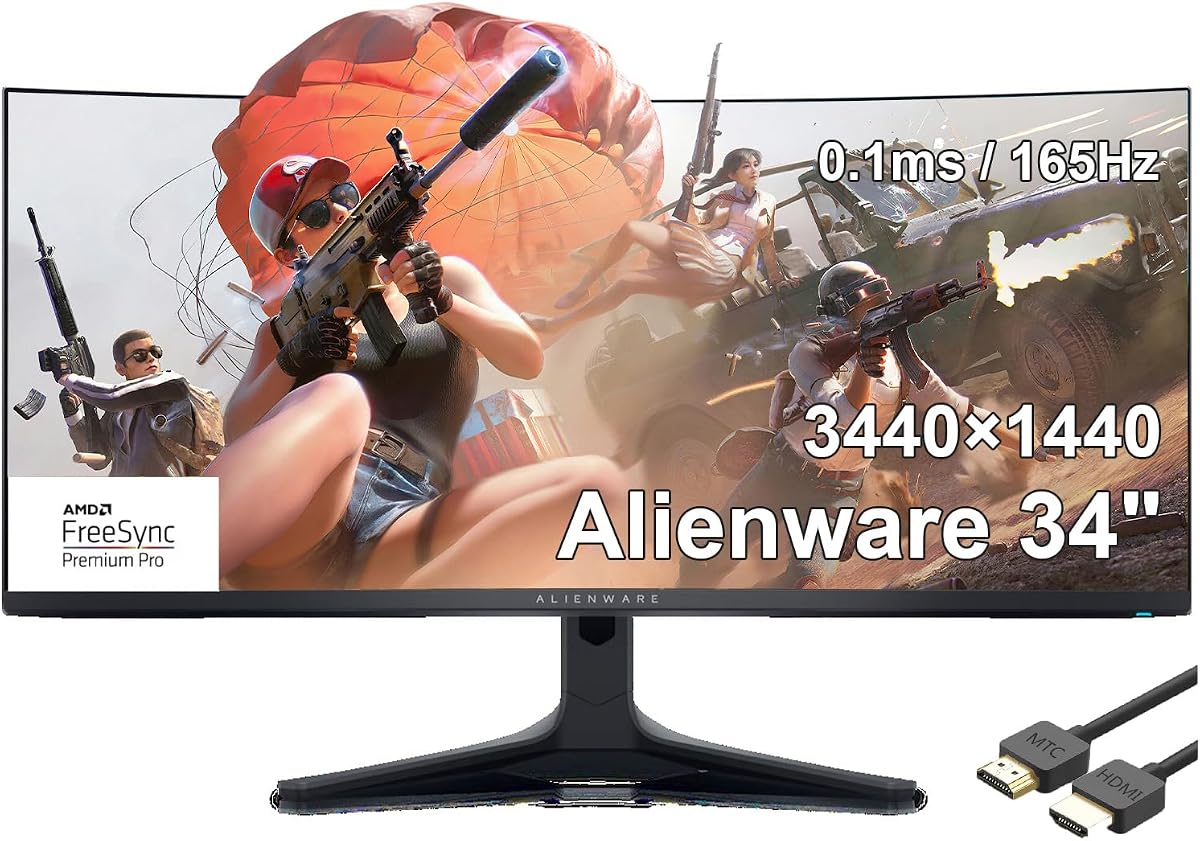
This variant focuses on AMD ecosystem compatibility. It features the same stunning QD-OLED panel for deep blacks. The 165Hz refresh rate supports smooth gameplay without tearing.
We may earn a commission when you buy through this link, at no additional cost to you.
The 0.1ms response time ensures sharp visuals in motion. It includes an MTC HDMI cable for quick connectivity. The slim profile fits well in modern minimalist desk setups.
While feedback varies, the core display performance remains strong. Color accuracy is a major highlight for this model. It is a solid choice for those prioritizing motion quality.
Ideal for users who prefer AMD technology features. The panel quality provides a rich visual experience. Consider checking latest updates before finalizing a decision.
Fast response times eliminate ghosting during rapid action.
The slim bezels maximize screen space for immersion.
We may earn a commission when you buy through this link, at no additional cost to you.
This model shifts focus to 4K resolution instead of ultrawide. It uses QD-OLED technology for incredible contrast levels. The 32-inch size fits smaller spaces while maintaining visual impact.
We may earn a commission when you buy through this link, at no additional cost to you.
The high pixel density delivers sharp text and detailed textures. It supports HDR brightness for vivid highlights in games. This display suits desktop productivity and media consumption alike.
While detailed specs are limited in the data, the panel type suggests high quality. Users seeking vertical screen real estate may find this appealing. It serves as an alternative to ultrawide formats.
Best for users prioritizing resolution over aspect ratio. The QD-OLED panel offers color performance superior to standard LCDs. Check connectivity options to ensure compatibility with your setup.
4K resolution ensures crisp text for work and games alike.
OLED technology provides natural tones for creative tasks.
We may earn a commission when you buy through this link, at no additional cost to you.
This bundle targets competitive players needing high speed. It offers a 280Hz refresh rate for minimal latency. The 27-inch form factor fits standard desks without crowding.
We may earn a commission when you buy through this link, at no additional cost to you.
AlienVision overlays help enhance visibility in dark scenes. The integrated USB hub provides convenient connectivity. Cleaning kits and cables simplify the initial setup process.
The panel supports G-Sync and FreeSync Premium Pro for smooth motion. Cooling vents help maintain performance during long sessions. It prioritizes responsiveness over immersion from curvature.
Ideal for esports players who prefer standard screens. The speed and feature set are unmatched in this category. Consider this if desk space is limited but performance is key.
Overclocked refresh rates give a reaction time advantage.
USB hubs reduce the need for external hubs or dongles.
We may earn a commission when you buy through this link, at no additional cost to you.
This option provides an expansive 40-inch wide screen experience. It features WUHD resolution for high detail levels across the wide display. The 1000R curve matches human peripheral vision closely.
We may earn a commission when you buy through this link, at no additional cost to you.
180Hz refresh rate ensures fluid visuals during action. VESA DisplayHDR 600 delivers high brightness for contrast. The 1ms response time helps prevent blur in fast-paced games.
While not branded Alienware, it offers comparable curved immersion. The size creates a cinematic feel for simulation or flight games. It demands ample desk space to fit correctly.
Best for users seeking maximum immersion and screen real estate. The curve ensures edges align naturally with the field of view. Consider this if you prefer extreme width over standard sizes.
The 1000R curve wraps visuals around your peripheral vision.
HDR 600 certification supports bright highlights for clarity.
We may earn a commission when you buy through this link, at no additional cost to you.
Selecting the right monitor involves balancing screen size, panel technology, and refresh rate. This guide breaks down the critical factors to consider for your specific needs.
The core difference between models lies in panel types like LCD versus QD-OLED. OLED offers infinite contrast and perfect blacks but requires more careful management of static images to avoid burn-in. LCDs are generally more affordable and robust for general use without such restrictions.
Consider your priorities when choosing between these technologies. If you want the highest visual fidelity and deep darks, OLED is superior. For standard office or casual use, high-quality LCDs are often sufficient.
Refresh rate determines how many times the screen updates per second. Higher rates like 180Hz or 240Hz are ideal for fast-paced shooters where smooth motion is critical. Lower rates may suffice for slower genres or productivity tasks.
Ensure your graphics card can support the desired refresh rate to maximize the monitor's potential. A high refresh rate monitor paired with a weak GPU will not deliver the expected smoothness.
Response time measures how quickly a pixel changes color. Faster times like 0.1ms or 1ms reduce motion blur and ghosting. This is particularly important for competitive gaming where clarity during rapid movement matters.
Look for models with low response times to ensure sharp images during action. OLED panels typically offer the fastest response times available on the market today.
The curve radius indicates how much the screen bends, measured in millimeters. Lower numbers like 1000R create a tighter curve, while higher numbers like 1900R are flatter. A tighter curve enhances immersion but may distort text in productivity work.
Choose a curve that matches your viewing distance and usage. For gaming, a tighter curve feels more immersive. For mixed use, a moderate curve balances comfort and utility better.
Resolution affects how sharp and detailed the image appears. Ultrawide monitors often use WQHD resolution for a balance of sharpness and performance. Higher resolutions like 4K require more powerful hardware to drive effectively.
Match the resolution to your GPU capabilities. Higher resolutions offer sharper text and visuals but demand more processing power to maintain high frame rates.
Sync technologies like FreeSync or G-SYNC prevent screen tearing by matching the monitor refresh rate to the GPU output. AMD FreeSync Premium Pro is common on newer Alienware models, while NVIDIA G-SYNC offers robust performance for Nvidia users.
Select a monitor that supports your specific graphics card brand for the best synchronization. This ensures seamless gameplay without visual artifacts during fast movement.
Adjustability features like height, tilt, and swivel allow you to customize the viewing angle. These features are crucial for maintaining a comfortable posture during long sessions. Look for stands that offer full adjustability to reduce neck strain.
Ergonomic stands enhance long-term comfort and usability. A fixed stand might save space but limits flexibility when changing positions or sharing the screen with others.
Ports like DisplayPort and HDMI determine how you connect devices. DisplayPort is typically needed for higher refresh rates and resolutions on PCs. HDMI is standard for consoles and media devices.
Verify the included cables match your setup needs. Bundles often include essential cables which can save time and effort during installation.
Start by connecting the monitor to your system using the appropriate ports. Ensure your graphics drivers are up to date to access full refresh rates and features like HDR. Calibrate the display settings in the OSD menu to suit your environment.
For physical care, use a soft microfiber cloth to remove dust or smudges from the screen. Avoid harsh chemicals or abrasive materials that could scratch the surface. Keep the display away from direct sunlight to prevent overheating or glare.
To maintain long-term health, enable settings like pixel shift or screen dimming if available. For OLED models, avoid static elements like taskbars that remain on for too long. Regular use helps keep panels healthy and responsive over time.
The number 1800 represents the radius in millimeters of the curve. A 1800R curve is designed to match the human eye's curvature more closely, reducing distortion and increasing immersion. It creates a natural wrap-around effect for your field of view.
Yes, most Alienware monitors work with MacBooks via HDMI or USB-C adapters. You may need a compatible dongle to achieve higher resolutions or refresh rates. Always check the specific port requirements of your MacBook model before purchasing.
VESA DisplayHDR 400 provides basic HDR support with decent peak brightness. While it offers better contrast than standard SDR, it is not as impactful as higher tiers like HDR 600 or TrueBlack. It is a solid entry point for HDR experiences.
Yes, many Alienware monitors feature high color coverage like 99% DCI-P3 and factory calibration. These attributes make them suitable for photo and video editing. Creator mode settings further assist in precise color matching and gamma adjustments.
QD-OLED combines quantum dot technology with OLED for brighter and more colorful images. It generally offers higher brightness levels and better color volume than traditional OLED panels. This results in more vibrant visuals while maintaining deep blacks.
FreeSync Premium Pro offers enhanced features like HDR support and lower latency compared to regular FreeSync. It ensures smoother performance across a wider range of refresh rates. It is ideal for modern games that require high dynamic range visuals.
Most models support VESA mounting standards allowing you to use third-party monitor arms or wall mounts. This flexibility helps in freeing up desk space or achieving custom ergonomic angles. Always verify the specific VESA pattern before buying a mount.
Curved monitors provide a more immersive field of view by reducing the distance to the edges. They minimize eye strain and peripheral distortion for wide screens. For gaming and media consumption, the curve enhances the sense of being inside the content.
The Alienware curved gaming monitor lineup offers diverse options for different needs and budgets. From budget-friendly LCDs to premium QD-OLED displays, each model brings unique strengths to the table. Selecting the right one depends on your balance of performance and price.
Prioritize factors like refresh rate and panel type based on your primary usage. Gamers seeking competitive speed should look for higher refresh rates and low response times. Creators should focus on color accuracy and calibration features.
Always check current specifications and availability before making a final decision. The technology landscape evolves quickly so keeping an eye on updates ensures you get the best value. Invest in a display that aligns with your long-term goals and setup requirements.