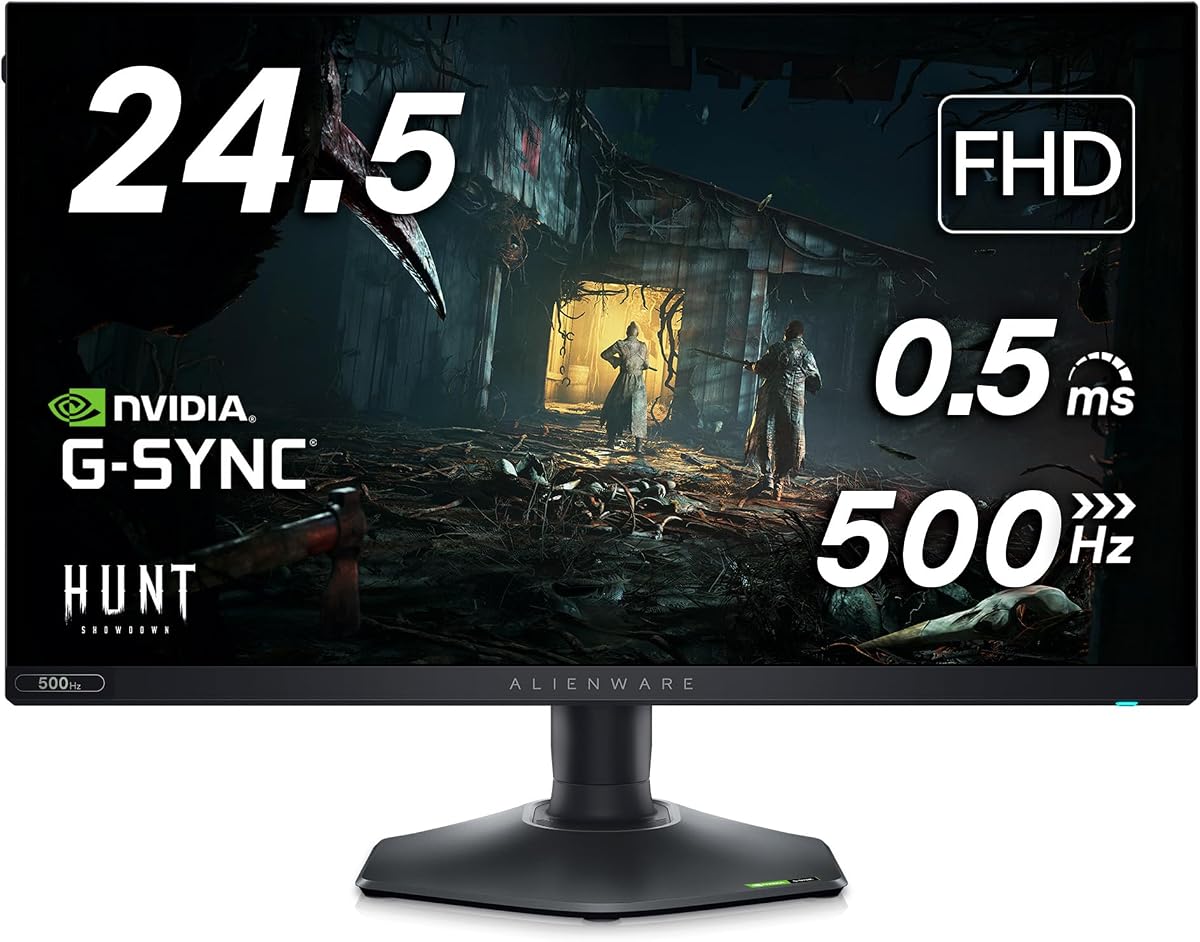
Alienware AW2524H
4.4Editor score
480Hz refresh rate
0.5ms response time
Fast IPS panel tech
Finding the right Alienware gaming monitor can transform your setup into a competitive edge. These displays offer high refresh rates, vibrant colors, and sleek designs tailored for serious gamers who demand precision and speed during intense sessions.
We analyzed ten top models based on panel technology, refresh rates, connectivity options, and overall performance. Each product was evaluated for clarity, response time, and ergonomic features to ensure a comprehensive comparison for buyers seeking reliable hardware.
Each pick highlights key strengths like OLED clarity or IPS speed alongside potential trade-offs. Prices fluctuate frequently so check current listings before purchasing. This guide helps you narrow down options based on your specific gaming needs and budget constraints.
4.4Editor score

4.6Editor score

4.5Editor score
As an Amazon Associate we earn from qualifying purchases.
The following table presents a side-by-side comparison of all ten selected models. Review key specifications such as resolution, refresh rate, and panel technology to quickly identify which monitor aligns best with your performance requirements and desk space.


The Alienware AW2725DM stands out as a top contender for gamers seeking balanced performance. With a 4.6 rating, it delivers fluid visuals through its 180Hz refresh rate and WQHD resolution. The Fast IPS panel ensures vibrant colors while maintaining fast response times for competitive play.
We may earn a commission when you buy through this link, at no additional cost to you.
Its standout feature is the consistent color coverage with 95% DCI-P3. This means games look vivid and true to life without requiring extensive calibration. The VESA DisplayHDR 400 certification adds depth to dark scenes, enhancing immersion during single-player adventures or cinematic campaigns.
One trade-off is the HDR brightness which peaks at 400 nits. While sufficient for SDR content, it may not pop as much in bright rooms. However, the dedicated console mode optimizes settings for next-gen consoles, making it versatile for mixed-use setups.
This monitor is ideal for gamers who value visual fidelity and reliability. The ergonomic stand allows easy adjustments for comfort during long sessions. If you seek a versatile display that handles both competitive and narrative games well, this model is a strong recommendation.
The Fast IPS panel covers 95% of the DCI-P3 color space. This ensures games display rich hues and gradients without washing out or shifting during fast motion.
Hardware-based low blue light reduces eye strain during marathon sessions. The stand supports height tilt swivel and pivot adjustments for optimal viewing angles.
We may earn a commission when you buy through this link, at no additional cost to you.
The Alienware AW3425DW redefines immersion with its QD-OLED panel. A 4.5 rating reflects its ability to deliver seamless speed and super smooth motion. The 34-inch WQHD screen wraps around your vision with an 1800R curve for a cinematic feel.
We may earn a commission when you buy through this link, at no additional cost to you.
Key strengths include infinite contrast and 1000 nits peak brightness. Dark scenes look deep without grayish blacks common in IPS panels. The 99.3% DCI-P3 coverage ensures every shade is accurate from deep ocean blues to neon city lights in open worlds.
A trade-off is the premium price tag. While performance is top-tier, budget buyers might find it steep. Also, the curve can distort straight lines in productivity tasks but excels in gaming where peripheral vision matters most.
Ideal for immersive simulators and action RPGs this monitor makes you feel inside the game. The AMD FreeSync Premium Pro support ensures smooth gameplay without tearing. If you want the best visual experience and can invest, this OLED is unmatched.
Quantum Dot technology enhances color purity and brightness. This results in vibrant visuals that remain consistent even at extreme viewing angles without color shifting.
Supports NVIDIA G-SYNC Compatible and AMD FreeSync Premium Pro. This eliminates screen tearing and stuttering for effortless smooth motion in any game engine.
We may earn a commission when you buy through this link, at no additional cost to you.
The Alienware AW2524H is built for competitive gamers who prioritize speed over resolution. Its 480Hz refresh rate and 0.5ms response time make fast-paced shooters look fluid. The 4.4 rating indicates reliable performance for high-reaction scenarios.
We may earn a commission when you buy through this link, at no additional cost to you.
Strengths include NVIDIA Reflex Latency Analyzer which helps optimize systems for lowest latency. This tool allows players to see the impact of changes instantly. The Fast IPS panel also maintains sRGB 99% coverage for consistent colors across wide angles.
Trade-offs involve the FHD resolution on a 24.5-inch screen. It lacks the sharpness of QHD models which may matter for detailed strategy games. However, for esports titles where clarity of movement is key, this density is sufficient for most.
Best for professional esports setups this monitor gives you the edge. The adjustable stand ensures comfort during long tournaments. If raw speed is your priority and you don't need high resolution this is the top choice for reaction-heavy gaming.
The 480Hz native refresh rate delivers a new category of fluidity. Even the fastest graphics look crisp with minimal ghosting or blurring during rapid movement.
NVIDIA Reflex Latency Analyzer measures input-to-screen delay. This allows gamers to tweak settings for the lowest possible latency to play at peak potential.
We may earn a commission when you buy through this link, at no additional cost to you.
The Alienware AW2523HF offers a solid balance of speed and ergonomics. With a 360Hz refresh rate and 0.5ms response time, it handles fast-moving graphics with incredible clarity. This makes it a strong choice for reaction-based shooters.
We may earn a commission when you buy through this link, at no additional cost to you.
Its hexagonal base provides an optimized footprint for mouse movement. The integrated retractable headset hanger keeps your desk tidy when not in use. AMD FreeSync Premium ensures stutter-free gaming even during action-packed sequences.
Trade-offs include limited resolution and lack of HDR support. You may not see fine details as well as QHD monitors. However, for competitive players who value frame rate over resolution, this remains a compelling budget-friendly option.
Ideal for pro gamers seeking efficiency. The ergonomic adjustments allow comfortable viewing from various angles. If you need a reliable screen for esports without breaking the bank this model delivers excellent performance at a reasonable price point.
Fast IPS panel delivers 99% sRGB coverage. Colors remain consistent across wide viewing angles ensuring lifelike visuals without distortion or color shift.
Legend 2.0 design features a hexagonal base. This minimizes desk space usage while freeing up easy movement for mouse and keyboard during intense sessions.
We may earn a commission when you buy through this link, at no additional cost to you.
The Alienware AW3423DW brings infinite contrast to a curved screen. Its QD-OLED panel delivers superior color performance with 1.07 billion colors. A 4.3 rating reflects its balance of speed and visuals for immersive single-player experiences.
We may earn a commission when you buy through this link, at no additional cost to you.
Creator Mode allows precise color-critical work with native DCI-P3 and sRGB spaces. The customizable stadium loop lighting lets you personalize your battlestation. 360-degree ventilation ensures optimal heat dissipation during marathon gaming.
Trade-offs include a peak brightness lower than some mini-LEDs. This may limit HDR impact in bright rooms. However, for dark scenes the contrast is unparalleled. The curved design also reduces eye strain during long viewing sessions.
Ideal for creative pros and gamers alike. Whether you are editing videos or exploring open worlds this monitor handles both tasks beautifully. If you want high-quality visuals and a unique design this model stands out in its class.
Quantum Dot technology enables a slim panel design. This delivers superior color performance with higher peak luminance versus standard WOLED alternatives.
Creator Mode offers precise color-critical work capabilities. You can choose between DCI-P3 and sRGB spaces to match industry standards for content creation.
We may earn a commission when you buy through this link, at no additional cost to you.
The Dell 27 Alienware Monitor AW2726DM combines OLED tech with fast refresh. It features a Quantum Dot OLED panel for vibrant visuals and 240Hz speed. This makes it a strong choice for gamers who want clarity and smoothness.
We may earn a commission when you buy through this link, at no additional cost to you.
Key strengths include high peak brightness for better HDR performance. The 2560×1440 resolution ensures sharp details without sacrificing frame rates. Its sleek design integrates well into modern setups while maintaining professional aesthetics.
Trade-offs involve the inherent OLED burn-in risk. Static HUDs may cause long-term issues if left on too long. However, modern features like pixel shifting mitigate this. For most users the benefits outweigh the potential risks with care.
Ideal for high-end competitive setups. If you need both color depth and speed this monitor delivers on both fronts. Its balance of performance and style makes it a top-tier option for serious players seeking premium visuals.
Quantum Dot OLED tech provides a superior color performance. It offers a higher peak luminance and greater color gamut range than standard WOLED panels.
High pixel density ensures crisp text and sharp graphics. The QHD resolution provides enough detail for gaming while keeping frame rates high.
We may earn a commission when you buy through this link, at no additional cost to you.
The Alienware AW2725Q offers 4K resolution with QD-OLED tech. It features 166 PPI for remarkable clarity unmatched by other monitors. This is ideal for gamers who prioritize detailed textures and sharp visuals in their gaming.
We may earn a commission when you buy through this link, at no additional cost to you.
Strengths include 240Hz refresh rate and Dolby Vision support. These ensure smooth motion and accurate high dynamic range playback. The renewed option provides access to high-end tech at a lower price point for budget-conscious buyers.
Trade-offs include high demand on system resources. A powerful GPU is required to drive 4K at high frame rates. For casual users this might be overkill. However, for enthusiasts the visual fidelity is worth the investment.
Ideal for visual purists and simulators. If you want the highest pixel density and color purity this is the top choice. The combination of speed and resolution makes it a powerhouse for next-gen gaming experiences.
Super-dense 166 PPI ensures crisp details and fine textures. This provides the highest pixel density of any Alienware monitor for ultimate clarity.
Dolby Vision support delivers stunning visual depth. HDR content looks vibrant with deep blacks and bright highlights for a cinematic experience.
We may earn a commission when you buy through this link, at no additional cost to you.
The Alienware AW2523HF comes with useful peripherals for a complete setup. It includes a USB hub and LED light to enhance your gaming station. A 5.0 rating reflects user satisfaction with this bundle package.
We may earn a commission when you buy through this link, at no additional cost to you.
Strengths include the same 360Hz speed as the standard version. The added accessories make it a great value for new builds. You get height tilt swivel and pivot adjustability for ergonomic comfort.
Trade-offs remain the same regarding resolution. It may not satisfy those needing high detail for productivity. However, for gaming the speed and accessories provide a compelling offer. This is a smart choice for streamlined setups.
Ideal for gamers wanting an all-in-one package. It simplifies cable management and adds flair with LED lighting. If you are looking for speed and convenience without extra accessory costs this bundle offers exceptional value.
Includes a 7-in-1 USB Type C Hub. This allows HDMI outputs card reading and power delivery for a clean desk setup.
LED light included adds customizable RGB to your setup. This enhances ambiance and matches your battlestation vibe during late-night sessions.
We may earn a commission when you buy through this link, at no additional cost to you.
The Alienware AW2525H pushes speed with 280Hz overclocking. It features Fast IPS Nano Color for accurate visuals at a 5.0 rating. This model is built for those who need the edge in competitive fast-paced titles.
We may earn a commission when you buy through this link, at no additional cost to you.
Strengths include triple sync support across NVIDIA and AMD GPUs. This ensures tear-free gaming without worrying about compatibility. VESA HDR 600 delivers deeper contrast and brighter peaks for immersive experiences.
Trade-offs involve the need for powerful GPUs to hit 280Hz. For many titles this is unattainable but still useful for headroom. If you can reach that speed the clarity is unmatched in this size range.
Ideal for esports enthusiasts and streamers. Its ergonomic Legend 2.0 stand fits well in multi-monitor setups. If you want high refresh rates with solid color accuracy this is a top contender for serious performance.
Supports G-Sync Compatible FreeSync Premium Pro and Adaptive Sync. This ensures seamless synchronization across any PC or console platform.
Nano Color panel delivers vivid accurate colors from any angle. This ensures consistent color performance across the entire screen surface.
We may earn a commission when you buy through this link, at no additional cost to you.
The Alienware AW3420DW remains a favorite for immersive curved gaming. With 120Hz and WQHD resolution it offers a consistent viewing experience. A 4.6 rating confirms its reliability for those needing a robust setup for games.
We may earn a commission when you buy through this link, at no additional cost to you.
Strengths include IPS Nano color for accurate hues. The 21:9 aspect ratio maximizes field of view for racing and sim titles. It also supports NVIDIA G-SYNC for buttery smooth gameplay without distortion.
Trade-offs include a lower refresh rate and slower response time. Competitive shooters may prefer faster panels. However, for single-player games the immersion and color depth make up for this gap comfortably.
Ideal for simulators and casual gamers. The adjustable stand ensures comfort during extended play. If you want a reliable curved screen with accurate colors and solid G-SYNC support this is a great choice for immersion.
The 21:9 aspect ratio provides a wide consistent field of view. This enhances realism in driving and racing games with peripheral immersion.
Exceeds sRGB spectrum with 98% DCI-P3 coverage. This ensures game colors are experienced as designed with deep cinematic depth.
We may earn a commission when you buy through this link, at no additional cost to you.
Choosing the right monitor involves balancing speed resolution and visual fidelity. This guide breaks down key factors to help you select the model that fits your gaming style and setup needs.
Refresh rate determines how many frames per second your monitor displays. Higher rates like 240Hz or 360Hz ensure smoother motion crucial for fast-paced shooters. Response time measures how fast a pixel changes color. Look for under 1ms to avoid ghosting.
Prioritize high refresh rates if you play competitive games. Response times below 1ms keep visuals sharp during rapid action.
IPS panels offer wide viewing angles and good color accuracy. OLED panels provide perfect blacks and infinite contrast. Quantum Dot OLED combines these for vibrant colors without burn-in risks in newer models.
Choose OLED for immersion and IPS for color consistency. Consider your room lighting when selecting panel types.
Resolution affects image sharpness. QHD balances detail and performance well on 27-inch screens. Ultra-wide options maximize field of view for sims. Ensure your GPU can handle the resolution at high frame rates.
Select size based on desk space and viewing distance. Larger screens benefit from higher resolutions for clarity.
Adaptive sync matches monitor refresh rate to GPU output. G-SYNC and FreeSync prevent screen tearing. VESA AdaptiveSync ensures compatibility across brands. This is vital for smooth gameplay without stutter.
Look for certification relevant to your GPU. Triple sync support offers the most flexibility for mixed setups.
Adjustable stands allow height tilt swivel and pivot adjustments. A compact base leaves room for keyboard and mouse. USB hubs and headset hangers add convenience to your desk workflow.
Invest in stands with full adjustability. This prevents neck strain during long gaming sessions.
HDR adds depth to visuals with better contrast. 400 nits is entry-level while 600 or 1000 is better for HDR content. Check for VESA DisplayHDR certification to ensure quality performance.
Higher brightness helps in well-lit rooms. Prioritize HDR if you watch movies as well as game.
Ensure you have enough HDMI and DisplayPort connections. USB Type-C can deliver power and data. Check for audio jacks if you need direct headset connections without extra adapters.
Match ports to your current devices. Extra USB ports help keep hubs organized.
Prices vary significantly between models. Consider future needs. A higher refresh monitor may outlast a cheaper one. Renewed options offer premium features at lower costs.
Balance immediate needs with future-proofing. Quality materials extend the monitor's lifespan.
Set up the stand correctly to ensure stability. Use the included VESA mount if you prefer a custom arm. Ensure the cable management clips are utilized to keep your desk tidy and reduce tripping hazards.
Calibrate color settings using the OSD joystick. Adjust brightness and gamma to match your room lighting. Use the gaming presets for different titles to optimize contrast and speed without manual tweaking.
Keep the screen clean with a microfiber cloth. Avoid harsh chemicals that may damage anti-glare coatings. Use built-in power-saving modes when not in use to extend the panel lifespan over time.
OLED offers better contrast and response times but costs more. IPS provides consistent colors and avoids burn-in risks. Choose based on your priority for immersion versus longevity.
144Hz is a solid baseline for most players. Aim for 240Hz or higher if you play competitive shooters. This reduces input lag and motion blur significantly.
Most models support G-SYNC or G-SYNC Compatible. Check the product description for specific certification. This ensures smooth gameplay with NVIDIA GPUs.
Yes models with QHD or 4K work well for work. Color accuracy is usually excellent for creative tasks. Just watch out for gaming-centric OSD features.
Use built-in pixel shifting and power saving modes. Avoid static elements like taskbars. Most models include these features automatically to reduce risks.
It is Alienware's redesigned stand with a hexagonal base. This improves desk space efficiency and includes USB hubs. It allows better ergonomics and easier cable management.
This guide compared ten models ranging from fast IPS panels to high-end OLED options. Each offers unique strengths whether you prioritize speed immersion or color accuracy.
Prioritize refresh rate and panel type based on your main game genres. For competitive play speed wins while for story games contrast matters most.
Always check current prices and listings before purchasing. Availability varies and discounts may change quickly so act when you find a deal that fits.