
8Bitdo Ultimate 2C Wireless Controller
4.4Editor score
1000Hz polling rate for PC
Hall Effect joysticks and triggers
Remappable L4/R4 bumpers included
Discover the top Android Joystick Controller options for mobile gaming in 2026. This guide compares features, compatibility, and performance to help you choose
Mobile gaming has evolved dramatically, turning smartphones into powerful portable consoles that demand precise controls. A high-quality Android Joystick Controller bridges the gap between touch screens and physical inputs, offering accuracy and comfort for extended sessions.
We evaluated the leading models based on connectivity, build quality, sensor technology, and compatibility with popular titles. Our team analyzed specifications, user feedback, and real-world performance to curate a reliable list of the best options available for Android users today.
Each pick highlights unique strengths, from budget-friendly designs to premium features like Hall Effect sensors. While prices and availability may fluctuate, these selections represent the current top tier of mobile gaming accessories designed to elevate your gameplay experience significantly.
4.4Editor score

4.4Editor score

4.4Editor score
This side-by-side comparison highlights the key specifications and features of the top ten Android Joystick Controller models. Use this table to quickly identify which controller aligns best with your specific gaming needs and device compatibility requirements.
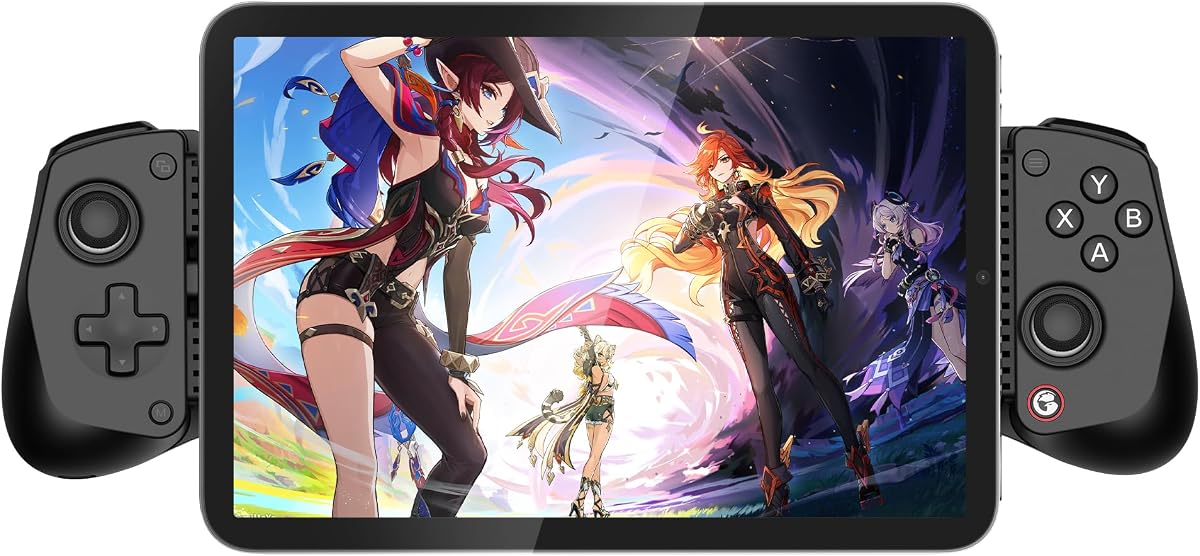


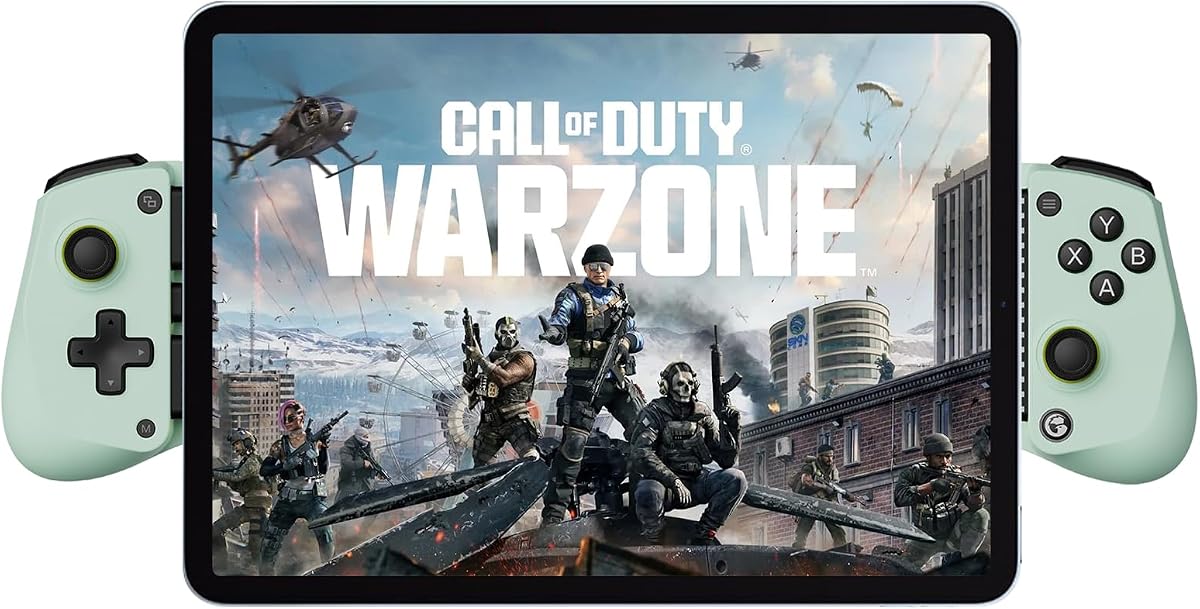

The Mocagen MC1 stands out as a top-tier Android Joystick Controller designed for serious mobile gamers. With a rating of 4.4 stars, it offers reliable performance and innovative features like zero-drift Hall Effect joysticks that ensure precise control during intense sessions.
We may earn a commission when you buy through this link, at no additional cost to you.
Its electromagnetic induction technology eliminates stick drift entirely, providing a significant advantage over traditional carbon-film sticks. The controller also supports phone cases up to 12mm thick, saving you the hassle of removing protective shells while gaming.
While the RGB light ring is vibrant, it lacks customization options for button colors. Additionally, it does not support PS Remote Play, which limits compatibility for Sony ecosystem users. However, these trade-offs are minor compared to its overall performance and comfort.
Ideal for commuters and casual players, the MC1 delivers a balanced mix of durability and immersion. Its dual vibration motors and 600mAh battery make it a practical choice for extended play without constant recharging.
The Hall Effect joystick uses magnetic induction to detect position without physical contact, preventing wear and drift over time.
A dedicated recess and flexible clamp allow users to keep their phone cases on while securely attaching the controller.
We may earn a commission when you buy through this link, at no additional cost to you.
As an officially licensed Xbox controller, the 8Bitdo Ultimate Mobile Gaming Controller offers seamless integration with cloud gaming services. Its 4.3-star rating reflects strong user satisfaction with its tactile bumpers and responsive Hall Effect joysticks.
We may earn a commission when you buy through this link, at no additional cost to you.
The controller supports Xbox Cloud Gaming natively, making it perfect for streaming games directly to Android devices. The stretchable design fits most phones, ensuring a stable connection during dynamic gameplay.
While it features Pro back buttons, the software customization on mobile is less robust than competitors. Users may find the battery life adequate but not exceptional compared to larger models with higher mAh ratings.
This controller is best suited for Xbox subscribers looking for a reliable Bluetooth solution. Its robust build and official licensing make it a trustworthy choice for cloud gaming enthusiasts.
Official licensing ensures native support for Xbox Game Pass and cloud gaming without needing additional apps.
Upgraded sensors provide higher precision and sensitivity for shooting and driving games on mobile devices.
We may earn a commission when you buy through this link, at no additional cost to you.
The KICKDOT Mobile Gaming Controller distinguishes itself with TMR sensors that offer ten times the precision of standard Hall Effect sticks. With a 4.4-star rating, it is a top choice for competitive mobile gamers demanding accuracy.
We may earn a commission when you buy through this link, at no additional cost to you.
Its 1000mAh battery supports up to 15 hours of play, ideal for long tournaments or travel. The programmable macro back buttons allow for complex combos, giving players a tactical edge in strategy games.
The main drawback is that bulky phone cases must be removed for an optimal fit, which some users may find inconvenient. Additionally, the premium features come at a higher price compared to basic models.
For those prioritizing performance and battery life, this controller delivers exceptional value. The dynamic RGB lighting and customizable macros make it a standout option for serious Android gamers.
Tunneling Magnetoresistance sensors provide 4096-level sampling for ultra-smooth aiming with zero physical contact.
Efficient power consumption from TMR sensors enables up to 15 hours of continuous gaming on a single charge.
We may earn a commission when you buy through this link, at no additional cost to you.
The GameSir X5 Lite is a versatile phone controller designed for Android users who value portability. We 4.1-star rating highlights its effectiveness for mobile and cloud gaming across a wide range of devices.
We may earn a commission when you buy through this link, at no additional cost to you.
Weighing only 135.4g, it remains comfortable during extended sessions. The Type-C connection ensures stability, while pass-through charging allows uninterrupted play without battery anxiety.
However, it lacks the advanced features of premium models like programmable macros or higher resolution sensors. The turbo function is functional but less customizable than competitors.
Best for casual gamers and commuters, this controller offers a solid balance of performance and convenience. Its lightweight design makes it easy to carry anywhere for on-the-go entertainment.
The USB-C cable allows users to charge their phone while using the controller, ensuring longer gaming sessions.
Weighing just 135.4g, the controller minimizes hand fatigue during long play sessions.
We may earn a commission when you buy through this link, at no additional cost to you.
This variant of the Mocagen MC1 offers the same high performance as the standard model in a different finish. With a 4.4-star rating, it is an excellent choice for users seeking reliability and precision.
We may earn a commission when you buy through this link, at no additional cost to you.
The electromagnetic induction technology ensures zero drift, providing precise control in intense games. Its case-friendly design allows you to keep your phone protected without removing the case.
The RGB ring adds visual flair but does not support color customization for buttons. Additionally, the lack of PS Remote Play support limits compatibility for some users.
For those wanting a proven mobile controller with solid battery life, this model is a strong contender. Its ergonomic grip and vibration feedback enhance immersion significantly.
Hall-effect sticks use electromagnetic induction to prevent wear and ensure consistent performance over time.
Ergonomic shaping and textured surfaces reduce hand fatigue during extended gaming sessions.
We may earn a commission when you buy through this link, at no additional cost to you.
The XPT Portable Mini Controller is designed for true portability, fitting easily into a pocket. Its 3.9-star rating reflects its suitability for casual use rather than competitive gaming.
We may earn a commission when you buy through this link, at no additional cost to you.
It supports Switch and PC directly, making it versatile for multi-platform gamers. The built-in turbo function and gyroscope offer basic precision for mobile titles.
Due to its small size, it may not accommodate larger hands comfortably. Some users report connectivity issues compared to full-sized controllers.
Ideal for travelers needing a lightweight backup, this controller is a unique option. Its dual connectivity modes make it a handy tool for on-the-go gaming.
Fits effortlessly in pockets or bags, making it the ultimate travel controller for Switch or mobile.
Supports both Bluetooth 5.0 and wired USB-C connections for reliable performance across devices.
We may earn a commission when you buy through this link, at no additional cost to you.
The GameSir G8 Plus brings a console-like experience to mobile devices with its Hall Effect components. With a 4.3-star rating, it delivers strong performance for games like Genshin Impact.
We may earn a commission when you buy through this link, at no additional cost to you.
Its interchangeable magnetic components allow for customization, enhancing user experience. The 6-axis gyroscope is ideal for motion-controlled gaming on the Switch.
The battery capacity is lower than some competitors, which may require more frequent charging. PC users need a wired connection for optimal functionality.
For gamers seeking a premium feel, this controller offers exceptional comfort. Its realistic vibration and robust build make it a favorite for immersive play.
Full-sized sticks and buttons provide ergonomic control similar to home console setups.
Interchangeable parts allow users to personalize the controller's look and functionality easily.
We may earn a commission when you buy through this link, at no additional cost to you.
The GameSir X5 Lite Wasabi variant offers similar features to the standard model with a unique colorway. Its 4.3-star rating confirms its reliability for various mobile gaming titles.
We may earn a commission when you buy through this link, at no additional cost to you.
It supports iPhone 15/16 and Android devices, ensuring broad compatibility. The pass-through charging feature is a major plus for extended play sessions.
The app customization is available only on Android, which limits iOS users. Additionally, it lacks advanced features like TMR sensors found in higher-end models.
For users seeking a budget-friendly option with modern features, this controller is a solid pick. Its lightweight build ensures comfort during daily use.
Fits a wide range of devices from iPhone 15/16 to Android tablets and iPads.
Maintains gameplay without interruption by allowing charging through the USB-C connection.
We may earn a commission when you buy through this link, at no additional cost to you.
This controller is designed specifically for cloud gaming services like Xbox Game Pass and Steam Link. Its 4.3-star rating highlights its effectiveness for mobile streaming experiences.
We may earn a commission when you buy through this link, at no additional cost to you.
The Hall effect joystick provides precise control without drift, ensuring smooth gameplay. It supports most standard cases, reducing the need to remove phone protection.
Users may occasionally need to reset the controller using the back button to resolve connectivity issues. The battery life is decent but not the longest in its class.
For frequent cloud gamers, this controller is a reliable tool. Its design prioritizes stability and immersion for streaming sessions on Android and iOS.
Designed to work seamlessly with high-speed networks for Xbox and Steam Link apps.
Bluetooth pairing ensures low latency input for responsive gameplay during streaming.
We may earn a commission when you buy through this link, at no additional cost to you.
The 8Bitdo Ultimate 2C is a budget-friendly choice that does not compromise on performance. With a 4.4-star rating, it offers professional-grade features at an entry-level price.
We may earn a commission when you buy through this link, at no additional cost to you.
Its 1000Hz polling rate ensures minimal input lag, which is crucial for competitive play. The Hall Effect triggers and extra bumpers add versatility for different game genres.
While designed for PC and Android, it may lack mobile-specific optimizations like adjustable grip lengths. Battery life is standard, requiring regular charging during heavy use.
For budget-conscious gamers seeking high precision, this controller is an excellent pick. Its tactile design and robust features make it a great value for Android users.
Provides 1000 input updates per second for ultra-responsive gameplay on Android.
Remappable L4 and R4 bumpers provide additional customizable buttons for complex controls.
We may earn a commission when you buy through this link, at no additional cost to you.
Choosing the right Android Joystick Controller requires understanding key factors that impact performance, comfort, and compatibility with your favorite games.
Most controllers use Bluetooth for wireless convenience, while others offer USB-C connections for zero latency. Bluetooth is better for portability, but wired connections reduce lag for competitive games.
Prioritize Bluetooth 5.0 or higher for stability, or choose a hybrid model that supports both methods.
Traditional carbon-film sticks can develop drift over time, affecting precision. Hall Effect and TMR sensors use magnetism to detect position, ensuring zero drift and longer lifespan.
Look for Hall Effect or TMR technology if you plan to use the controller for years without maintenance.
Ensure the controller supports your specific Android version and phone model. Some controllers are optimized for cloud gaming, while others work better with native mobile apps.
Check if the controller supports your specific game platforms like Xbox Cloud or Steam Link before purchasing.
Comfort is crucial for extended sessions. Ergonomic grips and lightweight designs reduce hand fatigue, while durable materials ensure longevity against drops and wear.
Choose a controller with textured grips and a balanced weight distribution for better handling.
Battery capacity determines how long you can play before recharging. Controllers with 1000mAh batteries can last up to 15 hours, while standard 600mAh models may last only 6 hours.
Opt for higher capacity batteries if you often game for long periods without access to a charger.
Some controllers allow you to remap buttons or create macros through companion apps. This flexibility is essential for customizing layouts to fit different games or play styles.
Verify that the companion app is compatible with your Android device and offers the features you need.
Prices range from budget options under $30 to premium models over $80. Determine which features are essential for your needs to avoid overspending on unnecessary extras.
Balance your budget with performance requirements to find the best value for your gaming habits.
Some controllers clamp tightly and may require removing phone cases. Others are designed with deep recesses to accommodate standard cases up to 12mm thick.
Select a case-friendly model if you frequently use protective shells on your smartphone.
To pair your controller, enable Bluetooth on your phone and activate pairing mode on the device. Hold the home button until the LED flashes, then select the controller from your Bluetooth menu to connect.
Regularly clean the joystick caps and buttons with a dry cloth to prevent dust buildup. Avoid using liquids that could damage internal electronics or sensors over time.
Store the controller in a cool, dry place when not in use. Avoid exposing it to extreme temperatures or direct sunlight to preserve battery health and plastic integrity.
Most controllers work with games that support native input protocols like Xbox or MFi. However, games that rely solely on touch controls may require a screen mapping app to function correctly with physical inputs.
Stick drift often occurs with traditional carbon-film sensors due to wear. Hall Effect or TMR sensors eliminate this issue by using magnetic induction to detect position without physical contact.
Many modern controllers support pass-through charging via USB-C, allowing you to plug your phone into the controller while it connects to a charger for uninterrupted power.
Yes, many Android-compatible controllers also support iOS devices like iPhone and iPad via Bluetooth. Always check the product specifications to ensure cross-platform compatibility.
You can use companion apps provided by the manufacturer or third-party screen mapping tools. These apps allow you to assign controller inputs to specific areas on the touch screen.
A battery life of 10 to 15 hours is ideal for extended sessions. Look for controllers with 1000mAh or higher capacity batteries to minimize charging frequency during travel.
Some models are designed to accommodate cases up to 12mm thick. However, bulky cases may prevent proper clamping, so a flexible design is recommended for case users.
Most controllers work plug-and-play with standard Android APIs. Special software is only needed for advanced customization like macro programming or button remapping.
We have explored ten top options, highlighting the Mocagen MC1 and KICKDOT models for their advanced sensors and long battery life. These choices provide the best balance of precision and comfort for most users.
When selecting a controller, prioritize sensor type and battery capacity to ensure consistent performance. Consider your specific gaming needs, such as cloud streaming or local mobile play, to find the ideal match.
Remember to check current availability and prices before making a final decision. Prices may vary, but investing in a quality Android Joystick Controller will significantly elevate your mobile gaming experience.