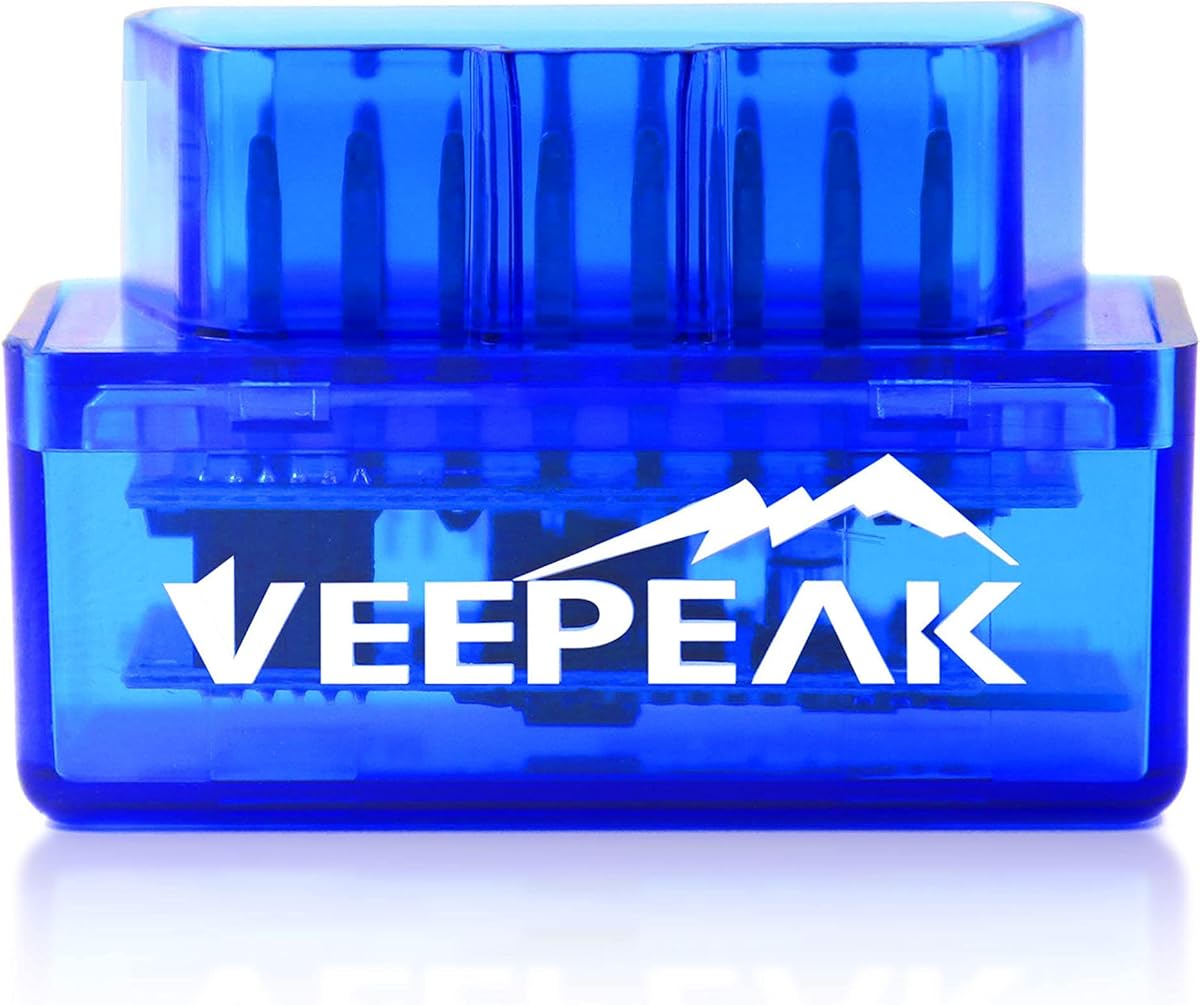
Veepeak Mini Bluetooth OBD2 Scanner
4.4Editor score
Classic Bluetooth connectivity
Android device only
Compact design
Compare the top Android Obdii Scanner Tool options for 2026. Our expert guide reviews features, compatibility, and performance to help you choose the right
Modern vehicles rely heavily on electronic systems, making professional diagnosis essential for maintaining performance. An Android Obdii Scanner Tool allows drivers to connect their smartphones to their vehicle's onboard computer for real-time insights and troubleshooting capabilities.
We evaluated ten leading scanners based on connectivity, app compatibility, and diagnostic depth. Our team analyzed user feedback and technical specifications to ensure each recommendation offers reliable performance for everyday drivers and DIY enthusiasts alike.
Each selection highlights specific strengths like bidirectional control or wireless ease of use. Note that product availability and pricing may fluctuate, so verify current details before purchasing your next diagnostic companion today.
4.4Editor score

4.5Editor score

4.4Editor score
The following comparison table provides a side-by-side overview of all ten selected diagnostic tools. It highlights key specifications such as connection type, supported protocols, and specific reset capabilities to help you quickly identify the right fit.


The Veepeak OBDCheck BLE is a solid entry-level tool for those seeking simple wireless diagnostics. It features a compact Bluetooth Low Energy design that pairs seamlessly with third-party apps to read check engine light codes and view live data.
We may earn a commission when you buy through this link, at no additional cost to you.
Its primary strength lies in its universal compatibility with standard OBD-II protocols for vehicles from 1996 onward. Users can access freeze frame data and I/M readiness status to monitor vehicle health without needing expensive proprietary software or complex setups.
However, this device does not support advanced diagnostics like ABS or SRS systems without specific vehicle apps. The connection process requires pairing through the app rather than the phone settings, which can be confusing for first-time users trying to establish a link.
This scanner is ideal for casual drivers who want to clear minor trouble codes or monitor basic sensor data. If you need deeper system access or premium features, consider a model with enhanced OEM support instead.
The compact Bluetooth LE design allows for clutter-free diagnostics directly from your smartphone without bulky wires or dongles.
Compatibility with apps like Torque and Car Scanner ELM OBD2 lets you customize your diagnostic interface to fit your needs.
We may earn a commission when you buy through this link, at no additional cost to you.
The OBDLink MX+ transforms your device into a professional-grade scan tool capable of accessing enhanced data from major manufacturers. It stands out for its ability to retrieve specific parameters for Ford, GM, Mazda, and other brands often locked behind dealer software.
We may earn a commission when you buy through this link, at no additional cost to you.
Users appreciate its over-voltage and battery drain protection features, which ensure safety during extended diagnostic sessions. The included firmware updates guarantee long-term compatibility with evolving vehicle standards and new apps released by third-party developers.
While highly capable, the device requires careful attention to vehicle compatibility before purchase to ensure full feature access. The learning curve for configuring different apps might be steep for beginners who just want a plug-and-play code reader.
This tool is best suited for enthusiasts or mechanics who need detailed insights beyond standard emissions codes. Its robust build and comprehensive support make it a reliable investment for serious diagnostics.
Beyond generic codes, this adapter unlocks deeper vehicle data including transmission temperature and battery status on supported models.
Works seamlessly across iPhone, Android, and Windows PCs providing flexibility for technicians with multiple devices on hand.
We may earn a commission when you buy through this link, at no additional cost to you.
The Veepeak OBDCheck BLE+ offers a versatile approach to vehicle diagnostics by supporting both classic and Low Energy Bluetooth connections. This flexibility ensures compatibility with a broader range of Android applications compared to standard BLE-only adapters.
We may earn a commission when you buy through this link, at no additional cost to you.
It excels at providing real-time sensor data and freeze frame analysis to help identify intermittent issues. Users can connect with specialized apps to view vehicle-specific data streams that go beyond standard OBD-II parameters when available.
However, like its sibling model, it does not inherently support advanced diagnostics like ABS bleeding without specific app configurations. iOS users should verify app compatibility carefully since support often depends on the specific software chosen.
This scanner is a great middle-ground option for drivers who want more than basic code reading but do not need a full professional system. Its portable design makes it easy to keep in the glove box for emergencies.
Supports both Bluetooth LE and Classic protocols ensuring connection success with a wider variety of third-party diagnostic apps.
Live data streaming helps users track performance metrics like coolant temp and air-fuel ratios in real-time scenarios.
We may earn a commission when you buy through this link, at no additional cost to you.
BlueDriver stands out as a top choice due to its professional-grade capabilities delivered through a user-friendly mobile app. It transforms your phone into a powerful diagnostic scanner that reads and clears codes with confidence and accuracy.
We may earn a commission when you buy through this link, at no additional cost to you.
A key feature is the unlimited access to technician-verified repair reports matched to your vehicle's VIN. This guidance helps users understand the root cause of issues and confirms fixes before clearing lights to avoid unnecessary repairs.
The device offers enhanced diagnostics for ABS, SRS, and TPMS systems on supported models without additional hardware. Its wireless Bluetooth connection eliminates cable hassles while delivering reliable data streams during real-time driving monitoring.
Ideal for both DIYers and owners seeking reliable data, this scanner balances power and simplicity effectively. The one-time purchase model means no hidden subscription fees ever after the initial investment in the hardware.
Detailed repair reports provide definitions, causes, and confirmed fixes to help users make informed decisions on repairs.
Track live vehicle data while driving to spot suspicious values instantly without needing a stationary diagnostic session.
We may earn a commission when you buy through this link, at no additional cost to you.
The ANCEL AD310 is a reliable handheld scanner designed for quick and accurate diagnostics without requiring a smartphone connection. It plugs directly into the OBDII port and powers itself via the vehicle's data link connector.
We may earn a commission when you buy through this link, at no additional cost to you.
It supports all standard OBDII protocols ensuring broad compatibility with cars and trucks from 1996 onward. The device reads and clears engine trouble codes in seconds allowing for efficient troubleshooting without unnecessary trips to a shop.
While effective for basic tasks, it lacks advanced features like ABS or transmission diagnostics which require higher-end tools. The large screen and clearly labeled buttons make navigation simple even for those with limited technical knowledge.
This scanner is perfect for owners who want a straightforward tool for check engine lights and emission readiness. Its sturdy build and portability make it a great addition to any home toolkit or travel bag.
Supports KWP2000, J1850, ISO9141, and CAN protocols ensuring compatibility with most domestic and foreign vehicles.
No batteries or chargers needed as the device draws power directly from the car's OBDII port instantly.
We may earn a commission when you buy through this link, at no additional cost to you.
The FOXWELL NT301 is a professional mechanic-style tool designed to provide comprehensive diagnostics for the average driver. It offers live data graphing capabilities that allow users to visualize sensor performance in real-time for better analysis.
We may earn a commission when you buy through this link, at no additional cost to you.
A dedicated I/M readiness function helps owners prepare for smog checks by indicating if the vehicle is ready for testing. The built-in speaker provides audio feedback during diagnostics adding convenience when you cannot look at the screen directly.
While it excels at engine diagnosis and emissions testing, it does not cover ABS or airbag systems on most vehicles. The bright color screen remains readable even in daylight making it practical for outdoor use under the hood.
This device is ideal for owners who want more detail than a simple code reader but prefer a standalone unit over an app. Its lifetime free updates ensure the tool stays current with new vehicle models annually.
View and log live sensor data in easy-to-read graphs to spot engine issues as they happen in real-time.
Know your pass or fail status before visiting the test center to save time and avoid inspection delays.
We may earn a commission when you buy through this link, at no additional cost to you.
BlueDriver Pro Next-Gen builds on the success of its predecessor with optimized communication for newer model years and enhanced light-duty truck support. It continues to offer unlimited access to technician-verified repair reports matched to your VIN.
We may earn a commission when you buy through this link, at no additional cost to you.
The tool supports expanded coverage for Nissan and Mazda models from 2024 onward ensuring compatibility with the latest vehicles on the road. Users can check used cars before purchase or scan before long drives with confidence in its diagnostic depth.
Despite its features, user feedback indicates occasional connectivity hurdles that might require patience during setup. The rating reflects these technical inconsistencies even though the core functionality remains strong for general use cases.
This scanner is best for owners of newer vehicles needing up-to-date diagnostic capabilities. The one-time purchase model guarantees no subscription fees while providing comprehensive support through phone and in-app chat channels.
Enhanced communication protocols ensure reliable connectivity for 2024+ models often missed by older scanners.
Check warning lights in parking lots instead of guessing to avoid unnecessary repairs or roadside surprises.
We may earn a commission when you buy through this link, at no additional cost to you.
The XTOOL A30D offers a high level of control through bidirectional capabilities that allow users to actively test components like fuel pumps and valves. It turns your smartphone into a mobile auto scanner capable of accessing all major vehicle modules.
We may earn a commission when you buy through this link, at no additional cost to you.
It includes 19 reset functions such as EPB reset and oil changes without extra charges to simplify routine maintenance tasks. The tool supports stable wireless connections and can display up to eight PIDs simultaneously for detailed monitoring during operation.
While powerful, it requires careful compatibility checks especially for vehicles using CAN-FD or FCA AutoAuth protocols. The device supports multiple languages to assist global users but might overwhelm those seeking simple plug-and-play solutions.
This tool is best for DIYers needing deep system access beyond basic codes. Its comprehensive reset features and bidirectional testing make it a cost-effective alternative to expensive dealer equipment for home garage use.
Send commands to the ECU to test components like doors and wipers directly from your smartphone instantly.
Access 19 reset features including SAS reset and throttle relearn without paying for additional software packages.
We may earn a commission when you buy through this link, at no additional cost to you.
The Veepeak Mini Bluetooth offers an extremely affordable entry point for Android users wanting basic diagnostic access. It pairs via classic Bluetooth to read engine trouble codes and view live data without any additional costs.
We may earn a commission when you buy through this link, at no additional cost to you.
Its compact design fits easily into tight OBD ports and allows for a clutter-free experience in the vehicle. Users can access essential parameters like coolant temperature and RPM to monitor engine health during daily driving.
This adapter does not support iOS devices or advanced diagnostics like ABS and transmission issues. Compatibility depends heavily on third-party apps which must be verified before purchase to ensure they match your vehicle's system.
It is the ideal choice for budget-conscious owners with Android devices needing basic code reading. Keep it in your glove box for quick checks when a check engine light appears unexpectedly on your commute.
Reliable classic Bluetooth pairing ensures consistent connection with popular Android apps without needing complex setup steps.
Track live sensor data on your phone screen to diagnose check engine problems efficiently while on the road.
We may earn a commission when you buy through this link, at no additional cost to you.
The V011 OBD2 Scanner introduces Bluetooth 5.4 technology for faster and more reliable connections compared to older models. It comes with a dedicated free app designed to interpret check engine lights and suggest potential fixes effectively.
We may earn a commission when you buy through this link, at no additional cost to you.
Data visualization is handled through clear charts and graphs that make it easy for beginners to grasp car status quickly. Its broad compatibility covers over 96% of makes including Toyota and Ford ensuring utility for most owners.
While promising, the product is relatively new with fewer verified reviews compared to established brands. The setup process requires specific steps like starting the car before opening the app to ensure a successful handshake.
This scanner is a strong candidate for those wanting modern connectivity features at an accessible price. Its intuitive interface and support for multiple languages make it a good choice for a global audience seeking easy diagnostics.
Upgraded connectivity ensures faster data transmission and a more stable link between your phone and the vehicle.
Understand car diagnostics easily through clear charts that display coolant temp and speed readings at a glance.
We may earn a commission when you buy through this link, at no additional cost to you.
Selecting the right scanner depends on your vehicle's complexity and your technical goals. This guide breaks down key factors to help you find a device that meets your specific diagnostic needs.
Wireless scanners use Bluetooth to connect to your phone reducing cable clutter significantly. Wired scanners offer stability but may feel cumbersome under the hood. Choose based on your preference for convenience versus reliability.
Bluetooth connectivity provides freedom of movement while wired connections ensure consistent data flow.
Many Android adapters work with third-party apps that you already know and trust. Some tools like BlueDriver require their own proprietary apps for full functionality. Check if the device supports your preferred software before purchasing.
Ensure the adapter works with apps you already use to avoid learning new interfaces constantly.
Basic readers handle engine codes while advanced tools cover ABS and airbag systems. If you need to monitor multiple systems ensure the device lists specific module support. Generic tools may not show transmission issues at all.
Look for scanners that support specific modules like ABS if you want comprehensive system checks.
Most modern vehicles follow OBD-II standards from 1996 onwards. However, compatibility varies by brand and model year especially for newer vehicles. Always verify the device supports your specific car before buying to avoid frustration.
Verify compatibility with your specific vehicle year and make to ensure accurate diagnostics.
Prices vary widely from basic adapters to professional-grade systems. Set a budget that matches your needs without overspending on features you will not use. Free apps can extend the value of affordable hardware options.
Set a realistic budget that matches your technical needs to avoid unnecessary spending.
Visualizing data through graphs helps you understand engine performance more effectively than numbers alone. Look for tools that display live data in charts if you want deeper insights. This feature is valuable for diagnosing intermittent issues.
Choose devices with graphing capabilities to better visualize and understand live engine data.
Some tools charge recurring fees to unlock repair reports or advanced features. Prefer models with one-time purchases to save money over the long term. Check the product terms to ensure no hidden costs appear later.
Avoid devices that charge monthly fees by selecting models with a one-time purchase model.
Reliable customer support can be crucial when setup issues arise unexpectedly. Check for available resources like manuals or live chat support. Brands with active communities offer extra help for troubleshooting common errors.
Select brands with accessible support resources to resolve issues quickly if you face problems.
Start by identifying the OBDII port typically located under the dashboard near the steering column. Plug the scanner into this port and turn on your vehicle's ignition. Open your diagnostic app and select the correct connection type to establish a link.
Navigate through the menu to read codes or view live data as needed. If a trouble code appears note it down before clearing it for reference later. Always drive the vehicle after repairs to ensure the check engine light stays off.
Store your scanner in a dry place away from extreme heat or moisture. Clean the connector pins periodically to prevent connection issues caused by dust. Proper maintenance ensures the device remains reliable for years of regular use.
Most support vehicles from 1996 onwards with standard OBD-II protocols. However, some brands like BMW or Mercedes require specific apps for full access. Always verify compatibility with your make and model before purchasing a device to ensure full functionality.
Some scanners support EVs for basic data like battery status. Full diagnostics may require specific software designed for electric powertrains. Check the product description for EV compatibility details to confirm before you buy one.
A code reader usually just clears check engine lights while a scanner offers deeper insights. Tools scanners show live data and support multiple vehicle modules. Consider a scanner if you need to track performance metrics in real-time.
Most scanners draw power directly from the vehicle's OBD-II port eliminating the need for batteries. This means they are ready to use instantly without setup delays. Check specific product details to confirm power requirements before purchase.
After repairs clear the codes and drive the vehicle to see if they return. If the light stays off the problem was likely resolved successfully. Use live data monitoring to verify sensor values have returned to normal ranges.
Some brands charge subscription fees for access to advanced reports. Always check the product terms to ensure it is a one-time purchase. Opt for tools with free lifetime updates to avoid unexpected costs later.
Our top picks cover a range of needs from basic code reading to professional-level system analysis. Whether you choose a budget adapter or a premium tool each option offers reliable performance for modern vehicles.
Prioritize features that match your specific goals like wireless connectivity or bidirectional control. Investing in the right device saves you time and money by empowering you to diagnose problems accurately at home.
Remember that prices and availability change frequently so verify current details before purchasing. With the right scanner you can maintain your vehicle's health confidently and efficiently year after year.