
Redragon S101-3 PRO Gaming Keyboard and Mouse
4.0Editor score
Programmable macro keys
Quiet membrane typing experience
Plug and play setup
Explore our expert guide comparing the top keyboard and mouse combos for Baldurs Gate 3 to find the best setup for immersive gameplay and precise control.
Finding the right peripherals for Baldurs Gate 3 can transform your gaming experience. A quality keyboard and mouse combo ensures precise control over spells and movements during intense battles.
We evaluated ten top-rated combos based on performance, ergonomics, and customization features. Our analysis focuses on reliability, lighting options, and comfort for long gaming sessions.
Each pick highlights specific strengths suited for RPG players. Note that product availability and pricing may change over time, so check current listings before purchasing.
4.0Editor score
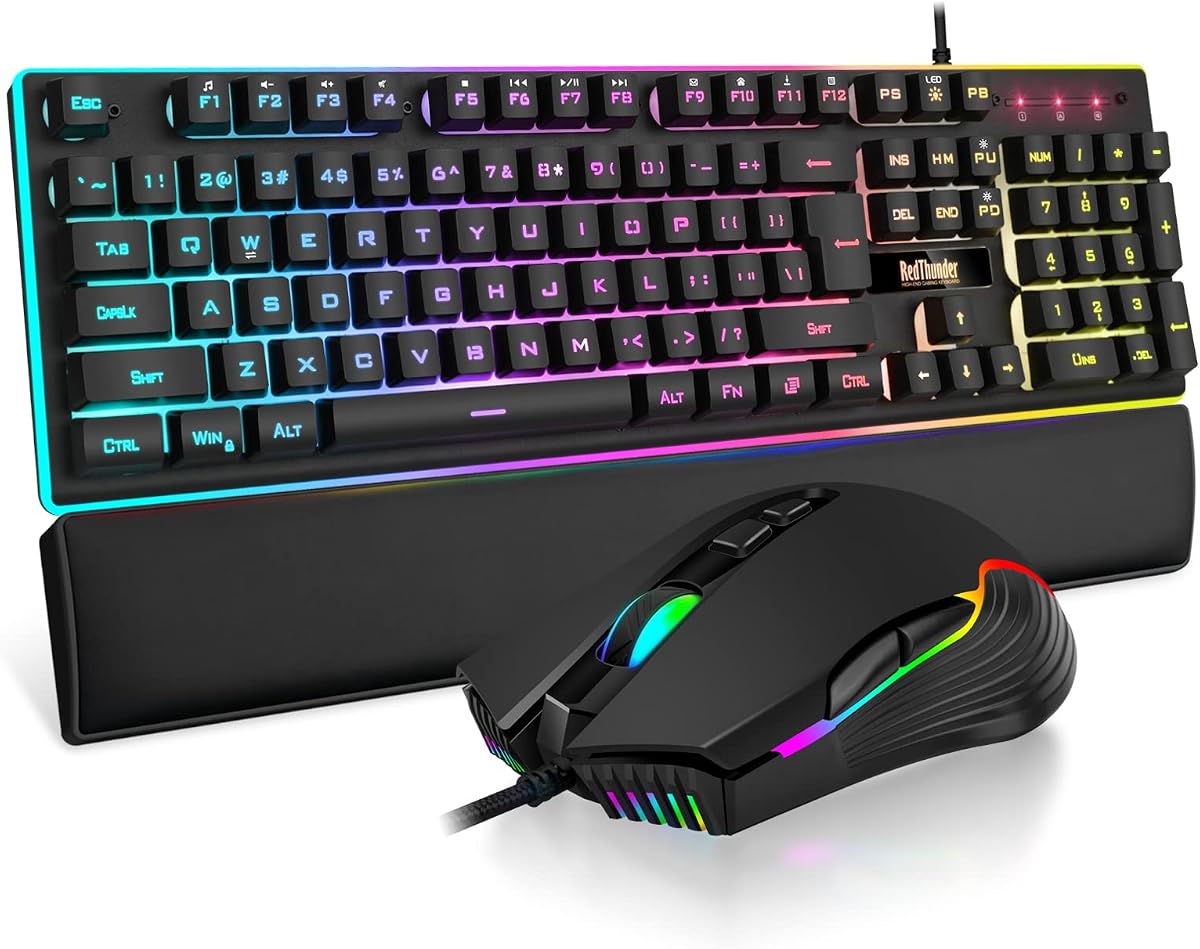
4.4Editor score

4.2Editor score
The following table compares key specifications across all ten featured products to help you identify the best fit for your gaming setup and preferences.


This combo offers a balanced mix of durability and customization suited for immersive RPGs. With a 4.4 rating from users, it stands out for its responsive feedback during complex battles.
We may earn a commission when you buy through this link, at no additional cost to you.
The mechanical feel keys provide satisfying tactile feedback without full mechanical switches. The 7200 DPI mouse ensures precise aiming and cursor control for intricate menu navigation.
While the LED bar offers visual flair, it lacks individual key customization. However, the ergonomic design reduces strain during extended sessions common in story-heavy games.
Players seeking reliable performance and comfort without breaking the bank should consider this set. It delivers solid value for both gaming and daily productivity tasks.
The keyboard keys simulate mechanical switches for better typing and gaming responsiveness without the high cost of true mechanical units.
The included soft leather wrist rest provides support to minimize fatigue during long gameplay sessions or extended work periods.
We may earn a commission when you buy through this link, at no additional cost to you.
Affordable gaming peripherals often compromise on features, but this set includes macro recording capability. Users appreciate the quiet keys suitable for shared living spaces.
We may earn a commission when you buy through this link, at no additional cost to you.
The software allows users to record complex command sequences for spell casting. This feature is particularly useful for RPGs requiring multiple inputs for complex actions.
The membrane switches lack the crispness of mechanical alternatives but offer durability and silence. The lighting modes add visual appeal without overwhelming the eyes at night.
Ideal for budget-conscious gamers who need macro functionality without high costs. It serves as a solid entry point for those upgrading from standard office sets.
Record and save complex keystrokes to execute multi-step commands instantly, enhancing efficiency during combat or resource management.
Use the included software to tailor lighting and button mapping to suit your specific gaming preferences and play style.
We may earn a commission when you buy through this link, at no additional cost to you.
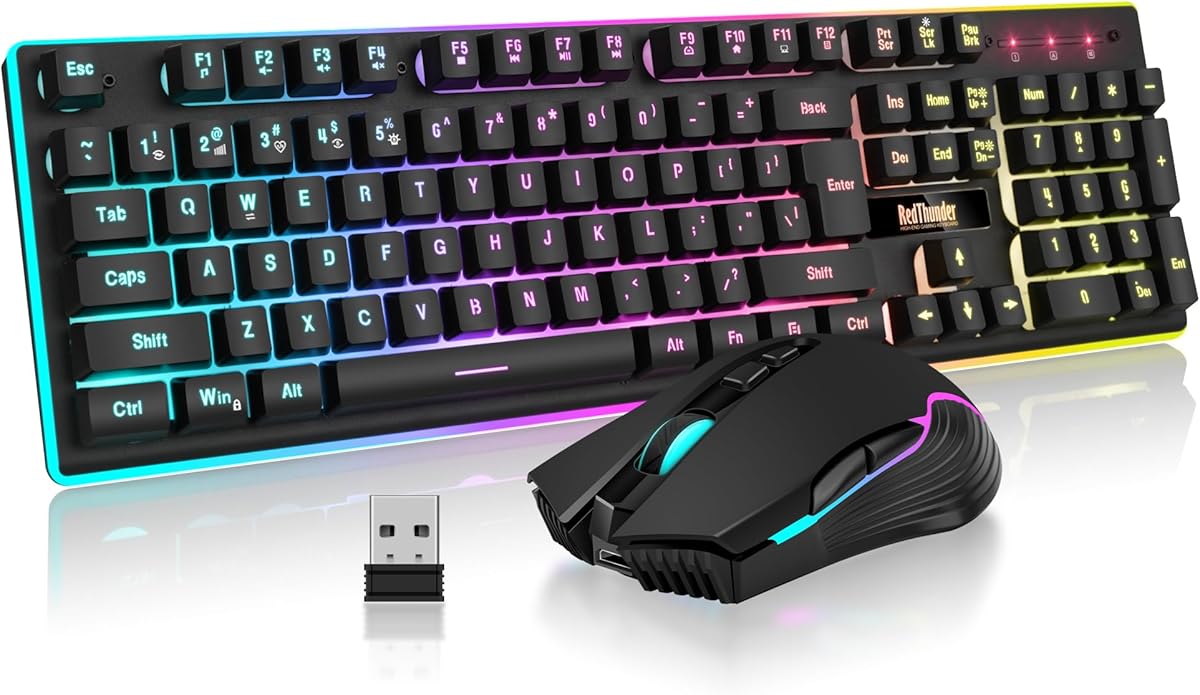
Wireless peripherals offer a clean desk setup free of cable clutter. This set stands out with its rechargeable battery and silent operation suitable for quiet environments.
We may earn a commission when you buy through this link, at no additional cost to you.
The ergonomic design supports natural hand positioning reducing strain over time. The phone holder accessory adds utility for multitasking or checking guides during gameplay.
While there may be minor latency compared to wired models, the convenience outweighs it for most users. Silent clicks ensure you won't disturb others nearby.
For those prioritizing desk aesthetics and comfort, this combo is an excellent choice. It balances modern conveniences with functional design for everyday use.
Wireless connectivity eliminates tangling cables creating a sleek and organized workspace that enhances focus during gaming.
Quiet switches reduce noise significantly allowing for peaceful use in shared rooms without interrupting others.
We may earn a commission when you buy through this link, at no additional cost to you.
This compact set appeals to users with limited desk space who still want RGB flair. The high durability rating suggests it withstands daily heavy usage well.
We may earn a commission when you buy through this link, at no additional cost to you.
The laser carved characters ensure longevity and visibility in low light conditions. Adjustable DPI allows users to switch between browsing and gaming modes easily.
Compatibility across multiple operating systems makes it versatile for different environments. The ergonomic design helps prevent fatigue even during prolonged sessions.
Users needing a space-saving solution without sacrificing style will find this appealing. It bridges the gap between standard office tools and gaming peripherals.
The compact design leaves more room for mouse movement and other accessories on smaller desks.
Compatibility with various systems allows seamless transition between PC gaming and daily computing tasks.
We may earn a commission when you buy through this link, at no additional cost to you.
This combo provides a traditional full-size layout familiar to most typists. The floating keycaps make cleaning spills and dust much easier than solid units.
We may earn a commission when you buy through this link, at no additional cost to you.
The RGB lighting adds a gaming aesthetic with adjustable brightness and speed settings. A waterproof cable adds an extra layer of protection against accidental spills.
The mouse offers adequate DPI options for general gaming but lacks high-end precision. The ergonomic design aims to reduce fatigue over long hours of use.
Ideal for gamers who want a standard layout without extra bulk or complexity. It offers reliable performance for general gaming and office tasks alike.
Floating keycaps allow users to easily remove debris or wipe down the keyboard surface for hygiene.
The familiar 104-key layout ensures users do not need to relearn typing positions or shortcuts.
We may earn a commission when you buy through this link, at no additional cost to you.
This combo prioritizes visibility with large high-contrast keys. It is an excellent choice for users with visual impairments or those who prefer clear markings.
We may earn a commission when you buy through this link, at no additional cost to you.
The silent design ensures noise reduction for shared environments. The backlight offers multiple colors to suit different lighting conditions in a room.
While it lacks advanced gaming features, the ergonomics reduce strain effectively. High contrast keys ensure text remains legible even in dark rooms.
Users needing enhanced visibility or quiet operation will appreciate this set. It offers practical comfort over aggressive gaming aesthetics.
Large print and high contrast ensure keys are easy to identify quickly without straining the eyes.
Silent switches help maintain a quiet atmosphere making it suitable for libraries or shared offices.
We may earn a commission when you buy through this link, at no additional cost to you.
Value-conscious buyers often seek extras and this bundle includes a dedicated mouse pad. The steel plate construction adds rigidity preventing the keyboard from flexing.
We may earn a commission when you buy through this link, at no additional cost to you.
The rainbow backlight is simple but effective for creating a gaming atmosphere. Braided cables offer better durability against tangles and wear over time.
Non-conflict keys allow multiple inputs which is vital for complex gameplay. While DPI options are limited, they cover standard needs for most casual gamers.
This set is perfect for beginners needing a complete setup in one box. It provides essential durability and visual flair at a low cost.
The included mouse pad ensures consistent tracking and comfort alongside the keyboard and mouse.
Steel plate construction prevents flex and ensures the keyboard remains stable during vigorous gameplay.
We may earn a commission when you buy through this link, at no additional cost to you.
This set balances office needs with gaming features making it versatile for home offices. The low-profile keys reduce typing noise while maintaining comfort.
We may earn a commission when you buy through this link, at no additional cost to you.
Multimedia hotkeys streamline control over audio and email which aids multitasking. The RGB lighting on the mouse adds a subtle gaming touch without distraction.
Large print keys assist visibility and ergonomic rest supports wrist health. The adjustable DPI allows switching between precision and speed as needed.
Ideal for users who want a single device for work and gaming. It offers practicality and comfort over aggressive gaming aesthetics.
Suitable for both work tasks and gaming allowing users to save space and costs by using one set.
Multimedia keys provide quick access to volume and media controls enhancing workflow efficiency.
We may earn a commission when you buy through this link, at no additional cost to you.
Designed for clarity, this set features characters four times larger than standard. It is ideal for seniors or students needing clear visibility during study or leisure.
We may earn a commission when you buy through this link, at no additional cost to you.
The adjustable palm rest ensures comfort during long study sessions. A simple plug-and-play design removes setup complexity for tech novices.
While not built for high-speed competitive gaming, it offers reliable performance for RPGs. The ergonomic mouse design supports natural hand positioning.
This combo prioritizes ease of use and physical comfort. It is a practical choice for those who value accessibility and simplicity.
Large print characters reduce eye strain for users with visual challenges ensuring clear identification of keys.
The adjustable rest supports various wrist angles to minimize fatigue during extended daily usage.
We may earn a commission when you buy through this link, at no additional cost to you.
This wireless set prioritizes comfort with a dedicated wrist rest and silent keys. It suits users who value ergonomics and noise reduction over raw performance.
We may earn a commission when you buy through this link, at no additional cost to you.
The rechargeable battery eliminates the need for disposable batteries. A phone holder adds utility for referencing guides or chatting while gaming.
Wireless connectivity reduces clutter allowing flexible positioning on the desk. Silent clicks help maintain a quiet environment for everyone nearby.
Perfect for relaxed gameplay and daily computing needs. It combines practicality with modern convenience for a smooth user experience.
Free from cables the keyboard and mouse can be positioned for optimal comfort without range limitations.
Quiet keys prevent disruptive clicking sounds ensuring a peaceful environment for you and others.
We may earn a commission when you buy through this link, at no additional cost to you.
Selecting the right peripherals enhances your control and immersion in Baldurs Gate 3. Consider the following factors to find a setup that fits your needs.
Wired connections offer zero latency and consistent performance essential for fast-paced action. Wireless options reduce desk clutter and provide greater freedom of movement for comfortable positioning.
Prioritize wired options if reaction time is critical or choose wireless for a cleaner desk setup.
Mechanical switches provide tactile feedback distinct clicks that confirm inputs reliably. Membrane switches are quieter and softer suitable for shared environments but may lack precision.
Choose mechanical for competitive gaming or membrane for quiet office-friendly use.
Extended sessions require comfortable key layouts and wrist supports to prevent fatigue. Adjustable palm rests and ergonomic shapes help maintain healthy hand positions over time.
Look for sets including wrist rests to reduce strain during long gameplay.
Programmable macros allow complex spell sequences to be executed with single presses. RGB lighting enhances immersion and helps identify keys in dark gaming setups.
Choose sets with macro support if you need complex ability chaining.
High DPI sensors allow quick cursor movement and accurate aiming in menus or combat. Adjustable DPI lets you switch between browsing precision and fast cursor movement easily.
Opt for mice with adjustable DPI settings for versatile control.
Steel plates and braided cables increase lifespan by resisting flex and wear. Quality construction ensures your investment withstands frequent use without failure.
Check for reinforced materials to ensure long-term reliability.
Prices vary based on features like wireless connectivity or mechanical switches. Entry-level sets offer essential functionality while premium bundles include extra accessories.
Assess which features matter most to balance performance and cost.
Always plug in wired sets directly to the computer's USB ports for stable connection. For wireless sets insert the receiver and charge fully before initial use.
Clean keys gently with compressed air to remove dust and debris. Avoid harsh chemicals to prevent damage to surface coatings and backlighting.
Store the device in a dry area away from liquids. If using wireless, keep battery charged to avoid interruptions during important game moments.
For RPGs a full-size layout with macro keys is ideal for managing spells and skills. Mechanical switches offer better tactile feedback while quiet membrane keys suit shared spaces.
High DPI is useful for fast menu navigation but standard settings work well for exploration. Adjustable DPI allows you to switch between precision and speed as needed.
Modern wireless sets offer stable connections but may have slight latency. For casual gaming they are reliable while competitive play may prefer wired to avoid any lag.
Most sets include downloadable software to record and assign keystrokes. Open the software navigate to macro settings and assign your desired key sequence for quick access.
RGB lighting adds immersion but is optional for functionality. It helps identify keys in low light and allows personalization without impacting core performance.
Cleaning every few weeks maintains hygiene and performance. Use compressed air to blow out dust and a soft cloth to wipe keys regularly.
We reviewed ten combos ranging from budget-friendly wired sets to wireless ergonomic options. Each offers unique strengths for different play styles and room setups.
Prioritize ergonomics and macro features to enhance your RPG experience. Comfortable designs and customizable keys allow seamless management of spells and actions.
Always check current pricing and availability before buying to ensure you get the best deal. A suitable setup can transform your journey through the game world.