
WWZMDiB CH341A Programmer
4.1Editor score
Supports 24 25 series chips
Includes SOP8 clip included soldering
Compatible with CH341A and B
This guide compares the top Bios Flash Tool options for technicians and enthusiasts, evaluating compatibility, speed, and reliability to help you choose the
Finding the right Bios Flash Tool is essential for anyone looking to update firmware or recover corrupted systems. These devices allow precise control over memory chips, ensuring smooth operations across various hardware platforms without requiring complex soldering work.
We evaluated ten leading products based on compatibility, ease of use, and reported user satisfaction. Each entry offers unique features tailored to different needs, from budget-friendly options to advanced kits designed for professional technicians handling diverse chipsets.
Each pick highlights key strengths and potential limitations to guide your decision. Prices fluctuate frequently due to market demand, so verifying current availability is recommended before purchasing. Our goal is to provide clear insights for informed choices.
4.1Editor score
4.4Editor score

4.3Editor score
The following table provides a side-by-side comparison of all ten products, highlighting their primary specifications, compatibility, and key functionalities to assist you in selecting the most suitable tool for your specific requirements.





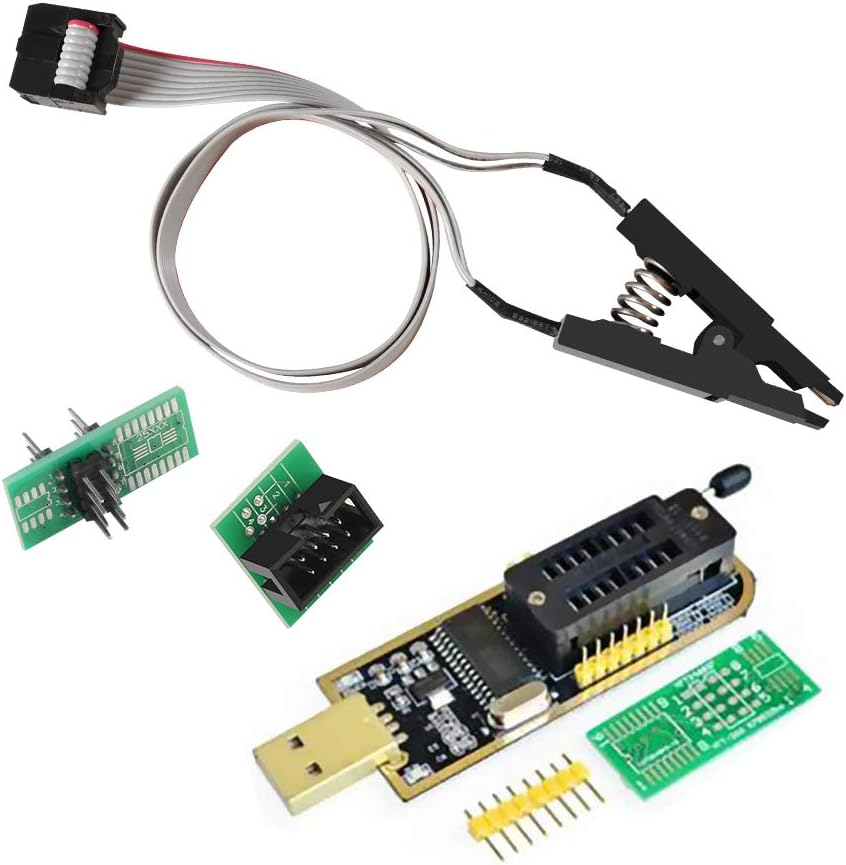
This CH341A Programmer is designed for backing up, erasing, and programming various software on compatible chips. With a solid rating, it offers a reliable starting point for users needing basic BIOS flash capabilities without significant investment.
We may earn a commission when you buy through this link, at no additional cost to you.
The main purpose involves operations like calibration and programming for 24 and 25 series SOP8 SOP16 chips. Its ability to work without welding allows direct clamping, making it accessible for those who lack advanced soldering skills.
While highly compatible with CH341A and CH341B variants, users must confirm chip voltage to avoid damage. The support for 3.3v and 5V switching is standard but requires caution to ensure the correct setting is used.
It is an ideal choice for hobbyists or technicians needing a quick solution for common flash operations. For those on a tight budget, this tool provides the essential functionality needed for many standard programming tasks.
The clamp feature eliminates the need for soldering, significantly reducing setup time and effort for users.
Supports most 24 and 25 series chips, covering a wide range of common hardware requirements for programming.
We may earn a commission when you buy through this link, at no additional cost to you.
The ACEIRMC SOIC8 SOP8 Kit enables in-circuit programming for EEPROM, making the BIOS flashing process simpler and more efficient. With a high user rating, it is a favored option for those needing reliable connectivity without disassembling components.
We may earn a commission when you buy through this link, at no additional cost to you.
The main purpose of the included CH341A Programmer is to back up, erase, program, and calibrate various software. It supports most 24 and 25 series chips on the market, though some ESMT SST class 25 chips may only be read.
Users should check the chip location on the motherboard before purchasing, as peripheral circuits can affect direct clipping. Despite this, the tool remains a robust choice for technicians who need to access chips in place without removal.
This kit is best suited for users who value efficiency and ease of use in their workflow. The double clip and USB setup ensure flexibility, making it a strong candidate for general EEPROM programming tasks.
Enables in-circuit programming, saving time by avoiding the need to remove chips from the board.
Supports a range of EEPROM series including 24, 25, and 93, catering to various hardware needs.
We may earn a commission when you buy through this link, at no additional cost to you.
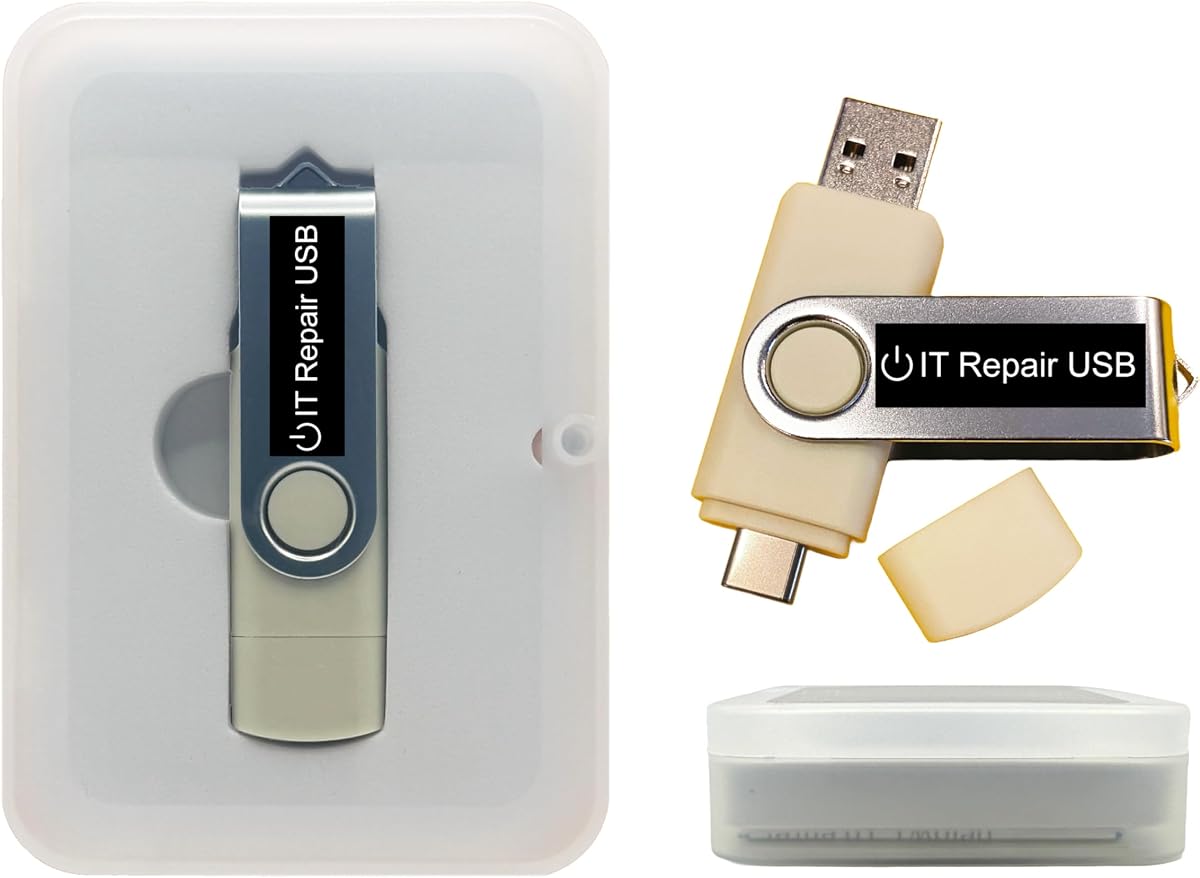
This USB drive allows you to reset forgotten passwords for Windows and Linux user accounts without reinstalling the system. It is designed to be simple and secure, offering a user-friendly interface with step-by-step guidance for quick access restoration.
We may earn a commission when you buy through this link, at no additional cost to you.
Compatibility is broad, supporting nearly all laptops, desktops, and mini-PCs with both Legacy BIOS and UEFI boot modes. The drive is fully customizable for advanced workflows, allowing users to add or replace compatible bootable ISO apps.
Built with high-quality flash chips, it ensures speed and longevity for repeated use. Customer support is responsive within 24 hours, providing peace of mind for technicians and administrators who need reliable tools.
It is an essential utility for IT professionals needing to restore system access quickly. While not a BIOS flash tool per se, it complements hardware tools by addressing software access issues that may arise during maintenance.
Works with Legacy and UEFI modes, ensuring broad compatibility with modern and older computer systems.
Allows password resets without losing files, maintaining data integrity while restoring user access.
We may earn a commission when you buy through this link, at no additional cost to you.
This 8GB USB Installer is designed for the setup and recovery of the Windows operating system, specifically supporting systems without a TPM requirement. It serves as a reliable tool for reinstalling or repairing the OS on compatible devices.
We may earn a commission when you buy through this link, at no additional cost to you.
Important notes indicate that this tool cannot fix failing hardware such as dead motherboards or bad RAM. Users must verify their PC can power on and access BIOS before purchasing to ensure compatibility and proper functionality.
The product is handmade and tested in Texas by a family-owned business, adding a layer of quality assurance. While it cannot diagnose every problem, it is useful for specific recovery needs and standard installations.
It is a practical option for users needing a straightforward Windows installation method. For those dealing with standard recovery scenarios, this drive provides a convenient and tested solution for system setup.
Provides a direct method to install Windows 11 without TPM, simplifying upgrades for older hardware.
Tested by a family-owned business, ensuring the drive functions correctly for standard installation tasks.
We may earn a commission when you buy through this link, at no additional cost to you.
This kit is suitable for amateur programmers working with 24 and 25 series flash chips. It offers faster programming speeds compared to ordinary ATMEGA8 programmers, with erasing speeds reaching 2-3 Mbit per minute for efficient workflow.
We may earn a commission when you buy through this link, at no additional cost to you.
The package includes a 1.8V adapter for iPhone or motherboard SPI Flash Memory, along with a SOP8 to DIP8 EZ Programmer Adapter Socket Converter. This comprehensive setup supports various applications like TV set memory and desktop motherboard repairs.
Usage covers backup, erasing, burning, checking, and repair tasks for devices including routers, cards, and DVD players. While effective, users should note that peripheral circuits may affect online programming success on some boards.
It is a complete solution for those expanding their hardware repair toolkit. The added adapters and clips make it versatile, ensuring users can handle diverse programming scenarios with confidence and precision.
Programming is up to 2-3 times faster than standard ATMEGA8 programmers, increasing overall productivity.
Supports a wide range of devices from routers to desktop motherboards, making it a flexible tool.
We may earn a commission when you buy through this link, at no additional cost to you.
The EZP2023 is currently considered the fastest BIOS chip programmer on the market, taking only 3 seconds to read EN25T80 chips. This speed ensures efficient workflow for technicians who need to process multiple chips quickly.
We may earn a commission when you buy through this link, at no additional cost to you.
It automatically identifies chip models for 25 series chips, reducing manual configuration effort. Additionally, it fully supports 24, 25, 93, and 95 series chips, covering a wide array of common EEPROM and Flash memory needs.
The full set includes 15 adapters for various chip formats, enhancing versatility across different boards. While it may require manual selection for some EEPROM needs, its automatic voltage detection and supply selection simplify the process.
This device is a premium choice for professionals seeking high performance and speed. The comprehensive adapter support and rapid read-write capabilities make it an investment for serious technicians dealing with diverse hardware.
Offers industry-leading read and write speeds, significantly reducing the time needed for chip programming.
Supports multiple series including 24, 25, 93, and 95, ensuring broad hardware compatibility.
We may earn a commission when you buy through this link, at no additional cost to you.
This toolkit provides a dual USB-A and USB-C bootable drive that works with most modern and older PCs and laptops. It is ideal for technicians and computer re-sellers looking for an all-in-one solution for diagnostics and system repair.
We may earn a commission when you buy through this link, at no additional cost to you.
The USB is fully customizable, allowing users to add, replace, or upgrade any compatible bootable ISO app or utility. It can run live or as a recovery OS, offering diagnostics, malware removal, and file recovery capabilities.
Premium hardware ensures speed and longevity, making it reliable for repeated use. While it cannot fix hardware failures, it is effective for reviving old or slow PCs using lightweight rescue environments.
It serves as a comprehensive utility for system maintenance and recovery. For IT professionals needing a versatile recovery tool, this kit offers a broad range of functions to address common software-related system issues.
Includes system diagnostics and startup repair tools to fix common bootable system problems effectively.
Easily customizable to add specific utilities, ensuring it adapts to unique technician needs.
We may earn a commission when you buy through this link, at no additional cost to you.
The SOP16 Test Clip is designed to make refreshing the programmer easier and more efficient for users. It is suitable for 25 Series wide and narrow body chips, supporting 150MIL to 300MIL ranges for flexible chip compatibility.
We may earn a commission when you buy through this link, at no additional cost to you.
It features a hardened clip with a thick gold-plated layer processing pin connector and a 40cm connection line to ensure stable connectivity. This construction helps minimize connection issues during critical programming tasks.
Users should note that chips on circuit boards may be affected by peripheral circuits, preventing online programming in some cases. For unrecognized boards, chip removal might be necessary for successful identification and programming.
This clip is a reliable accessory for technicians who need to access 16-pin chips. Its durable build and clear specifications make it a practical addition to any BIOS flash tool setup.
Features a hardened clip with gold-plated connectors to ensure stable and reliable connections during use.
Supports 150MIL to 300MIL chip ranges, offering flexibility for various chip body sizes.
We may earn a commission when you buy through this link, at no additional cost to you.
This tool provides a bootable recovery and repair solution for Windows 11 and 10, allowing users to start their computer from the USB drive easily. It works with Secure Boot enabled, eliminating the need for BIOS changes to enable compatibility.
We may earn a commission when you buy through this link, at no additional cost to you.
Unlike other recovery USBs, it always installs the latest official Windows version directly from Microsoft, avoiding outdated ISOs. Users must have their own Windows license since no product key is included with the drive.
Support is US-based, with real people available via live chat or email to assist with any issues. It is designed for 64-bit systems with UEFI BIOS, ensuring modern compatibility for most PCs from 2013 and newer.
It is a trustworthy option for users needing a reliable way to install genuine Windows. For those prioritizing security and official sources, this tool ensures a clean and secure recovery experience.
Works with Secure Boot enabled, maintaining system security settings during the installation process.
Downloads genuine Windows directly from Microsoft, ensuring you install a valid and official version.
We may earn a commission when you buy through this link, at no additional cost to you.
This Bootable Drive works on almost any desktop or laptop, supporting both Legacy BIOS and UEFI modes for broad accessibility. It allows users to run Kali directly from USB or install it permanently for full performance on compatible systems.
We may earn a commission when you buy through this link, at no additional cost to you.
The platform includes over 600 pre-installed penetration-testing and security-analysis tools for network, web, and wireless auditing. It is trusted by IT experts and researchers for vulnerability assessment, forensics, and digital investigation.
The USB is fully customizable, allowing users to add or replace compatible bootable ISO apps as needed. Built with high-quality flash chips, it ensures speed and longevity for rigorous professional use environments.
It is an essential tool for security researchers and ethical hackers needing a portable environment. For those focused on cybersecurity, this USB provides a comprehensive and reliable toolkit for testing and assessment.
Includes over 600 pre-installed security tools for comprehensive network and wireless testing capabilities.
Supports Intel, AMD, and ARM builds, ensuring broad hardware compatibility for users.
We may earn a commission when you buy through this link, at no additional cost to you.
Selecting the right tool requires understanding your specific needs. Consider the following factors to ensure compatibility and performance.
Ensure the tool supports the specific series of chips you plan to program. Common series include 24, 25, and 93. Check if the tool works with both EEPROM and Flash types.
Verify compatibility with your target hardware to avoid wasted purchases.
Speed affects workflow efficiency. Look for tools that offer fast read and write times. Some advanced models can read chips in seconds.
Faster tools save time during large batch operations.
Tools that do not require soldering are preferable for quick tasks. Clips and sockets simplify the connection process significantly.
Simpler tools reduce the risk of physical damage during connection.
Accessories like adapters for different chip packages expand utility. A kit with multiple adapters handles more diverse scenarios.
Check if the kit includes necessary conversion plates.
Driver and software support is crucial for functionality. Ensure the tool works with your operating system.
Open-source drivers can offer more flexibility.
Physical build quality affects longevity. Look for robust clips and connectors that withstand repeated use.
Investing in quality ensures long-term reliability.
Different chips require different voltages. Ensure the tool supports the required voltage for your chips.
Voltage mismatches can damage components.
Balance cost with features. Budget tools may lack advanced features but suffice for basic tasks.
Consider your specific needs before spending.
First, connect the programmer to your computer via USB and install any necessary drivers. Ensure your system recognizes the device before attempting any operation.
Next, connect the chip or board using the provided clip or socket. Verify the voltage settings match the chip requirements to avoid damage.
Finally, use the provided software to read or write the desired firmware. Store the tool in a dry, safe place to maintain connector integrity.
A Bios Flash Tool is a device used to write firmware data to memory chips. It helps in updating or repairing system BIOS and other embedded software on hardware.
Not necessarily. Many modern tools include clips that allow in-circuit programming without desoldering the chip from the board.
Most tools support common 24, 25, and 93 series chips. Always check the specific list for your tool to ensure compatibility.
Speed varies by model. Some can read chips in seconds, while others may take longer. Check specifications for exact read and write times.
Most programmers work best on Windows systems. Some support Linux, but driver availability and software features vary by tool.
No. Compatibility depends on the chip type and board design. Some circuits may interfere with direct programming.
Adapters depend on the chip package size. Kits often include SOP to DIP adapters for versatile use.
Verify voltage settings before starting. Ensure the clip has a stable connection and the chip is not overheated.
Choosing the right tool depends on your specific needs and budget. The ACEIRMC and EZP2023 tools offer excellent performance for different priorities.
Prioritize compatibility and ease of use. Ensure the tool supports your target chip series to avoid operational issues.
Remember to check current availability and ensure the tool meets your requirements before purchasing.