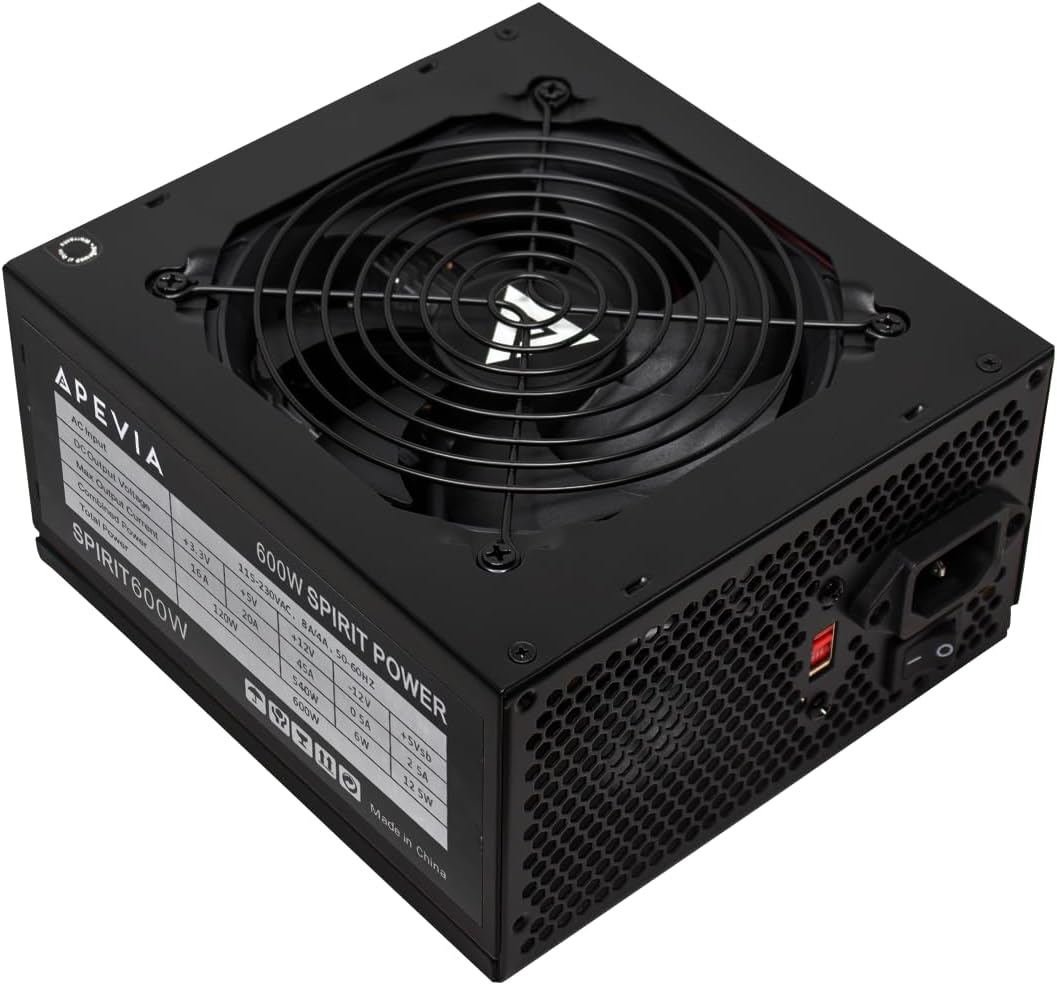
Apevia SPIRIT600W Spirit
4.3Editor score
600W continuous output
Multiple protection suites
120mm cooling fan
This guide compares the top budget power supplies for gaming pcs to help you find reliable efficiency and performance without overspending on your rig.
Building a gaming PC requires careful selection of every component to ensure stability and longevity. The power supply unit is often overlooked but remains critical for system health and performance efficiency under load.
We evaluated ten real products based on efficiency ratings, protection features, and warranty terms. Our comparison focuses on value-oriented options that deliver reliable power for modern gaming workloads effectively.
Each pick shows key strengths and trade-offs to help you choose wisely. Note that prices and stock change often so verify current details before purchasing any unit for your build.
4.3Editor score

4.4Editor score

4.6Editor score
The following table provides a side-by-side overview of all ten models. It highlights key specifications and certifications to help you compare efficiency, power capacity, and warranty coverage at a glance.



The Apevia SPIRIT600W delivers solid value for entry-level builds seeking basic power delivery. It offers 600 watts of continuous output suitable for mainstream gaming rigs.
We may earn a commission when you buy through this link, at no additional cost to you.
Its standout quality lies in the comprehensive protection suite that guards against short circuits and voltage spikes. The split connectors allow flexibility for older motherboards needing 4pin CPU power.
While it lacks an efficiency certification the unit maintains reasonable thermal performance with its auto controlled fan. Build quality is functional but does not match premium units in materials.
This model is ideal for budget-conscious gamers who need reliable power without spending much. Choose it when cost is the primary constraint and efficiency is secondary.
The unit includes over voltage and over power protection to safeguard components during unstable grid conditions.
Split 8pin connectors adapt to 4pin or 6+2pin needs ensuring compatibility with various hardware generations.
We may earn a commission when you buy through this link, at no additional cost to you.
Thermaltake SMART 600W offers a step up in efficiency with its 80 Plus certification. It provides stable power for mid-range builds needing consistent 12V delivery.
We may earn a commission when you buy through this link, at no additional cost to you.
Its active PFC design improves power factor and reduces wasted energy during typical gaming sessions. The unit delivers robust performance under load thanks to high quality components.
The lack of modular cables makes installation slightly messy in compact cases. However the five year warranty adds confidence for long term usage without early replacement.
Consider this if you want certified efficiency without paying premium prices. It balances cost and performance well for standard gaming configurations.
The 80 Plus certification ensures at least 80 percent efficiency under typical load reducing electricity costs.
High quality capacitors and active PFC design extend operational life and ensure stable voltage output.
We may earn a commission when you buy through this link, at no additional cost to you.
ARESGAME AGV Series 500W stands out for its clean black cables and Bronze efficiency rating. It fits smaller builds with modest power needs perfectly.
We may earn a commission when you buy through this link, at no additional cost to you.
Its 85 percent efficiency under typical loads saves energy while keeping heat generation low. The ultra quiet fan ensures minimal noise during gaming or media consumption.
The non modular design limits airflow slightly in tight cases but keeps cost down. Five year warranty coverage adds significant value compared to budget competitors.
This unit is perfect for budget gamers with entry to mid level GPUs. Choose it for quiet operation and clean aesthetics without paying for high wattage.
The 120mm fan is optimized for low noise making it suitable for office or bedroom gaming PCs.
Heavy protection features guard against over voltage and short circuits ensuring component safety over time.
We may earn a commission when you buy through this link, at no additional cost to you.
MSI MAG A750GL PCIE5 brings native ATX 3.1 and PCIe 5.1 readiness to budget-conscious gamers needing power headroom. It offers 750 watts with Gold efficiency.
We may earn a commission when you buy through this link, at no additional cost to you.
Its modular design simplifies cable management and improves airflow inside the case. The native 12V-2×6 connector supports latest graphics cards without adapters.
While pricier than base models the ten year warranty reflects high reliability. Build quality matches premium standards despite its competitive price tag.
Choose this if you plan upgrades to high end GPUs soon. It balances future proofing and cost better than most options.
The dual color 12V-2×6 cable enables safe direct connection to next generation GPUs without extra adaptors.
A ten year warranty indicates confidence in long term component durability and power stability.
We may earn a commission when you buy through this link, at no additional cost to you.
Segotep 650W offers Gold efficiency at a compelling price for budget builds. It provides stable 12V output ideal for high demand graphics cards.
We may earn a commission when you buy through this link, at no additional cost to you.
The single 12V rail simplifies power delivery for multi component systems. Global voltage adaptation ensures safe use across different regions and outlets.
Fixed cables can clutter small cases but keep the unit compact and affordable. Wire separation options help organize connections inside standard cases.
Ideal for gamers wanting high efficiency without premium cost. Choose it if voltage stability and efficiency matter more than modular flexibility.
The single 12V rail delivers reliable power for high draw GPUs without splitting wattage across rails.
Global voltage features allow safe operation from 100V to 240V making it suitable for international travel.
We may earn a commission when you buy through this link, at no additional cost to you.
ASRock PRO 750G delivers modern ATX 3.1 and PCIe 5.1 compliance at a competitive price. It handles mid to high end gaming systems reliably.
We may earn a commission when you buy through this link, at no additional cost to you.
Its native 12V-2×6 connector provides safe direct power to new GPUs. The quiet fan maintains thermal stability without adding noise to your setup.
Non modular cables add clutter compared to higher tier units. The three year warranty is shorter than some rivals but acceptable for budget tier products.
Choose this if you need next gen compatibility on a budget. It balances performance and cost well for newer hardware builds.
ATX 3.1 and PCIe 5.1 compliance ensures compatibility with upcoming GPU models without extra adapters.
The low noise fan provides effective cooling while maintaining a quiet environment during gameplay.
We may earn a commission when you buy through this link, at no additional cost to you.
MSI MAG A650BE provides a balanced semi modular layout for cleaner cable management. It offers 650 watts with Bronze efficiency for solid gaming performance.
We may earn a commission when you buy through this link, at no additional cost to you.
Active PFC design ensures efficient power use and stable voltage delivery during load. The low noise fan keeps acoustic levels comfortable even under stress.
Non detachable main cables reduce flexibility but maintain cost efficiency. The five year warranty offers solid protection for long term ownership.
Ideal for users wanting better cable control without full modular pricing. Choose it for compact builds needing moderate power.
Active PFC technology reduces energy waste and supports stable output across varying load conditions.
Low noise fan ensures minimal acoustic disturbance during intense gaming sessions or quiet work.
We may earn a commission when you buy through this link, at no additional cost to you.
MSI MAG A650BN offers compact non modular design suitable for smaller cases. It provides 650 watts with Bronze efficiency for everyday gaming use.
We may earn a commission when you buy through this link, at no additional cost to you.
The DC-DC circuit design improves voltage regulation across different power rails. Active PFC maintains efficiency while reducing energy waste during typical workloads.
Fixed cables limit airflow in tight spaces but keep costs minimal. The unit maintains stable performance under load without overheating issues.
Select this for tight budgets needing reliable power in compact setups. Choose it if space is constrained and efficiency is secondary.
DC-DC design ensures cleaner power delivery to sensitive components like CPU and GPU during operation.
Low noise fan design minimizes acoustic disruption during gaming or streaming sessions.
We may earn a commission when you buy through this link, at no additional cost to you.
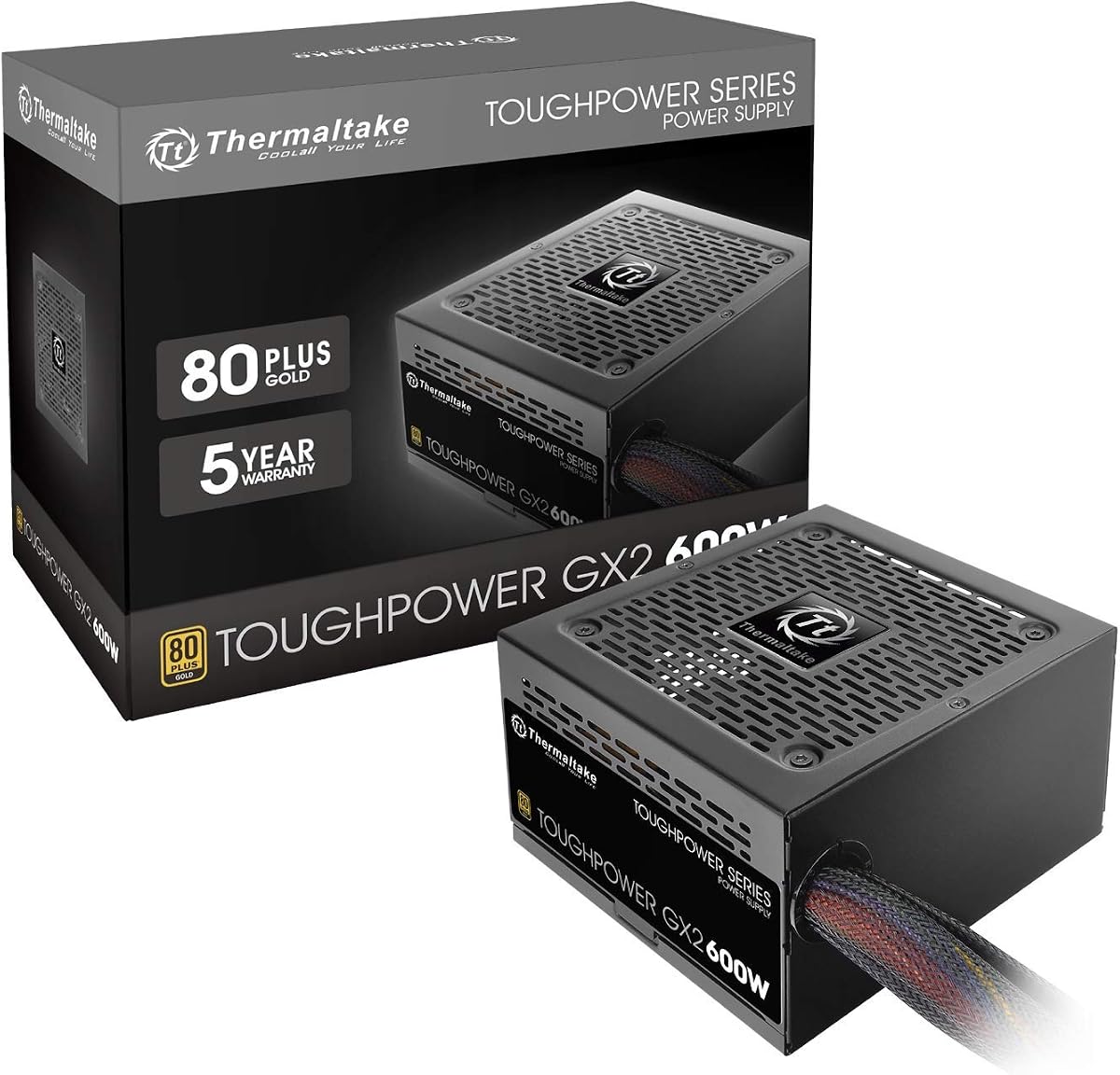
Thermaltake Toughpower GX2 offers Gold efficiency with support for multi GPU configurations. It delivers 600 watts stable power ideal for serious gaming.
We may earn a commission when you buy through this link, at no additional cost to you.
The single 12V rail simplifies GPU power distribution and avoids rail splitting issues. Low ripple noise ensures stable voltage for sensitive components.
Fixed cables reduce flexibility but maintain compact form factor. The five year warranty provides solid protection for consistent daily use.
Ideal for users seeking Gold efficiency without full modular costs. Choose this for stable multi GPU setups.
Single 12V rail design delivers consistent power to graphics cards during high load scenarios.
Low ripple noise technology ensures clean power delivery protecting sensitive internal components.
We may earn a commission when you buy through this link, at no additional cost to you.
Rosewill VSB 650W combines ATX 3.0 readiness with semi modular convenience for budget builds. It offers 650 watts with native PCIe 5.1 support.
We may earn a commission when you buy through this link, at no additional cost to you.
Japanese capacitors rated for 105C provide reliable thermal endurance. The ICB silent fan ensures quiet operation during extended gaming or streaming sessions.
Bronze efficiency is lower than premium models but acceptable for entry to mid tier GPUs. The compact build fits many standard cases with ease.
Ideal for users wanting modern connectivity without premium cost. Choose it for next gen GPU support.
Japanese capacitors rated for 105C deliver reliable performance under high heat conditions.
Native PCIe 5.1 connectors enable future proofing without adapters for upcoming hardware.
We may earn a commission when you buy through this link, at no additional cost to you.
Selecting a budget power supply involves balancing efficiency, protection features, and connector compatibility. These factors impact reliability and safety more than raw wattage alone.
Efficiency ratings like Bronze or Gold indicate how much power is wasted as heat. Higher efficiency reduces electricity costs and internal heat buildup in your system.
Look for at least 80 Plus Bronze certification for reliable energy conversion and thermal performance.
Your power supply must handle peak power draw from CPU and GPU. Check system specs to ensure your unit offers 100 watts extra headroom.
Selecting too little wattage risks instability under load while excess capacity wastes money in tight budgets.
Safety protections like over voltage and short circuit prevent damage to components during power surges. Units without these features risk hardware failure.
Always choose power supplies with comprehensive protection suites for safe daily operation.
Modern GPUs need PCIe 6+2 or 12V-2×6 connectors. Older units may lack these native pins requiring risky adapters.
Verify that connectors match your hardware to ensure safe and stable power delivery.
Modular cables allow only necessary wires to connect improving airflow and aesthetics. Non modular units keep fixed cables that can clutter compact cases.
Consider modular or semi modular designs if case space is limited or aesthetics matter.
Thermal management relies on fans that stay quiet under load. Noisy fans can distract during gaming sessions or media consumption.
Check acoustic specs and look for models with low noise ratings for comfort.
Warranty length reflects manufacturer confidence in component quality. Longer terms like five or ten years reduce risk of early failure costs.
Prioritize models with extended warranties for better long term value and peace of mind.
Materials like Japanese capacitors ensure stable voltage and longevity over time. Units with cheap components may degrade faster under heat stress.
Check internal component specs to confirm durability and consistent performance.
Always verify system power requirements before installation. Ensure all cables connect securely to the PSU and motherboard to prevent voltage drops or shutdowns.
Keep the interior clean from dust buildup. Regular cleaning maintains airflow and reduces strain on the internal cooling fan.
Avoid blocking vents with cables or other components. Proper clearance ensures the unit can expel heat efficiently.
A 500W unit can support entry to mid level GPUs but may struggle with high end cards. Check your specific component needs before buying. Lower wattage units work well for integrated graphics or budget builds.
Certified units convert power efficiently reducing heat and energy costs. Non certified models may waste more power and run hotter. Bronze or better is recommended for most gaming systems.
Calculate total draw from CPU and GPU then add 100 watts for headroom. Use online calculators to estimate needs accurately. Selecting too little risks instability under load.
Budget units may lack proper protections or use cheaper capacitors. This can lead to voltage spikes damaging hardware. Choose units with safety features for reliability.
Modular units offer better cable management but cost more. Non modular models save cash and can work fine in larger cases. Balance cost against aesthetic needs.
Many budget PSUs last years if operated within limits. Warranty terms often range from three to five years. Proper ventilation and cleaning extend overall lifespan.
Older PSUs may lack connectors like PCIe 5.1 or sufficient wattage. Verify compatibility with modern components before installing. Replacing aging units ensures safety and efficiency.
A five year warranty offers solid coverage for budget tiers. Longer terms like ten years usually cost more. Choose warranties matching your expected build duration.
We reviewed ten models offering diverse wattages and efficiency levels for various builds. Top picks balance cost with efficiency and safety features effectively.
Prioritize efficiency and protection when selecting a unit for daily gaming. Modular design and warranty terms add value depending on your budget.
Check current stock and details before purchasing since offers change often. Verify your build requirements match the unit specifications exactly.