
HOTTABLET Tablet 7Inch Android 14.0
3.7Editor score
Dual-band WiFi connectivity
Protective case included
Lightweight portable design
Finding a reliable tablet without breaking the bank can be challenging in today's market. Many users seek affordable devices that offer solid performance for everyday tasks like browsing, streaming, and light productivity. This guide highlights the top affordable options available now.
We evaluated ten distinct models based on their connectivity features, display quality, and overall value. Each product was assessed for its ability to deliver a smooth user experience through stable WiFi connections and responsive interfaces. Our goal is to provide clear insights for informed decisions.
Every pick in this list showcases key strengths and potential trade-offs to help you narrow down choices. Note that prices and availability fluctuate frequently, so verify current details before purchasing. Use this resource to find the perfect fit for your specific needs and budget constraints.
3.7Editor score

4.2Editor score

4.5Editor score
As an Amazon Associate we earn from qualifying purchases.
This side-by-side comparison breaks down the technical specifications and key features of all ten selected models. By reviewing screen sizes, storage capacities, and connectivity standards together, you can quickly identify which device aligns best with your daily usage patterns and performance expectations.


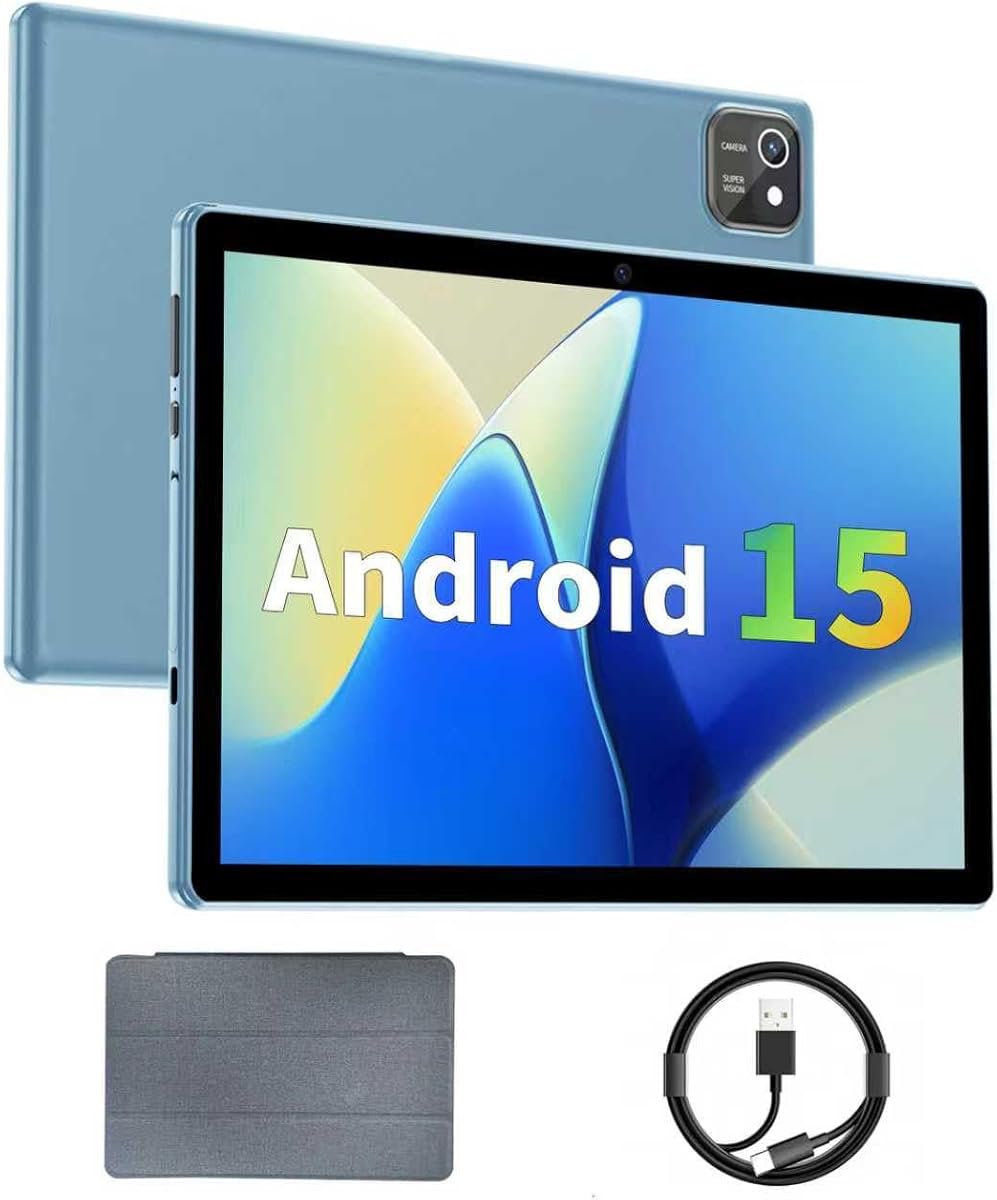


The Jeazans Tablet stands out as a top contender for those seeking a reliable and feature-rich device. Boasting a perfect rating from users, it offers a compelling mix of modern software and robust hardware specifications that cater to everyday needs effectively.
We may earn a commission when you buy through this link, at no additional cost to you.
Its standout quality lies in the impressive 20GB RAM configuration and Android 16 operating system. This combination ensures smooth multitasking and access to the latest app ecosystem. The inclusion of Wi-Fi 6 guarantees fast and stable internet connections for streaming and browsing.
While the display is standard IPS technology, the overall experience remains solid for the price point. Users might find the brand less familiar compared to major tech giants, but the performance and warranty support help mitigate this concern for budget-conscious buyers.
This device is ideal for students and families needing a versatile tool for media consumption and light work. With face unlock and wide storage options, it delivers comprehensive functionality that justifies its position as a leading choice in the budget tablet market.
The 20GB RAM allows for seamless switching between multiple apps without lag or slowdowns during heavy use.
Support for Wi-Fi 6 and Bluetooth 5.4 ensures future-proof connections with routers and accessories for years to come.
We may earn a commission when you buy through this link, at no additional cost to you.
This tablet model captures attention with its aggressive specification list designed to compete with higher-priced devices. It runs on the latest Android 16 OS, providing immediate access to the newest features and app compatibility available on the platform today.
We may earn a commission when you buy through this link, at no additional cost to you.
The standout feature is the massive 24GB RAM capacity which supports extensive multitasking capabilities. Users can run multiple heavy applications simultaneously without experiencing significant slowdowns. Coupled with fast WiFi 6 connectivity, it ensures a responsive online experience for streaming and cloud tasks.
However, some users have noted mixed experiences regarding build quality and long-term software updates. While the specs are impressive on paper, real-world performance may vary depending on usage intensity. The generic branding might also be a consideration for those preferring established names.
Ideal for tech-savvy users who prioritize raw specs over brand prestige, this device offers immense value. It is particularly suitable for media consumption and light productivity tasks where screen size and memory matter most for daily workflow efficiency.
With 24GB of RAM, you can keep numerous apps open in the background without performance degradation or reloading delays.
Built-in Wi-Fi 6 and Bluetooth 5.4 provide faster data transfer speeds and lower latency for modern wireless peripherals.
We may earn a commission when you buy through this link, at no additional cost to you.
The Amazon Fire HD 10 is a well-established device known for its reliability and deep integration with Amazon services. It features a vibrant Full HD screen that makes watching movies and reading visually pleasing. The octa-core processor ensures smooth navigation through menus and apps.
We may earn a commission when you buy through this link, at no additional cost to you.
Its key strengths include an exceptional battery life lasting up to thirteen hours and durable construction that withstands daily wear. The built-in Alexa assistant adds significant utility for controlling smart home devices or checking weather updates hands-free. This makes it a comprehensive media hub.
Despite these strengths, the device operates within Amazon's ecosystem which limits access to Google Play Store apps unless sideloaded. Additionally, the lock screen may display ads unless a subscription is purchased. These factors can be drawbacks for users needing full Android flexibility.
This tablet is best suited for households deeply invested in Amazon services like Prime Video or Audible. It serves as an excellent entertainment center for relaxation and light work, offering a polished experience for those who prefer convenience and ecosystem continuity.
The 13-hour battery life ensures you can use the device throughout the day without needing to plug in frequently.
Built-in Alexa allows seamless control of compatible smart home gadgets and voice commands for various daily tasks.
We may earn a commission when you buy through this link, at no additional cost to you.
Samsung delivers a solid entry with the Galaxy Tab A11 which features a high refresh rate display uncommon at this price point. The 90Hz screen provides noticeably smoother scrolling and animations compared to standard 60Hz panels found on many budget tablets today.
We may earn a commission when you buy through this link, at no additional cost to you.
Its performance is backed by the Helio G99 processor and a modern Android 15 operating system which offers updated security and features. The device is compact and lightweight making it easy to hold for extended reading sessions. Users appreciate the ability to expand storage via microSD card.
However, buyers should note that this is an international version which may lack local warranty support. Additionally, the charger is not included in the box requiring a separate purchase. These minor inconveniences are offset by the high-quality screen and build standards typical of Samsung.
This model is perfect for media consumers and readers who prioritize screen fluidity and portability. It is an excellent choice for those who want a trusted brand name without paying premium prices for flagship features and specifications.
The 90Hz refresh rate makes scrolling through web pages and apps feel much more fluid and responsive.
At just 8.7 inches, the tablet is small enough to fit in a small bag yet large enough for comfortable viewing.
We may earn a commission when you buy through this link, at no additional cost to you.
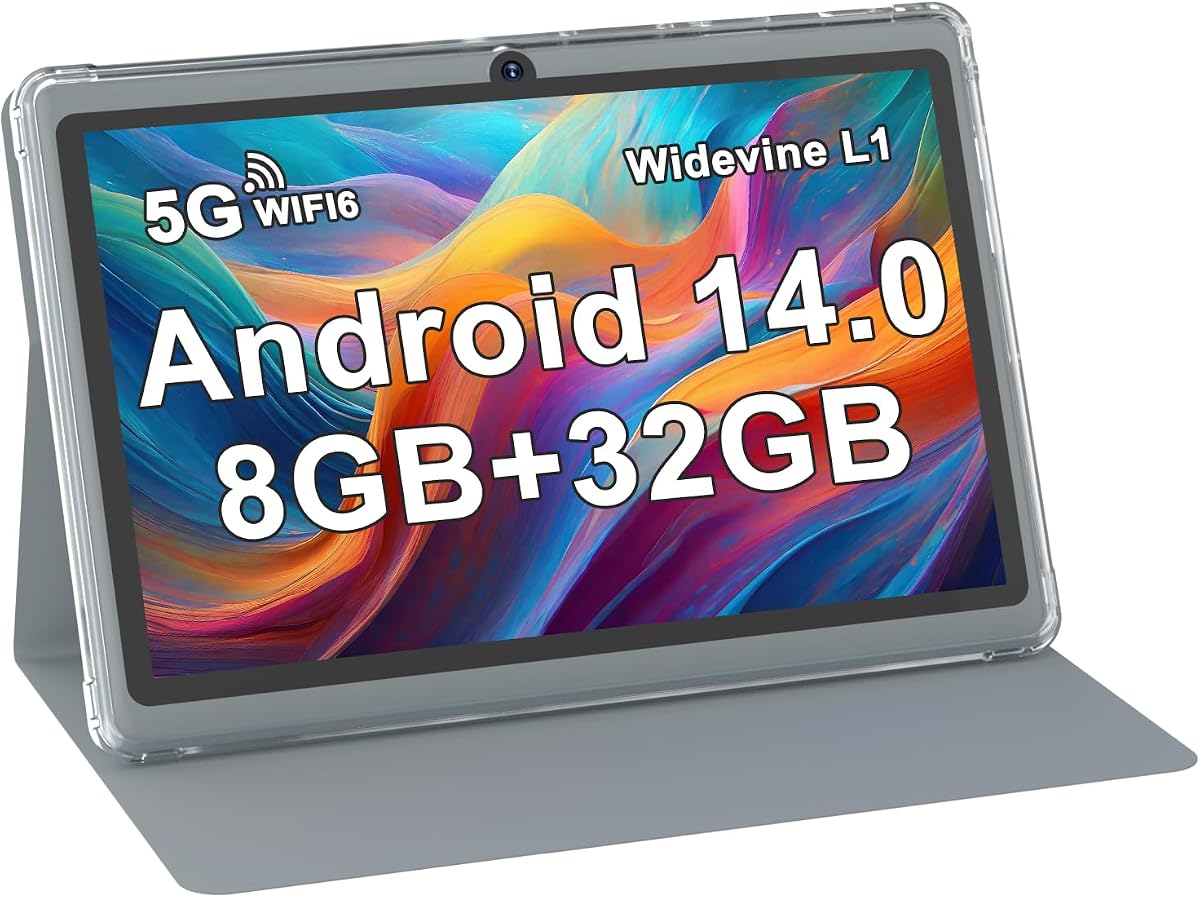
For users seeking the most affordable option without sacrificing basic functionality, this 7-inch tablet is an excellent choice. It runs Android 14 and provides a stable connection through dual-band WiFi which ensures smoother streaming compared to single-band alternatives on the market.
We may earn a commission when you buy through this link, at no additional cost to you.
The package includes a protective case which adds immediate value and convenience for transport. Its compact design makes it easy to carry around for travel or commutes. The display features eye protection technology that reduces blue light for more comfortable viewing sessions.
Due to its lower price point, the processing power is somewhat limited which may affect performance with heavy games. The screen size is also smaller which might not suit users wanting a larger viewing area for movies. However, it handles basic tasks with ease.
This tablet is ideal for students or children needing a simple device for educational apps and video calls. It is also a great secondary device for quick emails or browsing when a full-sized tablet is too bulky to carry daily.
The included protective case and lightweight form factor make this device highly resistant to drops and easy to carry.
Dual-band WiFi support ensures a more stable internet connection even in areas with high network traffic or interference.
We may earn a commission when you buy through this link, at no additional cost to you.
This tablet combines modern connectivity features with a practical accessory package that simplifies immediate use. It supports Wi-Fi 6 which is a rare feature at this price point and ensures future-proof internet speeds. The included protective cover adds significant value right out of the box.
We may earn a commission when you buy through this link, at no additional cost to you.
With 8GB of RAM and expandable storage, it handles essential apps and media files efficiently. The compact 7-inch form factor makes it easy to slide into a bag for on-the-go productivity. Dual cameras allow for video calls and document scanning with reasonable clarity.
While the general rating is moderate, the value proposition remains strong for budget-conscious buyers. Users should manage expectations regarding heavy gaming performance as the processor is optimized for light daily tasks rather than intensive graphics rendering.
It is a great option for travelers or commuters who need a lightweight reading and browsing device. The combination of modern WiFi tech and physical protection makes it a practical choice for active lifestyles on a budget.
Support for Wi-Fi 6 provides faster data speeds and better efficiency when connecting to modern wireless routers.
The included protective cover ensures the device is safe from scratches and minor drops immediately upon arrival.
We may earn a commission when you buy through this link, at no additional cost to you.
The COOPERS Tablet offers a generous 10-inch screen which is ideal for media consumption and reading content. It runs the latest Android 15 operating system providing a smooth interface and up-to-date security features. The 6000mAh battery ensures long sessions of use without frequent charging needs.
We may earn a commission when you buy through this link, at no additional cost to you.
Its large display is a significant benefit for users who find smaller screens too cramped for work or entertainment. The storage can be expanded via SD card allowing for a vast library of apps and media files. This flexibility adds to its versatility as a daily driver.
One limitation is the support for 2.4G WiFi only which may limit speed compared to dual-band models. Build quality is functional but does not feel premium compared to higher-end devices. Despite this, it remains a cost-effective solution for general use.
This device is best for families or students needing a larger screen for educational apps and video streaming. It strikes a good balance between screen real estate and affordability making it accessible for a wide range of users.
The 10-inch IPS screen provides a comfortable viewing area that is great for reading, watching videos, and browsing.
A 6000mAh battery capacity supports extended use throughout the day for work or entertainment without interruption.
We may earn a commission when you buy through this link, at no additional cost to you.
This tablet distinguishes itself with a high 12GB RAM capacity which supports robust multitasking capabilities. It features a 10-inch LCD screen suitable for daily media consumption and light productivity tasks. The device runs Android 15 offering a modern user experience with updated features.
We may earn a commission when you buy through this link, at no additional cost to you.
The substantial memory allows for switching between apps without reloading content which enhances overall fluidity. A large battery capacity ensures you can work or stream for hours on a single charge. Storage is also expandable for keeping files locally.
Users may find the brand less established which can lead to fewer third-party accessory options. Connectivity relies on standard WiFi 5 which is sufficient but not future-proof compared to WiFi 6. These trade-offs are acceptable given the competitive hardware specifications.
Ideal for users needing a budget device with higher memory for productivity apps, this tablet delivers value. It is a solid choice for those who want to run multiple apps smoothly without investing in expensive flagship models.
With 12GB of RAM, you can switch between tasks easily without experiencing lag or app reloading delays.
MicroSD expansion up to 1TB lets you store a massive library of media and apps directly on the device.
We may earn a commission when you buy through this link, at no additional cost to you.
This model focuses on raw performance metrics offering an octa-core processor and significant RAM for its price range. The 10.1-inch IPS display delivers vibrant visuals for an immersive viewing experience. It is designed to handle daily tasks smoothly without lag in standard workflows.
We may earn a commission when you buy through this link, at no additional cost to you.
The standout feature is the combination of processing power and memory which supports efficient multitasking and light gaming. The battery life is robust ensuring you can use the device throughout the day without interruption. Weight is kept low for comfortable handheld use.
Despite strong specs, user feedback varies regarding software updates and build consistency. The generic branding means limited support channels compared to major manufacturers. However, the cost-to-performance ratio remains compelling for those focused on specs over brand prestige.
It is a great fit for users seeking a high-spec device for browsing and streaming on a budget. This tablet is recommended for those who prioritize internal hardware capabilities to ensure longevity and smooth operation.
The octa-core processor delivers efficient performance for everyday apps and light gaming without slowing down.
Weighing just 15 ounces it is easy to hold and use for long periods without causing hand fatigue.
We may earn a commission when you buy through this link, at no additional cost to you.
This compact tablet is designed for basic use providing a simple and affordable entry point into Android tablets. It features a 7-inch HD screen that works well for reading and streaming basic video content. GMS certification ensures compatibility with a wide range of apps.
We may earn a commission when you buy through this link, at no additional cost to you.
Its primary advantage is the lightweight and portable form factor making it easy to carry anywhere. The price point is extremely low making it accessible for those with strict budget constraints. It handles simple tasks like email and web browsing effectively.
Performance is limited by 2GB of RAM which may struggle with multiple open apps or heavy media. Build quality is standard and does not offer advanced durability features. Users should be aware of these limitations before purchase.
It is best suited for children or secondary use cases where high performance is not required. This device provides a straightforward way to access digital content without complexity or high cost for basic needs.
The tablet supports standard WiFi and Bluetooth to keep you connected to essential apps and peripherals.
GMS certification allows you to download and use common apps from the Google Play Store reliably.
We may earn a commission when you buy through this link, at no additional cost to you.
Selecting the right tablet involves balancing budget constraints with the features you actually need for daily use.
The operating system dictates which apps you can use and how secure your device remains. Modern tablets often run Android 14 or 15 providing access to the Google Play Store and essential productivity tools. Ensure the device supports the latest OS version for security updates.
Look for tablets with GMS certification to guarantee full app compatibility and system stability.
RAM determines how many apps you can run simultaneously without lag. For smooth multitasking aim for at least 4GB or preferably 8GB or more in budget models. Storage affects how much media and apps you can keep locally on the device.
Prioritize models with expandable storage via microSD card to future-proof your device against space limitations.
WiFi is a critical feature for most users accessing the internet for work or entertainment. Look for dual-band support (2.4GHz and 5GHz) for better speed and stability in crowded networks. WiFi 6 is becoming more common in budget devices and offers better performance.
Always check the supported WiFi bands to ensure the tablet connects reliably to your home or office network.
The screen is what you look at constantly so its quality matters for comfort. IPS panels provide better viewing angles and colors compared to standard TFT screens. Sizes range from 7 inches for portability to 10 inches for media and reading.
Choose a screen size that fits your hand comfortably if you plan to hold it for long periods.
A tablet must last through your typical day without frequent charging to be useful. Look for battery capacities above 5000mAh to ensure 8 hours or more of active use. Fast charging support via USB-C is a significant convenience feature.
Verify actual usage hours in reviews since marketing claims can sometimes exceed real-world performance.
Cheaper tablets sometimes use more plastic and less robust materials which can affect longevity. Check if the device comes with a protective case or if it has reinforced corners for drops. A durable build ensures the device survives daily transport.
Consider brands with warranty support to protect your investment against potential manufacturing defects.
While tablets are not primary cameras decent quality lenses are useful for video calls and scanning documents. Ensure there is a front camera for video conferencing and a rear camera for photos. Input options like headphone jacks add value for audio without Bluetooth.
Check for additional features like face unlock for convenience in accessing your device quickly.
The best value is not always the cheapest option but the one offering the most useful features for your needs. Compare specs against the asking price to determine if you are paying for features you will actually use. Read user feedback to gauge long-term satisfaction.
Always check current promotions or bundles that might include accessories like cases or chargers for better value.
To maximize battery life avoid keeping the screen brightness higher than necessary. Use dark mode options when available and close apps that run in the background unnecessarily. This simple practice extends the time between charges significantly.
Protect your device by using a case or screen protector immediately after unboxing. Dust and scratches can accumulate over time reducing usability. Avoid exposing the tablet to extreme heat or moisture to prevent internal damage.
Keep the software updated to maintain security and performance. Regularly check for system updates in settings and download recommended patches. This ensures your device remains compatible with new apps and protects your data.
Most models in this category focus on WiFi connectivity to keep costs low. However some may support Bluetooth for wireless accessories. Always check product specs if cellular data is required for your usage.
Dual-band WiFi allows the tablet to connect to both 2.4GHz and 5GHz networks. The 5GHz band offers faster speeds and less interference while 2.4GHz offers wider range. This provides flexibility for different network environments.
Many models support microSD card expansion allowing you to add storage capacity. This is useful for storing photos and videos locally. Always check the maximum supported capacity before purchasing a card.
Budget tablets are generally better suited for casual gaming rather than high-performance titles. Look for models with higher RAM and newer processors for better gaming results. Performance varies significantly between models.
Some packages include a protective case while others do not. If it is not included consider buying one to protect your investment. Cases also help in gripping the device securely.
Most devices offer between 6 to 10 hours of mixed use depending on screen brightness. Battery life is influenced by background apps and network usage. Check specific model reviews for accurate real-world estimates.
Cameras on budget tablets are generally adequate for video calls and document scanning. They are not replacements for dedicated cameras but serve basic needs. Front cameras are essential for remote work meetings.
Choose 7 inches for portability and 10 inches for media consumption. Smaller screens are easier to hold while larger ones provide a better viewing experience. Consider your primary use case when deciding.
We explored ten distinct models ranging from entry-level options to higher-spec budget devices. Each offers unique strengths regarding connectivity, battery life, and display quality to suit different needs.
Prioritize WiFi standards and screen size based on whether you value portability or media consumption. A larger RAM capacity ensures smoother performance for multitasking tasks effectively.
Prices fluctuate frequently so checking current deals is essential before making your final choice. We hope this guide helps you find the perfect affordable tablet for your daily digital lifestyle.