
79866M Main Drive Belt for Zebra ZT410
4.6Editor score
Industrial-grade wear-resistant material
Fits Zebra ZT410 ZT411 ZT420 ZT421
Heat-resistant and anti-aging performance
This guide compares the top computer printer transfer belts for Zebra Brother HP Oki and Lexmark printers to help you choose the right part for reliable
Computer printer transfer belts are critical components that ensure high-quality output in laser and thermal printers. These belts transfer toner or ink from the drum to the paper, maintaining consistency across thousands of pages. Choosing the right belt prevents jams, streaks, and costly downtime in your workflow.
We evaluated ten top-rated transfer belts based on compatibility, durability, yield, and user feedback. Our analysis covers models from major brands like Zebra, Brother, HP, Oki, and Lexmark. Each product was assessed for build quality, ease of installation, and overall performance in demanding environments.
Every pick in this list highlights specific strengths and ideal use cases for different printer models. You will find options ranging from budget-friendly replacements to premium genuine units. Remember that prices and availability can change, so check current listings before purchasing to ensure the best value.
4.6Editor score

4.2Editor score

5.0Editor score
The following table provides a side-by-side comparison of all ten transfer belts reviewed in this guide. It highlights key specifications such as compatibility, yield, and notable features to help you quickly identify the best option for your specific printer model.




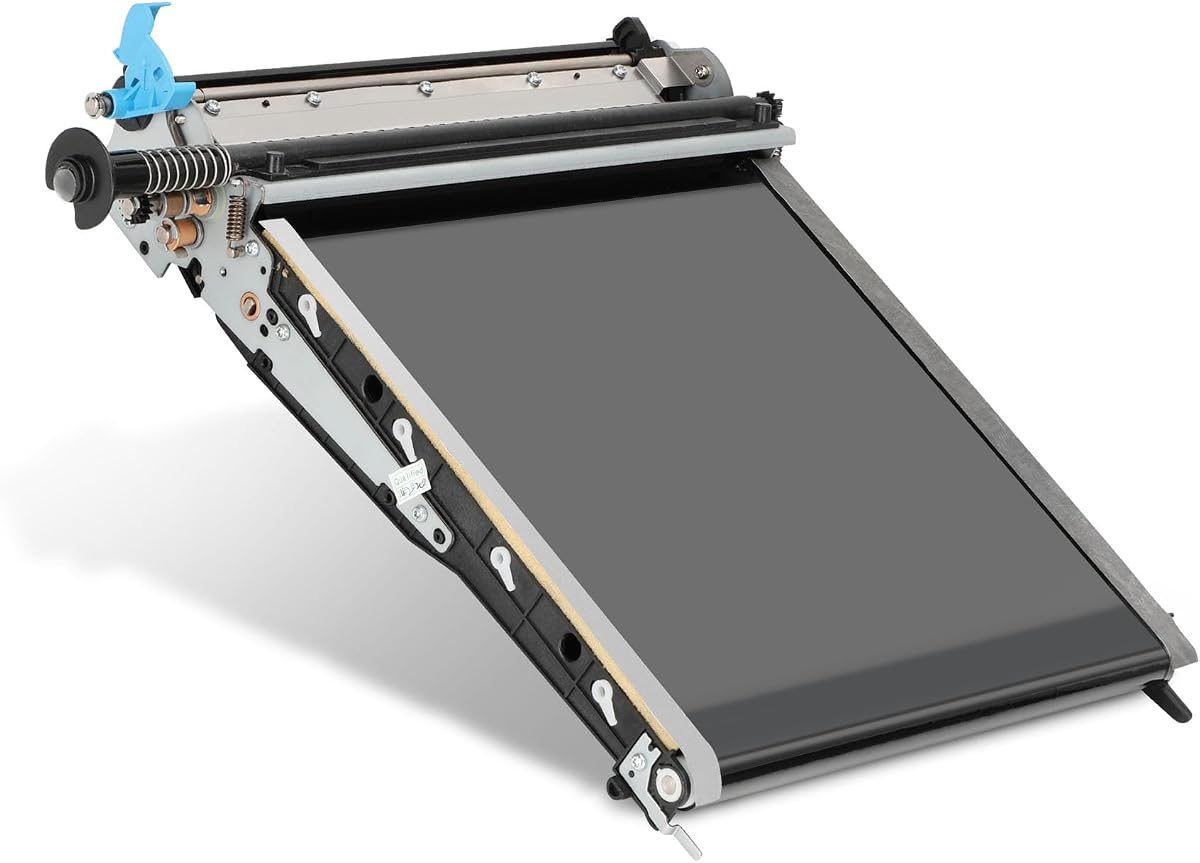

The 79866M Main Drive Belt is designed specifically for Zebra ZT410 ZT411 ZT420 and ZT421 thermal barcode printers. With a rating of 4.6, this belt stands out for its industrial-grade wear-resistant material that ensures long-run continuous thermal printing. It effectively avoids cracking, powder shedding, and permanent deformation under heavy-duty working conditions.
We may earn a commission when you buy through this link, at no additional cost to you.
This belt adopts high-strength reinforced composite material with great tensile, heat-resistant, and anti-aging performance. This makes it ideal for environments where printers run continuously for long periods. The design ensures that the belt maintains its integrity even under significant stress, reducing the need for frequent replacements.
While the belt is highly durable, it is critical to note that it only fits 203dpi models and not 300dpi printers. Users must verify their printer specifications before purchasing to ensure compatibility. This limitation is acceptable given the specialized nature of thermal barcode printing and the cost savings it offers.
Businesses relying on Zebra thermal printers for barcode labeling will benefit significantly from this belt. Its affordable price point combined with robust construction makes it a smart choice for maintaining printer uptime. We recommend this belt for users who need reliable performance without premium costs.
The high-strength reinforced composite material ensures the belt can withstand the rigors of continuous heavy-duty printing.
Detailed model numbers are provided to help users confirm the belt fits their specific Zebra printer before purchasing.
We may earn a commission when you buy through this link, at no additional cost to you.
The Brother Genuine Belt Unit BU223CL is engineered to deliver superior laser print quality for compatible Brother models. With a rating of 4.2, this belt unit is designed to work seamlessly with your Brother printer to ensure consistent professional color laser output. It yields up to 50,000 pages, making it suitable for medium to high-volume printing needs.
We may earn a commission when you buy through this link, at no additional cost to you.
This belt unit is intelligently engineered as part of a complete printing system, which ensures that it works harmoniously with other printer components. The result is sharp prints that last and withstand the test of time. Brother also offers an environmentally responsible way to dispose of branded products, including belt units at the end of life.
The main drawback of this genuine unit is its higher price point compared to third-party alternatives. However, the guaranteed performance and integration with Brother printers often justify the cost for users who prioritize print quality and reliability. It is a solid choice for office environments where consistent output is critical.
We recommend this belt unit for users who own compatible Brother models and want to ensure the best possible print performance. Its intelligent engineering and environmental considerations make it a standout choice in the market. Investing in a genuine unit can prevent potential issues and extend the printer's lifespan.
The belt is designed to work seamlessly with your Brother printer, ensuring optimal performance and consistent print quality.
Brother provides responsible disposal options for branded products, including belt units at the end of their life cycle.
We may earn a commission when you buy through this link, at no additional cost to you.
The CE249A Transfer Kit is a comprehensive solution for HP Color LaserJet CP4025, CP4525, M651, M680, and CM4540 printers. With a perfect 5.0 rating, this kit includes the intermediate transfer belt, secondary transfer roller, and various pickup and separation rollers. It is designed to keep your printer at peak performance with factory-tested components.
We may earn a commission when you buy through this link, at no additional cost to you.
Each component in the kit uses high-quality raw materials and undergoes rigorous testing to ensure functionality. The professional anti-drop box and multi-layer protective packaging ensure the integrity of the product during shipping. This attention to detail reflects the manufacturer's commitment to quality and customer satisfaction.
While the price point is higher than basic replacement belts, the complete nature of the kit offers significant value. Users can replace multiple components at once, reducing future maintenance needs and downtime. The professional after-sales service further enhances the reliability of this purchase.
Businesses using HP Color LaserJet printers will find this kit essential for maintaining consistent, high-quality output. The thorough testing and robust packaging make it a reliable choice for both technical and non-technical users. We highly recommend this kit for those seeking a premium maintenance solution.
The kit includes the transfer belt and necessary rollers, allowing for a comprehensive maintenance update in one purchase.
Each component undergoes factory testing to ensure quality and functionality, keeping your printer at peak performance.
We may earn a commission when you buy through this link, at no additional cost to you.
The Brother Printer BU330CL Belt Unit is designed for use with models like the HLL8260CDW and HLL8360CDW series. With a rating of 4.3, it offers an approximate 50,000 page yield, making it suitable for office environments with moderate to high print volumes. The retail packaging ensures the unit is protected during shipping.
We may earn a commission when you buy through this link, at no additional cost to you.
This belt unit is engineered to provide consistent performance in color laser printers. Its design ensures that toner is transferred efficiently from the drum to the paper, resulting in sharp and clear prints. Regular maintenance and timely replacement of the belt help maintain optimal printer performance.
One trade-off is that the actual yield may vary depending on print coverage and usage patterns. However, the approximate yield provides a reasonable estimate for planning maintenance schedules. The retail packaging also helps prevent damage before installation, ensuring the unit is ready to use upon arrival.
Offices with compatible Brother printers will benefit from this reliable belt unit. Its ability to handle high-volume printing makes it a practical choice for businesses. We recommend this unit for users who want a standard replacement that balances performance and value effectively.
With an approximate 50,000 page yield, this belt unit supports moderate to high print volumes effectively.
Retail packaging ensures the unit is protected during shipping, preventing damage before installation.
We may earn a commission when you buy through this link, at no additional cost to you.
The Brother Genuine Transfer Unit Belt BU220CL is designed for use with models like the HL-3140CW, HL-3170CDW, MFC-9130CW, MFC-9330CDW, and MFC-9340CDW. With a rating of 4.6, this genuine unit ensures quality assurance from Brother. The absence of retail packaging helps reduce costs while maintaining the product's integrity.
We may earn a commission when you buy through this link, at no additional cost to you.
As a genuine unit, it is engineered to work seamlessly with compatible Brother printers. This ensures consistent performance and reduces the risk of compatibility issues that might arise with third-party alternatives. The unit weighs approximately 1.52 kilograms, making it manageable for standard office installations.
One trade-off is the lack of retail packaging, which may increase the risk of damage during shipping. Users should handle the unit with care upon arrival. However, the genuine quality and broad compatibility make it a reliable choice for maintaining printer performance over time.
Businesses using compatible Brother models will find this belt unit to be a cost-effective genuine solution. Its broad compatibility across multiple models adds to its versatility. We recommend this unit for users who prioritize authenticity and reliable performance in their printing workflow.
The absence of retail packaging helps reduce costs while maintaining the product's quality and integrity.
As a genuine unit, it is engineered to work seamlessly with compatible Brother printers, ensuring consistent performance.
We may earn a commission when you buy through this link, at no additional cost to you.
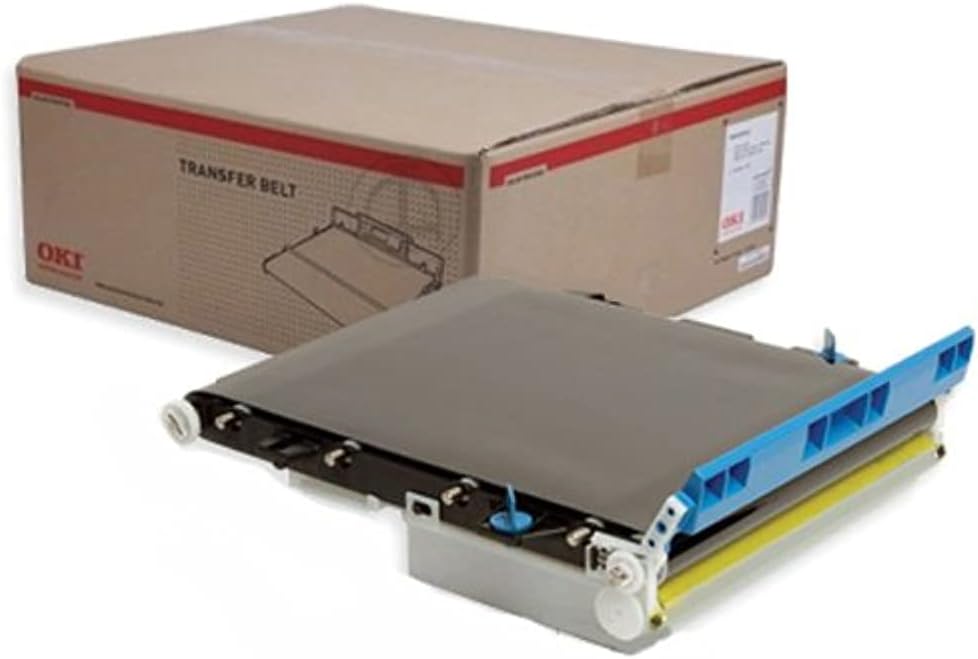
The Oki Transfer Belt is designed with a 60,000 page yield specification, making it suitable for users who need long-lasting performance. With a perfect 5.0 rating, this belt is critical for maintaining machine life and reducing downtime. It helps increase productivity by ensuring the printer operates smoothly without frequent interruptions.
We may earn a commission when you buy through this link, at no additional cost to you.
Replacing critical parts like this transfer belt is essential for the longevity of the printer. The belt is manufactured in China and undergoes standard quality controls to meet Oki's specifications. Regular replacement according to maintenance schedules ensures the printer continues to perform optimally.
While the yield is impressive, it can vary depending on print density and usage patterns. However, the 60,000 page estimate provides a solid baseline for planning maintenance. The focus on reducing downtime makes this belt a valuable component for busy office environments.
Users with compatible Oki printers will appreciate this belt's ability to maintain machine life and productivity. Its perfect rating reflects user satisfaction with its performance and reliability. We recommend this belt for those looking to minimize maintenance disruptions.
Replace critical parts like this transfer belt regularly for longer machine life and consistent performance.
This belt helps reduce downtime and increases productivity by ensuring smooth operation without frequent interruptions.
We may earn a commission when you buy through this link, at no additional cost to you.
The Hewlett Packard CC468-67927 OEM is a color laser maintenance service kit designed for the HP Color LJ CM3530 MFPCP3525 series. With a yield of 150,000 pages, it offers a high capacity for users with significant printing needs. This authentic OEM part is guaranteed to meet HP's specifications for performance and reliability.
We may earn a commission when you buy through this link, at no additional cost to you.
Installation of this belt is recommended to be done by an experienced technician to ensure proper function. This precaution helps avoid potential damage to the printer or suboptimal performance. The high yield reduces the frequency of replacements, making it a cost-effective choice for large offices.
One challenge is the requirement for technical expertise during installation, which may add to the overall cost if professional services are needed. The lower user rating compared to some competitors suggests variability in user experience. However, the authenticity and high yield remain compelling advantages for HP-specific needs.
Enterprises with HP Color LJ printers will find this OEM kit reliable for maintaining high-volume operations. Its guaranteed authenticity ensures compatibility and performance. We recommend this kit for those who can manage the installation process effectively.
With a yield of 150,000 pages, this belt offers high capacity for users with significant printing needs.
Installation is recommended to be done by an experienced technician to ensure proper function and avoid damage.
We may earn a commission when you buy through this link, at no additional cost to you.
The P1B93A Transfer Belt Kit is compatible with Color LaserJet Enterprise M652 and M653 printers, as well as M681 and M682 models. This kit includes an intermediate transfer belt, secondary transfer roller, and various pickup and separation rollers. It is crafted from high-quality plastic materials designed to ensure precision and smooth operation.
We may earn a commission when you buy through this link, at no additional cost to you.
Each component undergoes multiple processes and strict quality control to ensure superior performance. The kit is designed to bring your printer back to life and accompany you for a longer time. Professional after-sales support is available within 24 hours to address any questions or issues that may arise.
One limitation is the lack of rating data, which makes it harder to gauge user satisfaction before purchase. Users should verify compatibility carefully as the kit fits specific models. Despite this, the comprehensive nature of the kit and professional support make it an appealing option for enterprise users.
Businesses using Enterprise M652 or M653 printers will benefit from this complete maintenance solution. The focus on precision engineering ensures that the kit performs reliably in demanding environments. We recommend this kit for those seeking a reliable third-party option with strong support.
Precision of each part ensures smooth operation and helps bring your printer back to life for long-term use.
Professional after-sales support is available within 24 hours to address any questions or issues that may arise.
We may earn a commission when you buy through this link, at no additional cost to you.
The 40X9929 Transfer Belt Assembly is compatible with Lexmark CS720, CS725, CX725, XC4140, and XC4150 printers. With a 150,000 yield, this image transfer unit is designed for high-volume printing needs. It is crafted from high-quality materials to ensure optimal performance and longevity in demanding environments.
We may earn a commission when you buy through this link, at no additional cost to you.
The unit comes in secure anti-drop packaging, which enhances resilience and durability during shipping. This ensures the product arrives intact and ready for installation. A dedicated customer service team is available to address any inquiries or issues, responding promptly within 24 hours.
One challenge is the lack of rating data, which makes it harder to assess user satisfaction before purchase. Users should confirm compatibility carefully, as this kit is specific to certain Lexmark models. However, the high yield and robust packaging are significant advantages for busy offices.
Businesses with compatible Lexmark printers will benefit from this reliable assembly. Its high yield reduces the frequency of replacements, saving time and effort. We recommend this assembly for those seeking a durable solution with professional support.
With a 150,000 yield, this image transfer unit is designed for high-volume printing needs in demanding environments.
Secure anti-drop packaging enhances resilience and durability during shipping, ensuring the product arrives intact.
We may earn a commission when you buy through this link, at no additional cost to you.
The 40X9929 Transfer Belt Assembly is compatible with Lexmark CS720de, CS720dte, CS725de, CS725dte, CX725de, CX725dhe, CX725dthe, XC4140, XC4150, XC4143, and XC4153 printers. With a 150,000 yield, this unit offers long-term value for high-volume environments. It is premium quality and factory tested to ensure optimal printer performance and reliability.
We may earn a commission when you buy through this link, at no additional cost to you.
Secure anti-drop packaging ensures resilience and durability during shipping, protecting the product until installation. Superior customer service is provided by a dedicated team, responding promptly within 24 hours to address any inquiries or issues. This focus on service enhances the overall user experience.
A limitation is the lack of rating data, which makes it difficult to gauge user satisfaction before purchase. Users must verify compatibility carefully with their specific model numbers. Despite this, the high yield and robust packaging make it a strong contender for Lexmark users.
Organizations with compatible Lexmark printers will find this assembly to be a reliable choice for maintaining uptime. Its factory-tested quality ensures it meets performance standards. We recommend this assembly for those seeking a high-capacity solution with dedicated support.
This unit is premium quality and factory tested to ensure optimal printer performance and reliability in any environment.
A dedicated team provides superior customer service, responding promptly within 24 hours to address any inquiries or issues.
We may earn a commission when you buy through this link, at no additional cost to you.
Choosing the right transfer belt requires understanding your printer model, expected usage, and material quality. This guide outlines the key factors to consider for making an informed decision that aligns with your printing needs.
Always verify the specific model of your printer before purchasing a transfer belt. The belt must match the printer's design, including resolution and drum size, to function correctly. Using an incompatible belt can cause jams or damage to the printer.
Check the product description for a detailed list of compatible models to ensure fit.
Page yield indicates how many pages the belt can handle before needing replacement. High-yield belts are cost-effective for high-volume printing environments but may cost more upfront. Consider your average monthly print volume to determine the most economical option.
Higher yields reduce maintenance frequency and downtime in busy office settings.
Belt materials vary between third-party options and genuine OEM parts. High-quality composite or reinforced materials resist cracking and wear over time. Durability is critical for printers that run continuously or in high-temperature environments.
Look for descriptions mentioning industrial-grade or heat-resistant materials to ensure longevity.
Genuine OEM belts ensure seamless integration with your printer but often cost more. Third-party options can offer savings but may vary in quality. Weigh the trade-off between cost and reliability based on your printing needs.
Choose genuine parts for critical business workflows and third-party for less frequent use.
Some transfer belts come as standalone parts, while others include rollers and separators in a kit. Kits simplify maintenance by replacing multiple components at once. Assess whether your printer needs a full service kit or just the belt.
Complete kits reduce future maintenance time and provide better value for complex printers.
Transfer belts are sensitive to physical damage during shipping. Packaging that includes anti-drop or multi-layer protection ensures the belt arrives intact. Secure packaging minimizes the risk of defects upon arrival.
Look for mentions of professional or protective packaging in the product details.
Reputable sellers offer warranties or refund policies for defective belts. After-sales support helps resolve installation issues or compatibility questions. Reliable support increases confidence in the purchase.
Choose sellers who respond to inquiries quickly to ensure a smooth buying experience.
Some manufacturers offer responsible disposal options for used belts. This aligns with sustainability goals and regulations. Check if the brand provides guidelines or programs for recycling or proper disposal.
Environmentally responsible disposal options are increasingly important for businesses.
Begin by turning off the printer and unplugging it to ensure safety. Open the access panel to locate the transfer belt assembly. If replacing an old belt, remove it carefully to avoid damaging surrounding components or the new belt.
Install the new belt by aligning it with the designated slots and locking it into place. Follow the manufacturer's instructions to ensure proper positioning. Close the access panel and restart the printer to test the new belt.
Perform regular maintenance by keeping the printer clean and free of debris. Check the belt periodically for signs of wear or damage. Avoid touching the belt surface directly to prevent oil transfer, and replace the belt according to the recommended yield.
A computer printer transfer belt is a critical component in laser and thermal printers that moves toner or ink from the drum to the paper. It ensures high-quality output by maintaining consistent contact during the printing process.
Replacement depends on the belt's page yield and your printing volume. Typically, belts are replaced every 150,000 to 50,000 pages. Check your printer's maintenance alerts or manual for specific recommendations.
Yes, many transfer belts can be installed by following the manufacturer's instructions. However, some complex models may require professional installation to avoid damage. Always refer to your printer's manual for guidance.
OEM belts are designed specifically for your printer, ensuring better compatibility and performance. Third-party options can be cost-effective but may vary in quality. Choose based on your priority for reliability or budget.
Using an incompatible belt can cause jams, poor print quality, or even damage to the printer. Always verify the model number and compatibility list before purchasing to avoid issues.
A properly functioning belt produces consistent, high-quality prints without streaks or gaps. If you notice print defects, check the belt for damage or consider replacing it. Printer maintenance alerts can also indicate when replacement is needed.
Many reputable sellers and manufacturers offer warranties on transfer belts. Check the product description for warranty details and return policies. A warranty provides assurance against defects and ensures better service.
Some manufacturers offer responsible disposal options for used belts. Check if the brand provides guidelines or programs for recycling or proper disposal. This helps businesses meet sustainability goals and regulations.
The top three picks for this guide are the 79866M Main Drive Belt for Zebra printers, the Brother Genuine Belt Unit BU223CL, and the CE249A Transfer Kit for HP. Each option stands out for its reliability, yield, and specific use case suitability.
When choosing a transfer belt, prioritize compatibility with your printer model and the material quality for durability. High-yield belts are ideal for high-volume environments, while genuine parts ensure consistent performance for critical workflows.
Prices and availability for these products can change frequently. Always check current listings before purchasing to ensure you get the best value. Select the right transfer belt to maintain your printer's performance and avoid costly downtime.