
Creality Falcon 10W
4.2Editor score
Affordable entry price
Versatile material support
High precision engraving
Finding the right laser engraver can transform your creative projects into professional-grade products. Creality offers a wide range of options tailored for hobbyists and small businesses alike. Understanding the key features ensures you select a machine that meets your specific needs without unnecessary complexity.
We evaluated ten top models based on speed, safety features, ease of use, and material compatibility. Each product was assessed for its precision, power output, and overall user experience. This comparison helps you navigate the diverse landscape of laser engraving technology available today.
Every pick in this guide highlights distinct advantages and potential trade-offs to consider before purchasing. Prices and availability can change frequently so checking the latest offers is always recommended. Read on to discover which Creality laser engraver fits your workspace and project goals best.
4.2Editor score

4.1Editor score

4.2Editor score
As an Amazon Associate we earn from qualifying purchases.
The following table provides a side-by-side comparison of all ten models including key specifications and unique features to help you make an informed decision quickly.



The Creality Falcon A1 10W laser engraver stands out as a top choice for users seeking safety and speed. It delivers 80W of power with a fully enclosed design that blocks 99% of laser light making it a Class 1 safe device. Its smart camera and auto positioning streamline setup while the CoreXY system ensures rapid 600mm/s engraving speeds.
We may earn a commission when you buy through this link, at no additional cost to you.
This model excels in ease of use with pre-assembled components and smart material recognition software. The double-door design and transparent panels allow easy monitoring without interrupting the workflow. It can cut 6mm wood in a single pass and includes an emergency stop button for added peace of mind during operation.
While the machine is robust users should note the specific honeycomb panel size requirement and restrictions on reflective materials. These limitations are standard for laser safety but may require adjustments for certain projects. The included software is user-friendly and compatible with popular tools like LightBurn for extended functionality.
Ideal for hobbyists and professionals alike this engraver balances performance with safety effectively. It is perfect for personalized gifts and professional products due to its sharp detail and quick operation. We recommend it for anyone wanting a reliable enclosed system without extensive assembly or safety gear.
The fully enclosed structure blocks harmful laser light and reduces smoke noise making it safe for indoor use without goggles.
Built-in camera auto positioning and material recognition reduce setup time and errors for efficient project execution.
We may earn a commission when you buy through this link, at no additional cost to you.
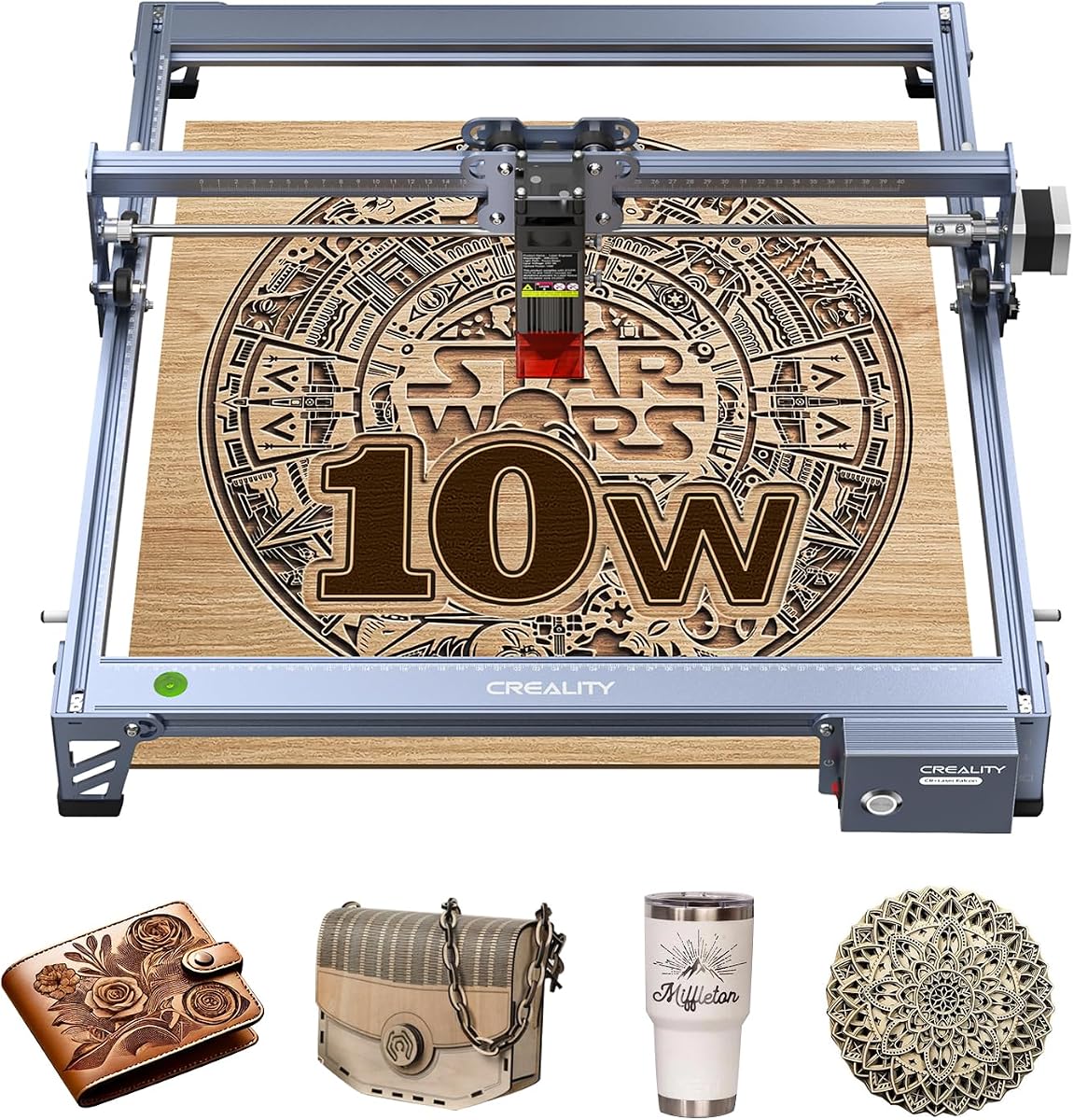
The Creality Falcon 10W offers impressive performance at a budget-friendly price making it ideal for beginners. It features a powerful 72W output capable of cutting 12mm wood and 5mm black acrylic in one pass. The machine boasts 0.06mm precision controlled by a 32-bit chip and compressed spot laser module for detailed work.
We may earn a commission when you buy through this link, at no additional cost to you.
Its versatility extends to over 200 materials including leather fabric and metal. The 15.7×16.3 inch workspace allows for larger projects without compromising speed. Users benefit from anti UV filters that reduce harmful rays by 97% and included goggles for double eye protection during use.
Although it lacks full enclosure this model compensates with robust software compatibility and offline capabilities. SD card support and one-button management enable flexible operation anywhere. The main trade-off is the need for safety goggles and careful handling compared to enclosed units.
This engraver is perfect for hobbyists wanting high precision without a large investment. Its ability to handle diverse materials makes it a versatile addition to any creative studio. We recommend it for those willing to take safety precautions for exceptional value and cutting power.
With 72W output and 0.06mm spot size it handles thick materials like 12mm wood easily for efficient batch work.
Anti UV filters and included goggles provide essential protection despite the open design ensuring safe operation.
We may earn a commission when you buy through this link, at no additional cost to you.
The Creality Falcon A1 Pro 20W is a premium option delivering unmatched speed and precision for serious makers. It offers 180W output with speeds up to 600mm/s three times faster than standard models. The fully enclosed design and Class 1 safety rating ensure safe operation without additional protective gear.
We may earn a commission when you buy through this link, at no additional cost to you.
Smart features include a sleek touchscreen and app control for remote monitoring from anywhere. The HD camera and AI vision system provide precise positioning and auto focus in just three seconds. Users can switch between blue and infrared lasers for detailed work on metals and plastics.
This machine is 80% pre-assembled reducing setup time significantly for immediate use. The Falcon Design Space software simplifies design management and workflow tracking. While the IR module is an extra purchase the core capabilities handle most wood and acrylic tasks with professional clarity.
Ideal for small businesses this engraver balances power with advanced automation tools. Its ability to handle batch production efficiently makes it a valuable asset for growing projects. We recommend it for professionals who need reliability speed and top-tier safety in one package.
The touchscreen and app integration allow seamless control and real-time monitoring of projects from any location.
AI autofocus and HD camera positioning ensure consistent accuracy on varied materials for high-quality output.
We may earn a commission when you buy through this link, at no additional cost to you.
This Creality Falcon A1 10W model emphasizes ease of use with air assist for cleaner cuts. It arrives ready to use with pre-set optimal settings and Falcon Design Space software for design control. The smart camera offers a full-frame view to lock onto objects effortlessly without manual tweaking.
We may earn a commission when you buy through this link, at no additional cost to you.
With a CoreXY motion system it achieves 600mm/s speeds making it three times faster than traditional models. The enclosed design ensures safety and smoke control while the graphic outline extraction converts art into paths easily. Air assist helps maintain clean edges especially on wood and materials.
While powerful users should note its incompatibility with certain honeycomb panels and specific acrylic requirements. Coating is necessary for acrylic engraving and cutting is not supported. These limitations ensure safety but require planning for material prep and workspace setup before starting projects.
This engraver suits makers prioritizing efficiency and clean edges in their workflow. It is particularly good for batch projects needing speed and consistent results. We recommend it for those seeking an easy setup and robust air assist capability in a safe enclosed unit.
Built-in air assist reduces residue on edges ensuring smoother finishes on wood and other materials.
Graphic outline extraction features simplify converting images to engraving paths for creative flexibility.
We may earn a commission when you buy through this link, at no additional cost to you.
This Creality 10W engraver focuses on precision with a 0.06mm spot size and high speed capabilities. It delivers 72W machine power capable of cutting 5mm basswood or 3mm acrylic in one pass. The structure uses aluminum alloy and steel shaft wheels for reliable and consistent engraving results.
We may earn a commission when you buy through this link, at no additional cost to you.
Safety is addressed with anti-UV filters and goggles included for eye protection during operation. The machine supports multiple software options including LightBurn and LaserGRBL for flexible control. Assembly typically takes 10 to 20 minutes making it relatively quick to get started.
Users benefit from wireless connectivity options like Wi-Fi and USB for easy data transfer. The focusing plate simplifies adjustments without tools and support includes one-year parts replacement. While it requires some setup the precision and durability make it a strong contender for DIY enthusiasts.
This model is ideal for those who value exactness and adaptability in their engraving projects. Its robust build ensures longevity while software compatibility allows for advanced customization. We recommend it for users comfortable with basic setup who need high precision at a reasonable price.
The 0.06mm spot size and steel guides ensure sharp details and accurate positioning for delicate work.
Support for LightBurn and LaserGRBL allows users to choose familiar tools for better workflow efficiency.
We may earn a commission when you buy through this link, at no additional cost to you.
The Creality Falcon2 Pro S 22W is designed for professional batch production with powerful automation. It features a fully integrated enclosure and Z-axis auto focus for streamlined setup. With 120W output it can cut 15mm basswood and 10mm acrylic in one pass while maintaining high speeds up to 600mm/s.
We may earn a commission when you buy through this link, at no additional cost to you.
Safety is enhanced with flame detectors and laser detection covers that isolate smoke and dust. The built-in camera allows intuitive positioning via USB connection for better success rates. A debris drawer collects residue making cleaning faster and more efficient for small workshops.
Users find the one-key intelligent control helpful for batch tasks once fully configured. However the complexity may require a learning curve compared to simpler models. The auto cut through compensation improves edge quality on varied materials effectively.
This engraver suits studios needing reliable automation for larger production runs. Its speed and power allow for efficient workflows on demanding projects. We recommend it for professional users prioritizing speed and integrated safety features in a high-power package.
Z-axis auto focus reduces manual calibration time and improves accuracy across different material thicknesses.
Integrated flame detection and smoke isolation ensure a safe environment for continuous batch operation.
We may earn a commission when you buy through this link, at no additional cost to you.
The Creality Falcon A1C 10W leverages AI to simplify complex engraving workflows for beginners. Its AI workflow converts photos into ready-to-engrave artwork with background removal and smart fill tools. The interchangeable laser platform allows switching between 5W 10W and IR modules for diverse tasks.
We may earn a commission when you buy through this link, at no additional cost to you.
With speeds up to 15000mm/min it delivers high performance on wood leather and acrylic. The compact design fits easily on desks while Class 1 safety ensures safe operation. Auto focus with the HD camera positions designs with 0.1mm accuracy reducing material waste.
Users can expand capabilities with compatible accessories like smoke purifiers and rotary attachments. The software handles layout optimization and material settings automatically. The working area is smaller than some models but sufficient for many home and classroom projects.
This model is perfect for creative environments needing flexibility and smart automation. Its easy setup and high rating make it accessible for non-technical users. We recommend it for those wanting AI-driven simplicity and expandability in a compact laser system.
AI tools convert images to engraving paths automatically reducing design time for faster project turnaround.
Interchangeable platforms enable one machine to handle varied materials by swapping laser heads as needed.
We may earn a commission when you buy through this link, at no additional cost to you.
This Creality Falcon A1 Pro 20W variant emphasizes convenience with a smart touchscreen interface. It simplifies daily tasks by allowing quick file access and real-time previews without messy cables. The autofocus system locks in focus within three seconds ensuring precise placement for every project.
We may earn a commission when you buy through this link, at no additional cost to you.
Power is delivered via 180W output for smooth edges on 10mm wood and 8mm acrylic. Air assist helps maintain clean cuts while the enclosed design filters smoke and noise effectively. The HD camera provides full-bed previews for accuracy during the engraving process.
Users can control the device via app for remote monitoring and management. The machine is Class 1 safe reducing the need for protective eyewear. While the IR module is a separate purchase the core features deliver high-quality results for standard materials.
This engraver suits those valuing interface simplicity and high power in a single unit. Its touchscreen reduces learning curves and improves operational speed. We recommend it for makers who want a premium experience with reliable automation and clean output.
The touchscreen provides easy access to files and previews simplifying the workflow for all skill levels.
Integrated air assist keeps cuts clean and reduces burning on edges for professional finish.
We may earn a commission when you buy through this link, at no additional cost to you.
This Creality Falcon A1C 10W focuses on modular flexibility and rapid setup for makers. Its quick-swap design allows changing laser modules in just 15 seconds for different tasks. The smart camera and autofocus ensure precise positioning without manual calibration for consistent results.
We may earn a commission when you buy through this link, at no additional cost to you.
It supports over 300 materials with the included 10W diode and optional IR modules. Air speeds reach 15000mm/min making it fast for its size. Class 1 safety and flame detection protect users and alert apps instantly if issues arise during operation.
The compact design fits easily in classrooms retail counters or small studios without taking much space. Falcon Design Space software simplifies everything from design to material recognition automatically. This makes it highly accessible for beginners and experienced users alike.
This model is ideal for mobile or multi-use spaces needing quick adaptability. Its high rating reflects reliability and ease of use in diverse settings. We recommend it for those needing a portable yet powerful system for varied creative projects.
Quick swap modules enable fast transitions between cutting and engraving tasks without tools.
Software handles image extraction and material settings automatically saving time and effort.
We may earn a commission when you buy through this link, at no additional cost to you.
This Creality Falcon A1 10W model is optimized for immediate use without any assembly hassle. It features CoreXY motion systems enabling rapid acceleration to 600mm/s in 0.03 seconds. The precision level of 0.01mm ensures intricate designs remain sharp and consistent throughout engraving.
We may earn a commission when you buy through this link, at no additional cost to you.
Its design is 47% more efficient footprint-wise allowing it to fit on smaller desks. Six safety protections including laser leak and tilt detection ensure safe home use. The smart camera allows drag-drop positioning and batch fill features for optimized productivity.
Users benefit from auto material recognition and three-step operation to start engraving instantly. Software tools like Edit Nodes and Shape Split support advanced customization. While it requires specific panels the ease of use makes it a strong candidate for beginners.
This engraver suits those needing reliability and speed with zero setup time. Its high rating highlights user satisfaction with simplicity and output quality. We recommend it for anyone wanting a plug-and-play solution for professional engraving results.
Zero assembly means you can start creative work immediately without technical setup hurdles.
Space-saving design allows placement on limited desk space while maintaining high performance.
We may earn a commission when you buy through this link, at no additional cost to you.
Selecting the right engraver involves understanding power speed safety and ease of use.
Higher power outputs like 180W enable faster cutting and thicker material handling while 10W suits detailed engraving on lighter items.
Choose based on whether you prioritize speed or fine detail for your typical projects.
Enclosed designs and Class 1 ratings protect eyes and reduce smoke making them safer for home use.
Look for emergency stops and auto-lock mechanisms to prevent accidental operation during maintenance.
Speeds up to 600mm/s or more improve batch productivity while precise spots like 0.06mm ensure sharp details.
Balance speed requirements with tolerance levels needed for intricate work or signage.
Software like Falcon Design Space simplifies setup but compatibility with LightBurn offers more advanced customization.
Ensure your choice supports your preferred workflow tools to avoid frustration during design.
Compact models save desk space but may limit project sizes while larger beds accommodate bigger signs or boards.
Measure your available area and typical project dimensions before purchasing a unit.
Pre-assembled units reduce time to first use while modular systems allow future upgrades with new laser heads.
Consider your technical comfort level and desire for future expandability when choosing.
Start by placing your material securely on the honeycomb bed and aligning it using the smart camera preview for precision.
Select your desired settings via software or touchscreen and enable air assist if available to keep cuts clean.
After finishing clean the debris drawer and lens regularly while avoiding reflective materials to prevent damage to the unit.
Many models feature Class 1 safety and enclosed designs that block harmful laser light allowing safe operation without extra eyewear.
Yes most Creality engravers are compatible with LightBurn offering advanced control over your engraving workflow.
Avoid highly reflective materials like mirrored metals or untreated acrylic to prevent damage to the laser and ensure user safety.
Clean the lens gently with a soft cloth and compressed air regularly to maintain sharpness and prevent buildup.
Some models arrive pre-assembled for immediate use while others require minimal setup taking about 10 to 20 minutes.
Basic models handle dark metals or coated surfaces while infrared modules enable detailed work on untreated metals separately.
We have reviewed ten top models each offering unique strengths from safety features to high power and smart automation.
Prioritize your main needs whether speed precision or ease of use to find the perfect match for your creative goals.
Always check current offers and availability before purchasing as these details may change to best suit your budget.