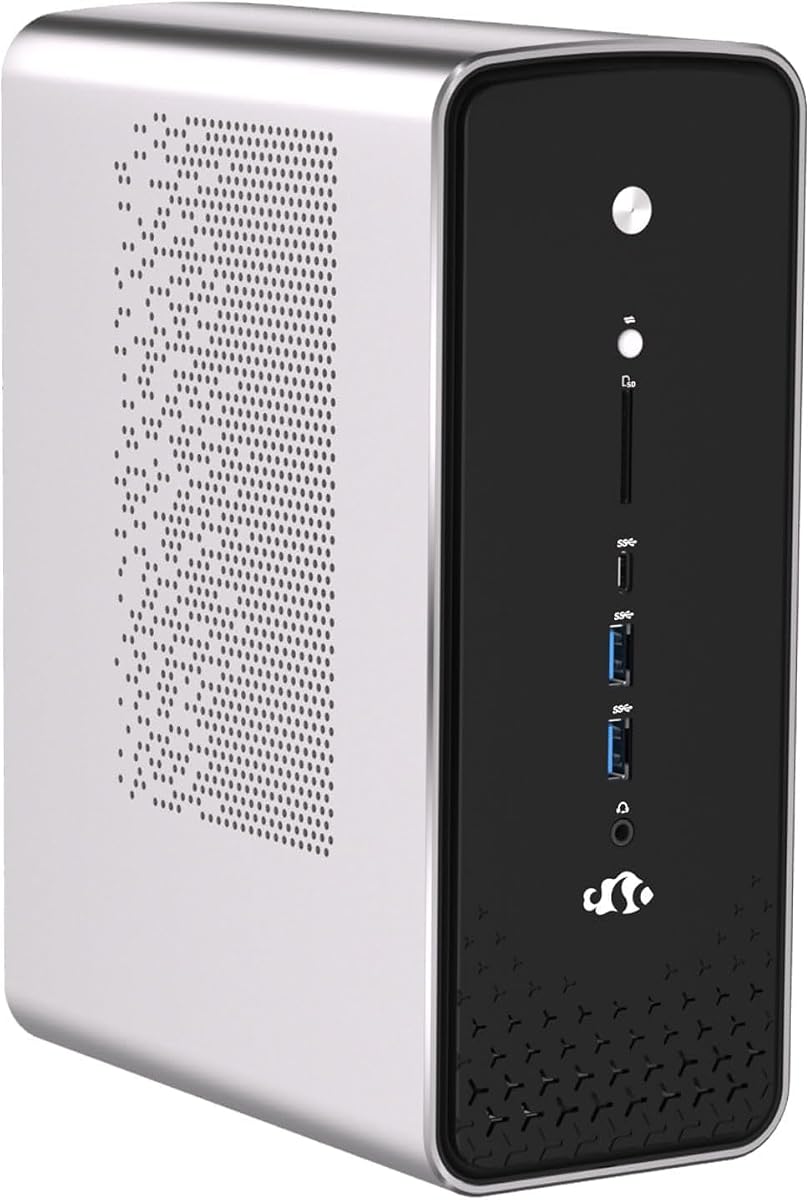
NIMO Mini PC Ryzen AI Max+
5.0Editor score
AMD Ryzen AI Max+ 395
Dual OS Flexibility
WiFi 7 Connectivity
Discover the top 10 Desktop PC with Ubuntu Pre Installed options for October 2026, comparing specs, performance, and value for developers and professionals.
Finding a reliable Desktop PC with Ubuntu Pre Installed can streamline your workflow by eliminating complex setup steps. These machines come ready for development, server tasks, and open-source projects right out of the box. Choosing the right model ensures you get compatible hardware and stable system support for your specific needs.
Our team analyzed ten top models to determine which ones offer the best balance of power, compatibility, and value. We looked at processor performance, memory configurations, storage options, and connectivity features that matter most for Linux users. This list covers mini PCs, business towers, and workstation-grade systems suitable for various budgets.
Each pick highlights key specifications and real-world use cases to help you make an informed decision quickly. Ratings reflect customer feedback and technical benchmarks where available. Prices and stock levels change frequently, so verify the latest details on the product pages before making your final purchase.
5.0Editor score

4.0Editor score
This side-by-side comparison highlights the core specifications and capabilities of each Desktop PC with Ubuntu Pre Installed to help you compare performance, storage, and connectivity at a glance.






The Beelink Mini PC SER9 Pro stands out as the top Desktop PC with Ubuntu Pre Installed due to its powerful Ryzen 7 255 processor and ready-to-use Linux environment. It earns a 4.0 rating from users who appreciate the plug-and-play nature of the system.
We may earn a commission when you buy through this link, at no additional cost to you.
Its standout feature is the 24GB LPDDR5X memory combined with a fast 1TB PCIe 4.0 SSD, ensuring smooth multitasking for developers and creators. The system also supports triple display outputs, allowing you to connect multiple monitors for extended workspace setups.
While the built-in OpenClaw software provides AI tools, users may prefer to tailor the system to their specific workflows. The hardware is robust, but the memory is soldered, so future upgrades are not possible.
This model is ideal for professionals who need a compact, high-performance machine for coding, streaming, or light gaming without the hassle of installing Ubuntu themselves.
Pre-installed OpenClaw offers AI productivity tools that integrate directly with your workflow, enhancing coding and data tasks without extra setup.
The MSC2.0 cooling system keeps noise levels low while maintaining performance, making it suitable for quiet office or home environments.
We may earn a commission when you buy through this link, at no additional cost to you.
The Dell OptiPlex 7070 SFF is a robust business desktop that offers powerful processing and large memory capacity. While it ships with Windows, its hardware compatibility makes it a strong candidate for users planning to switch to Ubuntu.
We may earn a commission when you buy through this link, at no additional cost to you.
Its 32GB of DDR4 RAM and 1TB NVMe SSD allow for smooth performance across multiple applications and virtual machines. The Small Form Factor saves desk space while still providing room for future expansion.
Users should note that this unit comes with Windows 11 Pro pre-installed, requiring a manual OS change for Ubuntu users. The renewed status means it is tested for function but might show minor wear.
This PC is best for office environments or home setups where reliability and expandability are prioritized over immediate Linux compatibility.
Built for enterprise durability, this system supports continuous operation and stable performance for mission-critical tasks.
The chassis allows for additional storage drives, letting you increase capacity as your data needs grow.
We may earn a commission when you buy through this link, at no additional cost to you.
The NIMO Mini PC Ryzen AI Max+ is a top-tier Desktop PC with Ubuntu Pre Installed that offers both Windows and Linux options. With a perfect 5.0 rating, it is praised for its performance and seamless dual-boot capabilities.
We may earn a commission when you buy through this link, at no additional cost to you.
Powered by the Ryzen AI Max+ 395 processor, this machine excels at AI workloads and complex computational tasks. The dual OS setup saves time for users who need both environments for testing or daily tasks.
While the price is higher than average, the investment covers advanced features like WiFi 7 and dedicated NPU for AI acceleration. Storage is expandable via dual M.2 slots, though the initial setup is compact.
This premium pick is designed for power users and developers who need cutting-edge hardware and flexibility without compromising on system stability.
The integrated Ryzen AI NPU boosts local LLM execution and image generation for faster, more efficient processing.
USB4 ports and WiFi 7 provide ultra-fast data transfer and network stability for demanding professional workflows.
We may earn a commission when you buy through this link, at no additional cost to you.
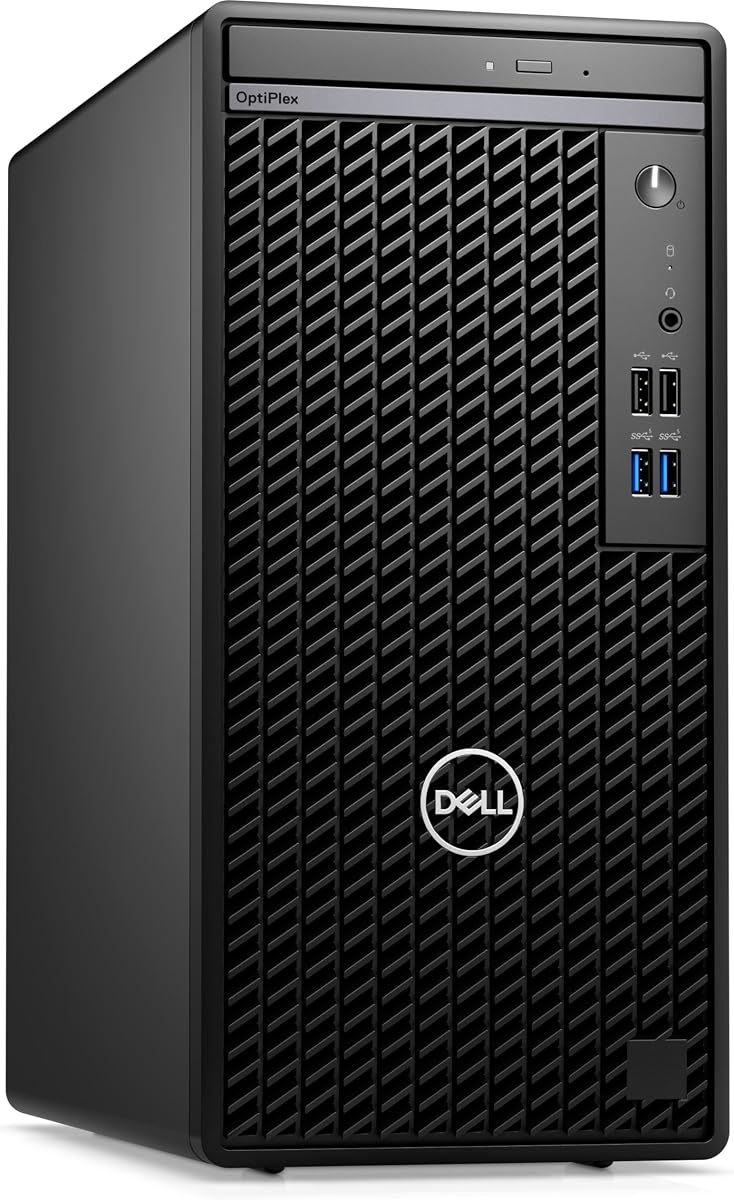
The Dell Optiplex 7010 Business Mini Tower is an excellent budget-friendly Desktop PC with Ubuntu Pre Installed. It provides a 13th Gen i5 processor that handles daily tasks and development work efficiently.
We may earn a commission when you buy through this link, at no additional cost to you.
With Ubuntu Linux 22.04 already installed, you can start using the machine immediately for coding or server management. The inclusion of a keyboard and mouse makes it a complete package for new users.
However, the 8GB RAM limit may require upgrades for heavy multitasking. The 256GB SSD is fast but may need expansion for larger media libraries or databases.
This model is a practical choice for home offices or small businesses needing reliable Linux hardware at a competitive price point.
Built to business standards, this tower offers stable performance and easy maintenance for long-term use.
The PCIe NVMe SSD ensures fast system startup and responsive application loading for efficient workflows.
We may earn a commission when you buy through this link, at no additional cost to you.
The Dell Optiplex 7050 SFF is a reliable renewed desktop that offers solid specs for general productivity. While it ships with Windows, the hardware is compatible with Ubuntu for users who prefer open-source systems.
We may earn a commission when you buy through this link, at no additional cost to you.
It features 32GB of DDR4 RAM and a 1TB SSD, which is ample memory and storage for most workloads. The renewed status ensures the unit is tested and certified for functionality.
However, the processor is from an older generation, which may limit performance for heavy computing tasks. Users must also plan to switch the operating system to use Ubuntu.
This PC is a great value for those who need high memory capacity without paying for new hardware costs.
Professionally renewed units undergo testing to ensure reliability while offering cost savings compared to new systems.
HDMI and DisplayPort outputs allow for dual monitor setups to improve multitasking efficiency.
We may earn a commission when you buy through this link, at no additional cost to you.
The Dell Optiplex 7060 SFF offers a balanced mix of performance and convenience for small office setups. It is a solid Desktop PC option for those willing to install Ubuntu themselves for a custom experience.
We may earn a commission when you buy through this link, at no additional cost to you.
The 512GB NVMe SSD provides fast boot times and application loading. The wireless keyboard and mouse make setup easy and keep cables to a minimum on your desk.
Users should note that this unit comes with Windows 11 Pro pre-installed. The renewed condition means it has been tested but may have minor cosmetic signs of use.
This model works well for office tasks and general productivity where hardware reliability is more important than the OS choice.
Included wireless peripherals reduce cable clutter and enhance mobility within your workspace.
Built-in WiFi and Bluetooth ensure seamless connection to peripherals and networks.
We may earn a commission when you buy through this link, at no additional cost to you.
The Dell Optiplex 5050 is a compact business desktop that delivers steady performance for everyday tasks. It has a strong 4.2 rating among renewed units, reflecting user satisfaction with its reliability.
We may earn a commission when you buy through this link, at no additional cost to you.
Its small form factor saves desk space while still including a 512GB NVMe SSD for fast storage. The 16GB RAM is sufficient for moderate multitasking and general office work.
While it does not come with Ubuntu pre-installed, the hardware is compatible with Linux for users who want to install it. The newer 7th Gen processor may struggle with very modern compute-heavy workloads.
This unit is a good choice for home offices needing a small, dependable machine for productivity.
The Slim SFF design fits easily on shelves or desks without sacrificing functionality.
Engineered for business stability, it runs reliably for extended periods with minimal downtime.
We may earn a commission when you buy through this link, at no additional cost to you.
The Dell Pro Micro QCM1250 is a new AI business mini desktop that brings modern architecture to compact systems. It stands out as one of the few options with Ubuntu pre-installed, though the version is older.
We may earn a commission when you buy through this link, at no additional cost to you.
Powered by the latest Ultra 5-235T processor, it offers improved efficiency and AI capabilities. The DDR5 memory ensures faster data access compared to previous DDR generations.
Users should plan to upgrade the OS to a newer Ubuntu version for security and compatibility. The 8GB RAM may need an upgrade for heavy multitasking.
This mini desktop is ideal for tech-savvy users who want the latest hardware and are ready to update the OS.
Built with AI features to support emerging machine learning and automation workflows.
DDR5 RAM provides higher bandwidth for faster application performance.
We may earn a commission when you buy through this link, at no additional cost to you.
The ASUS NUC 14 Pro offers a developer-focused mini PC with Linux Mint pre-installed. It features powerful hardware including the Core Ultra 7 155H processor for demanding creative and coding tasks.
We may earn a commission when you buy through this link, at no additional cost to you.
With 16GB DDR5 RAM and Thunderbolt 4 support, it handles high-speed data transfer and external displays effectively. The Intel Arc GPU provides decent performance for graphics and AI workloads.
While the specs are impressive, user ratings are currently low, which may indicate early issues or configuration concerns. Potential buyers should verify current reviews before purchasing.
This system is best for developers who value open-source software and need high connectivity options.
Linux Mint provides a stable, clutter-free environment ideal for development.
Thunderbolt 4 allows for fast peripherals and external GPU support.
We may earn a commission when you buy through this link, at no additional cost to you.
The ASUS PB64 is a compact business mini PC built with the latest Intel Core Ultra 7 processor. It provides high performance and strong security features for professional use.
We may earn a commission when you buy through this link, at no additional cost to you.
The toolless chassis design makes it easy to upgrade components like storage without tools. The dTPM 2.0 chip protects sensitive data with advanced encryption and authentication.
Although it does not include Ubuntu by default, the hardware supports Linux installation well. The included VESA mount allows you to attach it behind your monitor.
This model is suited for business environments where security and ease of maintenance are key priorities.
Hardware TPM ensures your personal and business data remain encrypted and secure.
Toolless access simplifies hardware upgrades and cleaning to extend the system's life.
We may earn a commission when you buy through this link, at no additional cost to you.
Choosing the right Desktop PC with Ubuntu Pre Installed involves balancing hardware power with Linux compatibility and budget.
The processor is the heart of your system. Look for modern multi-core CPUs like Intel Core Ultra or AMD Ryzen 7 and above for smooth performance. A powerful processor ensures your system handles compilation, virtualization, and multitasking without lag.
Prioritize processors with recent architecture for better efficiency and software support.
RAM determines how many applications you can run at once. Aim for at least 16GB of DDR5 or high-speed DDR4 memory for development tasks. 8GB is acceptable for light usage but may slow down if you run multiple containers or VMs.
More RAM ensures smoother performance and future-proofs your system against growing software demands.
Fast storage is essential for quick boot times and application launches. Choose a PCIe NVMe SSD for the best speed. A 512GB SSD is a good starting point, but developers often need 1TB or more for projects and data.
Ensure your PC has expansion slots to add storage later if needed.
When buying a Desktop PC with Ubuntu Pre Installed, check the version of Ubuntu shipped. Newer versions like 22.04 or 24.04 provide better hardware support. Older versions may require updates for drivers and security patches.
A current Ubuntu version saves you time on initial configuration.
Modern connectivity options like USB4, Thunderbolt 4, and high-speed Ethernet are vital for data transfer and peripherals. Ensure the system has enough USB-C and HDMI ports for your monitors and devices.
Good connectivity improves workflow efficiency and allows for versatile setups.
Integrated graphics are sufficient for coding and general tasks. However, if you work with 3D models or AI image generation, ensure the GPU supports open drivers or install dedicated graphics. Integrated RDNA3 or Intel Arc GPUs perform well under Linux.
Compatible graphics reduce driver issues and improve visual performance.
A well-built system with efficient cooling keeps your PC quiet and reliable during heavy loads. Look for units with proven thermal designs like copper heat pipes or silent fans. Business PCs often have better build quality than consumer mini PCs.
Good cooling ensures stable performance over long sessions.
Check the warranty period and support options provided by the manufacturer or seller. A solid warranty gives peace of mind if hardware issues arise. For business PCs, extended support can reduce downtime significantly.
Always verify the return policy and support channels before purchasing.
Start by updating your system immediately after purchase using the terminal. Run 'sudo apt update' and 'sudo apt upgrade' to ensure all drivers and security patches are current.
Keep your workspace organized by using Linux's native file manager or tools like Nautilus. Utilize virtual machines for testing different Ubuntu versions without affecting your main installation.
Protect your hardware by keeping it in a cool, dust-free environment. Regularly clean vents and update firmware to maintain optimal performance and longevity.
Most modern Desktop PCs with Ubuntu Pre Installed come with drivers already configured. However, you may need to install proprietary drivers for WiFi or graphics via the Additional Drivers tool. Ubuntu handles most hardware automatically.
It depends on the model. Mini PCs often have soldered RAM, while business towers like Dell Optiplex models allow easy upgrades. Always check the product specs before buying if future expansion is important to you.
Ubuntu offers enhanced security with built-in firewalls and fewer malware targets. However, no OS is immune. You should still practice safe browsing, use strong passwords, and keep your system updated to maintain safety.
You save time and effort setting up Linux and avoid driver conflicts. These systems are optimized for open-source software development and offer a cleaner experience without unwanted bloatware or licenses.
Yes, many PCs allow dual booting by adjusting BIOS settings or using installation tools. However, some units may require you to install Ubuntu yourself as they ship with Windows pre-installed.
Use the Software Updater app or run terminal commands like 'sudo apt update && sudo apt upgrade'. For version upgrades like from 22.04 to 24.04, use the update manager or command line tools.
Choosing the right Desktop PC with Ubuntu Pre Installed means balancing power, ease of use, and budget. Our top picks cover all needs from high-end AI workstations to affordable business towers.
Prioritize systems with strong processors and enough RAM for your workflow. Ensure the Ubuntu version is recent to avoid extra setup steps and security issues.
Prices and availability change frequently, so always check current listings and verify specs before buying to confirm the system matches your needs.