
XIAOWTEK Wireless Earbuds
4.9Editor score
50H total playtime
ENC noise cancelling mic
Bluetooth 5.4 stable connection
This guide compares the top earbuds for laptop conference calls focusing on microphone quality noise cancellation and battery life to help remote workers find
Finding the right earbuds for laptop conference calls is essential for remote work success. Clear audio and reliable connections ensure your voice is heard without distractions during important meetings with colleagues and clients.
We evaluated ten top models based on microphone clarity connection stability and comfort for long sessions. Each product offers unique features tailored to professionals who need dependable audio performance during daily video conferences.
Every pick highlights key strengths and ideal use cases for different budgets. Prices may vary over time so check current listings before purchasing to secure the best deal on your chosen earbuds today.
4.9Editor score

3.9Editor score
4.0Editor score
The following comparison table provides a side-by-side overview of all ten selected earbuds. Review key specifications such as battery life microphone type and connectivity features to quickly identify the model that suits your specific conference call needs.




The XIAOWTEK Wireless Earbuds offer an impressive balance of performance and affordability for daily conference calls. Rated at 4.9 stars they deliver reliable audio quality that keeps you connected during virtual meetings without breaking the bank.
We may earn a commission when you buy through this link, at no additional cost to you.
Equipped with Bluetooth 5.4 these earbuds ensure a stable connection within 15 meters reducing dropouts during critical discussions. The 4-mic design with ENC technology filters out background noise so your voice remains clear and focused throughout long calls.
While they lack active noise cancellation the passive isolation is sufficient for most indoor environments. The 50-hour total playtime means you can work for days without recharging making them ideal for heavy users who prioritize battery over advanced features.
Ideal for budget-conscious professionals seeking dependable audio for laptops and phones these earbuds are a top recommendation. Their combination of longevity connection stability and call clarity makes them a standout value choice in the crowded wireless audio market.
The 4-mic ENC system ensures your voice is transmitted clearly even in moderately noisy home offices.
With up to 50 hours of total playtime you can go nearly a week between charges with regular use.
We may earn a commission when you buy through this link, at no additional cost to you.
These Wireless Earbuds with Bluetooth 5.4 provide solid performance for laptop conference calls at a competitive price. Their focus on clear audio transmission ensures that your speech is understood without unnecessary background interference during important meetings.
We may earn a commission when you buy through this link, at no additional cost to you.
The dual 14.2mm drivers deliver immersive sound while the advanced ENC call noise cancellation maintains voice clarity in various environments. You can rely on the automatic pairing feature to connect instantly when you open the case for seamless workflow.
Although they lack some premium features the 36-hour battery life and IP7 waterproof rating make them durable for daily use. The LED display helps you monitor power levels so you are never caught off guard by a sudden dead battery.
For users seeking a straightforward reliable option for remote work these earbuds are an excellent choice. They offer the core functionality needed for successful conference calls without unnecessary complexity or high costs.
Bluetooth 5.4 ensures a stable link with your laptop reducing interruptions during critical conference calls.
Advanced ENC technology filters out ambient sounds allowing your voice to stand out clearly.
We may earn a commission when you buy through this link, at no additional cost to you.
The Soundcore P30i stands out as a versatile option for professionals needing robust noise cancellation during calls. Rated at 4.3 stars it combines effective audio isolation with convenient features like a built-in stand for hands-free viewing.
We may earn a commission when you buy through this link, at no additional cost to you.
Its adaptive ANC system reduces external noise by up to 42dB allowing you to focus on meetings without distraction. The four microphones paired with AI algorithms enhance voice precision ensuring your colleagues hear you clearly even in busy settings.
While active noise cancellation impacts battery life you still get up to 45 hours total with the case. The companion app lets you customize EQ and ANC settings giving you control over how the earbuds perform for your specific environment.
Ideal for users who work in noisy environments this model offers the right balance of features and performance. Its unique stand feature adds value for multitasking during breaks making it a top pick for hybrid workers.
Adaptive ANC automatically adjusts based on your surroundings to optimize comfort and audio quality.
The built-in case stand allows hands-free viewing of video calls or media during breaks.
We may earn a commission when you buy through this link, at no additional cost to you.
The Panasonic ErgoFit Wired Earbuds provide a simple dependable solution for laptops with standard audio jacks. With a 4.3 rating they deliver balanced audio and clear voice transmission without the complications of wireless pairing or charging.
We may earn a commission when you buy through this link, at no additional cost to you.
Their ergonomic design includes three sizes of earpads to ensure a secure fit that isolates sound effectively. This passive noise isolation helps block out distractions during conference calls while the integrated microphone captures your voice clearly.
Without battery concerns these earbuds are ready to use immediately after plugging in. The lightweight construction makes them comfortable for all-day wear reducing fatigue during long back-to-back meetings typical of busy work schedules.
For users with older laptops or those who prefer simplicity these wired earbuds are a practical choice. They eliminate charging anxiety while ensuring consistent performance throughout your workday with minimal setup or maintenance.
No batteries mean you never need to worry about running out of power during an important meeting.
Multiple earpad sizes ensure a comfortable seal that stays in place during extended work sessions.
We may earn a commission when you buy through this link, at no additional cost to you.
The Antool Wired Earbuds offer an affordable 2-pack solution perfect for households or backup needs. Rated at 4.3 stars they ensure reliable voice calls with effective noise filtering that keeps your speech clear during conference sessions.
We may earn a commission when you buy through this link, at no additional cost to you.
Constructed with high-quality TPE material these earbuds resist damage from bending and pet interference. The 3.5mm gold-plated plug ensures a stable connection with laptops and PCs without the need for adapters or Bluetooth pairing.
Their ergonomic 45-degree design provides a comfortable fit that stays in place during movement. With no battery requirements they are always ready for use making them a hassle-free option for daily work calls.
Ideal for budget-conscious users needing reliable audio these earbuds offer excellent value. The 2-pack ensures you always have a spare ready reducing downtime if one pair is lost or damaged during travel.
Getting two pairs for a low price ensures you always have a backup ready for important calls.
The built-in microphone filters out ambient noise to prioritize your voice during conversations.
We may earn a commission when you buy through this link, at no additional cost to you.
The JLab Work Buds are engineered specifically for professional use with features like a detachable boom mic. Rated at 3.9 stars they prioritize call clarity and connectivity stability making them a strong candidate for heavy conference users.
We may earn a commission when you buy through this link, at no additional cost to you.
The boom mic uses noise-canceling technology to ensure your voice is heard clearly even in noisy offices. Bluetooth multipoint allows you to switch seamlessly between your laptop and phone without manual reconnection during meetings.
With over 55 hours of total playtime the charging dock keeps the earbuds and mic ready for days. The dock is compact and easy to carry making it suitable for travelers who need reliable audio on the go.
Ideal for professionals who need superior voice isolation the boom mic option sets these earbuds apart. While slightly bulkier than standard models the added clarity during calls justifies the design for dedicated work environments.
The included boom mic provides superior noise cancellation for professional-grade call clarity.
Switch between your phone and laptop effortlessly without dropping active calls.
We may earn a commission when you buy through this link, at no additional cost to you.
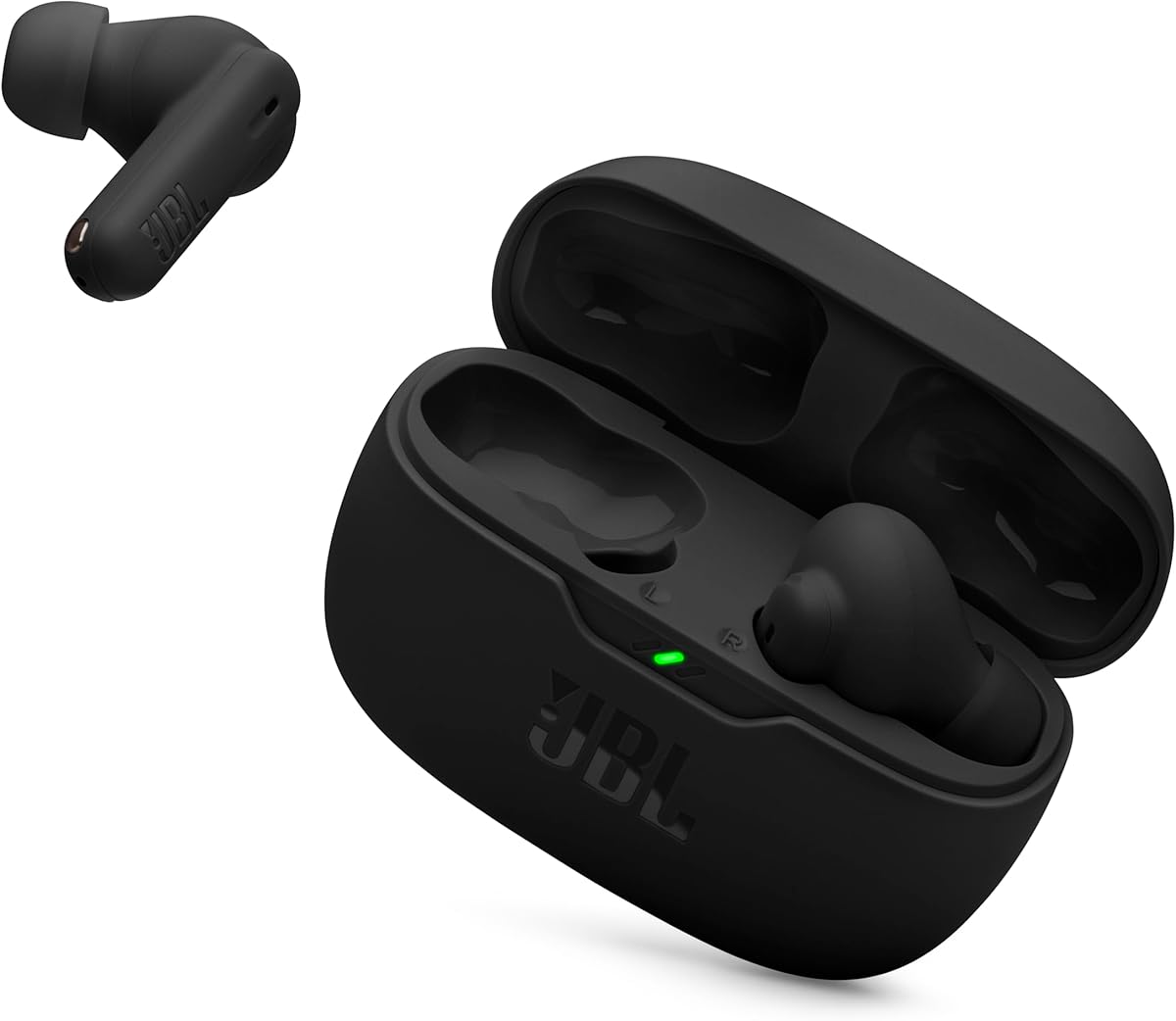
The JBL Vibe Beam 2 delivers powerful audio with Active Noise Cancelling to keep you focused on meetings. Rated at 4.1 stars they combine JBL Pure Bass sound with practical features that enhance the conference call experience.
We may earn a commission when you buy through this link, at no additional cost to you.
Four microphones ensure crisp voice transmission even in busy environments like parks or open offices. The Smart Ambient mode lets you control how much outside noise you hear allowing flexibility between focus and awareness.
With 40 hours of total playback you can work multiple days without recharging. A quick 10-minute charge provides three hours of playtime which is convenient for last-minute sessions before important calls.
Ideal for users who enjoy rich sound quality during work these earbuds offer a balanced performance. Their mix of ANC audio quality and battery life makes them a versatile choice for daily professional use.
Adjust how much of the outside world you hear without removing the earbuds.
Enjoy deep and lively sound that enhances music and voice clarity alike.
We may earn a commission when you buy through this link, at no additional cost to you.
The Dell Pro Plus Earbuds EB525 are engineered for professional environments with AI-based noise-cancelling technology. Rated at 4.1 stars they ensure your voice is recognized and transmitted clearly even in noisy workspaces.
We may earn a commission when you buy through this link, at no additional cost to you.
Adaptive ANC adjusts noise cancellation levels based on your environment allowing you to switch between focus and transparency easily. This intelligent filtering ensures your colleagues hear only your voice without background distractions.
On-device touch controls let you manage calls and music without accessing your laptop during meetings. The comfortable fit is designed for long work sessions reducing fatigue during marathon conference calls.
Ideal for corporate users seeking dependable audio these earbuds deliver business-grade performance. While pricey their focus on voice quality and ease of use makes them a practical investment for daily remote work.
The microphone intelligently identifies your voice and filters out background noise.
Built for professional use with comfortable fit and intuitive on-device controls.
We may earn a commission when you buy through this link, at no additional cost to you.
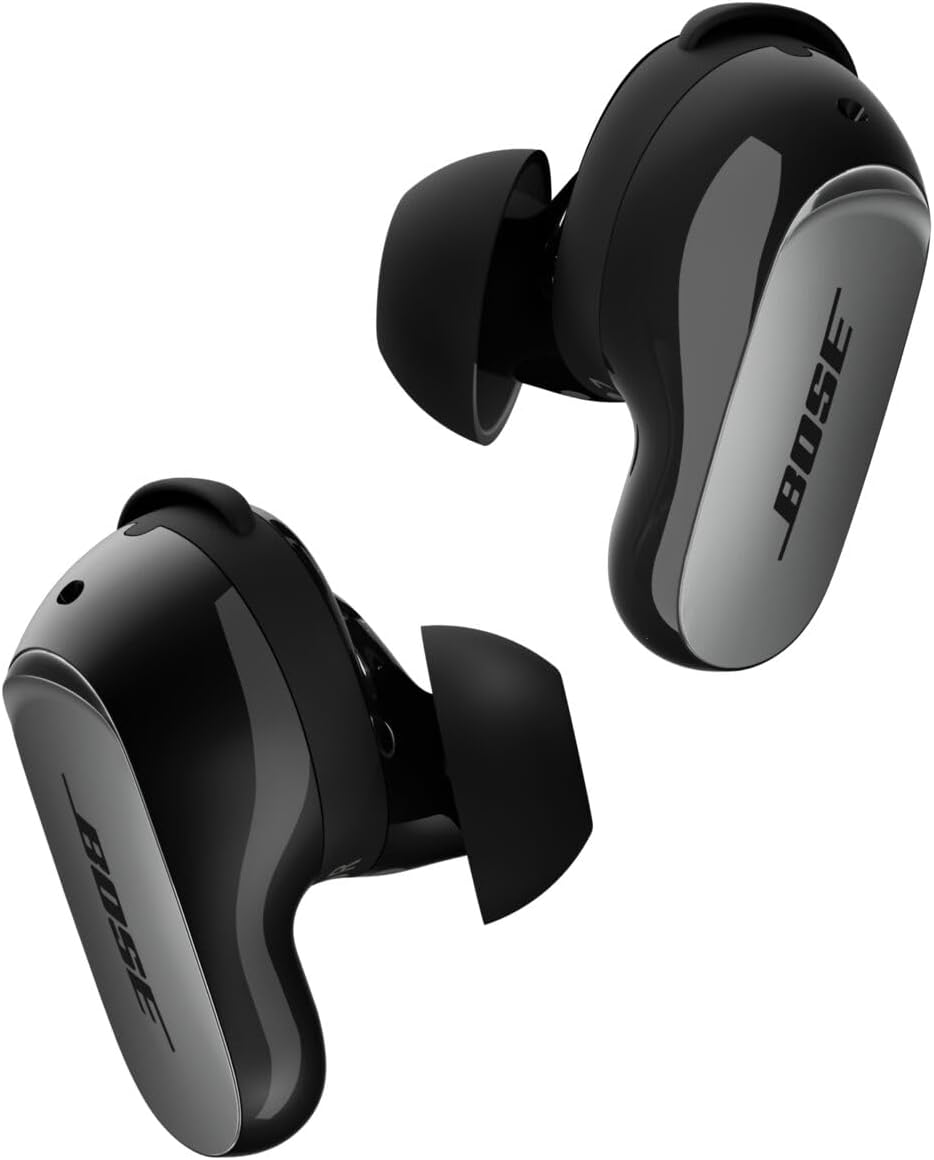
The Bose QuietComfort Ultra Earbuds represent the pinnacle of noise cancellation for conference calls. Rated at 4.0 stars they offer world-class sound isolation that ensures your voice is heard clearly regardless of external noise.
We may earn a commission when you buy through this link, at no additional cost to you.
ActiveSense technology smooths spikes in surrounding sound allowing you to stay in Aware Mode without distractions. This feature is ideal for environments where you need to hear alarms or colleagues while staying focused on your call.
Bluetooth multipoint connectivity enables seamless switching between your phone and laptop without interruption. The customizable fit ensures comfort during long sessions while the IPX4 rating protects against sweat or light rain.
Ideal for professionals seeking premium audio quality these earbuds deliver unmatched performance. Although expensive their superior noise cancellation and call clarity make them worth the investment for critical business communication.
Smooths sudden noise spikes so you stay focused without feeling isolated.
Connect to two devices simultaneously for effortless switching during calls.
We may earn a commission when you buy through this link, at no additional cost to you.
The Soundcore Liberty 5 Pro Max stands out with its AI Note-Taker capability for professionals handling meetings. Rated at 4.2 stars it delivers exceptional call clarity and privacy standards suitable for confidential business discussions.
We may earn a commission when you buy through this link, at no additional cost to you.
Whisper-clear calls are achieved through ten sensors and a specialized AI chip that isolates your voice even in noisy environments. This technology ensures your speech is transmitted clearly regardless of how quiet or loud the room is.
The AI Note-Taker case records in-person meetings and generates transcripts though online calls require the app. With high privacy compliance including AES-256 encryption your data remains secure and local processing ensures privacy.
Ideal for executives and managers needing transcription tools this model offers unique value. While the AI features require a subscription the core audio quality and security features justify the premium price for serious professionals.
Capture in-person meetings and interviews with automated transcription and summaries.
AES-256 encryption and local processing ensure your conversations remain confidential.
We may earn a commission when you buy through this link, at no additional cost to you.
Choosing the right earbuds for conference calls involves evaluating several technical and ergonomic factors. This section breaks down the most important features to consider when selecting a model for professional use.
The microphone is the most critical component for conference calls as it captures your voice for colleagues. Look for models with multiple microphones and environmental noise cancellation (ENC) to filter out background sounds like keyboard typing or room noise.
Prioritize earbuds with dedicated voice processing chips to ensure your speech remains clear even in noisy environments.
Active Noise Cancellation (ANC) helps you focus on calls by reducing ambient distractions. This feature is essential if you work from home with family members or in busy coffee shops where background noise is frequent.
Ensure the earbuds offer transparency mode so you can still hear important sounds when needed.
Long battery life ensures you can work through the day without interruption. Aim for earbuds that provide at least six hours of talk time and a case that extends total usage to over thirty hours.
Fast charging capabilities are also beneficial for quick top-ups between meetings.
A stable Bluetooth connection prevents dropouts during critical meetings. Bluetooth 5.3 or newer versions offer improved range and resistance to interference making them ideal for laptops.
Multipoint connectivity is a valuable feature that allows seamless switching between your phone and laptop.
Comfort is essential for long workdays. Earbuds should come with multiple ear tip sizes and an ergonomic design that keeps them secure without causing pain.
Lightweight models reduce fatigue during extended conference sessions.
For professionals handling confidential data, privacy features like local audio processing and encryption are important. Some premium models ensure your voice data is not sent to external servers.
Check for compliance with standards like HIPAA if you work in regulated industries.
Wireless earbuds offer convenience but wired options eliminate charging concerns and latency issues. If your laptop has a 3.5mm jack, wired earbuds are a reliable and cost-effective choice.
Consider your daily environment and whether mobility or simplicity is your priority.
A companion app allows you to customize sound settings and control features like ANC. Look for models that offer regular firmware updates to improve performance over time.
Features like equalizer presets can help you tailor audio to your preference.
Before starting a conference call ensure your earbuds are fully charged to avoid mid-meeting disruptions. Place them securely in your ears to create a proper seal which improves microphone quality and noise cancellation.
If your earbuds support multipoint connectivity pair them with both your laptop and phone. This allows you to switch between devices effortlessly during meetings without reconnecting.
Clean the ear tips and microphone grills regularly with a dry cloth to maintain hygiene and sound quality. Store them in a protective case when not in use to prevent damage from dust or drops.
The Bose QuietComfort Ultra Earbuds offer the best noise cancellation in this category. They effectively filter out background noise allowing your voice to remain clear for colleagues even in busy spaces. If noise cancellation is your top priority these are the ideal choice.
Wired earbuds work with laptops that have a 3.5mm audio jack. If your laptop lacks this port you may need an adapter. Wired models are reliable and do not require charging making them great for long calls.
Battery life is crucial for all-day work without interruptions. Look for models offering at least six hours per charge and a case providing additional power. Long battery life ensures you can attend back-to-back meetings without recharging.
Multipoint connectivity allows you to connect to two devices simultaneously. This means you can listen to a call on your laptop while receiving alerts on your phone without switching manually. It simplifies workflow during busy workdays.
Some premium models like the Soundcore Liberty 5 Pro Max offer encryption and local processing. These features ensure your voice data is not stored externally. Check specifications for privacy compliance if you handle sensitive information.
Most wireless earbuds include basic call controls via touch or physical buttons. However some budget models may have limited functionality. Check for options to answer reject and mute calls directly from the earbuds for convenience.
The XIAOWTEK Wireless Earbuds offer exceptional value with solid call quality and battery life. They provide essential features without the high price tag of premium models. They are a great starting point for those needing reliable audio.
Yes most earbuds on this list support both music and conference calls. Models with adjustable EQ allow you to switch between modes for optimal performance. Check if the model supports seamless transitions between audio types.
Choosing the right earbuds for laptop conference calls depends on your specific needs for audio quality battery life and budget. Whether you prefer the clarity of the JLab Work Buds or the advanced ANC of the Bose QuietComfort Ultra there is an option for every professional.
Prioritize features like microphone quality and connection stability to ensure smooth communication during meetings. Comfort is also key for long workdays so consider trying on models or checking return policies before purchasing.
Prices and availability change frequently so check current listings before making your decision. By comparing the options in this guide you can find the perfect earbuds to enhance your productivity and call quality.