
HP x900w USB 3.0 Flash Drive 64GB
4.5Editor score
USB 3.0 interface for rapid transfers
Compact lightweight design for portability
Backward compatible with USB 2.0
Discover the top rated flash drive for HP laptop options compared for speed and durability to enhance your data storage and transfer needs efficiently.
Finding the right flash drive for HP laptop users means looking for speed reliability and seamless connectivity. Whether you need to backup files or share media a quality USB drive makes tasks easier.
We compared ten top models based on transfer speeds build quality and compatibility with modern HP systems. Each entry offers distinct advantages for different workflows and storage requirements.
Each pick highlights key features and real world performance metrics to help you decide quickly. Please note that prices and availability may change over time so check current listings before buying.
4.5Editor score

4.6Editor score

4.3Editor score
This side by side comparison details the essential specifications and strengths of each drive to simplify your selection process for HP laptop compatibility and performance.

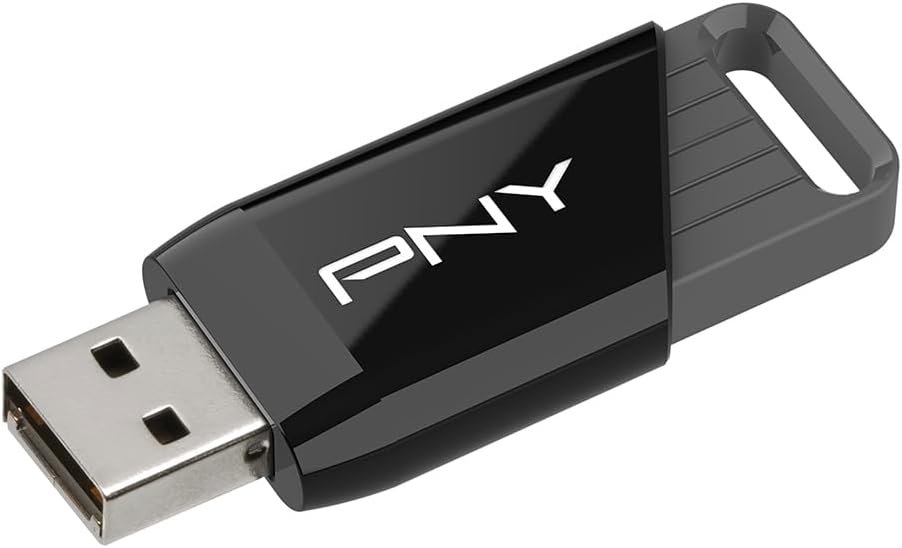

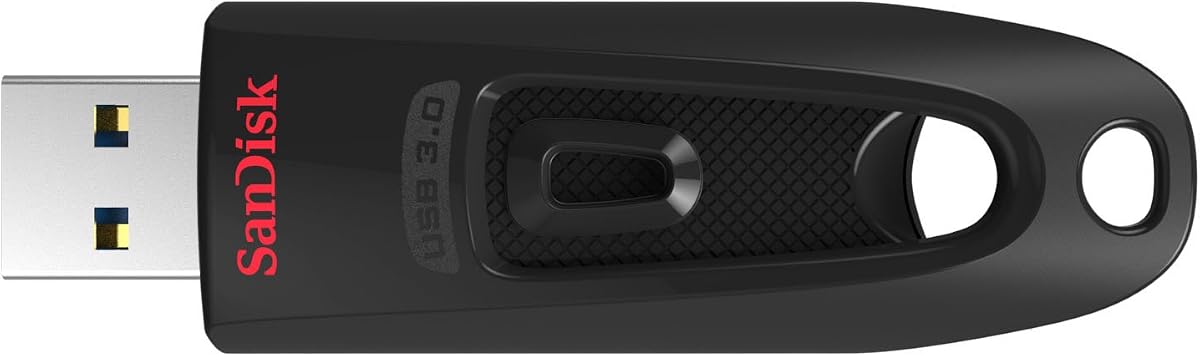

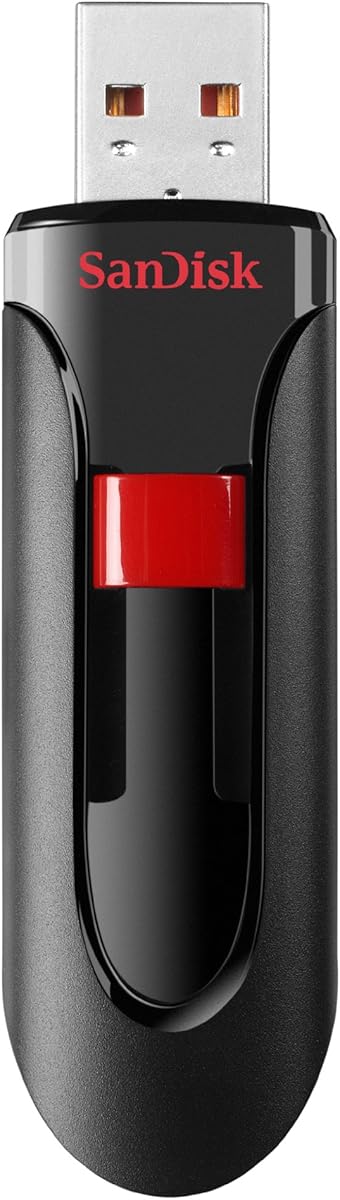

This drive stands out as a top choice for HP laptop users seeking a balance of speed and durability. With a rating of 4.6 stars it has proven reliable across many work environments for everyday file storage.
We may earn a commission when you buy through this link, at no additional cost to you.
The standout feature is its read speed reaching up to 150MB which which drastically reduces wait times when moving large video or photo files. The sleek metal casing not only looks professional but also helps dissipate heat during extended use.
While it lacks a Type-C connector the performance benefits are clear for traditional USB-A ports found on most HP laptops. The included password protection software adds a layer of security that many professionals find necessary for sensitive documents.
Anyone who frequently transfers large files or needs a secure portable storage option should consider this model. It delivers consistent high performance that justifies its slightly higher cost compared to basic plastic drives.
The 150MB/s read speed ensures that transferring full-length movies or large datasets happens in seconds rather than minutes.
Built-in password protection using 128-bit AES encryption helps keep private files safe when the drive is lost or stolen.
We may earn a commission when you buy through this link, at no additional cost to you.
This dual connector drive offers exceptional versatility for modern HP laptops that may include Type-C ports alongside traditional USB-A slots. Its 4.3 rating reflects strong user satisfaction with its build and compatibility features.
We may earn a commission when you buy through this link, at no additional cost to you.
The inclusion of both Type-A and Type-C connectors means you can connect to older HP models and newer thin notebooks without needing separate adapters. The metal enclosure provides robust protection against physical damage and extreme temperatures.
While the write speeds may vary by host device the overall convenience of plugging directly into various devices is a significant advantage. The advanced security software ensures your large files remain protected with strong encryption standards.
Users who switch between multiple devices or need to store large amounts of data should find this drive particularly useful. It represents a premium solution that future proofs your storage needs for years to come.
With both Type-A and Type-C connectors this drive works seamlessly with smartphones tablets and laptops without additional dongles.
The included security software uses 256-bit AES encryption to safeguard sensitive data from unauthorized access effectively.
We may earn a commission when you buy through this link, at no additional cost to you.
As an official HP branded accessory this drive integrates well with HP laptops and offers reliable performance at a very competitive price. The 4.5 rating highlights its value for users needing essential storage without breaking the budget.
We may earn a commission when you buy through this link, at no additional cost to you.
The USB 3.0 interface allows for transfer speeds up to ten times faster than older USB 2.0 drives making it quick to move documents and photos. Its compact design makes it easy to carry in a pocket or bag wherever you go.
Although it does not have a metal casing it is backed by a two-year limited warranty that provides peace of mind for regular use. The lower capacity is suitable for most general needs like backups and file sharing between computers.
This drive is ideal for students or casual users who need a dependable storage tool for everyday tasks. It delivers the essential speed and compatibility required for HP laptops at a fraction of the cost of premium models.
This drive offers USB 3.0 speed benefits at a budget friendly price making high speed storage accessible to everyone.
A two-year limited warranty from the manufacturer ensures that you are covered in case of defects or failures.
We may earn a commission when you buy through this link, at no additional cost to you.
This dual drive provides excellent value for HP laptop owners who also use Type-C smartphones or tablets for storage. With a rating of 4.4 it is praised for its practical design that eliminates the need for extra adapters.
We may earn a commission when you buy through this link, at no additional cost to you.
The read speeds reaching up to 130MB/s allow for quick access to large files like high resolution images and videos. The compact size ensures it can be carried easily while the plastic enclosure helps with heat dissipation during transfers.
While it lacks built-in encryption the simplicity of plug and play operation means no software installation is required on your system. This makes it a straightforward solution for moving data between different operating systems and device types efficiently.
Users looking for a versatile tool that works with both older and newer devices will find this drive fits their needs perfectly. It balances performance and convenience effectively for everyday backup and sharing tasks.
The dual connector design supports both Type-C and USB-A ports ensuring compatibility across almost all modern devices.
The premium plastic enclosure is designed to dissipate heat effectively maintaining performance during extended use.
We may earn a commission when you buy through this link, at no additional cost to you.
The 256GB capacity makes this drive a strong contender for users needing significant space for media libraries or project backups. Its 4.4 rating indicates solid performance and reliability in daily storage tasks for HP laptop owners.
We may earn a commission when you buy through this link, at no additional cost to you.
Advanced read speeds of up to 130MB/s ensure that opening and copying files is a quick process even with larger datasets. The modern sliding collar cap design protects the connector effectively without the hassle of removing a separate piece.
While it does not include a Type-C connector the high capacity and speed make it ideal for transferring large media files to HP desktops or laptops. The lightweight design means you can carry it everywhere without noticing it in your pocket.
Anyone with substantial storage needs who primarily uses USB-A ports will appreciate the capacity and performance balance. It offers a practical mobile storage solution that simplifies managing complex files on the go.
With 256GB of space this drive can store hundreds of videos or thousands of documents for extended travel needs.
The sliding collar cap protects the USB connector from damage and ensures a secure fit inside your pocket.
We may earn a commission when you buy through this link, at no additional cost to you.
This bundle offers a cost effective way to secure storage with two drives providing 256GB total space for backup and redundancy. It holds a rating of 4.1 which reflects its practical value for users prioritizing capacity over speed.
We may earn a commission when you buy through this link, at no additional cost to you.
Each drive features both USB-A and USB-C connectors allowing for flexible use across laptops phones and tablets without additional adapters. The compact and durable design makes them suitable for travel school or daily work tasks anywhere you go.
While they operate on USB 2.0 standards which are slower than USB 3.0 the convenience of having two drives ensures you always have a backup available. This is useful for separating work files from personal data or sharing between multiple people.
Users who need multiple drives for different projects or to distribute files easily will find this set highly practical. It is an accessible solution for those who want to increase their storage capacity without spending much.
Having two drives allows you to separate work and personal files for better organization and security across your devices.
The plug and play setup means you can start transferring files immediately without installing any drivers or software.
We may earn a commission when you buy through this link, at no additional cost to you.
This high capacity model is perfect for HP laptop users who need to store large media libraries or extensive project files. It boasts a 4.6 rating which signals consistent reliability and performance that meets professional storage needs.
We may earn a commission when you buy through this link, at no additional cost to you.
With read speeds of up to 130MB/s you can access your files quickly without long delays during transfer. The inclusion of secure file encryption provides an extra layer of safety for sensitive documents you carry with you.
While the build uses plastic rather than metal it remains durable enough for everyday use and backward compatible with older ports. The security features make it a strong choice for professionals who need to protect confidential data effectively.
Anyone who prioritizes storage volume and security will find this drive meets their expectations well for long term use. It offers a reliable balance of speed capacity and protection in a portable form factor.
Built-in secure file encryption ensures that your private documents and media remain protected from unauthorized access.
Up to 130MB/s read speeds allow you to open and copy large files with minimal wait time on your system.
We may earn a commission when you buy through this link, at no additional cost to you.
This ultra-compact drive is designed for users who need a small reliable tool for occasional file transfers on their HP laptop. With a 4.6 rating it is known for its durability and ease of use in everyday scenarios.
We may earn a commission when you buy through this link, at no additional cost to you.
The contoured styling allows it to fit easily into a pocket or keychain ensuring you always have access to important files when needed. The included SecureAccess software adds password protection to keep your private data secure effectively.
While the storage is limited to 16GB and speeds are slower with USB 2.0 it is ideal for small documents or occasional backups. Its low cost and small footprint make it a great secondary drive for travel or emergency backups.
Anyone needing a minimal storage solution for key files will find this drive a practical choice for on the go use. It delivers trusted performance and security in a tiny package that fits anywhere.
The ultra-compact contoured styling ensures the drive fits easily into any pocket or bag for total convenience.
Password protection via SecureAccess software keeps your sensitive files safe from unauthorized users at all times.
We may earn a commission when you buy through this link, at no additional cost to you.
The retractable design of this drive keeps the connector safe and eliminates the risk of losing a separate cap while you travel. It earns a 4.7 rating due to its robust build and reliable storage performance for HP laptop users.
We may earn a commission when you buy through this link, at no additional cost to you.
With 128GB of space you can store a wide variety of files including music photos and documents without worrying about running out of room. The encryption software ensures your data remains secure with 128-bit AES protection standards.
While it may not offer the fastest USB 3.0 speeds the convenience of the retractable slider and high capacity makes it a favorite for many. The two-year warranty adds an extra layer of trust in its long-term usability.
This drive is perfect for users who want a secure and convenient solution without dealing with loose caps. It balances capacity and protection well making it a practical choice for daily data management.
The retractable slider keeps the connector protected and ready to use without the risk of misplacing a small cap.
Included encryption software provides 128-bit AES security to ensure your private files are safe from unauthorized access.
We may earn a commission when you buy through this link, at no additional cost to you.
This model offers a great entry point for users who need reliable USB 3.0 performance without spending too much. It has earned a 4.7 rating which shows that users appreciate its durability and consistent performance over time.
We may earn a commission when you buy through this link, at no additional cost to you.
With read speeds up to 80MB/s it transfers files significantly faster than USB 2.0 alternatives. The 32GB capacity is sufficient for many everyday tasks and the five-year warranty is an industry leading commitment to quality.
While it is labeled as an older version it still delivers solid performance for transferring documents and media on HP laptops. The security software included ensures that your files stay protected with password encryption features.
Anyone looking for a budget friendly reliable storage option with strong warranty support will find this drive a good choice. It offers value and peace of mind for basic storage needs without compromising on essential speed.
The USB 3.0 enabled interface provides transfer speeds up to 80MB/s which is four times faster than USB 2.0.
A five-year limited warranty offers extended coverage ensuring your drive is protected for a long period of use.
We may earn a commission when you buy through this link, at no additional cost to you.
Selecting the right flash drive involves understanding your storage needs compatibility and budget to ensure seamless integration with your HP laptop.
Storage capacity determines how many files you can carry on your drive. For basic document storage 32GB to 64GB is often sufficient. If you need to store videos or large datasets look for models with 128GB or 256GB to avoid constant file management.
Choose capacity based on the size of your typical files to ensure you have enough space for your daily tasks.
Transfer speed is measured in megabytes per second and impacts how quickly you can move data. USB 3.0 drives offer much faster speeds than USB 2.0 models which can save significant time when handling large media files or backups.
Prioritize drives with USB 3.0 or higher for better efficiency especially if you work with large files regularly.
HP laptops may have traditional USB-A ports or modern Type-C ports. Dual connector drives offer the most versatility allowing you to connect to any device without adapters. Ensure the drive matches your laptop's ports for easy plug and play use.
Select a drive with connectors compatible with your specific HP laptop model to avoid needing extra adapters.
Build quality affects durability and longevity. Metal casings tend to be more durable and dissipate heat better than plastic ones. A sturdy design protects your data from physical damage when the drive is carried in pockets or bags.
Look for a robust casing material that matches how often you travel or handle the drive.
Security features like password protection and encryption are vital for sensitive data. Many models include software that uses AES encryption to lock files so only you can access them with a password.
Choose a drive with built-in security software if you handle confidential documents or personal information often.
A reliable warranty ensures you are covered if the drive fails. Manufacturers like SanDisk often offer multi-year warranties ranging from two to five years which adds confidence in the product's durability.
Check the warranty length before buying to ensure you have protection against potential defects over time.
Portability matters if you carry the drive daily. Compact and lightweight designs are easier to fit into small pockets. Retractable covers can also reduce the risk of losing caps while maintaining a slim profile.
Opt for a compact design that fits comfortably in your pocket or bag for daily convenience.
Price should align with the features you need. Basic models are affordable but may lack speed or capacity. Investing a bit more for higher specs can save time and ensure reliability for professional work.
Balance your budget against the features you actually use to find the best value for your needs.
Insert the drive into a USB port on your HP laptop and wait for the operating system to recognize it. Once the drive appears in your file manager you can drag and drop files to back up data or transfer content.
Always eject the drive safely using the system tray option before physically removing it. This prevents data corruption and ensures that all file transfers have completed successfully without errors.
Store the drive in a cool dry place away from direct sunlight or moisture. Avoid bending or exposing the connector to liquids to maintain its lifespan and performance over time.
The fastest drives typically feature USB 3.0 or higher technology with read speeds around 150MB/s. The SanDisk Ultra Flair model is known for offering these speeds in a compact design.
Many newer HP laptops include USB-C ports that support dual connector drives. Older models may require a USB-A drive or an adapter to use Type-C storage effectively.
Use the built-in security software provided by the manufacturer like SanDisk SecureAccess. This allows you to set a password and encrypt files so only authorized users can view them.
Yes most flash drives work with HP laptops running Mac OS. Ensure you format the drive to a compatible file system like ExFAT or FAT32 if you need cross-platform use.
Slow speeds may occur if you use a USB 2.0 port instead of USB 3.0. Check your laptop ports and ensure the drive is compatible with the highest available speed on your system.
Flash drives can last several years with regular use but they have a limited write cycle. Proper care such as avoiding physical shocks and safe ejection helps maximize their lifespan.
We reviewed ten top flash drives for HP laptops ranging from budget friendly options to premium high-speed models. Each option offers unique benefits tailored to different storage needs and budgets.
Prioritize speed capacity and security features based on your workflow. A dual connector drive may be best if you work with multiple device types while a metal build adds durability.
Remember that prices and availability can change so check the current listings before making your final decision. Select the model that best fits your daily tasks for a smooth experience.