
Lenovo Legion 5a Gaming Laptop
5.0Editor score
AMD Ryzen 7 250 Processor
RTX 5060 Graphics
165Hz OLED Display
Finding the right gaming laptop requires balancing power with display quality. OLED screens offer unmatched contrast and color accuracy, making them ideal for immersive gaming experiences.
We analyzed ten top models featuring OLED panels across various price points. Our comparison focuses on performance, build quality, and visual fidelity to help you choose wisely.
Each pick highlights key strengths and potential trade-offs. Keep in mind that prices fluctuate frequently, so check current listings before making your final purchase decision.
5.0Editor score
5.0Editor score
4.7Editor score
As an Amazon Associate we earn from qualifying purchases.
This table provides a side-by-side look at the specifications and key features of all ten selected gaming laptops with OLED displays.


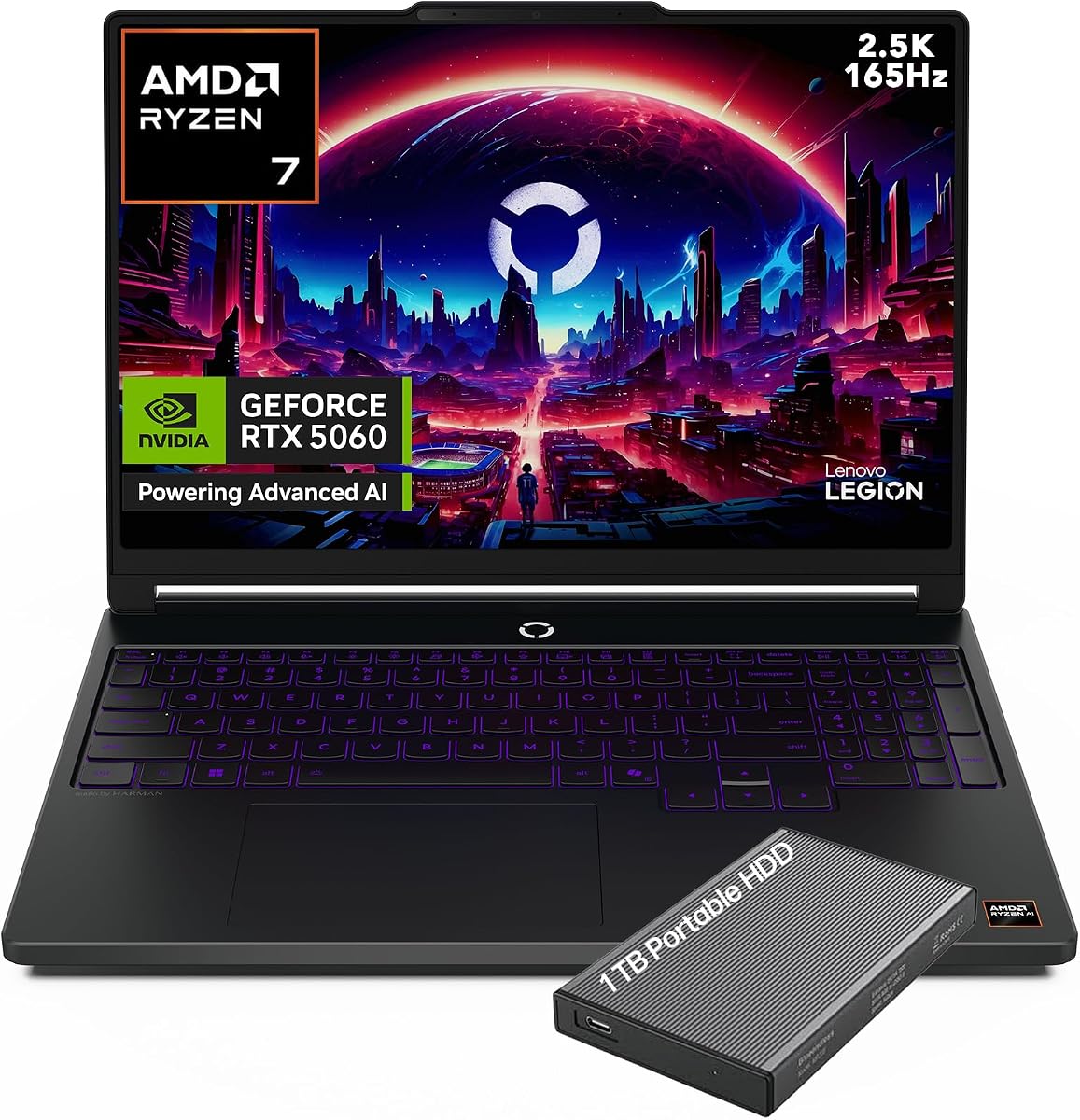
This model stands out as a top choice for gamers seeking high-quality visuals without breaking the bank. With a perfect user rating, it delivers on its promise of immersive gaming. The OLED screen provides deep blacks and vibrant colors essential for modern titles.
We may earn a commission when you buy through this link, at no additional cost to you.
Powered by the AMD Ryzen 7 250 processor and RTX 5060 GPU, it handles demanding games smoothly. The 165Hz refresh rate ensures fluid motion, reducing motion blur during fast-paced action. The included portable drive adds extra storage for large game libraries.
While the device is robust, its weight might be a consideration for frequent travelers. Battery life can also vary depending on workload intensity. However, these trade-offs are acceptable given the desktop-class performance in a portable form factor.
Ideal for students and home gamers who prioritize screen quality and performance. The combination of high-end specs and a competitive build quality makes it a strong recommendation for most users looking for a versatile machine.
The WQXGA OLED display with 100% DCI-P3 coverage ensures every game looks stunning and true to life.
Integrated Ryzen AI and Wi-Fi 7 support future-proof this device for upcoming software and network demands.
We may earn a commission when you buy through this link, at no additional cost to you.
This laptop combines the Intel Core i9 14900HX with an RTX 5070 for unmatched processing power. The OLED screen offers a crisp WQXGA resolution, perfect for detailed game environments. It targets users who need raw performance for gaming and creation tasks.
We may earn a commission when you buy through this link, at no additional cost to you.
The 32GB of DDR5 RAM ensures smooth multitasking even with heavy applications running. The use of GDDR7 memory on the GPU highlights its cutting-edge architecture. High refresh rates and deep blacks on the panel enhance the visual fidelity significantly.
Given its high-end components, the price point is substantial compared to other options. Availability may also be limited due to the specific configuration and new technology. These factors should be weighed against the performance benefits.
Best suited for enthusiasts who demand the highest performance in a compact chassis. If budget is less of a concern, this machine delivers a premium experience that few competitors can match in terms of speed and display quality.
The 14th Gen Intel Core i9 provides the necessary power for heavy workloads and high-FPS gaming scenarios.
RTX 5070 with GDDR7 ensures superior rendering capabilities and future-ready graphics performance.
We may earn a commission when you buy through this link, at no additional cost to you.
This version of the Legion 5a offers a similar experience to the top pick but at a lower entry cost. It maintains the same powerful AMD Ryzen processor and RTX 5060 graphics. The high rating suggests it meets user expectations effectively for gaming.
We may earn a commission when you buy through this link, at no additional cost to you.
The 16GB RAM is sufficient for most current titles, though it may limit heavy multitasking compared to higher specs. The OLED display remains a standout feature, providing deep blacks and rich colors. Including an external drive helps manage storage without immediate upgrades.
Users should be aware that the 16GB RAM might require future expansion for future-proofing. Fan noise can be audible under load, which is typical for gaming systems of this type. Despite these minor drawbacks, it remains a solid choice.
This is an excellent pick for budget-conscious gamers who refuse to compromise on display quality. The combination of an OLED screen and a capable GPU at this price point is rare. It serves as a reliable daily driver for both play and work.
You get premium features like an OLED screen and latest gen CPU without the premium price tag of top models.
The included external drive adds immediate value for those with large libraries of games and media files.
We may earn a commission when you buy through this link, at no additional cost to you.
The Legion 5i targets students and mobile users with a thinner design and strong performance. It features an Intel Core i7 processor paired with an RTX 5070 for excellent gaming capabilities. The PureSight OLED panel ensures accurate colors and deep contrast.
We may earn a commission when you buy through this link, at no additional cost to you.
Legion AI Engine+ optimizes performance for different games automatically. This helps maintain high FPS without manual tweaking. The inclusion of three months of PC Game Pass offers immediate access to a large library of titles, enhancing value.
The 16GB memory configuration is standard but limits heavy multi-tasking compared to 32GB options. Battery life is decent but not exceptional, requiring a charger for long sessions. These are manageable trade-offs for a machine designed for mobility.
Ideal for university students who need a machine for both coursework and gaming. The balance of portability, performance, and the extra game bundle makes it a compelling choice. It fits well into a lifestyle that requires frequent movement and reliable tech.
AI Engine+ adjusts system settings dynamically to ensure smooth gameplay across various titles.
Free months of Game Pass add immediate value by expanding your game library right out of the box.
We may earn a commission when you buy through this link, at no additional cost to you.
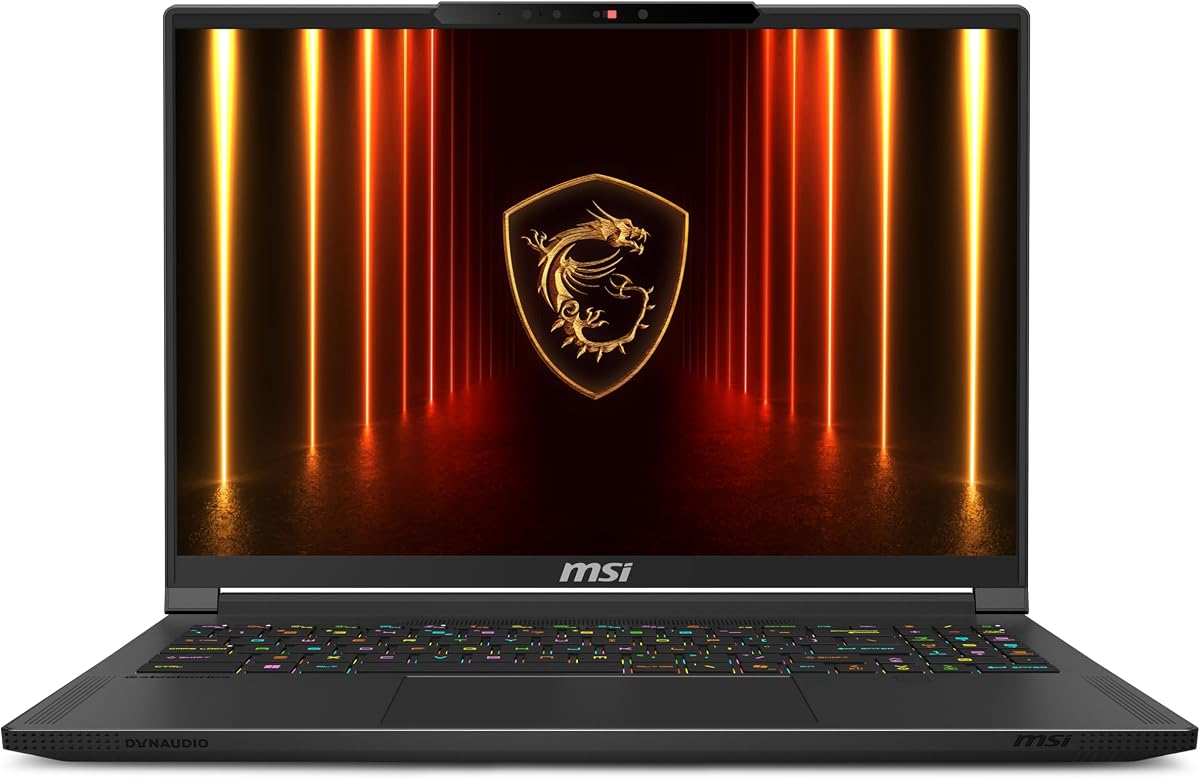
This MSI model stands at the upper end of the market with top-tier components. The AMD Ryzen AI 9 processor and RTX 5070Ti deliver exceptional power for any gaming need. The 240Hz OLED display offers smooth motion unmatched by standard 165Hz panels.
We may earn a commission when you buy through this link, at no additional cost to you.
The 2TB SSD provides ample space for a large game library without needing external drives. Windows 11 Pro adds professional features useful for creators who also game. Wi-Fi 7 ensures the fastest possible network speeds for online multiplayer.
The premium price reflects the high-end specs and quality build. It is a significant investment compared to mid-range options. However, for those who want the best performance available, this cost is often justified.
Best for users who require the highest performance and display quality available. It suits content creators and competitive gamers who need every edge in speed and visuals. The integration of AI and robust hardware ensures longevity.
The 240Hz refresh rate reduces motion blur significantly, offering a competitive edge in fast-paced shooters.
Ryzen AI 9 brings dedicated NPU performance for faster AI tasks and enhanced user experiences.
We may earn a commission when you buy through this link, at no additional cost to you.
This laptop offers a similar high-end experience using Intel Core Ultra architecture. The RTX 5070Ti GPU delivers strong performance for 4K and VR gaming. The display matches the AMD version with a 240Hz QHD+ OLED panel for smooth visuals.
We may earn a commission when you buy through this link, at no additional cost to you.
With 32GB DDR5 RAM, multitasking is seamless across demanding applications. The Wi-Fi 7 integration ensures future-proof connectivity for high-speed internet. Windows 11 Home is standard, which is sufficient for most personal and gaming use cases.
The price is on the higher end of the spectrum, reflecting its premium specs. Battery life may suffer under heavy gaming loads due to the power demands of the GPU. Users should manage expectations accordingly.
Ideal for those who prefer Intel architecture but still want top-tier performance. It fits well in professional setups that double as gaming rigs. The combination of screen quality and processing power makes it a robust choice.
The latest Intel Core Ultra 9 handles demanding tasks efficiently with advanced AI capabilities.
High refresh rate OLED ensures smooth and vivid visuals essential for modern gaming.
We may earn a commission when you buy through this link, at no additional cost to you.
This variant of the Legion 5a holds a perfect user rating, indicating high satisfaction. It comes with 32GB memory which is a significant advantage over 16GB models. The OLED screen continues to be a highlight for visual fidelity and color depth.
We may earn a commission when you buy through this link, at no additional cost to you.
The RTX 5060 GPU is sufficient for 1080p and 1440p gaming at high settings. The 165Hz refresh rate ensures that motion appears fluid and responsive. 1TB storage provides ample space for modern titles and applications.
As with many gaming laptops, portability can be a challenge due to its weight. Fans may ramp up during intense sessions to manage heat, causing some noise. These are standard characteristics for high-performance portable computers.
A reliable choice for those who value stability and performance. The high memory capacity makes it suitable for heavy multitasking alongside gaming. It remains a strong competitor in the mid-to-high-end market segment.
32GB RAM allows for smoother multitasking with many apps open alongside large games.
The OLED panel offers deep blacks and high contrast for a more immersive experience.
We may earn a commission when you buy through this link, at no additional cost to you.
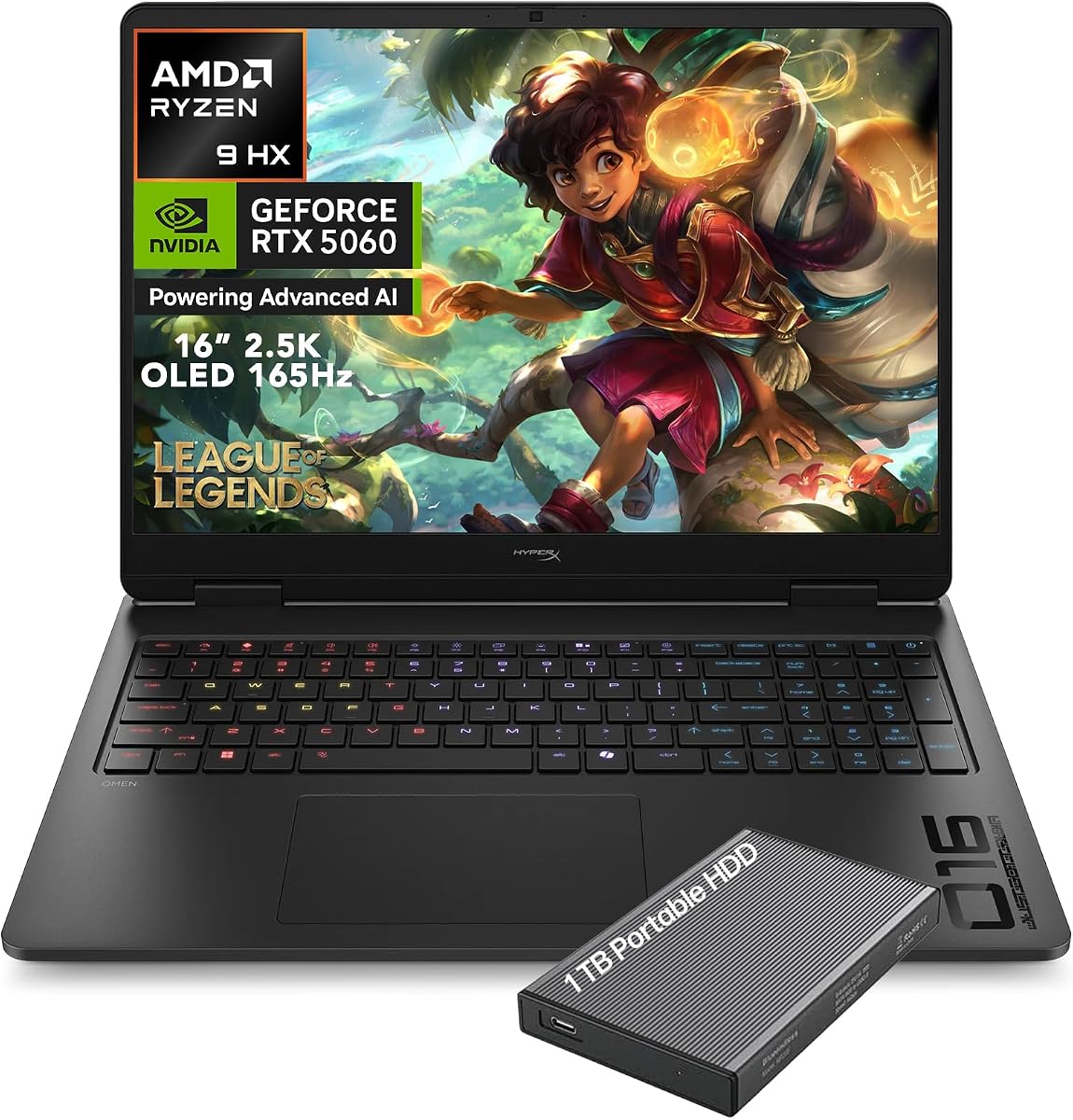
This OMEN laptop brings HyperX audio technology for an enhanced sound experience. The Ryzen 9 8940HX processor offers robust performance for gaming and streaming. The 16-inch OLED display ensures sharp visuals with high color accuracy.
We may earn a commission when you buy through this link, at no additional cost to you.
Tempest Cooling technology helps maintain lower temperatures during long sessions. Self-cleaning fan tech reduces dust buildup to maintain airflow efficiency. The 0.2ms response time on the screen is ideal for competitive gaming where speed matters.
Battery life may require frequent charging if used away from a power source. The larger 16-inch form factor adds bulk compared to 15-inch models. However, the build quality and audio features offset these issues for most.
Best for gamers who care about audio quality and cooling efficiency. The integration of HyperX gear into a laptop makes it a great choice for streamers. It balances performance with a feature set that enhances the gaming environment.
HyperX dual speakers with DTS:X Ultra provide spatial 3D audio for a more immersive feel.
Self-cleaning fans ensure long-term reliability by reducing dust buildup inside the chassis.
We may earn a commission when you buy through this link, at no additional cost to you.
This model pushes the limits of performance with an Intel Core i9 processor. The RTX 5070 GPU supports high FPS gaming and ray tracing capabilities. The 15.1-inch OLED screen is bright at 1000 nits, ensuring vivid visuals even in bright rooms.
We may earn a commission when you buy through this link, at no additional cost to you.
A massive 2TB SSD is included, allowing for a vast game library without external drives. The 24-Zone RGB keyboard adds a personalized touch to the setup. Wi-Fi 7 ensures that online multiplayer experiences are as fast as possible.
The price point is high, reflecting the top-tier components and storage. Weight is another factor for those who travel frequently. However, for a stationary setup or high-end mobile needs, it is hard to beat.
Perfect for users who want high-end specs without compromise. The combination of speed, storage, and display quality makes it a powerhouse. It is a great choice for competitive gamers and creators alike.
With 2TB SSD, you can install multiple large titles without worrying about space.
1000 nits brightness ensures the screen remains clear and vibrant in various lighting conditions.
We may earn a commission when you buy through this link, at no additional cost to you.
This laptop is one of the lighter options in its class at just 4.12 lbs. It still packs a punch with an AMD Ryzen 7 and RTX 5060. The 15.3-inch OLED display ensures rich visuals and deep blacks for gaming.
We may earn a commission when you buy through this link, at no additional cost to you.
The TrueStrike keyboard offers tactile feedback for precision input during gaming. Legion Coldfront cooling helps keep the system stable under load. Privacy shutter and Nahimic audio add extra convenience and immersion to the daily experience.
Battery life is typical for this level of performance, requiring a charger for extended use. Fans can be loud at peak performance modes, though Quiet mode is available. These are minor issues given the portability of the device.
Ideal for those who want performance on the go without too much bulk. The balance of weight and power makes it suitable for students and travelers. It is a strong recommendation for portable gaming needs.
Weighing just 4.12 lbs, it is easy to carry in a backpack without too much strain.
TrueStrike keyboard with 1.6mm travel provides accurate and comfortable typing for long sessions.
We may earn a commission when you buy through this link, at no additional cost to you.
Selecting the right laptop involves balancing screen quality with overall performance and budget.
OLED panels offer perfect blacks and infinite contrast, which are crucial for immersive gaming. Look for high refresh rates like 165Hz or 240Hz for smooth motion in fast games.
Prioritize displays with high color accuracy and brightness to ensure visuals look great in different environments.
The CPU determines how fast games load and how well the laptop handles background tasks. Modern gaming requires at least a mid-range multi-core processor for optimal performance.
Consider Intel Core i7/i9 or AMD Ryzen 7/9 series for the best balance of speed and efficiency.
A dedicated GPU is essential for rendering high-quality graphics. NVIDIA RTX 5060 or higher ensures you can run modern titles at high settings.
Look for cards with GDDR7 memory for faster data transfer and future-proofing against upcoming game demands.
16GB RAM is the baseline for smooth gaming, but 32GB offers more headroom for multitasking. SSDs provide fast boot and load times which are critical for user experience.
Ensure you have enough storage for large game libraries or plan to upgrade later with M.2 slots.
Wi-Fi 7 offers the fastest network speeds for online gaming. Multiple USB ports and HDMI are needed for connecting peripherals and external displays.
Check for modern standards like Thunderbolt or USB4 to support future accessories and high-speed data transfer.
Battery life on gaming laptops is often limited, so expect to carry a charger. Efficient cooling systems are needed to keep performance steady during long sessions.
Look for self-cleaning fans or liquid metal thermal solutions to maintain efficiency and reduce noise.
A sturdy chassis is important for durability, especially if you travel with the device. Keyboards with good travel and anti-ghosting improve comfort and accuracy.
Check for features like privacy shutters and anti-glare coatings that add value to daily use.
AI features in modern laptops can optimize performance and battery life automatically. Good control software allows you to tune the device to your needs.
Look for tools that allow RGB customization and system monitoring for a tailored experience.
Start by calibrating the display settings to take full advantage of the OLED panel. Use the dedicated graphics software to switch between performance and battery modes as needed.
Keep the laptop on a hard, flat surface to ensure airflow is not blocked. Regularly clean the fans and vents to prevent overheating and maintain peak performance.
Use a surge protector when plugging in to protect the sensitive electronics. Keep the battery charged between 20 and 80 percent when possible to prolong its lifespan.
OLED screens offer perfect blacks and faster response times which are ideal for gaming. They provide better contrast and color vibrancy than IPS panels. However they may cost more and require care to avoid burn-in with static images.
Yes a dedicated GPU is essential for running modern games smoothly. Integrated graphics struggle with high settings and complex visuals. A dedicated card like the RTX 5060 ensures you get the best experience without lag.
Most current games run well on 16GB of RAM. However 32GB is recommended if you plan to multitask or record gameplay. This amount ensures smooth performance across various tasks without slowdown.
Wi-Fi 7 offers faster speeds and lower latency than previous standards. This can improve online gaming performance and stability. It is future-proof for networks but may not show huge gains if your internet plan is slow.
Many gaming laptops allow RAM and storage upgrades. However components like GPUs and CPUs are usually soldered and cannot be changed. Check the specs before buying to ensure it meets your needs now.
Gaming laptops typically last 4 to 6 hours on light use. Gaming unplugged usually drains the battery quickly due to high power demands. You should expect to carry a charger for long trips or classes.
We have reviewed ten top options offering a range of performance and price. From budget-friendly choices to high-end machines there is something for every type of gamer.
Prioritize the display and GPU when selecting a laptop to ensure you get the best visuals. A good screen makes a huge difference in immersion and enjoyment.
Prices change often so check the current listings before you buy. Make sure to compare the final price and any bundle deals to get the most value.