
Galphi 4K Dash Cam
4.4Editor score
4K 2160P Resolution
5GHz WiFi Speed
32GB Card Included
Compact Screen-Free Design
This guide compares the top Garmin Dash CAM models for October 2026, evaluating video quality, features, and connectivity to help you choose the right device
Choosing the right dash camera can protect you from false claims and provide peace of mind on the road. A good model records high-definition video, offers reliable parking monitoring, and integrates seamlessly with your smartphone. We reviewed the latest options to find the best fit for every driver.
We evaluated each candidate based on resolution, field of view, and smart features like voice control and cloud storage. Our analysis focused on real-world performance, ease of installation, and the reliability of incident detection. This list covers the most capable models available this month.
Each pick highlights specific strengths and trade-offs to help you match a device to your driving needs. We include detailed specs, pros, and cons to make comparison easier. Please note that prices and availability change frequently so check current listings before purchasing.
4.4Editor score

4.2Editor score

3.8Editor score
The following table provides a side-by-side comparison of all ten models. It highlights key specifications and unique capabilities to help you identify the most suitable option for your specific driving environment.

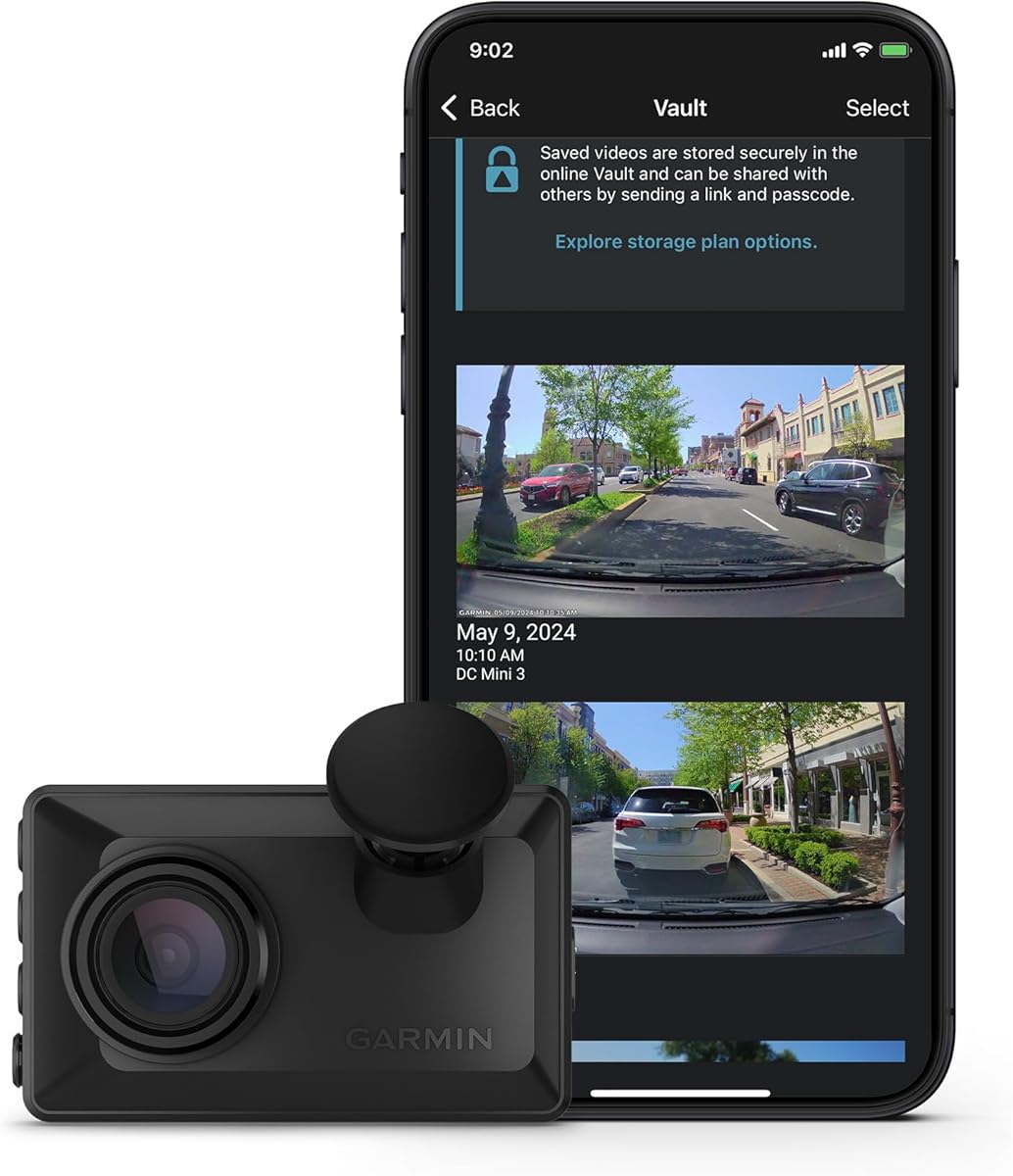

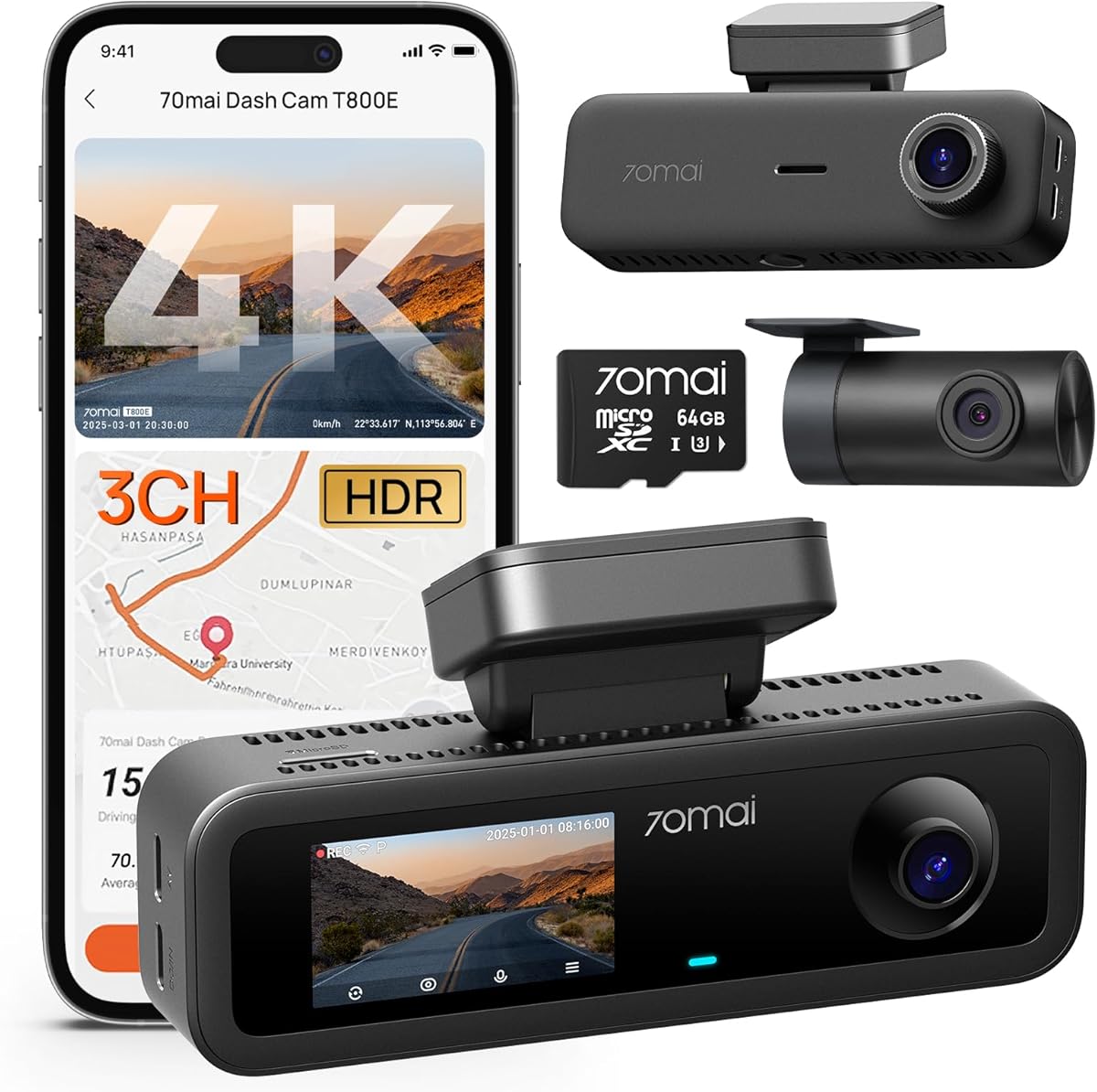


The Garmin Dash Cam 67W earns the top spot with its exceptional wide angle lens and clear video. It captures more of the road than most competitors. It balances performance and size effectively for most drivers.
We may earn a commission when you buy through this link, at no additional cost to you.
Its 180 degree FOV means fewer blind spots. The 1440p resolution ensures license plates are readable. Voice control allows you to save clips without taking hands off the wheel.
The reliance on Wi-Fi for cloud uploads means you need a strong connection. Some users report that the app can be slow to connect initially. These are minor inconveniences given the video quality.
Ideal for commuters who want broad coverage and smart features. This model offers the best blend of reliability and modern convenience. It is highly recommended for safety-conscious drivers.
The 180-degree lens captures adjacent lanes effectively reducing blind spots during critical incidents.
Speaking commands like save video keeps your hands on the wheel improving safety while driving.
We may earn a commission when you buy through this link, at no additional cost to you.
The X310 delivers premium performance with 4K resolution and active safety features. It offers a built-in display for immediate playback convenience. This model is suited for those seeking top-tier quality.
We may earn a commission when you buy through this link, at no additional cost to you.
It includes forward collision and lane departure warnings to alert you of risks. The 4K sensor captures fine details clearly even in bright light. It integrates well with the Garmin ecosystem.
The cost is significantly higher than entry-level units. Not all features like speed warnings work in every region. These factors limit its appeal to specific users.
Best for luxury vehicle owners wanting advanced tech. The extra cost buys superior video and safety features. It is a smart choice if budget allows.
Ultra HD recording ensures every detail is captured clearly for evidence and review later.
Lane departure alerts provide an extra layer of protection to prevent potential accidents.
We may earn a commission when you buy through this link, at no additional cost to you.
The Galphi 4K Dash Cam offers incredible value at a low price point. It delivers high-resolution video without the premium cost. It includes a memory card to start recording immediately.
We may earn a commission when you buy through this link, at no additional cost to you.
The 5GHz WiFi significantly speeds up video downloads compared to standard units. The small form factor makes it nearly invisible on the windshield. It supports loop recording and G-sensor locking.
It lacks a screen which means you must rely on the app to view footage. Parking mode requires a separate hardwire kit for full functionality. These are standard trade-offs for the price.
Perfect for budget-conscious drivers wanting 4K quality. It provides essential protection features without breaking the bank. Highly recommended for daily commuting needs.
Dual-band WiFi support ensures quick video transfers to your phone when you need them most.
The affordable price point makes high-quality recording accessible for everyone.
We may earn a commission when you buy through this link, at no additional cost to you.
This unit prioritizes stealth and size while retaining core recording functions. It is designed to be unnoticed on the windshield. Voice commands make it easy to manage without touch.
We may earn a commission when you buy through this link, at no additional cost to you.
The polarizer lens helps cut through windshield glare effectively. It captures standard HD video that is sufficient for most daily needs. The app handles settings rather than a display.
Resolution is limited to 1080p which may miss fine details compared to 4K. Adjusting settings requires opening the app every time. This limits ease of use slightly.
Ideal for those wanting the smallest possible device. It is unobtrusive and reliable for basic recording. Great for shared vehicles where space is tight.
Ultracompact design fits discreetly near the rearview mirror minimizing visual obstruction.
Built-in polarizer reduces glare to ensure clear footage even in bright sunlight.
We may earn a commission when you buy through this link, at no additional cost to you.
The X110 balances quality and price well for mid-range buyers. It offers HD resolution and a small LCD for instant playback. Voice control simplifies operation during critical moments.
We may earn a commission when you buy through this link, at no additional cost to you.
It records 1440p video which offers good detail for evidence. The polarizer lens ensures clarity in bright conditions. It integrates smoothly with the Garmin Drive app.
It is not as high resolution as 4K models. Adjusting specific settings often requires accessing the app. This may delay immediate feedback slightly.
Best for drivers seeking solid performance without extra cost. It provides clear evidence and reliable features. A sensible choice for everyday use.
Built-in display allows quick playback without needing to connect to a phone every time.
This model offers balanced features at a competitive price point for regular drivers.
We may earn a commission when you buy through this link, at no additional cost to you.
This 3-channel model covers front, rear, and cabin simultaneously. It is ideal for rideshare drivers needing full interior visibility. The 4K front camera captures road details clearly.
We may earn a commission when you buy through this link, at no additional cost to you.
It uses WiFi 6 for faster file transfers than older models. The super capacitor ensures reliability in extreme temperatures. Voice control supports hands-free operation.
Parking monitor requires an extra hardwire kit to function fully. The app may have varying features depending on region. This adds to the initial setup time.
Perfect for Uber or Lyft drivers needing interior protection. It provides comprehensive coverage for safety and evidence. Highly recommended for professional drivers.
Front and rear channels plus interior view ensure complete recording of all angles.
Latest WiFi 6 technology speeds up downloads significantly for quick file access.
We may earn a commission when you buy through this link, at no additional cost to you.
This model excels with full interior and exterior coverage. The front and rear cameras record in 4K providing clear evidence. It includes a free memory card to start immediately.
We may earn a commission when you buy through this link, at no additional cost to you.
IR lights on the cabin camera ensure clear night footage. WiFi 6 connectivity supports fast file transfers. It records speed and location directly via GPS.
Hardwiring is needed for full 24 hour monitoring. The setup involves three units which takes more time. This limits simplicity for casual users.
Best for rideshare drivers needing cabin safety. It offers comprehensive coverage at a competitive price. Highly rated for professional use.
Cabin camera with IR lights records passengers clearly even in low light conditions.
Free 128GB card included saves money and ensures immediate recording capability.
We may earn a commission when you buy through this link, at no additional cost to you.
This model offers excellent dual-channel protection with ADAS warnings. The front 4K camera captures details clearly. A rear camera extends coverage for comprehensive safety.
We may earn a commission when you buy through this link, at no additional cost to you.
ADAS alerts warn of lane departure and forward collision risks. The large aperture lens improves low-light performance. It includes a 128GB card for storage.
Full parking mode requires a hardwire connection. Region-specific limitations may apply to ADAS features. This adds minor complexity to setup.
Ideal for drivers wanting rear coverage and safety warnings. It balances cost and advanced features well. A top contender for family vehicles.
Lane departure and collision alerts help drivers maintain situational awareness while on the road.
F1.55 aperture gathers more light for clear footage in dark or rainy conditions.
We may earn a commission when you buy through this link, at no additional cost to you.
This model offers real-time access via LTE connection. You can check on your vehicle from anywhere remotely. It provides a unique layer of security for parking.
We may earn a commission when you buy through this link, at no additional cost to you.
Live view requires an active LTE subscription for connectivity. The HD video ensures clear incident recording. It includes a memory card out of the box.
Ongoing subscription fees add to the cost. Constant power cable is required for full parking features. This limits its appeal to casual users.
Best for those wanting constant remote monitoring. It provides peace of mind through real-time access. Ideal for expensive vehicle security.
Real-time viewing allows you to check your vehicle status instantly from anywhere.
Built-in LTE ensures connectivity even without Wi-Fi nearby for remote access.
We may earn a commission when you buy through this link, at no additional cost to you.
The X210 offers a compact design with solid HD quality. It includes driver alerts for enhanced safety awareness. The built-in screen allows immediate playback.
We may earn a commission when you buy through this link, at no additional cost to you.
It records clear 1440p video for evidence needs. Voice control helps manage clips safely. It integrates well with the Drive app.
Cloud access requires a subscription for remote viewing. It lacks the 4K resolution of higher models. This limits its appeal to budget buyers.
Best for drivers wanting small form factor with safety features. It offers reliable protection without bulk. A good choice for urban driving.
Small physical profile ensures minimal distraction while driving.
Built-in alerts warn of potential hazards to reduce accident risk.
We may earn a commission when you buy through this link, at no additional cost to you.
Selecting a dash camera requires balancing resolution, connectivity, and budget. We outline key factors to consider before purchasing.
Resolution determines how much detail your footage captures. Look for at least 1080p to read plates. 4K provides the clearest images but uses more storage.
Prioritize higher resolution for better evidence.
A wider lens captures more of the road. Standard units offer 140 degrees but 180 is better. This reduces blind spots near your vehicle.
Choose wide FOV for comprehensive coverage.
This feature records when the engine is off. Many need hardwiring to function fully. Check if your model supports motion detection.
Ensure parking mode is compatible with your needs.
WiFi allows easy file transfer to your phone. Some models offer LTE for remote access. Decide if you need live views.
Select connectivity based on how you review footage.
This lets you save clips hands-free. It prevents distraction during critical moments. Essential for safe driving operation.
Always look for voice command support.
High-resolution video needs space. Loop recording overwrites old files automatically. Ensure support for at least 64GB.
Check card limits before purchasing.
Most use a standard power port. Some require hardwiring for full parking use. Decide on your preferred installation method.
Verify power requirements match your setup.
Cloud storage often needs a monthly fee. This adds to the total cost of ownership. Check if features are included or extra.
Factor in ongoing subscription fees.
Mount the device near the rearview mirror for a clear view. Clean the lens periodically to ensure clarity.
Insert a memory card and power the unit. Test recording before driving to confirm operation.
Check settings regularly and update firmware. Keep the unit dry to prevent damage.
Most models use WiFi to connect to your phone. Only Live versions need cellular data for remote viewing. You do not need internet for basic recording.
These units are durable and last years. Extreme heat or cold may affect internal parts. Use super capacitors for better longevity.
Yes. Models with cabin cameras are ideal. They protect drivers by recording passenger interactions. Ensure they comply with local laws.
1440p or 4K is best for clarity. It ensures readable details during reviews. Higher resolution requires more storage space.
Yes. Look for models with HDR or wide aperture. These allow better light capture in low light. IR lights help with interior recording.
Mount it high on the windshield. Run cables neatly along trim to hide them. Secure connections to avoid loose wires.
Only if you need remote viewing. It allows access from anywhere. Most users find local storage sufficient for their needs.
Many premium models include built-in GPS. It logs speed and location automatically. It helps review routes during incidents.
The Garmin Dash Cam 67W stands out as the top pick for its wide angle and quality. It balances performance with smart features. Most drivers will find it highly reliable.
Consider the X310 for top-tier resolution or the Galphi for budget value. Your choice depends on specific needs like coverage or price. Focus on what matters most for your vehicle.
Prices change frequently so review the latest deals before buying. Check current stock to ensure availability. Select a model that fits your budget.