
MSI 7A64-001R Gaming Intel H270 DDR4 HDMI USB 3 Crossfire ATX Motherboard (H270 Gaming PRO Carbon)
4.0Editor score
Supports 7th and 6th Gen processors
DDR4 boost with steel armor protection
Mystic light sync for customization
This guide compares ten top H270 motherboards for 6th and 7th gen Intel processors, evaluating features, performance, and value for various user needs.
Choosing the right H270 motherboard is crucial for building a stable and efficient system based on 6th or 7th generation Intel processors. These boards offer solid performance for mainstream users without the extra cost of overclocking capabilities found in higher-end chipsets.
We compared ten real products based on their specifications, user ratings, and key features like connectivity, memory support, and expansion slots. Our analysis focuses on reliability, build quality, and how well each board handles everyday computing tasks and light gaming.
Each pick below highlights unique strengths, whether you need robust audio, multiple M.2 slots, or advanced cooling solutions. Note that availability and pricing can change frequently, so always check the latest details before making your final purchasing decision for your build.
4.0Editor score

4.4Editor score
4.3Editor score
The following table provides a side-by-side comparison of all ten H270 motherboards reviewed in this guide to help you quickly identify which model best matches your specific system requirements and budget constraints.




The ASUS Prime H270-PLUS stands out as a reliable choice for standard Intel builds with its high user rating and comprehensive feature set. It balances connectivity and protection well, making it suitable for users who prioritize stability over flashy aesthetics.
We may earn a commission when you buy through this link, at no additional cost to you.
This board features Dual M.2 slots that allow for fast storage configurations and is compatible with Intel Optane Memory for speed enhancements. The 5X Protection III hardware safeguards ensure long-term reliability against electrical surges or power fluctuations.
While it lacks RGB lighting headers found on gaming models, its advanced fan control keeps noise levels manageable. The lack of overclocking options is acceptable since the H270 chipset is designed for non-overclockable processors.
If you need a dependable board for office work or general gaming, this model delivers excellent value. We recommend it for users who want easy connectivity and robust safety features without paying for unnecessary gaming extras.
Dual M.2 slots allow you to install high-speed NVMe SSDs directly on the board for faster boot times and file access.
The 5X Protection III suite includes safe slot core and other safeguards to protect your hardware from daily wear and tear.
We may earn a commission when you buy through this link, at no additional cost to you.
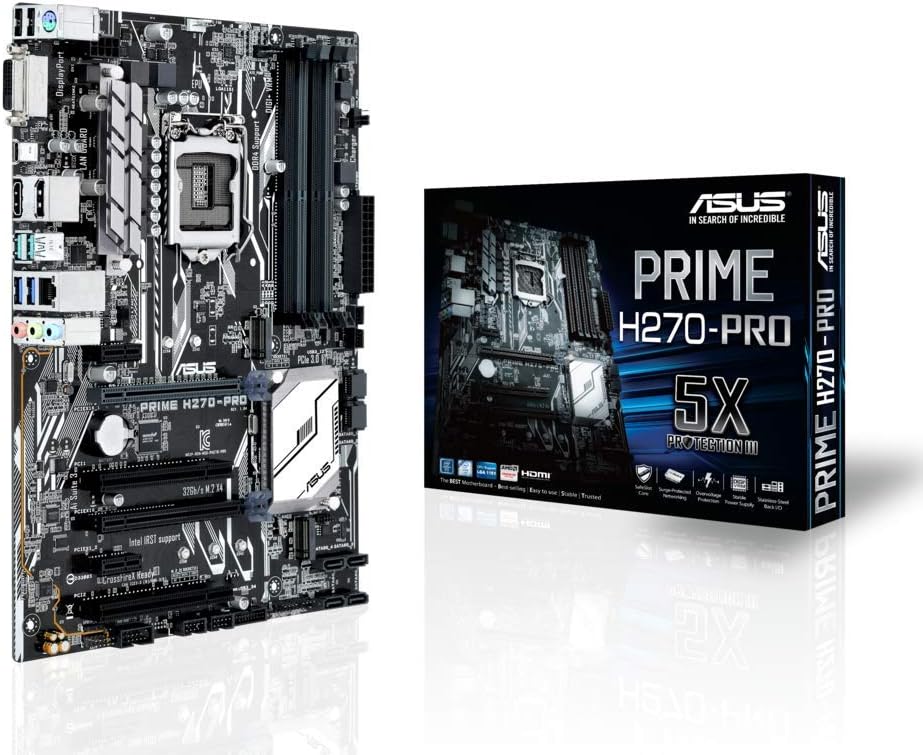
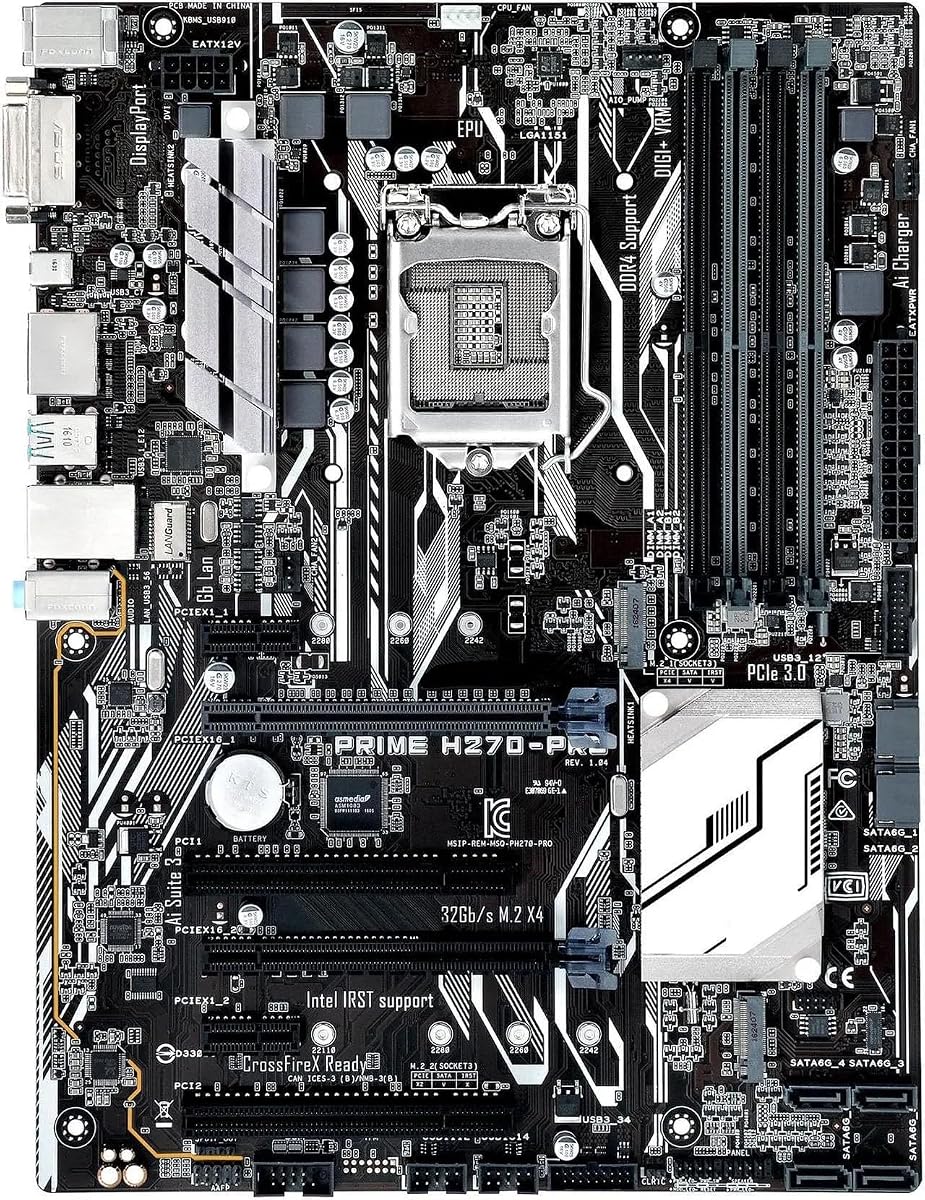
The Asus Prime H270-PRO offers a premium experience with advanced connectivity options like USB 3.1 Type C which is rare for this chipset class. It supports up to 64GB of DDR4 memory making it ideal for heavy multitasking workloads.
We may earn a commission when you buy through this link, at no additional cost to you.
Its ATX form factor provides ample space for expansion while maintaining a clean layout for cable management. The 5X Protection III ensures that your investment is safe from common electrical issues that can affect system longevity.
Although it carries a higher price than some competitors, the inclusion of modern ports like Type C justifies the cost for professionals. The trade-off is a lack of specific gaming features which might not appeal to hardcore gamers.
For workstations or professional builds requiring reliable connectivity and high memory capacity, this board is a solid choice. It offers a balance of features that modernizes older platforms without compromising on stability.
The inclusion of USB 3.1 Type C ensures compatibility with newer peripherals and provides high-speed data transfer capabilities.
Supporting up to 64GB of DDR4 RAM allows for running multiple virtual machines or heavy applications smoothly.
We may earn a commission when you buy through this link, at no additional cost to you.
The MSI 7A64-001R Gaming H270 brings gaming style to a budget-friendly price point without sacrificing essential performance. It supports both 7th and 6th gen processors and includes Mystic Light Sync for those who want some visual customization.
We may earn a commission when you buy through this link, at no additional cost to you.
Features like DDR4 Boost ensure that memory runs at optimal speeds while Gaming LAN with protection keeps your connection stable during online play. The design focuses on what gamers need most: speed and reliability at a lower cost.
While it lacks the premium build materials of higher-end boards it offers enough value for entry-level builds. The trade-off is in basic audio and fewer extra ports which might not matter to users focused purely on performance.
We recommend this board for anyone building their first gaming PC on a tight budget. It provides the necessary features to run modern games efficiently while keeping costs low for other components.
Gaming LAN with LAN protect helps maintain a stable connection reducing lag during online multiplayer sessions.
Mystic Light and Mystic Light Sync allow you to match your motherboard lighting with other compatible components in your case.
We may earn a commission when you buy through this link, at no additional cost to you.
The ASUS ROG Strix H270F Gaming brings enthusiast-level features to the H270 platform making it ideal for RGB builders. It features unmatched personalization with AURA Sync lighting and supports dual M.2 for high-speed storage options.
We may earn a commission when you buy through this link, at no additional cost to you.
Audio quality is industry-leading with 8-channel HD audio driven by Japanese capacitors which enhances your gaming experience. The Patent-pending Safe Slot features reinforce the PCIe slots ensuring they can hold heavy graphics cards without damage.
While the FanXpert 4 calibration is powerful it may require some learning to maximize system cooling effectively. The higher price is justified by the premium audio and lighting features that appeal to builders who care about aesthetics.
If you want a board that looks great and sounds great this model is a top contender. It is perfect for gamers who want to build a visually stunning system without moving to a more expensive Z-series chipset.
The ROG exclusive SupremeFX S1220A driven by Japanese capacitors delivers high-fidelity sound for immersive gaming and movies.
The Safe Slot Core uses an injection molding process to integrate metal framing for stronger and firmly anchored PCIe slots.
We may earn a commission when you buy through this link, at no additional cost to you.
The GIGABYTE GA-H270-Gaming 3 distinguishes itself with Killer E2500 Gaming Networks which optimizes bandwidth for gaming traffic. This board also supports 2-Way Crossfire allowing you to link two graphics cards for improved graphical performance.
We may earn a commission when you buy through this link, at no additional cost to you.
Connectivity is modern with media USB3.1 Type-C and support for dual channel DDR4 up to high capacities. The design ensures you have the necessary bandwidth and ports to run modern titles smoothly without bottlenecks.
While it offers strong gaming features the audio is not as refined as some competitors. The software suite for networking is powerful but can be resource-heavy if not configured properly by the user.
We recommend this board for users who prioritize online gaming stability and multi GPU setups. It delivers strong networking performance at a reasonable price point for mid-range gaming builds.
Killer E2500 Gaming Networks helps prioritize game data over other background traffic to reduce latency.
Support for 2-Way Crossfire allows you to combine two AMD graphics cards for enhanced visual rendering.
We may earn a commission when you buy through this link, at no additional cost to you.
The ASRock H270 PRO4 provides a straightforward solution for users who need a working motherboard without extra frills. It supports 6th generation Intel Core processors and includes an Ultra M.2 slot for modern storage speeds.
We may earn a commission when you buy through this link, at no additional cost to you.
With two PCIe 3.0 x16 slots and multiple PCIe 3.0 x1 slots you have room for expansion cards. The Dual Channel DDR4 2133 support ensures your memory runs efficiently for daily tasks.
While it lacks advanced gaming features it offers everything needed for a standard office or home PC. The main trade-off is a simpler design that does not include extensive connectivity options like Type C or extra USB headers.
This board is perfect for budget-conscious builders who prioritize function over form. It serves as a reliable foundation for systems where stability and basic upgrade paths are more important than flashy features.
The Ultra M.2 slot supports PCIe Gen3 x4 and SATA3 ensuring you can use high-speed NVMe SSDs.
Multiple PCIe slots allow you to add sound cards or network cards without sacrificing space for graphics.
We may earn a commission when you buy through this link, at no additional cost to you.
This motherboard is specifically designed to resolve contact issues and act as a replacement for damaged units. It features an optimized power design that boosts overall performance for multi-core processors during high-load tasks.
We may earn a commission when you buy through this link, at no additional cost to you.
The advanced heatsink design increases heat dissipation area ensuring professional-grade stability under heavy loads. Quality assurance is a priority with this product to help ensure uninterrupted computing experiences after replacement.
While it is not a standard retail board it provides a specific solution for repair scenarios. The trade-off is that it may lack some standard retail packaging or support channels found with mainstream brands.
We suggest this for users trying to restore functionality to an older system. It is a viable option when standard replacement parts are difficult to find or too expensive for older systems.
Optimized power design supports multi-core processors significantly boosting overall performance during heavy tasks.
Advanced heatsink design ensures effective thermal management even under heavy loads to maintain stability.
We may earn a commission when you buy through this link, at no additional cost to you.
This board offers broad compatibility with various i5 and i3 processors from the 6th and 7th generations. It supports up to 64GB of DDR4 RAM which provides ample capacity for future upgrades and multitasking needs.
We may earn a commission when you buy through this link, at no additional cost to you.
The inclusion of M.2 support ensures you can take advantage of fast SSD technology for your operating system. It uses a standard ATX form factor making it easy to fit into most mid-tower cases.
Specifications are kept simple focusing on essential compatibility and capacity. The trade-off is a lack of detailed documentation which might make initial setup slightly more challenging for less experienced users.
We recommend this for builders who need a functional board with wide CPU compatibility. It is a suitable choice for simple upgrades or new builds where cost is a primary concern.
Supports i5-7400 i3-7300 i5-6600 and i3-6300 CPUs ensuring compatibility with common mainstream processors.
Supporting up to 64GB of DDR4 RAM allows for long-term usage without needing immediate memory upgrades.
We may earn a commission when you buy through this link, at no additional cost to you.
This H270 motherboard is designed to offer high memory capacity at an accessible price point. It uses the LGA 1151 socket which allows for a range of Intel Core processors from the 6th and 7th generations.
We may earn a commission when you buy through this link, at no additional cost to you.
Support for up to 64GB of DDR4 RAM ensures that your system can handle large applications and virtualization tasks. The standard chipset provides reliable performance for general computing without unnecessary bells and whistles.
The feature set is kept basic to maintain affordability and simplicity for users. This approach means you may not find advanced networking or audio features on this specific model.
We suggest this board for users who need simple functionality and high memory capacity. It is a straightforward option for office machines or budget builds where budget matters most.
With 64GB support you can run demanding software smoothly without worrying about memory limitations.
LGA 1151 socket ensures compatibility with popular Intel processors from the 6th and 7th generations.
We may earn a commission when you buy through this link, at no additional cost to you.
This H270-PLUS motherboard provides general purpose support for various processors including i3 and i7 models. It includes M.2 ATX format support ensuring you can use modern fast storage drives for improved system responsiveness.
We may earn a commission when you buy through this link, at no additional cost to you.
With support for up to 64GB of DDR4 memory it offers a solid foundation for users who need reliable performance. The board is designed to handle everyday tasks effectively without complex configurations.
It lacks the extensive feature sets of branded gaming boards but covers essential needs. The trade-off is a simpler user experience which can be beneficial for those who just want a working system quickly.
We recommend this for budget builders looking for broad CPU compatibility. It serves as a reliable backbone for systems where cost and functionality are the top priorities.
Supports i3-6100 i3-6300 i5-6500 i5-7500 and i7-6700 CPUs ensuring a wide range of processing options.
Includes M.2 ATX support for installing high-speed drives that significantly improve boot and load times.
We may earn a commission when you buy through this link, at no additional cost to you.
Selecting the right motherboard involves understanding the specific needs of your build and matching them with the board's capabilities and features.
Ensure the board supports your specific Intel CPU generation and socket type. H270 boards generally support 6th and 7th gen Core processors using LGA1151 sockets.
Always check the product details to confirm which specific models are supported before purchasing.
Look for support for DDR4 memory and consider the maximum capacity you might need in the future. Most boards support up to 64GB which is sufficient for most multitasking needs.
Higher capacities are beneficial if you run heavy applications or virtualization software regularly.
M.2 slots provide high-speed connectivity for modern SSDs and should be prioritized for boot drives. Some boards offer dual M.2 slots allowing for more flexible storage configurations.
Check if the board supports SATA Express or multiple SATA3 ports for additional drive needs.
Review the rear I/O panel for USB ports including Type C or Type A options for modern peripherals. Front panel USB headers are also important for case fans and peripherals.
A good mix of USB 3.0 and USB 3.1 ports ensures you have enough bandwidth for external devices.
Integrated audio varies by board with higher-end models using dedicated chips and capacitors for better sound. If audio is important consider boards with SupremeFX or similar dedicated audio technologies.
8-channel HD audio is standard but the quality of components affects the final sound output.
Built-in LAN protect and specific gaming networks like Killer E2500 can optimize internet traffic. This is crucial for online gaming or large file transfers over a network.
Ensure the Ethernet port supports speeds suitable for your internet connection to avoid bottlenecks.
Look for features like Safe Slot Core which reinforce PCIe slots for heavy graphics cards. Hardware safeguards like 5X Protection help extend the lifespan of the motherboard.
Quality construction also impacts cooling efficiency and the ability to handle stable power delivery.
Check for PCIe slots to ensure you can add GPUs or other expansion cards. H270 boards typically support CrossFire for multi GPU setups depending on the model.
Having enough PCIe x1 slots is useful for adding Wi-Fi cards or other low bandwidth devices.
Install your motherboard carefully ensuring all standoffs match the screw holes to avoid short circuits. Secure the board tightly but avoid over-tightening which can warp the PCB or damage components.
Keep the interior of your PC clean by removing dust regularly using compressed air. Dust buildup can block airflow and cause overheating especially near the VRMs and heatsinks.
Update your BIOS to the latest version to ensure compatibility with newer CPUs and improve stability. This simple step can resolve boot issues and improve overall system performance.
Yes most H270 motherboards are compatible with both 6th and 7th generation Intel Core processors using LGA1151 sockets. However you should always check the manufacturer's support list for specific CPU models to ensure compatibility.
The main difference is that Z270 supports CPU overclocking while H270 does not. H270 is generally more affordable and offers similar features for non-overclocking users.
Yes all H270 motherboards support DDR4 memory which is the standard for these systems. Ensure you use modules that are compatible with the supported speeds listed by the manufacturer.
Many H270 boards support 2-Way CrossFire allowing you to link two AMD graphics cards. However some models may limit this feature so check the specifications before purchasing for multi GPU setups.
You can update the BIOS using the manufacturer's software from within Windows or a dedicated tool. Always follow the instructions carefully to avoid damaging the motherboard during the update process.
Yes H270 motherboards are suitable for gaming providing enough features and connectivity for most builds. While they lack overclocking options they perform well with unlocked or standard processors.
We recommend the ASUS Prime H270-PLUS for overall value and the MSI Gaming H270 for budget builders who want gaming features. The Asus Prime H270-PRO stands out for professionals needing advanced connectivity.
When choosing prioritize features like M.2 slots and USB Type C if you plan to use modern peripherals. Ensure the board supports your specific CPU model to avoid compatibility issues during setup.
Always verify current availability and details before purchasing as product listings can change. This guide provides a strong starting point for finding a reliable H270 motherboard for your system.