
HP 14 inch Laptop
4.5Editor score
Intel N150 Processor
14 Inch Non-touch Display
Lightweight 3.24 lbs Design
In today's remote work landscape, having a reliable laptop for Zoom calls is essential for professionals and students alike. A good device ensures clear audio, crisp video, and stable performance during critical meetings without technical interruptions.
We analyzed ten top-rated products focusing on webcam quality, microphone clarity, processing power, and portability. Our comparisons highlight models that excel in virtual communication while offering great value for different budget levels and usage needs.
Each pick includes detailed specs, pros, cons, and real-world performance insights to guide your decision. Prices and availability change frequently, so verify current deals before purchasing to ensure you get the best value for your investment.
4.5Editor score

5.0Editor score

5.0Editor score
As an Amazon Associate we earn from qualifying purchases.
The following table provides a side-by-side comparison of all ten products, highlighting key specifications and features relevant to video conferencing performance and daily productivity.





The HP 14 inch Laptop stands out as an excellent budget choice for basic Zoom calls. With a solid 4.5 star rating, it delivers reliable performance for everyday tasks and virtual meetings without breaking the bank.
We may earn a commission when you buy through this link, at no additional cost to you.
Equipped with an Intel N150 processor and 4GB DDR5 RAM, this laptop handles multitasking efficiently. The 14-inch non-touch display offers vibrant visuals with anti-glare coating, ensuring you look professional even in bright environments during video conferences.
While the 128GB SSD is limited, the included 1TB Cloud Storage compensates for file needs. The slim profile and lightweight chassis make it easy to carry between home and office for seamless remote work transitions.
This model is ideal for students or professionals needing a reliable machine for occasional meetings. Its combination of portability, essential ports, and affordability makes it a top contender for budget-conscious buyers.
Weighing just 3.24 lbs with a slim profile, this laptop is easy to transport for flexible work setups anywhere.
Multiple USB and HDMI ports allow connecting external monitors or peripherals needed for enhanced video conferencing setups.
We may earn a commission when you buy through this link, at no additional cost to you.
Good lighting is crucial for professional video calls. The Cyezcor Video Conference Lighting Kit provides a simple yet effective solution to enhance your appearance during Zoom meetings with its adjustable ring light design.
We may earn a commission when you buy through this link, at no additional cost to you.
Offering three color temperatures and five brightness levels, this light ensures your face is evenly lit without harsh shadows. The LED beads provide soft illumination that looks natural on camera, improving overall video quality significantly.
Its clip-on design makes setup effortless on any monitor or laptop screen. The USB power requirement means you can plug it directly into your device, making it ideal for remote workstations without extra adapters.
If your current webcam footage looks too dark or grainy, adding this light can instantly upgrade your presentation. It is a cost-effective accessory that complements any laptop for a more polished professional look.
Adjustable settings allow you to match ambient lighting, reducing strain and ensuring clear visibility during every call.
No complex installation is needed; simply clamp the light and plug it in to start improving your video instantly.
We may earn a commission when you buy through this link, at no additional cost to you.
Achieving a perfect 5.0 star rating, the HP Everyday Slim Laptop is a top-tier choice for virtual meetings. Its specialized video call features ensure you remain clear and confident in every interaction with clients or colleagues.
We may earn a commission when you buy through this link, at no additional cost to you.
The HP True Vision 720p HD camera uses temporal noise reduction to improve image quality in less ideal lighting. Dual array microphones capture your voice clearly while filtering out background noise, ensuring professional audio throughout your calls.
Weighing only 3.24 lbs, it is incredibly portable for travelers. The full-size keyboard with a dedicated Copilot key and multi-touch Imagepad offers smooth navigation, enhancing productivity during long work sessions and collaborative meetings.
Ideal for professionals who prioritize clarity and ease of use, this laptop balances performance with portability. While storage is modest, its optimized connectivity and premium build make it a reliable workhorse for remote communication needs.
Advanced camera and microphone tech ensures you look and sound professional without needing external accessories.
The dedicated Copilot key and touchpad offer intuitive navigation for faster setup and control during meetings.
We may earn a commission when you buy through this link, at no additional cost to you.
With a flawless 5.0 rating, the NIMO 15.6 Copilot AI Laptop offers powerful performance for demanding video conferencing tasks. Its 16GB RAM and 512GB SSD ensure zero lag when running Zoom alongside multiple browser tabs and applications.
We may earn a commission when you buy through this link, at no additional cost to you.
The 15.6-inch Full HD display provides sharp visuals for sharing documents or presentations. The flat-lay hinge allows easy sharing of screens during group meetings, making collaboration smoother and more efficient than standard designs.
Battery life supports up to 8.5 hours of online classes or calls, keeping you productive throughout the day. The fast charger and robust security features add value, ensuring you stay safe and efficient whether at home or public spaces.
This model is the ideal choice for power users needing reliability and speed. Its balance of high specs, expandability, and warranty support makes it the top recommendation for those seeking a long-lasting work device.
16GB RAM and fast SSD handle large Zoom meetings and apps simultaneously without slowdowns or interruptions.
The 175-degree hinge enables sharing screens easily in meetings, enhancing team collaboration and productivity.
We may earn a commission when you buy through this link, at no additional cost to you.
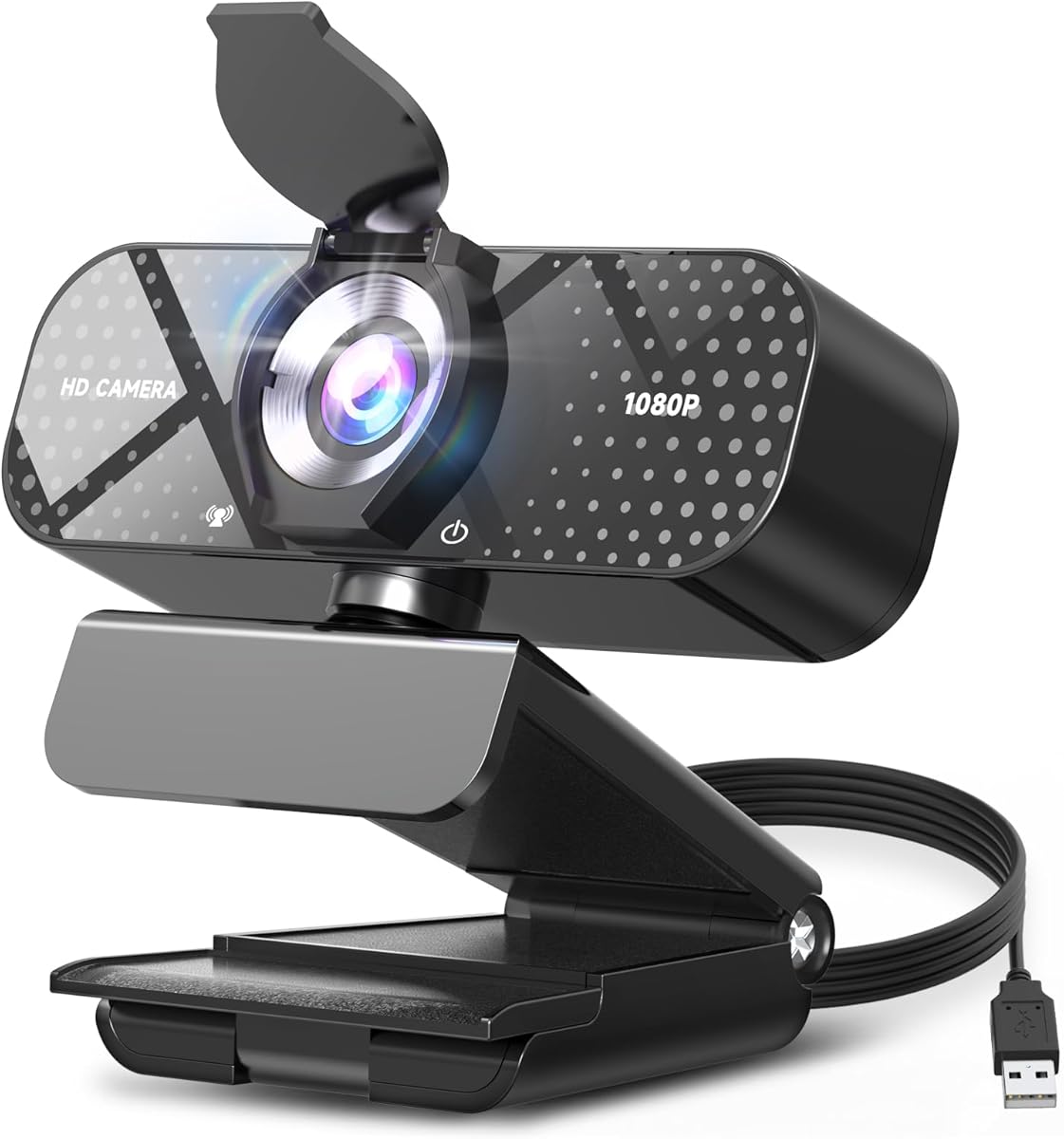
The TRAUSI 1080P FHD Webcam delivers exceptional clarity for video meetings, rated 4.6 stars. It is an excellent upgrade for laptops with built-in cameras that struggle in low light or noisy environments.
We may earn a commission when you buy through this link, at no additional cost to you.
Its wide-angle lens captures vibrant, sharp images at 30 frames per second. The noise-canceling microphone ensures your voice remains crisp, filtering out distractions, which is vital for professional virtual interactions and presentations.
Automatic light correction dynamically adjusts brightness to suit any room condition, helping you look your best regardless of lighting. The included privacy cover provides peace of mind when the camera is not in use, enhancing security.
Plug-and-play compatibility makes setup effortless across Windows and Mac systems. If your laptop's camera lacks quality, this affordable accessory significantly boosts your professional presence on calls without technical complexity.
Auto light correction ensures clear, vibrant video in any room lighting, maintaining professional appearance effortlessly.
The included privacy cover blocks the lens when idle, protecting your personal space and preventing unauthorized access.
We may earn a commission when you buy through this link, at no additional cost to you.
This versatile desk ring light earns a 4.4 rating for its superior adjustability and uniform illumination. It is designed to elevate video quality for Zoom calls by providing even, soft lighting that reduces eye strain and looks natural.
We may earn a commission when you buy through this link, at no additional cost to you.
With three color temperatures and ten brightness levels, you can customize the light to match your environment perfectly. The high CRI ensures vibrant, true-to-life colors on video, making you appear more vivid and professional to meeting attendees.
Its height adjustable from 22 to 32.5 inches allows ergonomic positioning to reduce glare. The metal base with non-slip pads ensures stability, while 360-degree rotation lets you direct light exactly where needed without moving the whole unit.
Ideal for home offices with flexible setups, this light complements any laptop or monitor setup. If you need precise control over lighting conditions for daily calls, this model offers the best balance of features and stability.
Adjustable height and rotation allow perfect positioning for eye comfort and optimal lighting angles during long calls.
High CRI lighting renders natural skin tones accurately, ensuring you look vibrant and professional on every video.
We may earn a commission when you buy through this link, at no additional cost to you.
Rated 4.4 stars, this ring light offers a great balance of features and value for video conferencing. Its circular design provides soft, even lighting that enhances video quality without harsh shadows or glare on your face.
We may earn a commission when you buy through this link, at no additional cost to you.
Three color temperatures and ten dimming levels let you fine-tune the ambiance for any setting. The high color rendering index ensures your photos and videos look vivid and realistic, making you stand out professionally during meetings.
Simply press the mode switch to cycle through lighting modes or adjust brightness seamlessly. The clip-on design fits most monitors, making it an affordable upgrade to improve your on-camera presence without significant investment.
Perfect for remote workers or students on a budget, this light effectively elevates call quality. While it lacks premium features of larger lights, its performance and ease of use make it a practical choice for daily use.
Curved circular design ensures soft lighting that protects eyes and looks natural on video without harsh shadows.
Mode switch and dimming controls make it easy to find the perfect lighting setting instantly for any environment.
We may earn a commission when you buy through this link, at no additional cost to you.
The HP 14 Business Laptop offers solid reliability with a 4.1 rating for office work. Its Intel N150 processor handles daily tasks efficiently, making it suitable for virtual meetings and general productivity in a business context.
We may earn a commission when you buy through this link, at no additional cost to you.
The 14-inch display provides sharp text and images with an anti-glare finish, ensuring comfort during long workdays. Multiple ports including USB-C, HDMI, and SD card reader allow connecting peripherals easily for enhanced productivity during meetings.
Included 1-Year Office 365 adds immediate value for document editing and collaboration. While the resolution is standard, the micro-edge design expands vertical space for efficient browsing and document viewing without eye strain.
Ideal for small businesses or professionals needing a straightforward machine for calls and email. It may lack FHD resolution but delivers consistent performance and essential connectivity at an accessible price point.
Included Office 365 and multiple ports streamline work tasks and device connections for professional environments.
Anti-glare display ensures comfortable viewing during long meetings, reducing eye fatigue for better productivity.
We may earn a commission when you buy through this link, at no additional cost to you.
The HP New Everyday Slim Laptop aims to balance features for daily use with a 3.3 rating. It offers essential tools like Microsoft Office 365 and enhanced video call capabilities for those needing a straightforward device for meetings.
We may earn a commission when you buy through this link, at no additional cost to you.
With the HP True Vision 720p HD camera and dual array microphones, it ensures clear communication during virtual interactions. The lightweight Natural Silver chassis and up to 11 hours of battery life support mobility for travel or commuting.
The dedicated Copilot key and full-size keyboard improve navigation and productivity. While storage is limited locally, the 1TB Cloud Storage provides ample space for documents and files needed during remote work scenarios.
Suitable for users prioritizing cloud storage and office apps over raw power. It offers decent battery life and call features, making it a viable option for basic professional tasks despite lower overall performance expectations.
Microsoft Office 365 and Copilot key streamline document work and AI-assisted tasks for efficient meetings.
Up to 11 hours battery and lightweight design make it ideal for students and remote workers on the move.
We may earn a commission when you buy through this link, at no additional cost to you.
Rated 4.2 stars, this dual-lamp kit offers professional lighting with two stream bars for even illumination. It delivers brighter and more balanced light than single lights, creating a polished look for podcasts and video calls.
We may earn a commission when you buy through this link, at no additional cost to you.
The remote and touch control options provide convenience for adjusting settings quickly during meetings. With three color modes and ten brightness levels, you can customize the atmosphere to match your environment effortlessly.
Designed with rotatable bars and flexible mounting, it fits most monitors and supports vertical or horizontal setups. The included accessories like wire ties and sponge pads ensure a secure, scratch-free installation on your workspace.
Ideal for creators or professionals needing top-tier lighting quality. The extra setup effort is worth it for the superior even lighting, ensuring you always look your best regardless of room conditions or camera angles.
Dual bars provide even, balanced illumination across your face, eliminating shadows for a polished professional look.
Touch and remote controls let you adjust lighting quickly without interrupting meetings or reaching for the light.
We may earn a commission when you buy through this link, at no additional cost to you.
Choosing the right laptop for video conferencing requires balancing performance, audio-visual hardware, and portability to meet your specific work needs.
A built-in 720p or 1080p camera with noise reduction ensures you look sharp. Look for models with temporal noise reduction or privacy covers.
Prioritize laptops with HD cameras that include noise reduction for clear visuals in varied lighting.
Dual or array microphones filter background noise effectively. This is critical for staying understandable in noisy environments.
Choose devices with noise-canceling or dual-array microphones for professional audio clarity.
Modern processors like N150 handle Zoom efficiently. At least 4GB RAM is needed, but 8GB or 16GB prevents lag with multiple tabs.
Ensure your laptop has enough RAM and a modern CPU to run meetings alongside other apps smoothly.
A 13 to 15-inch Full HD screen with anti-glare coating helps reduce eye strain. Brightness above 250 nits is ideal for well-lit rooms.
Look for anti-glare displays with sufficient brightness to maintain clarity during long video calls.
USB-A and USB-C ports allow connecting external webcams or monitors. HDMI ports are useful for sharing your screen on large displays.
Select a laptop with diverse ports to support your peripherals without dongles.
All-day battery life ensures uninterrupted meetings. Look for models offering at least 8 hours of continuous use for remote work.
Prioritize laptops with long battery life to avoid charging interruptions during long meetings.
Lightweight models under 4 lbs are easier to carry for hybrid work. A durable chassis ensures reliability during travel.
Choose a lightweight, durable design for flexibility if you move between locations frequently.
Supplemental lighting or external webcams can enhance quality if built-in hardware is basic. These are cost-effective upgrades.
Consider external lights or webcams if your laptop lacks premium video features.
Position your laptop at eye level to maintain good posture and framing. Use a stand or stack of books to elevate it for better camera angles during meetings.
Keep your lens clean and free from dust to ensure clear video. Use a microfiber cloth to gently wipe the camera before important calls.
Test your audio and video settings before joining meetings to avoid technical issues. Close unused applications to maximize bandwidth and performance.
Look for at least 4GB RAM, a modern processor like Intel N150, and a 720p or 1080p camera. Anti-glare display and good battery life are also key for long meetings.
Not necessarily, but external webcams offer better resolution and low-light performance than many built-in cameras. Consider one if your laptop camera is basic or grainy.
More RAM allows you to run Zoom alongside other apps without lag. At least 8GB ensures smooth performance, while 4GB is minimum for basic usage.
Yes, ring lights or desk lamps improve visibility and professionalism. They help reduce shadows and ensure your face is clearly lit for the camera.
A 15-inch screen offers more space for sharing content and multitasking. A 14-inch model is more portable for commuting between work locations.
Close unnecessary apps, keep your system updated, and use a wired internet connection if possible. This maximizes bandwidth and reduces connection drops.
The HP Everyday Slim Laptop and NIMO Copilot AI Laptop top our list for balancing performance, camera quality, and reliability in professional meetings.
For budget shoppers, the HP 14 inch Laptop offers excellent value, while accessories like the Cyezcor light enhance video quality regardless of your laptop model.
Always verify current pricing and availability before buying to ensure you get the best deal on the right model for your video conferencing needs.