
HUANUO Laptop Desk Mount
4.5Editor score
Ventilated tray design
2-in-1 laptop monitor
15-inch pole height
Finding the right laptop tray desk mount can transform your workspace into a more ergonomic and efficient environment. These devices elevate your screen to eye level, reducing neck strain while freeing up valuable desk space for your keyboard and mouse.
We analyzed ten top-rated models based on build quality, adjustability, cooling features, and ease of installation. Each product was evaluated for its ability to support various laptop sizes and integrate seamlessly into different desk setups without compromising stability.
Each pick below highlights specific strengths like dual-mode functionality or advanced ventilation. Remember that product availability and pricing can fluctuate frequently, so always verify current details before making your final purchase decision for your office setup.
4.5Editor score

4.6Editor score

4.6Editor score
As an Amazon Associate we earn from qualifying purchases.
The following table provides a quick side-by-side comparison of the key specifications for each model to help you identify the best fit for your specific desk constraints and laptop size.

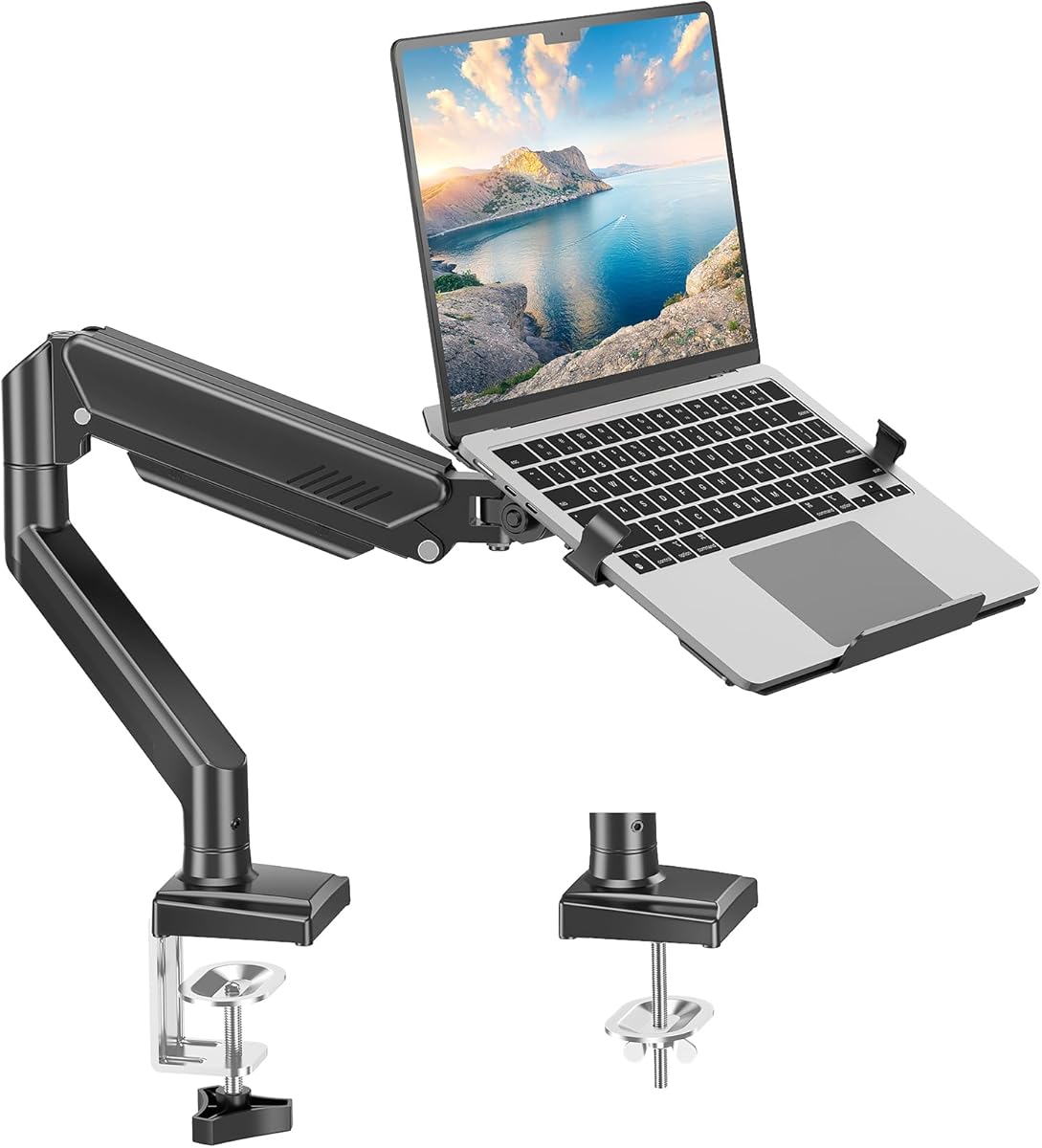


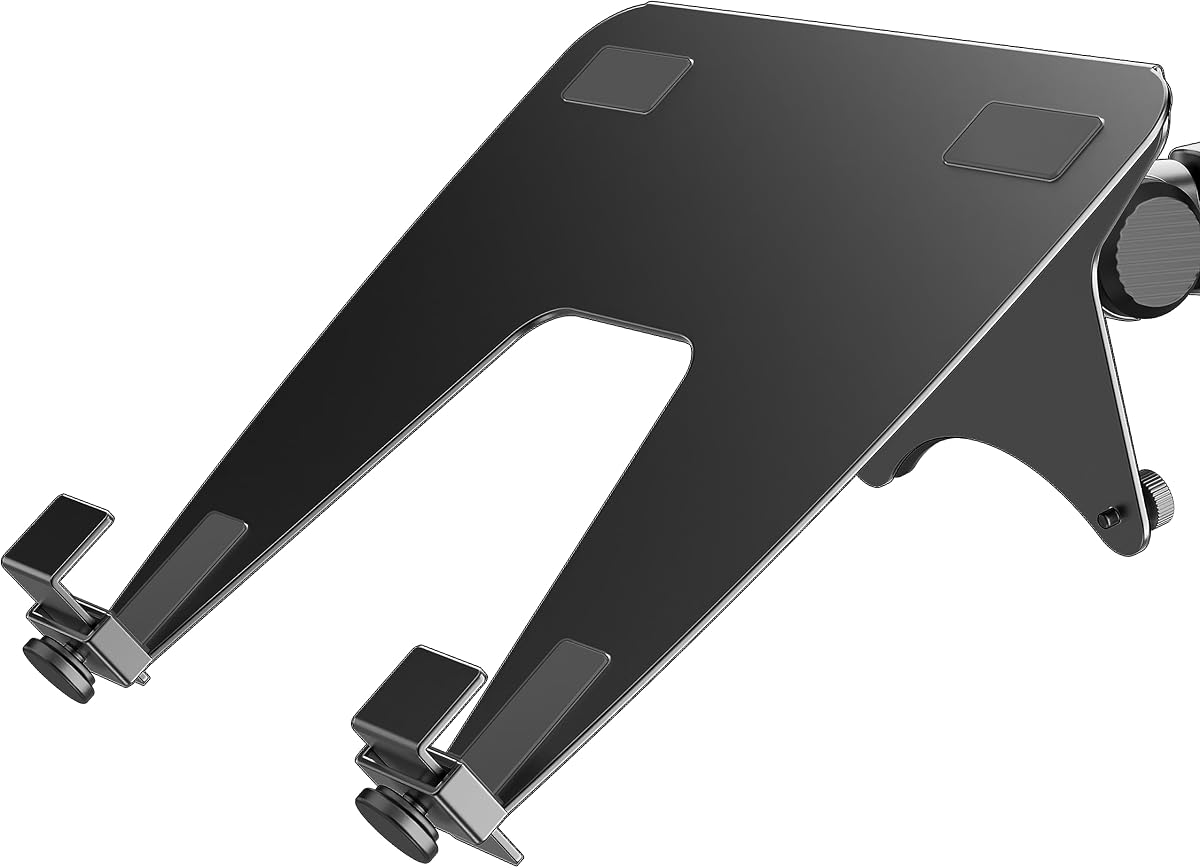
The WALI Adjustable Laptop Desk Mount stands out as a reliable choice for users seeking robust stability. With a high rating and strong weight capacity, it supports laptops up to 17 inches without wobbling during typing.
We may earn a commission when you buy through this link, at no additional cost to you.
Its dual mounting options allow installation via C-clamp or grommet, making it versatile for different desk thicknesses. The tray includes venting holes to promote airflow and prevent overheating during long sessions.
While highly adjustable, users must ensure their desk thickness fits the specified range. The mounting screws require firm tightening to maintain the position once set which may take extra effort.
This model is ideal for professionals who need a sturdy platform that keeps their device secure and elevated. It delivers a clean solution for freeing up desk space effectively.
Supports devices up to 22 lbs ensuring even large gaming laptops remain secure without sagging.
Ventilation holes on the tray absorb cooling air from the laptop fan to maintain optimal operating temperatures.
We may earn a commission when you buy through this link, at no additional cost to you.
The MOUNT PRO Laptop Arm Mount offers excellent value for users who want dual functionality without a high cost. It allows you to switch between using it for a laptop or a standard monitor easily.
We may earn a commission when you buy through this link, at no additional cost to you.
Safety features like anti-slip pads and latches ensure your laptop stays secure even when adjusted. The built-in cable management keeps wires organized which reduces clutter on your workspace surface.
Note that it does not support certain curved monitor models so check compatibility before buying. Also avoid rotating the tray to a vertical position when it holds a laptop to maintain safety.
This is a smart pick for budget-conscious buyers needing versatile mounting options. It simplifies your workspace setup while keeping costs low.
Remove the tray to accommodate monitors from 13 to 32 inches with VESA patterns for added flexibility.
Six anti-slip pads and clever latches prevent slips or falls during work or gaming activities.
We may earn a commission when you buy through this link, at no additional cost to you.
VIVO Single Laptop Notebook Desk Mount Stand earns high marks for ergonomic design and user satisfaction. Its full range of motion allows you to position your laptop exactly where you need it most.
We may earn a commission when you buy through this link, at no additional cost to you.
The stand supports weights up to 22 pounds and extends significantly to bring your screen to eye level. Detachable cable clips help keep power and AV cords organized along the arm.
Installation is straightforward with included hardware for C-clamp or grommet mounting. Just ensure your desk thickness is within the limits for secure attachment.
For anyone prioritizing comfort and flexibility this model is a top contender. It delivers a professional look and solid performance for daily use.
Adjustable arm offers tilt, swivel, and full 360-degree rotation for optimal viewing angles.
Integrated detachable clips keep cords clean and organized on arms and center pole.
We may earn a commission when you buy through this link, at no additional cost to you.
HUANUO Adjustable Monitor Arm with Laptop Tray is designed for users who want a single solution for both devices. The ventilated tray helps avoid overheating during intensive use.
We may earn a commission when you buy through this link, at no additional cost to you.
It supports monitors from 13 to 32 inches and laptops up to 17 inches. The arm extends up to 16 inches and provides a height range of 17 inches for comfortable viewing.
Make sure your desk is wooden as this mount does not work with glass or other materials. Tightening screws is necessary when adjusting angles to ensure stability.
This arm is a strong choice for flexible workspaces. It keeps your setup neat with effective cable management features.
Supports VESA 75x75mm and 100x100mm patterns for a wide range of screen sizes.
Integrated cable management keeps wires neat and organized out of the way.
We may earn a commission when you buy through this link, at no additional cost to you.
The HUANUO Laptop Desk Mount excels in thermal management with 240 holes in its tray. This design helps your device run cooler which is crucial for performance.
We may earn a commission when you buy through this link, at no additional cost to you.
It works as a laptop stand up to 17 inches or a monitor mount for screens between 15 and 32 inches. A 15-inch pole provides significant reach for ergonomic positioning.
Cable management clips help route wires along the arm and pole to keep your workspace tidy. The unit is best suited for wooden desks with specific thickness limits.
If cooling is your primary concern this model offers an efficient solution. It balances price and performance well for standard office setups.
240 holes on tray improve airflow to prevent overheating and extend device lifespan.
Free up valuable space underneath for keyboard and mouse while routing wires neatly.
We may earn a commission when you buy through this link, at no additional cost to you.
This HUANUO model supports larger monitors up to 34 inches when the tray is removed. It offers an extended arm length to reach further across your desk.
We may earn a commission when you buy through this link, at no additional cost to you.
The setup is quick as parts come pre-assembled to reduce installation time. Velcro straps and anti-slip pads ensure the laptop stays firmly in place during use.
The weight capacity for monitor mode is 19.8 pounds which is lower than some competitors. Ensure your monitor fits this limit before purchasing for dual mode.
Ideal for users with large screens who need extra reach. The pre-assembled design makes setup easier for many people.
Arm extends up to 18.1 inches allowing screens to reach eye level from further away.
VESA mounting plate and laptop arm come pre-assembled to minimize effort.
We may earn a commission when you buy through this link, at no additional cost to you.
The VIVO Black Clamp-on Rotating Laptop Tray secures underneath your desk to free up top surface space. It rotates fully for flexible placement even if your chair moves.
We may earn a commission when you buy through this link, at no additional cost to you.
It holds up to 11 pounds and fits laptops up to 17 inches. The clamp attaches without damaging the top of your desk which is great for rentals.
You need 31 inches of clearance for the rotation to work properly. It also does not work with lipped or beveled desk edges.
This model is perfect for standing desks or shared office spaces. It offers a discreet way to mount your laptop out of the way.
Secures below desk for ergonomic typing angles and added surface space.
Single desk clamp allows tray to pivot full 360 degrees for customized placement.
We may earn a commission when you buy through this link, at no additional cost to you.
monTEK offers a premium build using durable steel and aluminum for long-term reliability. It supports curved screens and a wide range of laptop sizes from 12 to 18 inches.
We may earn a commission when you buy through this link, at no additional cost to you.
The arm provides full motion adjustment with tilt, swivel, and rotation options. The detachable tray features clamps and support plates to hold various laptop sizes securely.
Cable management is integrated to keep wires organized for a clean look. It fits both clamp and grommet mounting for flexibility on different desks.
This is a solid choice for users seeking high quality and longevity. Its robust construction justifies the price for professional environments.
Made of durable steel and aluminum to support heavier laptops and curved screens.
Ergonomic detachable tray allows easy switching between laptop and monitor modes.
We may earn a commission when you buy through this link, at no additional cost to you.
Suptek mount supports both flat and curved monitors up to 27 inches with VESA compatibility. The laptop tray includes venting holes and a bottom edge lip to prevent falls.
We may earn a commission when you buy through this link, at no additional cost to you.
Installation is claimed to take about 10 minutes with provided accessories and manual. It uses C-clamp or grommet base for desk thickness up to 80mm.
The weight limit is 15.6 pounds which is lower than some other options. Check your laptop weight before buying to ensure compatibility.
A good option for budget setups needing curved monitor support. It offers a simple installation process for quick desk setup.
Fits most 13 to 27 inch flat and curved monitors with VESA 75x75mm or 100x100mm.
Without notebook tray use as a monitor mount with cable management to keep tidy.
We may earn a commission when you buy through this link, at no additional cost to you.
The ergounion tray attaches to VESA mounts to support heavy gaming laptops up to 28.6 pounds. It features a hollow design for heat dissipation and uses clips instead of side clamps.
We may earn a commission when you buy through this link, at no additional cost to you.
It offers a fixed 30-degree slant for ergonomic typing if placed on a desk. All side ports remain accessible ensuring no obstruction for cables.
Note that this is an add-on tray requiring a compatible VESA mount for full arm functionality. Heavy-duty alloy steel ensures durability for long-term use.
Ideal for users with heavy laptops who need extra support. It transforms a standard mount into a robust workstation effectively.
Supports heaviest 17.3-inch gaming laptops within 28.6 lbs with alloy steel build.
Secure bottom-edge clips ensure all side ports like USB and HDMI are fully accessible.
We may earn a commission when you buy through this link, at no additional cost to you.
Selecting the right mount involves checking weight limits, desk compatibility, and adjustability features.
Always verify the maximum weight the mount can hold. Your laptop plus accessories should not exceed this limit to ensure stability and safety.
Aim for a capacity that is at least 20 percent higher than your device weight for a buffer.
Check the clamp or grommet specifications against your desk thickness. Some mounts only work on wood or thin surfaces which can restrict installation.
Ensure your desk falls within the supported range to avoid damage or unstable mounting.
Confirm the tray dimensions match your laptop size. A tray that is too small may cause the device to overhang and become unstable.
Standard trays fit up to 17 inches but check exact measurements for larger gaming laptops.
Look for tilt, swivel, and rotation options that fit your viewing needs. Full 360-degree rotation offers the most flexibility for sharing screens.
Height adjustment range determines if the screen can reach eye level for ergonomic comfort.
Ventilated trays allow air to flow through the laptop bottom to prevent overheating. This is important for high-performance devices running intensive tasks.
A well-designed vent system helps maintain device performance and extends its lifespan.
Integrated clips or channels help route power and data cables neatly. This keeps your workspace organized and prevents accidental disconnections.
Look for mounts that include these features to save time on setup and cleanup.
Steel and aluminum construction provides greater durability compared to plastic. Heavier materials add stability but may increase the overall weight.
Choose metal builds for long-term use especially if you plan to move the mount often.
Some mounts allow you to switch between a laptop tray and a monitor mount. This versatility is useful if you use multiple devices on your desk.
Remove the tray easily to accommodate VESA monitor patterns for added flexibility.
Install the mount by first placing the clamp or grommet base securely on your desk. Tighten the screws until the base feels stable without wobbling to ensure safety.
Attach the laptop to the tray using the provided latches or pads. Make sure the device sits flat and does not overhang beyond the tray edges.
Clean the tray with a soft dry cloth to prevent dust buildup. Avoid using harsh chemicals that could damage the coating or cause slipping.
Yes, most mounts are designed with anti-slip pads and secure latches to keep your device stable. Always ensure your laptop weight is within the stated capacity to prevent any risk of falling.
Many models are only compatible with wood or solid surfaces. Check the product specifications before buying as glass desks may not provide enough friction for standard clamps.
Some models support up to 28 pounds but you must verify the weight limit. Gaming laptops often weigh more so look for heavy-duty options like those with steel construction.
If you need full 360-degree rotation ensure you have enough space around the mount. Some models require 31 inches of clearance to pivot without hitting walls or chairs.
Many models include a detachable tray to convert them for VESA monitor mounts. Simply remove the tray and attach the monitor plate to switch functions easily.
Most mounts come with all necessary tools for assembly. You may need a screwdriver for tightening but many brands provide what is required in the box.
High-quality designs use bottom clips or open sides to keep ports accessible. Always check if the tray design might interfere with your specific cable needs before purchasing.
The WALI, VIVO, and monTEK models stand out as top choices for stability and build quality. Each offers distinct features that cater to different workspace needs and budgets.
Prioritize weight capacity and desk thickness compatibility to ensure a secure fit. A good mount improves your posture and keeps your desk organized effectively.
Always check current availability and verify details before buying. Product specifications can change so confirm the latest information directly with the manufacturer or retailer.