
HP 14 inch Laptop
4.5Editor score
Efficient Intel N150 Processor
Lightweight Portable Design
14 Inch Non-touch Display
Finding a laptop with no fan noise is essential for users who value a peaceful work environment. Whether you are in a library, a quiet office, or simply prefer silence, the right device ensures productivity without distraction from mechanical sounds.
We compared ten top-rated products focusing on silent performance and thermal efficiency. Our analysis covers laptops designed for quiet operation and accessories that enhance cooling without adding disruptive noise to your workspace.
Each pick highlights key features like processor efficiency and silent design. Prices and availability change frequently so please check current listings before purchasing to ensure you get the best deal for your specific needs.
4.5Editor score

4.5Editor score
4.4Editor score
As an Amazon Associate we earn from qualifying purchases.
This side-by-side comparison highlights the key specifications and features of our top ten selections. From entry-level efficiency to premium power, these devices offer varying approaches to maintaining silence during operation.




The HP 14 inch Laptop stands out as an excellent budget option for users seeking silence. With a rating of 4.5 stars, it delivers efficient performance without the need for aggressive fan speeds. Its Intel N150 processor is designed for low power consumption which naturally reduces heat and noise.
We may earn a commission when you buy through this link, at no additional cost to you.
This device features a slim profile weighing only 3.24 pounds making it easy to carry. The display offers clear visuals with anti-glare coating suitable for various lighting conditions. Connectivity is robust with USB Type-C and HDMI ports ensuring you can plug in peripherals easily.
While the storage is modest at 128GB SSD the inclusion of 1TB Cloud Storage helps offset this limitation. The Microsoft 365 subscription adds value for productivity tasks. Trade-offs like limited RAM are acceptable given the price point and silent operation goals.
Students and casual users will find this laptop ideal for light multitasking and browsing. It proves that silent computing does not require a premium budget. We recommend this for those prioritizing portability and quiet operation over heavy workload performance.
The Intel N150 CPU handles daily tasks efficiently while keeping thermal output low enough to avoid loud fan cycling.
At just 3.24 pounds this laptop fits easily in backpacks allowing you to work quietly in any location.
We may earn a commission when you buy through this link, at no additional cost to you.
The Aurant 15.6 Inch Laptop earns a perfect 5.0 rating from users who value reliability and silence. Powered by an AMD Ryzen R5 processor it manages heat well to ensure quiet operation. The 8GB RAM provides smoother multitasking than lower memory configurations.
We may earn a commission when you buy through this link, at no additional cost to you.
This model includes a full-size keyboard with an independent numeric keypad which is rare in portable units. Security is enhanced with fingerprint unlock technology protecting your private data. The build quality supports 5G WiFi for stable and fast internet connections.
Although the screen is HD rather than Full HD it remains clear for daily viewing tasks. The 128GB SSD ensures fast boot times despite the limited capacity. These trade-offs are minor when considering the overall value and silent design features.
Business professionals and students needing a functional silent machine will appreciate this option. It balances performance and quiet operation effectively. We suggest this for users who need a reliable secondary laptop or a quiet primary device.
Fingerprint unlock adds a layer of privacy and convenience allowing quick access without compromising safety.
The full-size keyboard with numeric keypad supports long typing sessions with precision and comfort.
We may earn a commission when you buy through this link, at no additional cost to you.
The ASUS Vivobook Go 15 is our top recommendation for silent productivity. It features AMD Ryzen 5 CPU power that keeps temperatures low and fans quiet. The AI Noise-Canceling Audio ensures clear calls without background interference which complements the silent hardware design.
We may earn a commission when you buy through this link, at no additional cost to you.
Visuals are sharp on the 15.6 inch FHD NanoEdge display with slim bezels for immersive viewing. The privacy shutter protects your webcam while the ergonomic keyboard supports comfortable typing. Connectivity includes Wi-Fi 6 and Bluetooth 5.3 for stable wireless performance.
While battery life is average the fast DDR5 memory and PCIe SSD ensure responsive performance. The 180 degree hinge allows flexible content sharing during collaborative sessions. These features make it a well-rounded choice for work and study environments.
Remote workers and students will benefit most from its blend of privacy and quiet operation. We highly recommend this laptop for those who value clear communication and silence. It stands out as a reliable daily driver for various tasks.
AI Noise-Canceling Audio filters out background noise ensuring your voice comes through clearly on calls.
A physical webcam shutter gives you complete control over your privacy during video meetings.
We may earn a commission when you buy through this link, at no additional cost to you.
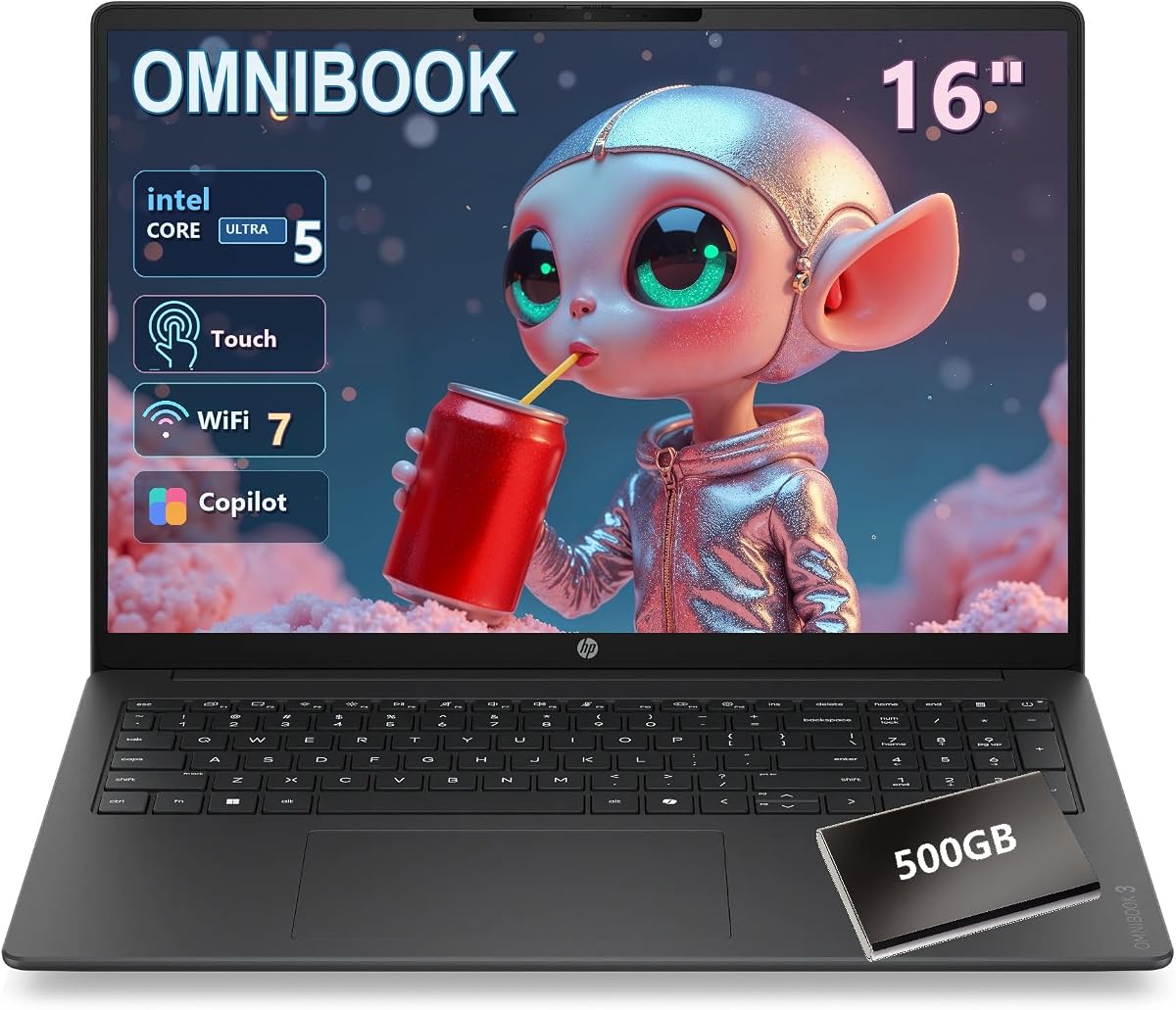
The HP OmniBook 3 16" delivers premium performance with sophisticated silent features. Its Intel 12-Core Ultra 5 processor handles AI workloads efficiently reducing the need for loud cooling. Advanced AI Noise Reduction on the camera ensures clear communication without background distractions.
We may earn a commission when you buy through this link, at no additional cost to you.
The expansive 16 inch WUXGA touchscreen offers vibrant visuals and 10-point multi-touch interaction. Connectivity is future-proof with Wi-Fi 7 and Thunderbolt-Class ports supporting high-speed data transfer. The design resists fingerprints and maintains a professional look in any setting.
Weight is higher at 3.61 pounds which may impact portability. The price reflects the premium features and build quality but is justified for power users. These factors make it suitable for stationary workstations where silence and performance are key.
Professionals and content creators needing a quiet workstation should consider this device. It balances high-end specs with thoughtful noise control features. We suggest this for those who want a powerful yet silent laptop for demanding tasks.
Wi-Fi 7 and Thunderbolt-Class ports ensure you stay connected with the latest high-speed standards.
The 16 inch display provides ample workspace for multitasking with crisp and vibrant colors.
We may earn a commission when you buy through this link, at no additional cost to you.
The Kootek Laptop Cooling Pad is an ideal accessory to enhance silence. Its five quiet fans cool laptops efficiently without adding noise to your workspace. The switches allow you to control how many fans run based on your cooling needs.
We may earn a commission when you buy through this link, at no additional cost to you.
Ergonomic height settings reduce strain during long work sessions. The dual USB hub adds convenience for connecting peripherals without extra cables. This pad fits most laptops from 12 to 17 inches ensuring broad compatibility.
While it requires a USB connection for power the cable is manageable in most setups. It is particularly useful for gaming laptops or heavy usage devices that tend to overheat. These benefits make it a smart investment for quiet performance.
Anyone struggling with loud laptop fans will find this solution effective. It improves airflow and reduces internal heat leading to quieter operation. We recommend pairing this with any laptop needing extra cooling without noise.
Control switches let you choose fan speeds to balance cooling power with silence needs.
Ergonomic height adjustments improve posture and reduce wrist strain during extended use.
We may earn a commission when you buy through this link, at no additional cost to you.
The HP Everyday Slim Laptop is designed for simplicity and silent operation. With a perfect 5.0 rating users appreciate its reliability and low noise output. The Intel N150 processor keeps heat minimal ensuring fans rarely need to spin loudly.
We may earn a commission when you buy through this link, at no additional cost to you.
It includes a dedicated Microsoft Copilot key for instant AI assistance. The True Vision 720p HD camera ensures clear video calls with dual array microphones. Long battery life allows you to work throughout the day without frequent recharging.
Storage and memory are limited but sufficient for basic web browsing and documents. The thin chassis makes it easy to carry in any bag. These trade-offs are acceptable for users needing a quiet secondary device.
Casual users and seniors will find this laptop intuitive and easy to manage. It delivers core functionality without unnecessary complexity or noise. We suggest this for light users prioritizing portability and silence.
The Copilot key provides instant access to AI tools for productivity and task management.
Long battery life means you can work silently without hunting for power outlets.
We may earn a commission when you buy through this link, at no additional cost to you.
The havit HV-F2056 Cooling Pad offers a portable solution for noise reduction. Its three ultra-quiet fans create a silent environment while keeping your laptop cool. The slim design makes it easy to pack for travel or storage.
We may earn a commission when you buy through this link, at no additional cost to you.
It doubles as an ergonomic stand with two adjustable height settings. The metal mesh provides a stable surface for your laptop during use. An extra USB port allows for convenient peripheral connection.
While the fan speed is fixed the noise level remains low. This pad is ideal for users needing a lightweight accessory to improve airflow. These features make it a practical choice for various laptop sizes.
Travelers and commuters will appreciate the portability of this cooling pad. It adds comfort and silence without adding bulk to your bag. We recommend it for anyone needing a simple cooling enhancement.
Slim and light weight allows easy transport to protect your investment wherever you go.
Adjustable height settings improve typing comfort and reduce strain on wrists and hands.
We may earn a commission when you buy through this link, at no additional cost to you.
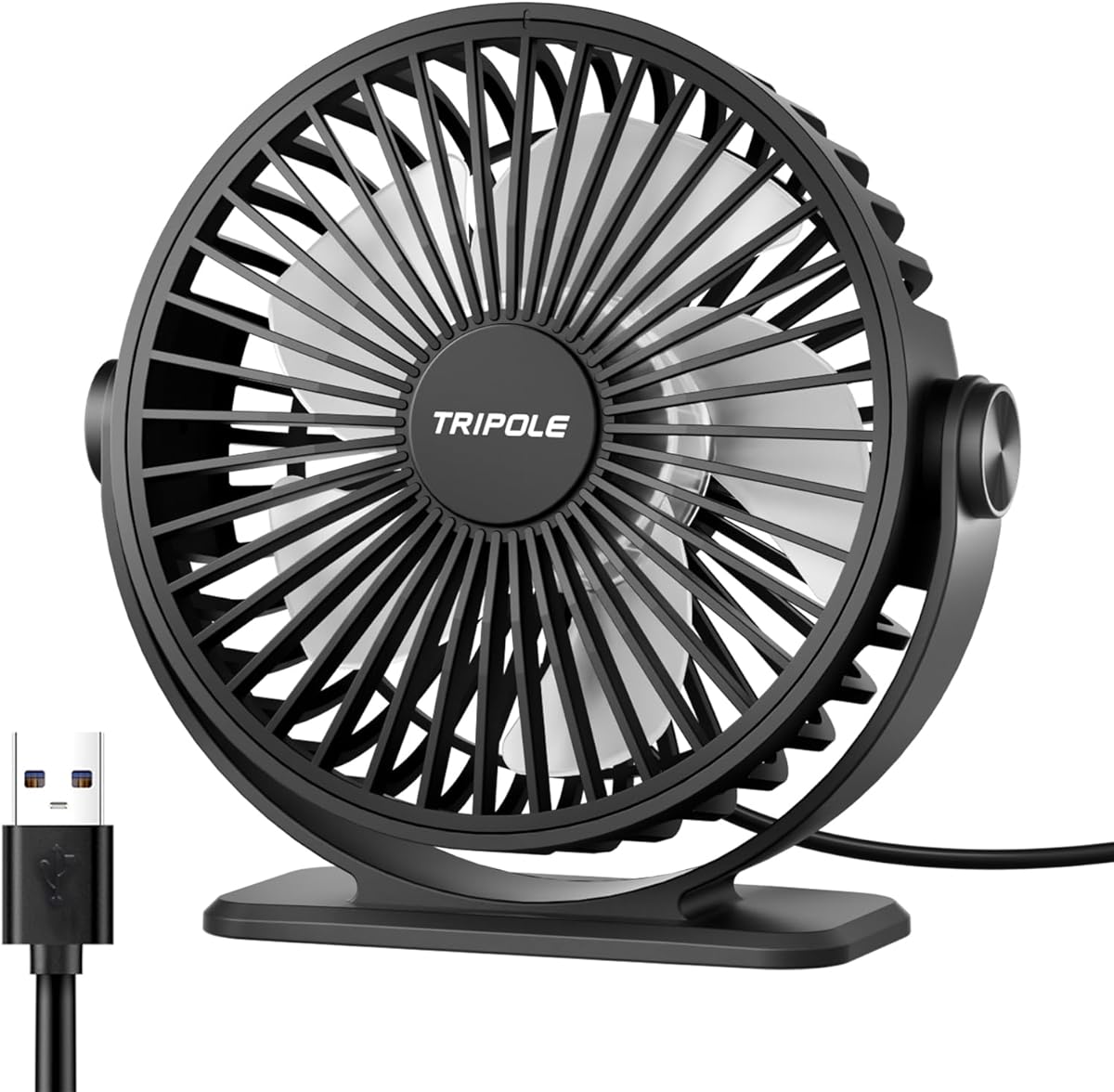
The TriPole USB Desk Fan is a small accessory for localized cooling. It operates quietly and provides flexible airflow direction with 360 degree rotation. The compact design fits easily on desks without taking up much space.
We may earn a commission when you buy through this link, at no additional cost to you.
USB power makes it convenient to plug into laptops or power banks. The stable base with silicone pads reduces vibration and noise. This fan is perfect for personal use in quiet environments.
While it does not cool laptops directly it helps manage ambient heat. It is an affordable addition for personal comfort. These features make it a versatile tool for maintaining a quiet and cool space.
Users looking for a subtle cooling option will find this fan effective. It provides a breeze without noise distraction. We suggest this for desk setups needing minor temperature adjustment.
360 degree rotation allows you to direct cool air exactly where needed.
USB power ensures you can use it anywhere without worrying about wall outlets.
We may earn a commission when you buy through this link, at no additional cost to you.
The Targus 17 Inch Dual Fan Lap Chill Mat provides comfort and cooling. Dual fans powered by USB-A offer effective heat dispersion. The soft neoprene bottom cushions your lap for comfortable extended use.
We may earn a commission when you buy through this link, at no additional cost to you.
An ergonomic tilt makes typing easy and improves airflow. Rubber stops prevent your laptop from slipping during use. This mat is ideal for working comfortably in any location.
It focuses on comfort while maintaining laptop temperatures. The design is simple yet effective for cooling needs. These benefits make it a great addition for lap work.
Those who work from the couch or bed will appreciate this mat. It ensures comfort and quiet cooling simultaneously. We recommend it for casual laptop users.
Soft neoprene material ensures comfort when working directly on your lap.
Open mesh top allows airflow to quickly move away from your laptop ensuring constant cooling.
We may earn a commission when you buy through this link, at no additional cost to you.
The HP 17 inch Business Laptop offers a large screen with quiet operation. Powered by AMD Ryzen 5 it handles productivity tasks smoothly. The 16GB RAM supports heavy multitasking without triggering loud fans.
We may earn a commission when you buy through this link, at no additional cost to you.
A 17.3 inch FHD display provides ample screen real estate. The full numeric keypad is ideal for data entry. Long battery life ensures sustained silent work throughout the day.
Weight is higher but manageable for office environments. The design is durable and sleek. These features make it a robust choice for business needs.
Professionals needing a large screen and quiet performance will find this perfect. We recommend it for office setups requiring power and silence.
17.3 inch FHD display offers plenty of space for multitasking and detailed work.
Full numeric keypad and ample RAM support professional data entry and workflow.
We may earn a commission when you buy through this link, at no additional cost to you.
Selecting a laptop for quiet operation requires attention to specific hardware and design features. This guide outlines the key factors to consider for a silent computing experience.
Choose processors designed for low power consumption such as Intel N-series or AMD Ryzen U-series. These chips generate less heat and rely less on active cooling.
Look for efficient architectures that balance performance with thermal output.
Laptops with larger heat sinks and passive cooling components tend to be quieter. Passive systems move heat without relying on constant fan activity.
Check for models known for robust thermal management in reviews.
Sufficient RAM prevents constant swapping to disk which can increase heat and noise. SSDs are standard and efficient for storage.
Ensure at least 8GB of RAM for smooth multitasking.
Solid construction reduces vibration and rattling noises. Metal chassis often dissipate heat better than plastic.
Invest in durable builds that prioritize quiet operation.
Some laptops offer software to adjust fan curves for silence. This allows manual control over cooling performance.
Check if the brand provides utility tools for customization.
Adding a cooling pad can reduce fan speeds significantly. These accessories provide extra airflow for quiet operation.
Select pads with silent fans to avoid adding noise.
Consider your typical workload. Light browsing generates less heat than heavy gaming or rendering.
Match the laptop to your needs to avoid unnecessary fan noise.
High-quality displays reduce strain but are independent of noise. Ensure ports support your peripherals for a clean setup.
Focus on essentials for a clutter-free workspace.
Keep your laptop on a hard flat surface to ensure proper airflow. Soft surfaces like beds can block intake vents causing heat buildup and noise.
Regularly clean vents with compressed air to remove dust. Accumulated dust can obstruct fans leading to louder operation over time.
Use cooling pads when working on your lap or soft surfaces. They provide extra support and airflow to maintain quiet performance.
A laptop operates silently when it uses efficient processors that generate minimal heat. Good thermal design allows heat dissipation without active cooling. Additionally, high-quality components reduce vibration and mechanical noise.
Yes cooling pads improve airflow and reduce internal temperatures. This means fans do not have to spin as fast to cool the system. Look for models with their own quiet fans for best results.
It is safe as long as the system has adequate passive cooling. Modern laptops have safety mechanisms that throttle performance before overheating. However avoid blocking air intake vents for safety.
Low-power CPUs like Intel N-series or AMD Ryzen U-series are designed for efficiency. They generate less heat and require less active cooling. These are ideal for laptops prioritizing silence over raw power.
Clean vents regularly to remove dust and debris. Use a cooling pad and ensure soft surfaces do not block airflow. Adjust power settings to limit performance load when not needed.
Not necessarily but they may throttle performance under heavy loads to stay cool. For daily tasks like browsing and office work silent laptops perform well. Choose based on your workload needs.
Our top picks include the HP 14 inch Laptop for budget and the ASUS Vivobook Go 15 for overall performance. Each option offers silent operation suitable for different needs and environments.
Prioritize processor efficiency and thermal design when shopping. These factors ensure consistent quiet performance without sacrificing daily usability.
Check current prices and availability before purchasing as they change frequently. Ensure you choose a device that fits your budget and workspace requirements.