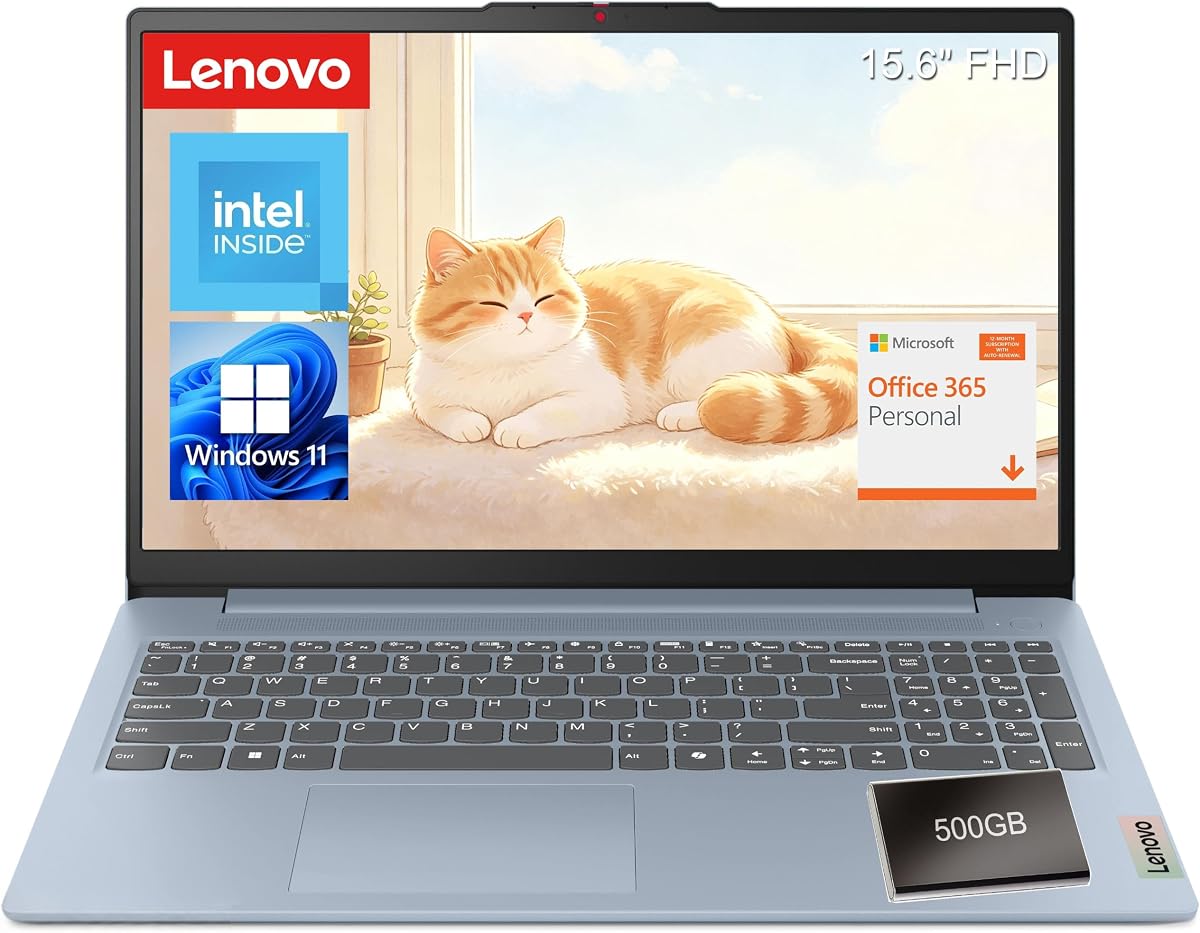
Lenovo Laptop Computer with 1-Year Office 365
4.4Editor score
Includes 1-Year Office 365 Personal
Lightweight 3.42 lbs design
FHD anti-glare display
Finding the right laptop for business requires balancing power, durability, and portability. Lenovo Thinkpad laptops are renowned for their reliable keyboards and robust build quality, making them ideal for professionals who need consistent performance in any environment.
Our team analyzed current models focusing on processor speed, memory capacity, and display quality. We reviewed specifications from entry-level options to high-end workstations to ensure this list covers diverse needs, from everyday tasks to complex data analysis and creative work.
Each pick highlights specific strengths like battery life, security features, or display fidelity. Prices fluctuate often due to demand and promotions, so check the latest offers before buying. This guide helps you navigate the Thinkpad lineup with confidence and clarity for your next purchase.
4.4Editor score

4.5Editor score

5.0Editor score
As an Amazon Associate we earn from qualifying purchases.
This comparison table lists all ten reviewed models side by side. It highlights key specifications like processor type, memory amount, and storage capacity to help you quickly identify which device matches your specific performance and budget requirements.




This Lenovo ThinkPad E16 Gen 2 stands out with its AMD Ryzen 7 7735HS processor. It delivers smooth multitasking for business apps. The 4.5 rating reflects solid performance for professionals.
We may earn a commission when you buy through this link, at no additional cost to you.
Key strengths include 16GB DDR5 RAM and a 512GB PCIe SSD. These components ensure fast boot times and responsive performance. The 16-inch WUXGA display offers a good balance of screen real estate and portability.
Trade-offs involve the standard color gamut and limited upgrade paths. These are acceptable given the price point and overall reliability. The bundled Type-C hub adds significant value for connectivity.
This model suits executives and mobile professionals needing reliable daily performance. Its durability and security features like fingerprint readers support enterprise needs. We recommend it for balanced productivity without breaking the budget.
The AMD Ryzen 7 processor handles complex spreadsheets and multiple VMs efficiently. This ensures your workflow remains uninterrupted during peak work hours.
Built-in security features like fingerprint readers and privacy shutters protect sensitive data. This adds peace of mind for business travelers and remote workers.
We may earn a commission when you buy through this link, at no additional cost to you.
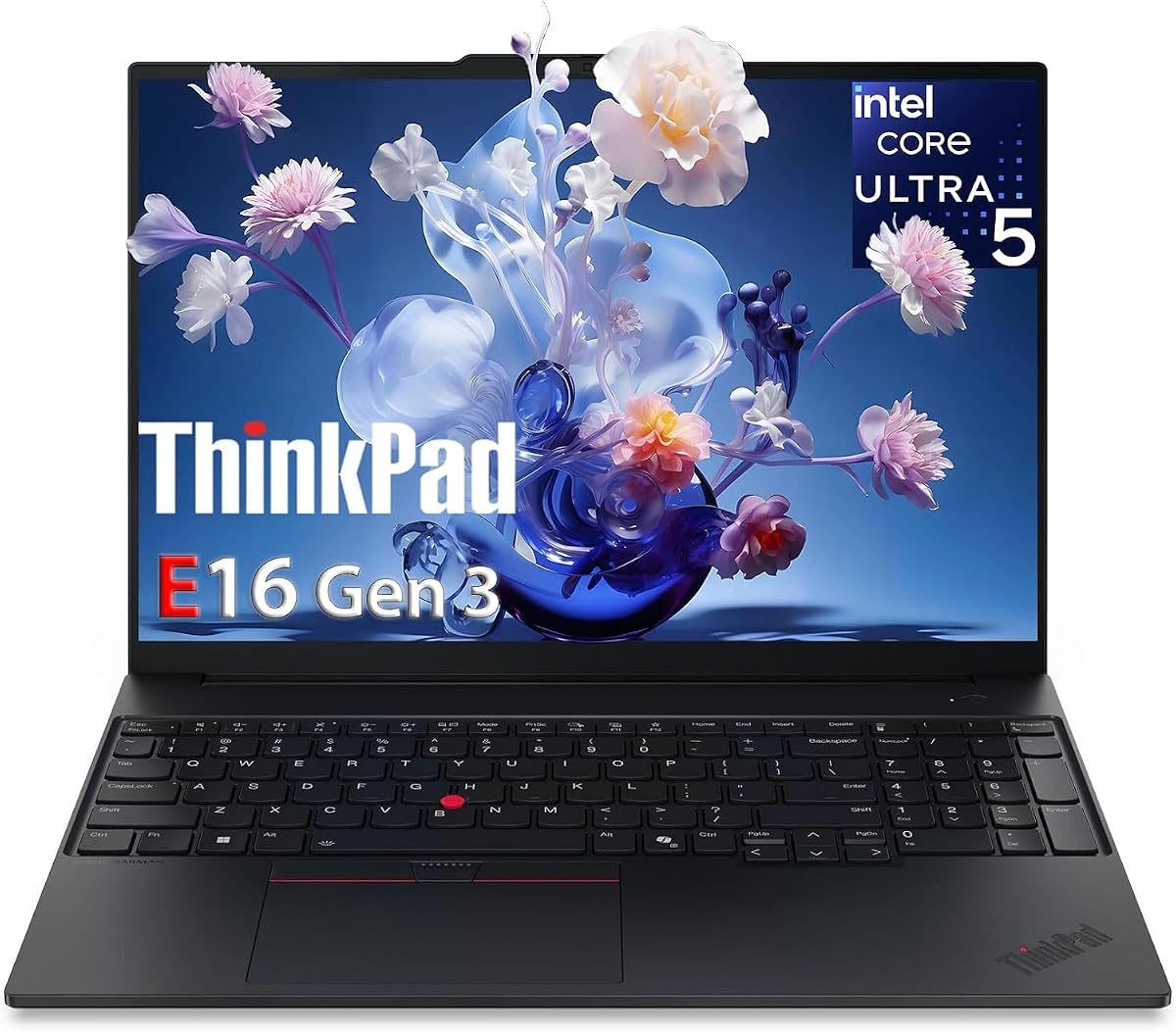
The ThinkPad E16 Gen 3 brings Intel Ultra 5 225H power to the table. It offers AI-powered performance for demanding workflows. The 4.4 rating indicates strong enterprise readiness and build quality.
We may earn a commission when you buy through this link, at no additional cost to you.
Strengths lie in its 16GB DDR5 RAM and Thunderbolt 4 connectivity. These features support fast file access and modern docking stations. The WUXGA display ensures clear visibility in various office lighting.
The higher price reflects its advanced AI capabilities and enterprise focus. Battery life is standard but sufficient for most workdays. This trade-off is worth the extra power and security features provided.
Ideal for executives and analysts who need AI-enhanced productivity. It handles complex data analysis better than standard models. We recommend this for those prioritizing future-proof specs and security.
Integrated AI Boost NPU accelerates data analysis and creative tasks. This provides a noticeable speedup in workflow efficiency compared to previous generations.
Thunderbolt 4 and Ethernet ports provide versatile options for docking. This ensures seamless integration with modern business ecosystems and peripherals.
We may earn a commission when you buy through this link, at no additional cost to you.
The ThinkPad L16 Business AI PC offers 32GB DDR5 RAM and 1TB storage. It delivers dependable performance for SMBs and professionals. The 4.1 rating reflects its value for everyday productivity tasks.
We may earn a commission when you buy through this link, at no additional cost to you.
Its standout features include the touchscreen and massive storage capacity. This supports heavy file management and interactive presentations. The numeric keypad aids efficient data entry for analysts.
The weight is slightly higher due to the larger chassis. However, this supports better cooling and battery capacity. The trade-off is acceptable for users needing screen interaction.
Best for professionals who prefer touch interfaces and high storage. It handles spreadsheets and video conferencing effortlessly. We suggest this for those wanting a large screen with flexibility.
32GB RAM ensures seamless multitasking across multiple VMs. This allows for smooth workflow even when running resource-intensive software simultaneously.
The touchscreen supports workspace expansion to 3 external monitors. This enables a flexible setup for complex presentations and creative workflows.
We may earn a commission when you buy through this link, at no additional cost to you.
This Lenovo laptop is designed for everyday reliability and value. It features a 15.6-inch FHD display for clear visuals. The 4.4 rating highlights its suitability for students and home users.
We may earn a commission when you buy through this link, at no additional cost to you.
Key strengths include the bundled Office 365 subscription and Wi-Fi 6. These save costs and ensure fast wireless connectivity. The lightweight chassis makes it easy to carry to class or work.
Storage is limited to 128GB which may require external drives. The lack of a backlit keyboard affects low-light typing. These are acceptable trade-offs for the affordable price point.
Ideal for students and light home users needing basic tools. It handles web browsing and media streaming smoothly. We recommend this for budget-conscious buyers seeking essential features.
The included 1-Year Personal subscription saves money on software. This provides instant access to Word, Excel, and Outlook for productivity tasks.
Weighing only 3.42 lbs, this laptop fits easily in any bag. The slim design supports on-the-go productivity without added bulk.
We may earn a commission when you buy through this link, at no additional cost to you.
The ThinkPad E16 with Intel Ultra 5 delivers powerful AI-Ready performance. It supports demanding business applications effectively. The 4.3 rating reflects its balance of speed and reliability for professionals.
We may earn a commission when you buy through this link, at no additional cost to you.
Features include a backlit keyboard and fingerprint reader. These enhance productivity in low light and secure biometric login. The Windows 11 Pro OS offers advanced enterprise management tools.
Battery life is extended but varies with AI usage. The premium price reflects these business-grade features. It is acceptable for users who value security and performance.
Best for executives needing reliable AI-enhanced workflows. It handles video conferencing and productivity software seamlessly. We recommend this for business users prioritizing security and speed.
Backlit keys enable comfortable typing in any lighting condition. This supports late-night work or travel sessions with ease.
Biometric login ensures quick and secure access to data. This protects sensitive business information during travel or remote work.
We may earn a commission when you buy through this link, at no additional cost to you.
This Gen 3 Business laptop features 32GB DDR5 RAM and 1TB storage. It powers seamless multitasking across complex spreadsheets. The 4.6 rating shows high user satisfaction with its enterprise capabilities.
We may earn a commission when you buy through this link, at no additional cost to you.
Key strengths are the triple 4K display output and Thunderbolt 4. This supports productivity for analysts and creative professionals. The backlit keyboard with numeric keypad enhances daily entry.
It is expensive for casual users who do not need these features. Weight adds to the burden for frequent travelers. These trade-offs are justified by the high-end performance.
Ideal for executives needing maximum productivity and connectivity. It handles virtual meetings and resource-intensive apps. We recommend this for power users requiring top specs.
Triple 4K output via Thunderbolt 4 and HDMI maximizes workspace. This enables multi-monitor setups without a docking station.
Windows 11 Pro with Copilot AI adds smart productivity tools. TPM 2.0 and fingerprint readers ensure secure access to data.
We may earn a commission when you buy through this link, at no additional cost to you.
The 2026 Edition offers smooth multitasking for everyday tasks. It features a 15.6-inch FHD display for clear visuals. The 4.6 rating highlights its excellent value and portability.
We may earn a commission when you buy through this link, at no additional cost to you.
Strengths include Dolby Audio speakers and Wi-Fi 6. These ensure rich sound and fast connectivity. The slim 0.70-inch profile makes it easy to carry.
Storage is limited to 128GB requiring external drives for files. The processor is basic for heavy tasks. These are acceptable for light users needing portability.
Best for students and remote workers needing light computing. It handles web browsing and streaming well. We recommend this for those prioritizing weight and price.
Dolby Audio-enhanced speakers deliver rich sound for calls. This ensures clear audio during virtual meetings without external gear.
At 0.70 inches thin, it fits in any bag. This supports on-the-go productivity without added bulk.
We may earn a commission when you buy through this link, at no additional cost to you.
The P14s offers ISV-certified performance for multi-discipline professionals. It supports CAD and data-heavy workflows effectively. The 5.0 rating reflects its reliability for specialist project work.
We may earn a commission when you buy through this link, at no additional cost to you.
Features include 32GB RAM and Wi-Fi 7. These ensure stable wireless connections and fast processing. The 100%sRGB display delivers precise visual output.
It is expensive and has a smaller 14-inch screen. These trade-offs are acceptable for specialized engineering or media tasks. The focus is on precision and power.
Ideal for engineers and architects needing ISV compatibility. It handles SOLIDWORKS and AutoCAD efficiently. We recommend this for professionals requiring certified hardware.
ISV validation for AutoCAD and Revit ensures stability. This supports accurate project work without software conflicts.
Recycled materials and plastic-free packaging meet ESG requirements. This supports corporate sustainability goals for modern deployments.
We may earn a commission when you buy through this link, at no additional cost to you.
This Renewed L14 offers reliable performance for business and gaming. It features AMD Ryzen 5 7530U processor speed. The 3.9 rating indicates it is a solid choice for budget buyers.
We may earn a commission when you buy through this link, at no additional cost to you.
It includes 16GB DDR4 RAM and business security features. Trackpoint and keyboard support efficient typing. Windows 11 Pro provides advanced security tools.
Storage is limited and condition varies with refurbishment. These are acceptable for those willing to risk a used unit. The value is high for the price.
Ideal for IT users seeking affordable business hardware. It handles basic tasks well. We recommend this for those prioritizing cost over new warranty.
Trackpoint and standard keyboard support efficient typing. This ensures productivity without needing an external mouse.
Renewed certification offers significant cost savings. This allows access to business-grade features at a lower price.
We may earn a commission when you buy through this link, at no additional cost to you.
This T14s Gen 1 offers reliable speed for business multitasking. It features a 14-inch FHD display for crisp visuals. The 4.1 rating reflects its steady performance for daily productivity.
We may earn a commission when you buy through this link, at no additional cost to you.
Key strengths include 16GB RAM and backlit keyboard. These ensure seamless workflow under heavy loads. Windows 11 Pro offers enhanced security features.
Processor is older and condition varies with refurbishment. These are acceptable for users needing basic business tools. The reliability outweighs the age.
Ideal for professionals needing an affordable renewed option. It handles video conferences well. We recommend this for those prioritizing cost and reliability.
Backlit keyboard enables comfortable typing in any lighting. This supports productivity during long work sessions or travel.
Windows 11 Pro offers BitLocker encryption. This protects business data effectively on any network.
We may earn a commission when you buy through this link, at no additional cost to you.
Selecting the right Thinkpad requires evaluating your specific needs and budget. This guide breaks down key factors to help you make an informed decision.
The processor determines how fast the laptop handles tasks. Look for Intel Ultra or AMD Ryzen 7 for demanding workloads. Lower tier processors suffice for basic browsing and document editing.
Choose a processor that matches your daily software needs for speed.
RAM affects multitasking ability. 16GB is standard for business. 32GB is recommended for heavy virtual machines or large datasets.
Select memory that allows multiple apps to run smoothly.
SSD storage ensures fast boot and app loads. NVMe drives are faster than SATA. Look for at least 512GB for ample file space.
Prioritize SSDs for quick access to documents and media.
Screen resolution impacts visual clarity. WUXGA offers more workspace than FHD. IPS panels provide better viewing angles for collaboration.
Choose a display size that fits your mobility needs.
Weight matters for travelers. Lighter models like the T series are easier to carry. Larger screens add bulk but improve productivity.
Weigh portability against screen real estate requirements.
Long battery life supports travel. Look for models with 80% charge in 1 hour. Consider usage time for meetings on the go.
Select battery capacity based on your work schedule.
Thinkpads include fingerprint readers and privacy shutters. TPM chips protect enterprise data. Essential for handling sensitive information.
Prioritize models with robust security for business use.
Thunderbolt 4 and USB-C support modern docks. HDMI and Ethernet ports add flexibility. Ensure it supports your existing peripherals.
Check port variety to avoid dongle clutter.
Proper care extends the lifespan of your Thinkpad. Keep it clean and free of dust to maintain performance.
Use a cooling pad for extended sessions to prevent overheating. Avoid placing heavy objects on the lid.
Regular updates ensure security patches. Back up data frequently to avoid loss during unexpected issues.
The ThinkPad T and P series are ideal for business professionals. The T series offers a balance of portability and performance. The P series provides ISV certification for specialist tasks like CAD.
Most modern Thinkpad laptops support dual monitors via USB-C or HDMI. Models with Thunderbolt 4 allow for higher resolution and faster data transfer rates for external displays.
Typical Thinkpad battery life ranges from 8 to 12 hours depending on the model. The X and T series often have larger batteries for longer travel times without charging.
Yes, Thinkpads are built with MIL-STD-810H durability. This ensures resistance to shocks and extreme temperatures during daily travel or field work.
Some Thinkpad models allow memory upgrades while others do not. Check if the RAM is soldered to the motherboard before purchasing to ensure future flexibility.
Most new Thinkpads come with Windows 11 Pro. This includes enterprise-grade security features like BitLocker encryption for secure data management.
Yes, many modern Thinkpads still feature the iconic Trackpoint. It allows for precise cursor control without taking hands off the keyboard.
Renewed items are labeled as Amazon Renewed or Certified Refurbished. They typically come with a warranty covering specific components and repairs for added peace of mind.
Our top picks highlight the versatility of the Thinkpad lineup. The E16 Gen 2 offers balanced performance while the P14s provides specialist power.
Prioritize memory and processor based on your workload. Enterprise security features add essential protection for business data.
Prices change frequently so verify current offers before buying. This guide ensures you select the right device for your needs.