
VSD Mini Macro Pad
4.1Editor score
6 LCD programmable keys
Compact size
RGB side lighting
USB powered
Discover the best Macro Pad for Streaming with this expert guide comparing top models for OBS, Twitch, and YouTube creators seeking efficient workflow control.
Macro pads for streaming have become essential tools for content creators who need quick access to commands without interrupting their workflow. These devices allow users to trigger actions, switch scenes, and control audio with a single tap on a customizable key.
We compared ten top macro pads based on key count, customization options, software compatibility, and build quality. Each product was evaluated for its ability to integrate seamlessly with streaming software like OBS and Streamlabs while offering unique features for creators.
Each pick below highlights specific strengths and ideal use cases to help you find the right device for your setup. Please note that product availability and pricing may change frequently, so verify details before making your final purchase decision today.
4.1Editor score

4.4Editor score

4.8Editor score
This side-by-side comparison evaluates all ten macro pads across key specifications to help you identify the model that best fits your streaming and productivity needs efficiently.





The VSD M18 Macro Pad stands out with 18 programmable keys that offer extensive control options. Its high 4.4 rating reflects strong performance in triggering OBS actions and managing streaming workflows effectively for most users.
We may earn a commission when you buy through this link, at no additional cost to you.
Users can program single or multi-step sequences across 15 LCD visual keys and three physical buttons. The ability to upload JPG PNG or GIF images ensures quick visual recognition during live broadcasts or complex editing sessions.
While powerful, it requires installing VSD Craft software and lacks native Linux plug-and-play support. However, the SDK documents allow developers to customize functionality further if needed for advanced setups.
This device is ideal for streamers needing extensive macro capabilities without a premium price. It balances features and usability well making it a strong recommendation for both new and experienced content creators.
LCD keys accept images and GIFs allowing you to assign icons that match your stream theme or app function.
The outer RGB light ring cycles colors automatically or via firmware upgrade to match your desk aesthetics.
We may earn a commission when you buy through this link, at no additional cost to you.
The Stream Dock N1 offers a vertical layout that saves desk space while providing 15 LCD keys. Its 4.7 rating indicates high user satisfaction with its ability to integrate into various workflows efficiently and reliably.
We may earn a commission when you buy through this link, at no additional cost to you.
Three modes include left-hand keyboard calculator and numeric keypad modes providing flexibility beyond standard macro functions. Drag-and-drop customization lets you assign files apps or videos directly to keys for one-click access.
Some users may find the vertical alignment requires adjustment compared to traditional horizontal decks. The setup process involves downloading software and familiarizing yourself with switching modes during active streaming sessions.
Best for users with limited desk space who also need calculator or numeric functions. The extensive plugin library further extends its utility beyond simple streaming controls into broader productivity tasks seamlessly.
Switch between keyboard shortcut calculator and numeric keypad modes to suit different tasks without needing additional peripherals.
Download hundreds of plugins from the SPACE STATION market to control apps like Discord and Photoshop efficiently.
We may earn a commission when you buy through this link, at no additional cost to you.
The VSD M18 Stream Controller provides 18 programmable keys optimized for one-touch multi-step macro activation. With a 4.5 rating it is praised for simplifying complex workflows like video editing and gaming combos effectively.
We may earn a commission when you buy through this link, at no additional cost to you.
The Operation Follow feature enables simultaneous or sequential execution of multiple macro steps for precise task control. This capability is essential for creators managing intricate OBS scenes or production sequences regularly.
Users report needing to install specific software which can be a minor barrier compared to plug-and-play devices. Linux support remains limited requiring custom adaptation via SDK files for advanced users.
Ideal for power users who need rapid execution of chained commands without repetitive input. The surround RGB ring adds visual feedback enhancing the experience during long streaming or editing sessions comfortably.
Execute multiple macro operations in a specific order or simultaneously with a single tap for increased efficiency.
The surrounding RGB light ring supports custom colors to add style to your workspace environment.
We may earn a commission when you buy through this link, at no additional cost to you.
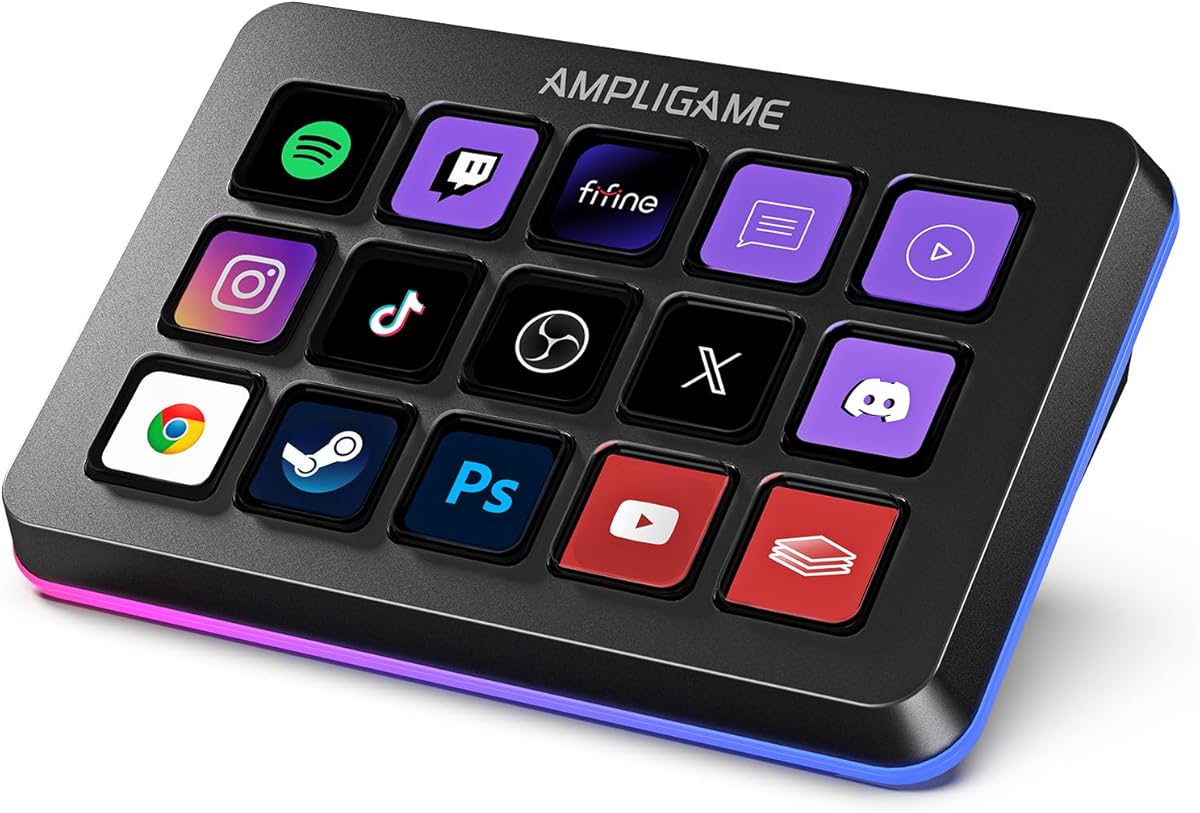
The VSD Mini Macro Pad delivers core streaming control in a compact form factor suitable for smaller setups. Its 4.1 rating highlights its value as an affordable entry point for beginners starting their streaming journey.
We may earn a commission when you buy through this link, at no additional cost to you.
Six fully customizable LCD keys allow quick access to common commands like scene switching and media control. Custom RGB light bars on the sides provide visual flair without consuming much desk space.
The limited key count may restrict complex setups but covers essential needs well. You must install VSD Craft software for full functionality as it does not offer plug-and-play capabilities out of the box.
This device is perfect for those prioritizing desk space and budget over extensive key options. It remains a practical tool for simple OBS controls or gaming shortcuts for casual users.
Its mini portable size saves desk space while retaining full macro customization functions for essential tasks.
Dual side RGB light bars cycle colors to add style to your setup during night streaming sessions.
We may earn a commission when you buy through this link, at no additional cost to you.
The VSD N4 Pro focuses on audio and studio control with 10 LCD keys and 4 RGB knobs for precise adjustments. Its 4.4 rating reflects strong performance for podcasters and streamers needing detailed sound management.
We may earn a commission when you buy through this link, at no additional cost to you.
It includes a USB sound deck to trigger sound effects and adjust audio settings via command triggers. The passive USB dock adds extra ports for connectivity while the foldable stand ensures comfortable viewing angles.
While versatile it lacks built-in speakers meaning sound plays from your main output rather than the device itself. This is acceptable for most users but should be noted for audio production workflows requiring local monitoring.
Best for creators who need tactile knobs alongside macro keys for volume and media control. The haptic feedback and visual RGB sync make it a standout option for professional studio environments.
Dynamic RGB lighting reacts to audio sync to enhance the visual appeal of your streaming setup.
Adjustable ergonomic stand and haptic keys provide comfortable long sessions and distinct typing feedback.
We may earn a commission when you buy through this link, at no additional cost to you.
The fifine D6 features 15 customizable LCD keys that display applications directly for visual operation. Its 4.6 rating is driven by user feedback on ease of use for managing OBS scenes and audio levels.
We may earn a commission when you buy through this link, at no additional cost to you.
You can drag and drop apps or icons into the store to fill your streaming layout efficiently. The glowing RGB ring around the controller offers nine different controllable modes to match your gaming atmosphere.
Users should ensure firmware and software are updated before initial use to avoid compatibility issues during streaming. Linux users may face limitations as the device focuses primarily on Windows and Mac platforms.
This keypad is excellent for streamers who want visual confirmation of their commands before executing them. It balances aesthetic appeal with functional utility making it a solid choice for multi-tasking scenarios.
See application icons on the touchscreen to press directly without opening multiple windows or interfaces on your main screen.
Dynamic RGB effects on the ring give viewers a more vivid impression during gaming or streaming sessions.
We may earn a commission when you buy through this link, at no additional cost to you.
The TreasLin N1 Controller offers 18 customizable macro keys including support for dynamic animated icons. Its 4.4 rating reflects user appreciation for the personalized interface options that go beyond static images.
We may earn a commission when you buy through this link, at no additional cost to you.
A rotary knob provides additional control flexibility for volume or scrolling tasks within different scenarios. The extensive plugin marketplace offers thousands of options to extend functionality across apps like Discord and Twitch.
Users must have a Spotify Premium account to utilize Spotify integration features which may be a minor limitation for some. Setup involves VSD Craft software to assign functions and manage different operational modes effectively.
Best for creators wanting a unique interface that can match their brand personality dynamically. The combination of physical knob and LCD keys offers a well-rounded control experience for daily production.
Support for dynamic animated icons transforms the interface from static to uniquely vibrant and full of personality.
Create dedicated scenarios for Daily Work or Live modes to automate workflows precisely tailored to usage requirements.
We may earn a commission when you buy through this link, at no additional cost to you.
The Streonor S15 includes 15 customizable LCD keys alongside three non-touch status display panels for real-time data. Its 4.6 rating is due to its utility in showing system info like CPU temperature or weather at a glance.
We may earn a commission when you buy through this link, at no additional cost to you.
You can build dedicated control pages for streaming editing office or gaming scenarios to streamline workflows. Action flows allow you to trigger multiple commands with a single key using software for advanced automation.
Linux users may find limited compatibility as the device is designed for Windows and macOS only. Uninstalling similar software before setup helps avoid conflicts that could affect performance during live sessions.
Ideal for multitaskers needing immediate visibility into system performance while executing commands. The status panels provide a unique advantage that keeps you informed without switching windows or checking monitors.
Display data such as CPU temperature GPU status or memory usage to stay informed while working or gaming.
Build action flows to trigger multiple commands with one key for efficiency in complex projects.
We may earn a commission when you buy through this link, at no additional cost to you.
The Streonor S10 Pro combines 10 LCD keys a touchscreen and four rotary knobs in one premium console. Its 4.9 rating is exceptional indicating high praise from users who need instant commands and precise adjustments.
We may earn a commission when you buy through this link, at no additional cost to you.
Assign knobs to volume mic levels or media playback to keep detailed controls at your fingertips. The touchscreen provides access to supported information and controls reducing the need for window switching during streams.
Some third-party services require active accounts which is standard for plugins but worth noting for budget planning. Linux support is not available so this device is best suited for Windows or macOS environments.
Best for professionals who demand a central controller for audio and visual tasks. The integration of keys knobs and a screen offers a comprehensive solution for demanding workflows.
Use keys for shortcuts touchscreen for info and knobs for adjustments to keep important tools accessible during sessions.
Assign several supported actions to one key to reduce repetitive steps across complex projects.
We may earn a commission when you buy through this link, at no additional cost to you.
The Elgato Stream Deck MK.2 offers 15 customizable LCD keys for instant control of apps and tools. Its 4.8 rating confirms its status as a premium choice for professional creators seeking reliable and polished streaming control.
We may earn a commission when you buy through this link, at no additional cost to you.
Visual feedback ensures you know commands have executed while powerful plugins integrate with OBS Twitch YouTube and Philips Hue. One-touch operations streamline tasks like muting mics or launching social posts efficiently.
The higher price point reflects the quality and ecosystem support which some users may find less flexible than others. However, the stability and plugin depth make it a standard for those prioritizing reliability.
Ideal for professionals who need a stable and widely supported control interface for their studio. It remains the benchmark for macro keypads delivering consistent performance across streaming and content creation workflows.
Access powerful plugins like Elgato 4KCU Twitch YouTube Twitter Discord Spotify and Philips Hue for deep integration.
Trigger single or multiple actions instantly to adjust audio mute mic or turn on lights without delay.
We may earn a commission when you buy through this link, at no additional cost to you.
Choosing the right macro pad involves evaluating key count software support and design to match your specific streaming and productivity needs effectively.
Macro pads range from compact six-key models to those with eighteen or more keys. More keys allow you to create dedicated scenes or shortcuts without cycling through menus.
Look for a key count that matches your complexity needs while considering desk space limitations.
LCD keys that accept images or GIFs help you identify functions quickly. Dynamic icons add personality but require software support.
Ensure the device allows easy icon swapping so you can change layouts for different events.
Check if the pad supports your primary streaming software like OBS or Streamlabs. Some devices require dedicated clients to function properly.
Compatibility with macOS or Windows ensures it works with your existing operating system seamlessly.
Advanced macro pads allow you to chain actions together in one click. This reduces repetitive steps during live broadcasts.
Choose a device that supports multi-step sequences if you perform complex workflows often.
Durable materials ensure longevity during long streaming sessions. Plastic construction varies in quality so consider user feedback.
A solid build reduces wear and tear on frequently pressed keys over time.
Some macro pads include soundboard features or audio knobs for mic levels. This is useful if you manage audio independently.
Decide if you need these integrated features or prefer managing sound in your main software.
RGB rings or side lights add visual flair to your desk. While not essential for function they enhance the viewing experience.
Check if colors are customizable to match your stream branding or theme.
USB-C connections are common and offer stable data transfer. Ensure the cable length suits your desk setup.
USB-powered devices are convenient but check if a hub is needed for power if you have many peripherals.
Connect your macro pad to your computer using the provided USB cable. Ensure your operating system recognizes it before installing any required software.
Use the manufacturer's software to assign actions to each key. Save your layouts to different profiles so you can switch between scenarios quickly.
Keep the keys clean with a soft cloth to prevent dust buildup. Avoid using harsh chemicals to protect the LCD screens and rubber surfaces.
Yes, most macro pads support OBS Studio directly through plugins or key assignments. You can map macros to switch scenes or control audio within OBS.
Absolutely, you can assign shortcuts for timeline navigation or tool selection in editing software. Many macro pads integrate with Adobe Premiere or DaVinci Resolve.
Many modern macro pads support macOS as well as Windows. Check the product specifications to confirm OS compatibility before buying.
Most macro pads require specific software to function correctly. Download the official application from the manufacturer's website to enable full features.
Yes, you can upload images or GIFs to match your stream theme. This customization helps you recognize commands instantly during live broadcasts.
Many models feature RGB backlighting or LED indicators. These lights can be customized to match your setup aesthetic or lighting preferences.
The VSD M18, Stream Deck N1, and Elgato Stream Deck MK.2 top our list for their balance of features and reliability. Each offers unique advantages depending on your specific streaming setup requirements.
Prioritize key count and software integration when deciding on a model. Choosing the right tool ensures your workflow remains smooth during broadcasts and content creation.
Always check current availability and verify product details before purchasing. Prices and features may change so confirm the latest info from the retailer.