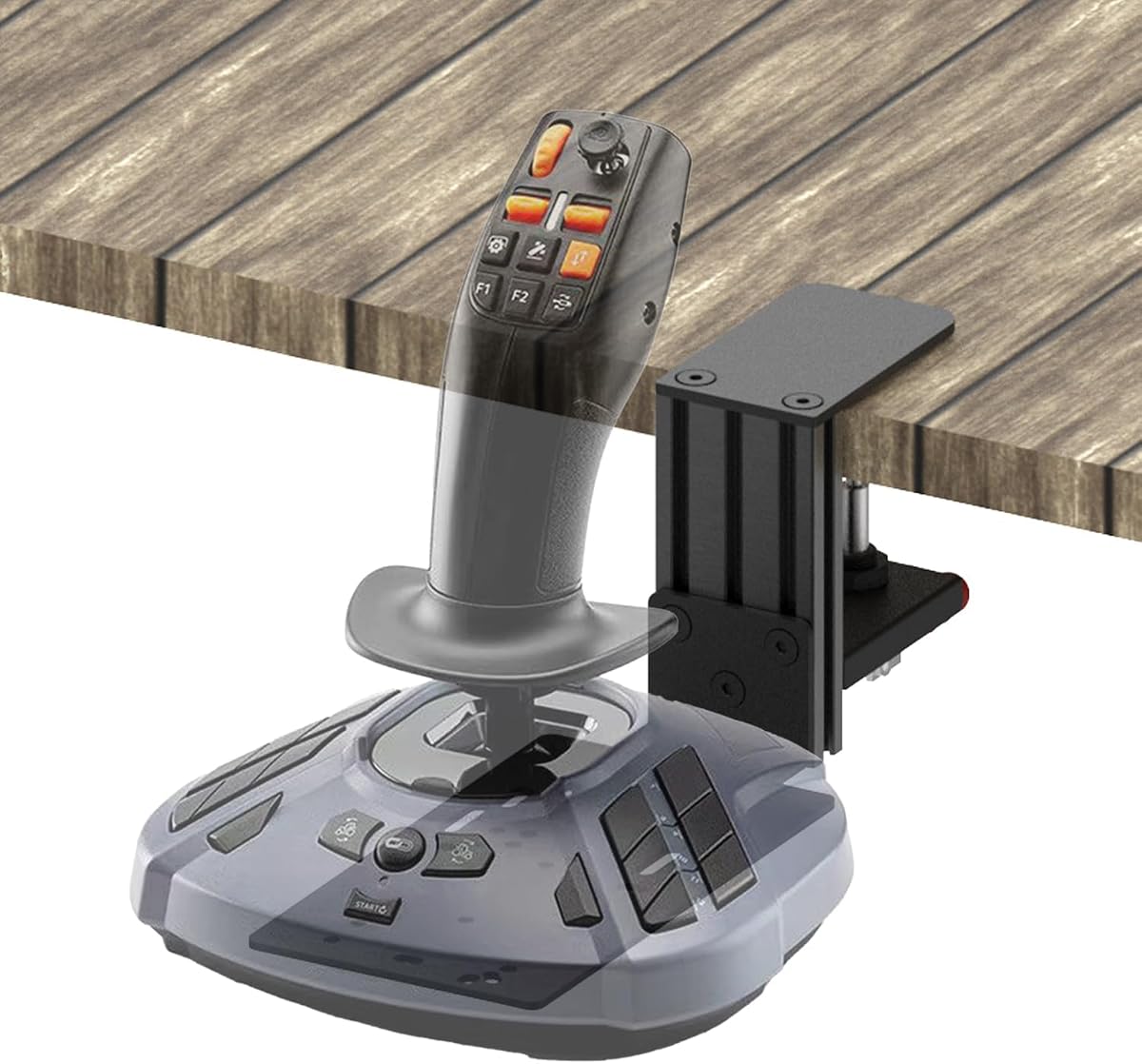
Quick Release Desk Mount
4.7Editor score
Quick release clamping system
All-metal construction
Fits various desk thicknesses
Explore our expert guide comparing the top joystick hotas mounts for flight simulation. We evaluate compatibility, stability, and ergonomics to help you choose.
Flight simulation enthusiasts know that a secure setup is crucial for immersion. Joystick hotas mounts elevate your controllers off the desk, providing a realistic cockpit feel and reducing fatigue during long sessions.
We analyzed the latest market options based on stability, adjustability, and build quality. Our team reviewed customer feedback and technical specifications to identify the most reliable mounts for various flight stick systems.
Each pick highlights specific strengths like compatibility or ease of use. Please note that availability and costs may vary over time, so check current listings before making your final decision.
4.7Editor score

4.6Editor score

5.0Editor score
This table compares the top ten joystick hotas mounts available today. We highlight key specifications to help you find the perfect fit for your flight sim setup.


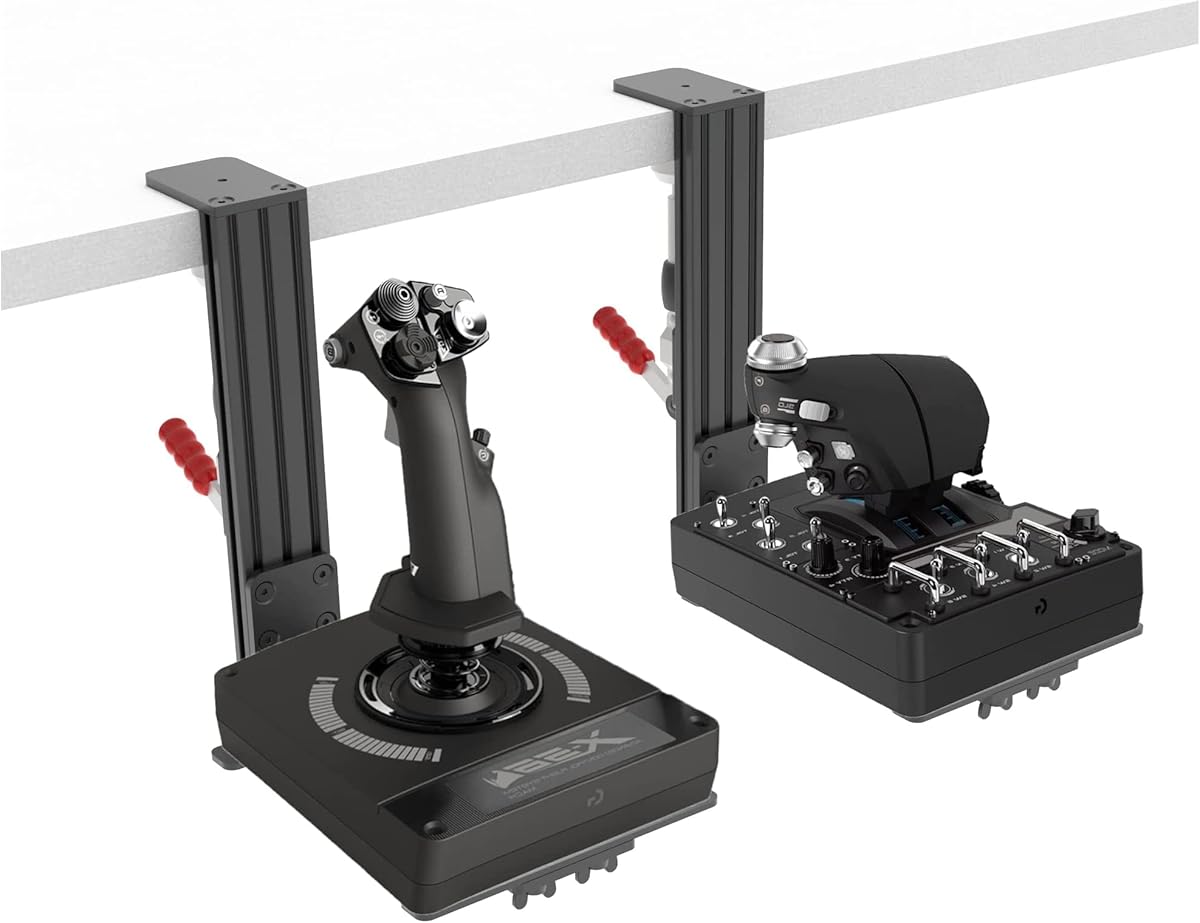
The Hikig 2 Set Desk Mount is a versatile solution designed to support almost all flight game hand-control devices. With a rating of 4.1 stars, it is praised for its adaptability and ease of use.
We may earn a commission when you buy through this link, at no additional cost to you.
Its standout feature is the wide adaptability which covers major brands like Logitech, Thrustmaster, and VKB. The 91N.m force clamp ensures that your joystick stays firmly in place during intense maneuvers.
While the height and position adjustments are excellent for customization, the range might take a moment to dial in perfectly for your specific setup. This is a minor trade-off for the flexibility it offers.
If you own multiple flight sticks or switch between models often, this mount is a top choice. It prepares your cockpit quickly and provides the stability needed for immersive gaming.
Works with Turtle Beach, Winwing, and VPC throttle systems.
Clamp force ensures no wobble during combat maneuvers.
We may earn a commission when you buy through this link, at no additional cost to you.
RACGTING offers a 2-Pack Foldable HOTAS Desk Mount that focuses on true cockpit immersion. By positioning your joystick in a natural hands-down layout, it allows for smoother and more realistic flight sim control.
We may earn a commission when you buy through this link, at no additional cost to you.
The durable aluminum clamp system provides rock-solid stability. It supports desk thickness from 0.2 to 5.7 inches, ensuring that your setup remains secure even during aggressive flight inputs.
Transitioning from cockpit to a clean desk is possible thanks to the quick installation and foldable design. However, users should be mindful of the clamp pressure to avoid desk scratches.
For those who value a realistic flying experience without permanent desk modifications, this mount is ideal. It seamlessly integrates with Logitech, Thrustmaster, and VKB systems.
Foldable design keeps your workspace organized when not flying.
Adjustable reach helps reduce awkward positioning during sessions.
We may earn a commission when you buy through this link, at no additional cost to you.
DIWANGUS provides a 2-Pack solution that helps you clear your desk for flight by moving controls to the edge. This approach is excellent for reclaiming space after flying.
We may earn a commission when you buy through this link, at no additional cost to you.
Each mount supports desk thickness from 0.4 to 7 inches and allows independent adjustment for height and reach. This helps you find a natural position for your stick or throttle without awkward reaching.
The 90% preassembled design minimizes building time so you can start flying sooner. The iron-and-aluminum construction is sturdy, though the weight is noticeable if moving frequently.
If you share your desk with others or need to hide gear when guests are over, this foldable mount is perfect. It integrates well with most major HOTAS systems on the market.
Preassembled design means you bolt on your controls and fly.
Independent adjustments help avoid wrist strain over time.
We may earn a commission when you buy through this link, at no additional cost to you.
The Reashy Hotas Mount combines lightweight aluminum with exquisite craftsmanship to create a sturdy and durable setup. It is designed for desktop thickness within 0.2 to 5.7 inches.
We may earn a commission when you buy through this link, at no additional cost to you.
A key feature is the enlarged rotary knob clamp which allows for easy installation and disassembly. The anti-slip pads protect your desk while ensuring the mount does not slide during use.
While the assembly is simplified, users may find the adjustment of the bracket height requires some patience to find the perfect angle. This is a small hurdle for the durability offered.
For pilots who want a premium look and feel without breaking the bank, this mount delivers. It supports popular sticks like the Thrustmaster T.16000M and VKB Gladiator NXT.
Pre-assembly lets you unfold and install the bracket quickly.
Anti-slip pads ensure the mount stays put on any surface.
We may earn a commission when you buy through this link, at no additional cost to you.
SILVIP offers a 2 Set HOTAS Desk Mount that improves the gaming experience by removing the need to place joysticks on the desktop. It is compatible with PC, Windows, and various console platforms.
We may earn a commission when you buy through this link, at no additional cost to you.
The bracket creates a comfortable operating environment. However, note that while X52 is supported, X56 support is expected in a future version. Always check the latest description before buying.
Assembly requires a certain level of hands-on ability but simplifies shipping costs. The design aims to be as simple as possible while maintaining structural integrity for flight controls.
If you are on a budget and need a solid base for X52 or Thrustmaster systems, this is a great option. Just ensure your controllers are not included in the package.
Compatible with many platforms including Xbox and PlayStation.
Keeps controls at a natural height for better comfort.
We may earn a commission when you buy through this link, at no additional cost to you.
The Meza Mount-HOTAS Desk Mount Set of 2 is designed for serious simmers using heavy systems like Thrustmaster Warthog or WinWing Orion 2. It features a heavy-duty metal construction for unmatched stability.
We may earn a commission when you buy through this link, at no additional cost to you.
The set includes two mounts allowing you to place your joystick and throttle on the left and right sides of your desk. This is essential for home cockpit builds and space sim controls.
The reinforced structure helps keep your flight controls stable during intense combat maneuvers. It might be a larger investment, but the stability it provides for heavy gear is worth it.
If you are building a permanent home cockpit, this set is the best choice. It ensures that your equipment remains secure and properly positioned for realistic training.
Two mounts allow for proper left and right throttle placement.
Aluminum profile columns support heavy gear without bending.
We may earn a commission when you buy through this link, at no additional cost to you.
This Quick Release Desk Mount is an affordable and practical solution for securing a single joystick. It features a quick-release design that makes it easy to swap controllers or move setups.
We may earn a commission when you buy through this link, at no additional cost to you.
Crafted from all-metal materials including an aluminum alloy main body, it offers durability without a high price. It comes with all necessary screws and a screwdriver for tool-free installation.
The clamp supports desk thickness from 0 to 2.36 inches. While it works for many sticks like Turtle Beach and Logitech, heavier setups might benefit from a more robust mount.
If you need a reliable mount for lighter hardware and value versatility, this is a top pick. It enhances immersion by keeping your stick off the desk and stable during use.
Offers solid performance at one of the lowest prices available.
Tool-free installation gets you flying faster than most.
We may earn a commission when you buy through this link, at no additional cost to you.
The 2PCS Hotas Mount holds a perfect 5.0 rating, reflecting high user satisfaction. It uses an upgraded dual-clamp design to secure the stand firmly from the top for outstanding stability.
We may earn a commission when you buy through this link, at no additional cost to you.
It supports vertical height adjustment to find your ideal position. The anti-slip pads are optional but recommended for better grip on smooth surfaces during intense sessions.
Check your desk thickness before buying as it supports edges up to 6 cm. If your desk is within this range, this mount offers a premium and stable solution for Logitech and Thrustmaster sticks.
For users seeking a proven and stable setup with excellent user feedback, this is a fantastic choice. It ensures your gear is positioned correctly for a realistic flight experience.
Dual-clamp design ensures the mount stays locked in place.
Optional pads prevent sliding on wooden or plastic desks.
We may earn a commission when you buy through this link, at no additional cost to you.
Hikig provides a 2 Pack Desk Mount designed for wide adaptability with almost all flight game hand-control devices. It features a push-pull quick clamp with a holding capacity up to 386kg.
We may earn a commission when you buy through this link, at no additional cost to you.
The ergonomic design allows you to adjust the bracket vertically. It is suitable for horizontal table tops from 0.2 inch to 5.3 inch thick ensuring stability in the best position.
The dual-handed system means it can be positioned for both left and right-handed users. This flexibility is great for shared desks where handedness may change between sessions.
If you need a robust mount for multiple controllers, this is a reliable option. Just ensure your desk thickness fits the range for the strongest hold possible.
Dual-handed positioning suits both left and right-handed pilots.
High holding capacity ensures even heavy throttles stay put.
We may earn a commission when you buy through this link, at no additional cost to you.
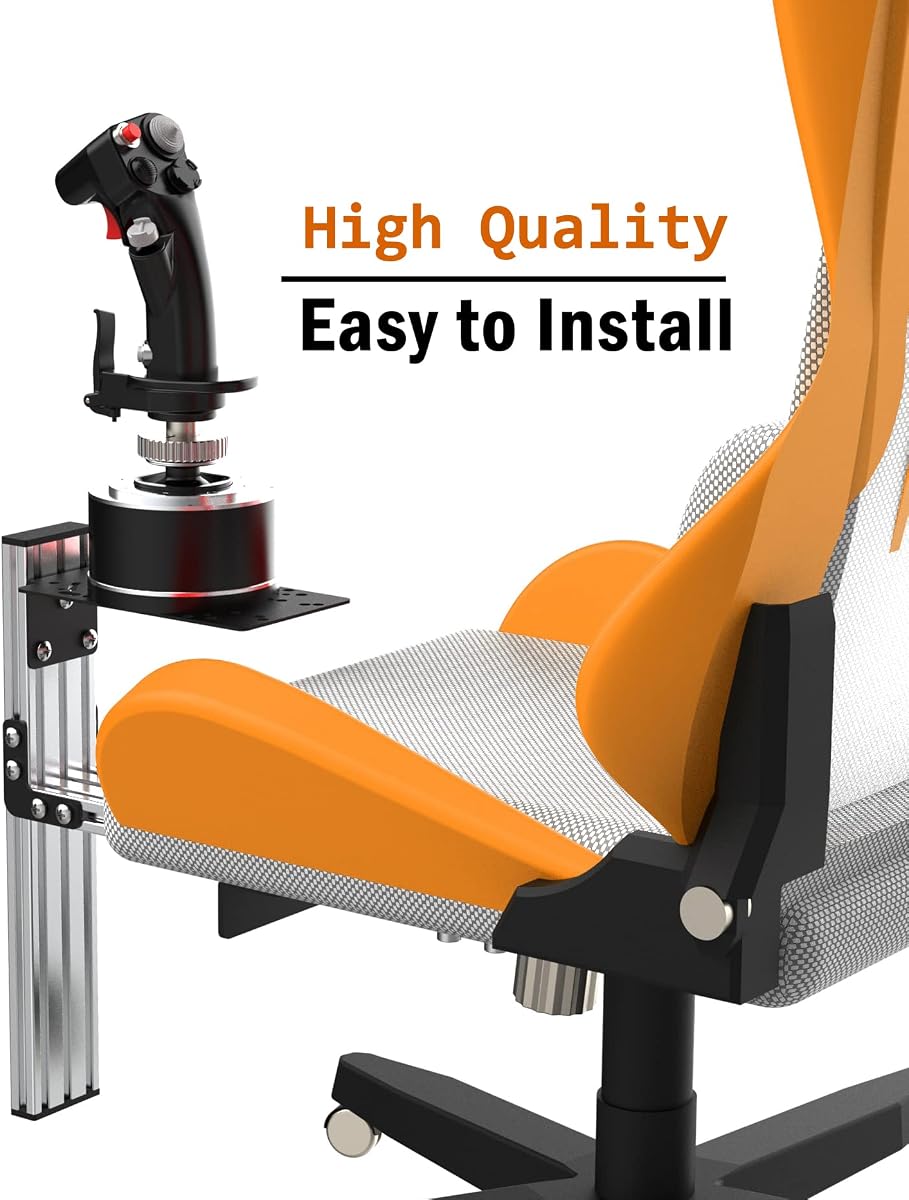
Fosiya offers a unique center chair mount solution for flight sticks. It supports devices like T-Flight Hotas 4 and Warthog and allows you to attach controls to your chair.
We may earn a commission when you buy through this link, at no additional cost to you.
Using M8 heavy duty screws, it provides a strong clamping force with a holding capacity up to 300kg. The non-slip flange nut fixing system ensures a better grip without changing the chair shape.
The stand is ergonomically designed with adjustments for height and banner position. This allows you to find the most comfortable reach for your specific seating setup.
If you prefer a chair-based setup for easier storage or space savings, this is an excellent option. Ensure your chair supports the mounting screws for maximum safety.
Uses standard screws to attach securely to chair seats.
Adjustable banners help you find the perfect stick position.
We may earn a commission when you buy through this link, at no additional cost to you.
Choosing the right mount involves considering your hardware, desk, and budget. This guide breaks down the key factors to help you make an informed decision.
Ensure the mount supports your specific joystick model. Most mounts work with Logitech and Thrustmaster but check for VKB or custom hardware compatibility before purchasing.
Always review the product specifications to confirm your device is listed as supported.
Check the maximum desk thickness the clamp can handle. Some mounts are limited to thin edges while others support thick wooden desks up to 5 inches or more.
Select a clamp with enough range to fit your desk securely without slipping.
Look for aluminum or steel construction for durability. Heavy-duty mounts are essential for heavy throttle systems to prevent wobbling during intense flight maneuvers.
Metal builds usually last longer and offer better stability than plastic alternatives.
Adjustable height and reach features allow you to position the joystick exactly where you need it. This is vital for ergonomic comfort during long sim sessions.
Choose a mount that lets you tweak angles and position for a natural feel.
If you share your desk, a foldable or removable design is useful. Some mounts allow you to store the gear away when not in use to reclaim space.
Foldable options are great for multi-purpose rooms and home offices.
Consider how much work is involved in setting up the mount. Some come pre-assembled while others require bolting parts together which takes time and tools.
Pre-assembled kits are ideal if you want to start flying immediately after unboxing.
Stability is critical for precision control. Look for features like anti-slip pads or strong clamping force to ensure your joystick does not move during use.
A wobble-free experience improves immersion and reaction times in games.
Prices vary based on features and materials. Budget options work well for lighter sticks while premium mounts are necessary for heavy dual systems.
Invest in a mount that fits your financial situation while meeting performance needs.
Install the mount on a sturdy edge of your desk ensuring the clamp is tight. Use the anti-slip pads to protect your surface and prevent the mount from sliding during use.
Position the joystick so that your arm is relaxed and your wrist stays straight. Adjust the height and angle to mimic a real cockpit layout for better ergonomics.
Regularly check the clamp and screws for looseness especially after long sessions. Wipe down the mount to remove dust and keep it in optimal condition for longevity.
Most mounts support popular brands like Logitech, Thrustmaster, and VKB. However, always check the compatibility list in the product description to ensure your specific model fits securely.
High-quality mounts come with protective pads to prevent scratches. If your desk is soft wood or glass, consider using extra padding under the clamp for added protection.
Measure your desk edge thickness before buying. Most mounts have a maximum limit around 5 inches or 130mm so confirm this spec matches your desk dimensions.
Many mounts come as sets of two specifically designed for both stick and throttle. Single mounts are available but you may need to buy two for a full setup.
Most require basic tools or come with a screwdriver. Assembly time varies from 5 minutes to an hour depending on the complexity of the design and your experience level.
Use a soft cloth to wipe away dust. Avoid harsh chemicals that may damage the metal coating and always tighten screws periodically to maintain stability.
Aluminum and steel are preferred for their strength and durability. Plastic mounts may suffice for lighter controllers but are generally less stable for intense simulation use.
Many modern mounts feature a foldable design to save space. Check if the specific model you choose allows folding without requiring full disassembly.
We reviewed ten excellent mounts ranging from heavy-duty metal sets to budget-friendly options. The Meza Mount and 2PCS Hotas Mount stand out for stability and rating.
Prioritize compatibility and stability when making your choice. Ensure your desk thickness fits the clamp and your joystick model is supported for a hassle-free experience.
Remember to check current availability and specs before purchasing. Prices and stock may vary so visiting the product links will give you the most up-to-date information.