
Samsung Galaxy Tab S10+ Plus
4.7Editor score
Galaxy AI sketch to image
12.4 inch AMOLED screen
IP68 water resistance
The landscape of mobile computing has shifted dramatically with the integration of artificial intelligence into everyday devices. An AI Tablet now offers more than just media consumption; it provides smart assistants that summarize notes, translate languages, and enhance creativity through generative tools. These devices are becoming essential for students, professionals, and creatives alike who demand seamless efficiency and intuitive workflows in a single portable form factor.
To compile this list, we evaluated ten top-tier tablets currently available on the market, focusing on their AI capabilities, performance specs, display quality, and overall user experience. We considered factors like processor efficiency, battery longevity, stylus integration, and the sophistication of built-in intelligent features. Our goal is to help you navigate the crowded market and find a device that aligns with your specific needs and budget without compromising on essential functionality.
Each pick below showcases a unique blend of hardware and software innovations, from budget-friendly options with smart search features to premium models with advanced neural processing units. Remember that technology evolves rapidly and product availability or configurations may vary over time. We recommend checking the latest listings and verifying current specifications before making a final purchase decision to ensure you get the most accurate and up-to-date value.
4.7Editor score

5.0Editor score
4.6Editor score
As an Amazon Associate we earn from qualifying purchases.
This side-by-side comparison highlights the key specifications and unique selling points of each AI Tablet to help you make an informed decision based on your specific use cases and performance requirements.



The Lenovo Yoga Tab AI Tablet stands out as the definitive choice for creators and professionals who need a powerful, intelligent device in a portable form factor. With a perfect rating of 5.0 based on user feedback, it delivers exceptional performance powered by the Snapdragon 8 Gen 3 processor and advanced AI capabilities that streamline workflows. Its 11-inch 3K display with a 144Hz refresh rate ensures that every task feels incredibly responsive and visually stunning.
We may earn a commission when you buy through this link, at no additional cost to you.
This tablet excels in creative productivity, offering a smart pen with intelligent AI tools for photo editing, live transcription, and smart writing assistance. The hardware is equally impressive, featuring 12GB of memory and 512GB of storage to handle large files and multitasking without lag. The included keyboard and pen make it a true laptop replacement, while the IP53 rating provides peace of mind against dust and splashes during travel.
While the price point is higher than average options, the value provided by the premium accessories and top-tier performance justifies the investment for serious users. The trade-off in weight is minimal considering the durability and battery life it offers for all-day use. For those who need a device that combines high-end hardware with intuitive AI software, this is the most capable option available today.
Ideal for creators, students, and remote workers who require a versatile machine for note-taking, sketching, and video conferencing, this tablet offers a seamless experience. Whether you are working from a cafe or your office, the AI features ensure you stay productive and organized. We highly recommend this device for anyone seeking the best blend of power, portability, and intelligent assistance in a tablet form.
Intelligent tools help streamline creative workflows with features like AI-enhanced photo editing, live transcription, and instant translation for smarter task management.
The 11.1-inch 3.2K touchscreen with 144Hz refresh rate delivers sharp details, ultra-smooth motion, and true-to-life color accuracy for immersive viewing.
We may earn a commission when you buy through this link, at no additional cost to you.
Samsung Galaxy Tab S10+ Plus is a flagship device designed for users who demand the largest and best screens for AI-powered creativity and productivity. Boasting a 4.7 rating, it combines a stunning 12.4-inch Dynamic AMOLED 2X display with powerful AI tools like Sketch to Image and Note Assist. The device allows you to turn simple sketches into art instantly and summarize lectures or meetings with ease, making it a powerhouse for professionals.
We may earn a commission when you buy through this link, at no additional cost to you.
The integration of Galaxy AI is central to its appeal, offering features like Circle to Search and Note Assist that organize your thoughts automatically. The included S Pen provides precision input for note-taking and drawing, while the IP68 rating ensures the tablet can withstand dust, splashes, and accidental drops. This level of protection and performance makes it ideal for use in varied environments.
The main trade-off is the price and the physical size, which may be cumbersome for one-handed use compared to smaller tablets. However, for users who prioritize screen real estate and premium features, the investment is worthwhile. The ecosystem integration with other Samsung devices further enhances the experience, allowing for seamless transitions between phone, tablet, and computer.
Recommend this to creative professionals and heavy media consumers who need a large canvas for digital art and high-quality video editing. The AI features significantly reduce the time spent on routine tasks like summarizing notes or translating text. If you want a top-tier experience with cutting-edge AI capabilities and a robust build, this is the premium choice to consider.
Turn simple sketches into works of art instantly using Sketch to Image with Galaxy AI, bringing your ideas to life with minimal effort.
Capture your lecture or meeting notes and let Note Assist organize and summarize them for you, saving time and keeping you organized.
We may earn a commission when you buy through this link, at no additional cost to you.
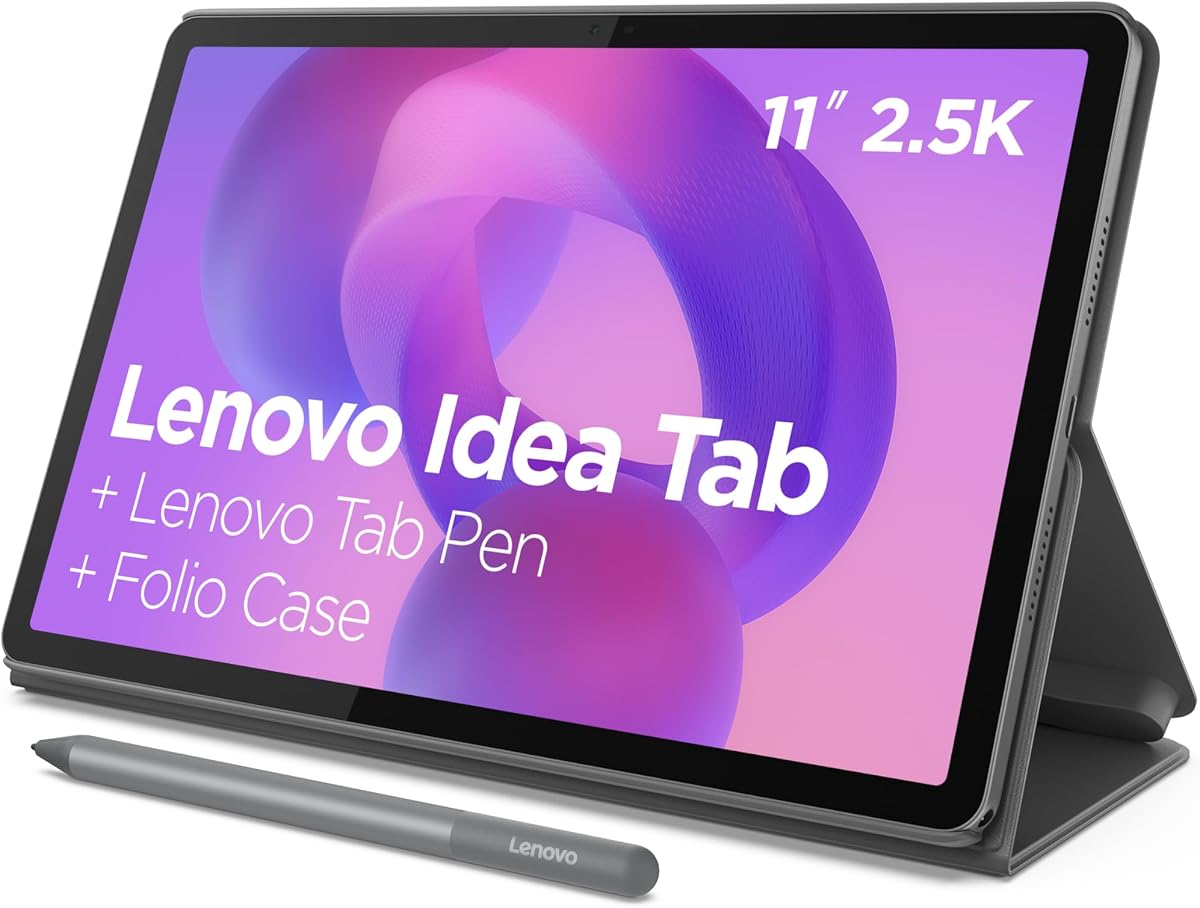
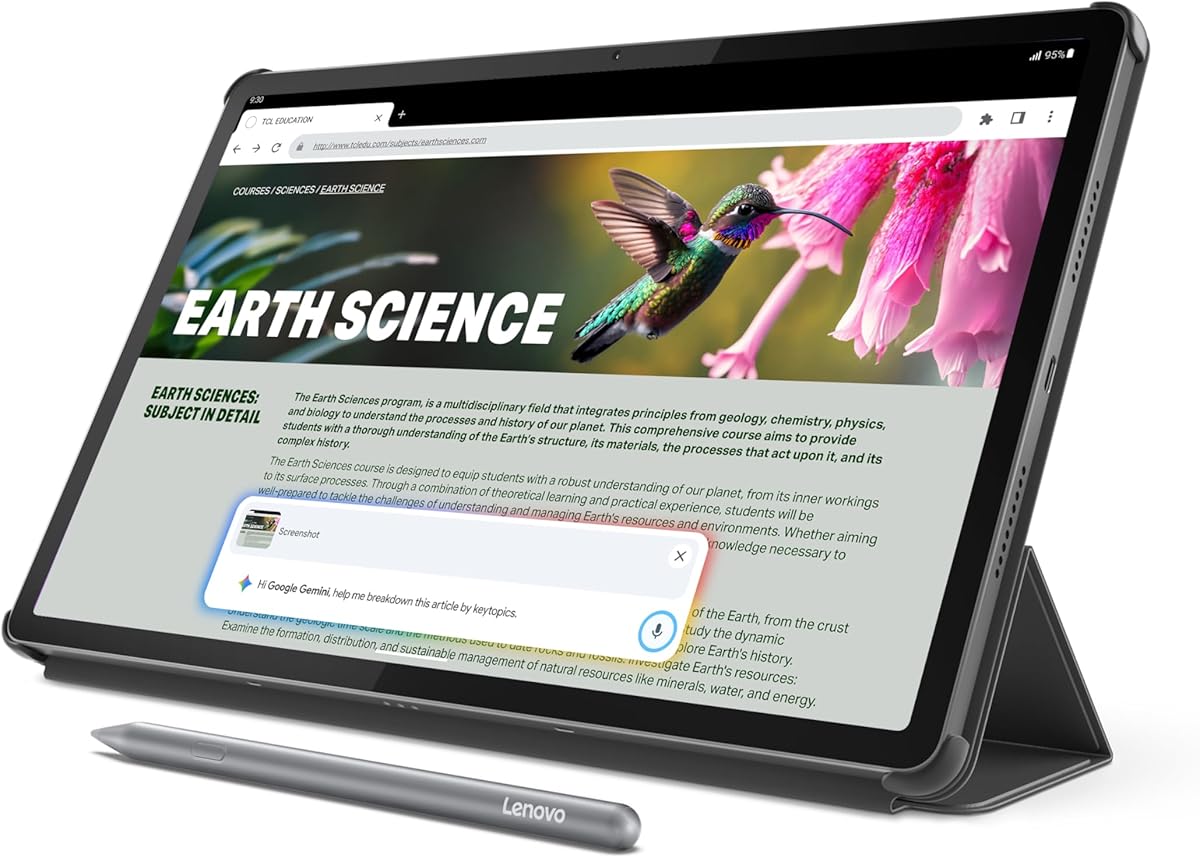
The Lenovo Idea Tab offers an exceptional balance of performance and price for students and casual users seeking AI-enhanced productivity without breaking the bank. With a 4.6 rating, it features key smart capabilities like Circle to Search with Google, allowing instant search results by circling items on the screen. This intuitive feature makes learning and research much faster and more engaging for everyday tasks.
We may earn a commission when you buy through this link, at no additional cost to you.
Its hardware includes a MediaTek Dimensity 6300 processor that handles multitasking well, supported by 8GB of memory and 256GB of storage for ample space. The 11-inch 2.5K display ensures sharp visuals, while TÜV Rheinland Low Blue Light hardware solutions protect your eyes during long study sessions. The built-in AI apps like Lenovo AI Note and Nebo further enhance the study experience by organizing and digitizing handwritten notes.
While it may not match the raw power of flagship devices, it is perfectly suited for students who need a reliable tool for note-taking and entertainment. The battery life is a standout feature, providing up to 12 hours of YouTube viewing and study time on a single charge. The trade-off in build materials is acceptable given the cost savings and functionality provided.
We recommend this to students and budget-conscious buyers who need a versatile tablet for campus life and home use. It delivers on essential AI features and display quality while keeping the price accessible. If you want a practical device for learning and media consumption that supports your digital life efficiently, this is the best value option.
Use your Tab Pen or fingertip to circle items for instant search results or translation without switching apps, streamlining your research workflow.
Level up your study with four learning apps built to match your flow, including AI Note, Squid, Nebo, and MyScript Calculator for clarity.
We may earn a commission when you buy through this link, at no additional cost to you.
The Samsung Galaxy Tab S11 is a refined device designed for professionals who rely on precise note-taking and smart organization tools. Its 4.6 rating reflects consistent performance in handling Android apps quickly with 12GB of RAM for smooth multitasking. The standout feature is Note Assist with Galaxy AI, which keeps ideas tidy and organized during meetings and lectures automatically.
We may earn a commission when you buy through this link, at no additional cost to you.
Drawing capabilities are enhanced with Drawing Assist, allowing you to turn rough sketches into shareable mock-ups or storyboards easily. The IP68 rating ensures durability against spills, rain, and dust, making it suitable for on-the-go work. Storage is expandable via microSD card, giving you flexibility for offline files and media without worrying about running out of space.
The absence of an included keyboard might be a drawback for some users, but the tablet's thin design and premium build quality compensate well. While the cost is higher than budget options, the advanced AI tools for writing and drawing justify the investment for serious creatives. If note-taking and digital ink precision are your priority, this model leads the pack.
Ideal for business professionals and students who need a reliable companion for meetings and lectures. The AI features simplify document review and note organization, freeing up time for creative work. We suggest this to anyone who values the S Pen experience and robust build quality in a portable tablet.
Use the included S Pen with Note Assist and Galaxy AI to keep your ideas tidy and organized during meetings and lectures instantly.
Turn rough sketches into shareable mock-ups or note drawings into sleek storyboards using Drawing Assist for more polished presentations.
We may earn a commission when you buy through this link, at no additional cost to you.
The TCL NXTPAPER 14 is a unique device designed for students, artists, and musicians who prefer a natural paper-like writing and reading experience. Its 14.3-inch 2.4K display with NXTPAPER 3.0 technology reduces glare and filters blue light, significantly reducing eye strain during extended viewing. The 4096-level T-PEN stylus makes drawing and note-taking feel intuitive and comfortable.
We may earn a commission when you buy through this link, at no additional cost to you.
Versatility is key, with seamless 3-in-1 display modes that allow switching between Standard, Color Paper, and Ink Paper modes effortlessly. The device includes a powerful MediaTek Helio G99 processor and 256GB storage for smooth multitasking. A massive 10,000mAh battery with 33W fast charging and reverse charging ensures you stay powered throughout the day without interruptions.
While it is slightly heavier than typical tablets, the durable metal body and included flip case provide robust protection for travel. The focus on eye comfort and creative tools sets it apart from standard entertainment tablets. This is an excellent choice for those who prioritize health-conscious viewing and creative input over raw processing power.
Recommend this to creative professionals and students who spend long hours reading or sketching. The combination of a large screen, eye-care features, and responsive stylus makes it a dedicated tool for productivity. If you want a tablet that feels more like a notebook than a screen, this is the perfect match.
Featuring NXTPAPER 3.0 technology, the display reduces glare and filters blue light for comfortable extended viewing sessions.
Switch display modes effortlessly with the NXTPAPER Key for standard tasks, color art, or ink reading experiences.
We may earn a commission when you buy through this link, at no additional cost to you.
The TCL NXTPAPER 11 Gen 2 continues the legacy of paper-like displays with upgraded NXTPAPER 4.0 technology for enhanced eye comfort. Its 11-inch display features TÜV-certified low blue light and anti-glare coating to reduce strain during long reading or note-taking sessions. The device integrates AI-powered productivity tools like smart voice memo and real-time bilingual subtitles for seamless communication.
We may earn a commission when you buy through this link, at no additional cost to you.
Performance is supported by MediaTek Helio G80 processor and 8GB RAM for smooth multitasking. It comes with 128GB storage expandable up to 1TB for large files and media. The battery life is excellent at 8000mAh with 18W fast charging and reverse charging capability to power other devices when needed. The slim metal body weighs just 1.1 lbs for easy portability.
The trade-off lies in the processor generation and base storage capacity, but for light users, this is sufficient. The focus on visual health and communication AI sets it apart for students and casual users. If you want a comfortable reading tablet with smart features without a premium price tag, this is a strong contender.
This tablet is ideal for readers and students who value eye comfort and lightweight portability. The AI features assist with productivity and language barriers. We recommend it for anyone looking for a practical device that prioritizes health and ease of use in daily tasks.
Featuring upgraded NXTPAPER 4.0 display technology, it offers an even more paper-like experience with TÜV-certified low blue light.
Equipped with smart voice memo, real-time bilingual subtitles, writing and text assistants to break down language barriers.
We may earn a commission when you buy through this link, at no additional cost to you.
The Samsung Galaxy Tab A11+ is a family-friendly device designed to handle day-to-day activities for every member with optimal performance. It boasts an 11-inch screen with a 90Hz refresh rate delivering natural fluid motion for streaming and gaming. The quad speakers powered by Dolby Atmos provide a cinema-like audio experience for immersive media consumption.
We may earn a commission when you buy through this link, at no additional cost to you.
Memory and storage are generous at 8GB RAM and 256GB storage ensuring seamless multitasking and space for large files. The battery supports fast charging to get you back to 100% quickly when needed. While it lacks advanced AI tools, it offers a reliable and responsive experience for everyday browsing and entertainment.
The main trade-off is the basic feature set compared to flagship models, but for general household use, it is sufficient. The focus on battery longevity and audio quality makes it suitable for long movie nights and travel. If you want a dependable tablet for the whole family without complex requirements, this is a solid choice.
Ideal for parents looking for a versatile device for browsing, streaming, and gaming. The screen quality and audio performance ensure entertainment satisfaction. We recommend this for households needing a practical and durable tablet for varied daily tasks.
The Galaxy Tab A11+ gives your family the optimal performance they need for all their day-to-day activities.
Immerse yourself in a cinema-like audio experience with quad speakers powered by Dolby Atmos.
We may earn a commission when you buy through this link, at no additional cost to you.
The CHUWI Hi10 Max AI is a unique tablet that brings desktop-grade performance to a portable form factor using Intel Core Ultra 5 125U processor. It features an Intel AI Boost NPU reaching 11 TOPS peak AI computing power for fast local AI content generation. The device runs Windows OS making it a perfect AI productivity device for students and workers needing full computer capabilities.
We may earn a commission when you buy through this link, at no additional cost to you.
Its 12.96-inch 3:2 Ultra HD display offers vertical space ideal for productivity. The 12GB LPDDR5 RAM and 512GB SSD ensure ultra-smooth multitasking. The tablet includes full-featured ports like Type-C and Micro HDMI for external monitors. A kickstand case is included for convenient hands-free use in various scenarios.
The main trade-off is the lack of included stylus and potential software compatibility learning curves for users unfamiliar with Windows. However, the raw power and connectivity options are unmatched in this category. If you need a true 2-in-1 laptop replacement with AI features, this tablet delivers high performance.
We recommend this to power users and professionals who require a Windows environment in a tablet. The AI capabilities for document sorting and image editing add significant value. If you prioritize processing power and versatile connectivity over battery life, this is the right tool.
Powered by the latest Intel Core Ultra 5 125U processor delivering balanced low-power high-performance for daily productivity.
Built-in Intel AI Boost NPU reaches 11 TOPS peak AI computing power enabling fast local AI content generation.
We may earn a commission when you buy through this link, at no additional cost to you.
The Lenovo Idea Tab Pro is a student-focused device combining Google Gemini AI with a large immersive display for study and play. With a 4.6 rating, it features a super-efficient MediaTek Dimensity 8300 processor and Wi-Fi 6E for lightning-quick downloads. The 12.7-inch 3K LCD display supports quad JBL Dolby Atmos speakers for crystal clear media streaming and lectures.
We may earn a commission when you buy through this link, at no additional cost to you.
Google Gemini acts as an AI super-assistant helping with assignments and research. Circle to Search feature lets you draw a circle on what you want to search for instant answers. The device offers 11 hours of unplugged video streaming with 45W quick charge. It is PUBG certified for FPS excellence ensuring smooth gaming experience.
While base storage is limited, it is sufficient for typical student needs when paired with cloud services. The large display is perfect for multitasking and reading. The focus on AI assistance and gaming performance makes it versatile for both work and leisure. We suggest this to students wanting a balanced device for campus life.
Ideal for students needing a powerful assistant for late-night assignments and engaging lectures. The AI features help streamline work and the display ensures comfort. If you want a tablet that supports your studies and entertainment equally, this is the best choice.
Let Google Gemini an AI super-assistant pick your brain so you can get back to chasing your passion quickly.
Say goodbye to screenshots with Google’s Circle to Search feature and have your questions answered instantly.
We may earn a commission when you buy through this link, at no additional cost to you.
The Android 16 Tablet with Gemini AI is a budget-friendly option offering essential AI features and solid hardware for basic users. With a 4.0 rating, it features a powerful Octa-Core processor and 32GB RAM to ensure buttery-smooth multitasking. The 11-inch HD display offers automatic brightness adjustment and anti-blue light design to protect eyesight.
We may earn a commission when you buy through this link, at no additional cost to you.
It includes a massive 8000mAh battery and dual-band 2.4G/5G WiFi for reliable connectivity. Built-in GPS supports precise navigation. The 128GB ROM is expandable up to 2TB via TF card for vast digital vaults. Face ID offers convenient access security. While build materials are basic, the value proposition is strong for entry-level needs.
The trade-off is standard display resolution and materials, but functionality remains high for the price. This device is best for users needing reliable connectivity and storage without complex requirements. If you want an affordable tablet with Gemini AI and long battery life for daily tasks, this is a practical choice.
Experience the latest AI features with Gemini integration on an affordable Android platform for smart assistance.
The massive 8000mAh battery is the heart of it all providing exceptional battery life to power you through long days.
We may earn a commission when you buy through this link, at no additional cost to you.
Choosing the right AI tablet requires balancing performance, features, and your specific use cases. This guide breaks down the key factors to consider for informed decision making.
Modern tablets use dedicated AI processors or NPUs to run smart features like real-time translation and image editing locally. Check for specifications like Intel AI Boost or Snapdragon AI engines to ensure smooth AI performance without lag.
Prioritize models with explicit AI acceleration for better responsiveness in smart assistants and creative tools.
Screen quality dictates your experience for reading drawing and viewing media. Look for high-resolution IPS or AMOLED panels with high refresh rates like 90Hz or 144Hz for smooth scrolling.
Larger screens provide more workspace for multitasking but may reduce portability. Choose based on your primary usage environment.
If you plan to use the tablet for note-taking or drawing, ensure it includes a high-precision stylus with pressure sensitivity. Some devices include the pen while others sell it separately.
Verify stylus compatibility and latency for a natural writing feel if creative work is a priority.
AI models multitasking and media consumption require significant RAM. Aim for at least 8GB for comfortable performance and 12GB or more for heavy tasks. Storage capacity should be at least 128GB with expandability options for flexibility.
Prioritize devices with high RAM and expandable storage to handle growing app needs.
Long battery life is crucial for all-day use and travel. Look for capacities of 8000mAh or higher along with fast charging support to minimize downtime.
Reverse charging is a useful feature to power other devices like phones. Ensure the tablet can last through your typical work sessions.
Decide between Android or Windows based on your software needs. Android offers simpler AI features and app variety while Windows provides desktop compatibility.
Check ecosystem integration with your existing phone or laptop for seamless file transfers and continuity.
A durable build ensures longevity especially if you travel often. Look for water and dust resistance ratings like IP53 or IP68 to protect against accidents.
Metal bodies provide better stability and heat dissipation compared to plastic. Prioritize build quality for a lasting device.
Multiple ports like USB-C and HDMI allow for external monitors and accessories. Wi-Fi 6 or 7 ensures fast stable internet for streaming and downloads.
Ensure the device has enough physical ports to support your accessories without needing dongles.
To maximize your tablet's AI capabilities explore the settings menu and enable features like Circle to Search and smart transcription. Update the system regularly to receive the latest AI improvements and security patches. Keep the device charged and use fast chargers to maintain optimal battery health over time.
Use the stylus for note-taking and drawing to engage the tablet's smart features. Organize apps and use split-screen modes to manage multiple tasks efficiently. Clean the screen regularly with a microfiber cloth to prevent smudges and damage to the display coating.
Protect your investment by using a sturdy case and screen protector. Avoid exposing the tablet to extreme temperatures or moisture unless it has water resistance. Restart the device periodically to clear cache and maintain performance speed and responsiveness.
An AI Tablet is equipped with dedicated processors or software features that enable smart functionalities like voice assistants, real-time translation, and image enhancement. These devices can learn from your usage patterns to automate tasks and provide proactive suggestions without manual input.
Some AI features require internet access for cloud-based processing while others run locally using on-device NPUs. Check the specific model's capabilities to determine which tasks can be done offline versus online for maximum convenience.
High-end AI tablets with keyboards and robust operating systems can replace laptops for many tasks including document editing and communication. However, specialized software needs may still require a full desktop setup for optimal performance.
No styluses are included only with select models. Many manufacturers sell the stylus separately as an accessory. Always check the product description before purchasing to confirm what accessories are bundled with the device.
To extend battery life reduce screen brightness disable unused connectivity features and limit background apps. Use power-saving modes when not actively working and ensure the device is updated to benefit from battery optimization improvements.
Using local AI processing is generally safer than cloud-based features. Review the privacy settings and ensure that sensitive data is processed on-device whenever possible. Avoid sharing confidential information on untrusted networks.
In this guide we reviewed ten outstanding AI Tablets ranging from budget-friendly options to premium powerhouses. The Lenovo Yoga Tab stands out as the Editor's Choice with its powerful AI tools and stunning display. The Samsung Galaxy Tab S10+ Plus offers the best premium experience with large screens and advanced sketching.
When choosing prioritize your specific needs such as battery life display size or specific AI capabilities. Consider whether you need portability or workstation performance to narrow down the list effectively. Matching your workflow with the right device will enhance productivity and enjoyment significantly.
We encourage you to verify current prices and availability as technology updates frequently. Your best choice will depend on your budget and desired features. Happy shopping and enjoy the new possibilities that AI-powered tablets bring to your daily life.