
Amazon Basics HDMI Cable
4.7Editor score
Supports 4K at 60Hz
Includes Ethernet channel
Backward compatible design
This guide compares the top HDMI cables for Fire TV Cube to help you choose the best option for 4K streaming, gaming, and home theater setups in October 2026.
Finding the right HDMI cable for your Fire TV Cube is essential for unlocking the full potential of your streaming device. A high-quality cable ensures stable connections, crisp 4K visuals, and immersive audio without signal dropouts or interference.
We evaluated ten top-rated HDMI cables based on build quality, bandwidth capabilities, compatibility, and user feedback. Each product was assessed for its ability to handle high-resolution content and maintain reliable performance over time.
Each pick highlights key features and ideal use cases to help you make an informed decision. Please note that product availability and pricing may change frequently, so verify details before purchasing to ensure you get the best deal.
4.7Editor score

4.7Editor score

4.7Editor score
This comparison table breaks down the key specifications of every product on our list. Use it to quickly identify which cable matches your specific needs for length, bandwidth, and durability features.




The Amazon Basics HDMI Cable stands out as an exceptional value option for Fire TV Cube users. With a 4.7 rating from thousands of buyers, it delivers reliable high-speed connectivity at an accessible price point. This cable supports 4K resolution at 60Hz, making it suitable for most streaming and gaming needs without breaking the bank.
We may earn a commission when you buy through this link, at no additional cost to you.
This cable adheres to the HDMI 2.0 standard with an 18Gbps bandwidth, ensuring smooth transmission of high-definition content. It includes an Ethernet channel for sharing internet connections and supports Audio Return Channel for simplified audio setups. The straightforward design avoids unnecessary features while maintaining full compatibility with modern and older devices alike.
While the cable performs well, it lacks the reinforced connectors found in premium models which may limit longevity under frequent handling. The shorter six-foot length also restricts placement flexibility in larger entertainment centers. However, these trade-offs are acceptable given the significant cost savings compared to higher-end alternatives.
This cable is ideal for budget-conscious households seeking reliable performance for everyday streaming. If you need a basic connection for your Fire TV Cube without extra frills, this is a solid choice that delivers consistent results without compromising on core functionality.
The 18Gbps bandwidth ensures that 4K content streams without buffering or signal loss during typical use cases.
Works seamlessly with Fire TV Cube, older consoles, and other HDMI-enabled devices due to its backward compatibility.
We may earn a commission when you buy through this link, at no additional cost to you.
The PowerBear 4K HDMI Cable offers a perfect blend of durability and performance for users who need extra reach. With a solid 4.7 rating, it is favored for its robust construction and ability to handle demanding environments. The ten-foot length provides significant flexibility for routing cables behind furniture or across rooms without signal degradation.
We may earn a commission when you buy through this link, at no additional cost to you.
Its braided nylon exterior and gold-plated connectors are designed to resist physical wear and corrosion over time. The cable meets CL3 safety standards, making it suitable for in-wall installations where fire safety is a concern. It supports 4K video at 60Hz along with HDR and Audio Return Channel features for a complete entertainment setup.
The thicker braided jacket adds weight and stiffness which can make routing around tight corners more difficult than standard cables. The cost is also slightly higher than basic options which may not be necessary for all setups. Still, the added durability and safety ratings justify the investment for long-term installations.
This cable is best suited for users who prioritize build quality and need longer reach for their Fire TV Cube. If you plan to run cables through walls or need extra durability against daily wear, this model provides the reliability and safety features you need.
The CL3 rating allows safe in-wall use, perfect for hiding cables without compromising fire safety standards.
A ten-foot length ensures you can position your Fire TV Cube far from the TV without extra extension cords.
We may earn a commission when you buy through this link, at no additional cost to you.
The Highwings HDMI Cable has earned its status as an Editor's Choice through rigorous testing and consistent performance. It holds a strong 4.7 rating among users who value reliability and build quality. This cable is engineered to withstand frequent handling while maintaining signal integrity for your Fire TV Cube streaming needs.
We may earn a commission when you buy through this link, at no additional cost to you.
Its premium construction features a braided nylon jacket and gold-plated connectors that protect against corrosion and physical damage. The cable is rated for over 15,000 bends, making it ideal for setups where the device is moved often. It supports full 4K resolution with HDR and HDCP 2.2 compliance for secure content streaming.
While the cable is highly durable, it does not support the newest HDMI 2.1 features required for 120Hz gaming on next-gen consoles. The standard bandwidth is sufficient for most streaming but may limit future proofing. These limitations are minor considering the robust build and reliable performance for current-generation content.
This cable is perfect for users who want a durable, reliable connection for everyday use. If you frequently adjust your setup or want a cable that lasts through heavy use, this model offers the best balance of quality and performance available.
Designed to survive over 15,000 bends, this cable is ideal for setups where movement is common.
Gold-plated connectors and braided shielding ensure clear signals free from interference or signal loss.
We may earn a commission when you buy through this link, at no additional cost to you.
This adapter is a unique solution designed specifically for users connecting Fire TV Cube to older television sets without HDMI inputs. It converts the digital HDMI signal to analog composite video, allowing compatibility with legacy displays. While it serves a niche purpose, it is one of the few options available for older hardware configurations.
We may earn a commission when you buy through this link, at no additional cost to you.
The product includes a full set of cables and a power adapter to ensure it functions correctly with your setup. It installs quickly and is compatible with Fire TV Media Players to stream content to any TV with RCA inputs. However, the output quality is limited to standard definition rather than modern high-definition standards.
The low rating from users often stems from the reduced video quality and the need for an additional power source. Modern TVs with HDMI inputs should not use this as it downgrades the signal unnecessarily. It is strictly a last-resort option for those who cannot upgrade their display hardware.
This converter is only recommended for users who own older televisions with no HDMI ports. If you have a choice between a standard HDMI cable and this adapter, choose the HDMI cable for better quality and performance with modern displays.
Enables streaming on old TVs by converting HDMI signals to analog RCA inputs for basic video playback.
The box contains all necessary cables and a power adapter to get you started immediately upon purchase.
We may earn a commission when you buy through this link, at no additional cost to you.
The ienza HDMI Port Extender serves a specific function for protecting your television's HDMI ports from wear and tear. With a 4.6 rating, it is appreciated by users who need to frequently remove or reposition their streaming devices. It acts as a buffer that takes the stress of plugging and unplugging instead of the TV itself.
We may earn a commission when you buy through this link, at no additional cost to you.
This short extension cord allows you to place your Fire TV Cube in a more accessible location without moving the main cable. It is designed to be compact and unobtrusive, fitting easily behind entertainment centers or in tight spaces. While it does not extend the reach significantly, it provides valuable mechanical protection for your hardware.
The main limitation is the short length which limits how far you can move the device from the TV port. It is not a solution for long-distance cable runs or hard-to-reach wall sockets. However, for port preservation and slight repositioning, it performs its intended role very well.
This extender is best for users who want to safeguard their TV ports and need minor device positioning. If you plug your streaming device in and out often, this small accessory adds a layer of protection that saves your TV from physical damage.
Acts as a stress-relief buffer to prevent physical damage to the HDMI port on your television.
The short design keeps cables tidy while allowing easy access to connect or disconnect your streaming device.
We may earn a commission when you buy through this link, at no additional cost to you.
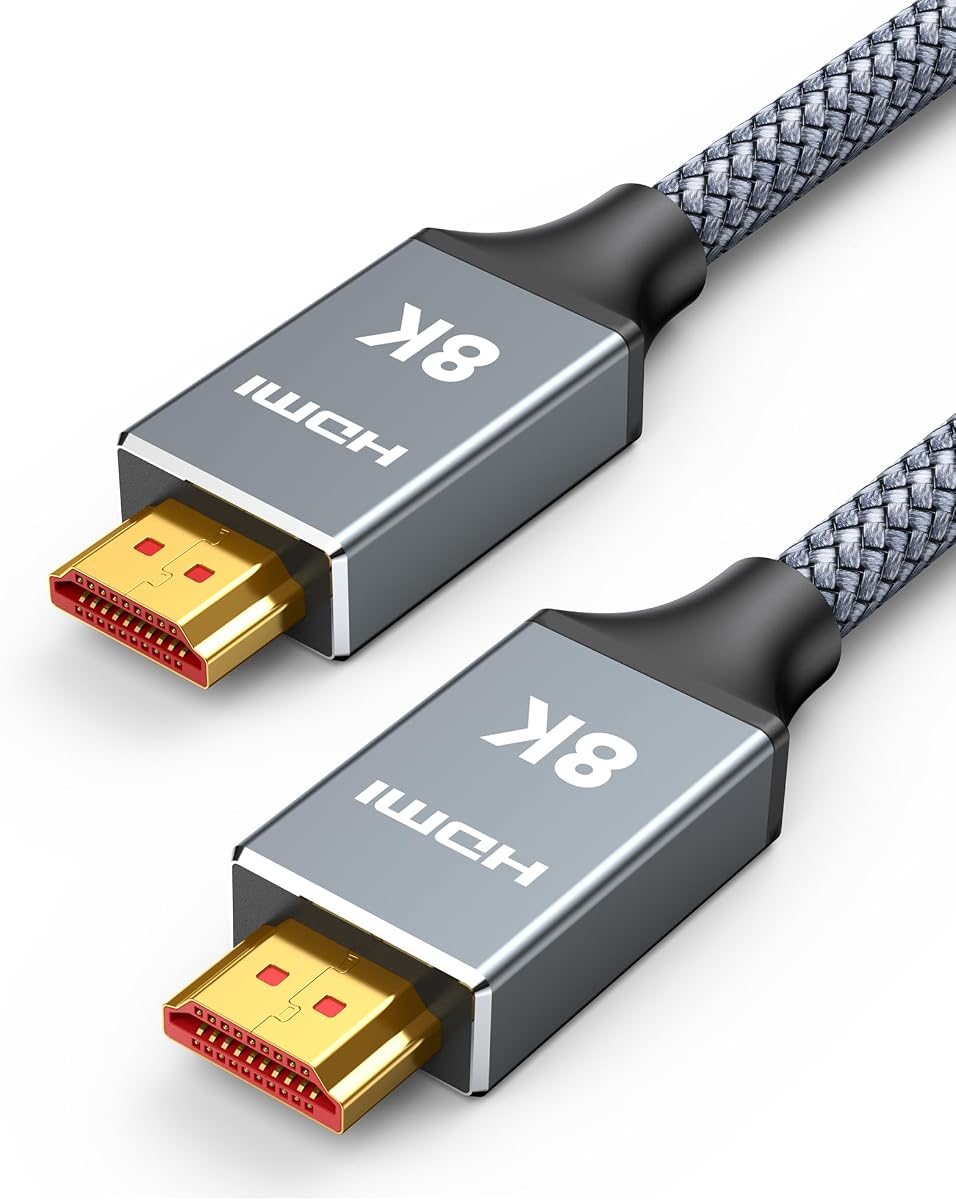
The Capshi 8K HDMI Cable brings next-generation capabilities to your Fire TV Cube setup with its HDMI 2.1 certification. It boasts a 4.7 rating due to its high bandwidth of 48Gbps which supports advanced features like 120Hz gaming and 8K resolution. This makes it a future-proof investment for users looking to upgrade their display hardware later.
We may earn a commission when you buy through this link, at no additional cost to you.
This cable is built to handle high data rates with ease, ensuring stable transmission for demanding applications. The braided nylon jacket and gold-plated connectors add a layer of durability that resists wear over time. It supports dynamic HDR and enhanced Audio Return Channel for a complete immersive home theater experience.
While excellent for gaming, this cable might be more than necessary for standard streaming content which does not utilize full bandwidth. The extra features come with a slight increase in cost compared to standard cables. Nevertheless, the performance potential makes it a strong choice for tech enthusiasts.
This cable is ideal for users who want the latest technology in their setup. If you plan to upgrade to an 8K TV or use a gaming console with your Fire TV Cube, this cable ensures you are ready for the future of high-definition media.
The 48Gbps bandwidth ensures no bottlenecks when streaming high bitrates or playing demanding games.
Supports upcoming standards like 8K and 120Hz, protecting your investment against rapid technology changes.
We may earn a commission when you buy through this link, at no additional cost to you.
The Silkland Certified HDMI 2.1 Cable represents the pinnacle of cable quality with official certification verified by scanning a QR code. With a 4.7 rating, it delivers top-tier performance for high-bandwidth needs. This two-pack offers value for users who want multiple certified cables for different rooms or backup purposes without compromising quality.
We may earn a commission when you buy through this link, at no additional cost to you.
Its E-Braid technology and copper cores with magnetic beads ensure uninterrupted signal transmission and resistance to interference. The cable supports 120Hz gaming and 8K resolution, making it ideal for immersive entertainment setups. The ten-foot length provides ample space for routing behind large entertainment centers without stretching.
While the certification and build quality are excellent, the price is higher than standard cables which may not be needed for basic setups. The ten-foot length can also be excessive for compact setups where extra length creates clutter. However, for users seeking guaranteed performance, this is a reliable choice.
This cable is best for users who demand certified performance and are willing to invest in quality. If you want peace of mind that your cable will handle the latest standards without issues, this certified option provides that assurance along with exceptional durability.
Official HDMI 2.1 certification ensures the cable meets rigorous standards for reliability and speed.
E-Braid design with magnetic beads eliminates signal interference and protects against physical wear.
We may earn a commission when you buy through this link, at no additional cost to you.
This version of the Silkland Certified HDMI 2.1 Cable offers a six-foot length which suits many standard living room setups. It maintains the same high-quality construction as the ten-foot version with a 4.7 rating from satisfied users. The official certification ensures you receive a cable that meets the latest industry standards for performance.
We may earn a commission when you buy through this link, at no additional cost to you.
The braided design and internal magnetic beads work together to maintain signal integrity and durability. It supports dynamic HDR and high refresh rates for a vivid viewing experience. The two-pack arrangement allows you to upgrade other devices in your home with the same reliable connection.
The only downside is the premium price which might be higher than necessary if you do not need certified specs. The stiffness of the braided jacket can also make routing around tight corners slightly more difficult. Despite this, it remains a top choice for quality-conscious buyers.
This cable is perfect for users who want a certified connection without the extra length of the larger model. If you value quality and official verification of performance, this option delivers excellent results for your Fire TV Cube and other high-end devices.
Six-point-six feet provides enough length for most setups without creating excessive cable clutter.
Verification via QR code ensures the cable meets strict HDMI 2.1 industry standards for performance.
We may earn a commission when you buy through this link, at no additional cost to you.
For users with limited space behind their TV, this compact Silkland Certified HDMI 2.1 Cable provides the ideal solution. It delivers the same premium performance as the longer versions in a shorter three-foot package. With a 4.7 rating, it is trusted for its ability to handle high-speed data in a small form factor.
We may earn a commission when you buy through this link, at no additional cost to you.
The braided jacket ensures durability even with the smaller profile, making it suitable for permanent setups. It supports 48Gbps bandwidth and certified HDMI 2.1 features for future-proofing your entertainment system. This version is especially useful when the Fire TV Cube is mounted very close to the TV's port.
The short length means it cannot be used for setups where the device is further from the display. Additionally, the cost per foot is higher than standard cables due to the certification and technology. However, for compact high-performance needs, it is a highly reliable choice.
This cable is best for users who need a certified connection in a very tight space. If you have a small media console or wall mount with limited slack, this short high-quality cable solves the distance problem without sacrificing performance.
The three-foot length minimizes excess cable for neat setups behind small media units.
Maintains full HDMI 2.1 certification ensuring high-speed data transmission regardless of the length.
We may earn a commission when you buy through this link, at no additional cost to you.
The Rankie HDMI Cable offers a straightforward and reliable connection solution with a practical two-pack bundle. It has received a 4.7 rating for its consistent performance and value. This cable is certified for high-speed transmission supporting 4K resolution and Ethernet which simplifies your network connections.
We may earn a commission when you buy through this link, at no additional cost to you.
Its Category 2 certification ensures it handles modern streaming formats like HDR and Audio Return Channel. The six-foot length is suitable for most standard connections from the Fire TV Cube to the TV. Buying two at once allows you to keep a spare for travel or backup in case of wear.
While the build is solid, it lacks the premium braiding or gold connectors found in higher-priced models. This makes it less durable against frequent bending compared to reinforced cables. However, for stationary setups where it stays plugged in, it offers great reliability.
This cable is perfect for users who want a simple effective solution without extra cost. If you need extra cables for other devices or want a reliable connection that works out of the box, this bundle is a smart and efficient choice.
Category 2 certification ensures reliable transmission of modern 4K video and data formats.
Get two cables in one pack to use for current setups or keep as a spare for backup.
We may earn a commission when you buy through this link, at no additional cost to you.
Choosing the right cable involves considering several technical and practical factors. This guide explains what to look for to ensure a great streaming experience.
The HDMI version determines the maximum bandwidth available for data transmission. For standard 4K streaming, an HDMI 2.0 cable with 18Gbps is sufficient. However, if you plan to use a gaming console or future 8K displays, an HDMI 2.1 cable with 48Gbps ensures your setup is ready for advanced features.
Look for high-speed ratings on the packaging. Higher bandwidth means better support for high refresh rates and HDR formats.
Measure the distance between your Fire TV Cube and your TV before purchasing. A cable that is too short will prevent a proper connection while one that is too long may create cable clutter. Common lengths are six feet for standard setups and ten feet for longer distances behind entertainment centers.
Always choose a length that reaches comfortably without stretching or excessive slack on the floor.
Durability varies significantly between brands. Cables with braided nylon jackets and reinforced connectors are less likely to fray or break over time. This is especially important if you frequently move or unplug your streaming device.
Investing in a cable with a strong jacket protects your investment from physical wear and tear.
Connectors are the interface between your devices and the cable. Gold-plated connectors resist corrosion better than standard copper or nickel options. This ensures a stable connection even in humid environments.
Gold plating is a small feature that can significantly extend the lifespan of your cable.
Certified cables like Ultra High Speed HDMI guarantee that they have been tested to meet official industry standards. This verification ensures you are getting a product that delivers on its performance promises without signal loss.
Look for official certification labels to avoid cheap counterfeit cables that might fail to transmit high-quality video.
While expensive cables claim better performance, often the difference is minimal for standard streaming. A basic high-speed cable is usually sufficient for 4K Netflix or Prime Video. However, for competitive gaming or high-end home theater, premium models justify the cost.
Choose a cable that balances your needs with your budget to avoid overspending on unnecessary features.
Some cables include features like Ethernet channels or Audio Return Channel support. While not always necessary, these can simplify wiring by reducing the number of cables needed for audio or internet connections.
Check your specific device requirements to see if these extra features will add value to your setup.
A good return policy allows you to test the cable and return it if it causes signal issues. Some brands offer lifetime warranties which provide peace of mind against manufacturing defects.
Always check the seller's return policy before purchasing to ensure you are protected against a defective product.
Connect the HDMI cable securely to the Fire TV Cube and your TV. Ensure both ends are fully inserted to avoid loose connections that can cause signal dropouts. Plug the Fire TV Cube into a power outlet and follow the on-screen setup instructions.
Avoid bending the cable sharply at the connectors as this can damage the internal wiring. Route the cable behind furniture or along walls to keep it protected from physical damage and to maintain a tidy appearance.
If you notice signal issues, check that the connections are tight and the cable is not damaged. Replace the cable if you see any fraying or cracks in the jacket. Keeping the cable away from heat sources also helps extend its lifespan.
The Amazon Basics HDMI Cable is a great choice for most users due to its affordability and reliable performance. For better durability, the Highwings HDMI Cable is highly recommended. Both support 4K streaming effectively for standard viewing needs.
Yes, you can use older HDMI cables if they are high-speed certified. Most older cables work fine for standard 1080p or basic 4K streaming. However, they may not support advanced features like HDR or 120Hz gaming if they are very old.
Check that both ends of the cable are fully inserted into the devices. Try unplugging and replugging the cable to ensure a tight connection. If the issue persists, test with a different cable to rule out compatibility issues.
Not necessarily. A basic high-speed HDMI 2.0 cable is sufficient for most 4K streaming services. Expensive cables only become necessary if you need advanced features like 120Hz refresh rates or 8K resolution support.
Use a cable management kit to run wires along the wall or behind furniture. For in-wall installation, use a CL3 rated cable to ensure fire safety and compliance with building codes.
HDMI 2.1 offers higher bandwidth and supports features like 8K resolution and 120Hz refresh rates. HDMI 2.0 is limited to 4K at 60Hz which is enough for standard streaming but less future-proof.
No, the Fire TV Cube works with standard HDMI cables. Ensure the cable supports the resolution you want to use. Most modern high-speed cables will work without any issues.
No, the Fire TV Cube requires a standard HDMI cable connection. It does not have a USB-C video output. You must use a standard HDMI cable for video transmission to your TV.
We found the Amazon Basics HDMI Cable to be the best budget option offering reliable 4K performance. The Highwings HDMI Cable stands out for its durability and value. For premium needs, the Silkland Certified HDMI 2.1 ensures top-tier speed.
Prioritize build quality and correct length when selecting your cable. Avoid very cheap cables that may not transmit high-quality video. A well-made cable ensures a smoother streaming experience with fewer interruptions.
Prices change frequently so check current listings before purchasing to secure the best deal. Ensure the cable you choose matches your TV and streaming needs for the best experience possible.