
NIMO 15.6 AI Creator Laptop
5.0Editor score
AMD Ryzen 5 6600H Processor
16GB DDR5 RAM and 512GB SSD
15.6 Inch Full HD IPS Display
Up to 10 Hour Battery Life
Vlogging has become a dominant form of digital expression, requiring creators to capture high-quality video on the go. A reliable laptop is essential for editing footage, managing files, and publishing content efficiently without compromising on speed or visual fidelity.
We have carefully selected ten standout models that excel in performance, display accuracy, and portability. Each option was chosen based on processor power, memory capacity, and specialized features that support the demanding workflows of modern video editors and social media influencers.
Every recommendation highlights specific strengths such as battery endurance, thermal management, and connectivity options. While prices and availability may fluctuate, these models represent the best value and capability for vloggers at different stages of their content creation journey.
5.0Editor score

4.3Editor score

4.8Editor score
As an Amazon Associate we earn from qualifying purchases.
The following comparison highlights key specifications across all ten selected models, allowing you to quickly assess processor strength, memory capacity, storage speed, and display quality to find the perfect match for your vlogging needs.


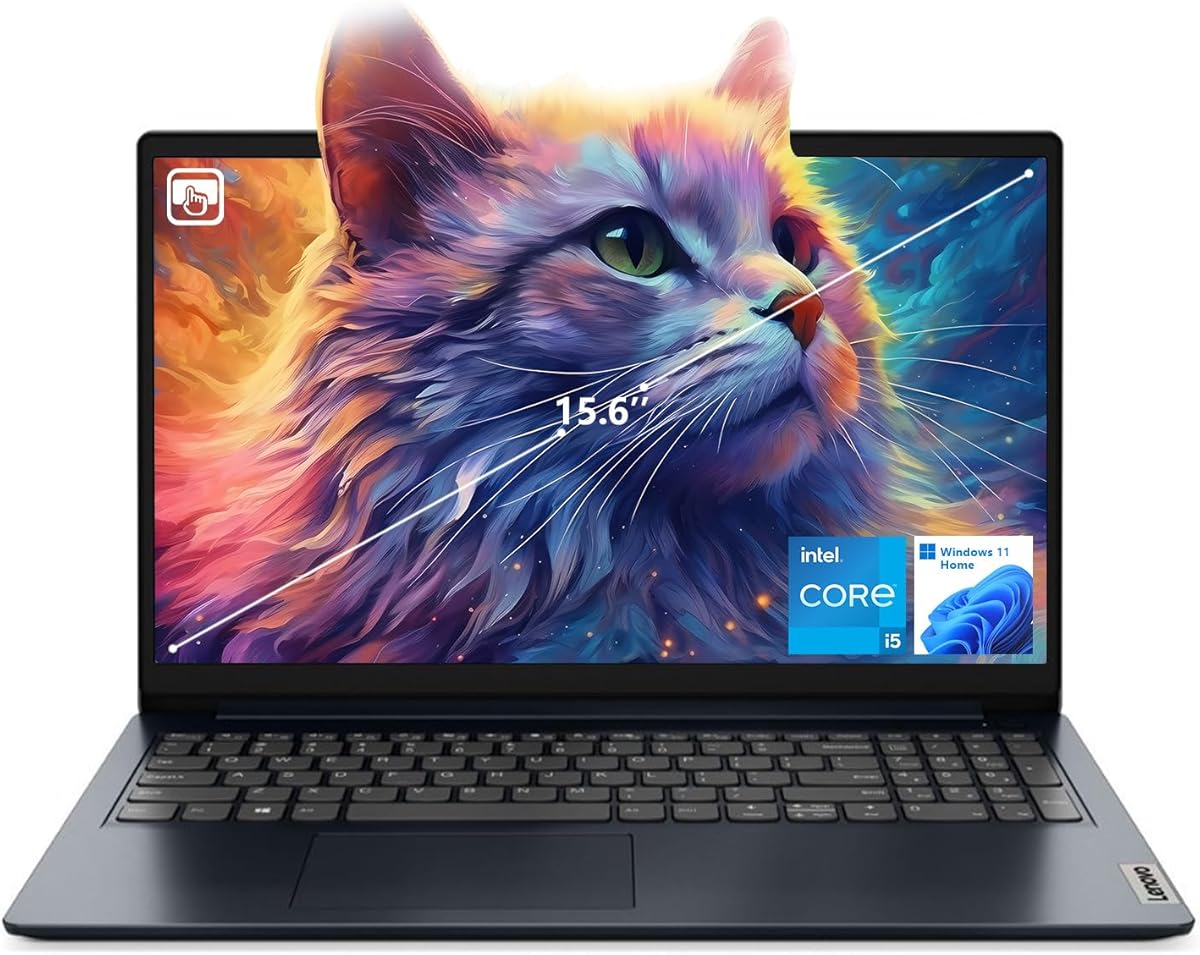

The NIMO 15.6 AI Creator Laptop stands out as an exceptional value for vloggers seeking solid performance without breaking the bank. Boasting a perfect 5.0 rating based on user feedback, this model delivers strong daily computing power through its AMD Ryzen 5 6600H processor.
We may earn a commission when you buy through this link, at no additional cost to you.
This laptop handles multitasking with ease thanks to 16GB of DDR5 RAM and a fast 512GB PCIe SSD. For content creators, this means smoother playback while editing 1080p footage and quick access to large media libraries. The Radeon 660M graphics support light photo editing and casual media consumption efficiently.
While it lacks a discrete GPU for heavy 3D rendering or high-end color grading, the integrated graphics are sufficient for most social media vlogging tasks. The upgradeable design allows you to expand storage to 4TB and RAM to 64GB as your file sizes grow, ensuring longevity.
This device is ideal for students and entry-level creators who prioritize cost-effectiveness and reliability. With a 2-year warranty and robust connectivity options including USB-C and HDMI, it is a practical choice for building a mobile video editing workflow.
The 6-core processor ensures that video export times remain reasonable, while the DDR5 memory helps maintain system responsiveness during heavy browser and software use.
Multiple USB ports and expansion slots mean you can connect external drives and upgrade components easily, keeping the laptop relevant as your vlogging needs evolve.
We may earn a commission when you buy through this link, at no additional cost to you.
The GEEKOM GeekBook X14 Pro earns our Editor's Choice award for its combination of ultra-portability and a premium OLED display. Rated 4.3 by users, this laptop is designed for vloggers who travel frequently and need a screen that shows true-to-life colors for editing.
We may earn a commission when you buy through this link, at no additional cost to you.
Equipped with Intel's latest Meteor Lake architecture and 32GB of LPDDR5x RAM, this device handles complex workflows effortlessly. The 1TB PCIe Gen4 SSD ensures rapid file loading, while the dedicated NPU accelerates AI features like background blur and noise reduction directly on the device.
While the OLED screen offers vibrant visuals and deep blacks, users should be mindful of static elements to prevent burn-in over extended periods. The lightweight magnesium alloy chassis makes it easy to carry, but the premium cost reflects the high-end materials and advanced features.
This model is perfect for professional creators who need a powerful, portable machine for on-location editing and high-quality video work. The long battery life and fast charging capabilities further support uninterrupted content creation sessions anywhere.
The 100% DCI-P3 color coverage ensures that your videos look exactly as intended across different devices, making color grading much more precise and reliable.
Built-in AI capabilities reduce the need for heavy software processing, allowing smoother editing sessions and quicker turnaround times for vlogging content.
We may earn a commission when you buy through this link, at no additional cost to you.
The Acer Aspire Laptop 2026 takes our Best Premium badge for its advanced AI acceleration and expansive storage capacity. With a 4.8 rating, it caters to creators who manage vast amounts of 4K footage and rely on AI tools to streamline their editing process.
We may earn a commission when you buy through this link, at no additional cost to you.
Powered by the Intel Ultra 7 258V processor with a dedicated NPU, this laptop runs AI tasks locally without cloud dependence. This ensures privacy and speed when using features like auto-framing or background blur. The 2TB PCIe SSD provides ample space for extensive media archives.
While the premium price might be steep for casual users, the performance benefits justify the investment for professional vloggers. The touchscreen interface adds versatility for photo retouching and precise adjustments during the editing workflow.
Ideal for freelancers and remote workers, this model offers desktop-level performance in a portable form factor. The included USB hub simplifies connectivity, ensuring you can quickly set up a professional workspace in any environment.
The dedicated NPU handles intensive AI tasks on-device, reducing latency and ensuring your creative tools run smoothly without relying on internet connectivity.
The touchscreen allows for direct manipulation of timeline elements and photos, speeding up the editing process and making complex adjustments more accessible.
We may earn a commission when you buy through this link, at no additional cost to you.
The HP 17 Laptop is an excellent option for vloggers who prefer a larger screen for comfortable editing and multitasking. With a 4.4 rating, it offers a spacious 17.3-inch Full HD display that enhances productivity when reviewing footage or managing multiple applications.
We may earn a commission when you buy through this link, at no additional cost to you.
Its anti-glare coating minimizes reflections, making it easier to work in various lighting conditions. The included accessories like a mouse and tablet stand add value by providing a complete workstation setup. The numeric keypad is useful for data entry tasks often required in content management.
While the large screen size makes the unit bulkier and less portable than ultrabooks, it provides a superior view for detailed editing work. The 8GB RAM is adequate for light tasks but might benefit from an upgrade as video project complexity increases.
This laptop suits vloggers who work primarily from a desk or home office. With Windows 11 Pro for better security and stable connectivity options, it serves as a reliable base for a stationary video production setup.
The expansive screen real estate allows you to view your timeline and preview window simultaneously without constant resizing, streamlining the editing process.
Included accessories like the tablet stand and mouse mean you can start working immediately without needing extra purchases, saving time and effort.
We may earn a commission when you buy through this link, at no additional cost to you.
The HP 17 Laptop Silver offers a 5.0 rating for its ability to provide a large, distortion-free display for video editing. This model is particularly suited for creators who prioritize screen size and value, ensuring a smooth visual experience during long editing sessions.
We may earn a commission when you buy through this link, at no additional cost to you.
Powered by the Ryzen 5 7520U processor, it handles multitasking well for general office and light editing tasks. The included accessories enhance usability, making it a ready-to-deploy solution for business users. Windows 11 Pro adds a layer of enterprise security that protects sensitive project files.
While the laptop is heavy and less portable than smaller models, its performance per dollar makes it a compelling choice for home-based vloggers. The fast Wi-Fi 6 ensures quick uploads and downloads, reducing wait times during daily workflow.
Ideal for users setting up a home studio, this device balances performance with affordability. The large screen allows for a more immersive experience, which is beneficial when reviewing content quality and color accuracy.
Wi-Fi 6 technology ensures you can upload large video files to cloud storage or share drafts with clients quickly, maintaining a productive pace.
Windows 11 Pro offers enhanced security features like BitLocker, protecting your creative work and client data from unauthorized access or loss.
We may earn a commission when you buy through this link, at no additional cost to you.
The Dell 16 Laptop is designed with vloggers in mind who spend long hours in front of the screen. With a 4.4 rating, it features a 16:10 aspect ratio display that offers more vertical space, which is beneficial for editing timelines and viewing social media feeds simultaneously.
We may earn a commission when you buy through this link, at no additional cost to you.
Dell ComfortView Plus technology reduces harmful blue light emissions without sacrificing color accuracy, helping to keep your eyes comfortable during extended sessions. The 1 Year Onsite Service ensures that any hardware issues can be resolved quickly without interrupting your workflow.
While it may not have the flashiest design, the adaptive thermals ensure that the laptop stays cool and quiet during use. The FHD webcam supports clear video conferencing, which is essential for virtual collaborations and client meetings.
This laptop is well-suited for professional vloggers who value reliability and health-conscious display features. The balance of performance and eye care features makes it a strong contender for daily content creation tasks.
By minimizing blue light while maintaining true-to-life colors, this feature helps you work longer without discomfort, ensuring your editing vision remains sharp.
Built-in thermals adjust power usage based on your activity, keeping the system responsive while preventing overheating during intensive rendering tasks.
We may earn a commission when you buy through this link, at no additional cost to you.
The NIMO 15.6 AI Creator Laptop achieves a 4.9 rating with its powerful Ryzen 7 8745HS processor and 32GB of DDR5 RAM. This combination is perfect for vloggers who need desktop-level performance for compiling code or editing 4K video without thermal throttling.
We may earn a commission when you buy through this link, at no additional cost to you.
Its Radeon 780M graphics deliver discrete GPU-level performance for most creative tasks, allowing smooth 1080p gaming and rendering. The USB4 port enables connection to external GPUs for future expansion, ensuring the laptop stays relevant as demands grow.
While it is heavier than ultraportable models, the 75Wh battery offers substantial endurance for workdays away from a power outlet. The local US warranty provides peace of mind with quick exchanges, which is crucial for professionals relying on their device daily.
This laptop is ideal for serious creators who prioritize raw power and upgradeability. With a lay-flat hinge for collaboration and a backlit keyboard, it supports a comfortable and efficient workflow in various environments.
The high-wattage processor and advanced cooling ensure that sustained workloads do not slow down your system, allowing consistent output during long projects.
The USB4 eGPU support means you can add more graphical power later, extending the laptop's life as your software requirements become more demanding.
We may earn a commission when you buy through this link, at no additional cost to you.
The Lenovo Yoga 7i earns a 4.6 rating for its versatile 2-in-1 design and immersive 2K touchscreen display. This flexibility allows vloggers to switch between laptop, tablet, tent, and stand modes depending on the task or environment.
We may earn a commission when you buy through this link, at no additional cost to you.
The 16-inch display offers ample screen real estate with vivid colors, making it easy to review content quality and adjust color grades. The Gigabit LAN port ensures a strong connection for uploading large files, which is critical for remote work scenarios.
While the touchscreen adds convenience, it can impact battery life during extended use. However, the low latency WiFi 6E keeps streaming and cloud interactions smooth. The multiple ports reduce the need for dongles, simplifying your setup.
Ideal for creators who value adaptability, this laptop supports various use cases from client presentations to on-location video reviews. The intelligent mode adjustments help optimize the screen usage for different workflows.
Switching between modes allows you to use the laptop as a tablet for sketching storyboards or as a stand for client reviews, increasing versatility.
Gigabit LAN and low latency WiFi ensure that your video uploads remain stable and fast, even in crowded network environments like co-working spaces.
We may earn a commission when you buy through this link, at no additional cost to you.
The Lenovo IdeaPad 1i is a strong entry-level choice for vloggers starting their journey, rated 4.2 for its balance of cost and performance. With 16GB of DDR4 RAM, it handles multiple browser tabs and light editing applications with surprising smoothness.
We may earn a commission when you buy through this link, at no additional cost to you.
The 15.6-inch FHD touchscreen provides an intuitive interface for navigating software menus and reviewing footage. The compact form factor makes it easy to carry around for on-location shoots or cafe work sessions.
While the color gamut is limited to 45% NTSC, it is still capable for general viewing and social media content. The inclusion of Wi-Fi 6 and HDMI ensures you stay connected to modern peripherals and networks without needing adapters.
This laptop is best suited for creators who are just beginning and need a reliable machine for basic editing and uploading. The affordable price point makes it an accessible option for students and new influencers.
With solid memory and a touchscreen, this model offers great value for beginners, ensuring you can start creating content without a huge upfront investment.
HDMI and SD card readers let you connect cameras and external monitors easily, streamlining the process of transferring footage from your shoot.
We may earn a commission when you buy through this link, at no additional cost to you.
The NIMO 15.6 AI Creator Laptop rounds out our list with a 4.6 rating for its all-in-one approach to content creation. Featuring a Ryzen 7 8745HS CPU, it supports native AI computing and 3D rendering capabilities that streamline complex workflows.
We may earn a commission when you buy through this link, at no additional cost to you.
With 32GB of DDR5 RAM and a fast 1TB PCIe 4.0 SSD, it manages massive tab browsing and data models without stuttering. The 100W PD fast charging ensures you can replenish power quickly when moving between locations.
While it may lack the aesthetic flair of premium ultrabooks, the functional design with a lay-flat hinge supports collaboration and sharing. The 2-year warranty provides added confidence for those relying on the machine for professional daily use.
This laptop is perfect for students and creators who need a balance of performance, storage, and durability. Its adaptability to various scenarios makes it a reliable choice for growing creative projects.
The integrated AI support and robust graphics allow for faster processing of modern creative software, improving overall workflow efficiency.
The 180-degree hinge allows you to lay the screen flat for easy sharing of content with clients, making presentations smoother and more interactive.
We may earn a commission when you buy through this link, at no additional cost to you.
Choosing the right laptop for vlogging involves balancing performance, display quality, and portability to ensure your content creation process is efficient and enjoyable.
The processor is the heart of your laptop and determines how fast you can render videos and handle multitasking. Look for models with at least an Intel Core i5 or AMD Ryzen 5 processor, ideally with multiple cores to support video editing software smoothly.
A stronger processor ensures that your editing sessions remain responsive and that export times are minimized, which is crucial when working with high-resolution footage.
RAM is essential for handling large video files and running multiple applications simultaneously. Aim for at least 16GB of RAM to ensure smooth playback and editing without system lag.
Upgrading to 32GB or more provides extra headroom for complex projects and future-proofing your device as software demands increase over time.
Fast storage is vital for quick boot times and rapid file access. A PCIe NVMe SSD is preferred over traditional hard drives for its speed and reliability.
Choose a model with ample storage space like 512GB or 1TB to keep your raw footage and edited files readily accessible without needing external drives.
A high-quality display is crucial for accurate color grading and reviewing your footage. Look for screens with high resolution like Full HD or 2K and good color gamut coverage.
Anti-glare coatings are beneficial for working in bright environments, while OLED panels offer superior contrast for detailed visual work.
Since vloggers often work on the go, a long battery life is essential. Look for laptops that offer at least 8 to 10 hours of use on a single charge.
Fast charging capabilities also ensure that you can quickly recharge your device between shoots, keeping your workflow uninterrupted.
Weight and size matter when you are traveling to different locations. Lightweight laptops under 4 pounds are easier to carry and reduce physical strain during long days.
A sturdy build quality ensures that the device can withstand the rigors of travel and daily use without damage.
Having multiple ports like USB-C, HDMI, and SD card readers allows you to connect cameras, external monitors, and storage devices easily.
Fast Wi-Fi standards ensure you can upload your content quickly to social media platforms or cloud storage for backup.
A comprehensive warranty provides peace of mind when investing in expensive hardware. Look for at least a 1-year warranty with accessible customer support.
Onsite service options can be particularly valuable for professionals who need quick repairs to avoid downtime.
Regularly update your operating system and drivers to maintain security and compatibility with the latest software tools. This ensures that your editing programs run smoothly and utilize hardware features effectively.
Clean your screen with a microfiber cloth and avoid using harsh chemicals to prevent damage. For the keyboard, use compressed air to remove dust and crumbs that could interfere with key movement.
Keep your laptop cool by using a stand or ensuring proper ventilation during intensive tasks. This helps prevent thermal throttling and extends the lifespan of internal components.
For basic video editing, 8GB of RAM is the minimum, but 16GB is recommended for smooth performance. If you work with 4K footage or complex effects, 32GB or more ensures better multitasking and faster rendering.
While integrated graphics can handle 1080p editing, a dedicated GPU is beneficial for higher resolutions and faster exports. Many modern integrated graphics are now powerful enough for social media vlogging without the added weight.
Ideally, a vlogging laptop should last at least 8 to 10 hours on a single charge to support full days of travel and editing. Look for models with fast charging to top up quickly between shoots.
A touchscreen can make navigation and certain edits more intuitive, especially on 2-in-1 devices. However, it is not essential for editing software that relies mostly on keyboard shortcuts and mouse input.
An SSD is highly recommended due to its superior speed and reliability compared to an HDD. SSDs significantly reduce load times and improve system responsiveness, which is critical when managing large video files.
Higher resolutions like 2K or 4K provide more workspace and detail for precise editing. For most vloggers, a 1080p screen is sufficient, but higher resolution helps when working with detailed graphics.
We have reviewed ten laptops that cater to different needs from budget-friendly options to premium models with advanced AI features. Each choice offers a unique balance of power and portability to support your creative journey.
When making your decision, prioritize factors like processor speed and memory capacity that align with your specific editing software needs. Portability and battery life are also key if you frequently shoot on location.
Prices and availability change frequently so check the latest offers before purchasing. Selecting the right laptop will ensure you have the tools needed to create high-quality content efficiently and reliably.